

Mod APKs aren’t new and neither are Pandora Mod APKs. The idea is always the same: enjoy premium features you normally have to pay for, but in a modified build. If you want to find a working Pandora MOD APK and install it on your Android device, this is the right guide. It not only sums up the working Pandora MODs but also shows you how to use them and what you need to know before trying them. You will also learn a better alternative: Mediaio Audio Converter, which lets you save and enjoy your music offline on any device, but not just Android.
Overview of Pandora Mod APK
Pandora Mod APKs are modified builds of the official Pandora app. Once installed on your Android device, you can enjoy certain Plus or Premium features, such as unlimited skips, no ads, higher audio quality, and even direct downloads, without entering payment details or subscribing to anything. However, these “Pandora Mods” have to be installed from unofficial stores, which can put both your device and your personal data at risk.
Key Features
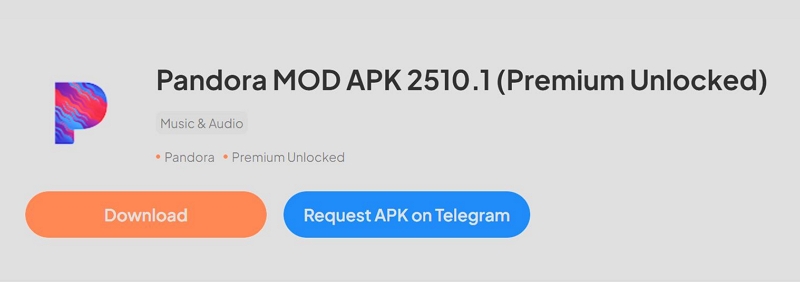
There isn’t a single Pandora Mod. Different developers upload different versions, each with its own tweaks. Still, most of them try to unlock the same core perks:
- No ads during playback.
- Unlimited skips and replays, similar to Plus/Premium.
- Higher streaming quality than what free accounts normally get.
- Playlist creation and extra controls usually locked behind a subscription.
And then there’s the feature most people look for — downloading Pandora songs without premium.
The truth is that very few Pandora Mods support it today. Pandora has patched its download and offline systems multiple times, so only older builds (mostly from 2023 or earlier) still show a working download button. The trade-off is obvious: those old builds lack the newer features of the latest Pandora app.
Possible Issues You May Encounter
Using a modded Pandora APK sounds tempting because you avoid ads and unlock features instantly, but there are some reasons why these apps are not widely recommended. They carry real risks and drawbacks you must keep in mind.
Malware, spyware, or hidden trackers:
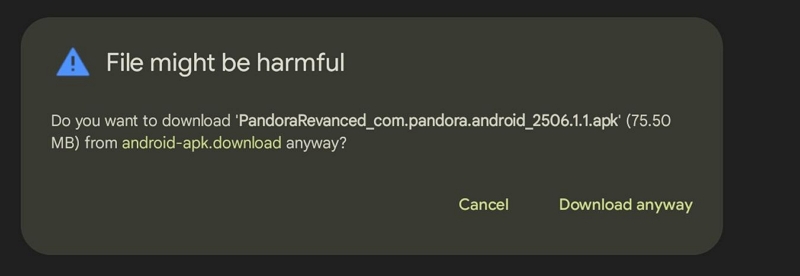
These APKs are not vetted by Google Play or any independent security checker. Some builds request wide-ranging permissions and can quietly monitor your phone activity.
No official updates:
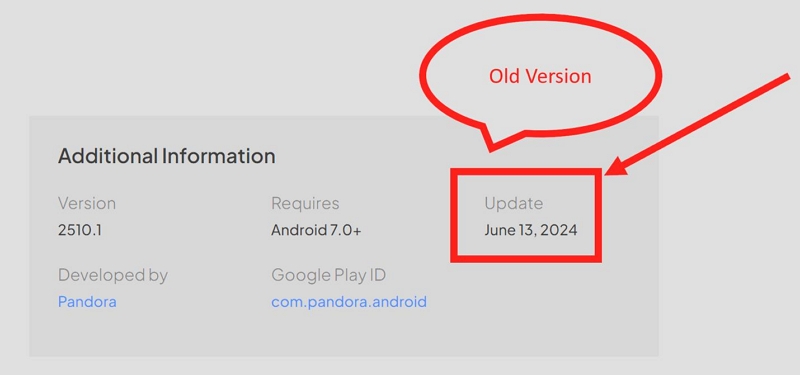
You will not receive Pandora’s feature updates, UI improvements, or bug fixes.
Unreliable behaviour:
- Playback glitches are common.
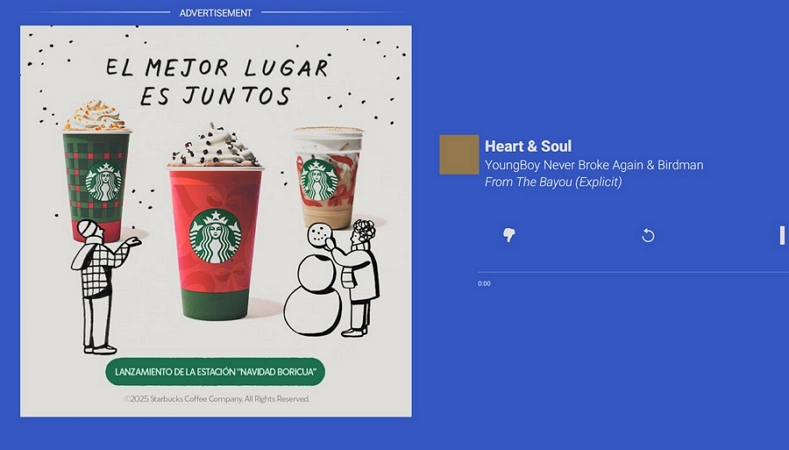
- Ads sometimes creep in despite of the “ad-free” promise, because the modifications rely on unstable code.
- Pandora frequently updates its security systems. When that happens, the mod you installed becomes useless. The app reverts to the usual free-account behaviour, and you have to search for yet another mod from another site. It becomes a cycle every few weeks.
If you’re a new user and want to try Pandora Premium for free, you can follow these official ways to get a Pandora Premium free trial. Get Pandora Premium for Free
Get Pandora Mod APK Latest/Old Version with Unlimited Skips and Direct Download
When you search for Pandora Mod APK on your browser, you’ll see hundreds of results. So, it’s hard to know which builds actually work. So we did the difficult part for you. Below are the only modded Pandora APK sources worth checking, along with what each of them truly offers.
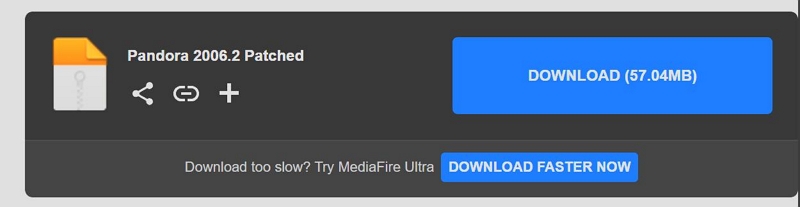
1. MediaFire Patch (Older Working Build)
📍Get: https://www.mediafire.com/file/4regxzxq8a9d30m/Pandora_2006.2_Patched.apk/file
This is the oldest patched version still floating around online and it’s one of the rare builds where the download button actually appears. It can save a few songs offline, but note that:
- It’s from 2020.
- The interface is outdated.
- Many new Pandora features won’t exist here.
In all, it’s useful only if you specifically want the old download behaviour and nothing else.
2. BestForAndroid – Pandora Mod APK
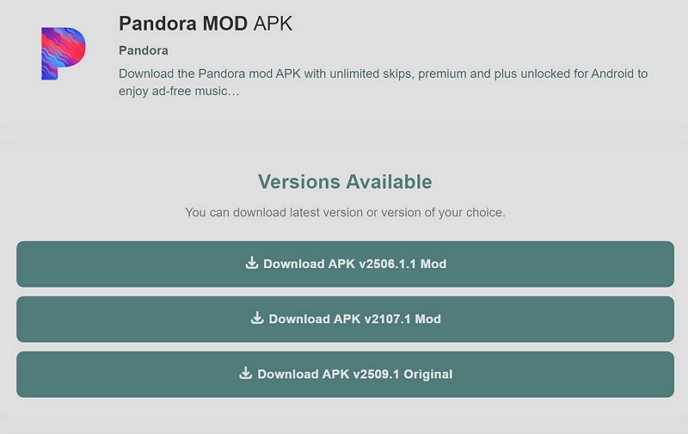
📍Get: https://bestforandroid.com/apk/pandora-mod/
This build gives you unlimited skips and ad-free playback right away. However, it does NOT support song downloads. It behaves more like a patched Plus account rather than a Premium one.
3. APKDone – Pandora Mod APK
📍Get: https://apkdone.com/pandora/
This source usually distributes last year’s patched Pandora builds. It unlocks unlimited skips and removes ads, but the download button is gone. You also can’t save offline stations the way Pandora Plus users can.

4. GetModsAPK – Pandora Mod APK
📍Get: https://getmodsapk.com/pandora-mod-apk/
This is one of the most recent modded releases. It allows unlimited skips, but no downloads even though the descriptions claim otherwise. You’re basically getting a smoother, ad-free listening experience and nothing more.

5. LiteAPKs – Pandora Music & Podcasts (Mod)
📍Get: https://liteapks.com/pandora-music-podcasts.html
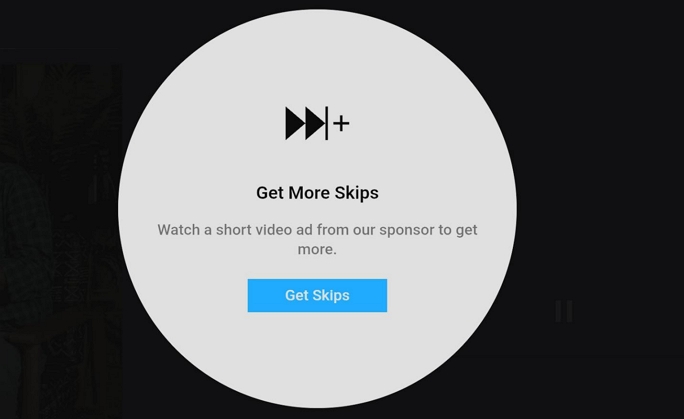
This one focuses only on removing ads. Unlimited skips aren’t truly unlocked—you’re forced to watch a video to keep skipping. No working download support here either.

6. GetJar – Pandora Mod APK
📍Get: https://www.getjar.com/categories/music-apps/music-players/pandora-mod-974417
GetJar’s build works without rooting and gives you unlimited skips and no ads. It also claims to offer unlimited MP3 downloads, but after testing, the feature did not work at all. Streaming works fine while downloading does not.

Pandora Mod APK: Latest Version vs Older Version
Once you compare the newer Pandora Mod APK builds with the older patched versions, the differences show up immediately.
The latest mods, like the one from GetModsAPK, unlock the usual perks: unlimited skips, no ads, and smoother playback, but none of them actually offer the download button anymore. Even the versions that claim “MP3 downloads” (like GetJar) only deliver skips and ad removal once you install them.
On the other hand, the oldest patched build (with the 2020-era interface), the one people still pass around through MediaFire, is the only mod where the download button still appears.
And this isn’t just from testing. Many users on Reddit say the same thing: the newer mods run fine, but none of them bring back true downloading.

How to Use Pandora Mod APK to Download/Skip Songs
Using a Pandora Mod APK is not complicated, once you manage to find a working build. You can simply pick one from the list above, though they’re checked often and replaced whenever a version stops working.
After that, the only thing that feels different is the installation process. Once the mod is installed, everything inside the app behaves just like the official Pandora app.
Prep: Get Pandora Mod APK on Android Mobile
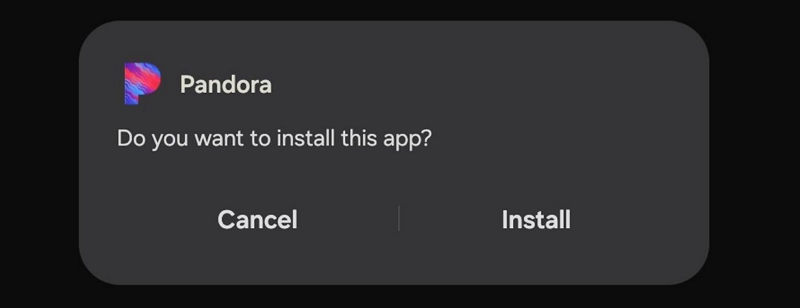
1. Install one of the working mods from the list above.
When you tap Download APK button on the site, Android will warn you about unknown apps. Choose Chrome (or whichever browser you used) and allow Install unknown apps.

2. Once the APK finishes installing, open the app. You will see the older Pandora interface.
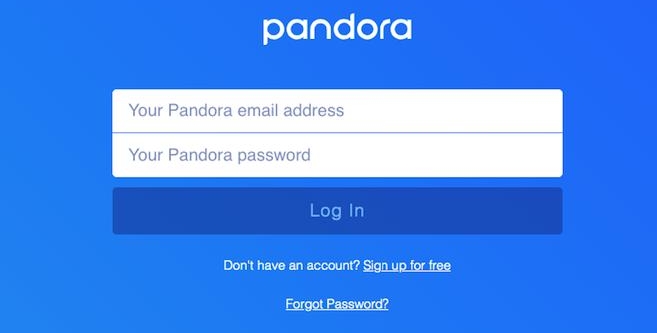
3. Log in with your regular Pandora account. There is no extra setup. Your home screen, stations, and playlists will appear as usual.
Download Songs with Pandora Mod APK
If you are using one of the older mod builds (the only ones where the download button still works), the downloading process looks exactly like the official Premium app.
Download Individual Songs
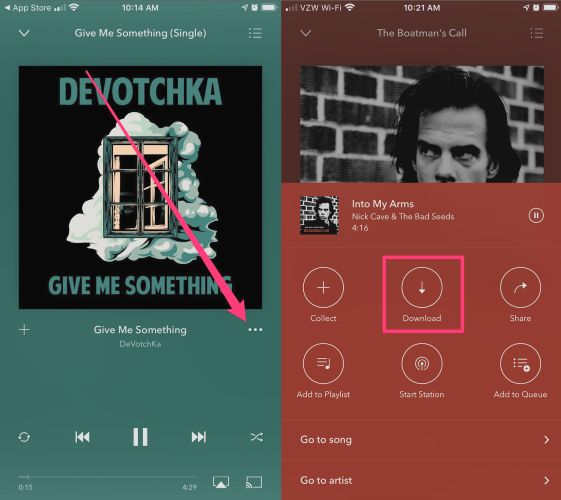
- Open a track and stay on the Now Playing screen.
- Tap the three-dot menu next to the song title.
- You will see a Download option. Choose it and the track will begin saving.
Download Stations, Playlists or Albums
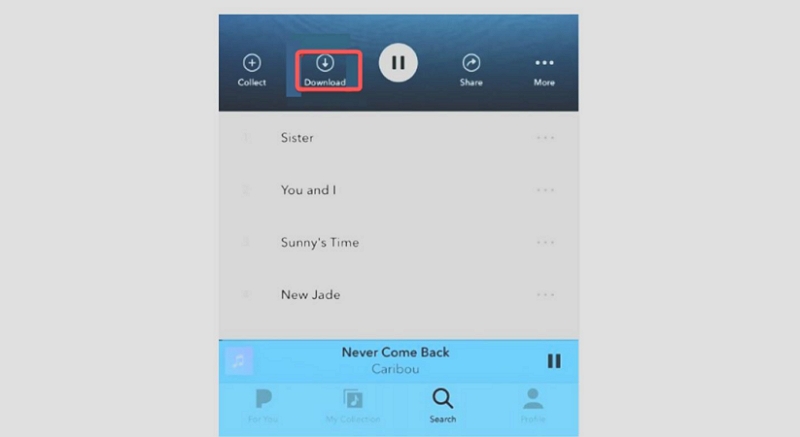
- Head into the page for that playlist, album, or station.
- Look for the Download switch resting at the top, hit it once and the entire collection drops into your library.
Skip Songs in Pandora Mod APK
Almost all Pandora Mod APKs come with a few extra features that free users normally don’t get. Even though most mods do not support downloading songs, they still unlock the simpler, everyday perks that people want, especially unlimited skips.
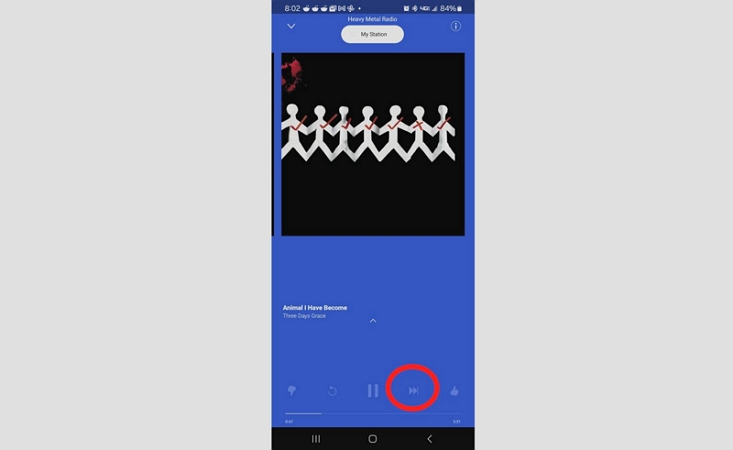
Except for the LiteAPK variant, almost every mod we tested allowed unlimited skipping. You can tap the Next button as many times as you want without hitting the usual skip limit that appears on the official free app.
Other Features in Pandora Mod
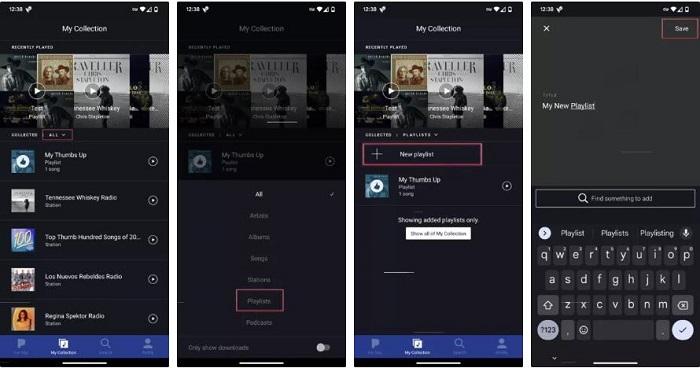
Some mods also unlock basic playlist creation. For example, the BestForAndroid version and the GetModsAPK build let you create and manage Pandora playlists.
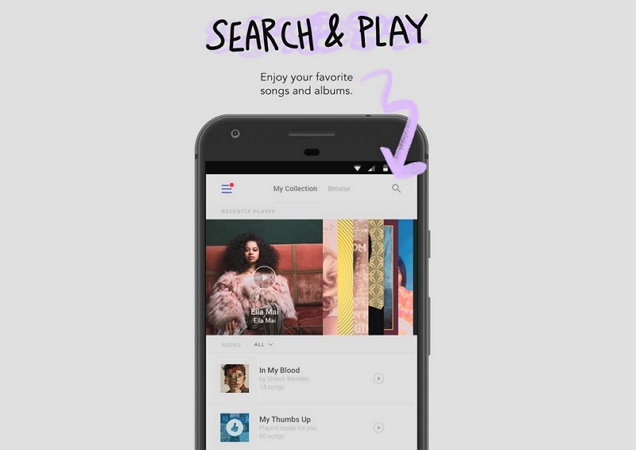
Most mod versions also allow you to search for individual songs and play them directly without having to watch ads. So even without downloads, you do get a smoother playback experience, compared to the original free Pandora app.
Can't Download Songs with Pandora Mod APK? [Fixed]
Most Pandora Mod APKs no longer offer any download feature. You may think of using the older patched versions for music downloads. However, there is a main limitation - they miss modern features. Meanwhile, these Mods aren’t safe, stable and reliable. So it makes more sense to download your Pandora songs in a different way - using Mediaio Audio Converter. Mediaio works even better than the official download feature, as it saves Pandora Music offline as local files for personal usage. This provides more flexibility and convenience.
Mediaio connects with your Pandora account and lets you download your stations, playlists, or individual tracks as real audio files: MP3, M4A, FLAC, WAV and more. Once the songs are saved, you can play them in any media player you like without internet or ads. There are no caps on how many tracks you can save either, so you can build a full offline collection on your computer and keep it forever. Moreover, Mediaio is 100% safe to use.
Steps to Download Pandora Music Locally Without Premium and Mod APK
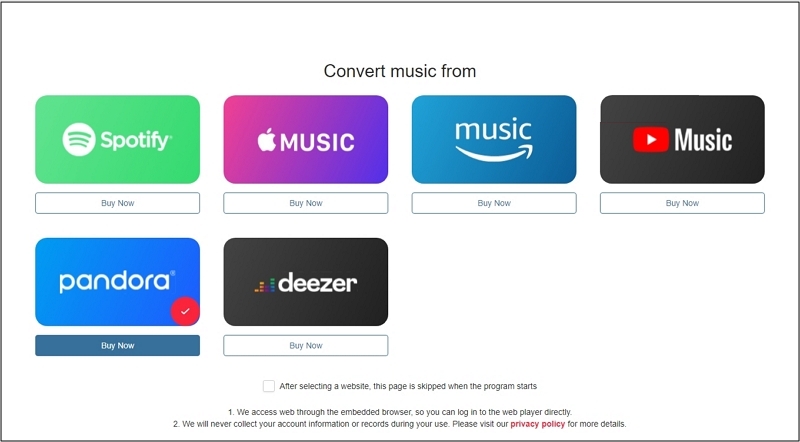
Get Mediaio Audio Converter on your Windows or Mac computer and open it. The home screen will display a row of supported platforms — choose Pandora to begin.
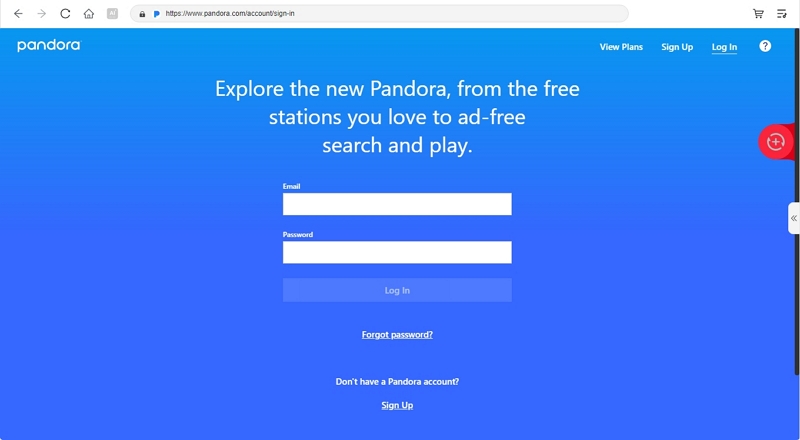
Mediaio loads a built-in Pandora window. Sign in with your usual account.
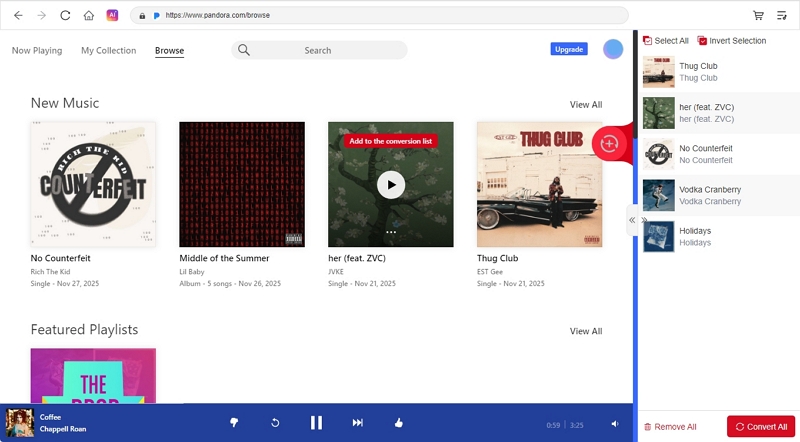
Browse your stations or albums. When you want to keep something, drop it into the + panel on the right. Clicking Add to the conversion list works the same.
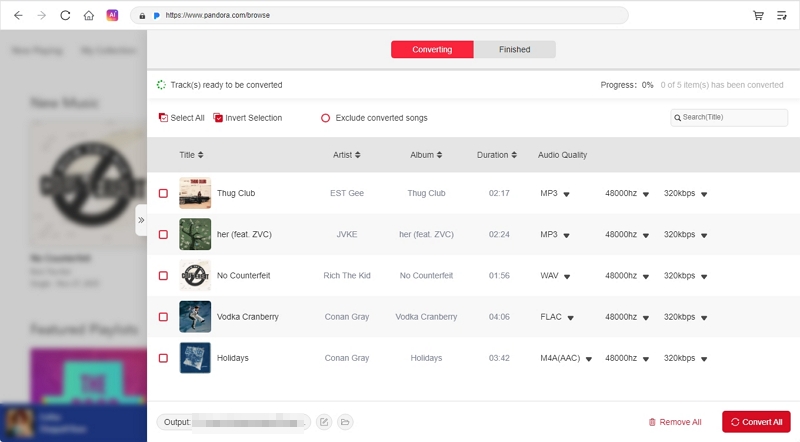
Pick your preferred format, such as MP3 that works for almost every device, and start the conversion. Mediaio will pull each track and store it as a real file on your computer. If you need, you also adjust the audio quality and output folder before conversion.
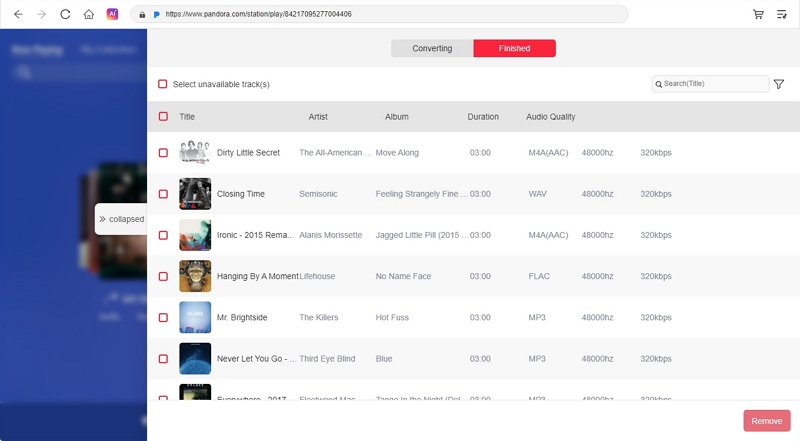
When the download finishes, the songs behave like ordinary music. You can play them in any app, skip as much as you want, and move them freely to your phone, car USB drive, or any media player, with no Pandora subscription involved.
Bonus: How to Get Pandora++ on iOS
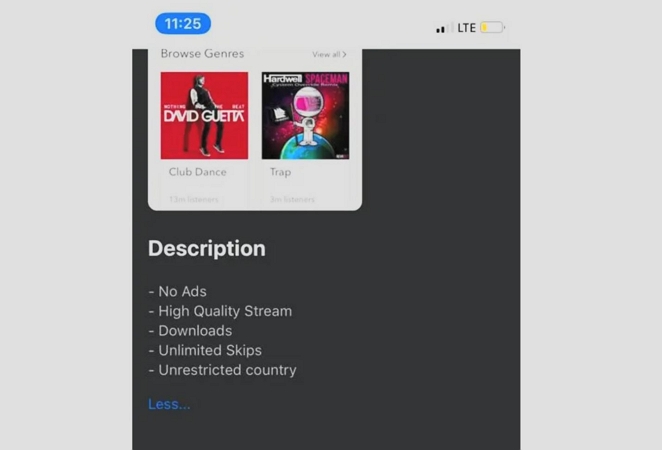
You can also find Pandora++ on iOS. It unlocks the same kind of features that Pandora Mod APKs do on Android and lets you enjoy premium-level features for free.
Once again, the App Store doesn’t allow these builds. So, you have to rely on third-party installers like AppValley, Sideloadly and AltStore. Also, the setup happens in two phases. First, you bring the third-party store onto your device. Then you use it to install Pandora++. Here’s what that flow usually looks like:
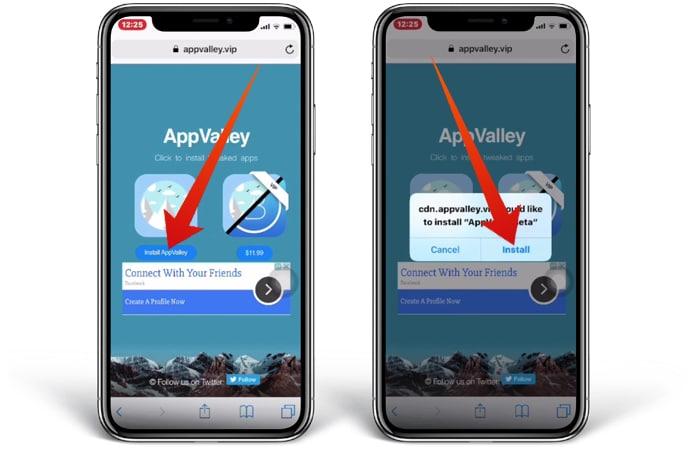
Step 1. Install a Third-Party Store (AppValley Example)
- Open Safari and look up AppValley.
- Choose the Install AppValley option on the main page.
- iOS will show a profile request. Approve it.
- Open Settings and finish the profile installation.
- Return to your home screen. AppValley will appear there.
Step 2. Get Pandora++ on Your iPhone
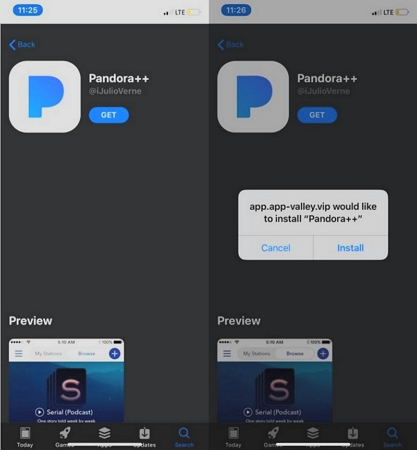
- Launch AppValley.
- Search for Pandora++. Several versions will appear. Choose the one that fits what you want.
- Use the Get option to install the app on your iPhone.
- Confirm the install prompt.
Step 3: Enjoy Premium Features in Pandora++
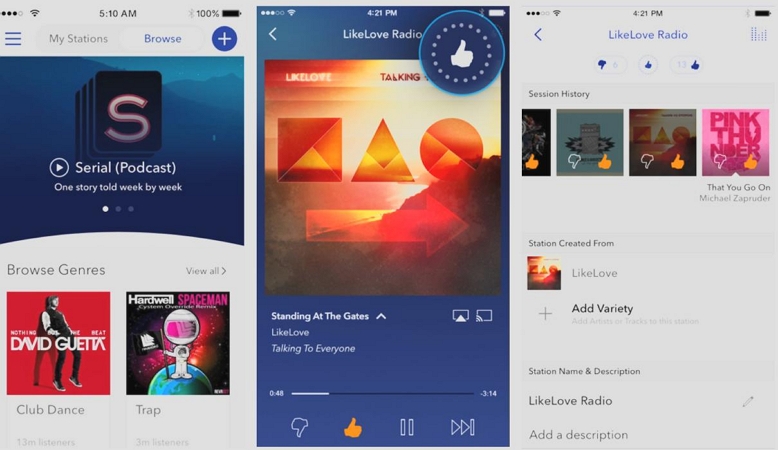
Pandora++ will show up on your home screen after the install. You can then sign in with your usual Pandora account and enjoy Premium features for free.
Conclusion
That’s the story with Pandora Mod APKs. They claim ad-free listening, unlimited skips, and a way to save songs offline, but when you actually install it, you realise the reality is very different. Most builds don’t download anything.
That’s exactly why Mediaio Audio Converter is the better option. It lets you save high-quality Pandora music on your computer and play it through any app you like. You can even transfer the music to any device for personal usage, but not like Pandora MOD APK which is only available for Android users.