

Modern aircraft come with Starlink-powered Wi-Fi and many airlines now have partnerships with Spotify and Apple Music. This all means you are no longer left without music during flights. Still, even in 2026, not all flights support all that. Your actual experience will depend on the aircraft hardware and whether your flight even supports reliable Wi-Fi. So it makes sense to learn how to listen to music on airplane rides and not leave things to chance.
In this guide, we will cover practical ways to do that, whether your aircraft has Wi-Fi or not. This way, you are never left without music, whether it is a two-hour hop from LA to Las Vegas or a 16-hour Singapore-to-London flight.
How to Listen to Music on Airplane with WiFi
Being able to stream fresh music and podcasts via onboard WiFi really makes sense when you’re on long routes like JFK to Dubai or when free WiFi is included. Newer technologies like Starlink and Viasat have made it easier to stream Spotify or YouTube Music without any problems.
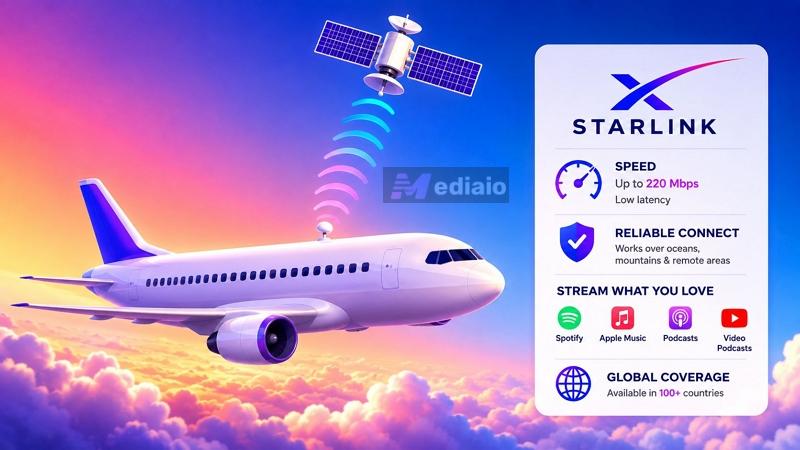
In fact, music services like Apple Music and Spotify now actively collaborate with airlines to enhance the in-flight experience.
Still, airplane Wi-Fi is far from perfect. Streaming plans are still expensive (averaging up to US$30). Buffering is also common and sudden disconnects are still frequent on oceanic routes. More importantly, your experience can never really be guaranteed, because a flight “has Wi-Fi” doesn’t mean a smooth 14-hour experience. The aircraft hardware, the satellite provider, the route, the passenger load, and how modern the onboard system actually is, a lot of factors decide how smooth things will be.
So do not assume that just because one Delta flight gave you excellent Wi-Fi, the next one will feel the same too. Even two aircraft from the same airline are known to offer different onboard internet experiences.
Steps to Play Music on Plane with WiFi
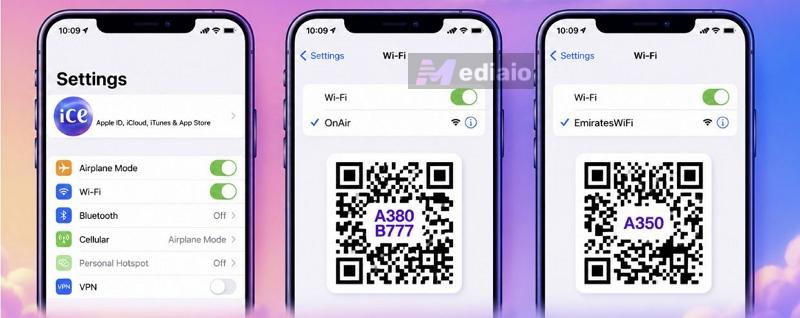
Step 1. After boarding, switch on Airplane Mode on your device. Manually enable Wi-Fi.
Step 2. You’ll find the airline’s network name under the Wi-Fi settings. Select it to connect to their onboard system.
- In many flights, the airline portal launches automatically.
- Or you would have to visit a page like onair.wifi, or scan the QR code.
Step 3. Most airlines will ask for details like:
- boarding pass number
- seat number
- surname
- loyalty membership account
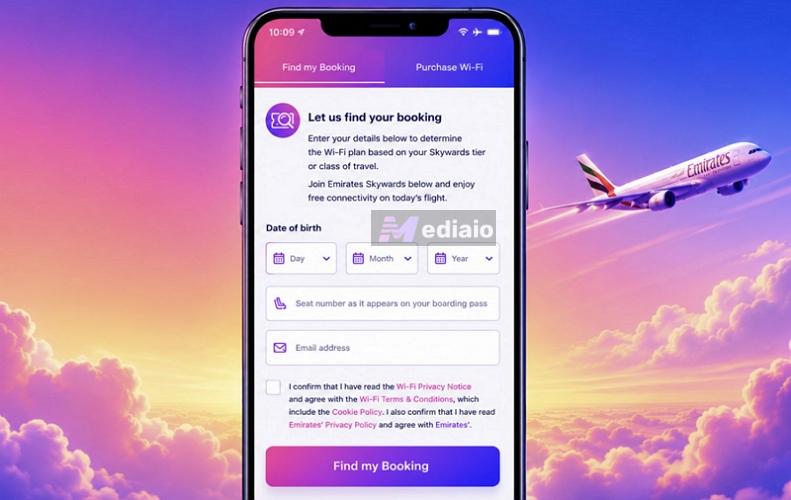
Step 4. Choose the Wi-Fi plan. For Spotify or Apple Music streaming, go with the full-browsing or streaming tier.
Step 5. Complete the payment. Or sign in through your airline membership.
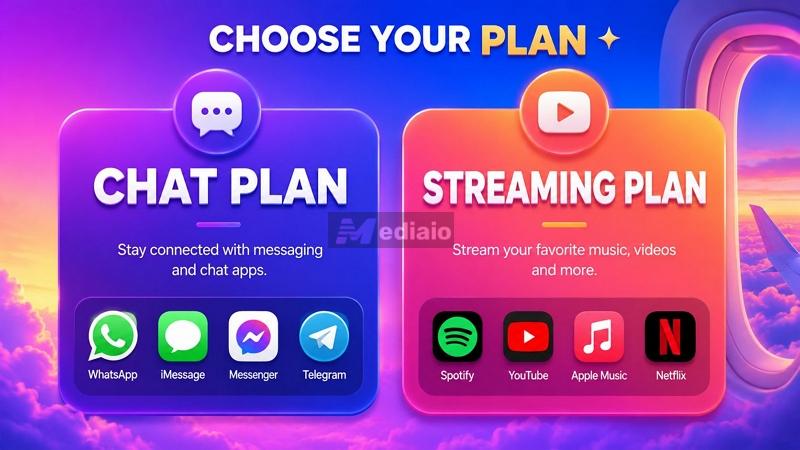
Step 6. Once connected, you can use apps normally, just as you would at home. Open Spotify or Apple Music and start playback.
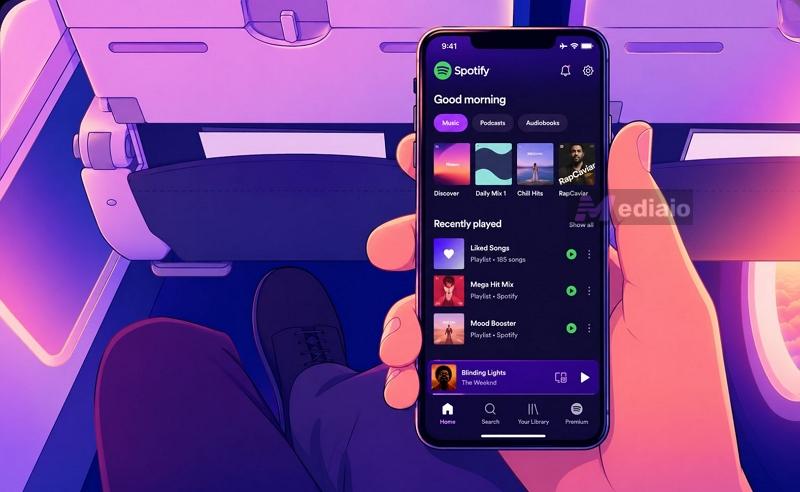
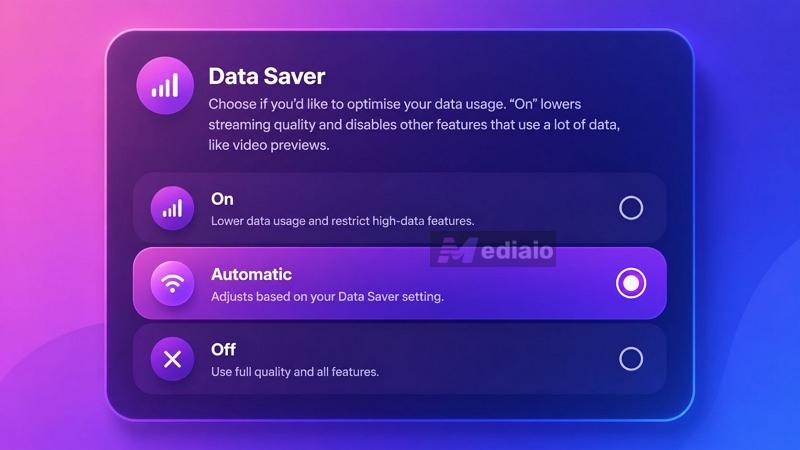
Pro Tip: Switch the streaming quality to Data Saver or Normal quality inside Spotify or YouTube Music. This will reduce buffering significantly.
Pros and Cons
You do not have to rely on airline music catalogs. Streaming Wi-Fi is still expensive. It is often more expensive than simply buying a one-month Spotify or Apple Music subscription and downloading playlists beforehand, if storage is not an issue for you.
Only makes sense when you have memberships like SkyMiles or Skywards.
You’ll have to wait till in the air to listen to your music.
How to Listen to Music on Airplane Without WiFi
Even today, listening to music on flights without Wi-Fi still makes the most sense. This way, you do not have to depend on expensive airplane internet or deal with buffering.
Thankfully, there are multiple ways to do this now. You can carry your own MP3 library on your phone or use offline downloads in apps like Spotify. Today, even in-flight entertainment system hoard content, so they’re worth looking. Here are your options when you don’t want to deal with airplane Wi-Fi:
Need to download music beforehand.
Phones on supported aircraft Casual listening. Limited music library and highly depends on the airline and aircraft
Now let’s look at all these methods carefully and see which makes the most sense for your listening habits.
Way 1. Play Local Songs
Once the songs are stored locally on your device like phone, you do not have to worry about expensive airplane Wi-Fi, switching airports, or playing music on a foreign SIM card plan because your local MP3 or M4A songs will always be available. So whether you are traveling for a single flight, planning a long vacation, or constantly moving for business trips, it is important and suggested to have a collection of local songs.
And that is where tools like MedVioo Audio Converter come in handy. MedVioo lets you log in to platforms like Spotify, YouTube Music, Amazon Music, Deezer, and Pandora using your own accounts, including free accounts and export songs locally in MP3, M4A, WAV, FLAC, and other formats. You can download exactly what you need:
- one playlist for a short flight
- podcasts and audiobooks for overnight travel
- or even thousands of songs for long trips
And unlike basic online converters, MedVioo properly preserves metadata. So your offline library on Android or iPhone, in apps like Poweramp or even Apple Music, will look clean and organized.
MedVioo also provides a Video Converter to export movies and TV shows from Netflix, Prime Video, and other services to MP4. So you can prepare complete offline entertainment before flights or international travel.
Steps to Listen to Music in Airplane Mode on iPhone/Android
Step 1. Fire up MedVioo on your Windows PC or Mac. Then choose the streaming platform you want to pull the music from.
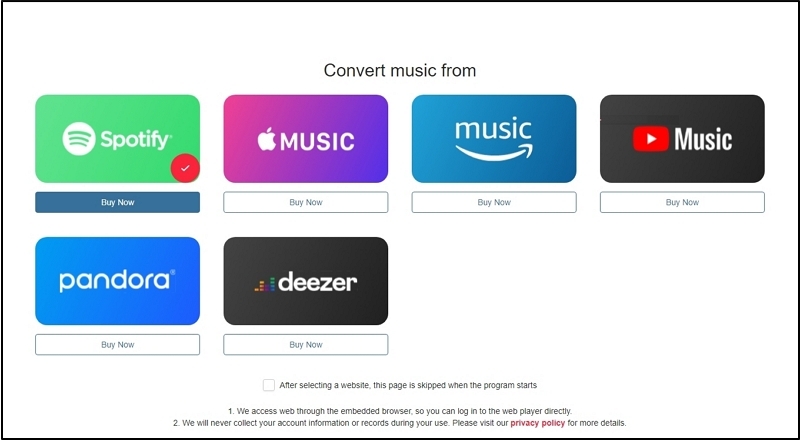
Step 2. Sign in using your own streaming account credentials.
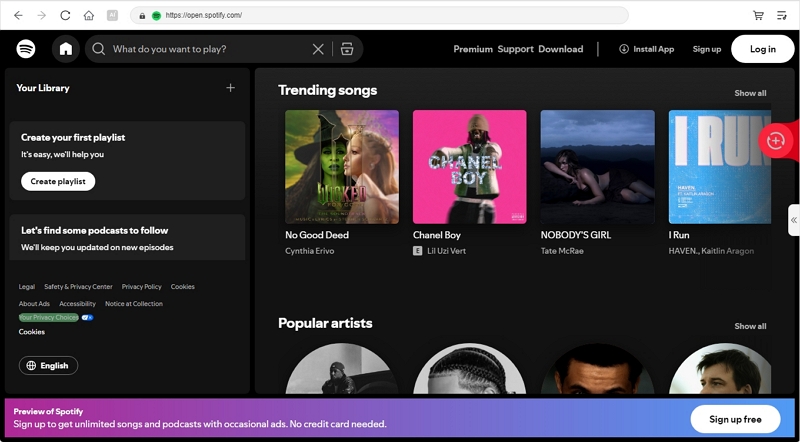
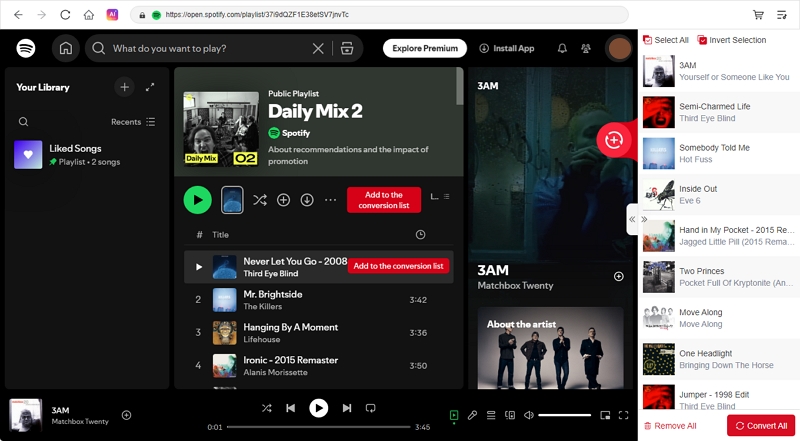
Step 3. Pick what you actually want for the trip.
Once you find the desired songs or playlists, drag them toward the floating + icon. MedVioo will instantly load them into the right conversion queue. Just click Convert All to begin the conversion.
Alternatively, expand the conversion section. There, you can adjust basic settings. To listen via Android or iPhone, these settings are good:
- Keep Output Format as MP3.
- Use 320kbps for a balance between quality and storage.
And if you are carrying an MP3 player, you can also switch to FLAC or WAV for higher-quality playback.
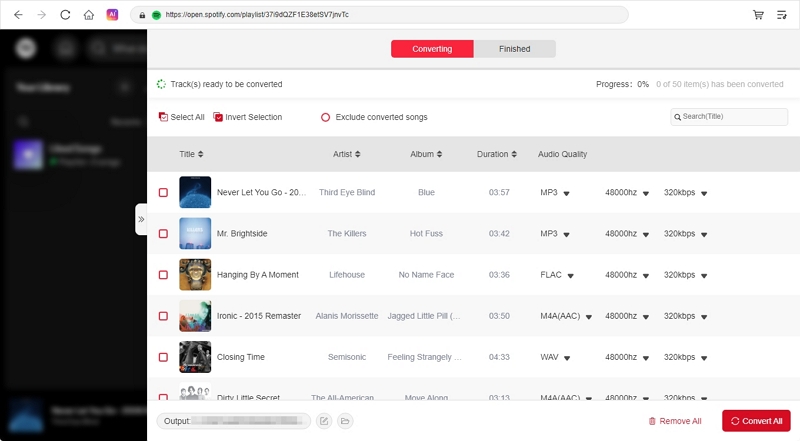
Hit Convert All. MedVioo will download the songs and automatically arrange them properly inside your downloads folder.
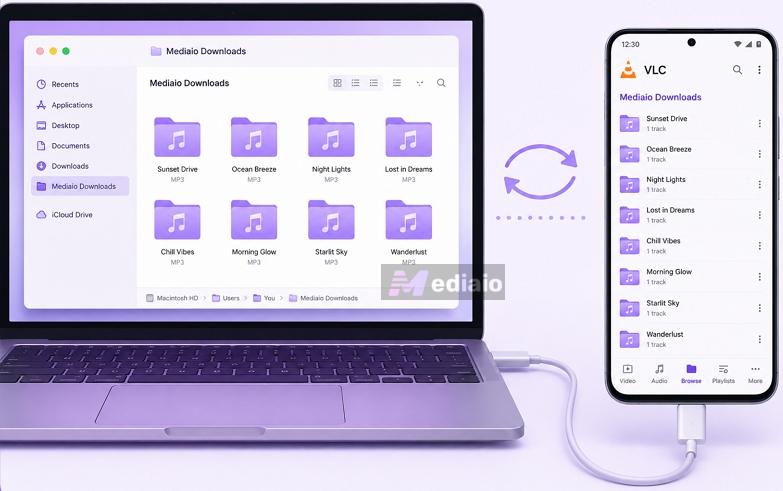
Step 4. Connect your Android or iPhone. Then transfer the music folders of your phone using USB or AirDrop. After that, you can play the MedVioo exported track with any offline player, such as Poweramp or VLC.
Way 2. Use a Music Streaming App
Another practical way to play music is to use the built-in download feature in music apps, such as Spotify, YouTube Music, or Apple Music. But you’ll need the subscription for that.
Still, if you already pay for these platforms, you can save your favorite songs directly on your phone before boarding. Then, you can play the downloaded music throughout the flight without buffering.
Still, these downloads are not the same as local MP3 files on your phone. They stay locked inside the app itself. Plus, you have to reconnect to the internet every few weeks to keep offline downloads active (otherwise, they could become useless when you return home after a few days). And once you start relying on them during flights, you have to know about some limitations.
 Songs, playlists, podcasts, audiobooks
Up to 10,000 songs per device (on up to 5 devices)
“Greyed out” songs are still common during flights.
Songs, playlists, podcasts, audiobooks
Up to 10,000 songs per device (on up to 5 devices)
“Greyed out” songs are still common during flights.
 Songs, playlists, albums
Around one hundred thousand songs via Library Sync
Downloads are tightly tied to your Apple ID.
Songs, playlists, albums
Around one hundred thousand songs via Library Sync
Downloads are tightly tied to your Apple ID. Even signing out of the App Store can instantly remove downloads.
 Songs, playlists, podcasts
Mostly depends on device storage
Do not rely too much on YouTube Music’s Smart Downloads.
Songs, playlists, podcasts
Mostly depends on device storage
Do not rely too much on YouTube Music’s Smart Downloads. Older saved songs disappear automatically. So you will have too few songs for long-haul flights.
 Songs, playlists, albums, podcasts
Depends on storage and subscription plan
Very buggy offline behavior.
Songs, playlists, albums, podcasts
Depends on storage and subscription plan
Very buggy offline behavior. Switching the app from Online to Offline mode can remove downloads.
Steps to Listen to Spotify on a Plane
Apps like Spotify and YouTube Music also include an Offline Backup and Smart Downloads feature. Once enabled from Settings, they automatically cache certain songs locally. That helps for short flights.
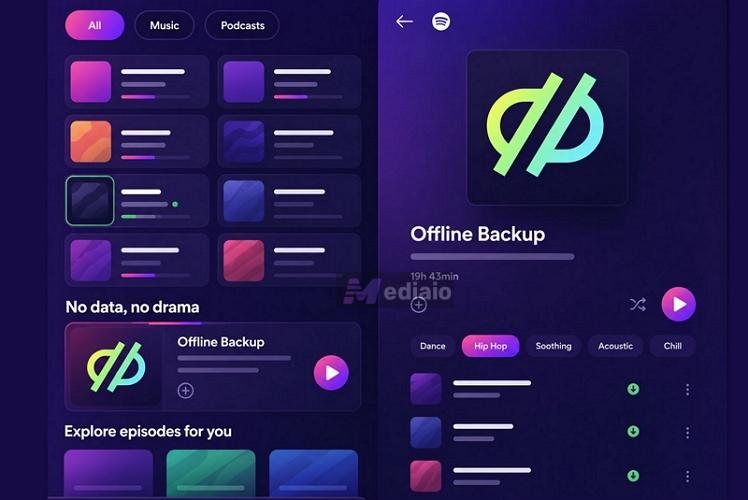
But for proper travel playlists, it's better to manually select the exact playlists you want. Here’s how to do that on Spotify.
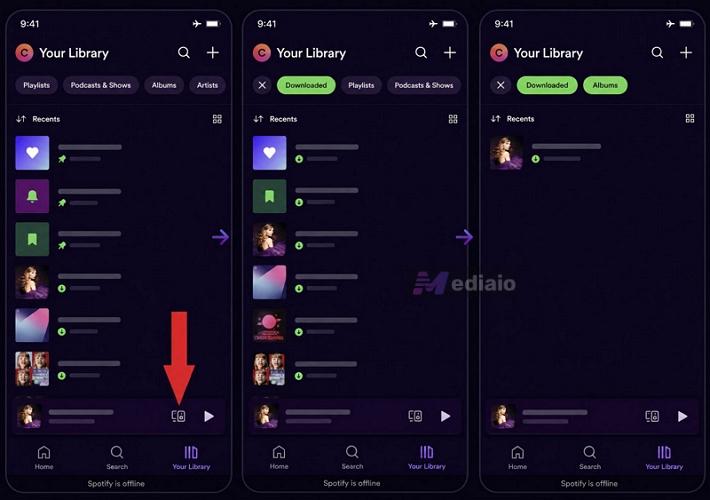
Step 1. Jump into the playlist or album you want for the flight. Near the playlist controls, tap the Download icon.
Step 2. Wait until the download arrow turns fully green.
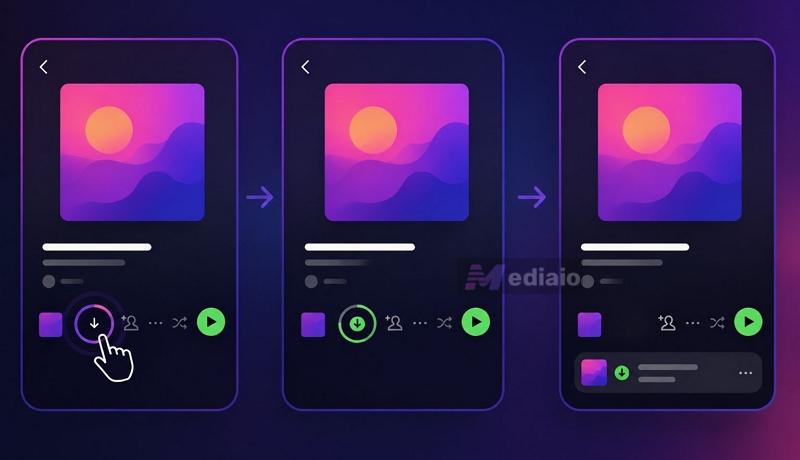
That is Spotify’s confirmation that the playlist is properly available offline and not partially cached.
Note: Before leaving for the airport, quickly open one downloaded playlist once while connected to the internet. This will help Spotify refresh licenses properly and avoid random gray-out issues later in the air.
Step 3. Once onboard, switch your phone into Airplane Mode. Spotify will automatically move into offline playback mode.
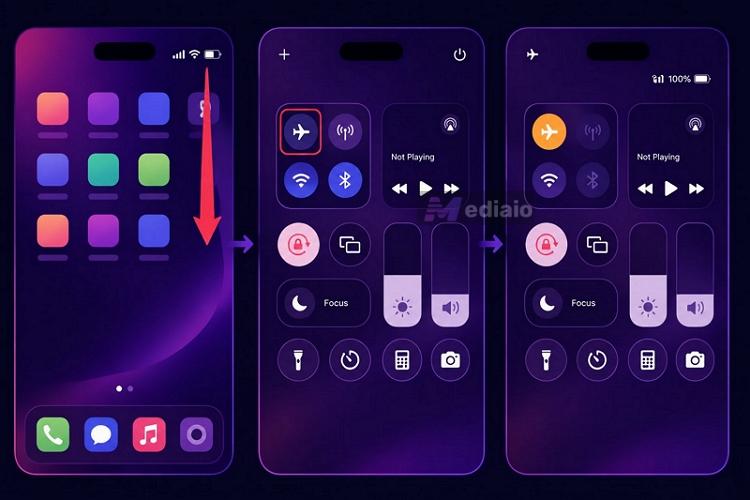
Your downloaded playlists will still appear normally inside Your Library. From there, playback works exactly like it does on the ground. You can just tap any playlist and continue listening normally throughout the flight.
Way 3. Use the In-Flight Entertainment System
There is another way to listen to music on a plane without relying on your own downloads or expensive airplane Wi-Fi plans but using the in-flight entertainment system itself. Now, this can work in two different ways depending on the airline and aircraft.
Option 1. Use the Whitelisted Apps
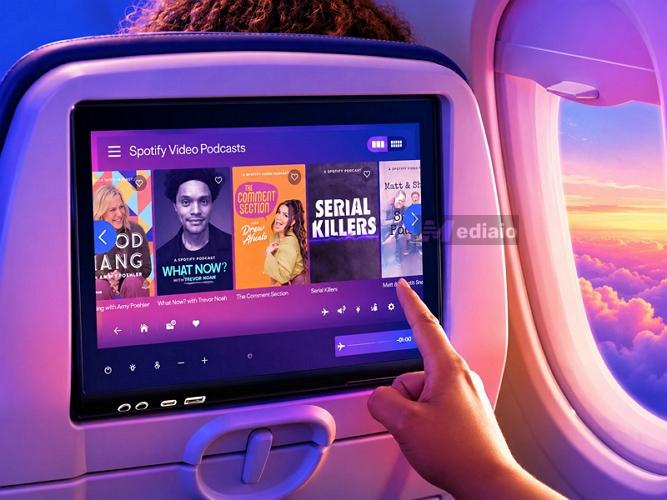
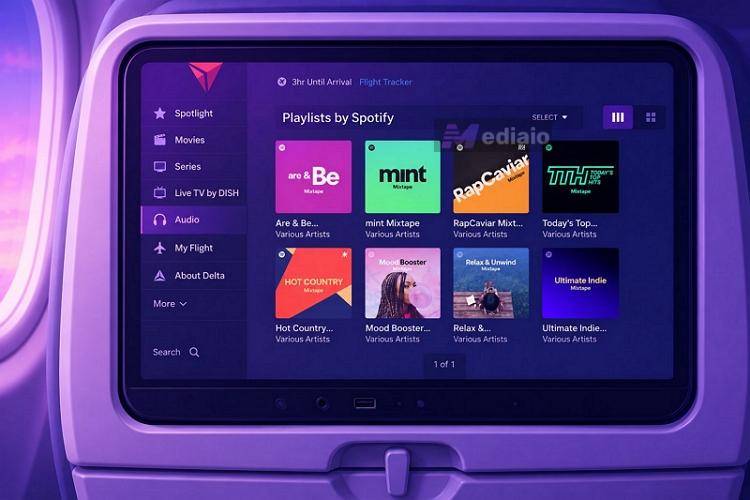
On certain supported airlines, services like Spotify and Apple Music have partnerships with the airline itself. One example is United Airlines. On their Bluetooth-enabled setback screen (130,000+), it gives roughly 450 hours of curated Spotify playlists, podcasts, and audiobooks. You can play anything from there, but you cannot log in to your own Spotify account to access your personal library. Spotify is also available on the in-flight entertainment systems of several other airlines, including Emirates, Delta Airlines, and Virgin America.
At the same time, some flight parneterships have whitelisted apps. For example, here’s how to listen to Apple Music on American Airlines (on their aircraft with Viasat WiFi).
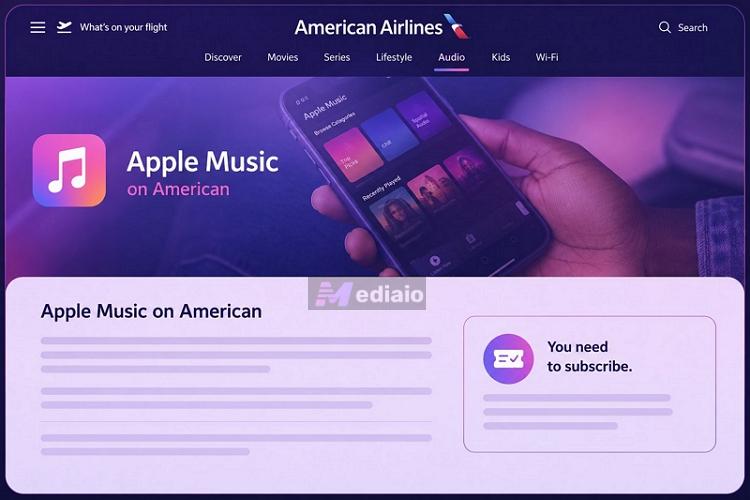
- Connect to the onboard Wi-Fi using the method shown earlier.
- Access these whitelisted apps,such as Apple Music.
- You don’t have to pay separately for full internet access here.
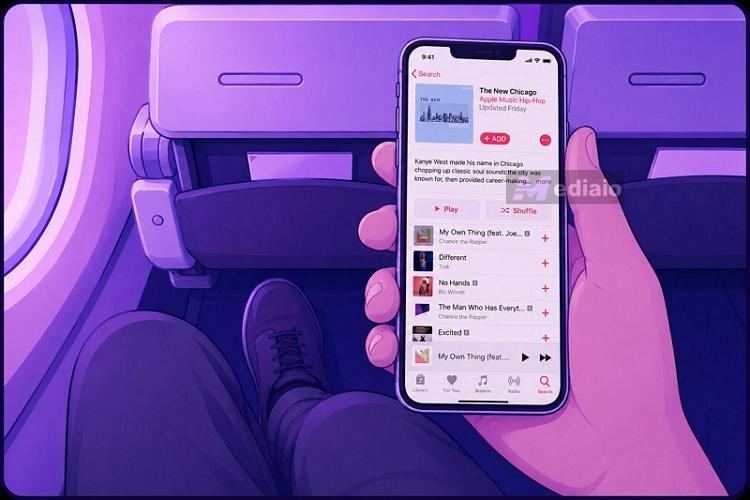
That means you can stream your own playlists and albums directly from your phone. Still, this experience is limited to only certain airlines and aircraft.
And honestly, buffering is very common because everybody on board is sharing the same connection. So even here, local MP3s remain the more reliable option.
Option 2. The Classic Seatback Screen
The second option is to use the seatback entertainment system. Airlines like Emirates ICE, Qatar Airways, Delta, and United offer preloaded music and podcasts. So you do not need the internet for them at all. You can access the content via the seatback screen and play without interruptions.
The downside is that you are limited to whatever the airline decides to include. And that usually includes older albums, instrumental music, country music, and relaxation tracks. So do not expect it to be like Spotify’s home feed. The library is not endless either. After a few hours, you’ll run out of things that match your taste.
Steps to Listen to Music on a Plane Without Wi-Fi for Free
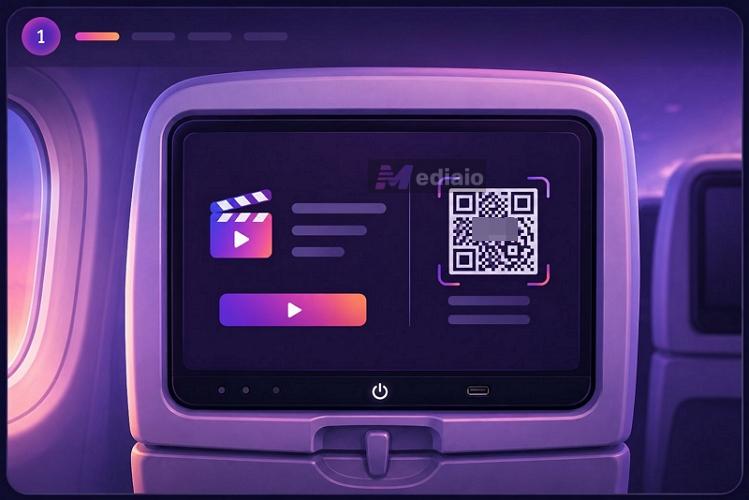
Step 1. Wake up the seatback screen. Scan the QR code too if the aircraft offers wireless entertainment access.
Step 2. Plug in your own headphones if possible. Otherwise, use the pair provided by the airline.
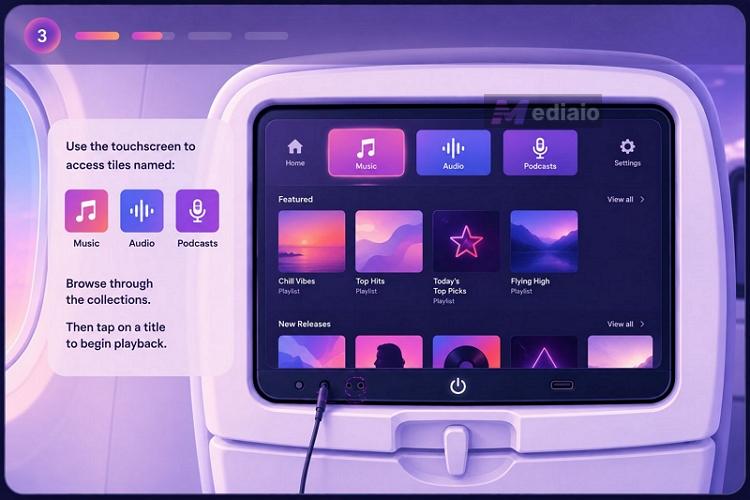
Step 3. Use the touchscreen to access tiles named: Music, Audio, or Podcasts.
Step 4. Browse through the collections. Then tap on a title to begin playback.
You can adjust the volume directly from the screen or the seat remote.
Final Words
Traveling in 2026 offers more in-flight tech than ever. So you are no longer left without music during flights. Still, almost all online methods come with their own quirks. Buffering is common, onboard music libraries are limited, and Wi-Fi for streaming is expensive. All this is available only on certain aircraft, so your actual experience comes down to chance.
That is exactly why local MP3 files still remain the best way to listen to music on an airplane or place with poor network connection. And MedVioo Audio Converter makes that easy. You can simply convert your favorite songs into MP3s and keep them permanently on your phone for all your future flights.