

There's something weirdly satisfying about letting an algorithm insult you. "Your playlist looks like it was curated by someone who peaked in 2017 and hasn't recovered." That line? From The Pudding's Spotify roast tool. And it went viral because it landed a little too close to home for a lot of people.
"Roast My Spotify" tools work by pulling your listening data—top artists, genres, repeat habits, listening times—and turning it into snarky, personality-driven commentary. They're comedy first and music criticism never. But underneath the jokes, they're doing something genuinely interesting: surfacing patterns in how you use music that you'd never notice yourself.
This guide covers how these tools work, which ones are worth using, how to try them safely, and what your roast actually says about you.
Part 1: How "Roast My Spotify" Actually Works
Most roast tools connect to the Spotify API and request read-only access to your listening data. They typically pull:
- Your top artists and tracks over different time periods (4 weeks, 6 months, all time)
- Genre distribution and mood patterns
- Listening timestamps (yes, they can tell you listened to Phoebe Bridgers at 2 a.m.)
- Repeat play counts and "obsession" patterns
The AI then maps this data to a set of personality archetypes and stereotypes—the "basic listener," the "music snob," the "chaos playlist" person—and generates commentary that exaggerates your patterns for comedic effect. The humor works because it's specific enough to feel personal but broad enough to be relatable.
The trend traces back to The Pudding, a data journalism outlet that built a satirical Spotify tool that mocked users' listening habits with genuinely funny, unhinged commentary. It spread on TikTok through reaction videos and quickly spawned a category of similar tools.
Part 2: The Best Tools to Roast Your Spotify (Compared)
Tier 1: Most Brutal
The Pudding is where the trend started, and it still sets the tone. The humor is meme-level savage—it leans into sarcasm, personality "diagnoses," and the specific kind of self-aware music-nerd comedy that spreads well on social media. If you want to be genuinely dragged, this is the one.
Volt.fm adds more data depth to the roast. You get actual statistics alongside the commentary—listening breakdowns, genre percentages, obsession scores—so the insults feel grounded in evidence. Good if you want snark and something to screenshot for context.
Both require a Spotify login.

Tier 2: Customizable Roasts
Roast My Wrapped and ChatGPT-based methods give you more control over tone. Instead of a fixed output, you can adjust the style—chaotic, dry, overly dramatic, or hyper-specific. This makes them better for content creators who want a repeatable format or users who want something tailored rather than generic.
The trade-off is that the output depends heavily on what you feed in. The Pudding's humor is iconic partly because it's curated. With ChatGPT, you're the curator.
Tier 3 – Analytical / Mild: Obscurify, Stats for Spotify
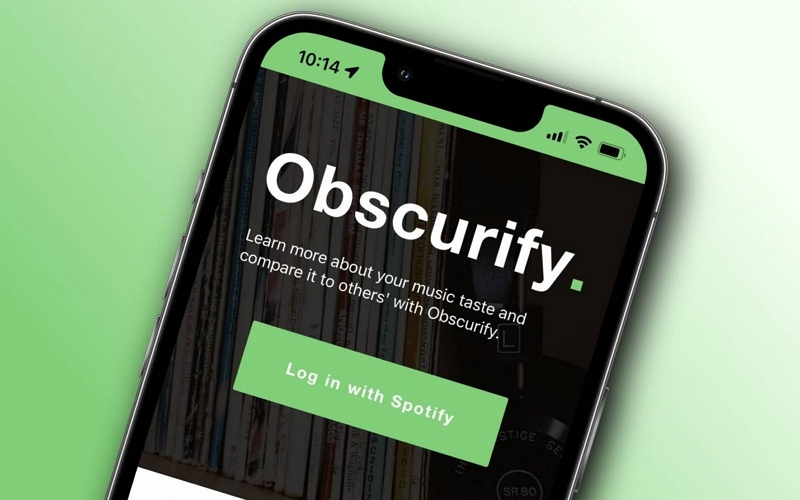
Obscurify is less of a roast and more of a music nerd report card. It tells you how obscure or mainstream your taste is, shows your genre breakdown, and adds light commentary. It won't emotionally destroy you, but it's genuinely interesting data.
Stats for Spotify skips the roasting almost entirely. It's clean analytics: top artists by time period, genre maps, listening trends. If you want insight without comedy, this is it.
Tier 4 – Experimental: Roast My Music, emerging tools
Tools like Roast My Music and various newer apps are testing more experimental approaches—mood scoring, playlist archetypes, emotional profiling. Results are inconsistent, but occasionally they produce something surprisingly accurate or funny. Worth trying if you like being an early adopter.
Quick Comparison
Part 3: Step-by-Step Tutorial - How to Get Roasted
Method 1: Direct Spotify Login (Easiest)
For tools like The Pudding, Volt.fm, or Obscurify:
- Go to the tool's website and click the login button
- Authorize via Spotify — this grants read-only access (the tool cannot change your playlists or control playback)
- Wait a few seconds while it pulls your data
- Read your roast, screenshot what you want, and share
After you're done, it's worth revoking app access in your Spotify settings: go to Account → Apps and remove any tools you don't plan to use again.
Method 2: Screenshot Upload (Works for Apple Music and YouTube Music Too)
If you use a different platform—or just don't want to connect your Spotify account—screenshot-based tools work well:
- Take screenshots of your listening stats (Spotify Wrapped, your top artists/tracks pages, or Apple Music Replay)
- Upload them to a screenshot-based roast tool
- The AI reads the visible text and generates commentary from it
This method has low privacy risk since no account access is required. Crop out any personal info (your profile picture, email) before posting screenshots publicly.
Method 3: ChatGPT with Your Spotify Data (Advanced)
This is the most customizable option and the most private:
- Go to Spotify Account → Privacy Settings and request your Extended Streaming History (you'll get an email with a ZIP file)
- Unzip the file—look for the JSON files containing your listening history
- Summarize or paste the key data (your most-played artists, top genres, listening patterns) into ChatGPT
- Use a prompt like: "Roast my music taste based on this data. Be brutal, specific, and personality-driven. Reference the actual artists and patterns."
The output is as specific as you make it. Feed it more detail and it gets sharper. This also works if you want to control the tone—add "be chaotic," "be dry," or "be uncomfortably accurate" to adjust.
Privacy note: Never paste your Client Secret or access tokens into AI tools. Stick to the manual data export method rather than live API tokens for safety.
Method 4: Roasting a Friend's Taste
You can roast a friend if they share their screenshots or export their data and hand it to you. Don't log into someone else's Spotify account—just ask them to screenshot their stats or pull their own Wrapped summary.
Part 4: What Your Roast Actually Says About You
Roasts work by exaggerating statistical patterns into personality narratives. Once you know what they're looking for, the jokes land differently.
Repetitive artists signal comfort loops—the same artists playing on repeat usually means you're using music to regulate mood or manage anxiety, not to discover new things. The AI turns this into "obsession" commentary, but the underlying pattern is pretty universal.
Mainstream vs. obscure is the roast engine's favorite lever. High mainstream scores get "basic" jokes; high obscurity scores get "pretentious" jokes. Neither is a real judgment—it's just the easiest contrast to play for laughs. Your obscurity score tells you something about how you find music (algorithm-fed vs. active seeking), not about your worth as a person.
Genre mixing gets read as "chaotic identity" or "commitment issues" in most roasts. In reality, it often just means you use music differently at different times of day or emotional states—which is pretty normal.
Listening timestamps are where roasts get uncomfortably specific. Late-night sad songs, hyperpop at 6 a.m., metal during work hours—the AI uses these to build a mood narrative that occasionally lands with eerie accuracy.
Where roasts go wrong: they use a limited data window that can skew results. If you went through a gym phase, a holiday music spiral, or a breakup playlist era, that might dominate your results without representing your usual taste. Treat the output as comedy, not personality assessment.
Part 5: Real Roast Examples
Here's what each tier tends to produce:
- The Pudding: "Your listening history suggests you are going through something, and you refuse to talk about it."
- Volt.fm: "You've played this artist enough times that legally they could claim you as a dependent."
- ChatGPT-based: "This is the playlist of someone who is 'fine' but in the way where that clearly means they're not fine."
- Obscurify: "Only 0.3% of Spotify users listen to this artist. This does not make you interesting. It makes you a person who mentions this at parties."
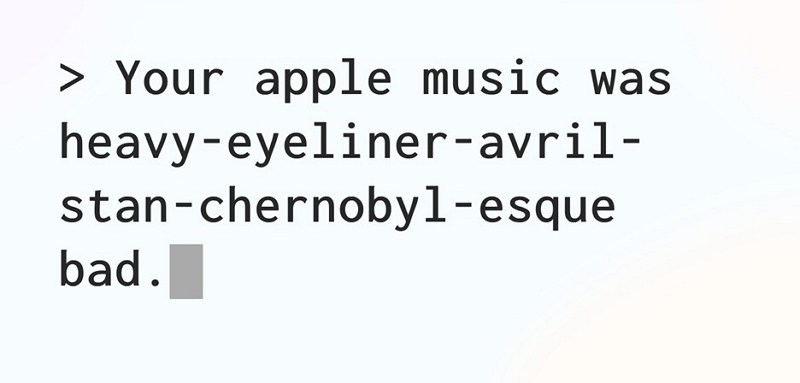
The reason these spread on TikTok is the specificity—reaction videos work because the person reading their roast out loud is performing recognition, not just reading text.
Part 6: Sharing Your Roast
The most common formats on TikTok:
- Reading the roast out loud while your reaction is visible (the "just got attacked by an algorithm" format)
- Splitscreen with the roast text and your reaction
- "POV: My Spotify knows me too well" with the roast as a greenscreen background
When screenshotting for sharing: crop out your full name and profile picture if you want to keep some separation between your identity and your listening data. The roast text is shareable; your account details don't need to be.
For caption humor, the straightforward approaches work best: "AI just ended my whole identity," or "I have been perceived and I don't like it."
Bonus Tip: After getting roasted for your music taste, some people take it a step further—by creating their own tracks instead of just listening. If you're curious about experimenting with AI music tools, platforms like MusicCreator AI let you generate original music, remix styles, and explore new sounds based on your preferences. It’s a fun way to turn your listening habits into actual music creation rather than just data for roasting.
Part 7: Using Your Roast to Actually Improve Your Listening
If the roast calls out repetition, that's a real signal. A few practical ways to break out of loops:
- For every overplayed artist, find one adjacent artist in the same genre and add them to your queue
- Use Spotify's Discover Weekly playlist—it's built specifically on your existing patterns and introduces music you're statistically likely to like but haven't heard yet
- Release Radar surfaces new drops from artists you follow, which is useful if you want to stay current without manual searching
- If Obscurify tells you your taste is very mainstream, try one of Spotify's niche genre playlists (search the genre name + "essentials") for a week and see what sticks
The goal isn't to perform a more interesting music taste for an AI—it's to use the roast as a nudge toward curiosity. Your comfort artists aren't a problem. Stagnation is only an issue if you want more variety.
FAQs - Everything About Spotify Roasting
Yes, with screenshot-based tools or manual data exports. Any AI tool can work with your stats if you provide them as text or screenshots—it doesn't require Spotify specifically.
Most are fully free. Some have optional premium tiers for more detailed analytics. The direct login tools (The Pudding, Volt.fm, Obscurify) are free; ChatGPT methods depend on your OpenAI plan.
Pick the right tier—Tier 1 for brutal, Tier 3 for mild. With ChatGPT prompts, just specify: "be unhinged and specific" vs. "be gently honest."
It probably is, partially. Roast tools use limited data windows and intentionally exaggerate for humor. Seasonal listening, one-off phases, or a shared account can all skew results. Take it as comedy, not personality assessment.
The underlying data works in any language, but the humor quality varies. ChatGPT-based roasts handle multilingual data best—you can specify the output language in your prompt.
Conclusion - Should You Roast Your Spotify?
Yes, if you want a low-stakes, entertaining look at your listening habits. No, if you're expecting actual music criticism or a meaningful personality test.
The best roast tools are funny because they're specific, and they're specific because they're working from real data. That's also why they occasionally land with uncomfortable accuracy. The joke is the point—but the pattern underneath the joke is genuinely yours.
Connect your Spotify, read the roast, laugh at it, revoke app access, and keep listening to whatever makes your brain light up. The algorithm doesn't get a vote.