

Slowing down a track used to mean a tradeoff: lower tempo, worse audio. Traditional time-stretching introduced warbling vocals, muddy low-end, and that familiar stretched-rubber-band quality that made slow versions sound like work-in-progress demos rather than finished audio.
AI-powered tempo adjustment solves this by separating tempo from pitch and using neural audio models to fill in the gaps that time-stretching creates. The result is slower audio that sounds like it was recorded that way—clean, natural, and pitch-accurate.
This guide covers how it works, which tools are worth using for different situations, a full step-by-step workflow, and how to fix the specific problems that still come up even with AI processing.
Part 1: How AI Time-Stretching Actually Works
Before choosing a tool, it helps to understand what's happening under the hood—because it explains why algorithm choice matters for different types of audio.
Traditional time-stretching works by repeating or removing small slices of audio to change playback speed. This creates audible artifacts be 6cause the repeated slices don't perfectly match the surrounding audio.
AI time-stretching analyzes the audio's transients (attack points of sounds), harmonics (tonal content), and formants (vocal resonance characteristics) separately. It then reconstructs the audio at the new tempo using this structural understanding rather than just slicing and repeating. The most advanced implementations use neural networks trained on large audio datasets to predict what naturally slow audio should sound like.
The practical difference: AI methods stay clean at reductions up to 20–30% and produce acceptable results down to about 50% of original tempo. Below that, even AI systems show strain—though the artifacts are different and often more musical than traditional stretching.
One important correction to a common misconception: slowing down audio produces a lower, more dragging sound—not a squeaky "chipmunk" effect. The chipmunk effect happens when you speed up audio without pitch correction. Slowing down without pitch correction produces the opposite: a deeper, slower, often dramatic sound. Pitch lock prevents this in either direction.
Part 2: AI-Powered Online Tools
If you're starting from scratch rather than editing an existing track, an AI music generator like MusicCreator.ai can also help. Instead of manually slowing BPM on finished songs, you can generate original music at your desired tempo, style, and mood from the beginning. This approach avoids time-stretch artifacts entirely and gives producers more control over the final BPM structure.
Online AI tools (fastest, no installation)
Moises.ai is the most capable online option for musicians and DJs. Its key advantage over simple speed changers is stem separation—you can isolate vocals, drums, or instruments before adjusting tempo, which gives dramatically cleaner results on complex mixes. The free tier limits export quality and monthly usage; the paid plan removes these caps.
Best for: DJs who want to match tempos across tracks, musicians practicing along to recordings, anyone needing quick results without software installation.
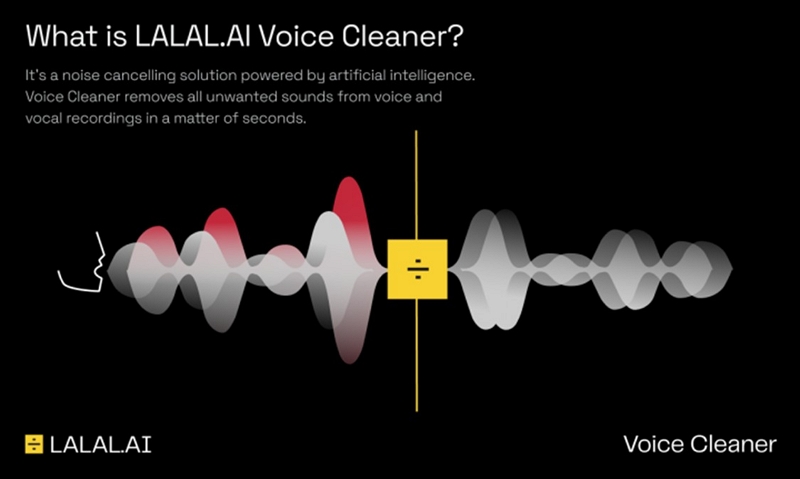
Lalal.ai focuses primarily on stem extraction but includes tempo adjustment tools. Its stem separation quality is among the best available online, which matters if you want to slow down just the instrumental while keeping vocals untouched, or vice versa. Pricing is per-minute of audio processed rather than subscription-based, which works out cheaper for occasional use but expensive for heavy users.
Best for: Projects where clean stem isolation is the priority alongside tempo change.
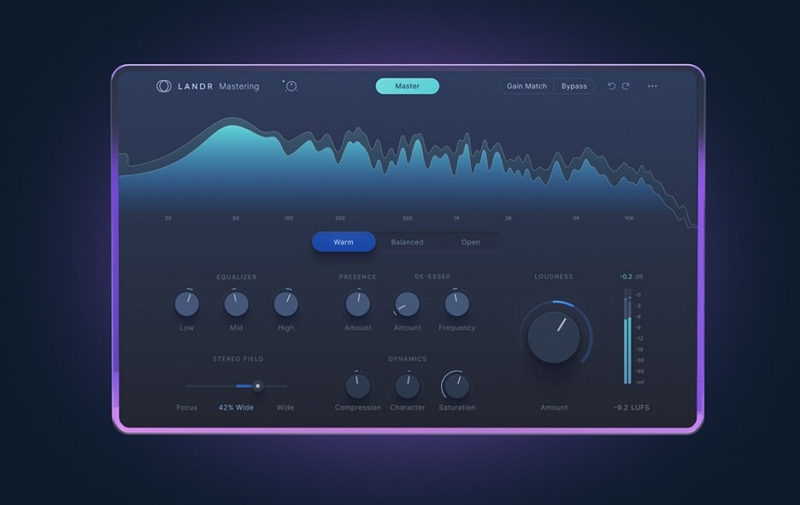
LANDR is primarily an AI mastering platform that includes tempo and pitch tools. It's most useful if you're already using it for mastering—adding BPM adjustment to an existing workflow rather than as a standalone tool.
Best for: Producers who want BPM change plus mastering polish in one step.
Free browser-based speed changers (sites like AudioSpeed.io, OnlineToneGenerator, or the speed control in YouTube/SoundCloud) use simpler algorithms without the AI reconstruction layer. They work well for practice use where slight quality loss is acceptable. Not suitable for anything you're publishing or performing.
Part 3: Desktop Software Solutions
A quick look at pro-desktop apps that offer deeper control, higher fidelity, and studio-grade time-stretching.
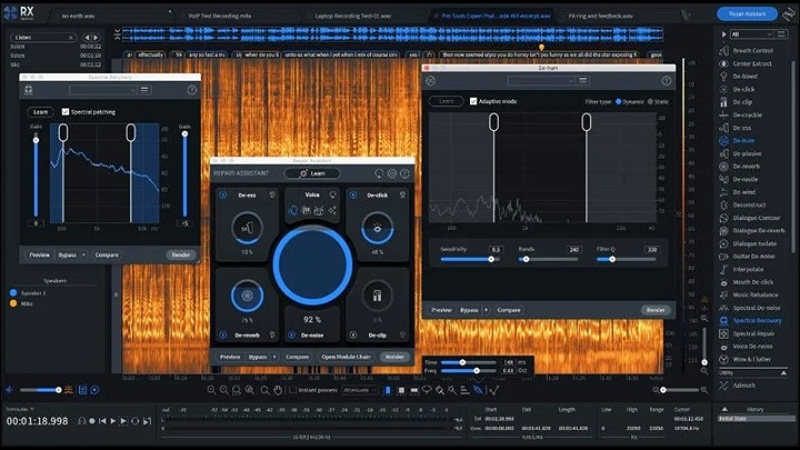
iZotope RX is primarily audio repair software, but its time-stretching quality is exceptional—particularly for isolated vocal tracks and acoustic instruments. Expensive and complex for this specific use case, but worth knowing if you're already using it for audio restoration work.
Best for: Post-production, podcast editing, audio restoration contexts.
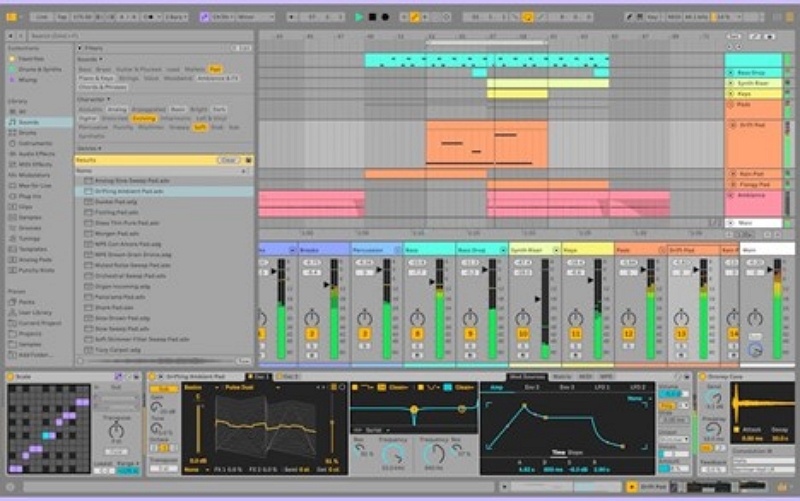
Ableton Live is the industry standard for tempo manipulation in electronic music. Its Warp function lets you set warp markers at specific beats and stretch audio between them with precise control. The Complex Pro warp mode is specifically designed for full mixes with vocals and handles extreme tempo changes better than most alternatives. The learning curve is real but the ceiling is very high.
Best for: Producers, DJs, remixers needing frame-accurate tempo control.
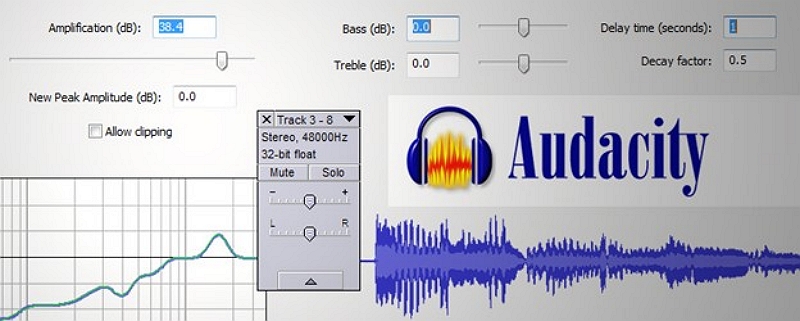
Audacity is free and handles basic tempo changes competently. Its built-in time-stretching is not AI-powered, but third-party plugins can improve quality significantly. The Effect → Change Tempo function preserves pitch by default. Good enough for practice recordings and personal use.
Best for: Free option for casual use, quick offline processing.
Part 4: Mobile Apps for BPM Adjustment
Mobile apps (portable, practice-focused)
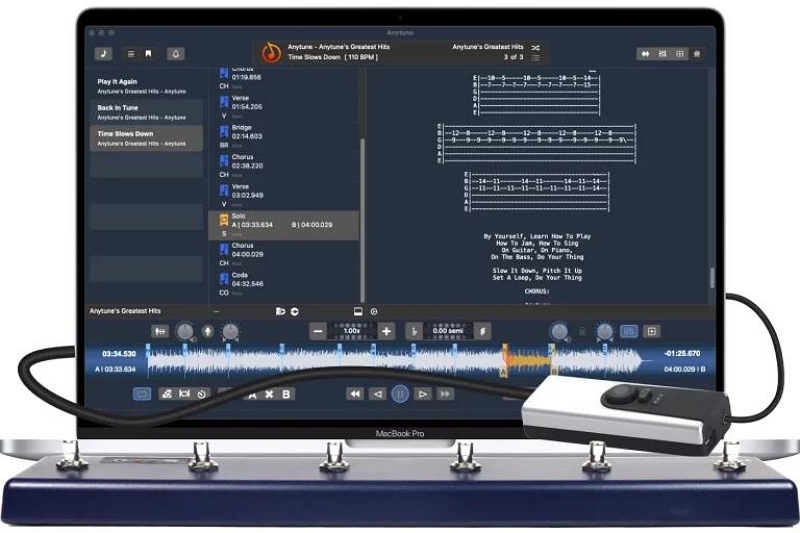
Anytune is the most fully-featured mobile option. It includes precise BPM control, pitch lock, the ability to loop specific sections, and a practice mode that gradually increases tempo as you improve. Widely used by musicians learning difficult parts. Advanced features require the paid version.
Best for: Musicians practicing difficult parts, dancers learning choreography.
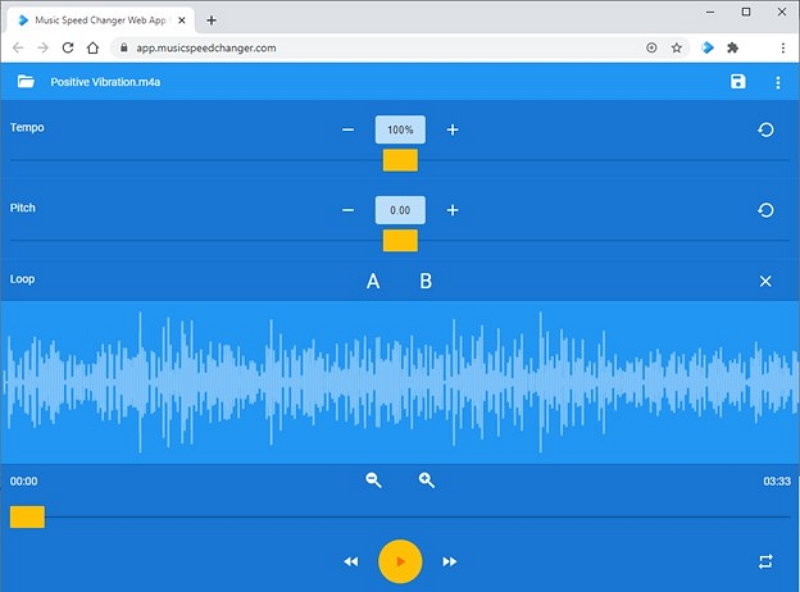
Music Speed Changer is simpler and free. Quick tempo and pitch sliders, no learning curve, works for casual listening or basic transcription. Not suitable for production-quality output.
Best for: Casual slowing for listening or basic practice.
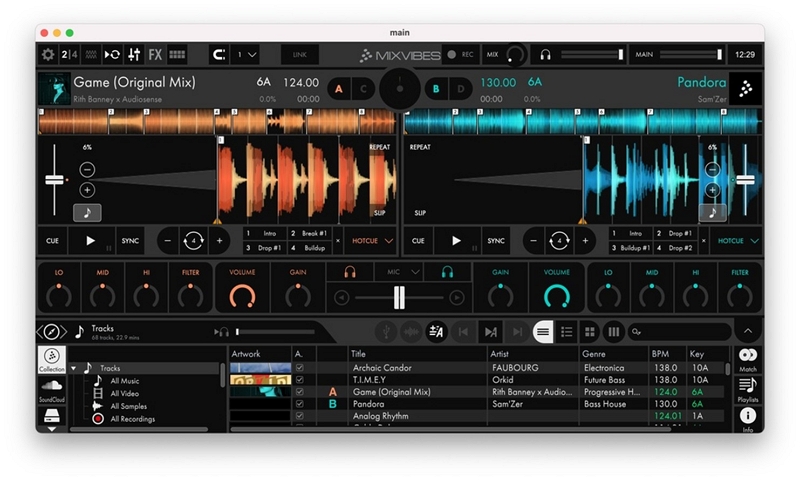
djay and Cross DJ include AI beat detection and tempo matching designed specifically for mixing. Useful for mobile DJing and beat matching, though mobile processing limits quality on extreme changes.
Best for: Mobile DJing, live mixing on a device.
Quick comparison
Part 5: Step-by-Step: Slowing BPM with an AI Tool
This workflow uses Moises.ai as the example, but the logic applies to any AI tempo tool.
Step 1: Prepare your audio
Start with the highest quality version of the track you have. WAV or AIFF files give AI tools more information to work with than compressed MP3s. If you only have MP3, use 320kbps if possible.
If you're working with a complex mix and want cleaner results, consider running stem separation first to isolate the element you most care about (vocals, for example), adjust its tempo, then recombine.

Step 2: Detect the current BPM
Most AI tools detect BPM automatically on upload. Verify this is correct by checking that the beat grid aligns with the kicks and snares in the waveform. If the tool detects 128 BPM but the beat markers fall between hits rather than on them, adjust manually—wrong BPM detection will produce poorly timed output.
For tracks with variable tempo (live recordings, rubato classical music), look for a "free time" or "tempo map" mode rather than a fixed BPM setting.
Step 3: Set your target BPM
Enter your target BPM or use the percentage slider. Some general reference points:
- Subtle slowdown (5–10%): 128 → 115–120 BPM. Minimal artifacts, nearly transparent.
- Moderate slowdown (15–25%): 120 → 90–100 BPM. AI handles this well; some vocal formant shift may be audible.
- Heavy slowdown (30–50%): 120 → 60–80 BPM. Noticeable processing even with good AI; quality varies significantly by algorithm and source material.
- Extreme slowdown (50%+): Best approached in increments rather than a single large step.
Step 4: Choose the right algorithm
This is the step most guides skip, but algorithm choice significantly affects output quality:
- "Complex" / "Pro" / "Elastique" modes: Use these for full mixes, vocals, and anything with melodic content. They analyze harmonic structure and are slower to process but produce more natural results.
- "Rhythmic" / "Beats" modes: Use these for drum loops, percussive elements, and rhythmic samples. They prioritize transient accuracy over harmonic smoothness.
- "Monophonic" modes (where available): Use for single-instrument or solo vocal tracks for the cleanest possible output.
Enable pitch lock (sometimes called "preserve formants" or "maintain key") unless you specifically want pitch to shift with the tempo.
Step 5: Preview and adjust
Before exporting, listen through the whole track at the new tempo. Listen specifically for:
- Warbling or "underwater" quality in vocals (indicates the algorithm is struggling—try a different mode)
- Flamming in drums (double-hit sound—switch to a Beats/Rhythmic algorithm)
- Metallic ringing or digital artifacts (reduce the degree of slowdown or process in smaller increments)
- Loss of low-end clarity (common with heavy stretching—a gentle low-mid EQ boost after export can help)
Step 6: Export
Format: WAV for highest quality, MP3 320kbps for distribution or casual use. Avoid exporting as 128kbps MP3 for anything production-related.
Level check: AI processing can sometimes introduce level changes. Normalize the output to -1dB or -3dB before final export to avoid clipping.
File naming: Include the BPM in the filename (e.g., trackname_90bpm.wav) to avoid confusion when working with multiple versions.
Fixing Common Problems
Vocals sound warbly or "underwater" Switch from a Rhythmic to a Complex/Pro algorithm. If already on Complex, try reducing the slowdown amount and processing in two steps rather than one large jump.
Drums sound flamming (doubled hits) Switch to a Beats/Rhythmic algorithm and recheck BPM detection. Misaligned beat markers cause flamming even with correct algorithm settings.
Track sounds dull or muddy Heavy time-stretching softens high-frequency transients. After export, apply a gentle high-shelf boost (around +1.5dB above 8kHz) and a slight low-mid cut around 300–400Hz to restore clarity.
Pitch shifted even with pitch lock enabled Check that "preserve formants" is also enabled if it's a separate setting. Some tools have pitch lock (which maintains the overall key) and formant preservation (which maintains vocal character) as distinct options—you usually want both on.
Artifacts are worse at the beginning or end of the track Some AI tools struggle with silence or fade-in/fade-out sections. Trim the file to start and end on actual audio content, process, then re-add fades after export.
Algorithm Choice by Music Type
Different audio content responds better to different processing approaches:
Vocals and acoustic instruments: Complex/Pro modes with formant preservation. These preserve the tonal character of the voice or instrument as tempo changes.
Electronic drums and drum machines: Beats/Rhythmic mode. Transient accuracy is the priority; harmonic analysis adds unnecessary processing overhead.
Full mixed tracks (pop, hip-hop, electronic): Complex/Pro mode, but consider processing vocals separately from the instrumental if quality is critical.
Classical and jazz with rubato: These recordings have intentionally variable tempo. Fixed-BPM processing doesn't work well—look for tools with tempo map or "free time" functionality (Ableton's manual warp markers work well here).
Lo-fi and ambient material: Less demanding than other genres. Even moderate-quality algorithms produce acceptable results because the aesthetic tolerates some softness and artifacts.
Creative Applications
Lo-fi production
Slowing BPM by 10–20% is a core part of the lo-fi aesthetic. It softens transients, widens the sense of space, and creates a more relaxed rhythmic feel. Many lo-fi producers use samples slowed from their original tempo, then layer vinyl crackle and gentle reverb on top. The slight softening that AI introduces at moderate slowdown rates actually complements the genre rather than working against it.
Vaporwave
Vaporwave typically uses much more extreme slowdowns—often 50–70% of original tempo—combined with pitch drop and heavy reverb. At this degree of slowing, artifacts become part of the aesthetic. The stretched, dreamy quality that AI algorithms produce at their limits is desirable here. Experiment with algorithms and don't always reach for the "best quality" setting—the more processed-sounding modes sometimes serve the genre better.
Slowed + reverb (YouTube/TikTok format)
This format typically combines 10–20% BPM reduction with a spacious reverb tail (high decay time, moderate wet/dry mix). The combination creates a sense of the music being heard from a distance or through walls. Start with a Complex/Pro algorithm for the tempo reduction, then add reverb as a separate processing step after export for more control over the effect.
Practice and transcription
For learning difficult musical parts, apps like Anytune with section looping are more practical than DAW-based tools. Set a loop around the specific phrase, slow to 60–70% of original speed, practice until comfortable, then gradually increase back to 100%. The pitch lock function is essential here—you need to practice in the correct key.
Legal Considerations
Slowing down copyrighted music doesn't change its copyright status. A slowed version of a track is still a derivative work, and publishing it without a license can result in takedowns or copyright claims on YouTube, TikTok, and other platforms.
Platforms handle this differently. YouTube's Content ID system detects slowed versions of copyrighted tracks and may claim or mute them. TikTok has similar systems. Claiming "transformation" doesn't automatically qualify as fair use—courts apply a four-factor test, and simply changing tempo rarely satisfies it.
For original compositions, recordings you own, or content licensed for remix use (many artists on Bandcamp offer stems under creative commons licenses), you have full freedom. For everything else, check the specific license terms before publishing.
FAQ
Yes. Without pitch correction, slowing a track lowers the pitch proportionally—a 20% slowdown produces roughly a minor third drop in pitch. Enable pitch lock to prevent this.
With current AI tools, 20–25% reduction is generally transparent. 30–40% is audible but acceptable for many uses. Beyond 50%, artifacts become noticeable even with the best algorithms.
You can process it locally for personal use. Publishing or distributing the result without a license is a different question—see the legal section above.
Yes. Processing stems (isolated vocals, drums, instruments) gives AI tools more accurate information to work with and produces cleaner results. Full mix processing has to handle all the frequency content simultaneously, which is harder.
BPM change affects tempo (speed). Key change affects pitch (how high or low the notes sound). With pitch lock enabled, BPM change doesn't affect key. You can apply them independently or together.