

Amazon Music’s default sound profile may feel flat or unbalanced depending on your device, headphones, or speakers. Out-of-the-box audio settings are designed to work “well enough” across many setups, but they rarely match individual listening preferences.
That’s where equalizer (EQ) adjustments come in. By fine-tuning bass, midrange, and treble frequencies, you can:
- Add depth to bass-heavy genres,
- Improve vocal clarity for podcasts and acoustic tracks, and
- Balance overall sound for daily listening.
This guide explains how Amazon Music EQ works on different devices, where to find it, and how to optimize your sound in 2025.
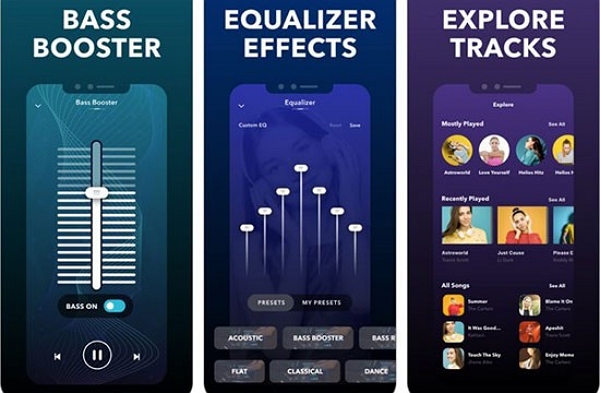
Part 1: Does Amazon Music Have a Built-in Equalizer?
Amazon Music does not offer a universal, cross-platform in-app equalizer.
EQ availability depends entirely on the device and operating system you’re using.
Platform-based EQ behavior
- Android: Amazon Music can access the system equalizer, which often appears inside the app interface.
- iOS: No in-app EQ. Apple handles equalizer settings at the system level.
- Windows & Mac: No native EQ in the Amazon Music desktop app.
- Alexa devices: EQ is available via voice commands or the Alexa app.
In other words, while you can adjust sound for Amazon Music, the controls usually live outside the app itself.
Amazon Music Unlimited vs Prime Music
Although Amazon Music Unlimited and Prime Music differ in catalog size and audio quality options, they behave the same when it comes to EQ support. Neither service includes a dedicated in-app equalizer across all platforms.
Key limitations to know
- Device-based EQ: Availability depends on your phone, computer, or speaker.
- System-level EQ: Common on Android and iOS, but applies to all audio apps.
- External hardware EQ: Headphones, car stereos, and smart speakers may override app-level settings.
- No real-time in-app control: You can’t adjust bass or treble directly within Amazon Music on most platforms.
Part 2: How to Find Amazon Music Equalizer on Mobile Devices
Enable Amazon Music Equalizer on Android
On Android, Amazon Music does not use a proprietary equalizer. Instead, it provides access to the system equalizer, which may appear inside the app depending on your device manufacturer and Android version.
Where to find it (varies by device):
- Open the Amazon Music app
- Go to Settings, or
- Tap the three-dot menu on the Now Playing screen
- Select Equalizer (if available)
Supported versions
Most Android devices running Android 9 or later support system-level EQ. Older devices may rely entirely on phone audio settings.
Preset options (device-dependent):
- Bass Boost, Rock, Pop, Jazz, Classical, Dance, Acoustic, and more
- Manual sliders for bass, mids, and treble may be available
On some devices, tapping “Equalizer” opens the phone’s system sound settings rather than an Amazon Music–specific control.
Enable Amazon Music Equalizer on iPhone (iOS)
Unlike Android, the iOS Amazon Music app does not include an equalizer. Apple prefers to handle EQ at the system level.
- Use iOS system EQ instead: Go to Settings > Music > EQ.
- Preset options: iOS offers presets such as Bass Booster, Vocal Booster, Rock, Pop, Classical, Jazz, and many others.
These EQ settings apply to all music apps on your iPhone, including Amazon Music.
Enable Equalizer for Amazon Music with Bluetooth Headphones
Many Bluetooth headphones include their own companion apps with advanced EQ controls.
- Connect your headphones to your phone.
- Open the headphone app and adjust EQ settings (bass, treble, mids).
- Changes apply to all audio playback, including Amazon Music.
Headphone-level EQ often overrides app or system EQ, including Amazon Music settings.
How to use the equalizer on Alexa Devices
Amazon Echo and Alexa-enabled speakers support basic EQ adjustments.
Step-by-step via voice commands:
- Say “Alexa, set bass to +2” or “Alexa, decrease treble.”
- You can adjust bass, midrange, and treble individually.
Step by step via the Alexa app:
- Open the Alexa app > Devices > Choose your Echo > Adjust Settings > Equalizer.
- Adjust bass, midrange, and treble sliders.
Tips for Amazon Music playback on Alexa:
Use HD or Ultra HD audio when available
Pair Echo devices with higher-quality speakers or a subwoofer
Remember: EQ changes affect all audio, not just Amazon Music
Part 3: Enable Amazon Music Equalizer on Desktop (Windows & Mac)
Why there’s no native desktop EQ
The Amazon Music desktop app is designed for streaming and library management. Unlike Android, it does not include built-in equalizer controls.
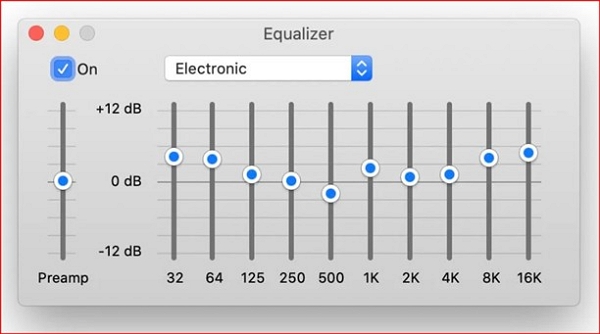
What affects sound quality on desktop
- Audio drivers
- Connected speakers or headphones
- System playback settings
When you need external EQ software
To fine-tune sound on Windows or Mac, third-party equalizer tools are required. These allow you to:
- Boost bass
- Improve vocal clarity
- Balance treble
- Save presets for different setups
Part 4: Best Amazon Music Equalizer Settings (By Music Type)
Best EQ Settings for Bass
Ideal for hip-hop, EDM, and electronic music.
- Slightly boost low frequencies (about +2 to +3)
- Keep mids and highs balanced
- Avoid excessive bass to prevent distortion or muddiness
Best EQ Settings for Vocals
Great for podcasts, audiobooks, and acoustic tracks.
- Boost midrange frequencies
- Reduce low-end muddiness
- Keep treble moderate to avoid harshness
Best EQ Settings for Balanced Sound
Best for mixed playlists and everyday listening.
- Flat EQ for accuracy
- Or a gentle V-shape: slight bass and treble boost with steady mids
Part 5: Best Equalizer Apps for Amazon Music
Because Amazon Music does not include a universal in-app equalizer, many users rely on system-level or third-party equalizer tools to adjust sound output. The following options are widely used and compatible with Amazon Music playback on their respective platforms.
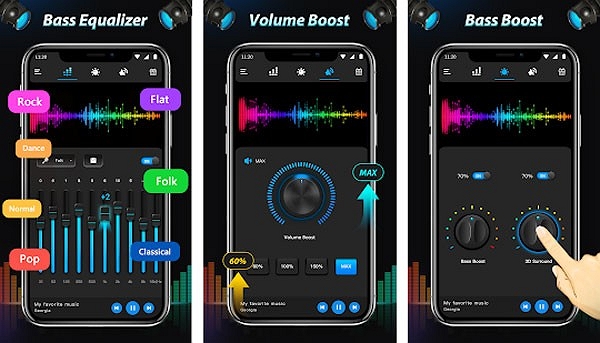
Best equalizer apps for Android
You already have a built-in EQ option inside the app if you’re using Amazon Music on Android. However, third-party apps offer more control.
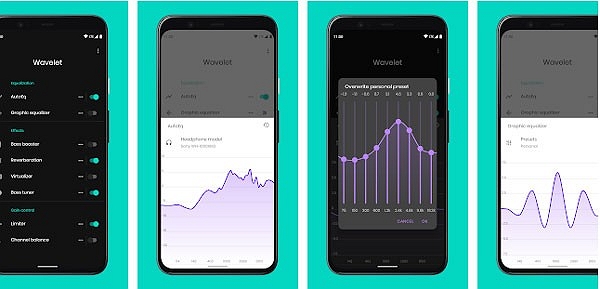
1. Wavelet
Wavelet is a popular Android equalizer designed primarily for headphone use.
- Offers a graphic equalizer with multiple frequency bands
- Includes AutoEQ, which adjusts sound based on specific headphone models
- Supports bass boost and limiter features
Wavelet processes audio at the system level, so its EQ adjustments apply to Amazon Music and other audio apps on Android.
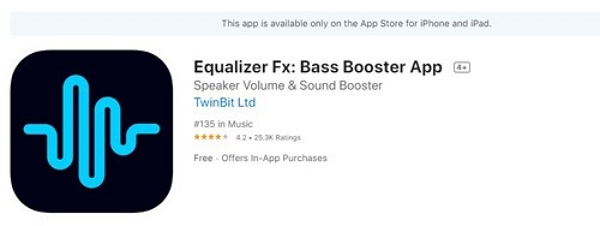
2. Equalizer FX
Equalizer FX is a lightweight and easy-to-use equalizer app.
- Provides basic EQ presets (Rock, Pop, Jazz, Bass Boost, etc.)
- Includes manual controls for bass and overall sound balance
- Suitable for users who want simple, quick adjustments
It works by modifying the device’s audio output rather than Amazon Music itself.
Best equalizer apps for iPhone
Amazon Music doesn’t include its own EQ on iOS. You rely on system settings. Third-party apps offer more flexibility.
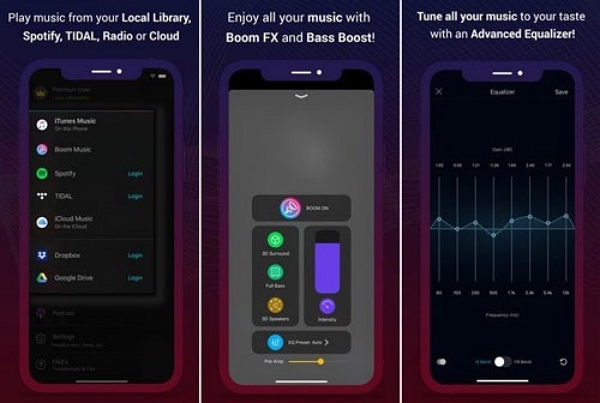
Boom: Bass Booster & Equalizer
Boom is one of the most commonly used equalizer apps on iOS.
- Includes customizable EQ presets and bass enhancement
- Offers sound enhancement features such as virtual surround effects
- Works within its own playback environment or supported audio routing modes
Important: iOS does not allow true system-wide third-party equalizers. As a result, EQ effects from apps like Boom may not apply globally to all audio in the background and can be limited by Apple’s system restrictions.
Third-party desktop equalizers (Windows & Mac)
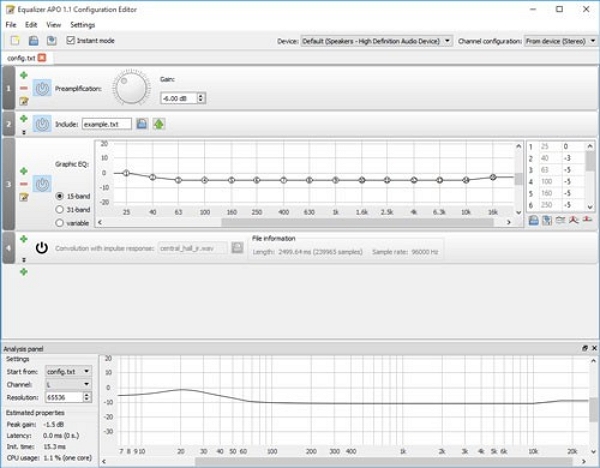
Equalizer APO (Windows)
Equalizer APO is a free, open-source system-level equalizer for Windows.
- Applies EQ globally to all audio output, including Amazon Music
- Highly customizable with advanced filters
- Commonly paired with graphical interfaces like Peace for easier control
This is one of the most powerful EQ solutions available on Windows, though initial setup can be technical.
eqMac (Mac)
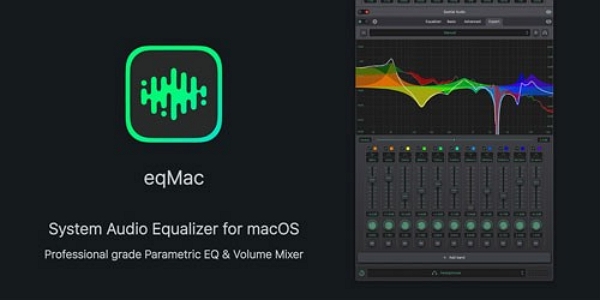
eqMac is a macOS system audio equalizer.
- Provides system-wide EQ controls
- Includes basic sliders and presets in the free version
- Advanced features are available in the paid version
It works at the system audio level, so changes affect Amazon Music playback as well.
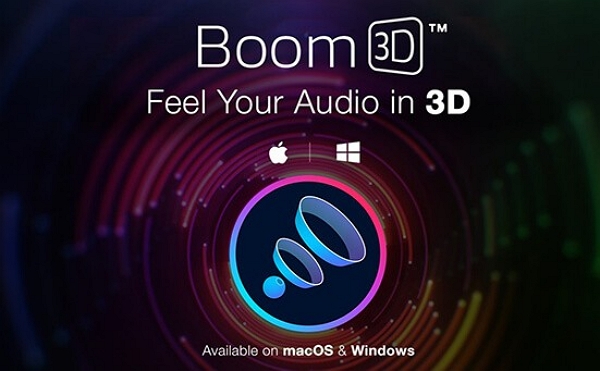
Boom 3D (Windows and Mac)
Boom 3D is a commercial audio enhancement tool for desktop systems.
- Includes EQ presets and bass enhancement
- Adds optional 3D sound effects
- Applies system-wide to desktop audio output
It is designed for users who prefer a simple interface with built-in sound enhancement features.
All of the equalizer tools listed above work outside of the Amazon Music app by processing system or device audio output. Availability, EQ precision, and system-wide coverage vary depending on the platform and operating system restrictions.
Part 6: Why Amazon Music EQ Doesn’t Work Sometimes
In some situations, equalizer settings may appear missing, unavailable, or ineffective when playing Amazon Music. This is usually caused by device limitations, system audio behavior, or external hardware, rather than a bug in the app itself.
Equalizer Option Is Missing or Greyed Out
This commonly happens for the following reasons:
- Your device does not support system-level EQ access (common on some older or heavily customized Android devices)
- You are using iOS, where Amazon Music does not include its own equalizer
- The Amazon Music app is outdated, and EQ options are not displayed correctly
Quick Fix: Update the Amazon Music app to the latest version and confirm that your device supports system or device-level EQ features.
When Bluetooth headphones or speakers are connected, their built-in sound profiles or companion apps may take control of audio processing.
- This can make EQ adjustments unavailable or less effective
- In some cases, system EQ settings are temporarily locked while Bluetooth is active
Quick Fix: Adjust sound settings directly in your headphone’s companion app, or disconnect Bluetooth to test EQ behavior using your device’s built-in speakers.
Car Mode and System Audio Conflicts
When Amazon Music is used in Car Mode, the interface is simplified for safety, and EQ controls may not be shown.
- Many car stereos apply their own digital signal processing (DSP)
- Vehicle audio systems often override phone-based EQ settings
This behavior is normal and expected, not a malfunction.
Quick Fix: Exit Car Mode and adjust sound using your car stereo’s audio controls instead of the Amazon Music app.
How to Fix Common Equalizer Issues (Recommended Order)
If EQ settings are not working as expected, try the following steps:
- Update the Amazon Music app to the latest version
- Restart your device to refresh audio services
- Disconnect Bluetooth devices and test EQ using phone speakers
- Check system audio or sound enhancement settings
- Use a trusted third-party equalizer tool if deeper control is needed
Part 7: How to Improve Amazon Music Sound Quality Without an Equalizer
Can you improve Amazon Music's sound quality without an equalizer? Yes, here is a reliable solution. Mediaio Audio Converter converts Amazon Music tracks to high-quality audio formats for flexible playback and advanced EQ control. Tools like Mediaio Audio Converter help users fine-tune sound across devices and players.
FAQs
Yes. The Amazon Music built-in equalizer is free on supported Android devices. You don’t need a separate subscription.
Yes, but only in terms of how the sound is shaped. EQ does not reduce HD quality or lossless audio. It adjusts frequencies to match your preferences while keeping the source audio high-quality.
Popular equalizer software options include:
- Equalizer APO (Windows) – free, powerful, and highly customizable
- eqMac (Mac) – simple and user-friendly
- Boom 3D (Windows & Mac) – paid software with presets and 3D audio effects
Conclusion
Amazon Music may not always deliver perfect sound out of the box. However, you can use the right equalizer settings and tools to enhance your listening experience. EQ adjustments help boost bass in EDM, sharpen vocals in podcasts, and balance sound on everyday playlists. From mobile apps to desktop software and Alexa devices, the options are simple yet powerful, ensuring your music always sounds exactly the way you want.