

If you’ve ever tried downloading Amazon Music as MP3, you’ve probably realized something frustrating fast: Amazon doesn’t give you MP3 files unless you buy the song outright.
Prime, Unlimited, and even free Amazon Music users can download tracks for offline playback, but those songs stay encrypted inside the app and won’t play on any other device.
That’s why many users look for ways to download Amazon Music as MP3 — for offline listening without restrictions, moving songs to an MP3 player, using them in a car, or simply keeping a direct copy.
This 2025 guide breaks down what’s actually possible and walks you through 6 real, working methods for downloading Amazon Music as MP3, whether you use Prime, Unlimited, or the free tier.
Quick Overview: What You Can & Can’t Convert to MP3
Before we jump into the methods, here’s the reality:
Short answer:
The only official MP3 files come from songs you purchase. Everything else requires converting.
Method 1. Download Purchased Amazon Songs Directly as MP3
If you bought music from Amazon (not streamed), downloading MP3 files is 100% allowed and straightforward.
Steps to Purchased Amazon Songs in MP3s
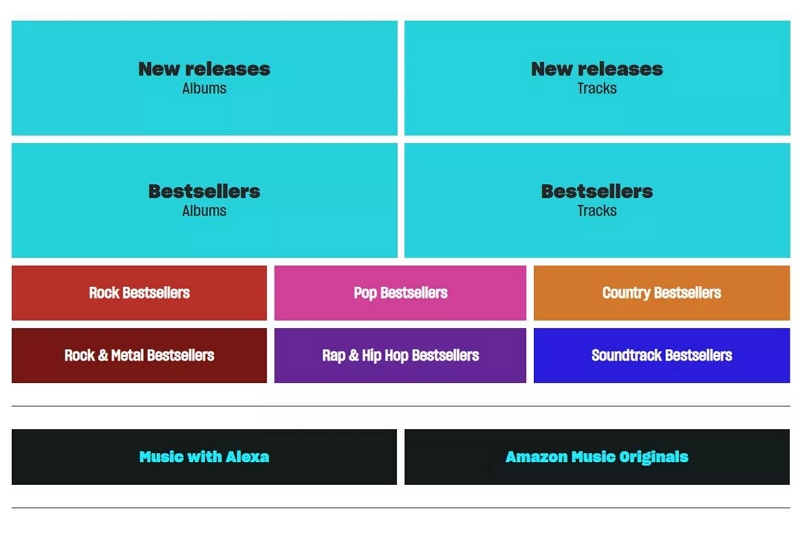
Step 1: Visit Amazon.com → Digital Music Store
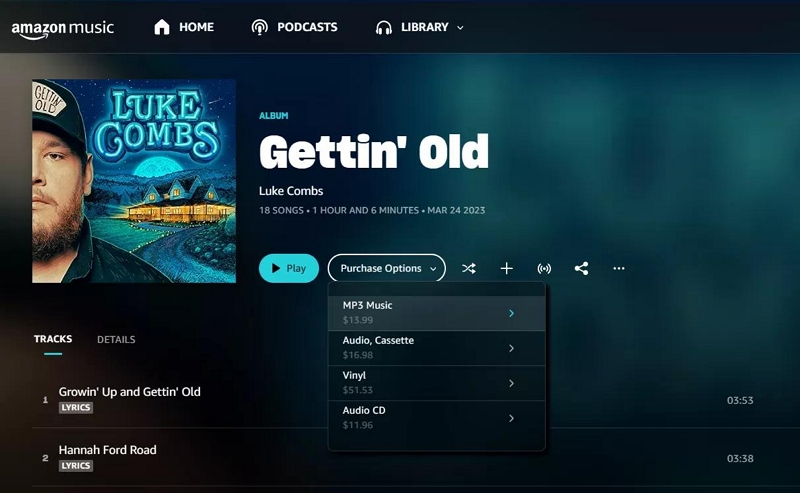
Step 2: Click Purchase Options > MP3 Music to buy the album. Or, search a track in the list and tap three dots > Buy MP3 song.
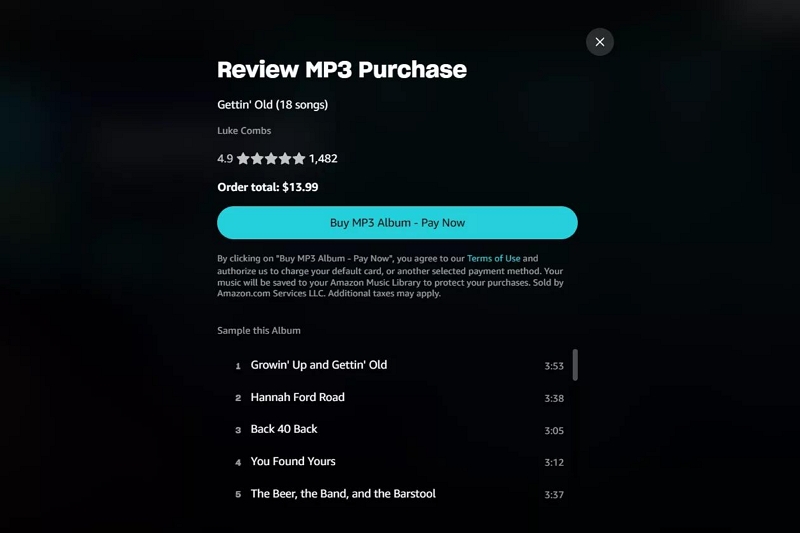
Step 4: Select Buy MP3 Album > Pay Now to own the whole album, or choose Buy MP3 Song > Pay Now to purchase the song.
Works For:
- Purchased albums
- Purchased singles
- AutoRip CDs
Doesn’t Work For:
- Amazon Music Unlimited
- Prime Music
- App offline downloads
This is the easiest method, but it only applies to music you actually bought.
Method 2. Convert Amazon Music to MP3 (Fastest & Most Practical)
If you want to download MP3 files from Amazon Music Unlimited / Prime Music / playlists / albums / recommendations, the most reliable solution is a dedicated converter.
Among the converters available, Mediaio Audio Converter stands out because it has a clean interface, converts quickly, and keeps ID3 tags readable.
Why This Is the Most Popular Method
- Works for both Premium and Free plans
- You can keep songs permanently
- You can move them to car stereos, USB drives, iTunes, Android devices, etc.
- No need to record audio in real time
Ideal For:
✔ MP3 players
✔ Car USB
✔ Offline storage
✔ People who want to build personal music archives
Method 3. Convert Amazon Music to MP3 with Online Tools
There are online audio converters that claim to turn Amazon Music URLs into MP3, but most have limitations:
Common Issues:
- Many don’t accept Amazon Music links
- Sound quality is inconsistent
- Conversions can fail during longer tracks
- They often rely on capturing audio, not extracting it
When Online Tools Can Work:
- If you upload already-downloaded purchased .MP3/.MP4/.AA files
- If you need quick format conversion (MP4 → MP3, WAV → MP3)
Online converters are convenient but not ideal for streaming Amazon Music
Method 4. Record Amazon Music as MP3 with Audio Recording Software
If you don’t want a converter app, you can use a real-time recording tool.
This method records whatever plays on your computer and exports it as MP3.
Steps:
Step 1. Install an audio recorder (desktop or browser-based)
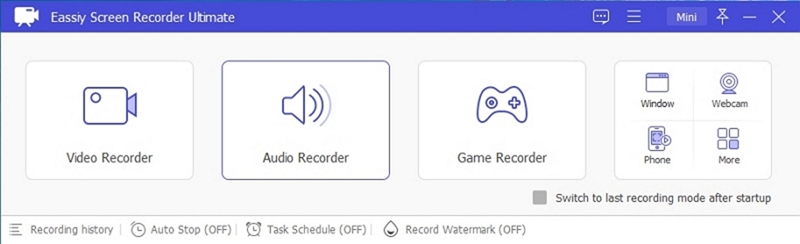
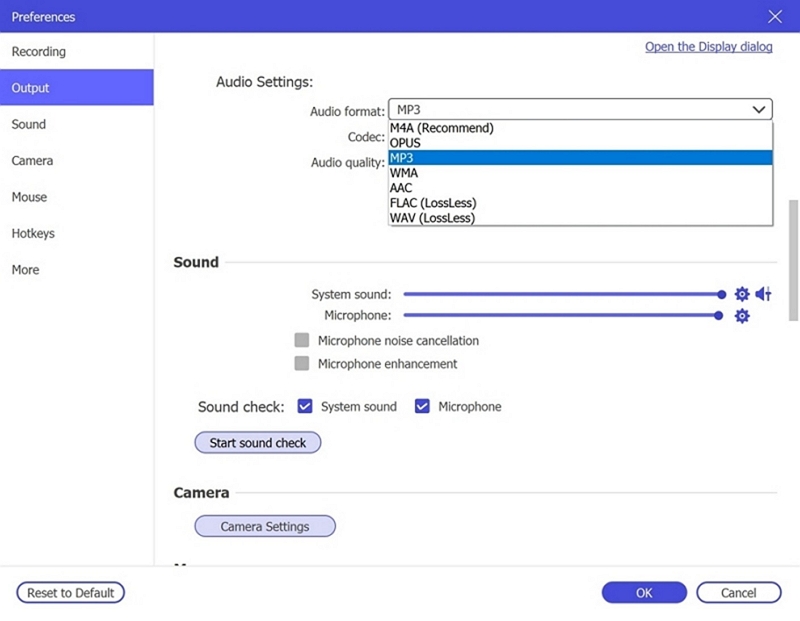
Step 2. Set Audio Format to MP3.
Step 3. Play your Amazon Music track
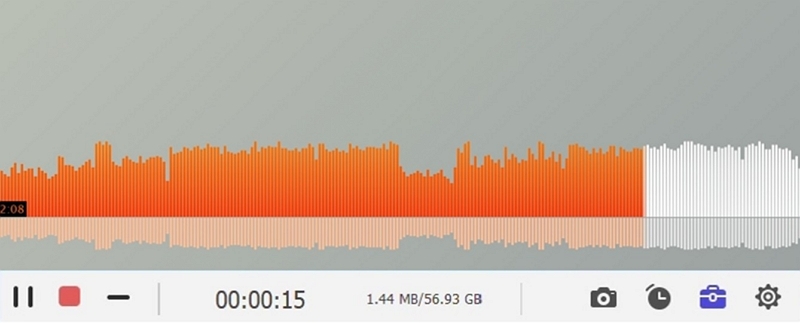
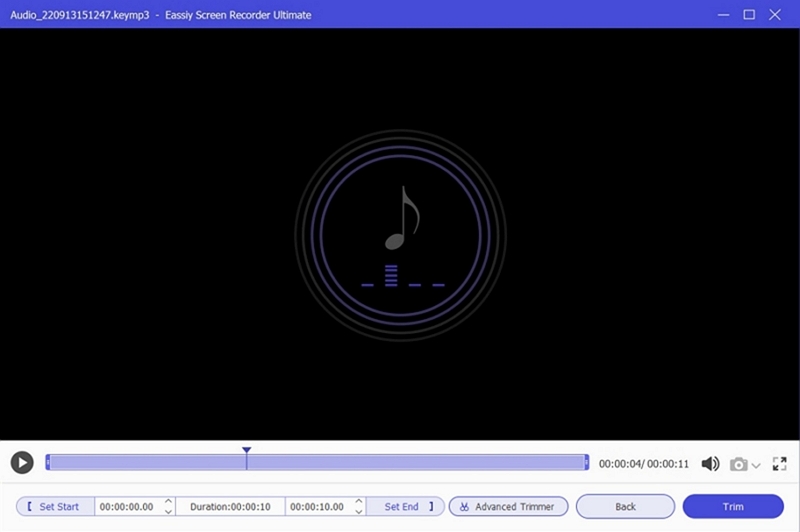
Step 4. When you end the recording, you can now save Amazon Music in MP3 format.
Method 5. Convert Amazon Music Files Using a Desktop Audio Editor
Some audio editors can import and convert protected audio files after playback capture.
Examples:
Audacity (requires manual setup)
Adobe Audition
GarageBand (Mac)
How it Works:
Step 1: Obtain Audacity from its official site and set it up. To save recordings in MP3 format, ensure you install the FFmpeg add-on when asked.
Step 2: Launch Audacity and navigate to Preferences > Devices. Select an input that records the audio from your computer.
- On Windows, this is typically WASAPI → Speakers (loopback).
- On a Mac, you might require a virtual audio tool such as “Soundflower” or “Loopback.”
Step 3: Launch the Amazon Music app or website, locate the song or playlist you wish to play, and prepare it for playback.
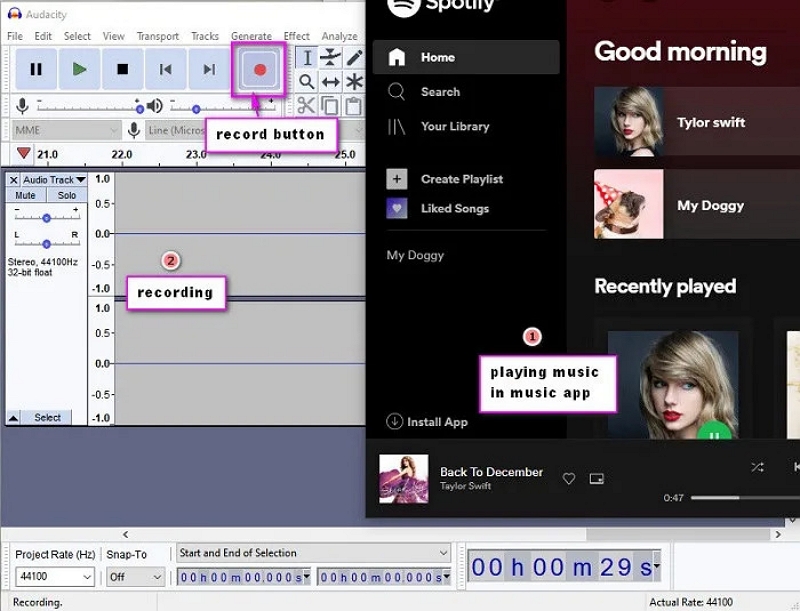
Step 4: First, click the Record button in Audacity. Next, open Amazon Music and begin playing the track. The audio waveform should be visibly moving in Audacity.
Step 5: After the song finishes, return to Audacity and click Stop. You can clean up the track by cutting silence or modifying the volume if necessary.
Step 6: Navigate to File → Export → Export as MP3. Select a location for the file, give it a name, and click to confirm. The track will now be stored on your computer in MP3 format.
Bonus — Edit or Organize Your Downloaded Amazon Music MP3 Files
Once your Amazon Music tracks are successfully converted into MP3 files, you might want to organize or polish them. This is especially useful if you're building a permanent local library, using an MP3 player, or preparing files for a car stereo.
Here’s what you can do:
1. Rename and Organize Your MP3 Files
Use a consistent naming format like:
Artist - Song Title.mp3
Album - Track Number - Song Title.mp3
This helps with:
- Car display compatibility
- MP3 players recognizing track order
- Better folder organization
2. Edit ID3 Tags
If some metadata isn’t perfect, you can fix:
- Title
- Album name
- Artist
- Year
- Genre
- Cover art
Tools like Mediaio or your OS’s built-in tag editor can handle this easily.
3. Trim, Merge, or Enhance Audio
If you're using these MP3s for ringtones, workouts, or presentations, you may want to:
- Trim long intros
- Normalize volume
- Fade in/out
- Combine multiple tracks
Most audio editors can do this in seconds.
4. Backup Your Final Library
Store your MP3 library safely:
- External hard drives
- Google Drive / Dropbox
- NAS / home server
- USB drive (for car playback)
Once you’ve done the conversion, these files are yours to manage permanently.
FAQ:
- Use a Windows/Mac computer to convert Amazon Music to MP3.
- Upload the MP3 files to Google Drive or another cloud service.
- Access or download the MP3 files on your Chromebook from the cloud.
Conclusion:
Amazon Music offers one of the best streaming experiences, but the lack of MP3 downloads can be frustrating—especially for users with car players, older devices, or people who want to keep a personal offline archive.
The good news is:
- Purchased tracks download directly as MP3
- Streaming tracks can be converted with tools like Mediaio
- You can organize, edit, and back them up however you like
All five methods in this guide work, but if your goal is simple, fast, high-quality MP3 downloads, Method 2 with Mediaio is the most efficient and beginner-friendly approach.