

Listening to music in HD is one of the closest ways to experience a track as it was originally recorded. In 2025, Amazon has made high-resolution streaming more accessible than ever by integrating both HD and Ultra HD (UHD) into Amazon Music Unlimited—at no extra cost.
Whether you’re a casual listener wanting richer clarity or an audiophile with a high-end speaker setup, Amazon Music HD delivers a fuller, more immersive soundstage. Ultra HD goes even further, offering studio-level depth and detail.
This comprehensive 2025 guide explains everything you need to know about Amazon Music HD and Ultra HD—including pricing, free trials, iPhone compatibility, supported devices, streaming settings, offline download rules, and how to permanently save HD audio using Mediaio.
Part 1: Amazon Music HD vs Ultra HD (What’s the Difference?)
Amazon offers two levels of lossless streaming: HD and Ultra HD. Both are now included in Amazon Music Unlimited, but they differ in audio resolution, file size, and hardware requirements.
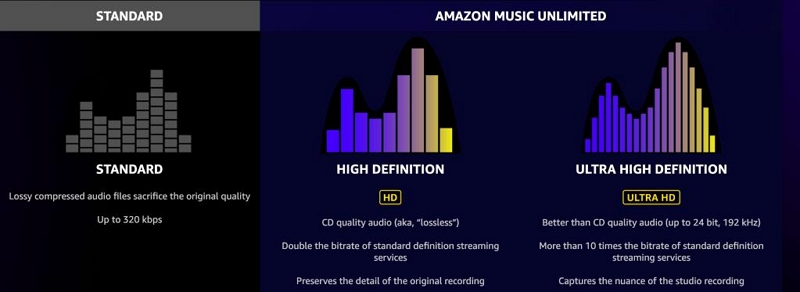
What Is Amazon Music HD?
- Lossless CD-quality audio
- 16-bit / 44.1 kHz
- Bitrate around 850 kbps
- Provides clearer vocals, better imaging, and eliminates compression artifacts found in MP3/AAC
What Is Amazon Music Ultra HD?
- Hi-res, studio-quality audio
- Up to 24-bit / 192 kHz
- Approx. 3,730 kbps bitrate
- Captures subtle sonic details such as room acoustics, reverb decay, and instrument textures
Real-World Listening Differences
When HD Is Enough
- Ideal for pop, rock, hip-hop, and everyday listening
- Great improvement over compressed formats
- Stronger vocal separation and cleaner instrument definition
When Ultra HD Is Worth It
- Jazz, classical, orchestral, acoustic tracks
- Live recordings that benefit from natural reverb and spatial cues
- High-end headphones and DACs can fully resolve the additional detail
Part 2: Is Amazon Music HD Free in 2025?
Until 2021, Amazon charged extra for HD/UHD. In 2025, that premium has been removed—HD and UHD are bundled into Amazon Music Unlimited at no added cost.

Does Amazon Charge Extra for HD?
No. Amazon Music HD is no longer a separate paid tier. All Unlimited subscribers automatically receive HD and UHD access.
Amazon Music Unlimited Pricing (2025)
Amazon Music Unlimited pricing varies by region. For example, the rates in the US differ from those in Canada, the UK, and Asia.
Prices vary by region. Amazon has increased rates across most plans compared to previous years.
Hidden Limitations to Know
Even though HD/UHD are free upgrades, there are important restrictions:
- Offline UHD downloads are downsampled to HD to save storage space
- Bluetooth cannot transmit UHD (AirPods and most wireless headphones downsample audio)
- Internet speed affects quality switching—slower networks auto-downgrade to HD or SD
- Only the Individual plan is cheaper for Prime users; other plans cost the same
Part 3: Amazon Music HD Free Trial: How to Get It (Up to 90 Days)
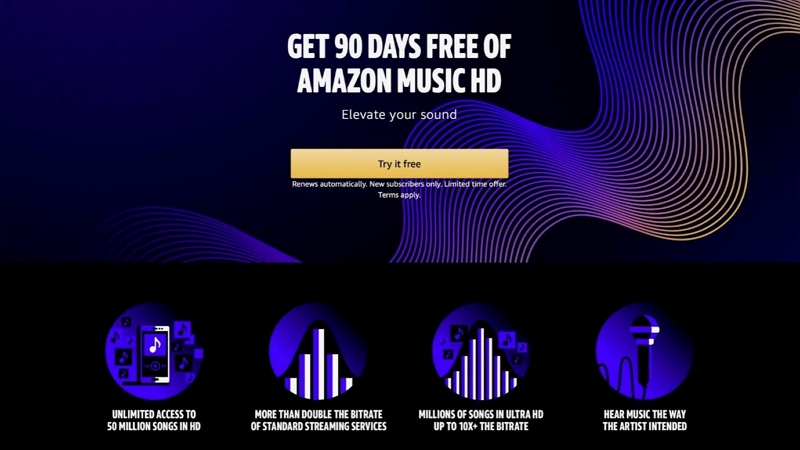
Amazon frequently offers a 30–90-day free trial of Amazon Music Unlimited—including HD and UHD access. These deals often appear around Prime Day, Black Friday, and seasonal promotions.
Eligibility
- First-time subscribers: up to 90 days
- Returning users: typically 30 days
What’s Included
- 100+ million songs in HD and UHD
- Unlimited skips
- Offline downloads
- Playback on iPhone, Android, Windows, Mac, Echo devices, Sonos, Fire TV, and more
How to Sign Up for the Amazon Music HD/Unlimited Free Trial
On the web:
Step 1: Go to Amazon.com and search for Amazon Music Unlimited. Open the subscription page.
Step 2: Select your plan.
Step 3: Confirm the trial duration (seasonal banners offer a full 90 days).
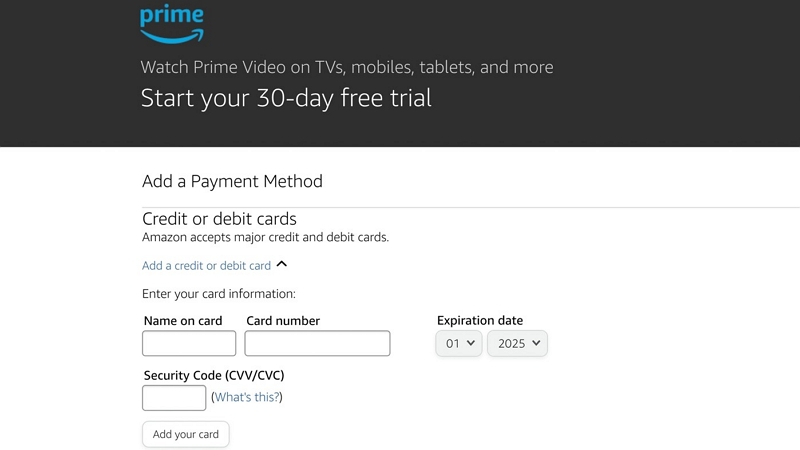
Step 4: Add your payment details, review the renewal pricing, and click "Start your trial." You are not charged now, but you will be charged on renewal after the trial period.
Step 5: Download the Amazon Music app to manage streaming quality and offline downloads.
On the Amazon Music app (iOS/Android)
Step 1: Download the Amazon Music app and sign in with your Amazon ID.
Step 2: Tap Settings > Your plan or use the “Get Amazon Music Unlimited” banner on Home.
Step 3: Select Get Amazon Music Unlimited.
Step 4: Check the trial length (up to 90 days for new users).
Step 5: Add your payment details. Note that you will not be charged until the trial ends.
Step 6: Confirm the subscription and tap “Start your trial.”
Step 7: Enable HD/UHD. Go to Settings > Streaming Quality, then choose HD/UHD for Wi-Fi and cellular.
How to Avoid Auto-Charges After the Trial
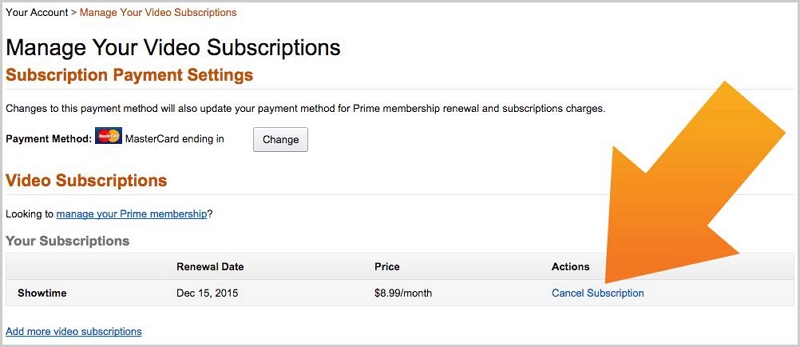
Amazon does not charge you at the time of opting for the free trial. It seeks your payment information and charges you after the trial. However, you can turn off auto-renewal in the Amazon account dashboard to prevent your account from being charged.
On Desktop (Amazon.com):
Step 1: Log in to your Amazon account.
Step 2: Hover over “Accounts & Lists.” Click “Membership & Subscriptions.”
Step 3: Find Amazon Music Unlimited in the list.
Step 4: Click Manage Subscription.
Step 5: Under Renewal Settings, select “Cancel Subscription” or “Do Not Auto-Renew.”
Step 6: Confirm your choice. You can keep access until the trial offer ends, but no charges will apply subsequently.
On Mobile (Amazon app):
Step 1: Open the Amazon app and sign in.
Step 2: Tap “Menu” > Your Account > Memberships & Subscriptions.”
Step 3: Select Amazon Music Unlimited.
Step 4: Tap “Manage Subscription.”
Step 5: Choose “Turn Off Auto-Renew” or “Cancel Subscription.”
Step 6: Confirm cancellation. Your trial continues until the scheduled end date.
Note:
- Cancel at least 24 hours before the trial ends to avoid billing.
- You get access to HD/UHD streaming until the trial expires.
- You can reactivate your subscription later, but the free trial is not available if you have already used one.
Part 4: Amazon Music HD on iPhone (2025 Compatibility Guide)
Amazon Music HD and UHD both work on iPhones, but actual playback quality depends on your headphones and connection type.
Can iPhone Play Amazon Music HD?
Yes.
All iPhones running iOS 14 or later can stream in HD using the Amazon Music app.
However: Bluetooth on iPhone uses AAC, not lossless audio.
This means AirPods, Beats, and most Bluetooth devices cannot play true HD or UHD, even if the Amazon app displays the badge.
Can an iPhone play Ultra HD?
Yes, but only with proper hardware:
iPhone UHD-compatible setups
- Wired headphones + USB-C or Lightning hi-res DAC
- External audio interfaces
- Hi-Res speakers/receivers via AirPlay (some devices still downsample)
How to Enable HD/Ultra HD on iOS App
Step 1: Open the app and tap “Settings.”
Step 2: Go to Streaming Audio Quality.
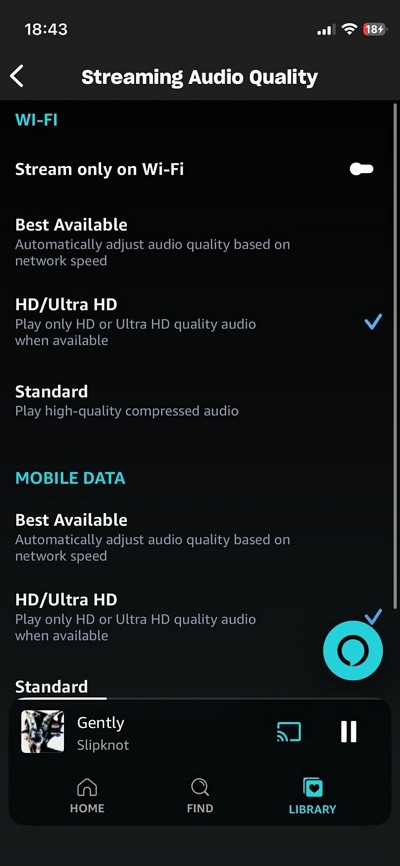
Step 3: Set Wi-Fi = UHD and Cellular = HD (It helps balance data usage)
Step 4: Under Download Quality, choose UHD if your device has sufficient storage.
Step 5: Look for an HD or UHD badge on tracks/albums to confirm playback quality.
Part 5: Supported Devices for HD & Ultra HD (2025 Updated)
Amazon Music HD Works On:
- iPhone (iOS 14+)
- Android phones/tablets
- Mac & Windows desktop apps
- Fire TV
- Most smart TVs
- Echo (all models support HD; recent ones support UHD)
- Sonos speakers (model-dependent UHD support)
- CarPlay and Android Auto
- Hi-Res DACs (FiiO, iFi, AudioQuest DragonFly, etc.)
Devices That Do NOT Support UHD
- AirPods / AirPods Pro / AirPods Max (Bluetooth limitation)
- Most Bluetooth headphones
- Basic smart speakers
Part 6: How to Download Amazon Music HD for Offline Listening
Amazon allows offline downloads, but they come with important restrictions:
- Downloaded files are encrypted
- UHD downloads are often downsampled to HD
- Tracks expire when your subscription ends
- Files can be played only inside the Amazon Music app
- You cannot export them to MP3, WAV, or other formats
Because of these restrictions, many users look for a way to permanently save Amazon Music HD tracks on their devices.
Permanent HD Download Solution: Mediaio Audio Converter
Mediaio Audio Converter lets you download Amazon Music tracks in MP3, WAV, AAC, FLAC, OGG, and more—removing DRM so your files become permanent and compatible with any device.
Part 6 - FAQs
Yes, Amazon Music HD allows offline UHD downloads, but with certain limitations:
• Downloads can only be played inside the Amazon Music app.
• UHD files are large and may be downsampled to HD to save storage space.
• Not all albums support HD/UHD. Always check the HD/UHD badge before downloading.
Amazon Music HD works smoothly with major smart speakers:
• Echo speakers stream in HD by default, with newer models supporting UHD and 3D audio.
• Native integration with the Sonos app allows lossless HD playback; UHD support varies by model.
• Other smart speakers can stream via Alexa or the Amazon Music app, though UHD support depends on device compatibility.
Yes, Amazon Music HD fully supports Family Plan sharing:
• Up to six family members can have separate accounts, playlists, and recommendations.
• HD and UHD audio are included at no additional cost.
• Pricing remains the same for both Prime and non-Prime members.
Conclusion
In 2025, Amazon Music HD and Ultra HD offer outstanding value: lossless and hi-res audio are now included in Amazon Music Unlimited at no extra cost. Whether you’re streaming on an iPhone, Echo device, or high-end audio setup, HD and UHD deliver a dramatic improvement in clarity and depth.
Free trials of up to 90 days make it easy to test the service, and Amazon’s HD/UHD library is larger than ever.
However, official downloads remain encrypted and temporary—they expire when your subscription ends.
If you need permanent, device-independent downloads, Mediaio provides a practical solution for converting Amazon Music HD tracks into standard audio formats.
This guide should give you everything you need to get the best sound quality on Amazon Music in 2025.