

If you’re planning to DJ with Apple Music streaming in 2026, expect limitations.
We tested the major DJ platforms in real prep sessions and live-style environments. Here’s what truly works, what fails, and what DJs actually do to avoid disasters.
Quick Answer (For DJs in a Hurry)
Let’s cut the marketing talk and get straight to the point:
- No mainstream DJ software can reliably load Apple Music streaming tracks for live DJing
- DRM-free iTunes purchases work perfectly in all major DJ apps
- “Works with Apple Music” usually means library sync or metadata access, not real DJ playback
- If a tool claims “full Apple Music DJ support” without Apple’s official integration — it’s outdated or misleading
Real-world takeaway:
If you show up to a gig expecting Apple Music streaming to behave like local DJ files, you’re setting yourself up for stress — or silence.
Why DJs Want Apple Music (And Why the Hype Makes Sense)
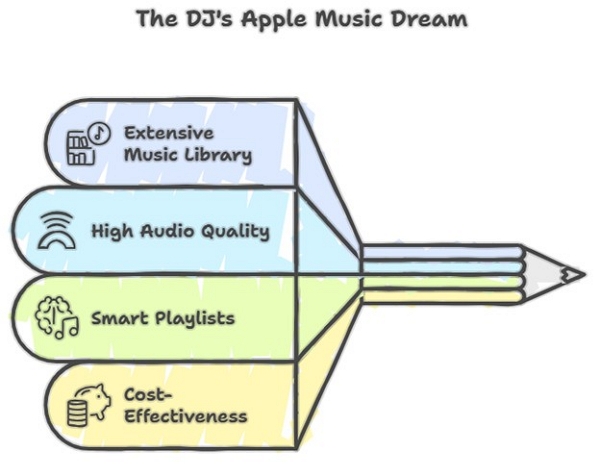
On paper, Apple Music looks like everything DJs have wanted for years:
- A 100+ million track catalog
- High audio quality
- Smart playlists and discovery
- No need to buy every song upfront
During testing, many DJs built Apple Music playlists specifically for:
- Open-format gigs
- Weddings with unpredictable requests
- Practice and crate discovery
And honestly? The excitement is real — at first.
The Reality Check
That excitement usually disappears the moment you try to load your first Apple Music streaming track into DJ software.
Several DJs we tested with spent hours prepping Apple Music playlists — only to realize hours before a set that:
- Tracks wouldn’t analyze
- Beat grids wouldn’t load
- Cue points couldn’t be set
- Offline playback wasn’t guaranteed
That’s not a minor inconvenience. That’s a show-stopper.
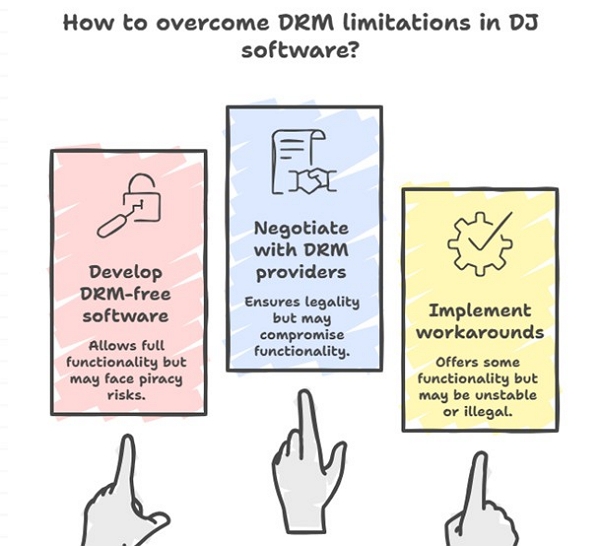
The Core Problem (Explained Like a DJ, Not a Lawyer): Apple Music DRM
Apple Music streaming tracks are protected by DRM (Digital Rights Management).
Think of DRM like this: You can hear the song, but your DJ software can’t touch it.
For DJing, that’s fatal.
What DJ Software Needs (But DRM Blocks)
To DJ properly, your software must:
- Read waveforms
- Analyze BPM and beat grids
- Set cue points and loops
- Cache files for offline reliability
DRM prevents all of this.
During testing, one DJ lost access to half his prepared playlist when venue Wi-Fi dipped. The software didn’t crash — it simply stopped loading tracks.
Key takeaway: If DJ software can’t analyze the audio file, it can’t DJ with it. Period.
What “DJ Software That Works with Apple Music” Actually Means
This phrase causes endless confusion, so let’s clear it up.
Case 1: iTunes Purchased Music (MP3 / AAC, DRM-free)
If you buy tracks from the iTunes Store (not stream them), you’re golden.
These files:
- Are DRM-free
- Load like normal MP3/AAC files
- Work offline
- Support cues, grids, loops, and analysis
✅ Works perfectly with:
- Serato
- rekordbox
- Traktor
- Virtual DJ
- djay Pro
Case 2: Apple Music Streaming Subscription
Completely different story.
- Tracks are DRM-locked
- Most DJ apps can’t load them
- No analysis, no cues, no offline safety
Unless Apple has official, direct integration, streaming tracks are effectively off-limits.
Just because you can listen to a song doesn’t mean you can DJ with it.
Tested Compatibility: What Actually Worked in 2026
We tested popular DJ software using real prep sessions and simulated live conditions.
Key takeaway: No major DJ software supports Apple Music streaming as of 2026. Only DRM-free iTunes purchases work. If you want to stream, you’ll need to look at platforms like TIDAL or Soundcloud via djay Pro (depending on your region).
Note: djay Pro supports Spotify/TIDAL/SoundCloud (regional restrictions), not Apple Music.
What Actually Works: 3 DJ-Proven Workflows
Let’s see what actually works. Here is a real-world breakdown of the three DJ workflows that actually work with Apple Music in 2026, tailored for different user types.
Option 1: Buy Your Music (Best for Paid Gigs)
If you’re serious about DJing, especially in clubs, weddings, or pro-gigs, owning your music is still the gold standard. Why? It’s simple because purchased tracks are DRM-free, fully analyzable, and 100% reliable offline.
Step-by-step guide:
- Buy tracks from the iTunes Store (not Apple Music streaming).
- Download them in AAC or MP3 format – these are DRM-free.
- Import into your DJ software (Serato, Rekordbox, Traktor, Virtual DJ)
- Analyze, set cue points, loops, and beat grids – everything works as expected.
- Back up your library for offline gigs and peace of mind.
Option 2: Convert Apple Music to DJ-Friendly Files (Advanced Users)
Tools like Mediaio Audio Converter can convert Apple Music tracks into MP3 or WAV files.
We tested this workflow.
Yes — the files load and behave like normal DJ tracks.
But here’s the honest reality:
Most DJs only use this for:
- Home practice
- Crate digging
- Offline listening
Not recommended for public or paid performances
Option 3: Use DJ-Friendly Streaming Platforms
If you want the flexibility of streaming and full DJ integration, Apple Music isn’t your best bet – yet. Check out these platforms. They are built for DJs and work with major software.
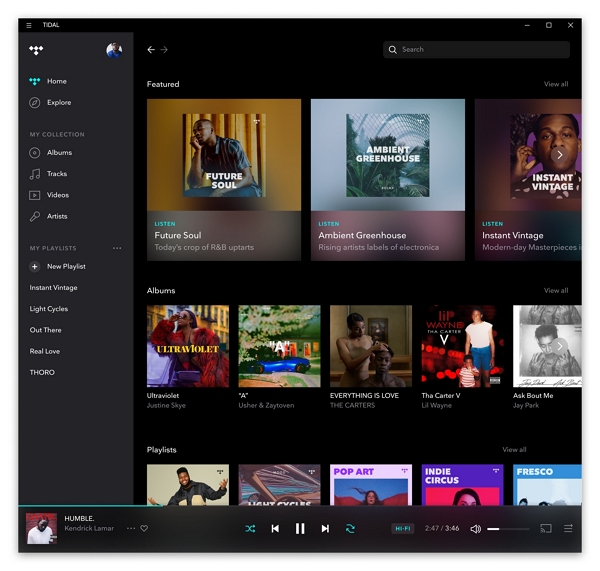
TIDAL: High-quality audio, deep catalog, works with Serato, Rekordbox, and more.
SoundCloud Go+: Great for underground and indie tracks; integrates with Serato, Virtual DJ, and others.
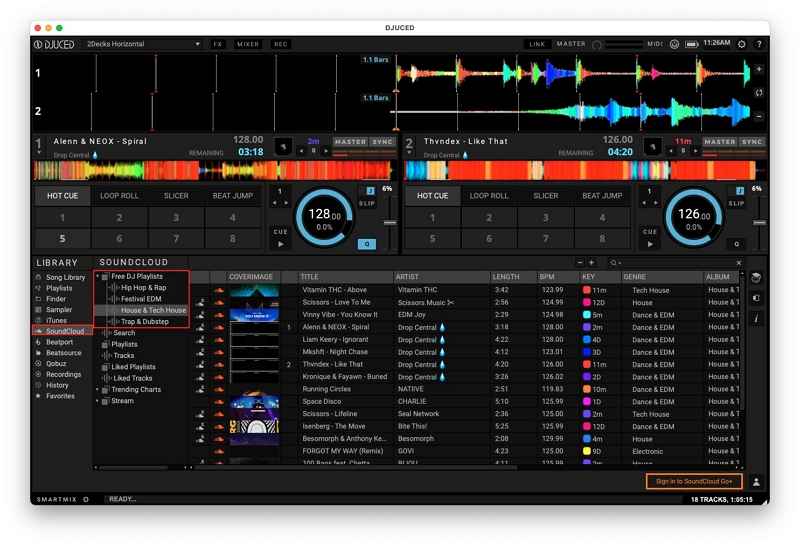
Beatport Streaming: Tailored for electronic music DJs; works with Rekordbox, Traktor, and more.
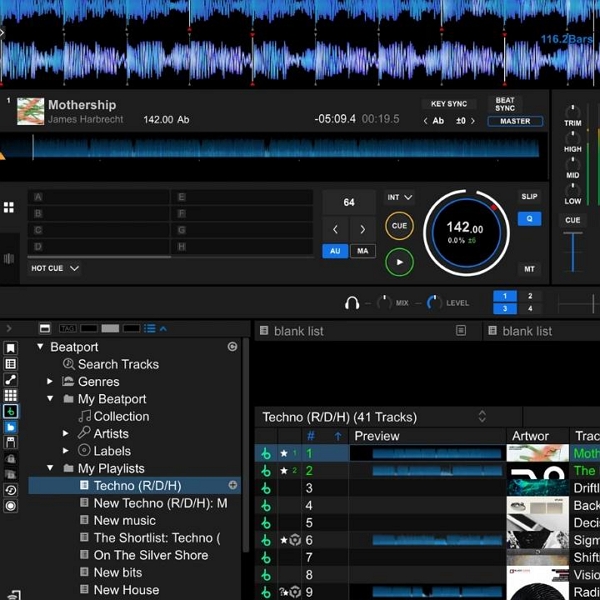
These platforms allow:
- Beat grid analysis
- Cue points
Offline caching (with limits)
Which Option Is Right for You?
There’s no one-size-fits-all. Your workable solution depends on your usage.
- Bedroom DJs → Option 2 or 3
- Wedding DJs → Option 1
- Club DJs → Option 1 + curated crates
- Mobile DJs → djay Pro + streaming services
Final Verdict
If you want to DJ with Apple Music in 2026:
- Streaming alone isn’t reliable enough for real gigs
- Buying tracks still wins
- DJ-focused streaming platforms are safer
Apple has launched its “DJ with Apple Music” initiative, which is promising — but as of now, it’s not yet a full replacement for owned or DJ-licensed music.
How We Tested (Why You Can Trust This Guide)
- Tested in 2026 by working DJs
- Software: Serato, rekordbox, Traktor, djay Pro
- Scenarios: home prep, venue Wi-Fi, offline rehearsal
- Focus: cue points, beat grids, offline reliability — not marketing claims
FAQS
It used to be true, but things are changing. For years, Apple restricted Apple Music streaming due to strict DRM policies and licensing complexities. Meanwhile, Spotify had early DJ app integrations but pulled support in 2020 due to licensing issues. It returned to DJ apps in late 2026. However, Spotify’s DJ support is limited and often region-specific.
Technically no, especially for public performance. Use at your own risk.
Yes, it already has. In 2026, Apple launched the “DJ with Apple Music” program, officially integrating its streaming catalog into major DJ platforms like Serato.