

Although your phone is a convenient device for enjoying your Spotify music, you may still want to listen to your Spotify songs on an MP3 player. If you are seeking the ways to do this, then you have come to the right place.
This guide will show you how to play Spotify on any MP3 player, whether you have one of those old, dumb, classic MP3 players that only read MP3 files or a modern model that can actually run apps like Spotify. We also cover the ways to get and play Spotify on an MP3 player offline without premium.
Must-See
How to Play Spotify on Classic MP3 Player with No Wi-Fi
Playing Spotify songs on old-school MP3 players requires one simple thing: you must pull the songs out of Spotify first. That’s what this section will show you. Once the songs are saved as open files, you can copy them to any MP3 player you want — classic models or microSD-only players.
We’ll now show you how this process works.
Step 1. Convert Spotify Songs to MP3
Spotify encrypts its music, so even with a Premium plan, you cannot copy Spotify songs to an entry-level traditional MP3 player. These “dumb” players only accept plain MP3 files.
The solution is simple: you must convert your Spotify tracks into normal MP3 files first. Below is a table showing three ways to do that. So you can pick the method that fits you best.
Often watermarked
Option 1: Use Spotify Music Converter
The easiest way to convert and save Spotify songs as MP3 files is to use a dedicated converter, such as Mediaio Audio Converter. One quiet strength of this tool is that it extracts songs directly from Spotify, ensuring the audio quality. Plus, you can pull entire playlists, long albums, or a big mix of tracks in one session. Each exported song comes through with its original detail intact. So, track names, artists, album art, and other ID3 tags stay preserved.
Download speed is another relief. Mediaio runs at 30X conversion, so saving a long playlist doesn’t feel like a full-day chore. It also has its own built-in Spotify window. This way, you sign in with your regular Spotify account, even a free one, browse your library and choose the playlists or tracks you want to save as MP3.
Steps to Use Mediaio Audio Converter
Install Mediaio Audio Converter on your Windows or Mac PC. Open it once the setup finishes. Choose Spotify on the main screen.
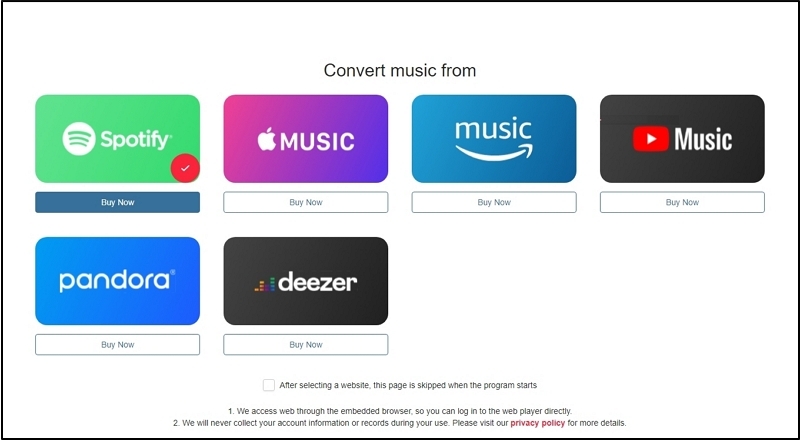
The tool will open its built-in web player. Log in to your Spotify account.
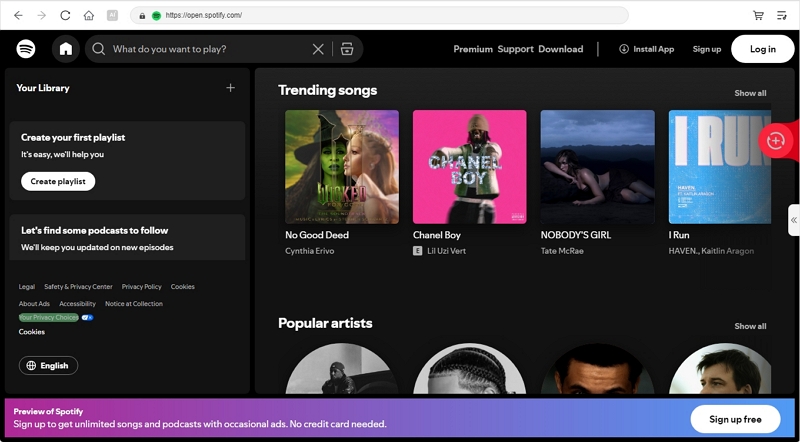
Pick the songs, playlists or albums for your MP3 player. Send those tracks to the Converting window by dragging them to + icon.
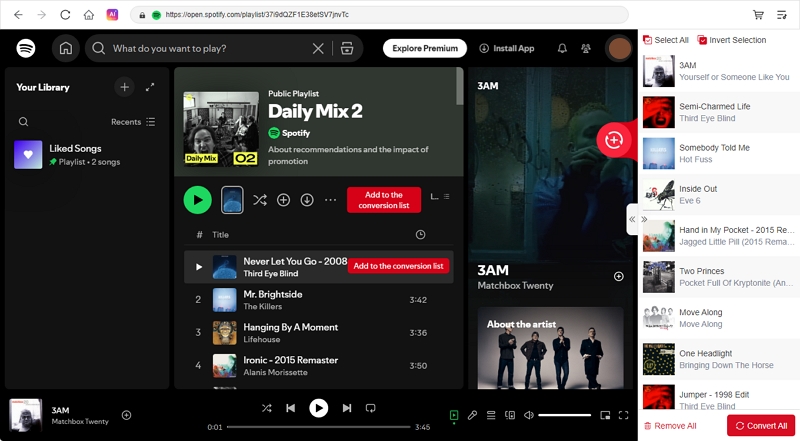
Go to the Conversion window in the right side. Mediaio default output is set as MP3. You can change if you want. Besides, you can set a wanted output quality and output destination for the converted music. Then, hit Convert All.
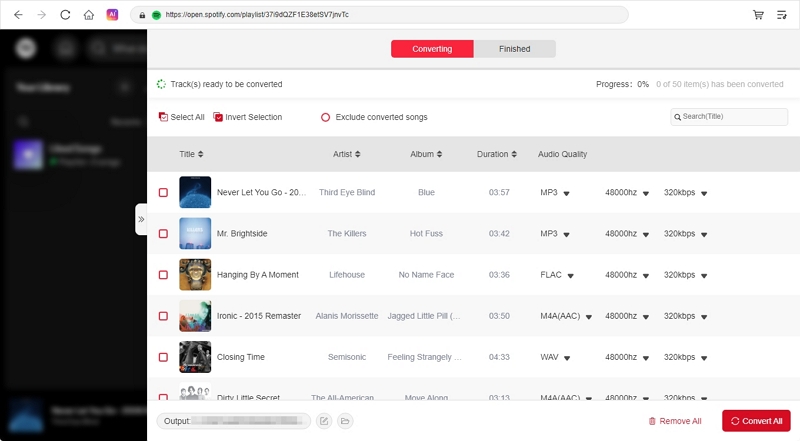
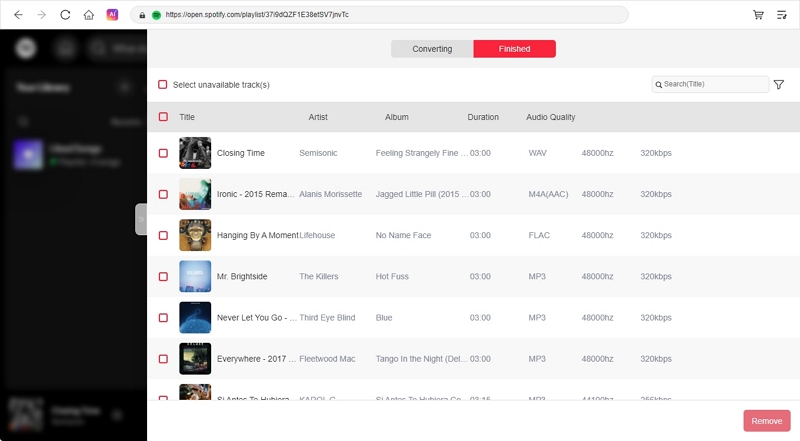
Switch to the Converted tab and click View Download File. This will take you to the folder where Mediaio has saved the MP3 on your computer.
Option 2: Use Online Tool
The other option is to use online Spotify to MP3 converters. These are websites where you paste a Spotify track, album, or playlist link and they spit out a downloadable MP3. A few examples are tools like SpotMate, SpotDownloader, SpotiDown and similar sites that all work in roughly the same way. You don’t have to install anything on your PC for converting Spotify songs. The big plus is the convenience. They are handy for saving two or three songs. You grab the Spotify song link and get a quick MP3 back.
However, there are many trade-offs. Expect lower quality and some messy tags on the converted songs. Many of these files will carry the site name in the metadata or filename and the sound will sit closer to 128kbps than a clean 320kbps rip.
How to Download Spotify Music Locally Using SpotMate Online Downloader
1. Copy the Spotify link
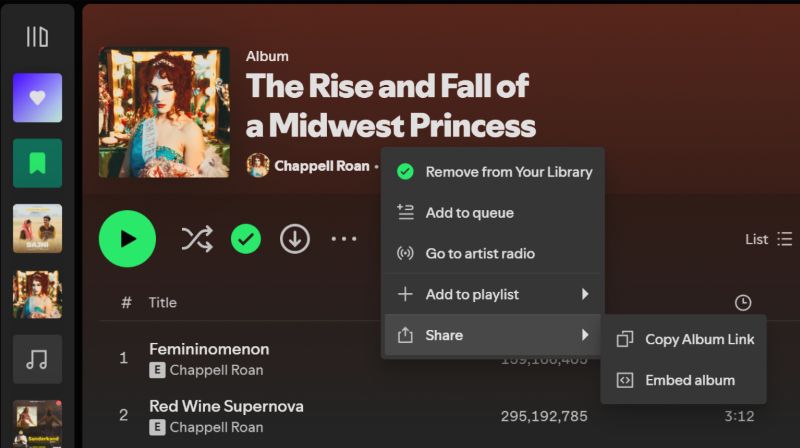
- Go to the album or playlist in the Spotify app.
- Click the three-dot menu.
- Move to Share and select Copy album link (or Copy playlist link).
2. Paste the link into SpotMate
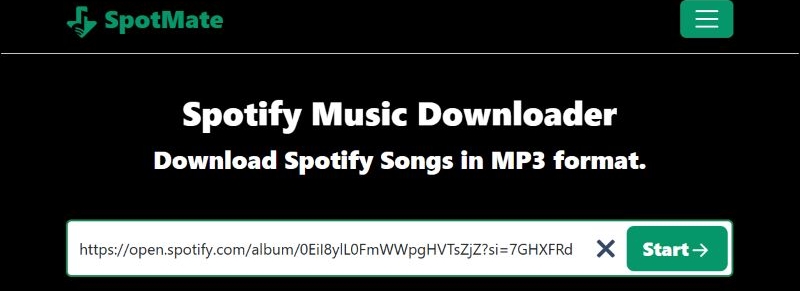
- Visit the SpotMate website in your browser.
- Click inside the link box and paste the Spotify URL.
- Hit the Start button.
3. Wait for SpotMate to list the songs
- SpotMate will fetch the album or playlist.
- You’ll see every track on the page with a Convert button next to it.
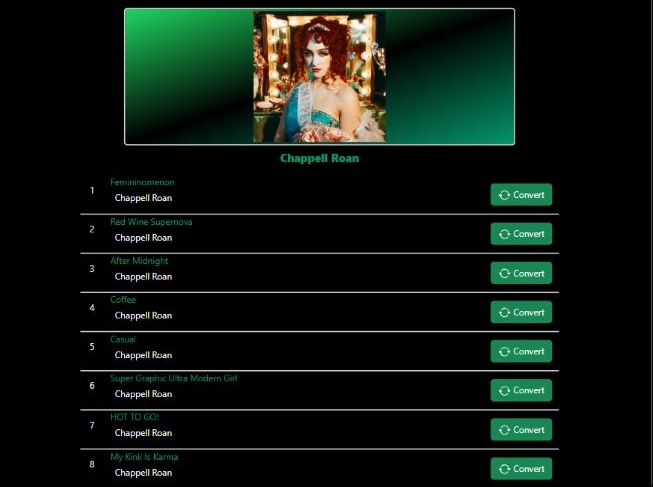
4. Convert and download the tracks
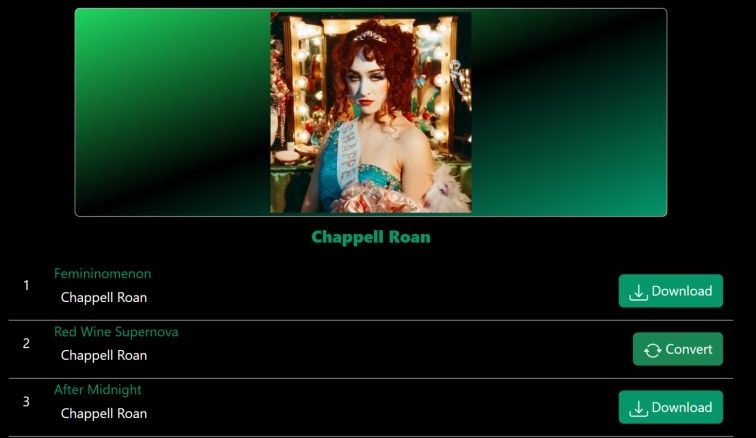
- Click Convert next to each song you want.
- Then, click Download to save the MP3 files to your Downloads folder.
Option 3: Purchase Songs
Buying music for your MP3 player is another option. Amazon, iTunes, Google Play (or now YouTube Music Store), Bandcamp — all of these let you buy songs legally in MP3 or other high-quality formats.
They give you permanent, high-quality files. You can get up to 256 kbps or higher, depending on the store. The file type also changes based on the platform. For instance, iTunes gives you M4A and Amazon gives you MP3. Still, every song comes with original tags and album art. And you’re supporting the artist, which is the moral side of it.
The problem is the price. Each song usually costs around US$1.29. Full albums can range from US$7 to US$15. So, getting a full music collection on your MP3 player can get expensive.
Steps to Download Songs via Bandcamp
1. Visit an artist’s Bandcamp page.
Buying music for your MP3 player is completely fine, but do not share these files or upload them anywhere. Redistribution is not allowed.
2. Pick the album or track you want for your MP3 player.
- Click Buy Digital Album.
- Enter an amount. Some artists let you pay more if you want with the “pay what you can” model.
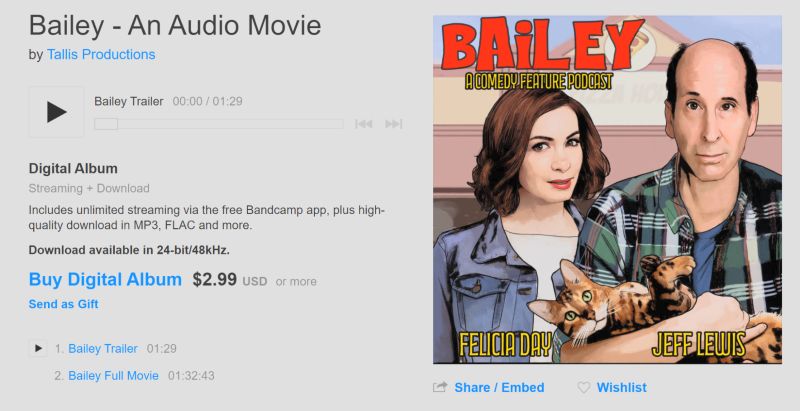
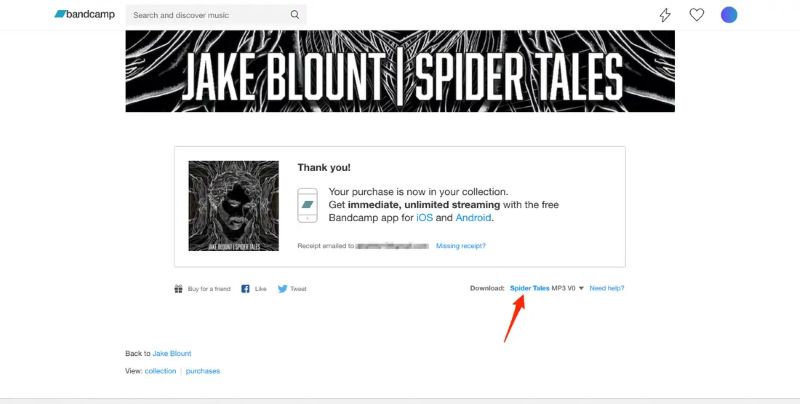
3. After paying, your purchase will appear instantly. You can download immediately in any format you want. Look for the download options — MP3 (various levels), FLAC, AAC, WAV, ALAC, AIFF.
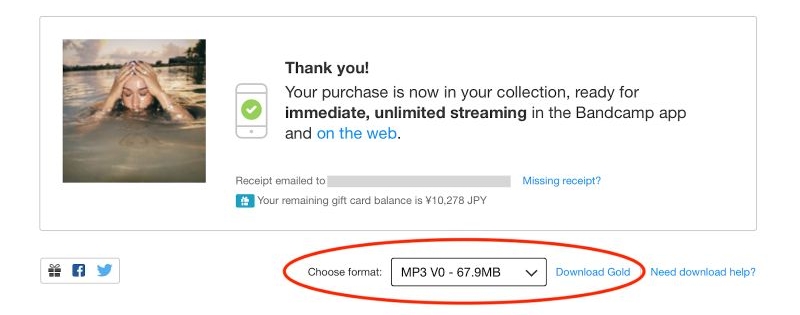
4. Once the page finishes preparing the file in the desired format, click the track name. This will save the file on your computer. Sometimes, Bandcamp delivers the download as a ZIP file. Unzip it and organize the songs to send them to your MP3 player.
Step 2. Export Converted Spotify MP3 to MP3 Player
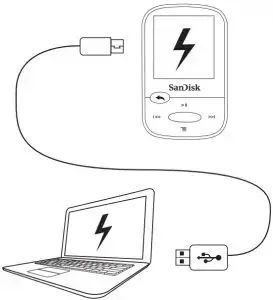
- Connect the MP3 player to your computer. If the microSD-only model, like AGPTEK A02 or Ruizu X02, remove its SD card, place it into an SD card reader and connect the reader to your desktop.
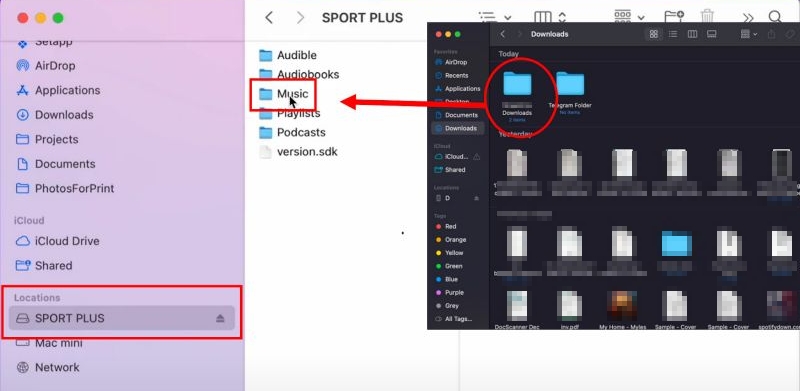
- Select the player or SD card in File Explorer on Windows or Finder on Mac.
- Move your Spotify MP3 into the Music folder of MP3 player or SD card.
You can also transfer the Spotify MP3 to a USB drive and then you can listen to Spotify offline on your TV, car, etc.
Step 3. Listen to Spotify Offline on MP3 Player
After the transfer, you can play everything without the internet or the Spotify app.
If your MP3 player reads ID3 tags, it will sort the songs under Artists or Albums, as methods like Mediaio and paid stores keep those tags intact. If it doesn’t, open the music folder you copied earlier. Then, pick a track and press Play. The song will start right away.
4 Popular MP3 Players with No WiFi
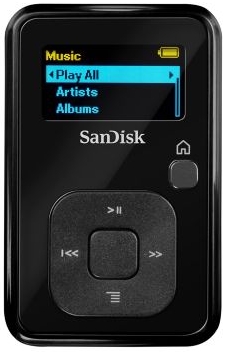
If you haven’t bought an MP3 player yet or you want to replace an old one, here are four reliable options. They handle simple music playback well, work with SD cards and don’t need Wi-Fi.
These have been tested by our team and are also highly rated by users on Reddit and the Spotify Community for everyday use.
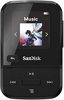 US$50
16 GB internal; no microSD
20 hours
Loved for its size and durability.
US$50
16 GB internal; no microSD
20 hours
Loved for its size and durability. Great workout companion.
Screen/UI feels basic.
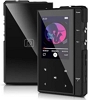 US$40
No internal storage; microSD up to 128 GB
30 hours
Very good value for the price.
US$40
No internal storage; microSD up to 128 GB
30 hours
Very good value for the price. Play MP3/FLAC easily.
Bluetooth works well.
Build is modest but acceptable.
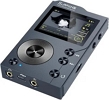 US$120
Come with 32 GB SD; expandable to 256 GB
10 hours (hi-res)
Excellent sound for the price.
US$120
Come with 32 GB SD; expandable to 256 GB
10 hours (hi-res)
Excellent sound for the price. UI is slow and outdated.
Best for users who want strong audio without extras.
 US$150
32 GB internal; microSD up to 128 GB
100+ hours (MP3)
Legendary battery life.
US$150
32 GB internal; microSD up to 128 GB
100+ hours (MP3)
Legendary battery life.High-quality sound.
Interface is slow.
No Bluetooth.
Ideal for long trips.
How to Play Spotify on MP3 Player with Spotify App
Newer MP3 players can actually run Spotify as an app with Wi-Fi. These players, called DAPs (Digital Audio Players), behave more like tiny Android devices. So you can directly run the Spotify app or at least sync your playlists for music playback.
This section will cover everything, from choosing the right DAP to how these players work.
4 Best MP3 Players with Spotify
Here are four Spotify-enabled MP3 players that users consistently recommend.
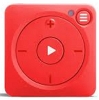 US$99
8 GB(1000 songs)
5 hrs(Mighty 38 hrs)
Loved for workouts and kids due to“No distractions”.
US$99
8 GB(1000 songs)
5 hrs(Mighty 38 hrs)
Loved for workouts and kids due to“No distractions”. Need phone for first-time setup.
Battery life is the biggest complaint.
Great iPod-Shuffle-style option if you have Premium.
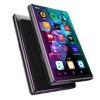 US$80
16 GB + microSD(1 TB)
50 hrs audio (less for Spotify use)
Run Android 8.1 with Spotify pre-installed.
US$80
16 GB + microSD(1 TB)
50 hrs audio (less for Spotify use)
Run Android 8.1 with Spotify pre-installed. Big storage.
Cannot update apps—major long-term downside.
Good for basic Spotify listening, not great for longevity.
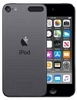 US$199 (32 GB)
32 GB
40 hrs (offline)/8 hrs streaming
Essentially a small iPhone.
US$199 (32 GB)
32 GB
40 hrs (offline)/8 hrs streaming
Essentially a small iPhone. Run Spotify (iOS 14+).
Discontinued but it’s circulating in the market before it vanishes.
Note: It will eventually lose Spotify support in the coming years.
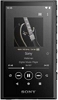 US$200
16 GB + microSD
26 hrs offline/<5 hrs streaming
Excellent sound.
US$200
16 GB + microSD
26 hrs offline/<5 hrs streaming
Excellent sound. Weak streaming battery (“Wi-Fi drains it in 2 hours”).
Work better for offline listening with Wi-Fi off.
Users like build quality but warn about short Spotify runtime.
How to Get and Play Spotify on MP3 Player with Spotify
Devices like the Mighty Vibe require Premium to sync with Spotify. Still, some players will work with any Free tier for basic streaming. You’ll still need Premium to download music for true offline use on these players.
Here’s how to use Spotify on a DAP:
Step 1. Open the Play Store on your DAP.
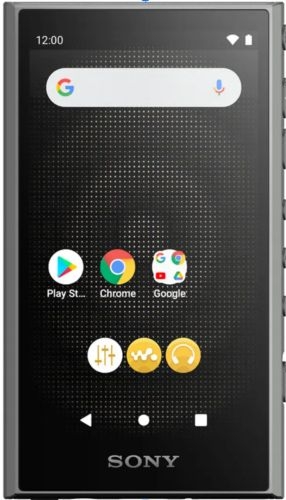
Step 2. Search for Spotify and install it.
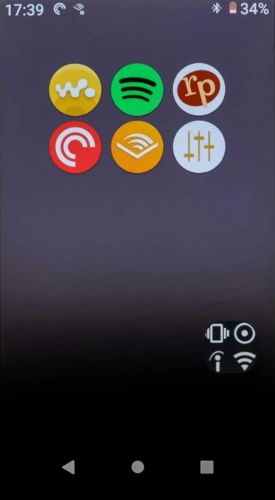
Step 3. Sign in to your Spotify account.
Step 4. Start streaming your music as you normally would.
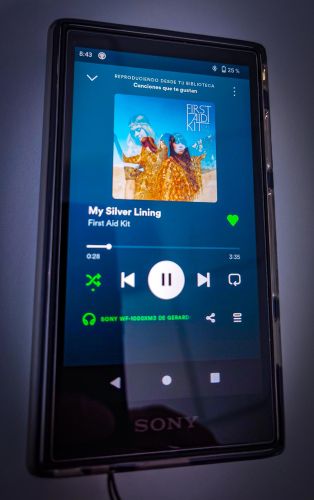
Tip: Can I Download Music from Spotify to MP3 Player
Yes.
- If you want to download on the modern DAPs (iPod Touch, Walkman) which can run the Spotify app: you’ll need Spotify Premium.
- If you want to download Spotify songs onto any MP3 player (traditional, no-Wi-Fi models), then we already explained that process in detail above using converters and file transfer.
Conclusion
We’ve covered how you can play Spotify on any MP3 player. If you have a DAP or plan to buy one, you can install and use the Spotify app directly. Just remember: offline mode on DAPs will still require Spotify Premium.
However, if you want that old-school MP3 experience — fully offline, no Wi-Fi, no apps, then the classic players make more sense. For that route, Mediaio Audio Converter helps the most. It lets you download Spotify songs by logging into your own free account and lets you listen to Spotify on any MP3 player.