

iOS Shortcuts turn tricky tasks into something your iPhone can handle with one quick action. Take YouTube video downloader shortcuts, for example. YouTube never lets you save videos as local files to your device, but these shortcuts make it happen in seconds. Here, you will find 10 of the best YouTube video downloader shortcuts that can pull almost anything — long videos, Shorts, audio from YouTube videos, or even thumbnails. Quality is ensured as well. Some shortcuts save basic 144p clips, while others can export full 8K HDR videos with subtitles and metadata intact.
For users who want YouTube Music instead of videos, we’ll also look at Mediaio Audio Converter. It lets you save full albums or playlists from YouTube Music as 320kbps MP3, M4A, FLAC, or WAV without premium.
Before Using YouTube Video Downloader Shortcuts: What You Need to Know
Before you pick a YouTube video downloader shortcut, it helps to know what they can do, what they cannot do, and what to expect when using them. The ten shortcuts in this guide behave differently on the surface, but most of their strengths and weaknesses fall into the same set of pros and cons.
Pros
- They save YouTube videos and Shorts directly to your iPhone’s local storage, so everything sits inside your device instead of a cloud folder.
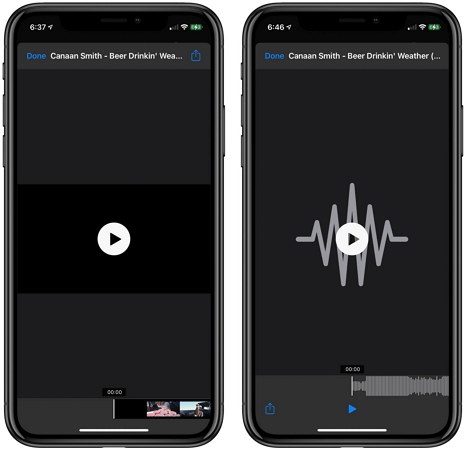
- Some shortcuts also pull out the audio alone, so you can keep MP3 or M4A versions of a clip without downloading the full video.
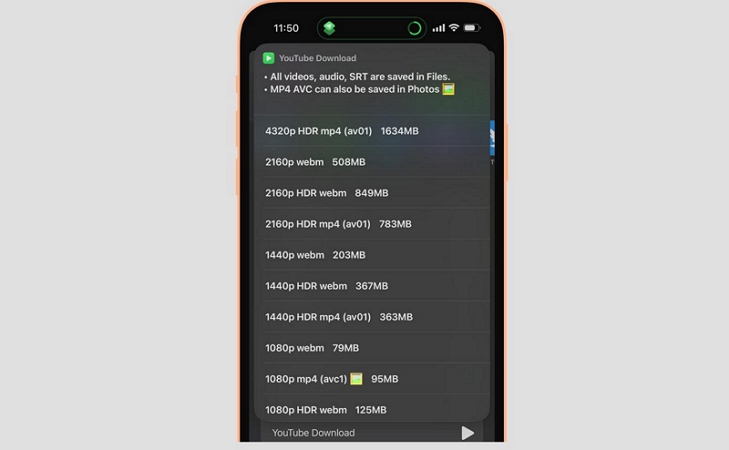
- Some shortcuts let you pick the video quality before downloading, from 144p to Full HD. In a few rare cases, even 4K or 8K.
- Many of them appear inside the Share Sheet, which makes the flow simple — you tap Share on a YouTube video and the shortcut appears right there without jumping between apps.
- Almost all of these shortcuts are free to use, but some require a premium for higher speed or higher quality.
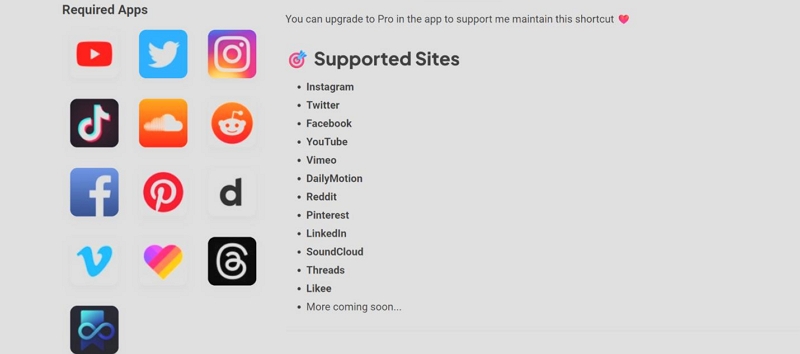
- A good number of them support more than YouTube. You can also grab clips from TikTok and similar platforms with them.
- Whatever you download can be played inside the Photos app, Files app, or any third-party player like VLC.
Cons
- They break often. When a shortcut stops working, nothing fixes it but just except finding a newer or updated version. That is why this guide includes ten options rather than one — eventually you will need another working shortcut.
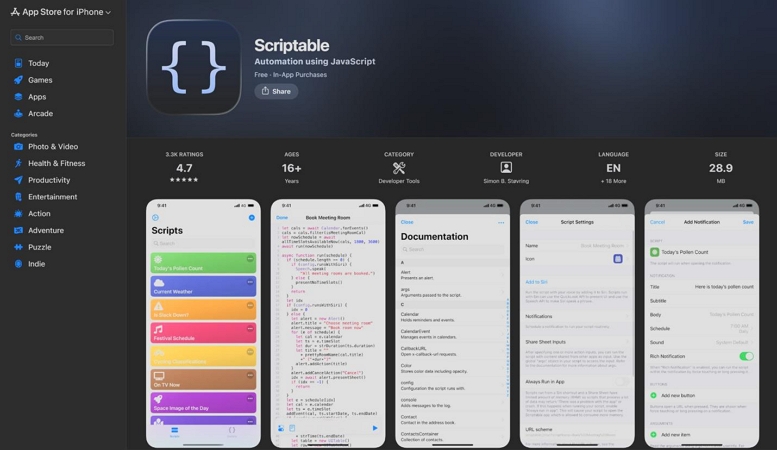
- A few shortcuts depend on extra helper apps like Scriptable, a-Shell, or JSBox. Without them, the shortcut fails or never runs in the first place.
- Some shortcuts drain battery quickly, especially when converting longer videos.
- Download speeds can be slow. The ones that feel reasonably fast usually hide faster modes behind a small paid tier.
- Video and audio quality are limited in most cases. Many shortcuts don’t let you choose a resolution or bitrate at all, so you get whatever the backend provides.
- Batch download is missing in almost all of them. You have to save each video, each Short, or each song one by one.
- Metadata is rarely preserved. Most shortcuts rename files as long alphanumeric strings that look weird.
Top 10 YouTube Video Downloader Shortcuts for iPhone
Now, comes the part you’re here for — the best YouTube downloader shortcuts. You’ll find everything in this list. Something simple when you just need a quick save. Something powerful when you want higher quality or more control. And a few balanced ones that sit right in the middle. Pick the shortcut that fits how you download.
1. YouTube Download
iPhone users who want a powerful all-in-one YouTube downloader with PIP support, full 8K video options and are comfortable installing the helper apps it needs.
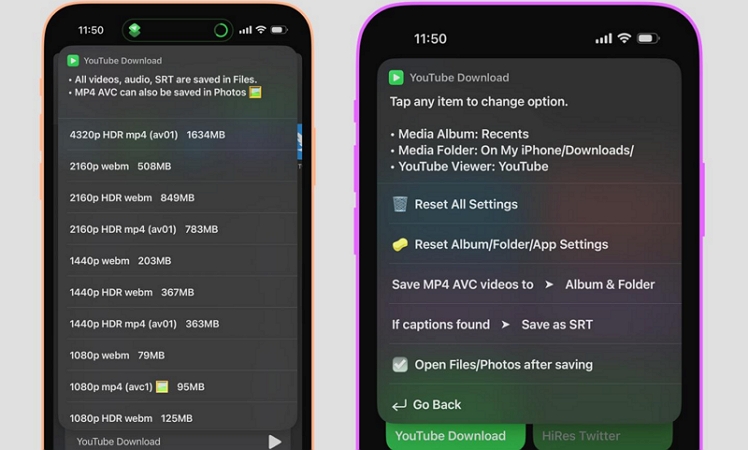
YouTube Download stays at the very top because it is simply the most complete shortcut available right now. It works from the Share Sheet and from inside the Shortcuts app itself. You can share any YouTube link, whether it is a normal video, a Short, a live stream, a music link, or even a community post. You can also run it with a copied URL.
The shortcut is also completely free to use, but it needs preparation. It requires two helper apps (Scriptable and either a-Shell Mini or a-Shell) to function correctly.
You’ll also have to tweak your Accessibility settings if you want embedded subtitles or SRT files. However, after the initial setup, it’s simple to use. It even manages its own updates automatically every time you run it.
Support iOS 15 and later, including iOS 26.
Not available on macOS.
Does not work with TikTok or other platforms.
Audio: saved as 128kbps MP3 or as M4A or WebM audio.
2. Ultimate Media Downloader
iPhone users who want one simple shortcut that works almost everywhere but not just YouTube.
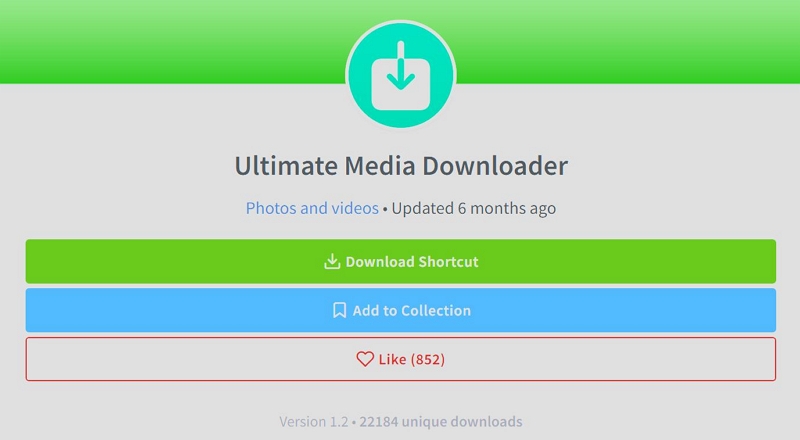
Ultimate Media Downloader works differently from the heavy YouTube-focused tools. It does not run complex processing on your phone. Instead, it takes the link you give it and passes it to a trusted downloader website in the background. That is why it supports an enormous number of websites. You can use it for YouTube, YouTube Shorts, Reddit clips, Dailymotion videos, news sites, blog embeds, and thousands of other platforms.
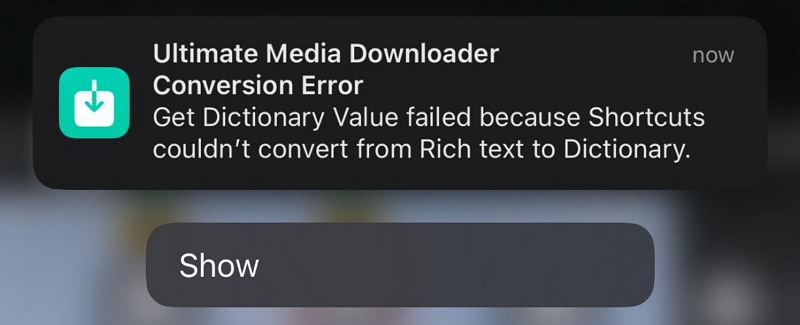
But it has its limitations. The quality and formats depend completely on the website it connects to. Besides, if the downloader site breaks or if YouTube changes its protection, the shortcut can temporarily stop working. Furthermore, the creator also warns not to use your main Google account while downloading, so you will need a secondary account for safer use.
MP3 files usually download at around 128kbps.
3. All Media Downloader
Everyday iPhone users who want one shortcut that works almost everywhere and don’t care about HD or lossless video/audio quality.
All Media Downloader is a donation-based shortcut that only works with up to iOS 17. It’s light and good for quick downloads from a wide range of websites. The limitation is that YouTube videos are currently downloaded only in 360p. If you’re fine with that, the shortcut feels effortless.
The strength of AMD is convenience. It can collect videos, shorts, reels, and short videos from dozens of sites without needing extra configuration. However, you’ll need the companion app SmartBook from the App Store.
The dev notes that HD support is in progress, so sticking around will benefit you later.
4. YouTube Shorts Downloader
iPhone users who only want a simple way to download Shorts and the YouTube video without dealing with helper apps or advanced settings.
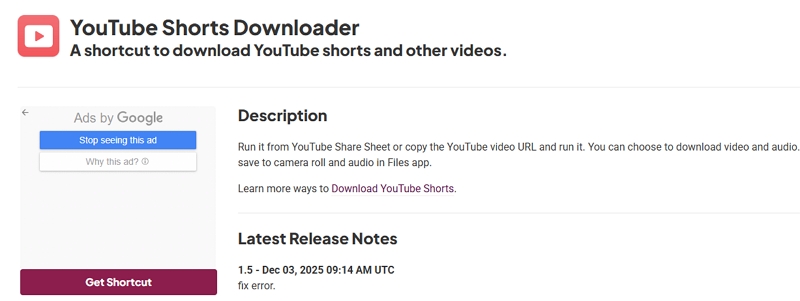
YouTube Shorts Downloader is a small, minimal shortcut built specifically for quick video grabs. It handles Shorts instantly and also manages regular YouTube videos when you share the link to it.
It works up to iOS 18 and the saved clips go straight to your Files app or Photos library. There are no extra apps to install or no needs to go through a complicated setup. That simplicity is also its limit — you don’t get audio-only downloads, subtitles, playlists, or quality control beyond whatever the original Short provides.
5. Just Another YouTube Downloader
Anyone who wants a simple and lightweight YouTube downloader with clean audio-and-video selection choices.
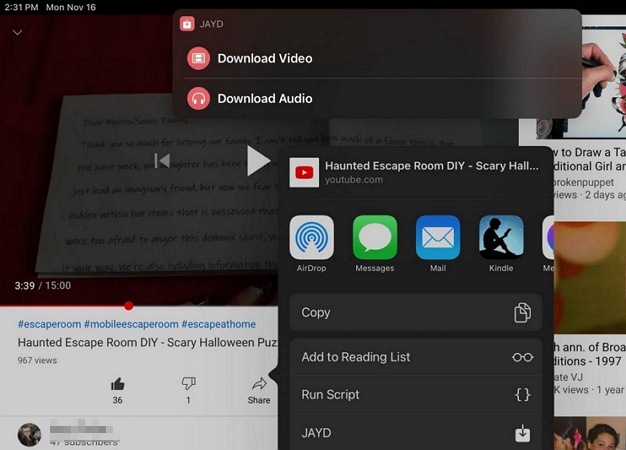
Just Another YouTube Downloader focuses on doing two things well — saving YouTube videos and extracting audio when you only want the soundtrack. It also handles playlist downloads, so it is a bit more capable than most shortcuts.
The trade-off is that JAYD depends on Scriptable, so you must keep that app installed. Also, it only runs on devices up to iOS 16.
6. R⤓Download
People who just want to save a YouTube video/image quickly without worrying about resolution or file type control.
R⤓Download is one of the most widely-used shortcuts on RoutineHub, with more than 500 million executions recorded. It runs smoothly on iOS 15, 16, 17, and 18, and its strength lies in how many platforms it can recognise. As for YouTube, it handles videos, shorts, and thumbnails.
Its weakness is exactly the same thing: as it tries to support everything, it doesn’t offer the fine control you get from dedicated YouTube-only shortcuts. You won’t see options for choosing formats or picking audio-only outputs. You simply get whatever file the link provides.
The bigger issue is that R⤓Download doesn’t receive regular updates. It works during testing, but several users mention SSL errors or sudden failures when sites update their pages. When it works, it’s extremely convenient. When it doesn’t, you won’t have many fallback settings to fix it.
7. Snap Video
iPhone users who want one shortcut that supports YouTube and major Asian social apps like Douyin, Xiaohongshu, and Kuaishou.
Snap Video is built as a broad, all-in-one downloader. It works with the usual global platforms, but its real strength is support for Asian apps — Douyin, Xiaohongshu, and Kuaishou, which many other shortcuts never touch. It handles videos from YouTube and even MP3 audio from SoundCloud.
It isn’t a specialised YouTube downloader the way YouTube Download or JAYD are, so you won’t see advanced quality controls or detailed audio-video toggles. The RoutineHub page lists support up to iOS 18, but in testing, it works fine on newer iOS 26 without errors.
The main thing to remember is that it relies on SnapVideo.io’s backend. If the server slows down or breaks, the shortcut slows with it.
8. Yas Download
If your iPhone is running iOS 15 and you need something that works consistently for YouTube-to-MP3 or MP4 conversion.
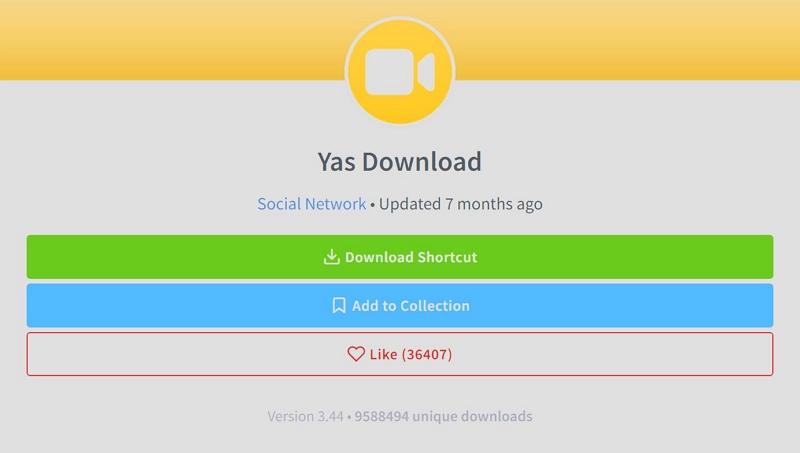
Yas Download is one of the most downloaded shortcuts on ShareShortcuts, with more than 9.5 million installs. That alone shows how dependable it has been over the years.
The developer still pushes updates, and the shortcut continues to handle the basics well. It converts YouTube videos into MP3 or MP4 easily. Plus, it can also save videos or photos from other social platforms.
9. Chrunos Multi Downloader
Anyone who wants a multi-platform downloader that works across YouTube, music apps, social apps, and even live-stream platforms.
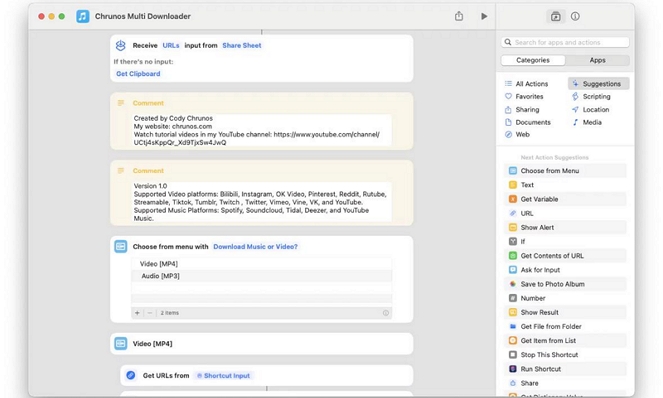
Chrunos Multi Downloader is not built around YouTube alone. It works as a general downloader that supports a long list of sites, including YouTube and YouTube Music links.
The regular version downloads up to 1080p with clean metadata. The premium version unlocks 8K video, FLAC audio, and faster speeds for about US$2 per month.
All downloads go straight to the Files app by default, which makes them easy to organize. The shortcut also gets updates very often, so new platforms keep getting added or patched quickly.
10. Lucky Downloads
Anyone who wants a lightweight downloader that focuses mainly on social-media apps with YouTube support.
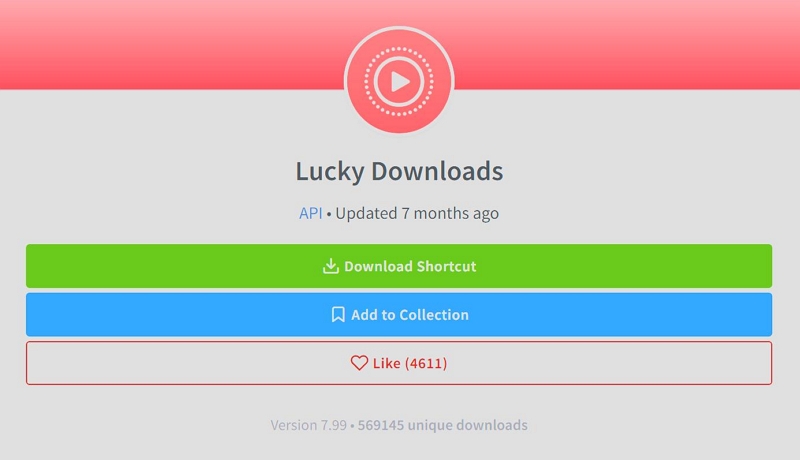
Lucky Downloads is a small and straightforward shortcut made for older devices. It runs smoothly on iOS 14, 15, and 16, and its strength lies in pulling videos and photos directly from social apps. YouTube works as well, though only for basic video downloads.
The interface is very simple. You tap the Share button, choose Lucky Downloads, and the file drops into Photos or Files without asking you a hundred questions. For quick downloads, it really holds up well.
How to Use YouTube Video Downloader Shortcuts on iPhone
Each YouTube Downloader shortcut works in its own way. Some require small helper apps and others run straight out of the box with no setup at all.
Steps to Download YouTube with iPhone Shortcuts
Step 1. Allow the shortcut to be added
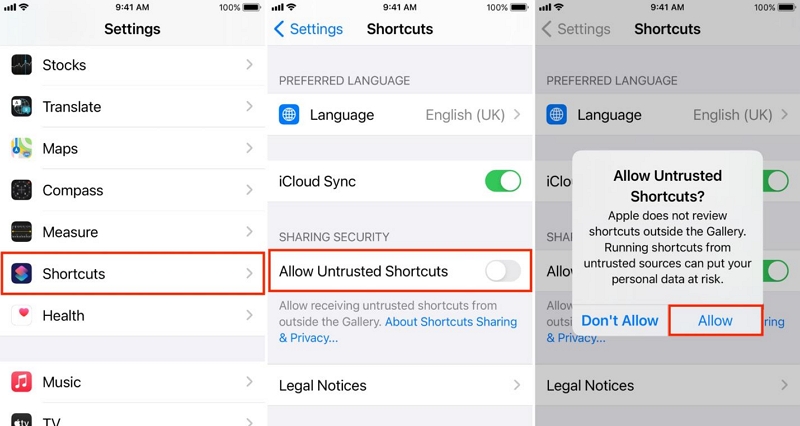
If your iPhone warns you about untrusted shortcuts, enable Allow Untrusted Shortcuts inside Settings. You only need to do this once.
Step 2. Get the shortcut onto your device
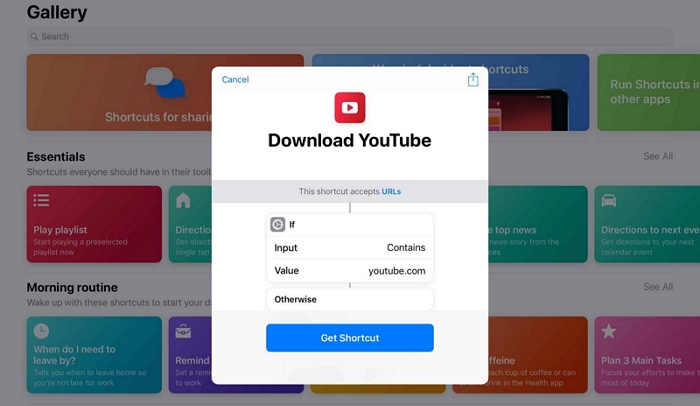
On the RoutineHub page, choose the Get Shortcut button. This sends the shortcut directly into your Shortcuts app.
You will need to install any helper apps if required. Different shortcuts depend on different tools.
Step 3. Use the shortcut from the Share Sheet
- Go to the YouTube app or YouTube web player on Safari.
- Open a video or Short.
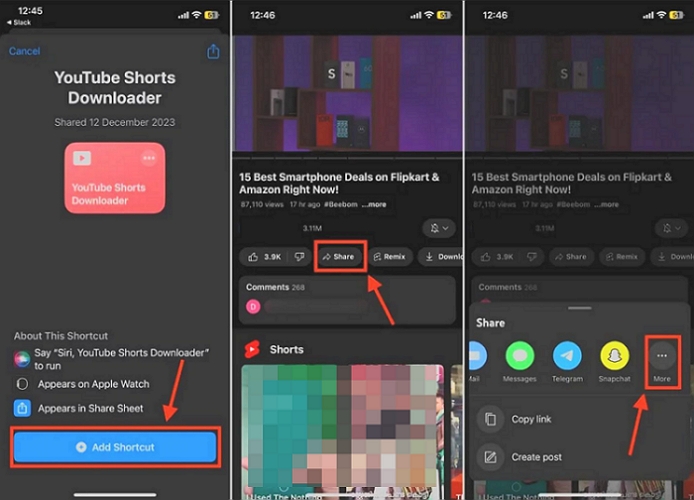
- Use the Share button and select the downloader shortcut you added earlier.
- The shortcut fetches the link and begins processing.
Step 4. Pick what you want to save
Some shortcuts let you choose between video and audio. Some save directly without asking. Whatever download option appears will depend on the shortcut you selected.
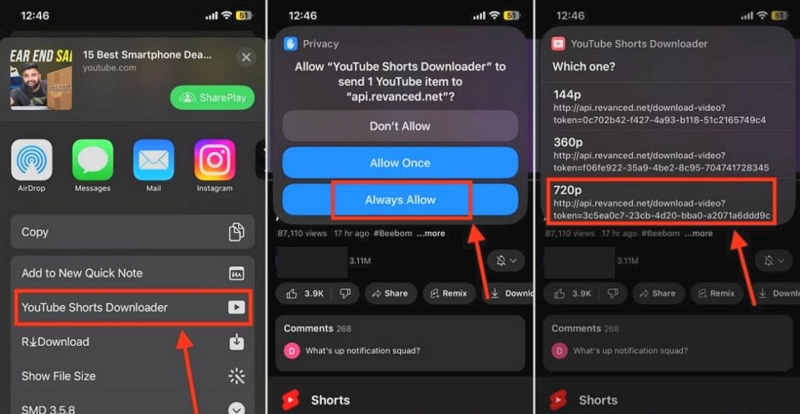
Step 5. Wait for the Downloads to finish
Shortcuts take forever to download a YouTube video. So, wait for it to complete. Once done, most shortcuts tell you exactly where the finished file was placed.
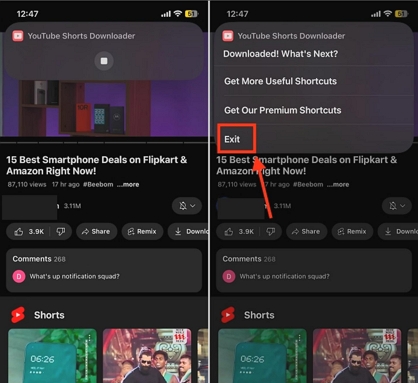
Where to Find the Downloaded YouTube Videos on iPhone
Different shortcuts save content in different locations:
- Photos app: Most simple shortcuts save videos here automatically.
- Files app: Tools like YouTube Download and JAYD save files in a custom folder.
- Documents by Readdle or VLC: Only if you explicitly choose to open the file there.
If you ever lose track, open the Shortcuts app, tap the shortcut, and check the action list — the save location is always visible.
Shared Guide: How to Download YouTube Music to Local iPhone
Most shortcuts here only support normal YouTube links. A few of them accept YouTube Music URLs, but they cannot handle big playlists or full albums in one run. You end up saving songs one by one, and the quality is limited because they do not offer higher bitrates.
That is why a dedicated YouTube Music downloader like Mediaio Audio Converter makes more sense. It saves time, gives you better sound, and avoids the need to chase new shortcuts every two or three days just to get a few songs. Here is how it works.
Step 1: Save YouTube Music as MP3 on Desktop
Mediaio Audio Converter runs on Windows and macOS and works as a focused YouTube Music downloader. It saves music like classical music from YouTube as normal audio files—MP3, M4A, FLAC, or WAV, at 320kbps. You do not need any YouTube Music Premium subscription to download your songs.
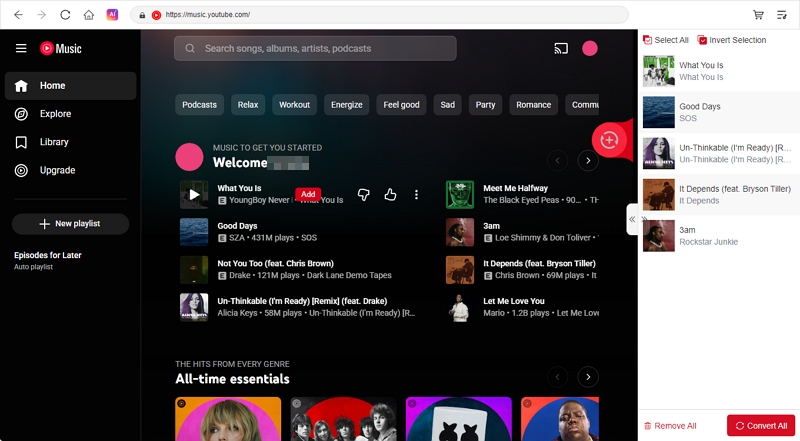
Compared to YouTube downloader shortcuts, the download process stays much simpler. You do not have to copy links of individual tracks. The tool has a built-in YouTube Music player where you can drag any song you want and convert it quickly. Full playlists and albums can be saved in one go.
All metadata also stays intact, such as song titles, album names, artwork, and the original playlist order. So when the songs reach your computer or when you move them to your iPhone, everything looks organised and ready to play in any media app.
Steps to Download YouTube Music with Mediaio
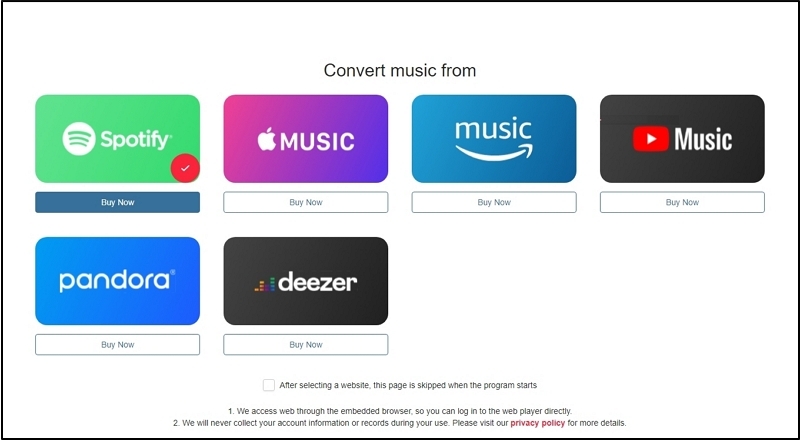
The dashboard appears with neat tiles for every supported platform. Tap the YouTube Music option to move straight into the workspace.
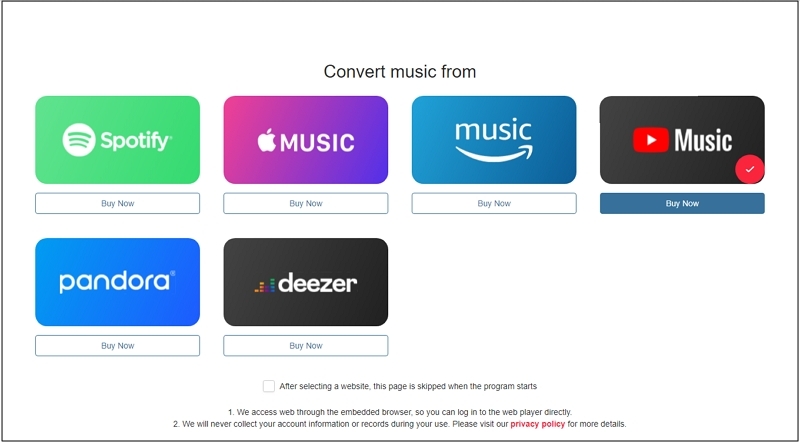
A YouTube Music player will open inside Mediaio. Log in with the same Google account.
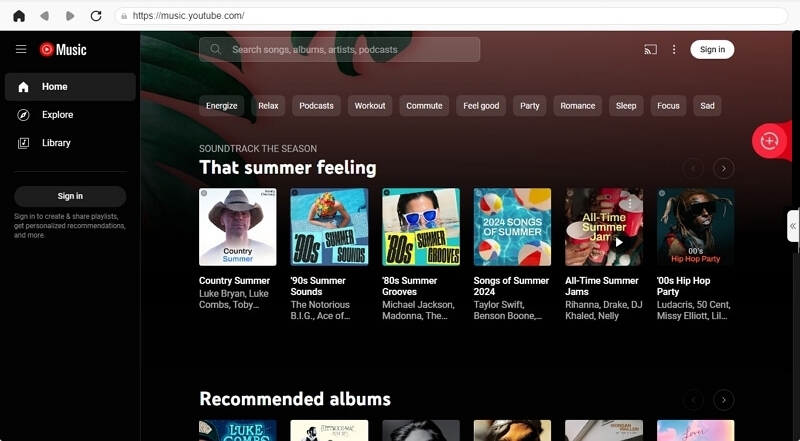
Browse through playlists, albums, or mixes. To prepare it for download, pull it across to the add icon in the right side or click the Add to the conversion list button.
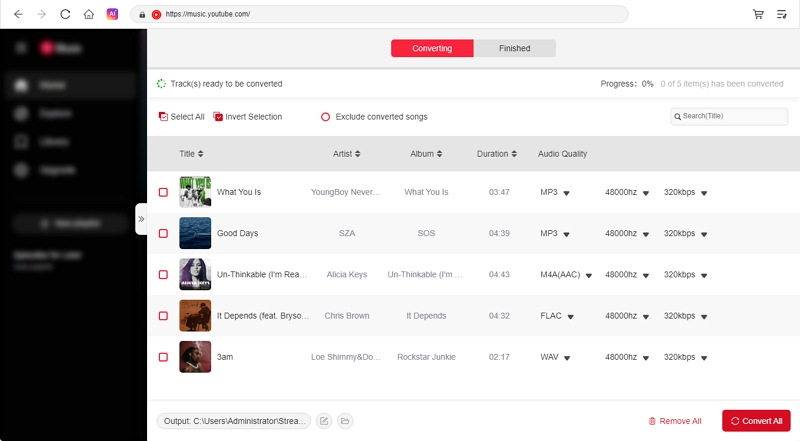
In the conversion pane, confirm MP3 and then hit Convert All. Mediaio gets to work instantly, pushing the speed up to around 30X while keeping audio quality and ID3tags intact.
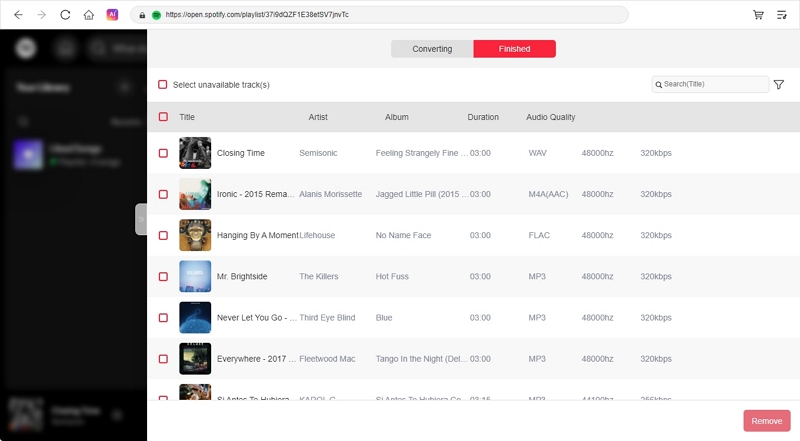
Once the conversion completes, open Finished and select the Browser icon. A folder appears with clean MP3s arranged in proper order, complete with artwork and accurate metadata.
Step 2: Transfer YouTube Music MP3 to iPhone
Step 1. Attach the iPhone to your Mac with a USB cable. Your iPhone will appear under Locations on the sidebar. Select it, so Finder loads its apps and file sections.
Step 2. Finder shows several tabs across the top. Switch to Files.
Step 3. Scroll through the list until you find VLC or any other player you prefer. Tap the small arrow beside the app’s name to reveal its internal folders.
Step 4. Drop your converted songs into the app
- Open a second Finder window and navigate to the Mediaio Downloads folder.
- Drag the MP3 songs from the Mediaio folder into the VLC or other apps’ space.
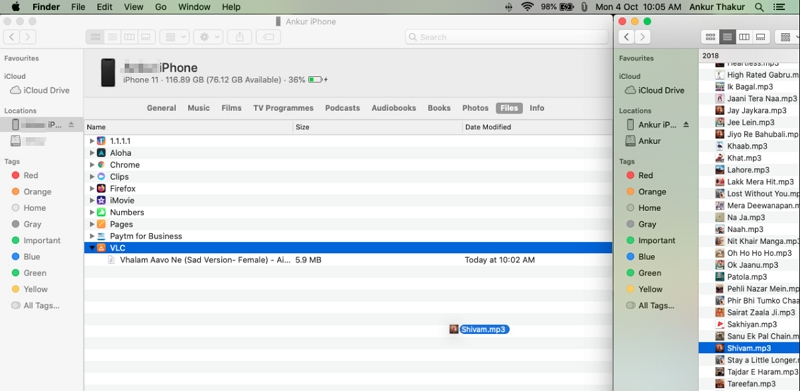
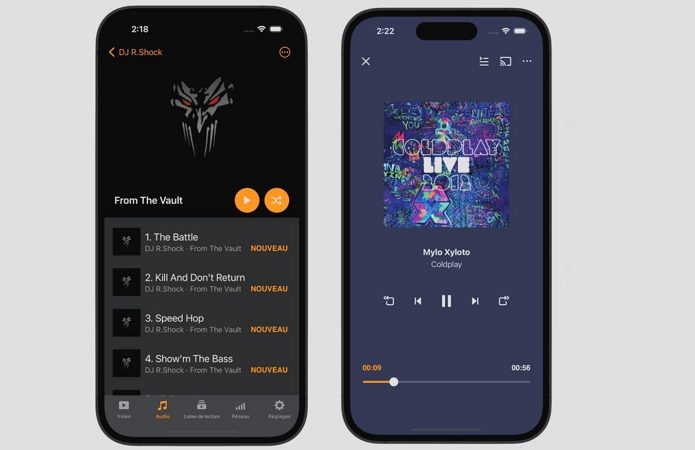
Step 5. Finder adds them instantly. The tracks appear in the chosen iPhone app as regular offline files. They behave like personal music you own and can be played in VLC, Documents, or any other player without limits.
Final Words
That’s everything you need to know about choosing and using the best YouTube video downloader shortcuts. You now have a full set of tools that can pull anything you want — long videos, Shorts, thumbnails, audio-only files, and even YouTube live streams. Some of them work with other platforms too, so you have every type covered.
However, if you are trying to save music via YouTube, downloading one song at a time through shortcuts is not the best way. It is better to pull your music directly from YouTube Music itself by using Mediaio Audio Converter. It saves everything in high-quality MP3, FLAC, WAV, and more, without needing any subscription. Once downloaded, you can play your files with any app on your iPhone.