

Wondering how to get Pandora Premium for free? You’re not alone. In fact, there are official ways to try Pandora Premium for free. Pandora and its partners offer free trials, but these deals are usually available only to new users. If you’ve already used a Pandora free trial before, you may still be eligible for official discounts that allow you to subscribe to Pandora Premium at a lower price. In this guide, we’ll cover both scenarios—how to get Pandora Premium for free as a new user and how to get Pandora Premium at a discounted price if you’re not eligible for a free trial.
How Can I Get Pandora Premium for Free [Official]
There are 4 working paths to get Pandora Premium without paying upfront. Each one follows its own rules, duration, and eligibility. We’ll also show you how to cancel before the renewal hits, so you don’t get charged by surprise.
Way 1. Use Pandora Premium Free Trial
You have a valid payment method (credit card or PayPal).
Pandora gives anyone a 60-day window to explore Premium. Some promotional banners even mention 90 days, but the consistent offer stays at 60 days.
How to Start Pandora Premium Free Trial
Step 1. Go to the Pandora website.
Step 2. Select Upgrade from the top menu.

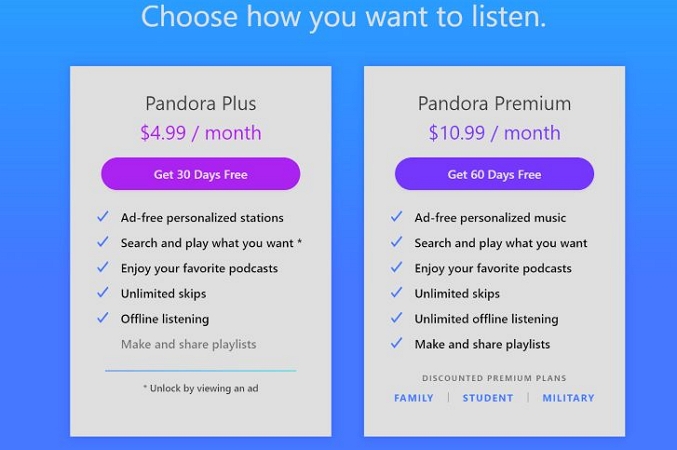
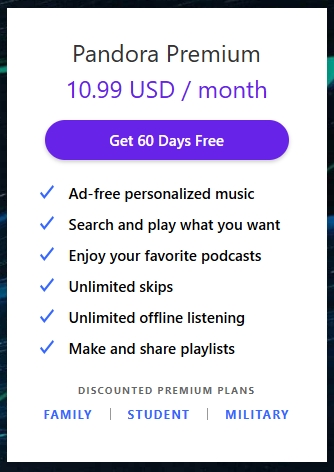
Step 3. Click the Get 60 Days Free button on the Pandora Premium card.
Step 4. Create an account if you’re new. Otherwise, sign in.
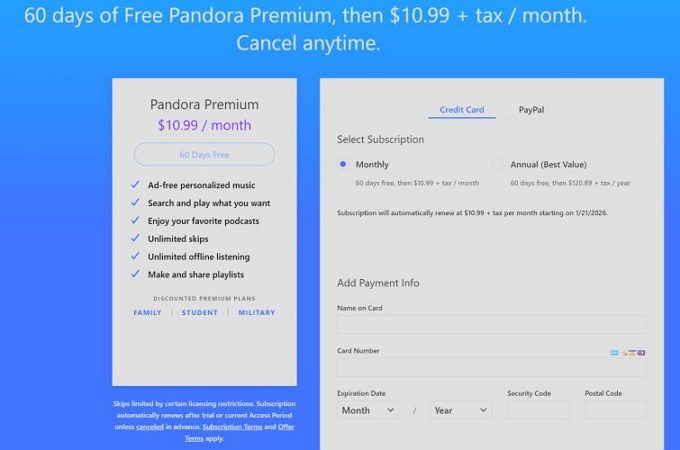
Step 5. Add your payment method — credit card or PayPal and confirm to activate the trial.
Premium features become available for your account now. Make sure to cancel the trial before the billing date to avoid any charges.
Way 2. Redeem Your Pandora Gift Card
If you have received a Pandora music gift card, be sure to redeem it before it expires. You can then use the balance to subscribe to Pandora Premium for free.
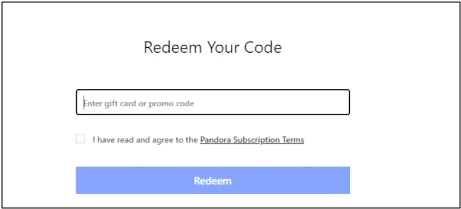
- Simply go to www.pandora.com/settings/redeem and login it.
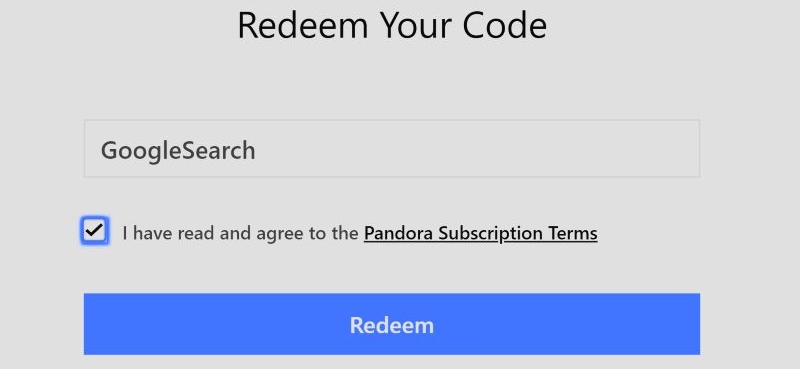
- Enter the code, check the box and hit Redeem.
- Click Upgrade to change your plan to Pandora premium.
Way 3. Join Pandora Premium Family
A Pandora Premium Family subscription is paid for by one person. However, it can be shared with six users in total. This isn’t a trial for you and you don’t have to pay anything. The plan manager covers the fee (US$17.99/month) and gives you a seat.
How to Become a Member of Pandora Premium Family
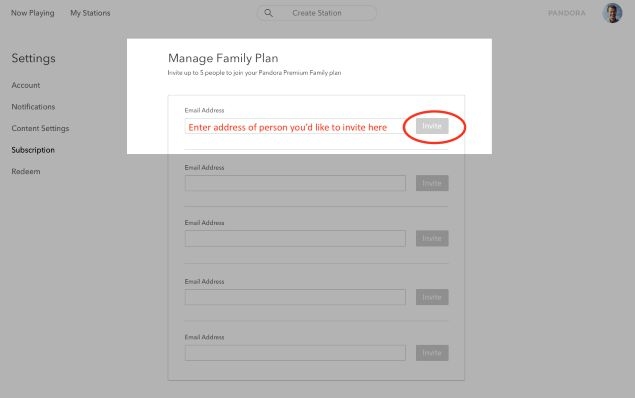
Step 1. Ask the family plan manager to send an invite. You can guide them to follow these actions:
- Open Settings. Select Subscription from the sidebar.
- Tap Manage Family.
- Enter your email address and click Invite.
Step 2. Check your inbox and open the invitation link.
Step 3. Select Accept.
- If you are already logged in Pandora with that email, access will activate instantly.
- If not, create a Pandora account with that same email and sign in.
Once linked, your account switches to Premium Family and all Premium benefits unlock automatically. You’ll stay Premium for as long as the plan remains active and the manager keeps you in the group.
Way 4. Get T-Mobile Pandora Premium Deal
Have a Pandora account that isn’t currently Premium.
Many carriers offer extended Pandora Premium access as a promotional perk. The most reliable and widely known deal comes from T-Mobile and their official wording says: “4 months of Pandora Premium on us.” So yes, that’s 120 days of free Pandora Premium as long as you’re eligible under their program.
How to Redeem Pandora Premium via T-Mobile
Step 1. Log in to your T-Mobile account.
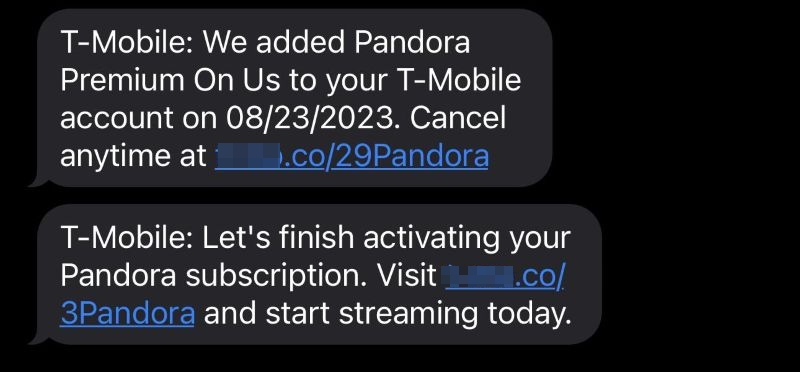
Step 2. Open the Benefits section.
Step 3. Select the Pandora Premium deal under the Music & Content category.
Step 4. Tap the “4 months of Pandora Premium on us” banner. It will only appear if you are eligible.
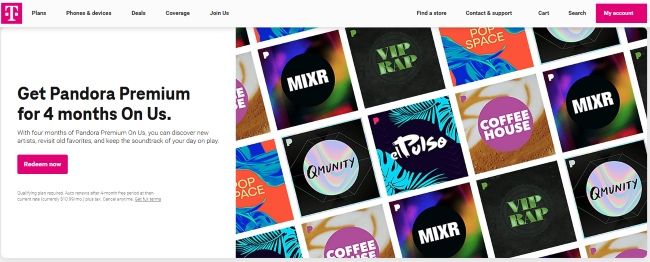
Step 5. Select Add Offer. It will either generate a code or give a link.
- If you receive a code: go to Pandora’s redeem page and confirm.
- If you are redirected automatically: sign in with your Pandora account.
The Premium features will be accessible instantly. After 120 days, Pandora subscription gets billed through your T-Mobile account. So, make sure to cancel beforehand.
Don't Forget: Cancel the Subscription Before Renewal
Most Pandora trials only activate once you add a payment method. You won’t be charged during the 60- or 120-day trial. However, after the trial ends, automatic renewal will start. Pandora recommends canceling at least 3 days prior to prevent any unintended charges. And remember — cancellation isn’t universal. Wherever you activate the plan (site, App Store, or Play Store) is where you’ll need to cancel it.
What Happens After Cancelling Your Pandora Premium Free Trial
- Your library will remain intact.
- Offline downloads will no longer be available and you won’t be able to listen to music without an internet connection.
- You won’t be able to create playlists with your favorite tracks.
- Music playback won’t be personalized to your preferences or moods.
- Ads will be played during music streaming.
- Audio quality will drop to a lower bitrate, around 64 kbps.
Cancel Pandora Premium via Pandora Site
Step 1. Go to Pandora.com and sign in.
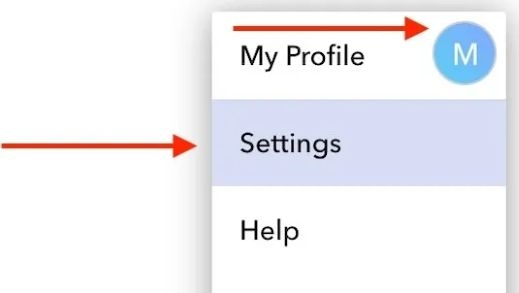
Step 2. Click your profile icon in the top-right corner and select Settings.
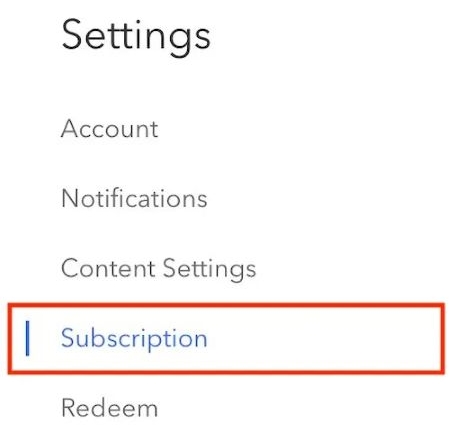
Step 3. Go to Subscriptions.
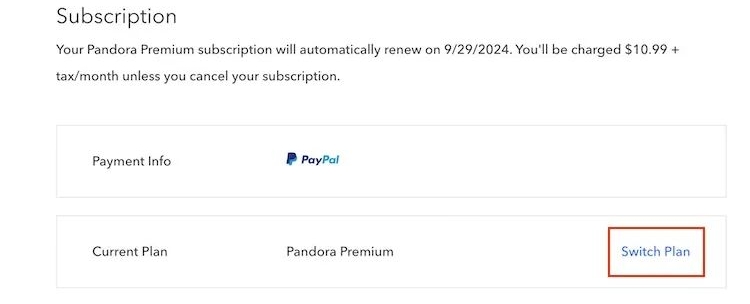
Step 4. Click Switch Plan next to your current Premium plan.
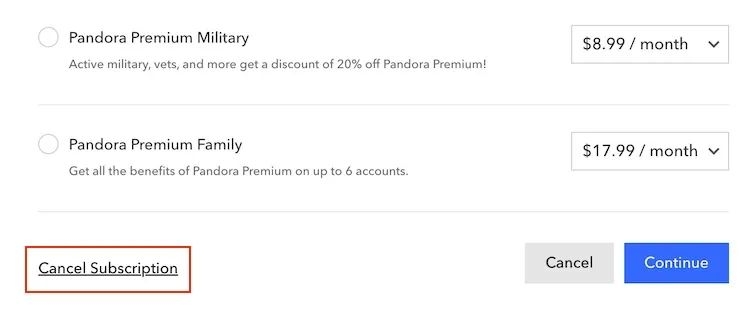
Step 5. Choose Cancel Subscription and then tap Continue.
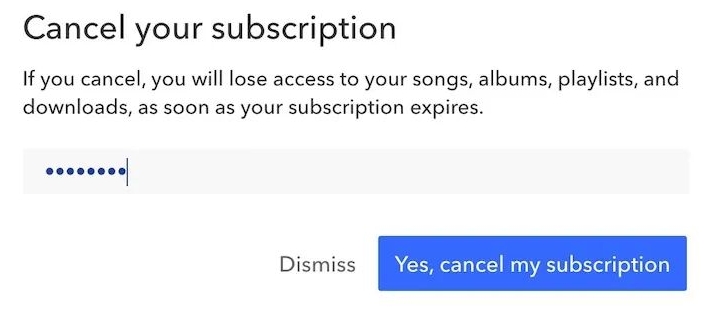
Step 6. Enter your password and click the Yes, cancel my subscription button. You’ll see a confirmation banner.
If You Subscribed Through App Store (iOS)
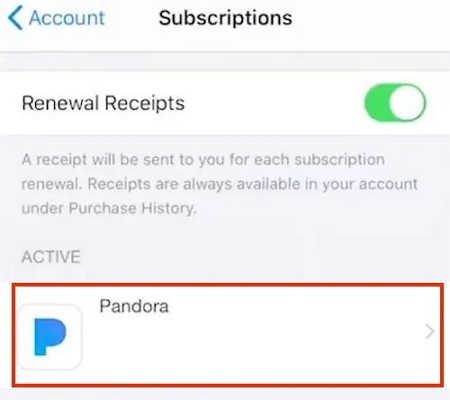
- Open Settings on your iPhone or iPad.
- Tap your Apple Account banner > Subscriptions.
- Select Pandora.
- Hit Cancel Subscription.
If You Subscribed Through Google Play Store (Android)
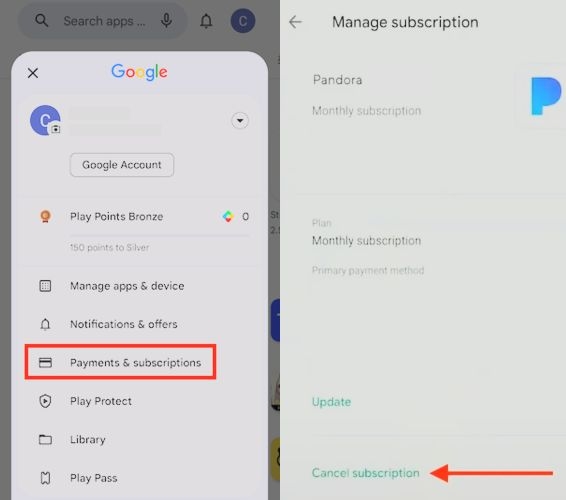
- Open the Play Store.
- Tap your profile icon and choose Payments & Subscriptions.
- Go to Subscriptions and select Pandora.
- Tap Cancel subscription.
How to Get Pandora Premium at a Discounted Price [Official]
Pandora offers special benefits for specific users, such as students and military personnel. If you don’t fall into these categories, don’t worry, Pandora still provides other deals, although availability may vary and requires some manual attention. Next, we will explain each case in detail.
Option 1. Get Discounted Pandora Premium as Student/Military Member
If you are a student or military member, check the table below to see if you meet the requirements to receive a discounted subscription.
18 or older
Enrolled at accredited higher education institutions in the United States. U.S. residents aged 18 or older
Active duty in any branch of the U.S. military, plus retirees, veterans, national guard, reserves, and dependents
To start your Pandora Premium Student or Military Plan, simply go to www.pandora.com/plans, locate the Premium section and switch to the target plan. After that, follow the onscreen steps to finish the subscription.
Option 2. Subscribe to Pandora Premium via Promotional Email
If you have signed up for Pandora Music, you may receive promotional emails offering deals for upgrading your plan. These emails are often sent when your free trial is about to end or during holiday sales like Black Friday. Simply check your inbox to see if there is a discount available for you.

How to Keep Pandora Downloads After Cancelling Premium
Only keep Pandora downloads for personal use, such as listening to music in your car via USB or playing songs on your MP3 player while jogging.
Pandora Premium lets you download songs and listen offline, but only while the subscription is active. Once the free trial ends or you cancel the subscription, all downloaded tracks disappear. So before the renewal date hits, there’s one simple workaround to keep your Pandora downloads available: download your music again, but this time as open formats like MP3, M4A, FLAC, or WAV for permanent accessibility.
Mediaio Audio Converter helps you do exactly that. It has an inbuilt Pandora player to quickly sign into your account. After that, you can save your playlists, collected songs, radio stations, or albums to your computer locally. Every downloaded file will keep its original cover art, song title, artist info, and other metadata, exactly as it appears on Pandora.
Conclusion
So now you know every official way to get Pandora Premium for free, whether it’s a 60-day trial, a shared family plan, or the full 120-day T-Mobile offer. You also learn how to legally get Pandora Premium at a lower price if you are not a new user.