

If you’ve ever searched for an Amazon Music converter online or tried to convert Amazon Music to MP3 online, you’ve probably noticed it’s not as straightforward as other audio conversions. Amazon Music tracks are protected by DRM (Digital Rights Management), which prevents most online tools from downloading or converting the songs directly.
Many websites advertise themselves as free online Amazon Music converters, but they often fail to deliver, provide low-quality audio, or pose security risks. In this guide, we’ll explain why these online methods usually don’t work, what partial online solutions exist, and the most reliable ways to convert Amazon Music to MP3 online, including professional desktop converters and official MP3 purchases. By the end, you’ll know exactly how to get high-quality, DRM-free MP3s from Amazon Music safely and legally.
Part 1. Can You Convert Amazon Music to MP3 Online?
1.1 Why Amazon Music Cannot Be Converted Online Directly
Amazon Music uses strong DRM encryption. This means:
- Music files never expose real MP3/FLAC URLs
- Streams play inside Amazon’s encrypted player
- No web-based converter can access or decode them
- You cannot “paste an Amazon Music link” into any online converter
Most online “Amazon Music to MP3 converters” only convert:
- Uploaded local files
- Simple, unprotected URLs
- Non-DRM media
Amazon Music streams do not provide downloadable audio links, so online services cannot process them.
Real Example: What Happens If You Paste an Amazon Music URL?
❌ “URL not supported”
❌ Converter asks you to upload a file
❌ Nothing happens
❌ Some sites redirect to ads or malware
This is why no real “Amazon Music converter online” exists.
Part 2. What Online Converters Can Do (Realistic Expectations)
2.1 Online Tools That Convert Local Audio Files
Here are several well-known online tools available for use when you possess audio files on your computer and wish to convert them to MP3 or different formats.
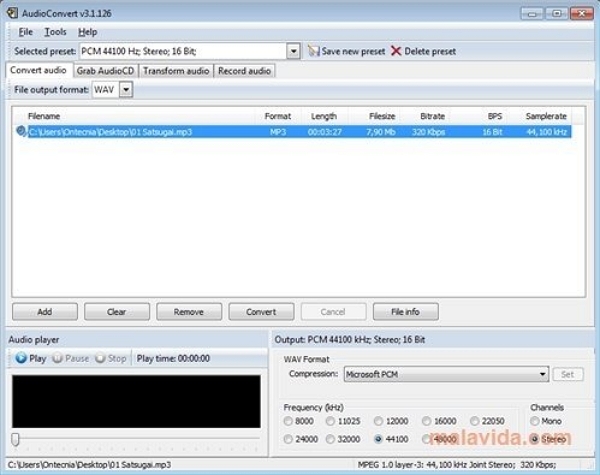
1. AudioConvert
AudioConvert (https://www.freeconvert.com/audio-converter) is an easy-to-use, browser-based application that operates completely within your browser, ensuring that your files remain on your device. You can transform audio among various formats, such as MP3, WAV, FLAC, AAC, OGG, and others. It enables batch conversion (i.e., multiple files simultaneously), and since the processing occurs locally, it’s quick and secure.
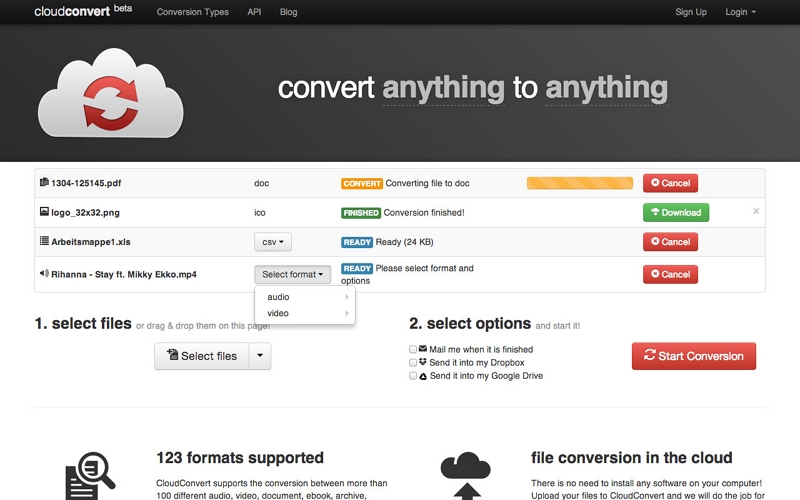
2. CloudConvert
CloudConvert (https://cloudconvert.com/audio-converter) is a comprehensive, cloud-based conversion tool that accommodates over 200 file formats, featuring numerous audio formats. In audio conversion, you can adjust the quality (like bitrate) and the file size of the final MP3 or WAV, among others. CloudConvert prioritizes data security as well, stating that your files are secure and are exclusively accessible by you.
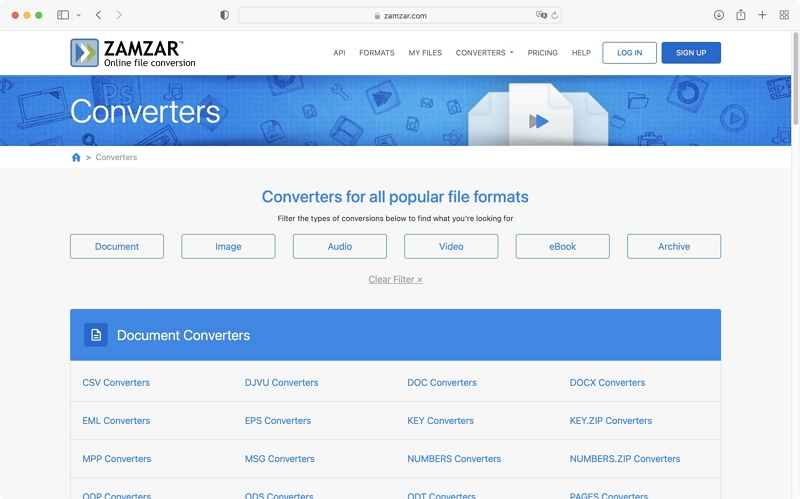
3. Zamzar
Zamzar (https://www.zamzar.com/) is a traditional online conversion platform: you upload your file, select the format (like MP3), and then download it post-conversion. It accommodates over 1000 formats, making it highly versatile. Nonetheless, the free tier comes with certain restrictions: for instance, files exceeding ~50 MB might necessitate a paid account.
Use Cases
These tools are great for:
- Voice memos
- Interviews
- Screen recordings
- Non-DRM audio
But they cannot access or decode Amazon Music DRM.
2.2 Online Audio Recorders (Partial, Low-Quality Solution)
Web-based recorders like:
- Apowersoft Online Recorder
- VEED Recorder
- Screenapp.io Recorder
can capture system audio, but:
Limitations
- Must record in real time
- Lower bitrate due to browser compression
- Long tracks may freeze/lag
- No ID3 tags
- Not suitable for full albums/playlists
These tools work, but not for high-quality MP3 conversion.
Part 3. Best Alternatives to Online Amazon Music Converters
Due to the DRM protection on Amazon Music tracks, they cannot be directly converted using standard online converters. Any site that claims to be able to convert Amazon Music online is either unreliable or potentially hazardous. Nonetheless, there are trustworthy options available that enable you to convert your Amazon Music files securely and lawfully for personal use.
3.1 Use a Professional Amazon Music Converter (Most Reliable)
For a reliable and user-friendly option, Mediaio Audio Converter is a great choice. This specialized software enables you to download and transform Amazon Music into high-quality local files while preserving the original audio quality. Mediaio simplifies the management of your music collection. Featuring an integrated player and a straightforward interface, the app allows you to preview and convert music directly.
Part 4. Online Solutions That Partially Work
4.1 Online Audio Recorder (Web-based)
Online audio recorders enable you to record anything that is outputting on your computer (system audio) or via your browser, acting in real time. These tools operate in your browser, which means there's no requirement to install any software.
Examples of such tools
- Apowersoft Free Online Audio Recorder: Allows you to capture system sounds and microphone input, offering fairly high audio quality.
- Vidmore Free Online Audio Recorder: A different browser-based application that allows recording of computer audio and exporting it as MP3.
- Screenapp.io Recorder: Specifically enables the capture of system audio through the browser, supporting formats such as MP3, WAV, and OGG.
- VEED.io Online Audio Recorder: Offers additional features, including an interface, noise reduction, and transcription for audio recordings
4.2 Download Amazon Music as Purchases (Only Buy MP3s)
If a song is available in the Amazon MP3 Store, you can:
How to Buy and Download an MP3 on Amazon
Step 1: Visit the Amazon website (instead of only the Music app).
Step 2: Look for the song or album, adding "MP3" to the search if necessary. Certain users suggest that typing “mp3” directly into the search bar can uncover buying choices.
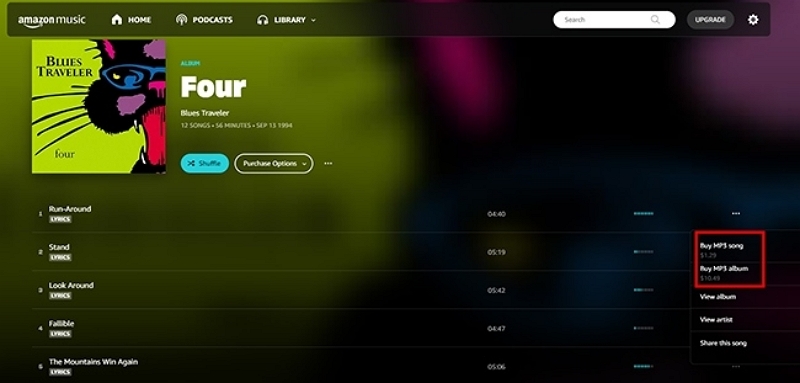
Step 3: On the product page, click on Purchase Options → change to MP3 Music → choose “Buy MP3 song” or “Buy MP3 album.”
Step 4: Following purchase, navigate to your Amazon Music Library → Purchased → Download, to store the MP3 files on your device.
Once downloaded, these MP3 files can be freely transferred, backed up, or even shared as playlists across devices or platforms without the limitations of streaming-only content.
Limitations:
- Only works for MP3 store tracks
- Doesn’t apply to Prime or Music Unlimited content
Part 5. Comparison Table
Part 6. Use Cases — Who Actually Needs MP3?
People most likely to convert Amazon Music to MP3:
- Drivers downloading MP3 for car stereo
- DJs needing offline audio
- Users with MP3 players / iPods
- People with limited storage who prefer smaller MP3 files
- Those wanting backup copies for personal use
FAQs
Conclusion
Converting Amazon Music to MP3 online is not possible due to DRM protection.
Online converters only work with non-DRM local files—not Amazon Music.
For safe, reliable, high-quality conversion, a professional tool like Mediaio is the best method.
It extracts Amazon Music to MP3, FLAC, WAV, and other formats while preserving quality and metadata.
If you prefer an official method, you can buy MP3s directly from Amazon’s MP3 store (when available).