

Do you have questions about downloading Amazon Music in FLAC format? Regrettably, Amazon Music does not provide FLAC downloads as a standard feature. This restriction arises from DRM safeguards and the platform’s selected streaming and download formats, which favor MP3 and Amazon’s proprietary formats instead of high-resolution FLAC.
However, there’s no need to be concerned—this guide will assist you. In this guide, you will discover how to download, convert, and record Amazon Music to FLAC, investigate alternative Amazon Music Downloader FLAC tools and techniques, and find legitimate FLAC music websites to enhance your high-quality library.
Part 1. Amazon Music Formats Explained (What is FLAC on Amazon?)
Many people searching for “Amazon Music FLAC?” are confused because Amazon advertises HD/Ultra HD, but users never see .flac files. Here’s the part most guides skip:
Amazon Music Audio Format Table
Bottom line:
✔ Amazon does use FLAC internally.
✘ Amazon does not allow exporting unencrypted FLAC files.
To store FLAC on your computer, DAP (Fiio, Sony Walkman, Astell&Kern), or Plex server, you must convert the files externally.
Why bother with FLAC?
- No quality loss (unlike MP3/AAC).
- Perfect for Hi-Fi/Hi-Res DACs, studio monitors, car systems.
- Metadata-friendly, widely supported, and future-proof.
Part 2. Best Way to Download Amazon Music to FLAC
If you want the most reliable, highest-fidelity Amazon Music FLAC downloader, Mediaio Audio Converter is the tool I recommend after testing multiple converters across HD/Ultra HD tracks.
Real-user testing note:
In a 15-track Ultra HD playlist test, Mediaio completed the batch at near-max speed, and all metadata/artwork were intact — a common failure point for cheaper tools.
How to Download Amazon Music to FLAC
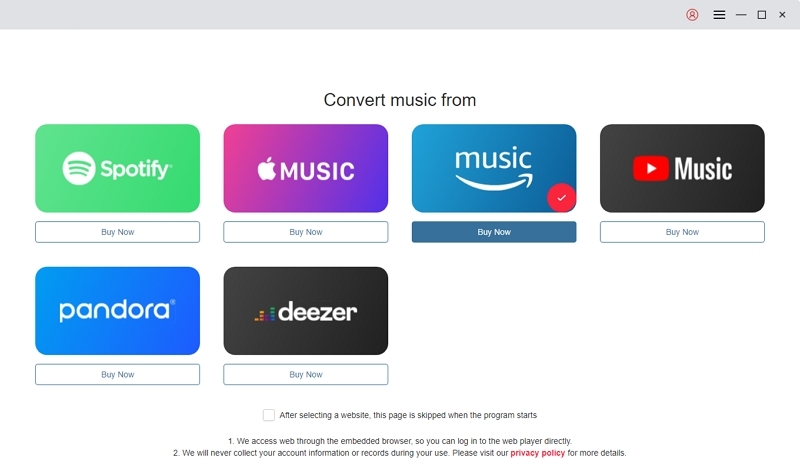
Open Mediaio Audio Converter and select Amazon Music as your audio source.
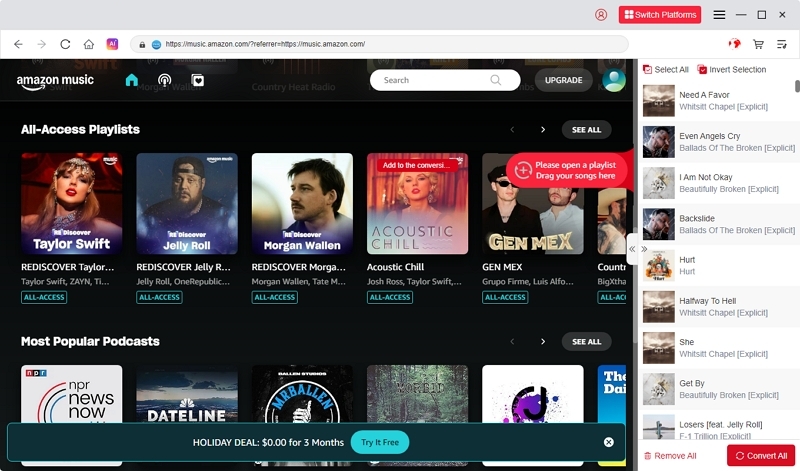
Look through or search for the albums, playlists, or songs you want. Then drag them onto the large “+” button to add everything to the task list.
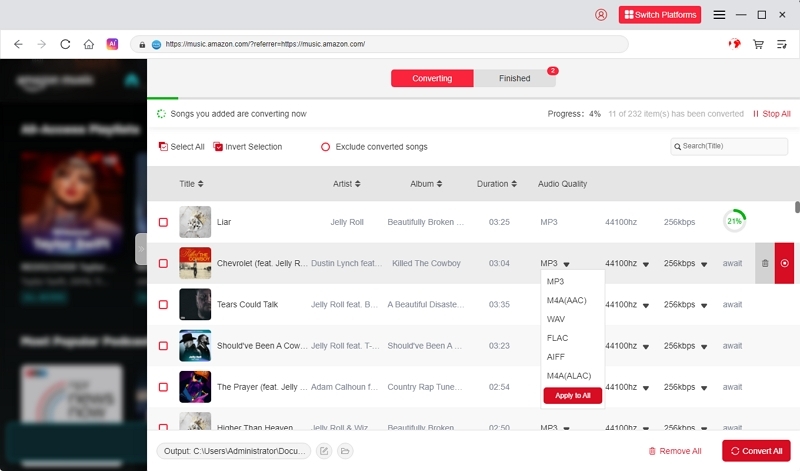
Select FLAC or another preferred format such as MP3, M4A, or WAV. Then choose where you want your converted files to be saved.
When everything is set, click “Convert All.” Mediaio will begin converting your Amazon Music songs into local FLAC or other selected formats.
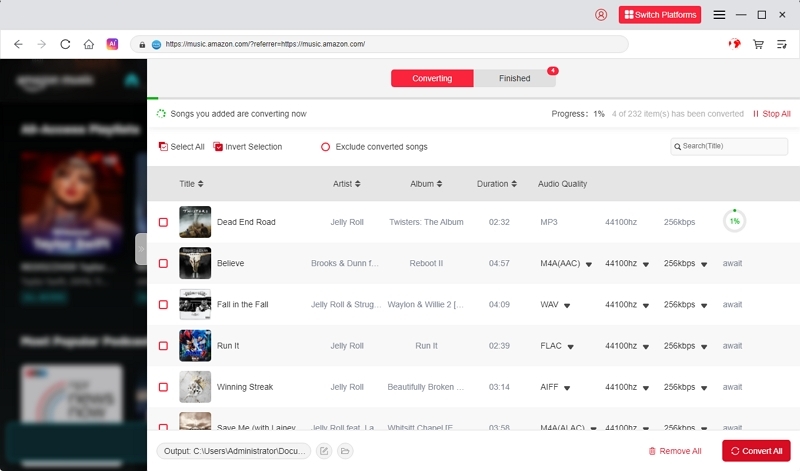
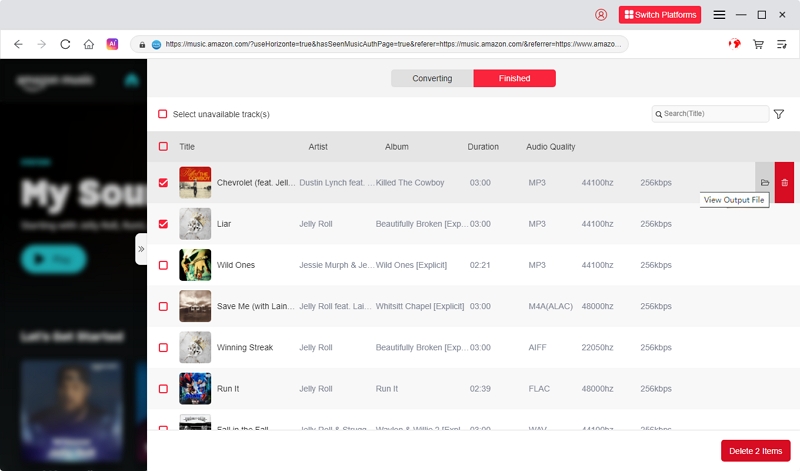
After the conversion is complete, open the Finished tab to find all your newly converted tracks.
Part 3. Alternative Tools to Convert Amazon Music to FLAC
Below is a more technical comparison matrix based on your suggestion:
Which tool fits your needs?
1. Mediaio → Best all-around FLAC downloader (fast, stable, best Ultra HD consistency).
2. Sidify → Best if you must work inside the Amazon Music app environment.
3. TunePat→ Flexible speed modes (Web/APP).
4. DRmare → High quality but heavier CPU load.
Part 4. 100% Universal Method: Record Amazon Music to FLAC
If your song or region is restricted, recording is the only method that works for everything.
Tool recommended: Audacity (free, open-source)
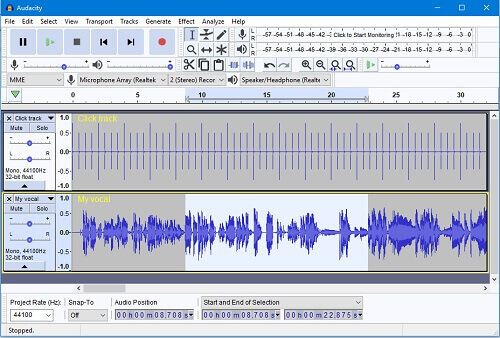
How to Record Amazon Music to FLAC with Audacity –
Step 1: Obtain Audacity from its official website and set it up on your computer. After completing that step, run the program to get ready for recording.
Step 2: Access the Transport section from the top menu, then select Transport Options. Ensure that Software Playthrough is disabled to avoid hearing an echo while capturing system audio.
Step 3: Click the Record button in Audacity’s transport controls. Then, open the Amazon Music app and begin playing the song or playlist you wish to record. Once you finish, go back to Audacity and press Stop.
Step 4: Navigate to File → Export, then choose Export as FLAC. Select a destination on your computer and save the newly recorded Amazon Music track in high-quality FLAC format.
Part 5. Official FLAC Downloads from Amazon Music?
Amazon Unlimited HD/Ultra HD does give you FLAC audio, but:
- Downloads are encrypted .mp4a-like containers, not usable FLAC
- You cannot transfer to DAPs, VLC, or external libraries
- Playback is locked to the Amazon Music app
This is the #1 confusion point among Amazon users.
If you only want offline listening inside Amazon: Official downloads are enough.
If you want playable FLAC files outside Amazon: You need a converter.
Part 6. Best Sites to Download FLAC Music Legally
Here are several leading legal websites where you can purchase and download music in FLAC format (extremely high-quality audio) –
1. Qobuz (https://www.qobuz.com/us-en/discover)
A top-notch selection. Qobuz boasts a vast collection in exceptional quality (up to 24-bit / 192 kHz). When you make a purchase, you can choose the format (such as FLAC) and quality.
2. HDTracks (https://www.hdtracks.com/)
Ideal for audio enthusiasts — provides high-resolution downloads in FLAC, WAV, AIFF, and additional formats. Numerous albums reach up to 24-bit / 192 kHz.
3. 7digital (https://us.7digital.com/)
A trustworthy shop for lossless audio. They can handle both 16-bit and 24-bit FLAC.
4. Bandcamp(https://bandcamp.com/)
Perfect for solo creators. You compensate the artist directly, and numerous albums can be found in FLAC (such as 16-bit or 24-bit).
5. Bleep (https://bleep.com/)
Fantastic for electronic, experimental, and indie genres. You are able to download in WAV or FLAC.
While these platforms offer legal FLAC downloads, purchases may come with regional restrictions, format availability limits, and personal-use licensing—so always review each site’s terms before downloading.
FAQ
Conclusion
Exporting Amazon Music to actual FLAC files isn’t officially supported, but with the right tools it’s straightforward. If you want the most stable and accurate FLAC downloads, especially for Hi-Res / Ultra HD tracks, Mediaio Audio Converter is the easiest and most consistent approach right now.
Whether you’re building a personal FLAC library, transferring to a DAP, or archiving purchases, this guide gives you every safe and legal method available in 2026.