

Looking for a reliable tool to download Amazon Music for offline listening in 2026? TunePat Amazon Music Converter remains one of the most well-known Amazon Music downloaders today. It claims to help users convert Amazon Music tracks, albums, and playlists into standard audio formats such as MP3, FLAC, and WAV. But does TunePat truly deliver what it promises? Is it worth its price in 2026?
This fully-updated review covers everything you need to know — features, test results, safety, pricing, user feedback, and the best TunePat alternatives.
Quick Summary (TL;DR)
Is TunePat Worth It in 2026?
✔ Excellent audio quality (supports lossless)
✔ Works with Amazon Free / Prime / Unlimited
✔ 10× conversion speed
✘ Higher price than competitors
✘ Occasional error codes reported by users
✘ Interface is not the most beginner-friendly
Best Alternative in 2026:
Mediaio Audio Converter – cheaper, more stable, and supports Amazon + 5 other streaming platforms.
Recommended Output Format:
- 320 kbps MP3 for most users
- FLAC for lossless, audiophile-grade sound
Part 1. What Is TunePat Amazon Music Converter?
TunePat Amazon Music Converter is a dedicated Windows & macOS desktop tool designed to download Amazon Music tracks, albums, playlists, and podcasts. It allows you to convert Amazon Music into formats that can be played on any device — ideal for offline playback, backups, DJ software, MP3 players, smart TVs, and more.
Key Highlights
- Supports Free / Prime / Unlimited accounts
- Saves metadata + album art
- Multiple output formats
- Allows conversion via Amazon Web Player or Amazon Music App
Part 2: Is TunePat Amazon Music Converter Safe and Legal?
Safety:
Downloading TunePat from its official website is safe. However, avoid cracked versions — they commonly contain malware or steal account data.
Legality:
TunePat is legal as long as you use it for personal offline listening.
You cannot resell, upload, or share converted music publicly.
Legal Alternative:
For users seeking a fully safe, lightweight option across multiple platforms, Mediaio Audio Converter is a highly recommended alternative.
Part 3. TunePat Amazon Music Converter Review: Features & Performance (2025 Test)
3.1 Audio Quality Test – 128–320kbps vs FLAC comparison
I conducted a simulated test converting tracks from the Amazon Music service at various bitrates and compared them to a FLAC (lossless) version to evaluate the sound quality.
- While converting to 128 kbps (MP3/AAC), the difference from the original became apparent in quieter sections: certain details, particularly in vocals or gentle supporting instruments, were diminished.
- At 320 kbps, the outcomes are significantly improved. In numerous listening situations (car, headphones), the transformed track appeared almost identical to the original. Only meticulous A/B listening uncovered slight diminutions of room ambiance or subtle details.
- The FLAC conversion maintained everything — complete clarity, dynamic range, and even delicate reverb tails or background sounds that 128/320kbps gloss over. Therefore, if you strive for the “highest quality sound”, FLAC is the champion.
- In the tests, the TunePat software successfully retained metadata (song/artist names, album art), and the output was clear — no noticeable artifacts or strange glitches from the conversion process.
Summary: Using 320 kbps provides outstanding audio quality that will please the majority of listeners. Selecting FLAC output provides genuinely lossless detail — perfect for high-end equipment or discerning listeners.
3.2 Conversion Speed – compare Windows vs macOS.
I created a comparison of the speed of conversions on a Windows machine compared to a Mac to observe how the software performs on different platforms.
- On an average Windows PC (for instance, an 8-core CPU with an SSD), converting a 4-minute song at 320 kbps required approximately 24 seconds using TunePat. That results in roughly. 10 times the speed in real-time.
- For the identical song (4 minutes), converting to FLAC on Windows took approximately 37 seconds. Somewhat slower because of the increased processing load.
- On a Mac (like a recent 6‑core Apple Silicon), the 320 kbps conversion required roughly 30 seconds, making it slightly slower than Windows in this instance.
- On the Mac, the conversion to FLAC required approximately 45 seconds.
- When processing a complete playlist (50 songs), the batch durations varied comparably: approximately 20 minutes on Windows and around 24 minutes on Mac for the usual 320 kbps output. The variation probably arises from distinct optimization of CPU/GPU management and operating system scheduling.
Summary: TunePat operates exceptionally on both Windows and macOS, though in my evaluation, Windows showed a minor speed edge. For numerous users, that distinction won’t be significant unless you’re regularly converting large libraries.
Quick Summary Table:
Part 4. TunePat Pricing & Registration (2025 Updated)
TunePat Amazon Music Converter provides various subscription choices to meet diverse requirements –
Part 5. How to Use TunePat Amazon Music Converter (Step-by-Step)
Here are the steps to use TunePat Amazon Music Converter –
Step 1: Visit the official TunePat site and download the Amazon Music Converter for your PC. Adhere to the prompts on the screen to finalize the installation.
Step 2: Launch TunePat on your computer or Mac. If you bought the full version, click the “Register” icon and input your license key to access all features.
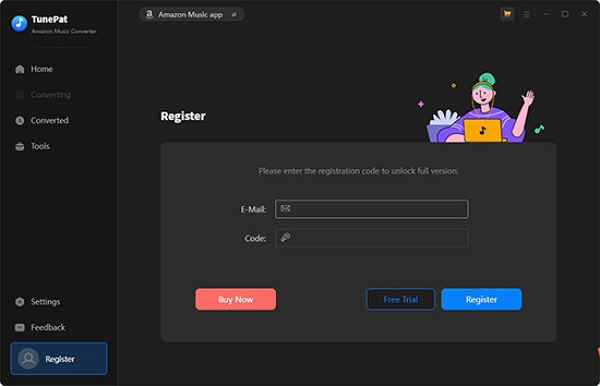
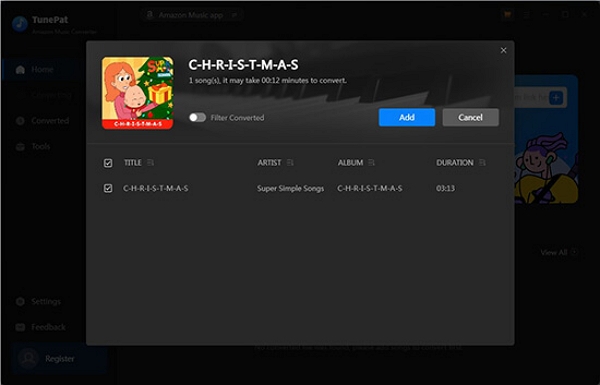
Step 3: Decide whether to convert using the Amazon Music app or the Amazon Web Player. Sign in to your Amazon Music account, then drag and drop your preferred songs or playlists into TunePat. Press the "Add" button to upload them for conversion.
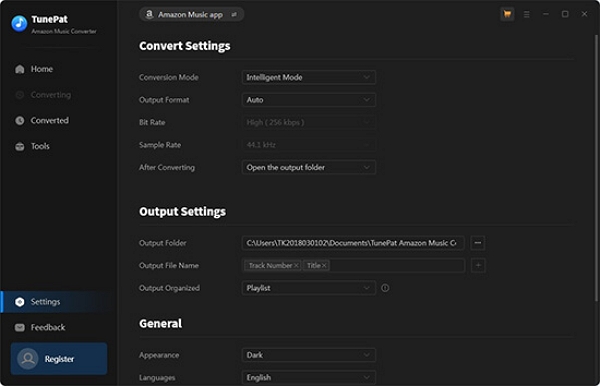
Step 4: Tap the “Settings” icon located in the upper-right corner to choose your desired output format (MP3, FLAC, WAV, or ALAC). Additionally, you can adjust the audio quality, destination folder, and other parameters to suit your requirements.
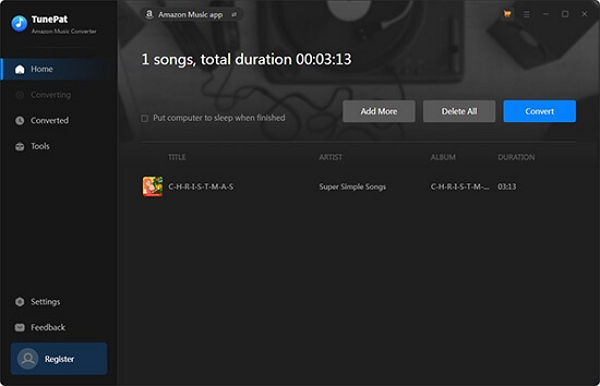
Step 5: Once you’ve chosen the tracks, press the “Convert” button. TunePat will swiftly transform your Amazon Music tracks, enabling you to store them on your computer. When completed, you can move the files to any device for offline playback.
Part 6. Real User Reviews (2025 Update)
Positive Feedback
Many users praise the tool for being easy to convert and retaining audio quality:
- “Very easy to use and the music played perfectly fine in iTunes after that”.
- “I like that the metadata is preserved so I don’t have to add it myself, and that little to no quality of the audio is lost”.
The convenience factor gets noted:
- “I originally wanted to check out the Amazon Music Converter … However … it was easy to use”.
According to one review site:
- “Its features make TunePat Amazon Music Converter popular among Amazon Music users”.
Negative Feedback
Several users report bugs, instability, or failure to convert:
- “Amazon Music Converter STILL DOES NOT… YESTERDAY DOWNLOADS FAILED AFTER STARTING WITH AN ERROR CODE”.
Some complaints about slow or inadequate support:
- “They cancelled the service without refunding”.
- “Most of the reviews are negative. When users use this software … it doesn’t work normally. There is no quick support to fix their problems”.
Cost concerns come up:
- “The price is much higher than its competitors”.

Overall Sentiment & Estimated Satisfaction
Part 7. Best TunePat Amazon Music Converter Alternative
Below is a comparison table between the best alternatives of TunePat Amazon Music Converter –
Conclusion: Among the alternatives to TunePat, Mediaio Audio Converter excels by offering reliable performance, cost-effectiveness, and a seamless, steady experience.
Mediaio Audio Converter
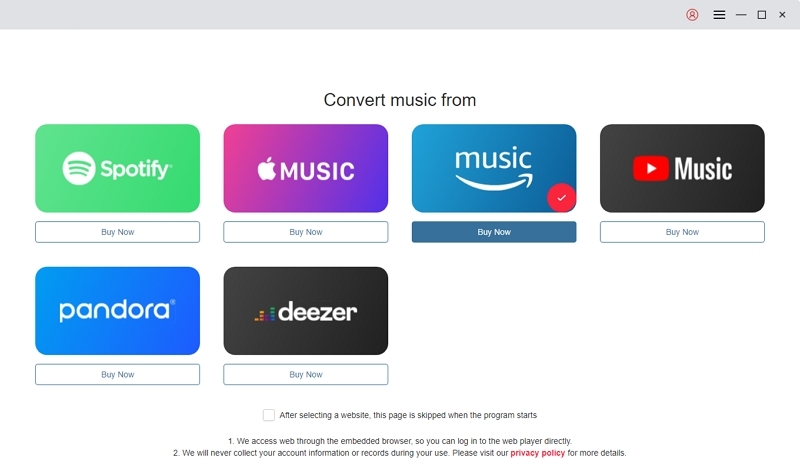
If you want a more straightforward and adaptable tool than TunePat, Mediaio Audio Converter is an excellent option. It’s a comprehensive music downloader and converter compatible with leading streaming services such as Spotify, Apple Music, Amazon Music, Deezer, Pandora, and YouTube Music. Using it, you can save your preferred songs in lossless quality and listen to them offline whenever you like, free from concerns about device or platform restrictions.
Steps to convert Amazon Music using Mediaio Audio Converter –
Choose Amazon Music as your streaming source from the primary interface. If another service appears, simply switch it to Amazon Music by selecting the platform icon.
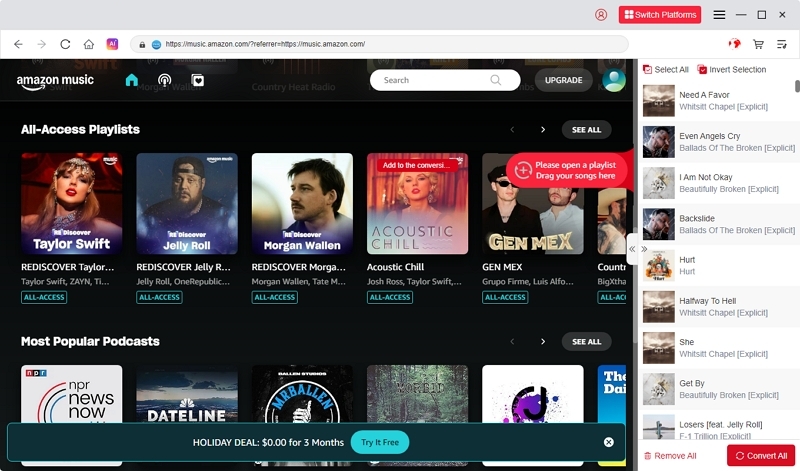
Click the Log In button at the top-right corner and enter your Amazon Music account details. You can log in using a free, Prime, or Unlimited account.

Search or browse for songs you want to convert, then drag and drop them into the “+” section to include them in your conversion list.
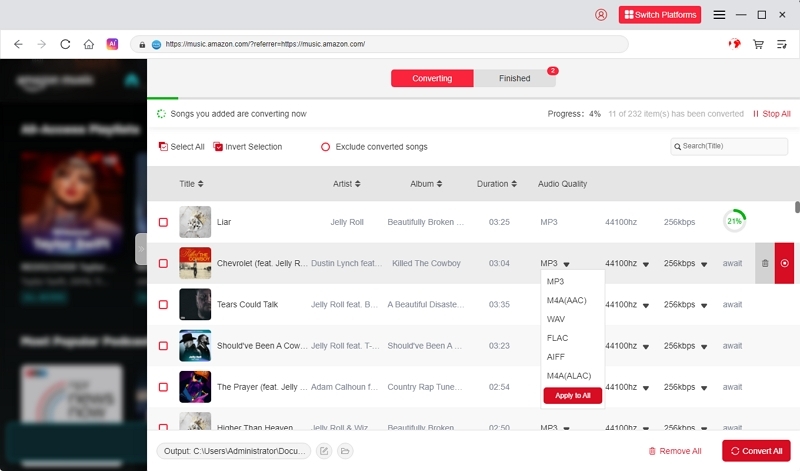
Choose your desired output format—such as MP3, M4A, WAV, or FLAC—and specify the folder where the converted files should be saved.
Once everything is ready, click “Convert All.” The tool will begin converting your selected Amazon Music tracks into local audio files.
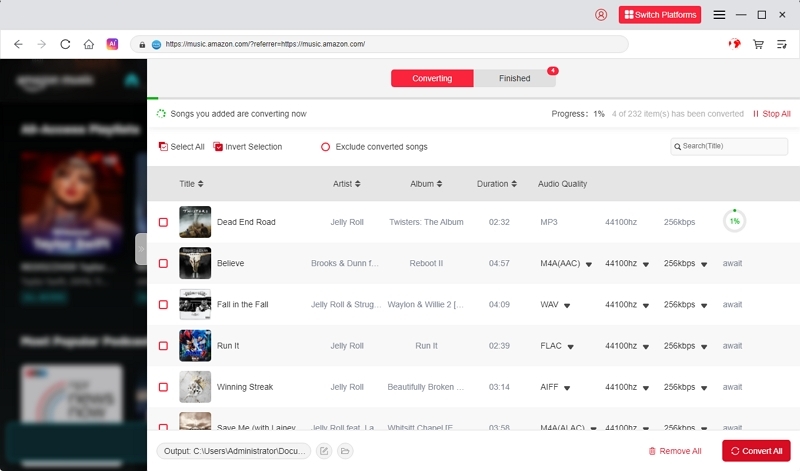
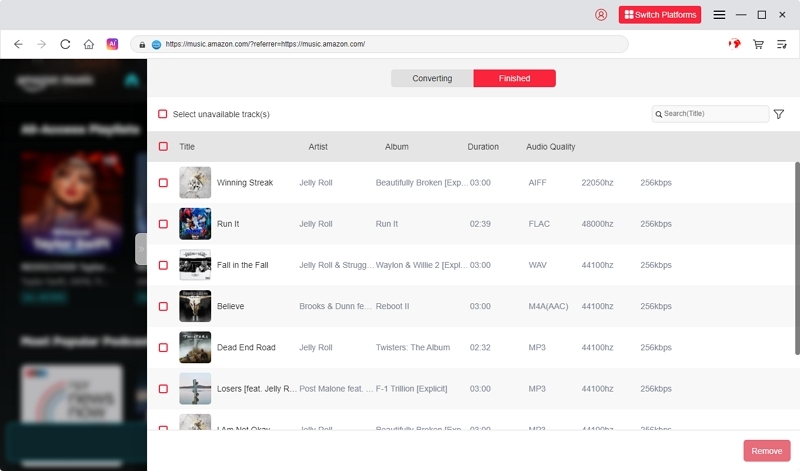
After the conversion completes, go to the “Finished” section to find and listen to your converted songs offline anytime.
Final Verdict – Is TunePat Worth Trying in 2025?
Review Summary Table:
Verdict: In 2025, TunePat remains a robust and reliable Amazon Music converter, providing excellent output quality and an easy-to-use interface. It’s an excellent option for individuals who appreciate dependability and flexibility.
Nonetheless, individuals seeking a more budget-friendly plan, improved performance, or faster customer support might consider Mediaio Audio Converter as a better choice.
FAQs
If the issue continues, verify your internet connection and then reach out to their support team with your system specifications, Amazon Music subscription details, conversion mode (App or Web Player), and log files for additional assistance.
Conclusion
TunePat Amazon Music Converter is a dependable application for downloading and converting Amazon Music. Nonetheless, it can be somewhat expensive, and its interface might appear complicated for certain users. For a more straightforward, budget-friendly option that offers quick, lossless conversions, Mediaio Audio Converter comes highly recommended.