

SoundCloud never streams in FLAC. Most tracks are either 128 kbps MP3 or AAC at up to 256 kbps, which is much lower quality than FLAC. Still, many tools claim you can paste a link and get a FLAC file, but what you really get is just the MP3 or AAC stream saved as FLAC. The file will be bigger, but the sound quality won't improve.
So how can you get a real SoundCloud FLAC file? Here are some options. Some methods work for almost any song, while others only work if the artist has uploaded a FLAC version. We’ll also point out which methods just repackage SoundCloud’s stream as FLAC, so you know which ones to avoid if you want true lossless audio.
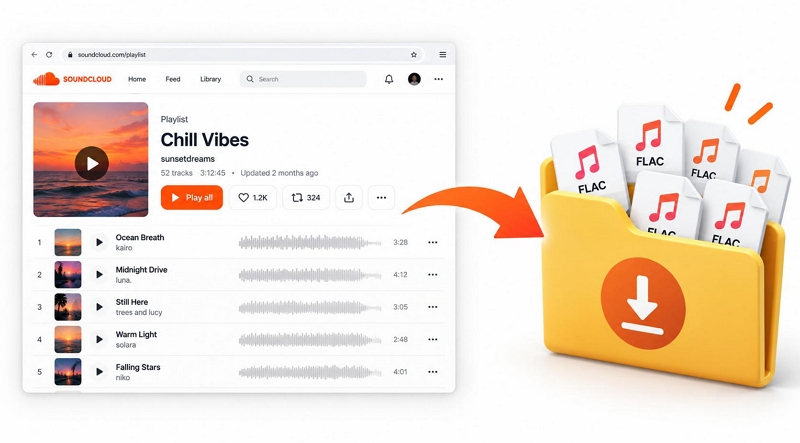
SoundCloud to FLAC: Ways Overview
Here’s what really works for getting FLAC from SoundCloud. We’ve listed five methods, but only two will give you real FLAC files with sound quality good enough for DJ sets or a high-res player:
- The official download button on SoundCloud works if the artist has uploaded the track in FLAC and enabled downloads.
- MedVioo supports lossless sources like Spotify, Apple Music, and Amazon Music. So you can search for the same song there and get it in true FLAC quality.
The other tools listed here are useful if you need FLAC files for projects like video production, but you can’t rely on them for true FLAC quality. The good news is that all five methods work whether or not you have a Go or Go+ subscription. For most of them, you just need a SoundCloud account, and sometimes you don’t even need that.
• You get the exact file the artist uploaded.
• Best for any track that shows a download button.
• A built-in SoundCloud page lets you sign in and add songs without copying links.
• Tracks, playlists, and albums land in their own folders with full metadata.
• For true lossless, MedVioo also converts from Spotify, Apple Music, and Amazon Music.
• Just paste a link, and the SoundCloud stream comes back as a FLAC file.
• Inside, it’s still MP3 or AAC audio, which good earphones will reveal.
• Grabs the original file when the artist allows downloads. Without that permission, you will get the stream as MP3, M4A, or Opus.
• Whatever plays gets recorded, so the MP3 or AAC stream ends up saved as FLAC.
• A good pick for wider needs, like capturing your screen and audio from any platform.
How to Convert SoundCloud to FLAC via Official Site
The quickest way to get a true FLAC file from SoundCloud is to use the official download button. You will only get a FLAC file if the artist uploaded it in that format and turned on downloads.
Whether you see the Download button depends on the artist. For instance, many artists do not allow downloads, so the button will not show up at all. And even if downloads are allowed, the artist could’ve uploaded tracks in formats like WAV, ALAC, or AIFF, or other types that SoundCloud supports.
Conversion Details
• No playlist download option
• True FLAC when the upload is FLAC
• Saved 152 MB in under a minute during our test
How to Download SoundCloud to FLAC for Free
Step 1. Go to soundcloud.com on your computer. Sign in with your free or Go account.
Step 2. Open the track you want.
Step 3. Under the waveform, you will see the usual playlist controls. If the artist allows downloads, a button with a down arrow will show. Simply click this button.
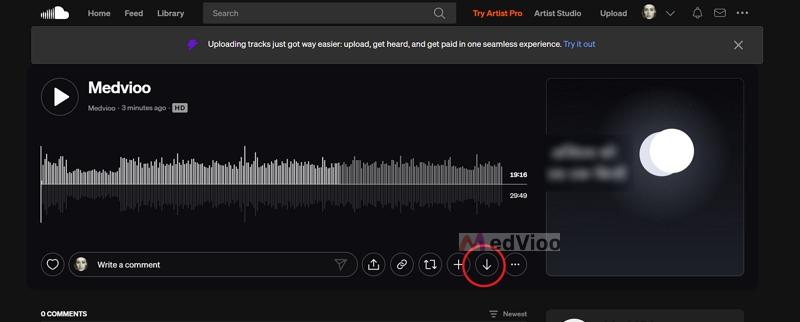
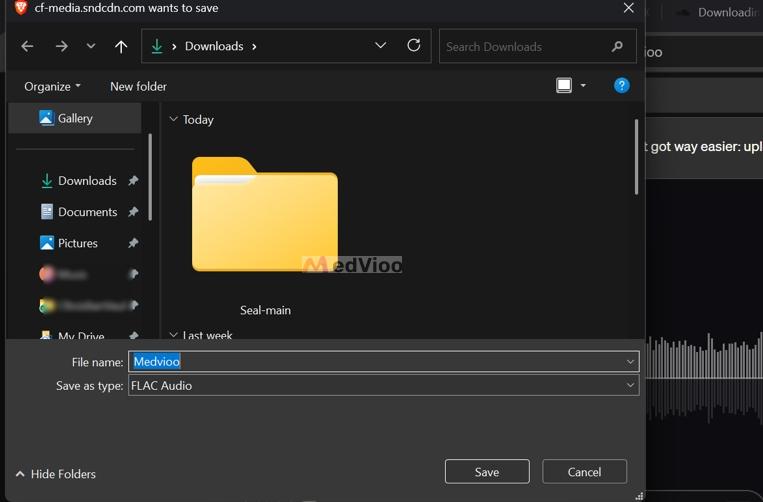
Step 4. Choose a folder in the Save window and click Save. The Save as type box will show the file's original format. If the uploaded song is in FLAC, you can continue saving it.
How to Convert SoundCloud to FLAC with Desktop Converter
Since most artists don’t let you download their tracks, the official method only works for a few songs. MedVioo Audio Converter offers two ways to save SoundCloud songs as FLAC files. The first is to convert SoundCloud to FLAC while retaining the audio quality available on the platform. The second is to search for the same songs on other supported platforms, such as Spotify, and save them as FLAC with genuine lossless audio quality.
MedVioo keeps the original song details. Your downloads will be neatly organized on your computer, and you can play them offline with any media player that supports FLAC.
Test Results
We converted our own FLAC upload, two Adele tracks from SoundCloud's stream, and one Adele track from Amazon Music.
• Spotify, Apple Music, Amazon Music and more
• Stream as FLAC otherwise (694 and 372 kbps)
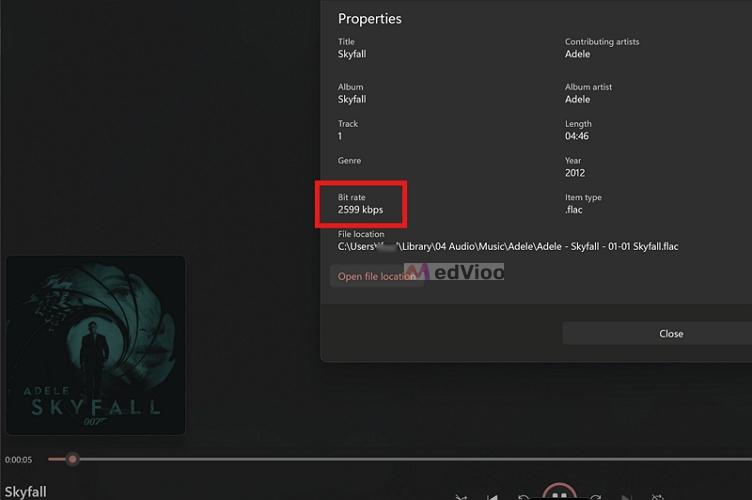
• Hi-res lossless via Amazon Music (2,599 kbps)
• Track number, year
• Cover art in every file
• Free trial: 3 songs
As you can see, MedVioo’s quality depends on the source. The SoundCloud stream was 694 and 372 kbps.
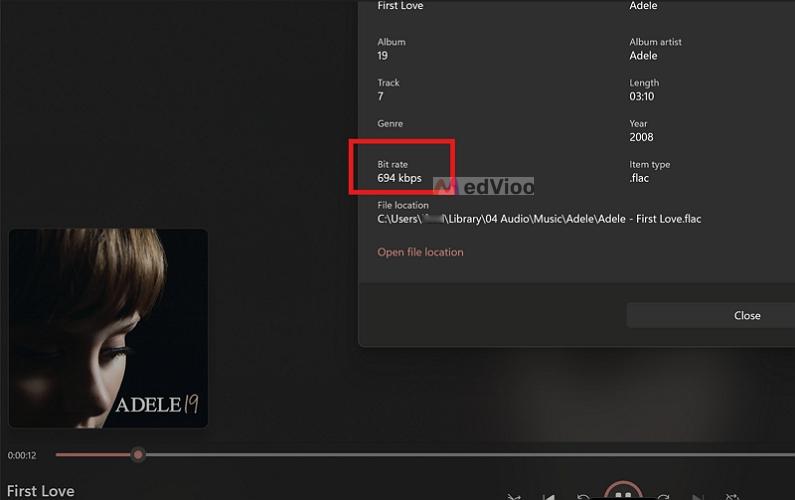
But when we found "Skyfall" on Amazon Music, MedVioo downloaded it at 2,599 kbps. So, yes, MedVioo can deliver true FLAC files, but only if the source streams it.
How to Convert SoundCloud to FLAC in Batch with MedVioo
Step 1. Launch MedVioo Audio Converter and pick the SoundCloud tile on the start screen.
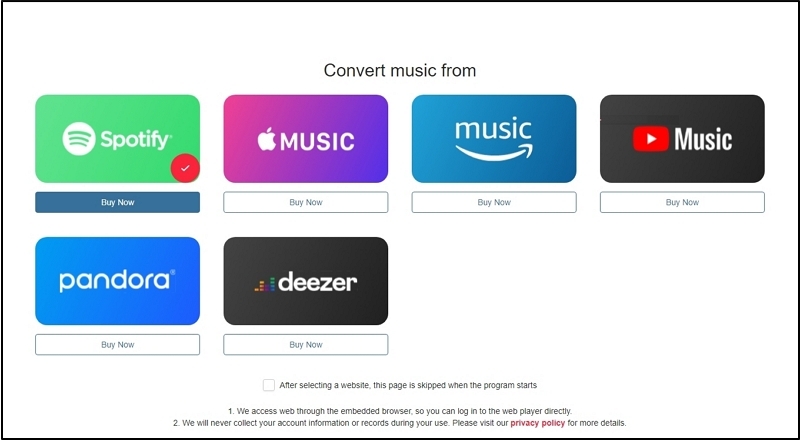
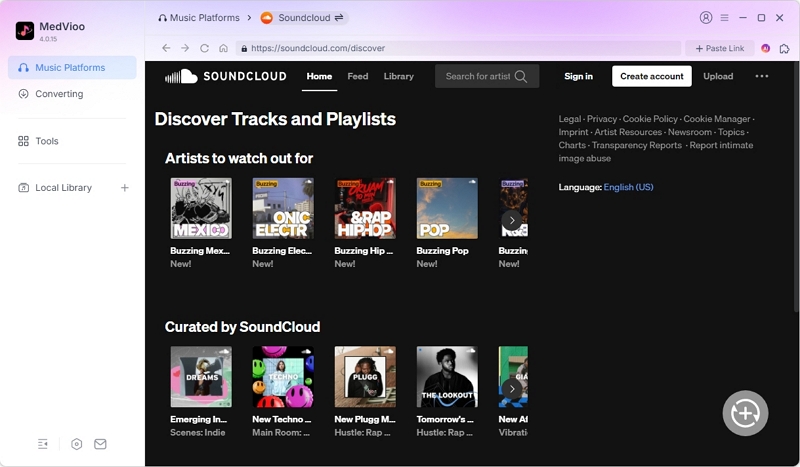
Step 2. Click Sign in at the top right of the SoundCloud page in the app, then log in. A free account works.
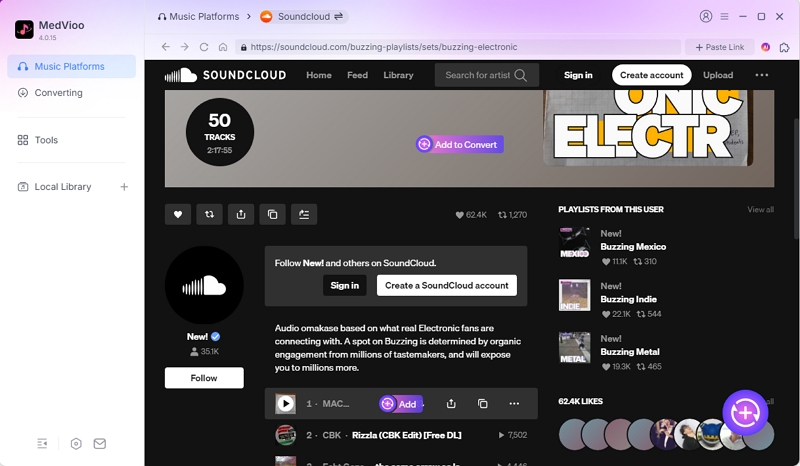
Step 3. Open a playlist or album and click Add to Convert. You can also drag tracks onto the (+) button on the right edge.
Step 4. In the conversion list, set the format to FLAC and click Apply to All. Change the Output folder at the bottom if you want.
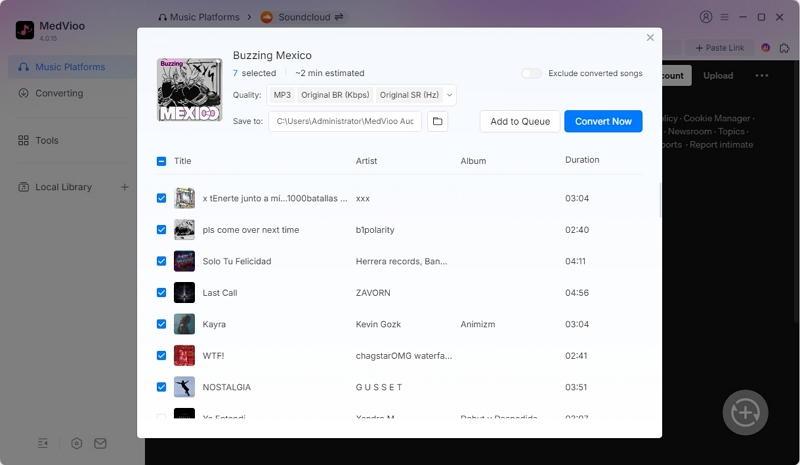
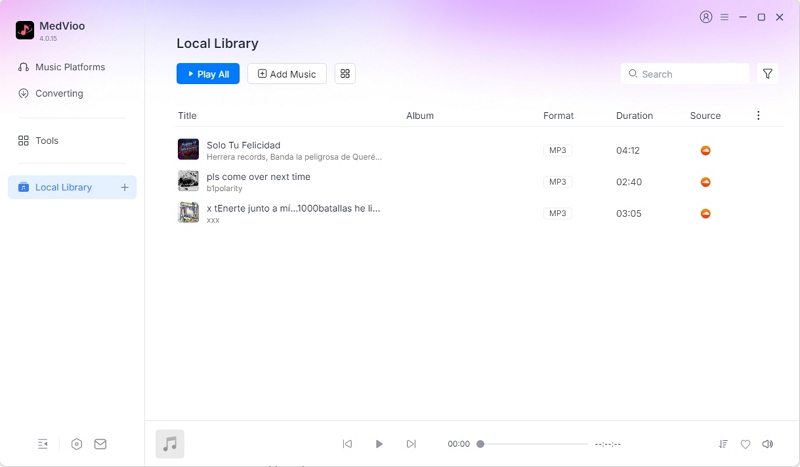
Step 5. Hit Convert Now . Your tracks will move to the Local Library tab and land in their own folders.
How to Convert SoundCloud to FLAC with Online Converter
Online converters make it easy to save SoundCloud tracks as FLAC files. There’s no need to install anything or create an account. Just copy the track link from SoundCloud, paste it into the converter site, and you’ll get a FLAC file. However, these converters don’t provide the original FLAC file. Instead, they convert the standard SoundCloud stream, so the FLAC file is larger but the sound quality is similar to what you hear on SoundCloud.
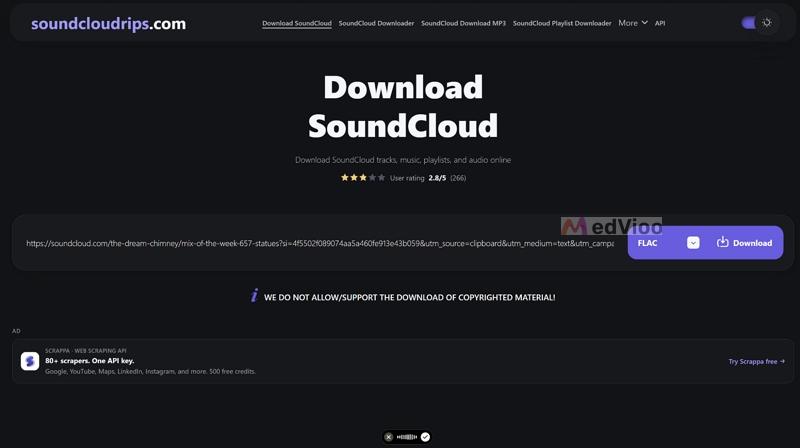
SoundCloudRips is one option. It’s free and can convert SoundCloud streams into eight different formats, including FLAC. This tool works well if you only need a few FLAC files or if your editing software requires FLAC.
Test Results
We tested this in Chrome. When we tried Brave, the site just redirected to a new page and didn’t start the download, likely because of the ad blocker. Using Chrome is safer, and it helps to turn off any ad blocker before you begin.
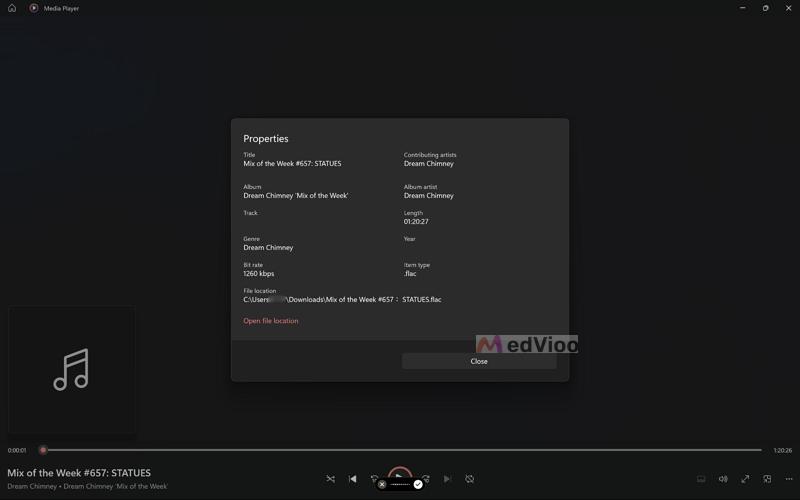
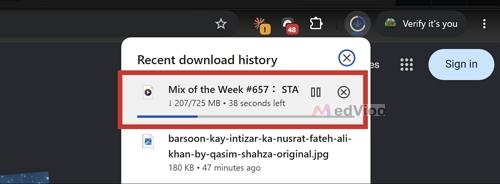
Our test track was "Mix of the Week #657: STATUES" by Dream Chimney, an 80-minute mix. We got a 725 MB file with a bitrate of 1,260 kbps, which is typical for CD-quality FLAC rips. However, the sound was the same as the stream on SoundCloud, so the larger file didn’t improve the quality.
• Playlist links (site claim)
• SoundCloud's stream inside
• About 1–2 minutes per song
• No cover art
How to Export SoundCloud to FLAC Online
Step 1. Open the track on SoundCloud and copy its address from your browser's address bar.
Step 2. Head over to soundcloudrips.com in Chrome and paste the link into the box.
Step 3. Open the drop-down next to Download and pick FLAC.
Step 4. Click Download. A result card will appear with the Audio and FLAC labels and "Download ready".
Step 5. Hit Download on the card.
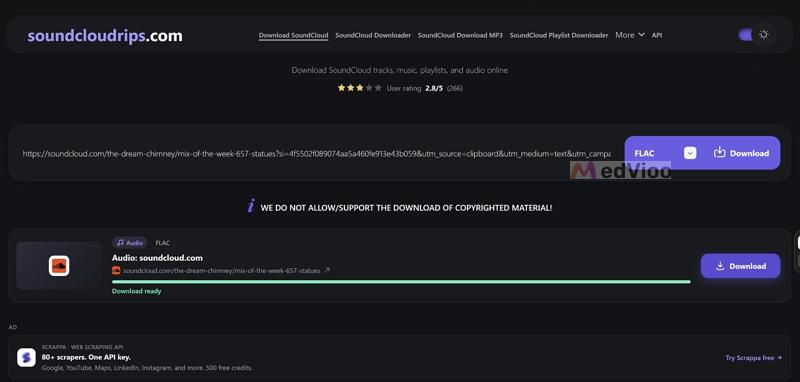
Chrome will save the FLAC file to your Downloads folder.
How to Convert SoundCloud to FLAC Using GitHub Tool
GitHub tools are the opposite of online converters. They require a long, complex setup, and you have to run them from the terminal. Still, they have their own benefits. They run on your computer, so there are no ads or time-outs. You can also convert long playlists in one go, in the format you choose.
scdl (SoundCloud Music Downloader) is the best-known SoundCloud tool on GitHub. It gets regular updates and still works reliably in 2026. And since version 3, it runs on top of yt-dlp, a widely used downloader.
But scdl has a limitation. It can only download a real FLAC file if the artist uploaded a lossless version and allowed downloads. In that situation, scdl saves the original file, and the --flac option keeps it as FLAC. If downloads are turned off, you’ll get the regular SoundCloud stream as MP3, M4A, or Opus instead.
Test Results
Our reference here is “Trainspotting” by cowboyclicker. The output sounded close to what you hear on SoundCloud and nowhere near a true FLAC. Here are the full details:
• User pages, likes
• FLAC with --flac on lossless originals
• Stream (MP3, M4A or Opus) otherwise
• Full-size art with --original-art
• Saved where Terminal is working
How to Use scdl to Convert SoundCloud to FLAC
Step 1. Install Python 3.10 or newer and FFmpeg. On a Mac with Homebrew, this one command covers both: brew install python ffmpeg
Step 2. Open Terminal and install scdl: pip install scdl
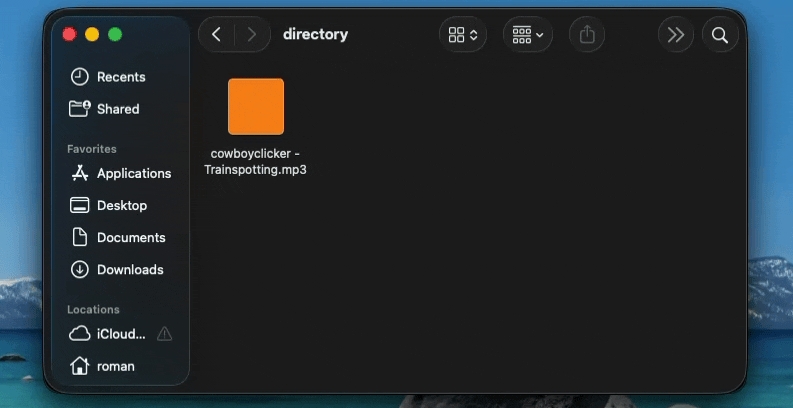
Step 3. Paste this command with your track or playlist link: scdl -l https://soundcloud.com/artist/track --flac
Note: Replace the artist and track with the song you want to download.
SoundCloud only lets signed-in users download tracks. To get original files, you also need your account’s token, which you have to manually add using --auth-token.
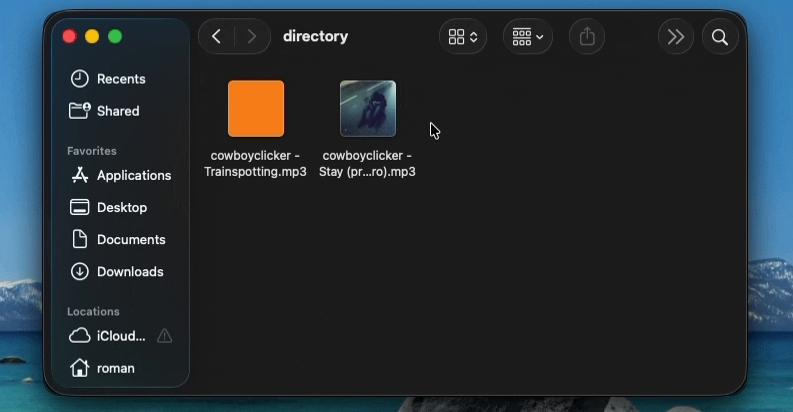
Step 4. Wait for scdl to finish. The file will show up in the folder where your Terminal is open, named after the artist and track.
How to Convert SoundCloud to FLAC by Recording
You can use an audio recorder to save the original SoundCloud stream to your computer. Any recorder that captures your computer’s audio will work. However, you’ll want one that records smoothly and blocks out interruptions or notification sounds. Eassiy Screen Recorder Ultimate is a good choice for this. Its Audio Recorder mode can capture only your computer’s sound, not your microphone. The built-in Volume Mixer lets you mute other apps, so your recording includes just the SoundCloud song.
Eassiy records exactly what you hear. The advantage of using FLAC with Eassiy is that it doesn’t compress the audio again, so you get the same quality you hear.
Conversion Details
Since Eassiy records what plays, the output will sound exactly like the stream you hear on SoundCloud, with no extra loss. Here are the exact details when we recorded “Rumor Has It” by Adele playing on SoundCloud:
• MP3, M4A, AAC, WMA, OPUS
• Manually add with inbuilt Media Metadata Editor
How to Record SoundCloud as FLAC
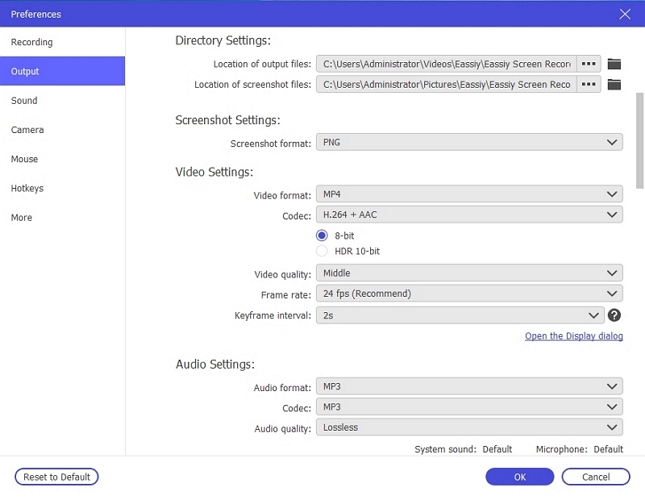
Step 1. Launch Eassiy Screen Recorder Ultimate and open Preferences.
Step 2. Go to the Output tab, scroll to Audio Recording Settings, and pick FLAC (Lossless) in the Audio format drop-down. Click OK.
Step 3. Pick Audio Recorder from the mode drop-down at the top left. Keep System Sound on and turn Microphone off.
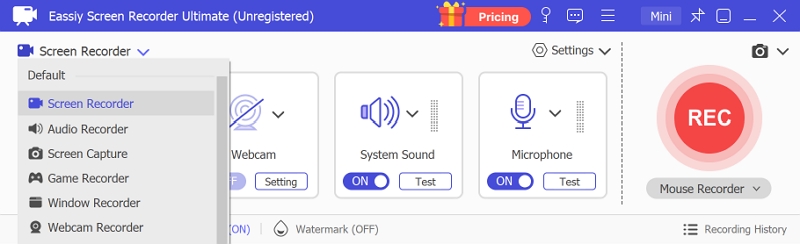
Step 4. Play the track on SoundCloud and hit REC.

Step 5. When the track ends, click the red stop button on the floating bar. In the window that opens, choose Media Metadata Editor to add the title, artist, and cover.

To Sum Up
SoundCloud keeps a FLAC only when the artist uploads one, and it streams every track as AAC. You can get true FLAC only when the artist uploads the song in that format and allows downloads.
So if you want your songs in true FLAC, MedVioo Audio Converter is the one tool here that can help you do that. This is because it doesn’t rely only on SoundCloud. Instead, it lets you grab the same song from the lossless sources it supports, like Spotify, Amazon Music, or Apple Music.