

A SoundCloud profile picture is usually bigger than the small circle you see on the page. Yes, you can click it to enlarge it, but even then, you will only see a scaled-down copy. More importantly, SoundCloud doesn't give you any option to save it. So how do you save a profile picture that caught your eye? Well, you can use a dedicated SoundCloud PFP (profile picture) downloader.
In this article, we will cover the 7 best ones we tested. The online tools work best for a one-time need, while the Android apps and browser extensions suit you if it is a regular job. Plus, you will see how to get SoundCloud songs in MP3 with their original cover art.
3 Best and Free SoundCloud PFP Online Downloaders
Online downloaders are the best choice for this. They’re easy to use: just copy the profile link, or even a song or album link, and paste it into the site.
Since these tools run in your browser, they work the same on Windows, Mac, Android, or iPhone. However, each PFP downloader has its own features. Here are three options to help you choose the one that fits you best.
1. SoundsDown
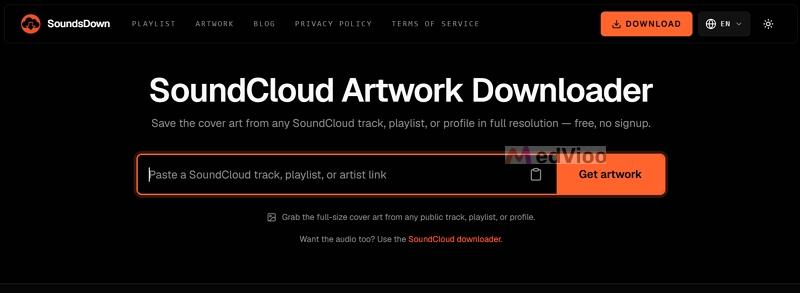
SoundsDown is a dedicated SoundCloud tool made just for downloading artwork, whether it’s from a profile, track, or playlist. There are no redirects, sign-up prompts, or ads.
It’s also one of the few sites that offers basic customizations. For example, you can download the picture in its original size or choose the standard 500x500 option.
Feedback
Out of all 9 online tools we tested, SoundsDown worked the best. It kept the original picture quality, and some images were as large as 4,000 x 4,000 pixels (about 1.9 MB). That’s not all. If you want a smaller size, you can pick the 500 x 500 option.
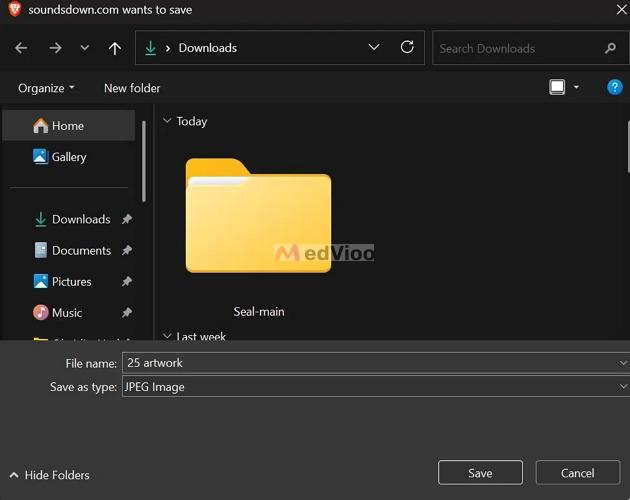
Even better, the file names are clear, not random letters like many PFP savers. For instance, SoundsDown names a profile picture after the profile, and for an album or song cover, it uses the exact title followed by "artwork". Plus, there are no watermarks on the images.
The images always download as JPEG files. The site has no ads, which is impressive for a free tool. The site is also optimized for mobile browsers.
2. FetchPik
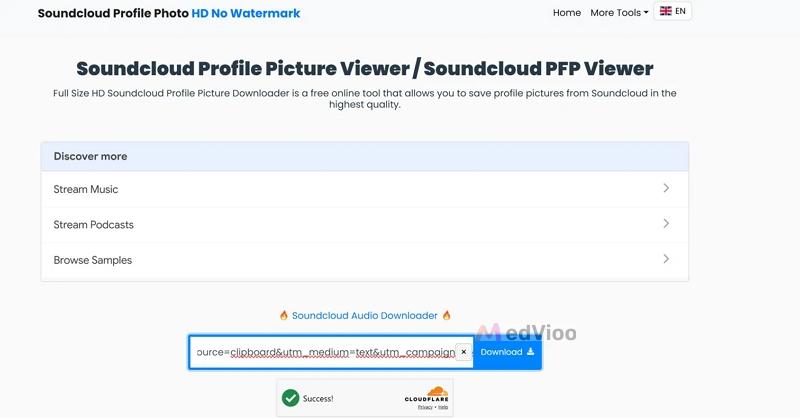
FetchPik is a large downloader site that lets you access stock photos and videos from social media. When you get to the page, simply paste the public SoundCloud profile link and click the Download button. Although FetchPik works well in Chrome and on mobile browsers, it does not work if you have an ad blocker or use a browser that blocks ads.
Feedback
FetchPik only gives you one image size to download. When we tested it, the profile picture was 500 x 500 pixels and 53.3 KB as a JPG. Also, the Download button opens the image in a new tab, so you need to right-click and choose Save Image As manually.
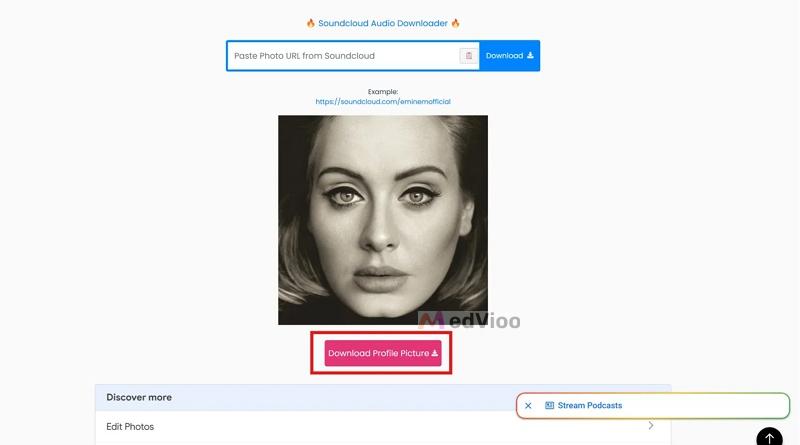
The file name is random, like "fetchpik.com-8Fq1yAtifG," so you’ll have to rename it. There are ads on the page, but we didn’t find any that redirected to harmful sites.
3. SC Utility Hub
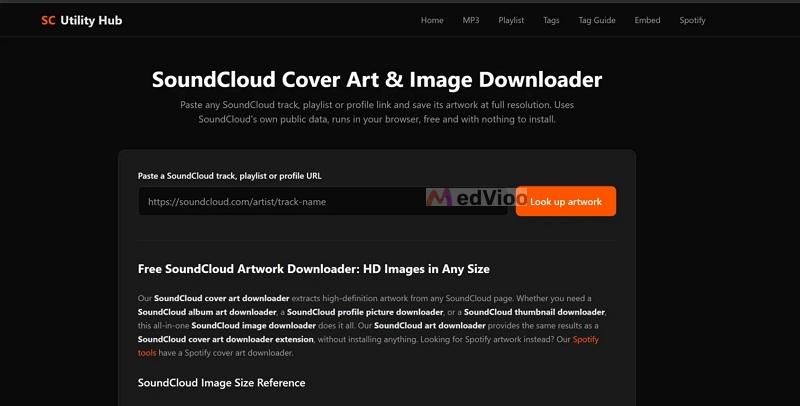
SC Utility Hub offers free SoundCloud tools, including a cover art downloader that works with track, playlist, or profile links. It’s fast, works in any browser, has no ads, and lets you get the cover art without opening a new tab.
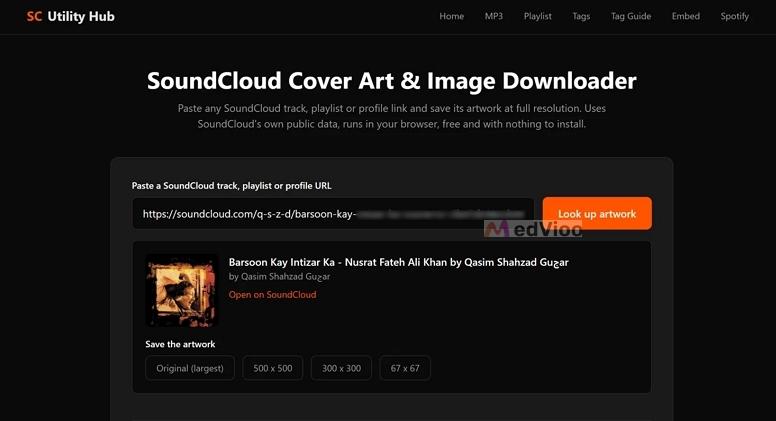
What makes it different is that you can choose the image size. Under Save the artwork, for instance, you’ll find different size options, like Original (largest), 500 x 500, 300 x 300, and 67 x 67.
Feedback
The Original (largest) option gives you the biggest file available from SoundCloud. The smaller sizes are helpful if you need a thumbnail. We didn’t see any ads during our test.
How to Download Someone's SoundCloud PFP with Online Downloaders
Now that you have seen all three sites, here is how SoundsDown, the first one, works in practice. The other two follow similar steps.
Step 1. Open the SoundCloud profile with the picture you want. On a computer, copy the link from the address bar. In the SoundCloud app, tap Share and select Copy link.
Step 2. Head over to the SoundsDown artwork downloader page. Paste the link into the box and click Get artwork.
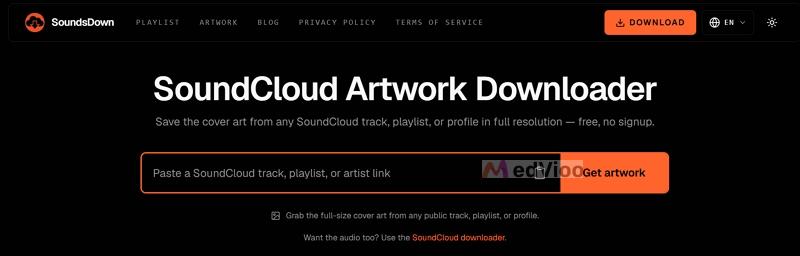
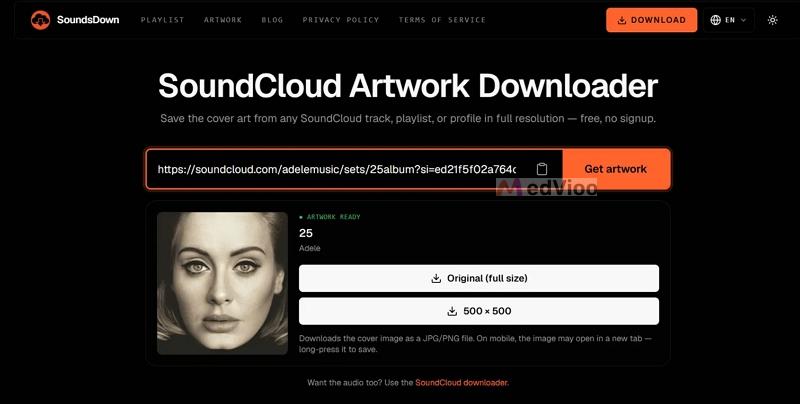
Step 3. Wait for the "ARTWORK READY" label. You will see the profile picture with the name of the profile next to it.
Step 4. Pick Original (full size) for the full image, or 500 × 500 for a smaller copy.
Step 5. Choose a folder in the save window and click Save. On a phone, the image will open in a new tab, so long-press it and save it to your gallery.
2 Best and Free SoundCloud PFP Downloader APKs
If you want to save SoundCloud profile images on your Android phone, there are apps that can help. While there isn’t an app made just for SoundCloud profile pictures, the ones listed here are general image downloaders that work with SoundCloud pages.
Both apps here are free. One is on Google Play and the other is available as an APK file. Sadly, we couldn’t find a good option for iOS.
1. All Image Downloader

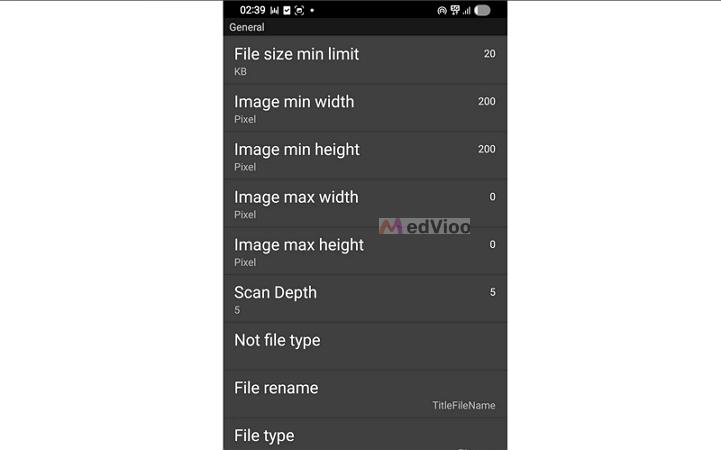
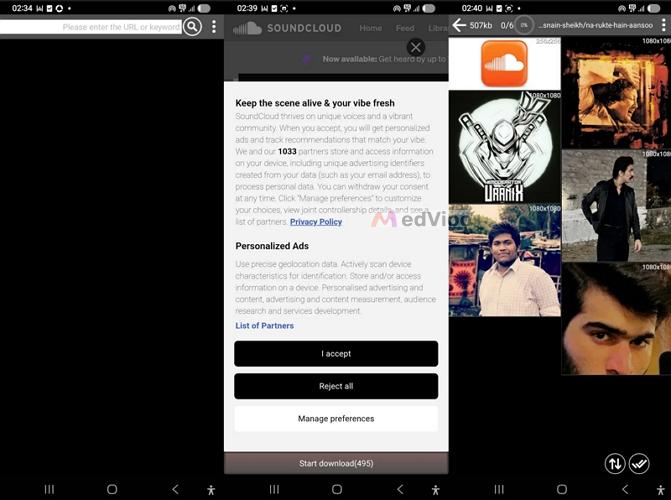
All Image Downloader works like a mini browser that collects every image from any page link. You just have to enter a SoundCloud page link at the top and it will show all the images it finds, along with their sizes. It grabs every avatar, cover, and logo from the SoundCloud profile link you give, so you’ll have to look through several images to find the profile picture.
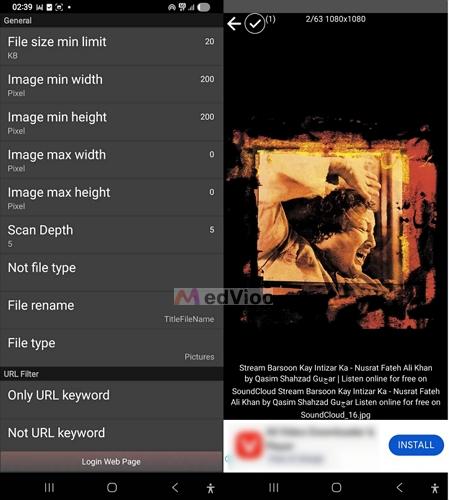
A great feature of this app is its settings. You can set a minimum file size (20 KB by default), minimum width and height (200 pixels by default), and control how deeply the app scans. You can also keep the original file names for downloaded images. You can set an image as your wallpaper, lock screen photo, or share it with a friend directly from the app.
Experience
The image quality is generally good. Most profile pictures and covers from SoundCloud are saved at 1080 x 1080 pixels, with some smaller ones at 500 x 500. The files are saved as JPGs. The app shows a banner ad at the bottom of the image viewer, but it is not very distracting while you download.
2. Seal

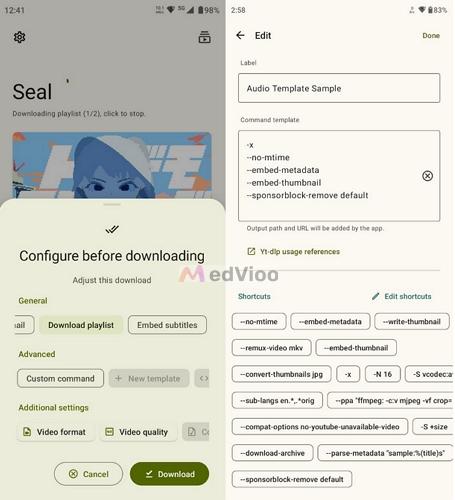
Seal is a free, open-source downloader for Android. It uses yt-dlp, a command-line tool, but gives you an easy-to-use interface. While it is mainly for downloading audio and video, it can also save the cover image from a SoundCloud track. To do this, you’ll have to manually add the --write-thumbnail option in the custom command settings, and the app will save the image next to the file.
Seal is not available on the Play Store, but you can download it as an APK from its GitHub page or from F-Droid. Keep in mind, Seal works with track and playlist links, not profile links. So it will only give you the profile picture if the artist uses it as the track cover or if the track does not have its own cover.
Experience
Seal does not have ads because it is open source. It can save the largest cover image SoundCloud has for the track, and with the --convert-thumbnails jpg option, you can get the pictures in standard JPG format. The setup takes a bit more effort: you need to install the APK, update yt-dlp from the settings the first time, and add the right options before downloading. Overall, Seal is a better choice if you also want to download songs, since it can embed the cover in the audio file.
How to Use an APK to Download Someone's SoundCloud PFP
Here’s how to use All Image Downloader in practice.
Step 1. Install All Image Downloader. Search for it on Google Play and open the app.
Step 2. Copy the link to the SoundCloud profile. Paste it into the box labeled Please enter the URL or keyword: and tap the search icon.
Step 3. The profile will open inside the app. Close SoundCloud’s cookie pop-up by tapping Reject all, then tap Start download at the bottom.
Step 4. Wait for the app to collect the images. You will see them in a grid, with the size shown on each one.
Step 5. Find the profile picture and tap it to open. Then tap the ✓ (checkmark) icon to save it and the image will be stored on your phone.
If the grid shows too many images, you can increase the Image min width and Image min height settings to hide small logos and icons.
2 Best and Free SoundCloud Profile Picture Downloader Extensions
If you often save images to your computer, browser extensions can make things easier. Once installed, they show up in your browser’s toolbar and can read the SoundCloud page you’re viewing. You won’t need to copy any links and these tools can also save images from other sites.
Keep in mind that these extensions save the images shown on the page. The size depends on what SoundCloud displays, so you don't always get the original upload. However, they are free and work with Chromium browsers like Chrome, Brave, and Edge.
1. Image Downloader
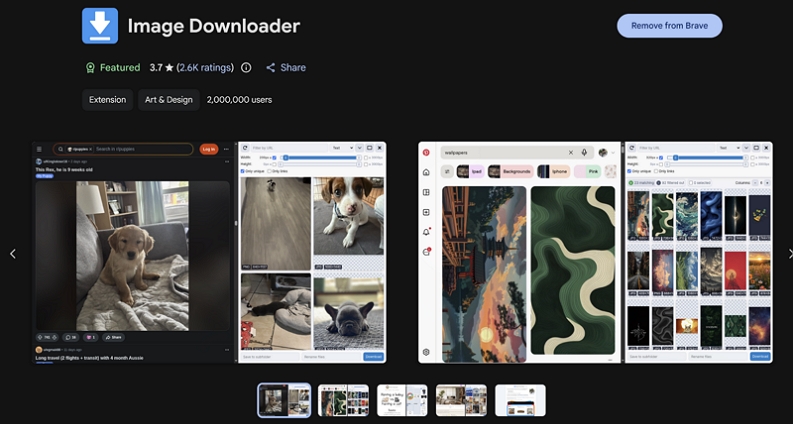
Image Downloader is a simple extension used by about 2 million people. It is designed to simply display all the images on the page you’re viewing. For example, if you click its icon while on a SoundCloud profile, a panel will open showing each image, its format, and its size.
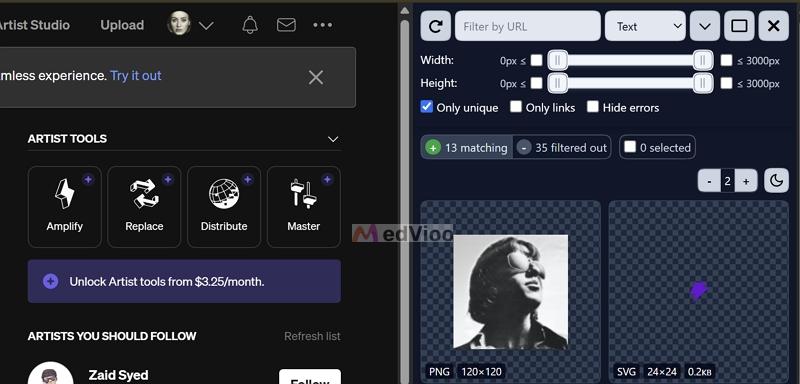
You can use filters to make searching easier. For example, you can set minimum and maximum width and height with sliders, filter images by URL, and keep only unique images.
Review
The images we saved were 1080 x 1080 pixels, matching the size SoundCloud shows on the page. You’ll get the same format as the page, usually JPG for profile pictures. File names are random, so it’s a good idea to use the Rename files box before downloading. We didn’t see any ads in the extension.
2. Imageye
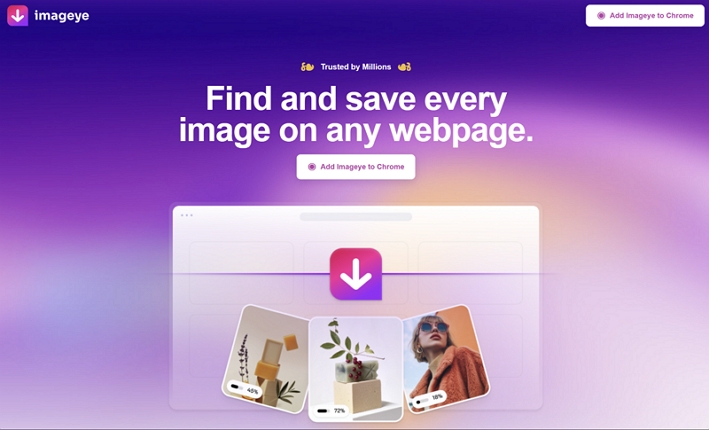
Imageye is another image downloader on the Chrome Web Store, with about 2 million users and a 4.9 rating. When we tested it on a SoundCloud page, it found 67 images and showed them in a side panel, listing each image's format and size.
A helpful feature is the choice of format. When you click the download icon on an image, you can choose Original (JPG), JPEG, PNG, or WEBP. You can also filter images by size, type, layout, and URL, or use Select all to save everything at once.
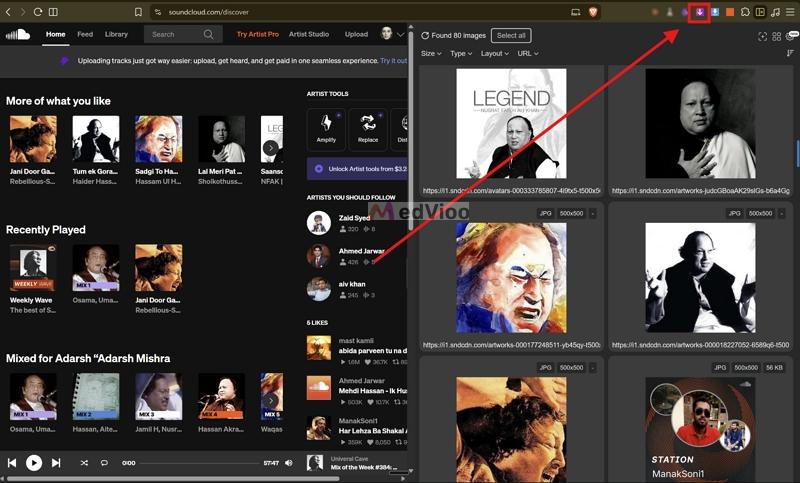
Review
Imageye saved the image at 1080 x 1080 pixels and 170.8 KB. However, the picture looked enlarged and less sharp than images from online tools. The file name is also messy, like "imgi_37_artworks-000073387141-82on9j-t1080x1080," so it’s a good idea to rename it. That’s why it’s second on the list.
How to Download Someone's SoundCloud PFP via an Extension
Here’s how to use Image Downloader on a SoundCloud profile. Imageye works in a very similar way.
Step 1. Add Image Downloader from the Chrome Web Store and pin it to your toolbar.
Step 2. Go to the SoundCloud profile whose picture you want.
Step 3. Click the Image Downloader icon. A panel will open with all the images on the page.
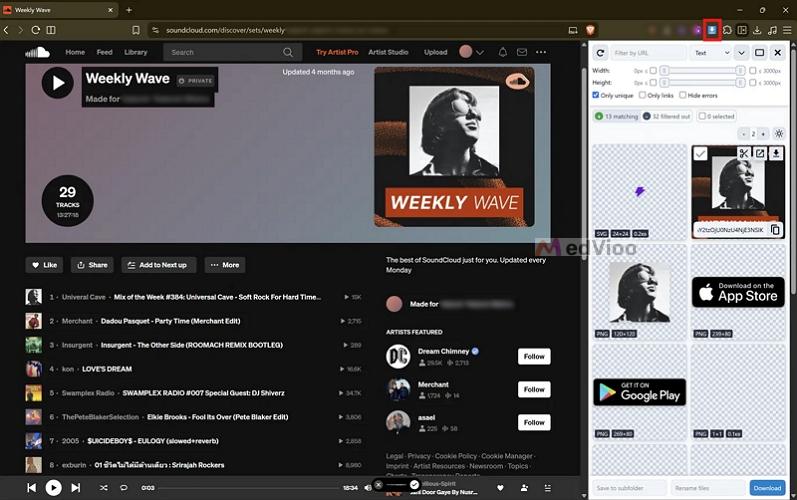
Step 4. Drag the Width and Height sliders to hide small icons, then find the profile picture.
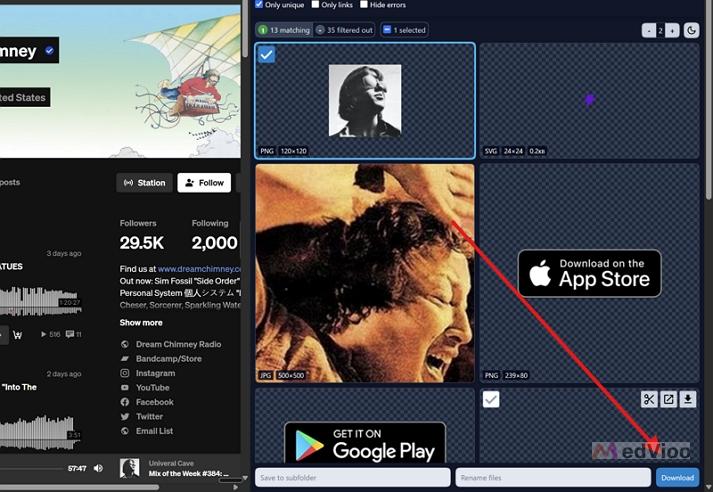
Step 5. Tick the picture and click Download at the bottom of the panel. You can also hover over it and click the download icon. The image will be saved to your Downloads folder.
How to Change or Update Your SoundCloud Profile Picture
Changing your profile picture on the SoundCloud website takes less than a minute. Before you start, keep in mind SoundCloud’s size rule. The upload window asks for an image that’s at least 1000 x 1000 pixels and no larger than 2 MB.
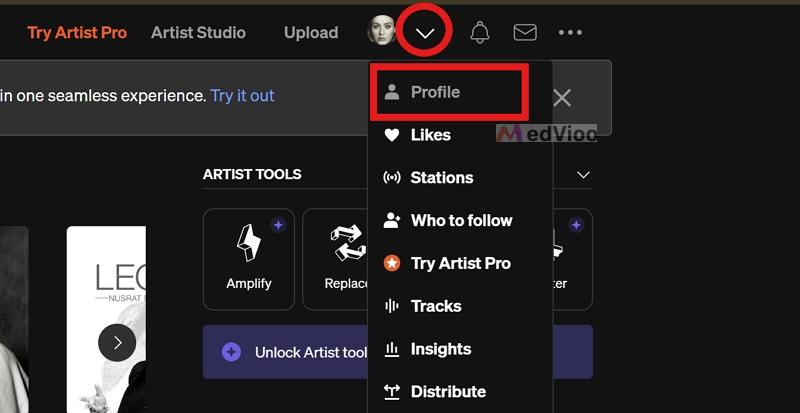
Step 1. Sign in to SoundCloud. Click the arrow next to your profile picture at the top and choose Profile.
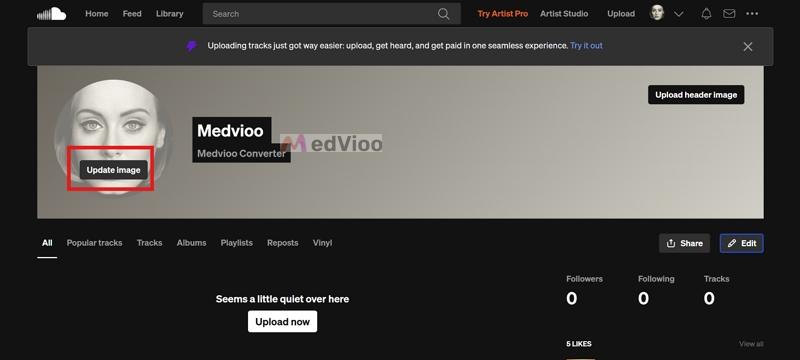
Step 2. Hover over your profile picture and click Upload image.
Step 3. Select the image you want from your computer.
Step 4. Move the image inside the circle until it sits the way you want, then click Save.
How to Download SoundCloud Music with Cover Art
Saving a profile picture is easy, but sometimes you want to download the artist's songs as well. To download SoundCloud music in high quality with its cover art, you’ll need a dedicated converter like MedVioo Audio Converter. It works on both Windows and Mac, and lets you convert any SoundCloud song, playlist, or album into formats like MP3. Each song keeps its full metadata, including HD cover art. The song name and artist details will stay the same as on SoundCloud.
MedVioo also has built-in support for SoundCloud. So you just have to sign in with your free or premium account, find the songs you want, and convert them to your preferred format. After downloading, you can play the songs in any local media player, such as Apple Music or Windows Media Player and the original HD cover art will appear.
Conclusion
Only the right SoundCloud PFP downloaders let you get the original profile pictures from SoundCloud. And this guide introduces you to them, whether you want an online option or a mobile tool.
If you want the SoundCloud songs too, with their cover art inside every file, MedVioo Audio Converter is the way to go.