

You’ve made a playlist on SoundCloud, or found one you really like, and now you want to listen offline during a flight or a long drive. But how can you download playlists from SoundCloud?
In this article, you’ll find six great ways to download SoundCloud playlists. Some work even if you don’t have a Go or Go+ subscription. A few tools also let you save playlists as high-quality MP3s, so you can play them in any music player.
Download Playlists from SoundCloud: Which Way Is Best for You
Here are six different methods. Some require you to purchase a subscription, and some are completely free to use. They also differ in the features they offer. Here’s a quick overview, so you can pick the one best for your needs.
• Phone browsers in desktop-site mode • Original files of songs whose artists allow downloads
Way 1. Download Playlists from SoundCloud with SoundCloud Go
SoundCloud Go is SoundCloud’s own way to listen offline. With a Go or Go+ plan, the mobile app lets you save any playlist, your liked tracks, or your whole library, with no limit on how many songs you save. Go removes ads and adds offline listening. Go+ adds the full catalog and higher-quality streams on top.
The downloaded songs will stay inside the SoundCloud app on that phone itself. Plus, they will also disappear when you sign out, delete the app, or end your subscription. If you want files to keep, the next options fit better.
• Go+: high-quality streams (256 kbps AAC)
• No files to move
• Go+: US$11.99/month
• Free trial
• Unlimited tracks
How to Download SoundCloud Playlists with the App
Step 1. Open the SoundCloud app on your Android or iPhone. Sign in with your Go or Go+ account.
Step 2. Tap Library.Open the playlist you want to save.
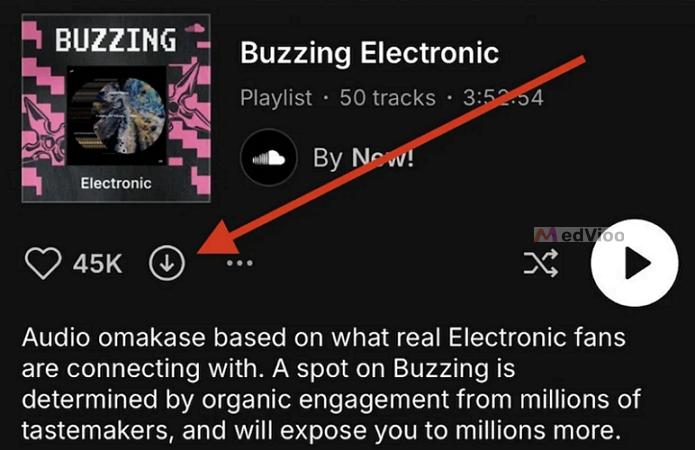
Step 3. Tap the download arrow in the playlist controls. When the download finishes, the arrow will turn orange.
To remove a playlist from your phone: tap the orange arrow again to turn it gray.
Way 2. Download Playlists from SoundCloud Using MedVioo Audio Converter
If you want to save your SoundCloud playlists as MP3s or other common formats, you’ll need MedVioo Audio Converter. It is a dedicated SoundCloud converter that turns any song, playlist, or album into local files you can keep on your computer.
Each playlist will be in its own folder, with tracks in the correct order. And every track keeps its original name, details, and cover art. You can play these files in any media player like VLC or Strawberry, or move them to your phone or MP3 player to listen without using the SoundCloud app.
• Spotify, Apple Music, Amazon Music, YouTube Music, Deezer, and Pandora are supported too.
• A lifetime license costs US$139.95 or US$59.95 a month.
• Support editing the tags inside MedVioo.
• Conversion runs at up to 30x speed.
How to Download SoundCloud Playlists to MP3
Step 1. On the start screen of MedVioo Audio Converter, pick the SoundCloud tile.
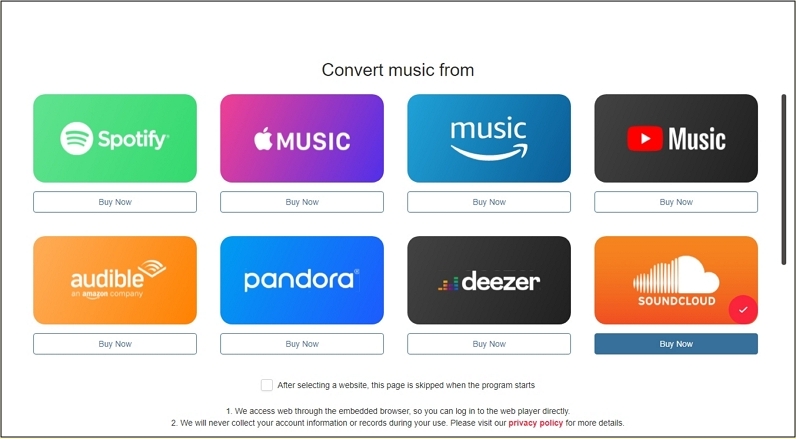
SoundCloud browser will open inside the app. Click Sign in in the top-right corner and log in with your usual account.
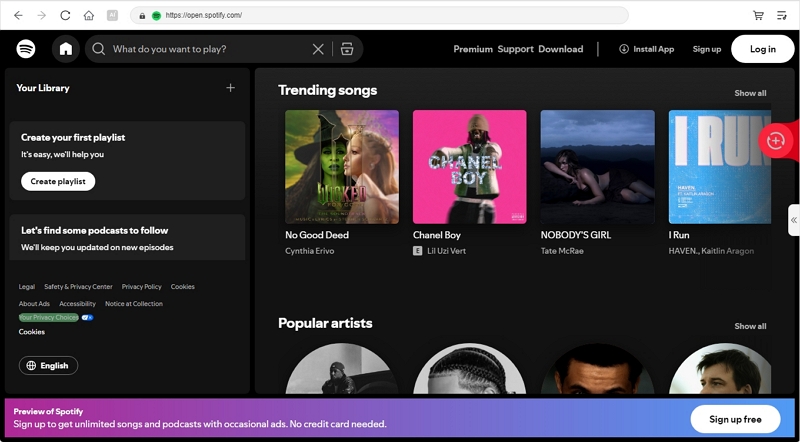
Step 2. Head to the playlist you want and hit the red Add to the conversion list (+) button next to the play controls.
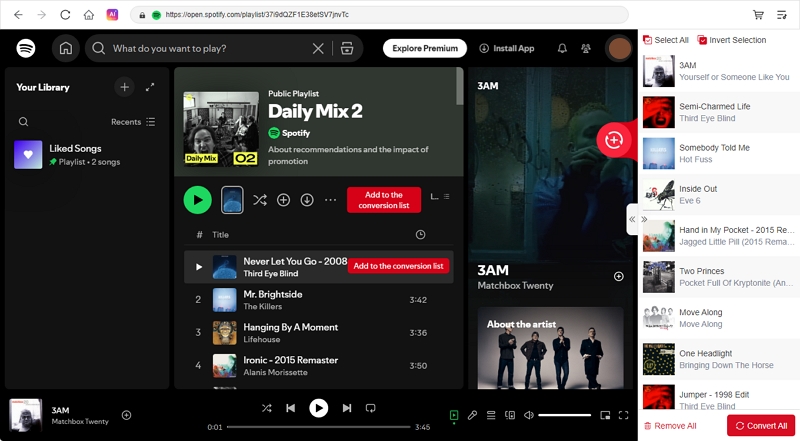
Step 3. In the shown conversion window, set the format to MP3 and the bitrate to 320kbps. Then press Apply to All so every song uses the same setting. To save the files somewhere other than the default folder, change the Output path at the bottom.
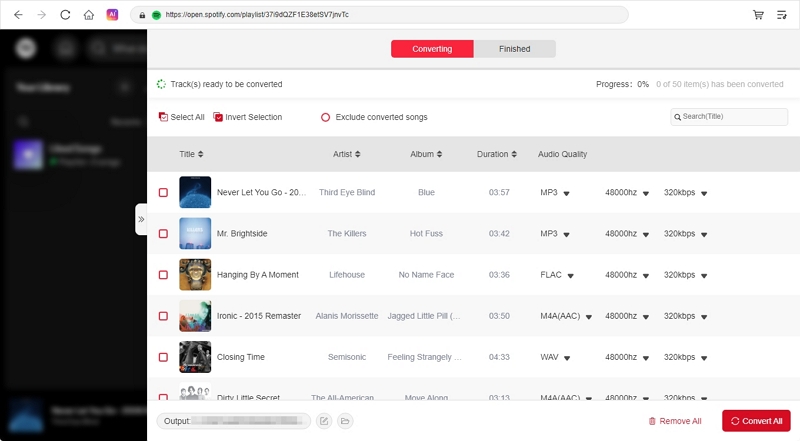
Step 4. Hit Convert All. When the songs move to the Local Library tab, click the folder icon to open the folder where MedVioo saved the playlists.
Way 3. Download Playlists from SoundCloud via the Site
SoundCloud also lets you download songs locally when the artist has given permission to save their song. And these downloads work with a free account too, as long as you open SoundCloud in a computer browser.
The problem is that SoundCloud doesn’t let you download an entire playlist at once. This stays true even when the artist has allowed downloads for every song in the playlist or album. So you will have to download the songs one by one and rebuild the playlist yourself. As for quality, every song will be the original file the artist uploaded, with the metadata saved inside it.
Steps to Download SoundCloud Playlists to Files
Step 1. Open soundcloud.com in your computer’s browser and sign in.
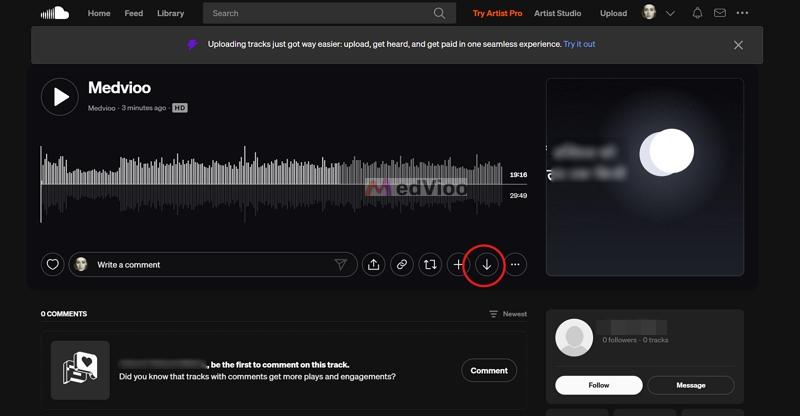
Step 2. Head to the playlist. Click the first song to open its page. Under the waveform, click the 3-dot button and pick Download file.
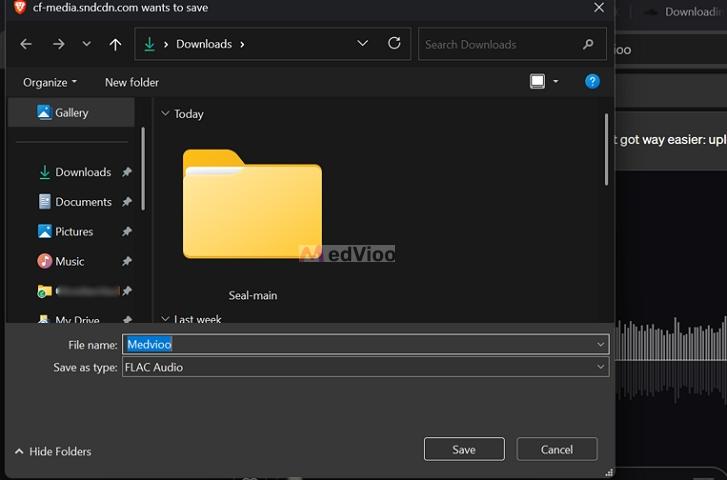
Step 3. A save window will open in File Explorer on Windows or Finder on Mac. Pick a new folder for the playlist and click Save.
Step 4. Return to the playlist and repeat this for every track, in order, saving each one to the same folder. When you finish, rename the folder after your playlist.
Step 5. To play the songs as one playlist, add the folder to a music player like Strawberry.
Way 4. Download Playlists from SoundCloud Online
MusicVerter is one of the highest-rated online SoundCloud downloaders. You can use it in any browser, and you don’t have to install anything. All you have to do is paste the link to a SoundCloud song.
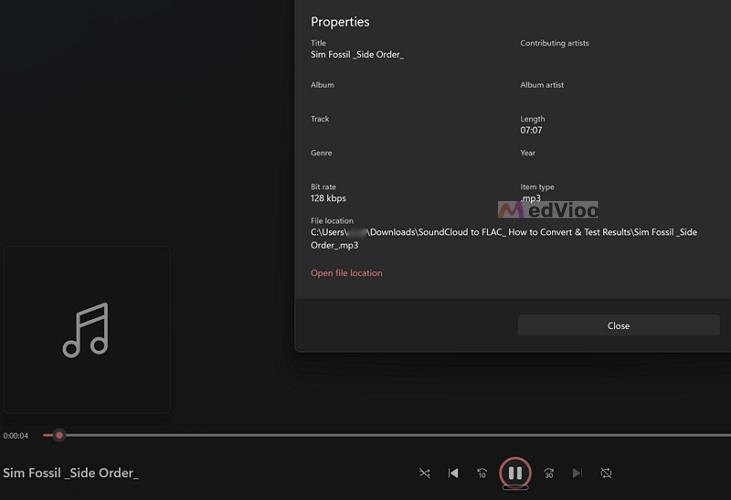
The free plan lets you download only one song at a time, though it has no download limit. The songs usually come as MP3 files at 128 kbps. Plus, they aren’t fully tagged, so cover art and most metadata are often missing. Playlists need MusicVerter Premium, which costs US$13 a month.
Keep in mind that the FLAC and WAV files you get aren’t true lossless files. They hold SoundCloud’s 256 kbps AAC stream, re-encoded into FLAC or WAV. The file gets bigger, but the sound stays the same as the stream. You can read more about this in our SoundCloud to FLAC guide.
• Premium labels its MP3s as 320 kbps, made from SoundCloud’s 256 kbps AAC stream.
• Premium adds AAC, WAV, and FLAC.
• Premium costs US$13 a month.
• MusicVerter’s Premium plan will remove them.
• Premium converts a whole playlist in a single go.
Steps to Save SoundCloud Playlists Online
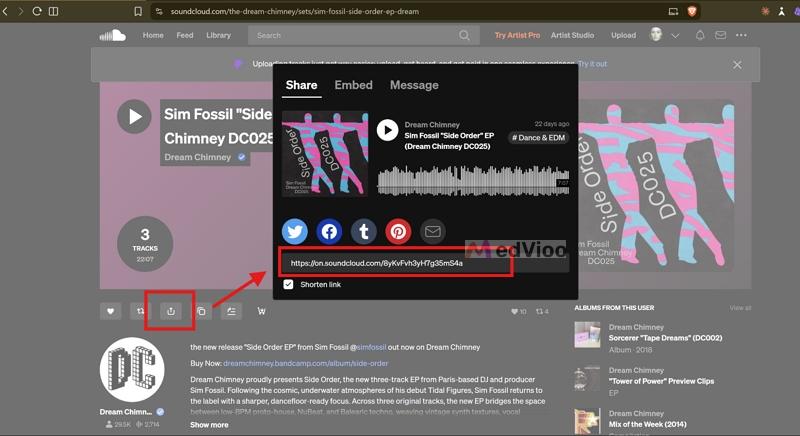
Step 1. Copy the link of your playlist. On a computer, you can simply copy the URL in the address bar. In the SoundCloud app, tap Share and then Copy link.
Step 2. Head over tomusicverter.com. Sign in to your account.
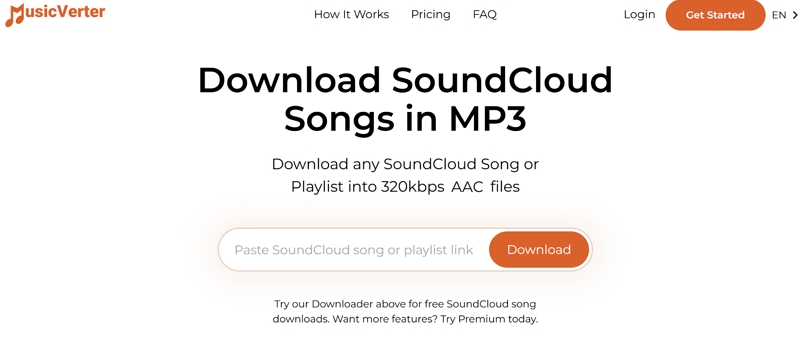
Step 3. Paste the link into the box at the top of the page and hit Download.
Step 4. MusicVerter will list every song in the playlist, each with its own Download button. Save them one after another, and they will land in your browser’s Downloads folder.
Way 5. Use a GitHub Tool to Download SoundCloud Playlists
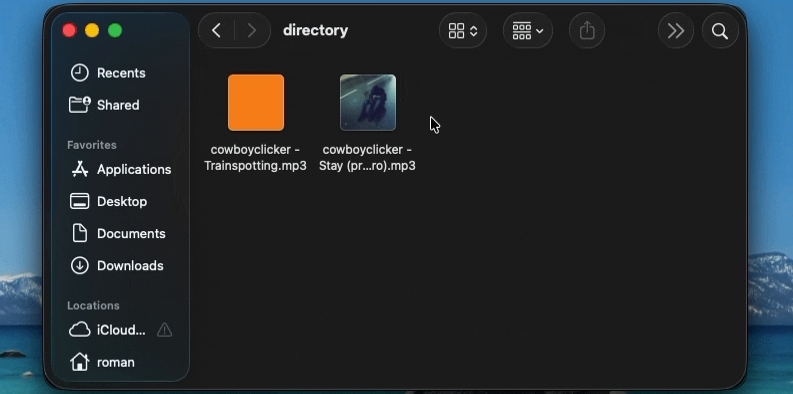
scdl is a free tool on GitHub that converts a SoundCloud playlist into regular MP3 files. Like MedVioo, it saves each playlist in its own folder, named after the playlist.
However, you will have to be comfortable with terminal commands to use it. It also requires Python and FFmpeg, which you must keep installed on your computer.
• For every other song, it saves SoundCloud’s stream.
• Original downloads keep the artist’s format, such as WAV or FLAC.
• With -p, it saves every playlist from a user’s profile.
Steps to Export SoundCloud Playlist to MP3 with scdl GitHub
Step 1. Install Python 3 and FFmpeg if you don’t already have them.
Step 2. Open Terminal on Mac or Command Prompt on Windows, and install scdl with this command: pip install scdl
Step 3. Copy your playlist’s link from the browser’s address bar. Then run the command below, with your own link in place of the sample one: scdl -l <your playlist link>
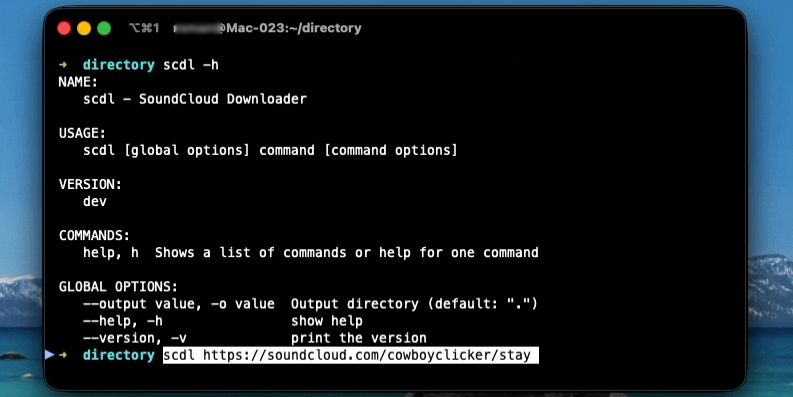
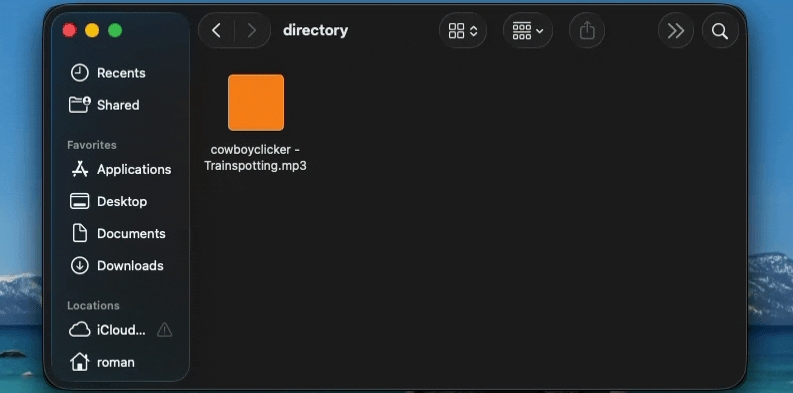
Step 4. scdl will download the songs one after another. When the command finishes, you will find a new folder named after the playlist in your current folder, with every song saved as an MP3 file.
Way 6. Use SoundCloud Playlist Downloader Telegram Bot
There are also Telegram bots to get SoundCloud songs. The most popular one is Music Downloader (@scdlbot. It is built on top of scdl, the GitHub tool mentioned above).
It works just like the Scdl program on the computer. That is, you submit a SoundCloud link or playlist URL, and the bot will send the MP3 files back in the chat. You can play the song right there or save it to your phone or computer. However, the MP3 file’s ID3 tag isn’t clean.
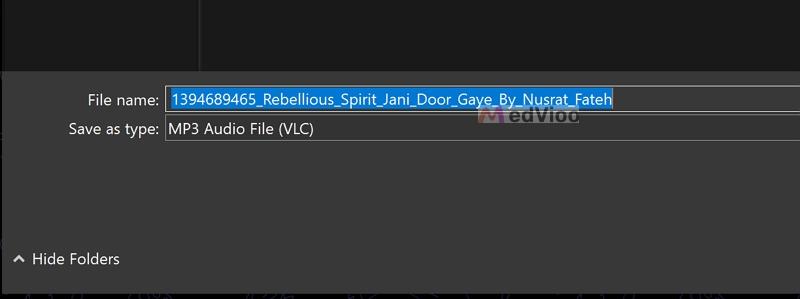
• Cover art is missing, and the file name starts with a number ID.
• Files over 50 MB are split into parts.
Steps to Download SoundCloud Playlists for Free
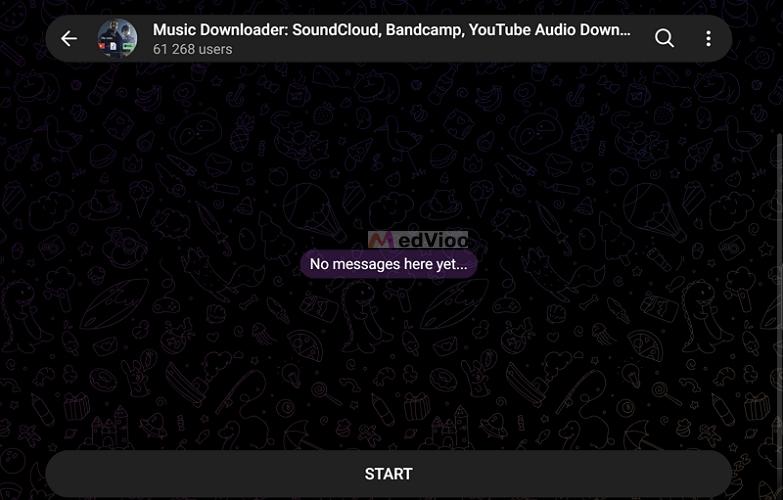
Step 1. Open Telegram and search for @scdlbot. Tap the bot named Music Downloader: SoundCloud, Bandcamp, YouTube Audio Download, then tap START. The bot will reply with a message that lists the sites it supports.
Step 2. Copy the SoundCloud playlist or song link.
Step 3. In the bot’s chat, type /dl, add a space, paste the link, and send it.
Step 4. The bot will reply with the MP3 file and a short note that it got the song from SoundCloud.
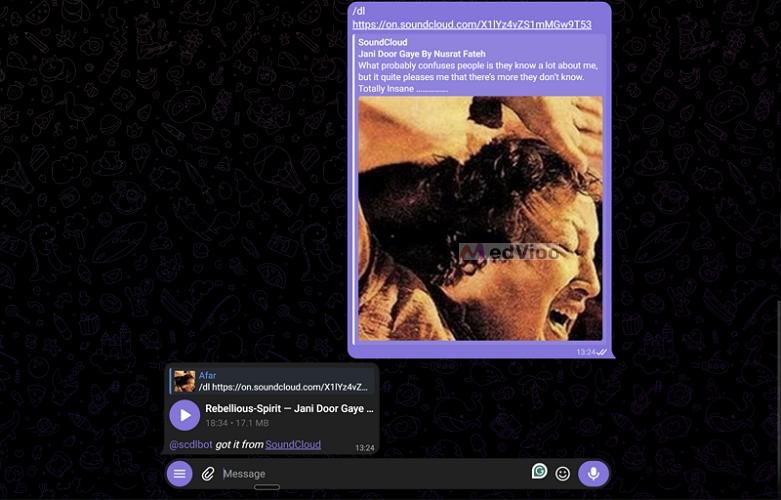
Step 5. To save the file on a computer, right-click it and choose Save As. On Android, tap the three dots on the file and choose Save to Music. On iPhone, choose Save to Files.
Conclusion
SoundCloud only lets you download entire playlists in its mobile app, and you need a Go or Go+ subscription to do it. That’s why we’ve shared more options here, so you can save songs however you like.
If you want to save a SoundCloud playlist to your local computer, MedVioo Audio Converter is a great choice. It can convert playlists at up to 30x speed and supports many output formats. Plus, it lets you download from other music services like Spotify and YouTube Music. It also automatically organizes and properly tags downloaded playlists. So you can easily load them on any music player and start listening.