

Sidify Music Converter remains one of the most widely searched tools for downloading and converting music from Spotify, Apple Music, and Amazon Music. But is Sidify still safe to use in 2026? Does it actually work as advertised? And is there a better alternative?
This in-depth 2026 Sidify review explores its features, real-world performance, legal and safety concerns, user complaints, and what to do if you're considering Sidify for long-term music conversion.
TL;DR — Quick Summary
Is Sidify safe?
Mostly yes if downloaded from the official website. But cracked versions online are dangerous.
Is Sidify legal?
It operates in a legal grey area and violates Spotify/Amazon Terms of Service.
Is Sidify free?
No. The free version converts only 1 minute per track.
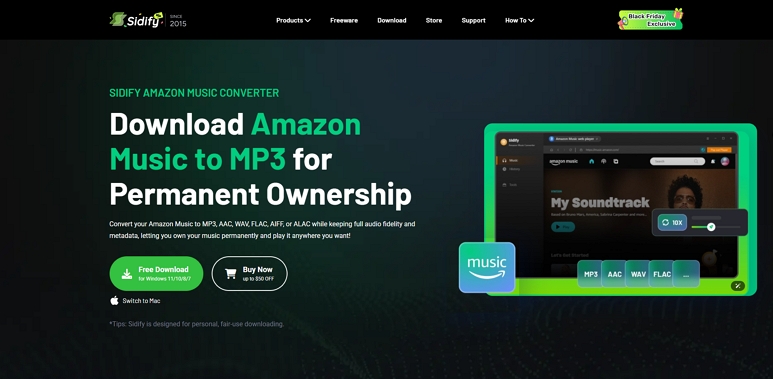
Part 1: What Is Sidify Music Converter?
Sidify Music Converter is a desktop application that converts streaming songs into local audio files such as MP3, FLAC, WAV, AAC, or ALAC. Instead of decrypting DRM directly, Sidify records the playable audio stream and saves it as a new file.
Sidify Product Line (2026 Versions)
As of 2026, Sidify offers four primary converters:
- Sidify Amazon Music Converter v3.x
- Sidify Apple Music Converter v6.x
- Sidify Amazon Music Converter v2.x
- Sidify All-In-One Converter v1.x
Each version is maintained separately, so performance and speed can vary.
Supported Output Formats
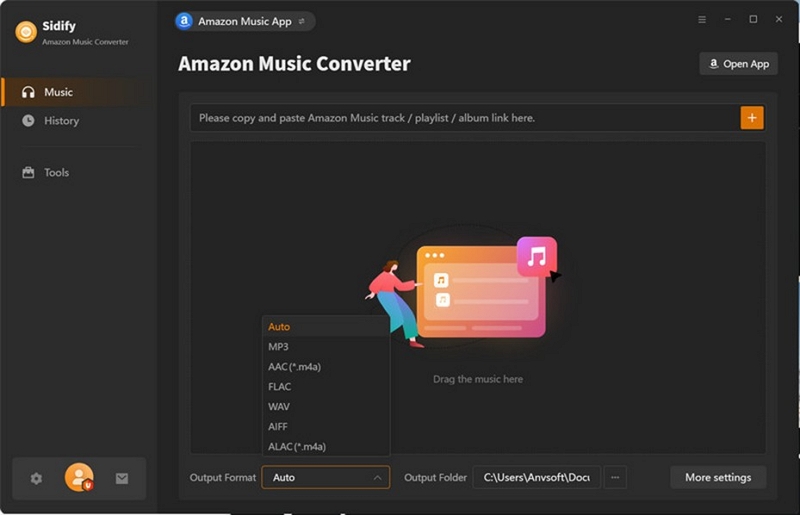
MP3, AAC, WAV, FLAC, ALAC, (Some versions also support AIFF)
These formats work with nearly all devices—Windows, macOS, MP3 players, car stereos, tablets, and more.
Key Features
- Record-and-save audio from Spotify/Apple/Amazon
- Batch conversion for albums and playlists
- ID3 tags preserved (artist, album, artwork)
- Multi-language interface
- Up to “10× conversion speed” (theoretical)
Quick Comparison Table
Part 2: Is Sidify Safe and Legal?
Is Sidify Safe?
If downloaded from sidify.com, Sidify typically passes tests from major antivirus engines and is free from malware or adware.
However:
✔ It does NOT steal login credentials.
✔ It does NOT modify system files.
❌ It spikes CPU usage during large workloads.
❌ Some versions crash during large playlist conversions.
Biggest Safety Risk: Sidify Crack (More details in Part 6)
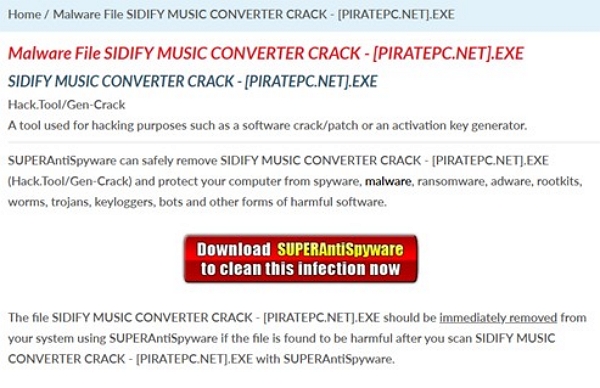
Cracked versions from third-party sites often contain trojans, browser hijackers, and credential stealers.
Is Sidify Legal? (Important)
Sidify exists in a legal grey zone:
So:
✔ Personal use = low risk
❌ Sharing music = copyright violation
❌ Streaming platforms can warn or restrict accounts
Does Sidify Bypass DRM?
No. Sidify records the unencrypted audio that your device is already allowed to play.
Part 3: Hands-On Test — My Real Experience With Sidify
I tested Sidify Amazon Music Converter v3.x on Windows 11.
Test Environment
- Intel i7-12700H
- 16GB RAM
- Windows 11
- Spotify App v1.2.x
Test Steps
Step 1. Logged into Spotify in Sidify
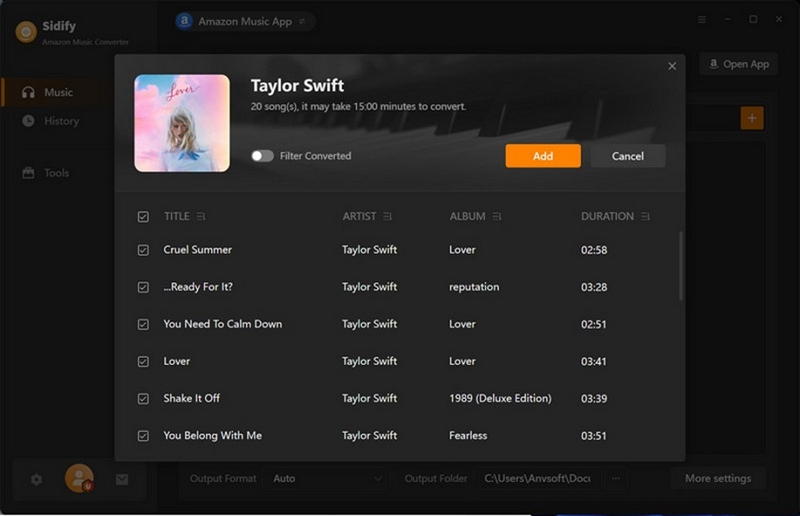
Step 2. Added 10 songs
Step 3. Selected MP3 320kbps
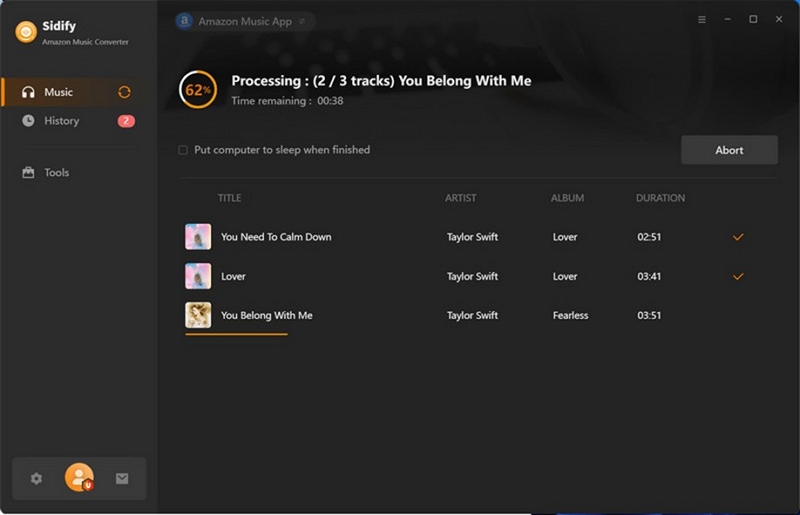
Step 4. Ran conversion
Test Results
✔ 10 songs finished in ~3 minutes (close to advertised 10× speed)
✔ 320kbps MP3 output matched expected file sizes (8–11MB each)
✔ Audio quality was excellent
But:
❌ 4 tracks failed with error “1001 – Cannot convert”
❌ Album artwork did not transfer for 6 songs
❌ CPU usage spiked to 65%+
❌ Large playlists slowed drastically
❌ App temporarily froze twice
Bottom Line:
Sidify performs well for small playlists, but struggles with big libraries.
Part 4: Pricing & Free Version Limitations
Sidify Pricing (2026)
Is Sidify Free?
“Sidify Music Converter free” is actually a trial version, not a free full tool.
Free version limits:
- Only converts 1 minute of each song
- Limited speed
- No full playlist support
- Some features locked behind premium
No official free full Sidify version exists.
Refund & Renewal Complaints
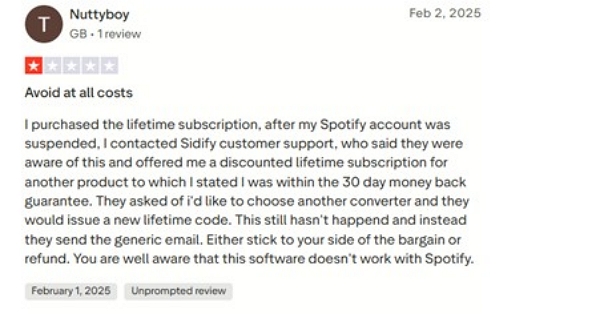
Many users reported:
- Auto-renewal charges
- Slow refund processing
- Support not responding quickly
These appear consistently in 1-star reviews.
Part 5: Real User Feedback (Trustpilot + Reddit)
Trustpilot Summary
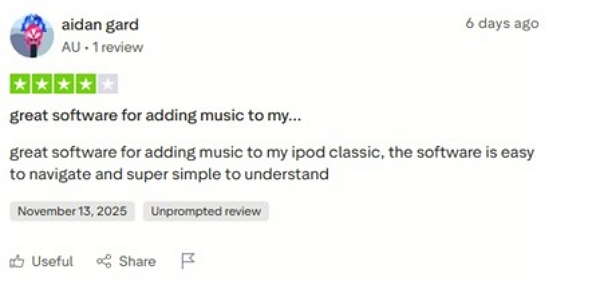
Sidify averages 4.2–4.3 stars with nearly 1,000 reviews.
Users emphasize several common pros and cons:
Common Pros
- Easy to use
- Reliable for small conversions
- Good audio quality
- Supports many streaming platforms
Common Cons
- Slow for large playlists
- Refund issues
- Auto-renew complaints
- Occasional login warnings from Spotify/Amazon
- High CPU usage during conversion
Reddit Insights
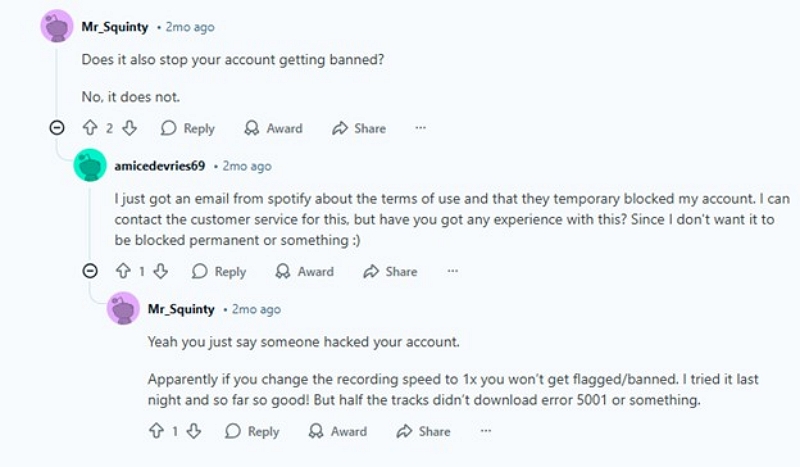
Reddit Users report:
- “Worked well for basic downloads”
- “Speed drops massively after 50–100 songs”
- “I received a Spotify warning message.”
- “Positive reviews online look like paid promotions.”
Part 6: Sidify Crack Reddit — Why You MUST Avoid It
Searching for Sidify Music Converter crack Reddit leads to heavy warnings from experienced users:
❌ Cracked Sidify installers often include:
- Malware / trojans
- Browser hijackers
- Fake updaters
- Hidden background processes
- Token stealers (Spotify login theft)
❌ Many sites offering Sidify cracks are phishing traps:
- Fake download buttons
- Redirect loops
- Bundled malware
- Stolen credit card data
⭐Reddit Verdict:
“There is no safe Sidify crack. Every cracked version I tried came with malware.”
Always download Sidify from its official site or use a safe alternative.
Part 7: Best Sidify Alternative (2026)
Mediaio Audio Converter — Faster & More Stable
If you're looking for a safer and more reliable tool than Sidify Amazon Music Converter, Mediaio Audio Converter is the best-performing alternative in 2026.
Why Mediaio is Better
Step-by-Step: Convert Amazon Music via Mediaio
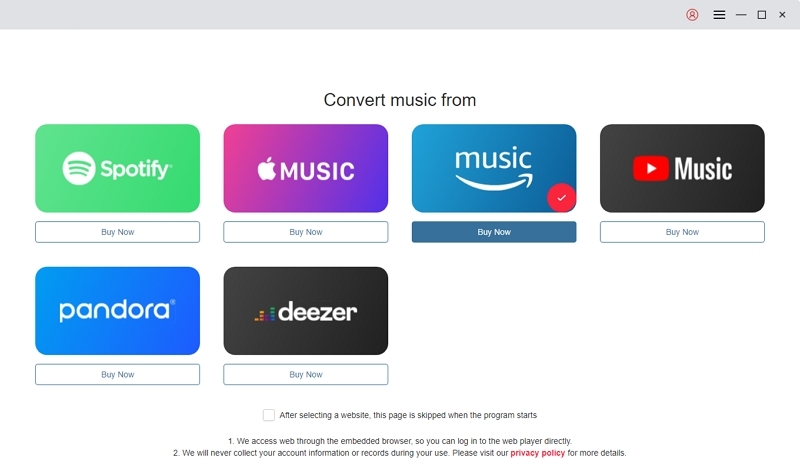
Select Amazon Music as your source platform from the main dashboard. To switch to a different service, simply click on the platform icon.
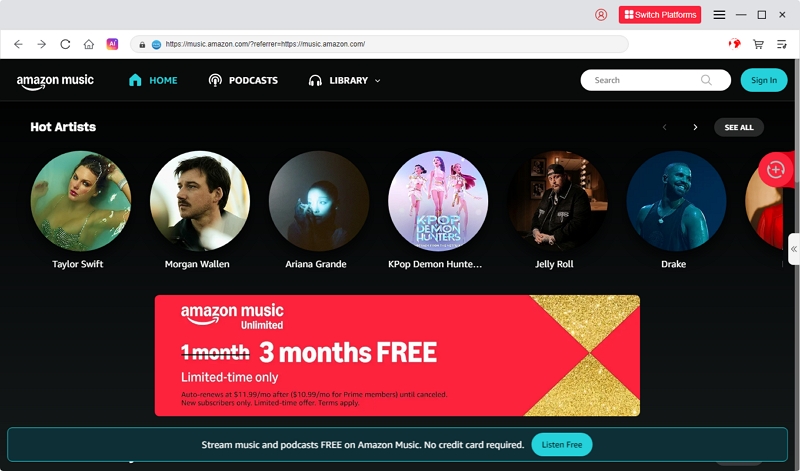
Click the Log In button located in the upper-right corner and enter your Amazon Music login details. Both free and premium accounts are supported.
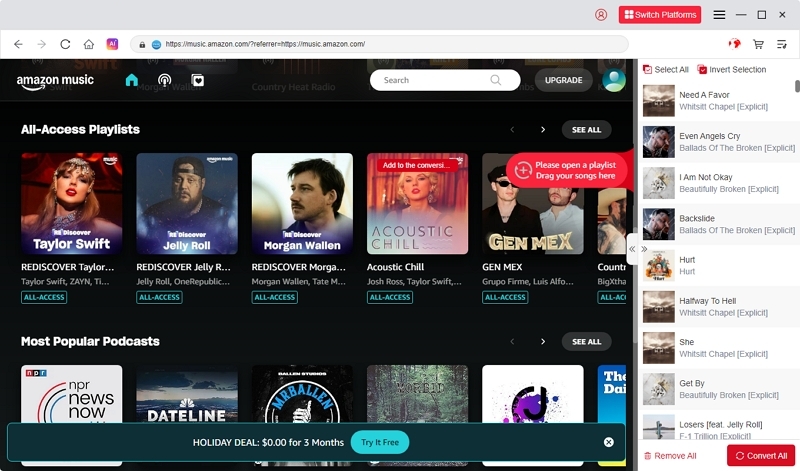
Search or browse Amazon Music for the songs or playlists you want. Drag and drop them onto the “+” icon to add them to your conversion list.
Select your preferred output format (MP3, M4A, WAV, FLAC, etc.) and choose a folder where your converted files will be saved.
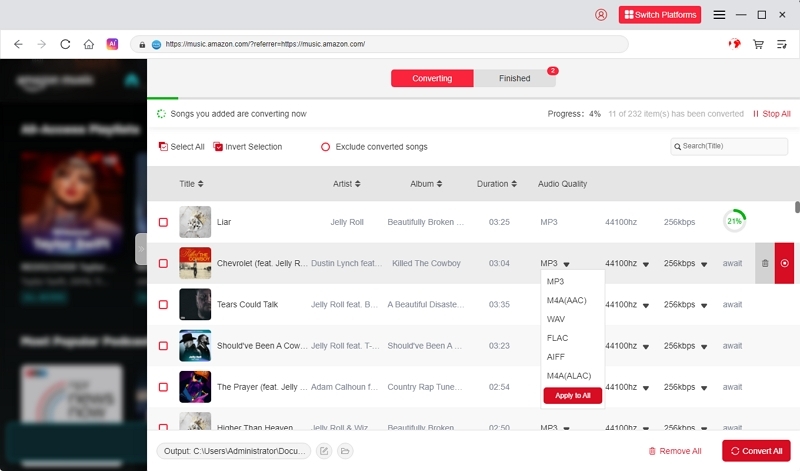
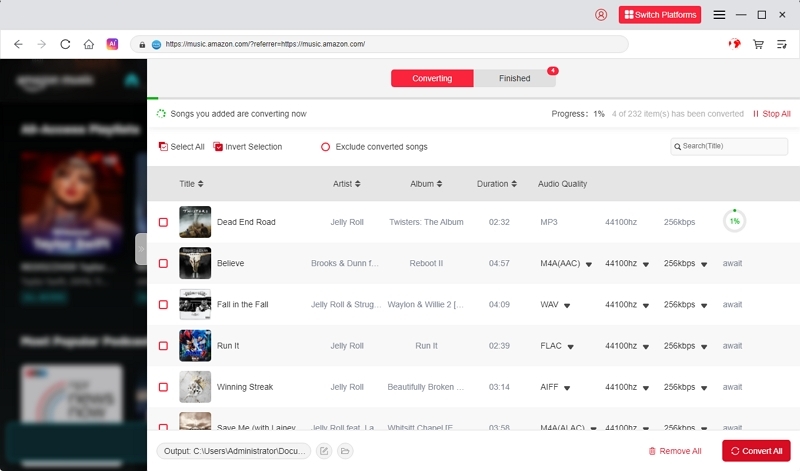
Click “Convert All” to begin converting your selected Amazon Music tracks into local audio files.
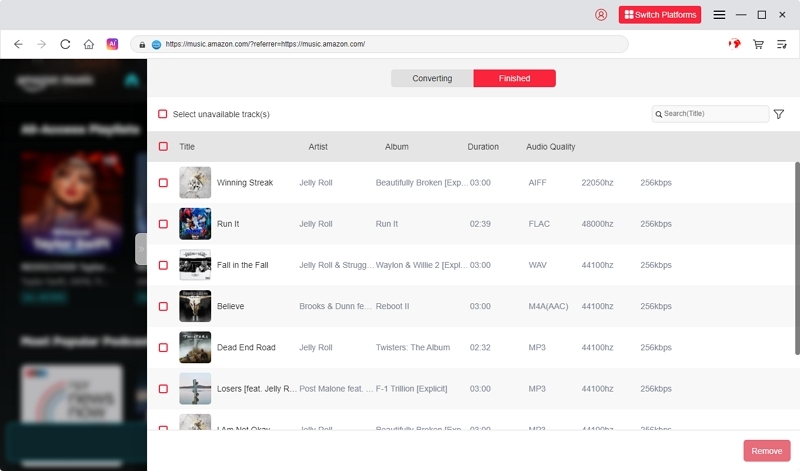
Once the conversion is complete, go to the “Finished” tab to locate and listen to your downloaded songs offline.
Mediaio is not perfect—it's also a paid tool and still exists in a Terms-of-Service grey area.
However, in performance and stability, it consistently outperforms Sidify, especially for Amazon Music.
Verdict: Should You Use Sidify in 2025?
✔ Use Sidify if:
- You only convert small playlists occasionally
- You prefer a simple interface
- You understand the ToS risks
❌ Avoid Sidify if:
- You have large playlists (100+ songs)
- You want fast batch conversion
- You worry about account warnings
- You expect responsive support
Best Choice for 2026:
Mediaio Audio Converter — more reliable, faster, and better for long-term use.
FAQs
Conclusion
Sidify Music Converter is user-friendly and effectively handles personal, occasional music conversions. Nevertheless, its method that relies on recording can be tedious for extensive playlists, and employing it may occasionally evoke alerts from streaming platforms. Mediaio Audio Converter is a superior option for a quicker, more dependable, and completely secure experience.