

Finding a safe Spotify to MP3 converter isn't always easy. Nowadays, almost all online tools bury you in ads and show fake download buttons. Some desktop apps come bundled with trackers, extra installs, or just don't convert songs as they claim.
So we tested the most popular Spotify to MP3 converters across desktop, mobile, and online to find the secure and effective ones. Our testing focused on two questions: “Is it safe to install or use?”and “Can it actually convert Spotify songs?” If a tool failed either test, it didn't make this list. So scroll down to find the safest-to-use Spotify song converter for every platform.
Before Choosing a Safe Spotify to MP3 Converter
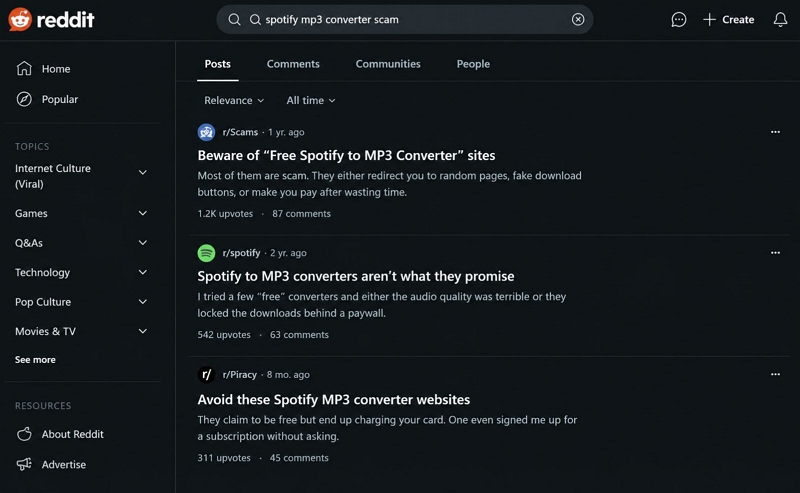
Many users make the big mistake of searching for "Spotify to MP3 converter" and heading straight to whatever tool shows up first. We did not do that. Instead, we tested each tool ourselves and checked what long-time users were saying on Reddit and other communities.
Types of Spotify to MP3 Converters
There are different types of Spotify to MP3 converters. Each carries its own benefits and risks. For instance:
Desktop/Mobile Apps
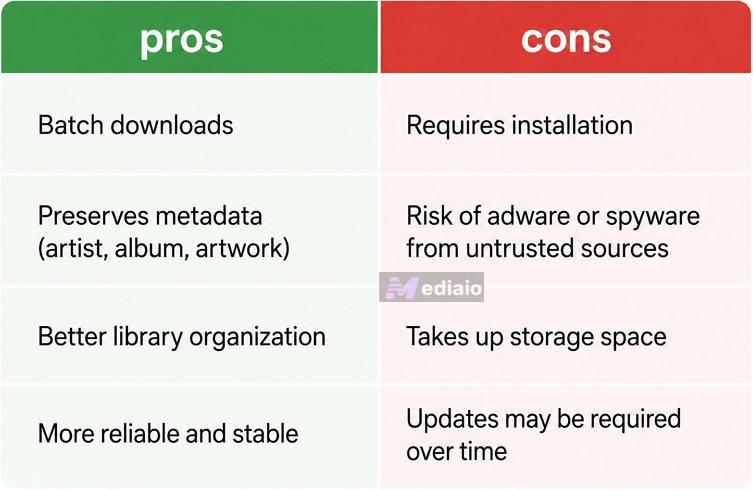
Desktop apps install directly on your Windows PC or Mac and are usually the most complete solutions. They allow batch downloads, retain proper metadata, and deliver an organized offline library. They are also more reliable because they don’t disappear overnight like online converters or Telegram bots.
The risk is that if you download from the wrong source, they can carry adware or spyware. The same applies when installing APK apps on your Android mobile.
Online Tools
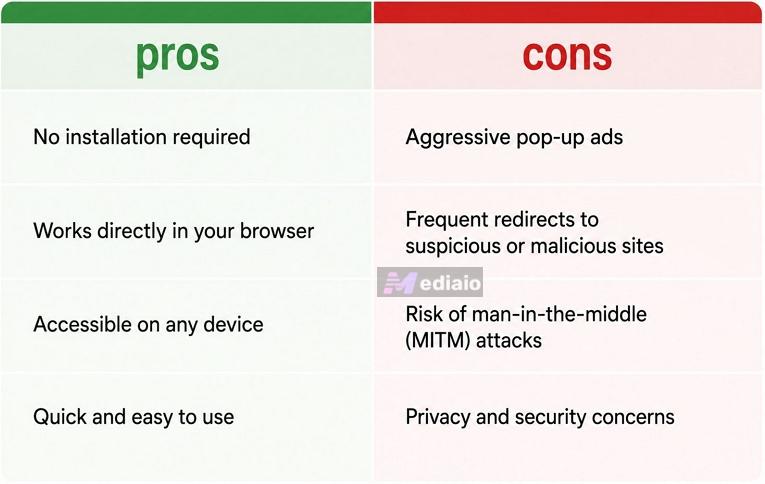
These are the most popular options for Spotify to MP3 conversions. This is because you can use them through your browser. However, they are notorious for running aggressive pop-up ads and redirects. For instance, they can redirect you to a malicious site when you click on the Download MP3 button. Some are also known for man-in-the-middle attacks.
Browser Extensions
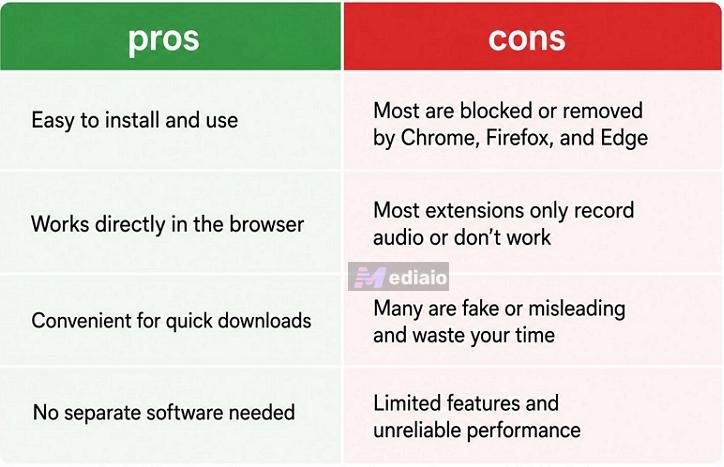
Earlier, browser extensions used to be popular for Spotify music conversion. However, the Chrome Web Store, Mozilla Add-ons, and even the Edge Add-ons store have very strict policies. They don’t allow such Spotify to MP3 converter extensions to exist.
Moreover, most of the extensions listed either record audio or do not do anything at all. So they end up wasting your time. We actively filtered and included only the working ones.
App-based Tools
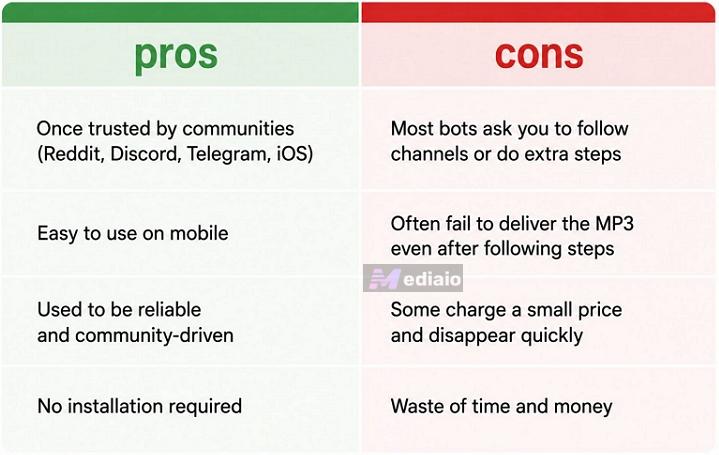
Telegram bots and iOS Shortcuts are not your traditional Spotify music converters. They were among the most trustworthy because they came from reliable community members on Reddit, Discord, Telegram groups, and iOS communities.
But nowadays, they have become unreliable. For instance, most Telegram bots ask you to follow another channel. And even then, they fail to deliver your favorite music in MP3. Some charge you a small price and disappear the next day.
So you should be away from them, as they end up wasting your time and money.
How We Test the Safety of Spotify to MP3 Converters
The exact type of safety check depends on the type of Spotify to MP3 converter itself. For instance, a desktop application raises different safety concerns than an online tool. So we evaluated each category using the criteria that mattered most. Here is how our testing process looked:
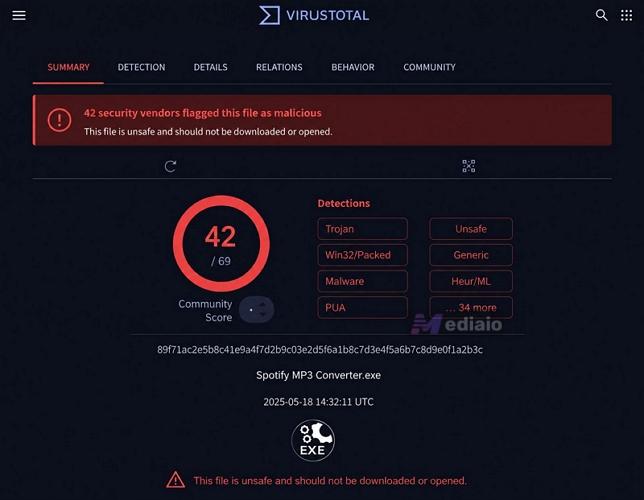
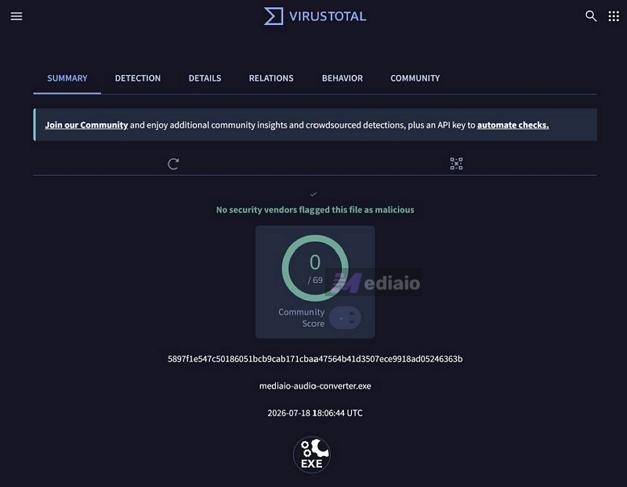
Scan installation files. While installing mobile and desktop tools, we ran the files through multiple antivirus databases like VirusTotal. Any tools that were flagged were dropped.
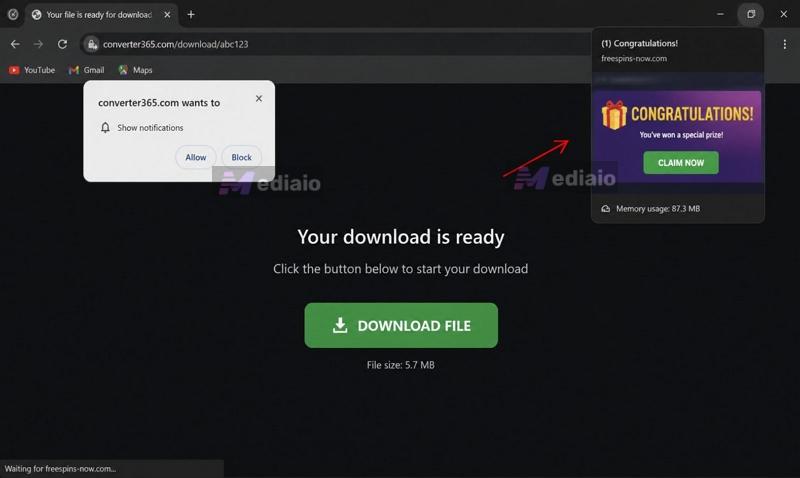
Test for ad abuse and redirects. For online tools, we tested them on browsers without ad blockers. Most online converters fail this test. For instance, when you click Download, they will redirect you to another site or throw fake download buttons. So if we saw phishing pages or visual tabs opening without consent, we excluded the tool.
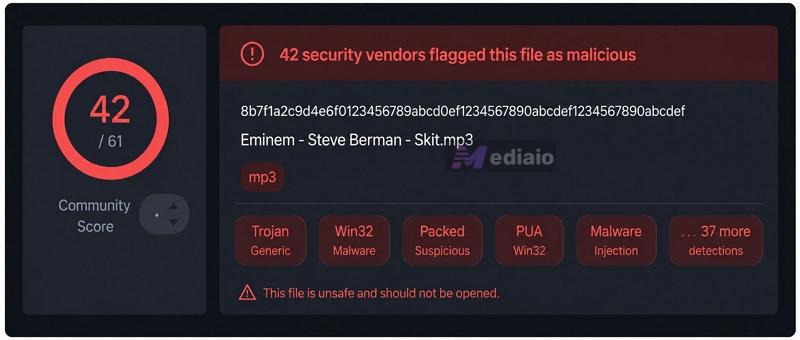
Verify the downloads. Yes, some tools trick you by downloading executable files disguised as music. So we checked the actual output. Every MP3 or M4A file was opened and inspected to confirm it was real audio, and not malware in disguise.
Check community reputation. We searched each tool across Reddit and other forums. If users reported hidden fees, forced subscriptions, or broken promises, we removed the tool from our list even if it looked good on paper.
Every tool below passed all of these checks.
Safe Spotify to MP3 Converters: Desktop Apps
Spotify song desktop converters are the most feature-rich tools. They support batch downloads, preserve song metadata, and usually convert music faster than any online and mobile converters.
But you should always download desktop converters that are trusted by the community. Some applications advertise impressive features, but they are bundled with trackers or unwanted software.
So after testing multiple Spotify to MP3 converters for macOS and Windows, we narrowed down these two tools. One comes from a reputed brand. The other comes from the community. Each offers a varying level of convenience and features, so let’s look at them in detail.
1. MedVioo Audio Converter
MedVioo Audio Converter passed all our safety checks, from the installer to MP3 downloads.
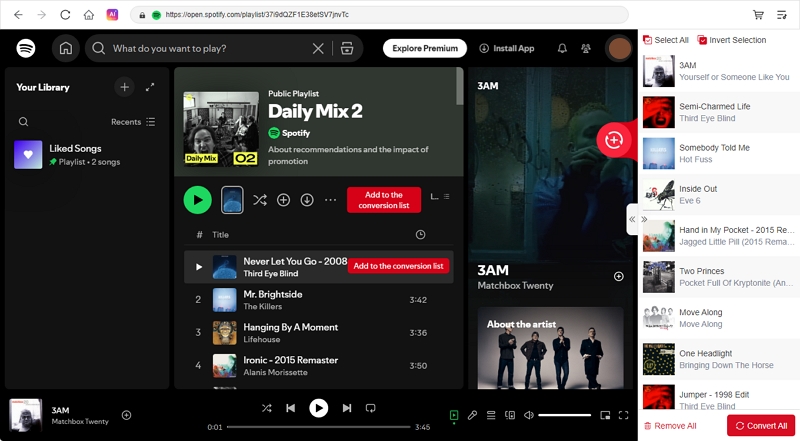
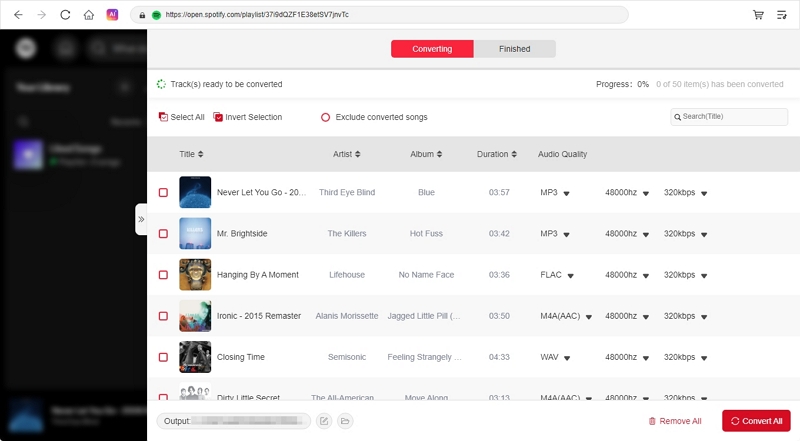
As for the conversion process, MedVioo keeps things straightforward. After installing the software, you can browse your Spotify library inside MedVioo’s interface itself. So you don’t have to copy or paste links or visit any random site.
As for the output, MedVioo gives a lot of flexibility. You can get the Spotify song in up to 320 kbps MP3 or even get the lossless stream. The same goes for audio formats: MedVioo lets you export in multiple formats. You can even transfer the MedVioo converted songs to other devices you own(personal use) without worrying about risk.
Safety Test Results: MedVioo Audio Converter
Overall Verdict: MedVioo delivers on its promise of high-quality Spotify conversions and it does that safely. We did not find any suspicious prompts or forced payment requests. The free trial also allows you to check the tool before committing.
Conversion Performance: MedVioo Audio Converter
Connect straight to Spotify servers.
Export in 320 kbps MP3.
Lossless FLAC and WAV also supported.
How to Convert Spotify to 320kbps MP3 with MedVioo
Step 1. Download MedVioo Audio Converter on your Windows or Mac computer from the official website.
Step 2. Open the app. From the platform selection screen, choose Spotify.
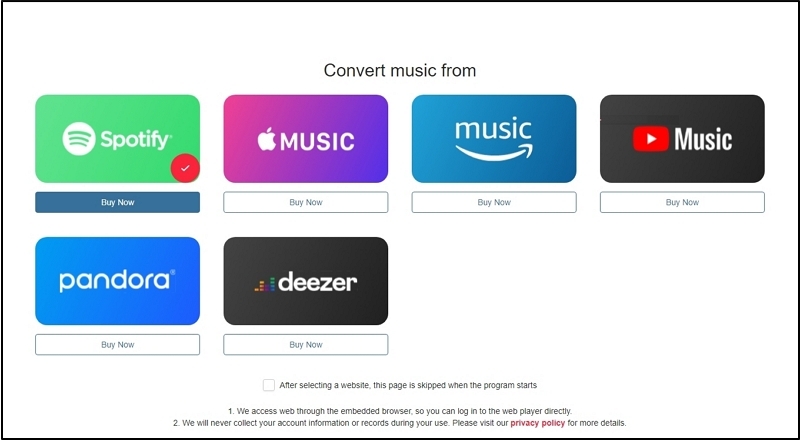
Step 3. Sign in to your Spotify account. You can use your free or premium account.
Step 4. Browse your playlists, albums, or liked songs. Drag the ones you want to the plus button in the conversion panel.
Step 5. Expand the conversion panel, select your output format — MP3 at 320 kbps and any other settings you want.
Step 6. Click Convert All. The songs will be downloaded and saved to your computer, fully tagged and ready to play.
2. SpotDL (GitHub)
SpotDL is an open-source project maintained by the GitHub community. That transparency easily removes any security questions.
However, “safe” does not mean that SpotDL is a perfect Spotify to MP3 converter. SpotDL does not actually download the Spotify stream. Instead, it reads the Spotify link for metadata and then searches for the same song on YouTube for the closest matching track. It then downloads and saves that song on your computer with proper metadata tagging.
The other problem is that GitHub tools often require other dependencies. You will also need Python, Deno, and similar tools. So it is not that beginner-friendly.
Safety Test Results: SpotDL
You will have to download the full source code repository, so you can actively scan it.
There were no toolbars, advertising software, or bundled applications during testing.
Our Verdict: From a security perspective, SpotDL is one of the safest free Spotify downloaders. It gives you the complete project repository, so you can inspect the source code, report issues, and even make contributions. This level of transparency is only found among GitHub tools and SpotDL stands by the same standard.
Conversion Performance: SpotDL
How to Save Spotify to MP3 with SpotDL
SpotDL is available as an executable file and through PIP. Here is how to set it up.
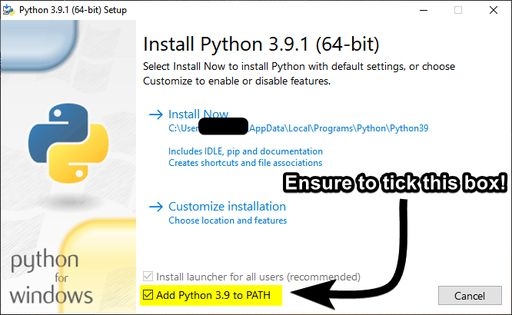
Step 1. Go to the official Python website and download the latest installer (64-bit or 32-bit). In the Setup window, check the Add Python to Path option.
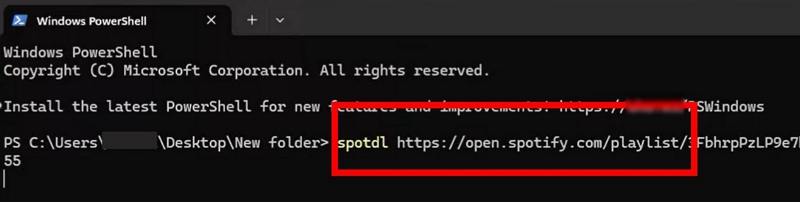
Step 2. Open a new terminal window and type: pip install spotdl. This fetches the latest SpotDL release from GitHub.
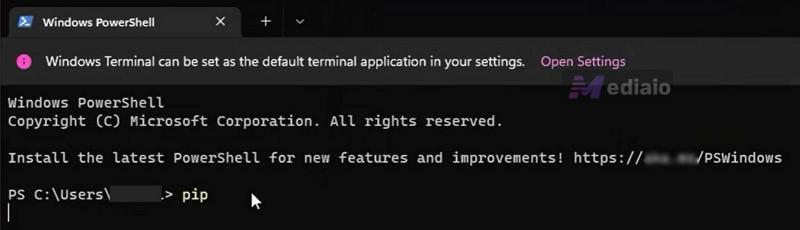
Step 3. SpotDL also needs FFmpeg for media processing. Type: spotdl --download-ffmpeg. This will download and set up FFmpeg in the background.

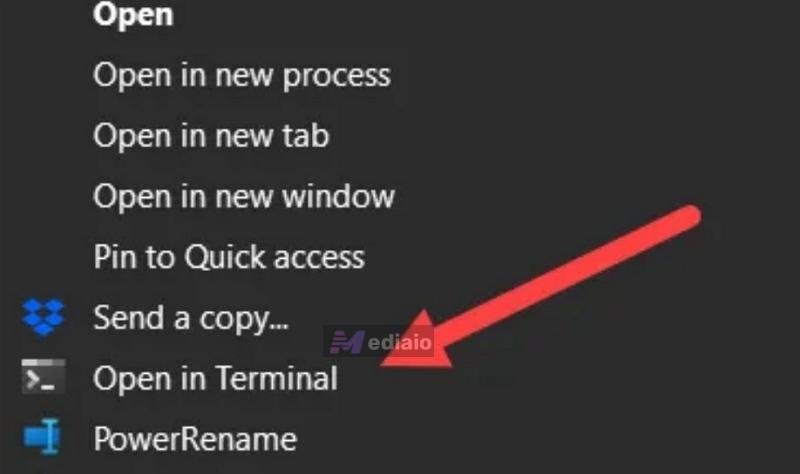
Step 4. Create a folder where you want to save your songs. Right-click it and choose Open in Terminal.
Step 5. Paste any Spotify link — a single track, an album, or a playlist, next to the SpotDL command. By default, it gives you MP3.
Step 6. Your MP3 files appear in the folder with all metadata intact. Move them wherever you want.
Safe Spotify to MP3 Converters: Mobile Apps
On mobile, you will find many options on Android. As for iOS, the App Store has strict policies around Spotify converters. Yes, some open-source projects, such as SpotiFlyer, have mentioned an iOS version based on SwiftUI in the future. But no official iOS release is available at this time. So, if you are on iOS, it’s better to use iOS Shortcuts or desktop Spotify song converter and then transfer MP3 from computer to iPhone.
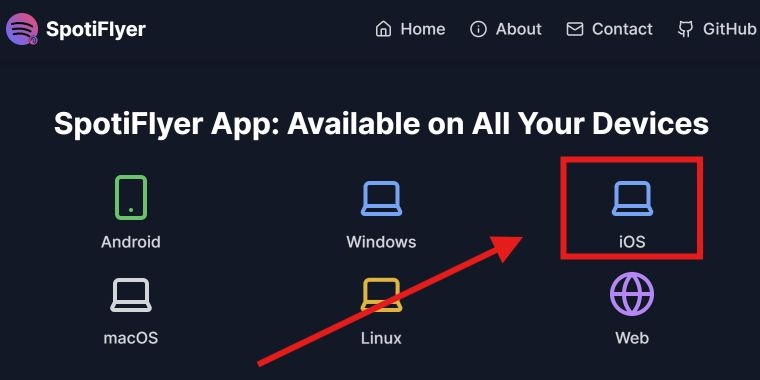
On Android, there are several APK versions that support converting Spotify to MP3, but many of them have failed our safety test. So in the mobile category, we will only include one tool that performed relatively consistently across multiple tests.
SpotMate
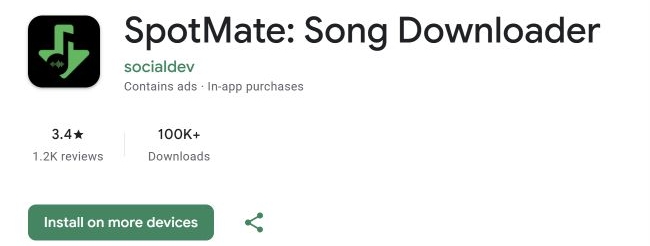
SpotMate comes with a clean and simple interface. You just have to paste a Spotify song link and it will match that song on other sources, like Saavn, Gaana, or YouTube and give you the closest match in MP3. In a way, it packs an online converter into a neat APK.
The main benefit is you can download it directly from the Play Store, so it is generally safe. It also lets you convert entire playlists and albums in one go, though it sometimes fails to parse links.
Safety Test Results: SpotMate
Our Opinions: From a security standpoint, SpotMate is one of the better Android apps we tested. You install it from Google Play rather than some unknown website, which cuts out most malicious behavior.
Conversion Performance: SpotMate
Plus, downloading whole playlists can be unreliable, as it sometimes fails or can't read the links.
How to Download Spotify to MP3 Using SpotMate
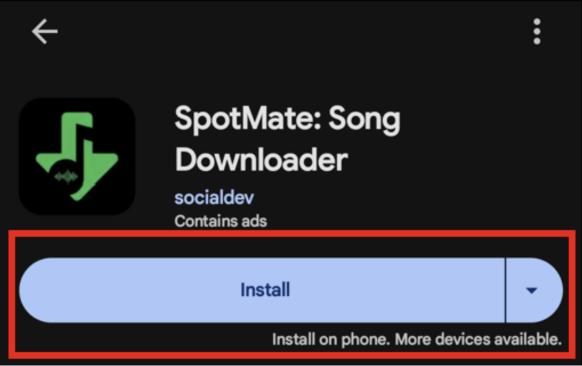
Step 1. Go to the Play Store and search for SpotMate Song Downloader (from developer socialdev) and install it.
Step 2. Copy the Spotify song link.
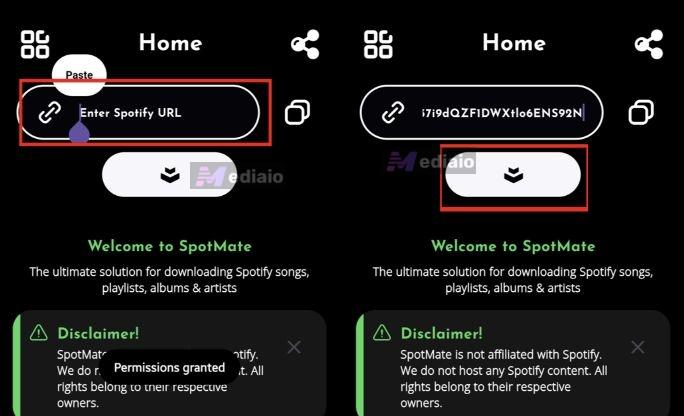
Step 3. Return to SpotMate and paste that link. Tap the download button (down arrow).
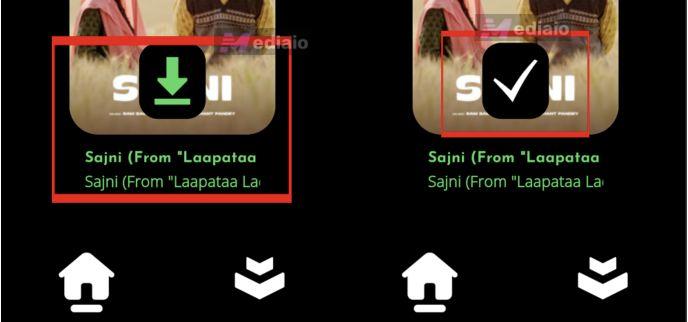
Step 4. SpotMate will fetch the song and show you a download symbol. Tap it. Once downloaded, you will see a checkmark.
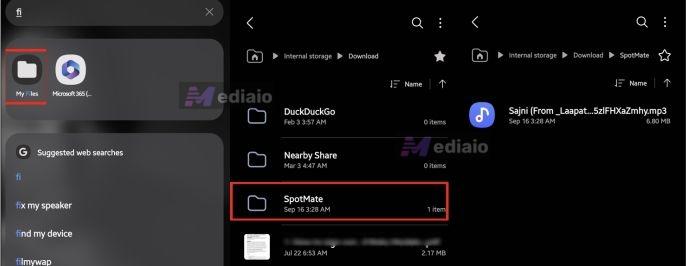
Step 5. To view your downloaded songs, open your file manager and find the SpotMate folder. The songs will be there.
Safe Spotify to MP3 Converters: Online Tools
Online Spotify to MP3 converter tools work exactly as they sound like — you can use them without needing to install anything on your computer. And there are two types of online converters that stand out: browser converters and extensions. Here’s what you have to know about them.
SpotiDownloader (Online)
SpotiDownloader used to run as SpotifyDown. Still, even after the rebranding, the core mechanism of the site hasn't changed. It matches the desired Spotify link's metadata, searches for the song on other channels, and hands you the track as an MP3 file.
However, the newer domain noticeably has more ads. And now it adds a premium tier that strips out ads, priced at around US$7 for seven days or US$40 for a month.
Safety Test Results: SpotiDownloader (Online)
Our Take: SpotiDownloader shows many ads, but it’s not malicious. However, its reliability is inconsistent. For instance, it's unclear what will happen to your subscription if the site is taken down tomorrow or disappears. Plus, US$40/four weeks is a little too much just to remove ads. Paying that amount will not give you any customization options or allow you to choose formats. You will still get the songs in MP3 with SpotiDownloader.com branding and you’ll have to clean that up yourself.
Conversion Performance: SpotiDownloader (Online)
How to Export Spotify to MP3 Online via SpotiDownloader
Step 1. Copy your Spotify song or album link.
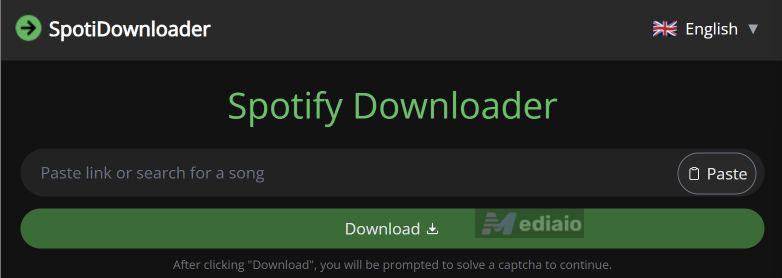
Step 2. Go to spotidownloader.com. Paste the link into the search box. Then, click Download.
Step 3. Complete the CAPTCHA verification. After the processing, click the Download MP3 button. Or Download ZIP if you're grabbing a full album or playlist.
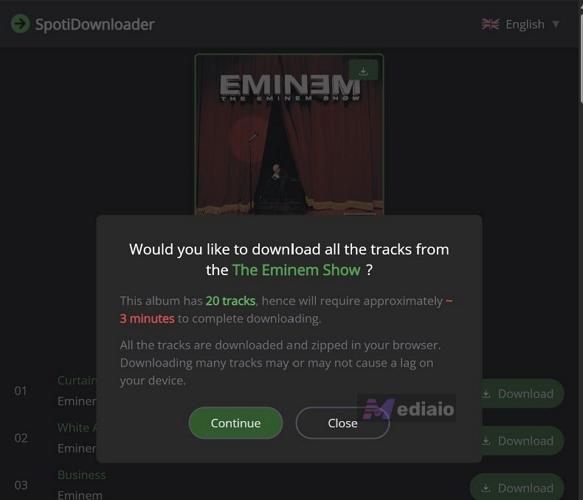
Step 4. Click Continue and let it process.
Tip: Although the screen showed an estimated time of 3 minutes, it took us around 13 minutes during testing. Of course, the internet speed may also have affected the actual time.
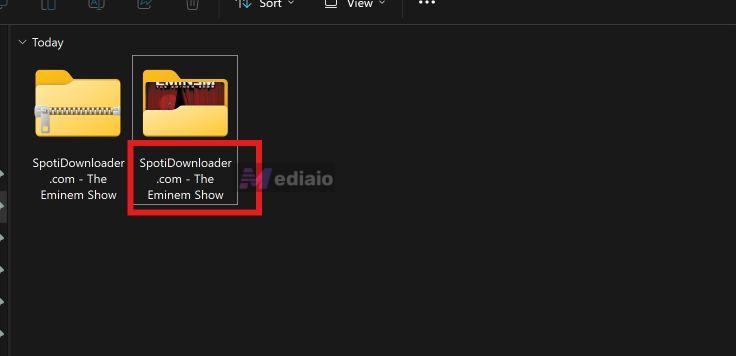
Step 5. Once the ZIP lands, you'll notice the file and folder still carry the SpotiDownloader.com branding — rename that yourself before it's ready to use.
2. Chrome Browser Extension
Chrome extensions used to be famous for saving Spotify music as MP3. This is because they didn’t require you to copy and paste a link to convert songs. However, they were removed from Chrome Web Store because of changes to the stores' policies. You can check out the full list of Chrome extensions to find the extension that still let you convert to MP3.
Keep the safety risk in mind, though. You’ll have to run these Chrome extensions on older, dead Chrome builds. That means nothing gets checked by the Chrome Web Store. So they can carry malware.

So it is better to skip any extension category altogether. In 2026, desktop Spotify track converters are more reliable.
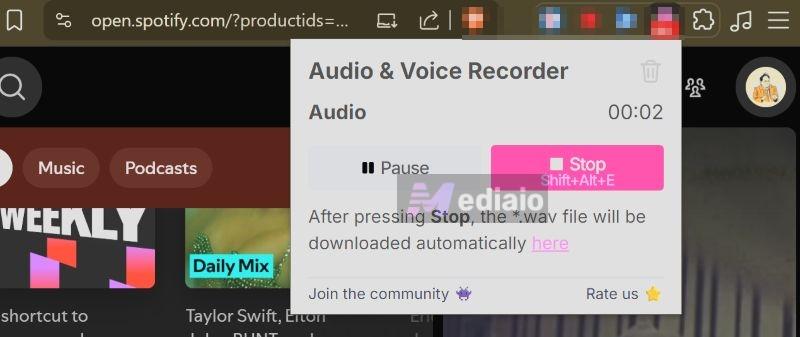
Note: The only Chrome extensions that work on modern browsers are audio recorders. That is, you play the song in Spotify and they will record in the background and give you the MP3 files. They don’t even carry any metadata.
Safe Spotify to MP3 Converters: App-based Tools
Another category of converters works inside apps you already use: the Telegram app (on Android and iPhone) and the Shortcuts app (on iPhone). Such Spotify MP3 converters come with plenty of limitations: slower downloads, incomplete metadata, playlist restrictions, and inconsistent audio quality. Still, they passed our safety checks, so we included them.
1. DeezLoad2Bot (Telegram)
Telegram bots are still the most-chased Spotify track converters because everything happens in the chatbox. That is, you paste a Spotify song link and the bot will message you back with the MP3 file. So yes, they pretty much act like online converters.
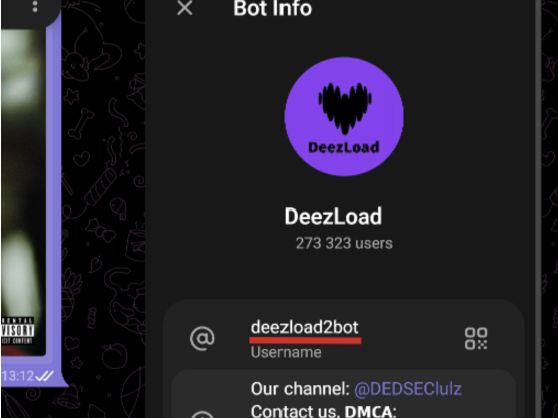
The most famous bot for this function is DeezLoad2Bot. However, like many Telegram bots today, it asks you to join an additional Telegram channel that allows you to download music. According to the bot’s developers, this requirement is to support the bot’s maintenance. So you have to be cautious on your side. That is, avoid interacting with the promotions and advertisements posted there.
Also, make sure to land on the correct bot, as there are many fakes floating around.
Safety Test Results: DeezLoad2Bot
It gives clean MP3 files.
Overall Safety: Medium risk. The bot changes its logo and asks you to join random channels. It is uncanny, but it does not force you to pay or install anything extra. This is what you get when using Telegram Spotify song converter bots.
Conversion Performance: DeezLoad2Bot
How to Use DeezLoad2Bot to Convert Spotify to MP3
Step 1. Open Telegram and search for @DeezLoad2Bot. Start the bot.
Step 2. Copy the Spotify song link you want to download.
Step 3. Paste the link into the bot chat. It will ask you to join the ~DEDSEC channel first.
Step 4. Join the channel. Then return to the bot and paste the same link again.
Step 5. The bot will fetch the song and send it as an audio file in the chat.
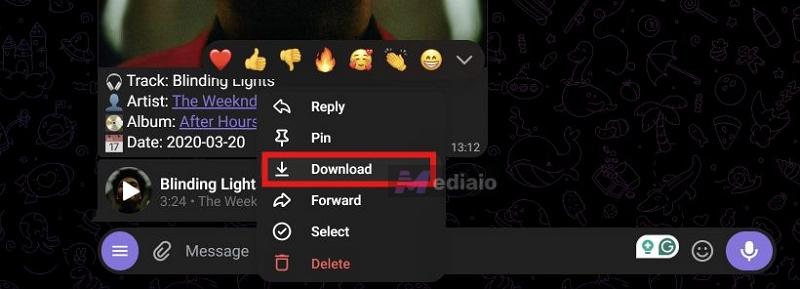
Step 6. On mobile, long-press the audio file and tap Save to Files or Download. On desktop, right-click and save the file.
2. Spotify Playlist DL (iOS Shortcuts)
Spotify Playlist DL is one of the safest iOS shortcuts that still works today for converting Spotify songs. The best thing about it is its longevity — it has been maintained for a long time and continues to work even after many iOS updates.
Safety Test Results: Spotify Playlist DL
It doesn't force you to join any spam groups.
Overall Safety: Low risk. The shortcut is transparent, ad-free, and does not ask for unnecessary permissions.
Conversion Performance: Spotify Playlist DL
How to Convert Spotify to MP3 with Spotify Playlist DL
Step 1. Open your iPhone Settings. Go to Shortcuts and toggle on Allow Untrusted Shortcuts.
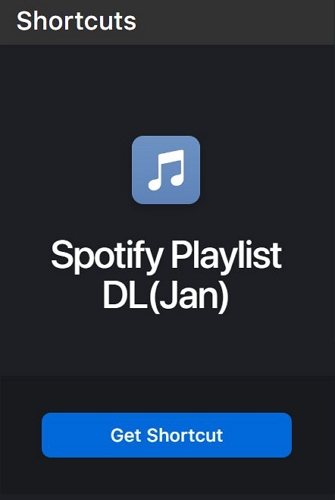
Step 2. Access your browser and go to the Spotify Playlist DL (Jan) page on RoutineHub. Tap Get Shortcut to add it to your Shortcuts app.
Step 3. Open the Spotify app. Find the song or playlist you want, tap the three-dot menu, then tap Share > Copy Link.
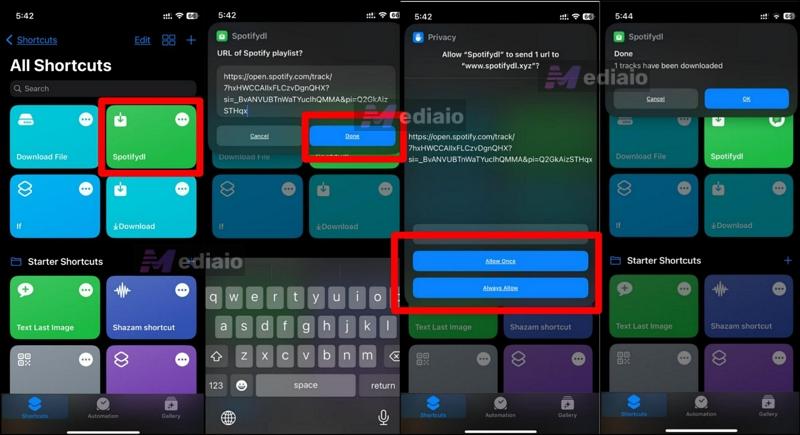
Step 4. Open the Shortcuts app and run Spotify Playlist DL. Paste the copied link when prompted. Tap Allow when it asks for permissions.
Step 5. The shortcut will process the tracks and download them. You will see a confirmation when it finishes.
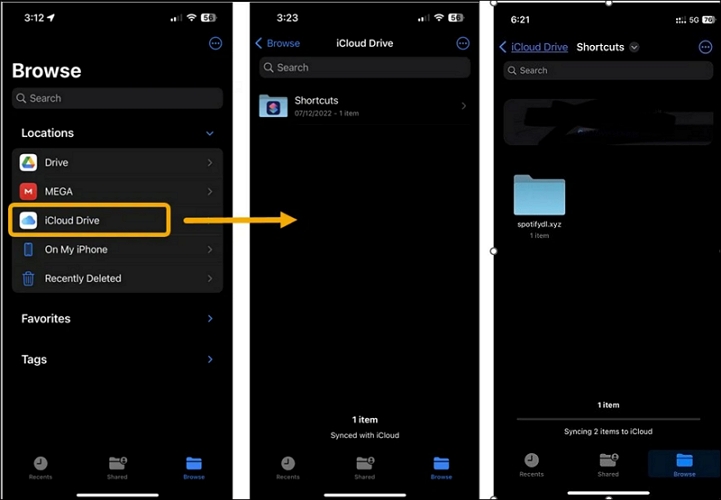
Step 6. Open the Files app. Go to iCloud Drive > Shortcuts. Look for the spotifydl.xyz folder. Your downloaded songs will be inside.
Final Words
That is all the ways you can download Spotify songs as MP3 and the safest tools in each category. You can choose one that fits your needs, whether you want to convert a single song or build a full offline collection.
If your priority is a feature-rich, safe Spotify converter, MedVioo Audio Converter stands out. It is trusted by the community and doesn’t compromise on any features. It offers batch-download support, accurate metadata, and customization options to get the MP3s like you want.