

Millions of listeners seek Amazon Music in 320 kbps, hoping for high-quality MP3 files. However, there are common misconceptions about streaming, offline downloads, and HD/Ultra HD audio. In 2025, understanding what Amazon allows — and what you can legally do for personal offline listening — is essential.
Part 1: Can You Download Amazon Music in 320 kbps MP3?
Quick Reality Check:
- Amazon does NOT provide real 320 kbps MP3 downloads.
- Offline downloads are DRM-encrypted cache files, playable only inside the app.
- Amazon uses AAC or Opus, not MP3, even in HD or Ultra HD tiers.
Many listeners think upgrading to HD or Ultra HD gives them 320 kbps MP3s. This is a common misconception. Amazon never exports MP3 files for Prime or Unlimited subscribers.
Part 2. What Bitrate Does Amazon Music Actually Offer? (2025 Updated)
Why you won’t see real 320 kbps MP3:
- Amazon does not use MP3 internally.
- Downloads remain inside the app; you can’t export to iTunes, VLC, or car stereos.
Part 3. Why Amazon Shows ~268 kbps Instead of 320kbps
Many users report seeing ~268kbps when checking file properties.
This is normal and expected — here’s why:
Amazon uses VBR (Variable Bitrate)
- Simple segments use fewer kbps
- Complex segments approach 320kbps
- The average becomes ~256–268kbps
Opus / AAC ≠ MP3
Even at lower numbers, Opus 256kbps ≈ MP3 320kbps in perceived quality due to codec efficiency.
The 320kbps advertised is not constant
“Up to 320kbps” is a maximum — not a fixed bitrate.
Part 4. 268kbps vs 320kbps MP3 — Can You Hear the Difference?
Technical difference:
- 320kbps = more data per second
- Slightly better detail in highs, ambience, and micro-dynamics
But can people hear it?
According to ABX blind tests:
Over 70% of listeners cannot reliably distinguish 256–320kbps AAC/MP3 on regular headphones.
Audibility depends on:
- Your ears
- Your headphones / speakers
- The genre (metal & orchestral are more revealing)
- Background noise
For casual listening, the difference is minimal.
Part 5. How to Download Amazon Music as Real 320 kbps MP3
If you want personal offline backups, a professional converter like MedVioo Audio Converter allows you to create MP3 (up to 320 kbps) or lossless FLAC for your devices.
Part 6. Step-by-Step: Convert Amazon Music to MP3 320 kbps
Transforming Amazon Music into genuine 320 kbps MP3s isn’t as simple as it appears, yet the appropriate tool, like MedVioo, can streamline the task efficiently and dependably.
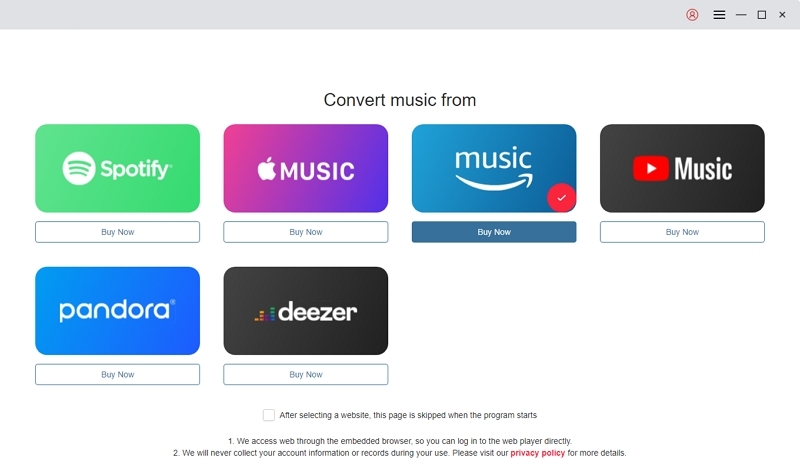
Select Amazon Music as source on MedVioo.
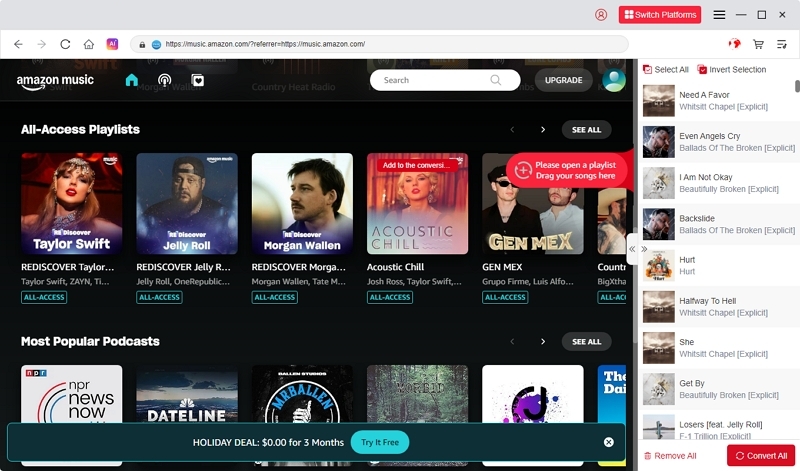
Look through or search for the songs, playlists, or albums you want. Move them straight to the “+” section to include them in your conversion queue.
Choose output format & save location (MP3 320 kbps or FLAC).
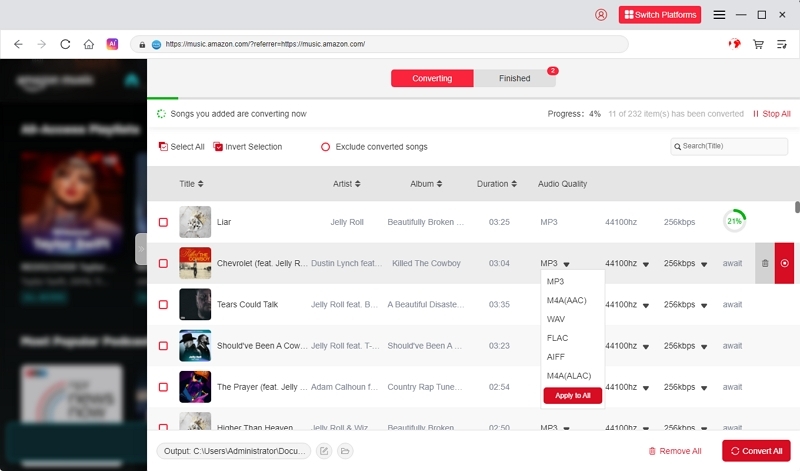
Press Convert All to start the process. MedVioo will download and convert your chosen Amazon Music songs into authentic local audio files.
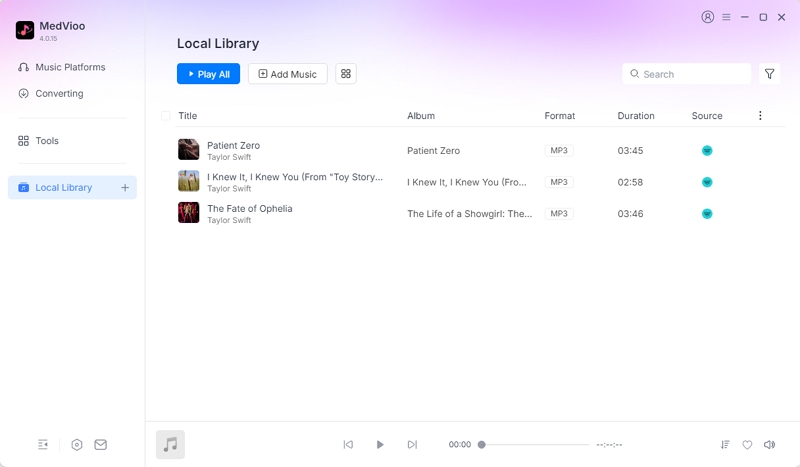
Once conversion is complete, go to the Finished tab to access and open your newly converted MP3 or other audio files.
Part 7. APrefer Better Quality? Alternatives to 320kbps MP3
1. FLAC (lossless)
FLAC represents Free Lossless Audio Codec. In contrast to MP3, it retains all audio data — you receive the complete original sound. This makes it ideal for creating a high-quality music library, for DJs seeking premium sound, or for enjoying in the car with an excellent stereo system.
2. WAV / AIFF
WAV and AIFF are formats that are uncompressed and lossless. They provide “raw” audio, just as it was captured, making them perfect for professional tasks such as audio editing, sampling, or studio production. Due to the lack of compression, files are sizable — yet that’s the compromise for flawless precision and adaptability.
3. ALAC
ALAC (Apple Lossless Audio Codec) provides lossless audio quality, but in a format that is thoroughly embedded in Apple’s ecosystem (iPhones, iTunes, macOS). The files are usually smaller than WAV or AIFF while maintaining complete audio quality. This makes ALAC ideal for Apple users seeking high-fidelity music without compatibility problems.
320 kbps MP3 remains a practical choice: smaller size, broad compatibility, sufficient quality for casual and travel listening.
FAQs
Conclusion:
If your goal is simply high-quality streaming, Amazon Music HD and Ultra HD already deliver excellent audio inside the app.
If you need portable, device-agnostic files for personal offline playback, car systems, or long-term backups, Amazon’s DRM restrictions make that impossible through official downloads.
In that case, using a professional converter like MedVioo allows you to create standard 320 kbps MP3 or lossless files for personal use, while keeping your listening flexible across devices in 2025 and beyond.