

You can download a song from SoundCloud as MP3 if the artist has enabled downloads. However, most artists turn this feature off. In those cases, SoundCloud link-to-MP3 tools are useful.
These tools come in many forms, such as online converters, GitHub projects, Telegram bots, and browser extensions. They all let you convert SoundCloud songs to MP3. In this guide, we’ll explain how each one works and show you how to use them. We’ll also cover desktop tools like MedVioo Audio Converter, which can save tracks, playlists and albums without making you copy and paste links every time.
SoundCloud Link to MP3: Way Overview
Here’s a quick overview of the five methods we cover in this article, including MedVioo Audio Converter. You’ll see what sound quality each SoundCloud link-to-MP3 tool offers and whether they save the correct tags. So you can quickly jump to the one that suits your needs.
• Paid plans from US$59.95 No ads in the app • MP3, M4A, FLAC, WAV and more
• The sound that SoundCloud plays to your account Title, artist, album and cover art, with each playlist in its own folder Whole playlists and albums in one go(30x faster)
• SoundCloud’s own audio, or the original file when the artist allows downloads Title, artist and cover art, styled the way you set them A whole playlist with one command
• Variable bitrate Song name, artist, and cover art come with the file Albums and playlists, saved song by song
How to Convert SoundCloud Music to MP3 Without Link
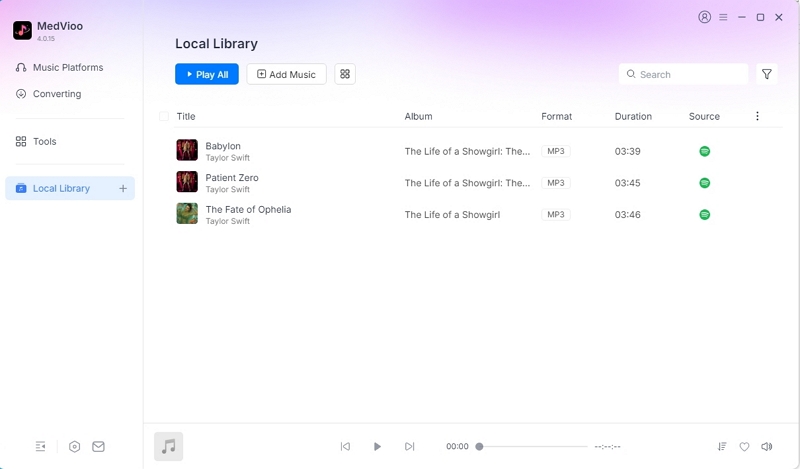
MedVioo Audio Converter gives you a quicker way to save SoundCloud songs locally. You don’t have to paste any links. Instead, MedVioo includes a built-in SoundCloud browser where you sign in with your account. From there, you can convert accessible songs, albums, or playlists into formats like MP3, M4A, or FLAC.
What’s great about MedVioo is that it pulls audio directly from SoundCloud’s servers, so you get the same quality as on the platform. Each MP3 keeps its ID3 tags, and MedVioo sorts playlists into folders on your computer. You can import them into any media player and listen just like you would on SoundCloud.
You can also use MedVioo to download songs from Spotify, Apple Music, and Amazon Music in MP3 or lossless quality.
Way 1. Use DownCloudMe to Convert SoundCloud Link to MP3
Best for: Quickly saving a royalty-free track or two when you don’t need the highest quality.
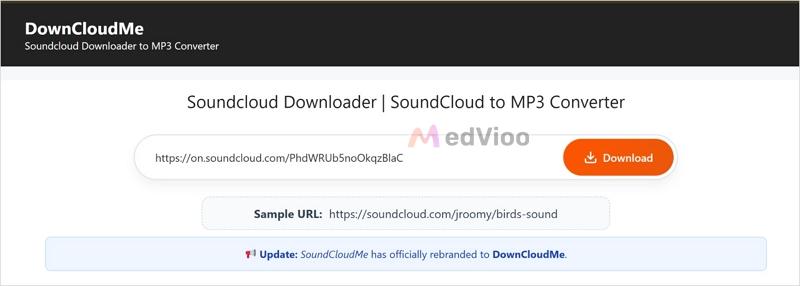
DownCloudMe, formerly SoundCloudMe, is a fast and simple online SoundCloud-to-MP3 converter built for speed. All you have to do is paste a link from SoundCloud, and it will give you an MP3 file in a few seconds. It’s also one of the cleanest online tools we've used, with no banner ads. But before you start, make sure to go through its terms. The site only permits you to download royalty-free music or tracks you have permission to use.
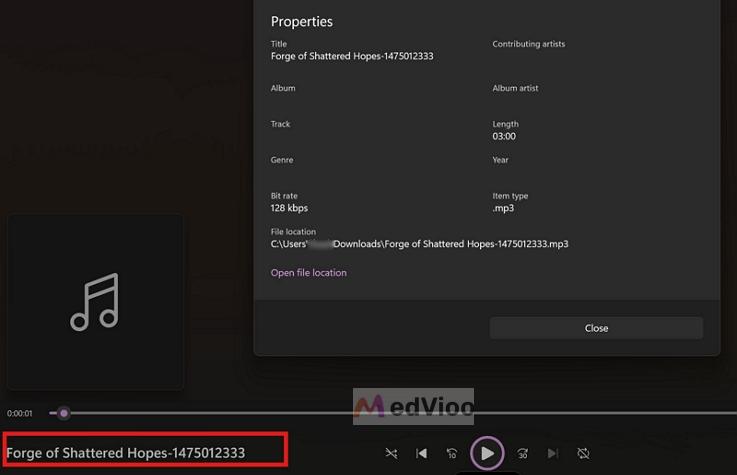
Meanwhile, the MP3 quality is lacking. The site claims 320 kbps, but we only got 128 kbps files, which is lower than the 160 kbps AAC that SoundCloud streams to free users. The files also have no metadata—no artist, album, or cover art.
How to Convert SoundCloud Link to MP3 Online
Step 1. Head over to downcloudme.com.
Step 2. Copy the link of the song. On a computer, it’s in the address bar. In the SoundCloud app, tap Share and then Copy link. The short on.soundcloud.com links work too.
Step 3. Paste the link into the box at the top and hit the orange Download button.
Step 4. A Download Track page will open with the song’s cover and name. Click the blue FAST DOWNLOAD button.
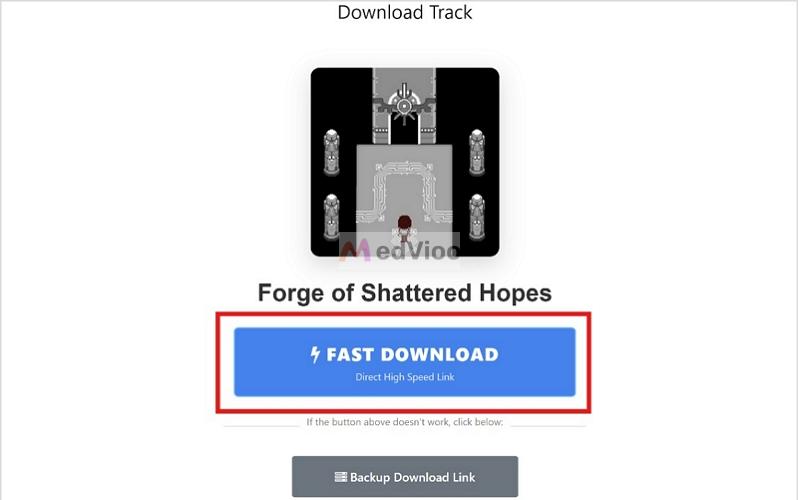
Step 5. The MP3 will land in your browser’s Downloads folder. On a phone, the song will sometimes start playing instead of saving. In that case, long-press the button and choose Download Linked File in Safari or Download link in Chrome. The MP3 will only carry the song name with a string of numbers after it, like “Forge of Shattered Hopes-1475012333”.
Way 2. Convert SoundCloud Link to MP3 with MP3Tiger
Best for: Chrome users who want a download button right on SoundCloud instead of copying links.
It’s not easy to find a SoundCloud downloader extension that keeps working. They break when Chrome or Brave update their policies, or when their scripts clash with SoundCloud’s pages. And you’ll then have to chase a new one.
One working extension on Chrome is MP3Tiger. At its core, it’s a standard online SoundCloud-to-MP3 converter, and you can use mp3tiger.com directly. But its extension adds speed. That is, it places an orange MP3 button next to each track on SoundCloud. When you click it, the extension copies the track’s link and opens it on MP3Tiger for you. You will then have to click Download to save the song. It’s not a huge change, but you don’t have to copy links manually.
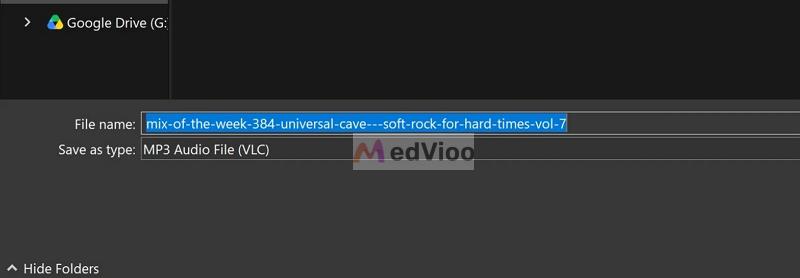
As for the output, MP3Tiger labels its only option “Best Quality” and advertises 320 kbps. Still, almost all the time, you’ll get a 128 kbps MP3, the same as the online tool above. Also, the file has no metadata at all. And its name turns into lowercase words joined by hyphens.
Steps to Turn SoundCloud Link into MP3 with Extension
Step 1. Open the Chrome Web Store. Search for MP3Tiger — SoundCloud to MP3 Downloader. Click Add to Chrome. If SoundCloud is already open in a tab, refresh it.
Step 2. Open the song or playlist on SoundCloud. You’ll see an orange MP3 button next to every track.
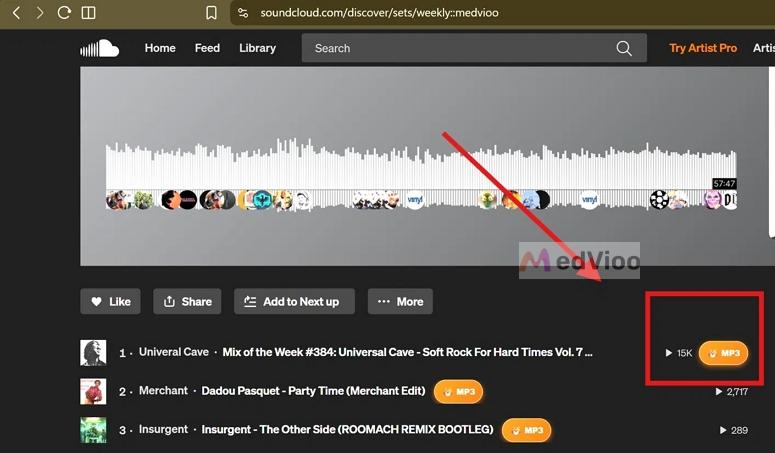
Step 3. Click MP3 on the track you want. A new tab will open on MP3Tiger with the track’s name, artist and length. Under Download MP3, you’ll find just one option: MP3 · Best Available.
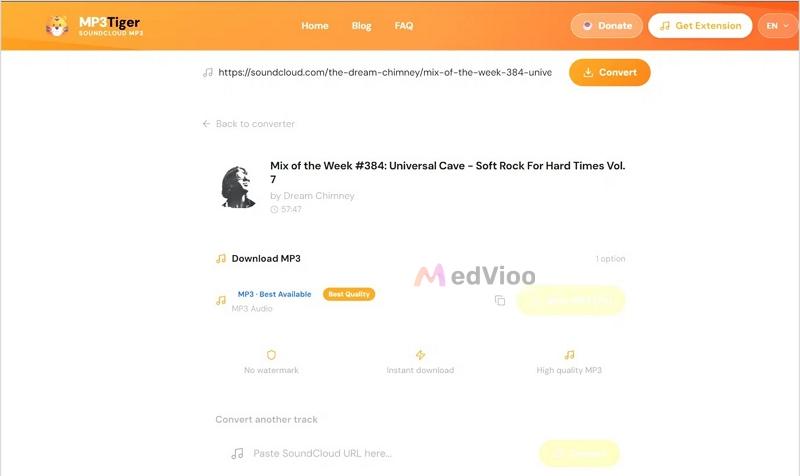
Step 4. Wait for the Save MP3 button to finish its short countdown, then click it. A save window will open with the file name already filled in. Pick a folder and click Save.
Way 3. Turn SoundCloud Link into MP3 via yt-dlp (GitHub)
Best for: Downloading entire SoundCloud playlists for free with proper tags, if you’re comfortable using command-line tools.
It sounds odd to recommend yt-dlp, the famous YouTube downloader, in a SoundCloud guide. But command-line tools are a popular way to convert SoundCloud songs, and most are based on yt-dlp, including SoundCloud tools like scdl. So it makes sense to use yt-dlp directly. It’s reliable, gets regular updates, and its 2026 updates include fixes for SoundCloud.
yt-dlp can download an entire playlist at once. Like MedVioo, it gets audio straight from SoundCloud, so you get good quality and the original file if the artist allows downloads. You also get proper metadata, including title, artist, and cover art. You can also pick from many formats and customize tags, but you’ll need to know the right commands.
How to Convert SoundCloud Link to MP3 with yt-dlp
Step 1. Install yt-dlp and FFmpeg. FFmpeg converts the audio into an MP3.
On Windows, for instance, open Command Prompt and run these two commands, one after the other:
winget install yt-dlp.yt-dlp
winget install Gyan.FFmpeg
On a Mac, open Terminal and run brew install yt-dlp ffmpeg. Close the window and open it again before the next step.
Step 2. Copy the link of the song or playlist from SoundCloud.
Step 3. Run this command, with your own link in place of the sample one:
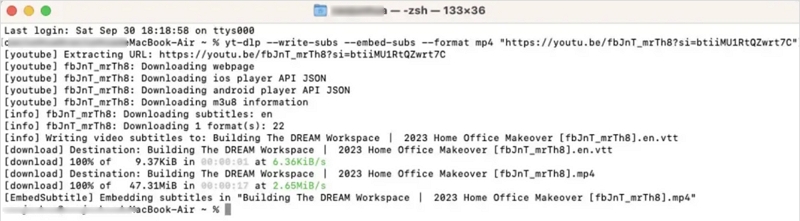
yt-dlp -x --audio-format mp3 --embed-thumbnail --embed-metadata "https://soundcloud.com/artist/sets/playlist-name"
yt-dlp will list each song as it downloads. A playlist will take a little longer, since the songs come one after another.
Step 4. When it finishes, you’ll find the MP3s in the folder the terminal is working in.
Way 4. Get MP3 from SoundCloud Link Using Music Downloader Bot
Best for: Grabbing songs on your phone, straight from a link you copied in the SoundCloud app.
Telegram bots are especially handy on your phone. For example, if you’re listening in the SoundCloud app, you can copy the song’s link and send it to the bot.
One well-known option is Music Downloader (@MusicsHuntersbot). It can take links from SoundCloud, Spotify, Deezer, Tidal, and Qobuz. Plus, it is designed to handle albums and playlists, not just single songs. Its menu also lets you search by artist, album, or track.
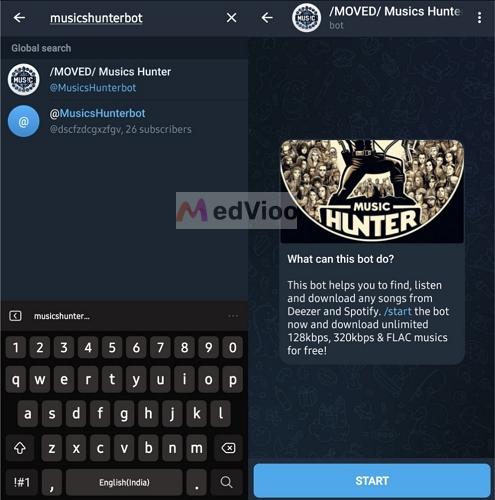
However, it sometimes doesn’t process a SoundCloud link. That’s the trade-off with Telegram bots, and it has always been there. Like extensions and online tools, they disappear often. For example, the bot’s old handle, @MusicsHunterbot, now just shows a /MOVED/ tag.
Steps to Extract MP3 Audio from SoundCloud Link on Telegram
Step 1. Open Telegram and search for @MusicsHuntersbot. Pick Music Downloader from the results.
Step 2. In the SoundCloud app, open the song or playlist and tap Share > Copy link. Then paste the link into the bot’s chat and send it.
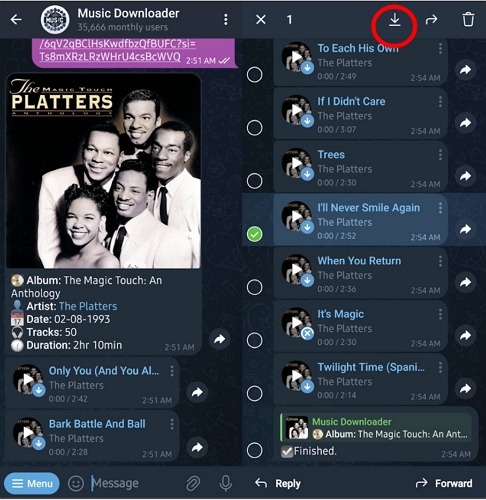
Step 3. The bot will reply with the details and send the songs one by one as audio files. Tap the download arrow on a song to save it.
Here’s where the songs will end up depending on where you’re using the Telegram bot:
- Android: The songs land in Internal storage > Music > Telegram, with their cover art.
- iPhone: They stay inside Telegram until you save them. Tap the 3-dot on a song and choose Save to Files.
- Computer: Right-click the file and choose Save As.
To Sum Up
Now you have a SoundCloud link-to-MP3 converter for any situation, whether you’re on a phone or computer, and whether you're converting one song or your entire playlist.
For the best quality, MedVioo Audio Converter delivers the original sound by connecting directly to SoundCloud’s servers. Even better, you don’t need to copy or paste links. You can simply sign in with your account in its secure built-in browser and save as many playlists as you like in local formats.