

Spotify Blend is a unique feature on Spotify. It works and feels very different from your usual playlists. Everything on the Blend page — the moving circles, the icons next to each song, the Blend colors, and even the way the playlist keeps updating, all of it has a purpose.
In this guide, we’ll break down how does Spotify Blend work in a clear way. Along with that, you’ll see how to create a Blend with your friends on mobile and desktop as well as how to blend with artists or athletes. We’ll also introduce you to the new collaborative feature Spotify has brought to the Blend.
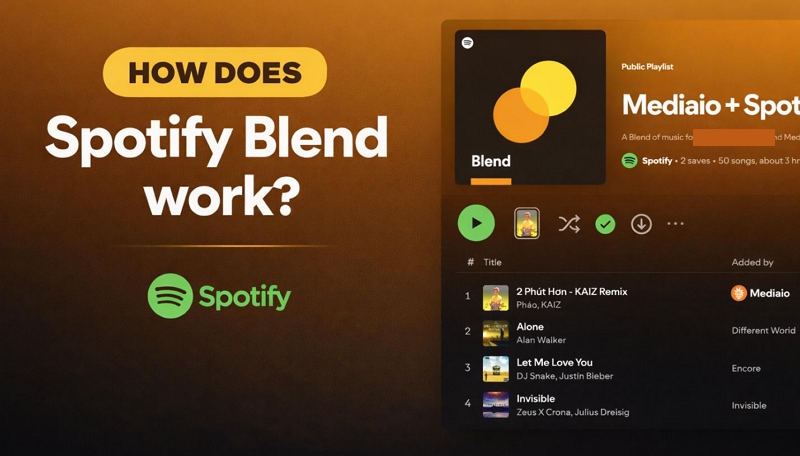
How Does Spotify Blend Work?
Spotify Blend works very differently. Unlike “Discover Weekly,” the songs here aren’t just personalized for you. Spotify uses a different system to decide what gets added and how the playlist keeps updating.
So before getting into using Blend feature in Spotify, let’s understand how this system actually works.
What Is Spotify Blend
In simple terms, Spotify Blend is a shared playlist. It’s created by combining the music tastes of you and your friends into one place.
Once you create a Blend, it will get added to your library like any other playlist. No one has to manage the playlists at all. It will update on its own every day, so what you see is always based on what everyone is currently listening to.
Some things that define Spotify Blend today:
- Available for both Free and Premium users.
- The playlist updates daily, so it reflects your group’s current listening habits instead of staying static.
- A taste match score gives you a quick percentage of how similar your music preferences are.
- Blend Story and Blend cards highlight shared insights like top artists or songs everyone enjoys.
How Spotify Blend Generates a Playlist
According to Spotify’s own engineering team, Blend was designed to “maximize the joy” and “minimize the misery.” The goal was to create a tracklist enjoyable for everyone involved. So you can’t think of it as a basic merge of everyone’s top tracks.
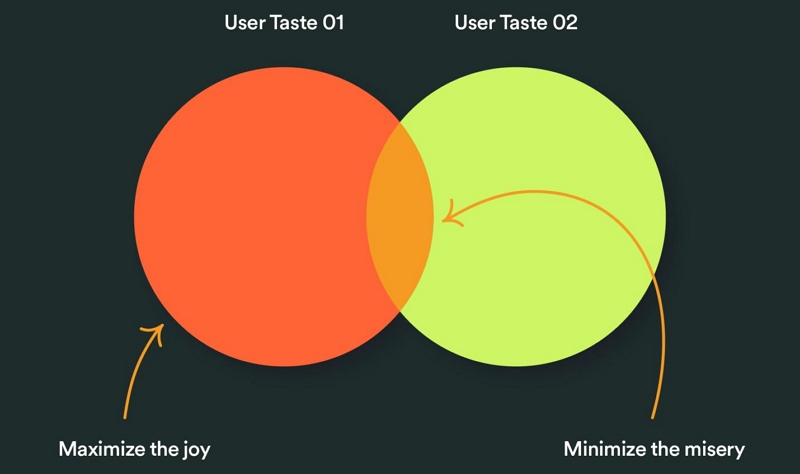
Blend playlists are a bit smarter than that. At its core, the system tries to balance two things — relevance and fairness. In simple words, giving everyone’s taste equal importance.
How to Create a Spotify Blend with Friends
To create a Blend, you just need to generate an invite link and share it with your friend or group (up to 10 people). If you want to create separate Blends with multiple friends, you can do that too.
Plus, you can do this from both mobile and desktop. And we’ll cover the steps for both. If no one is available right now, you can also create a Blend with selected artists, we’ll cover that as well.
Steps on Mobile
You can follow these steps on both Spotify Android or iOS app:
Step 1. Head to Your Library. Then tap the + (plus) icon at the top right.
Step 2. Choose Blend — this will open the create screen directly.
Step 3. Tap Invite.
Expert Tip: If you want to create separate Blends with different friends, don’t reuse the same invite link. Instead, repeat the above steps to get a new link by clicking on the Invite button again.
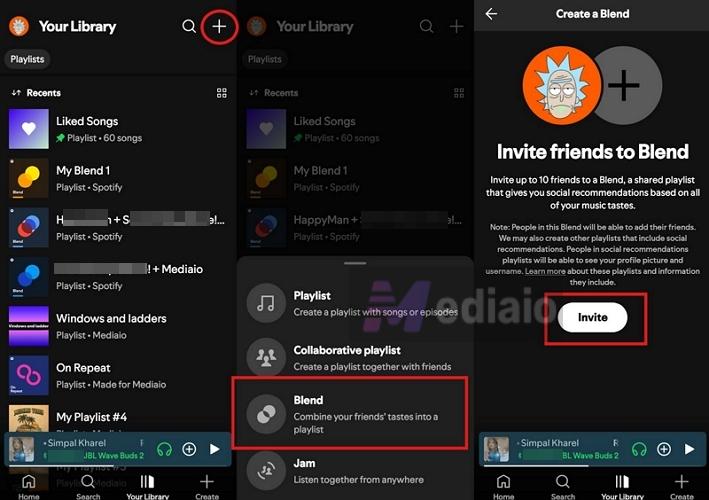
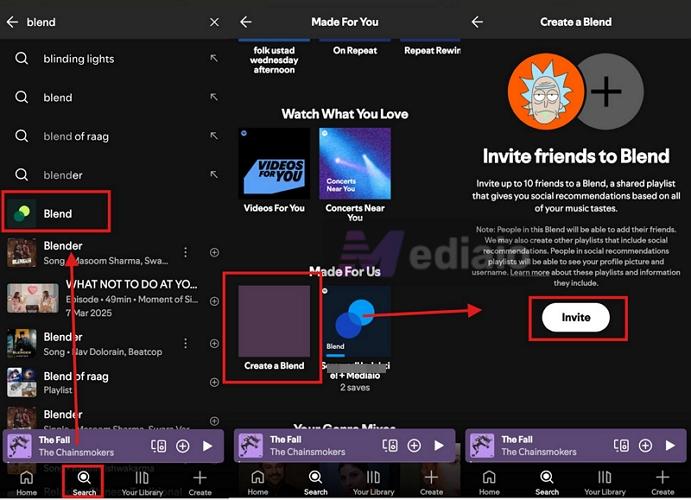
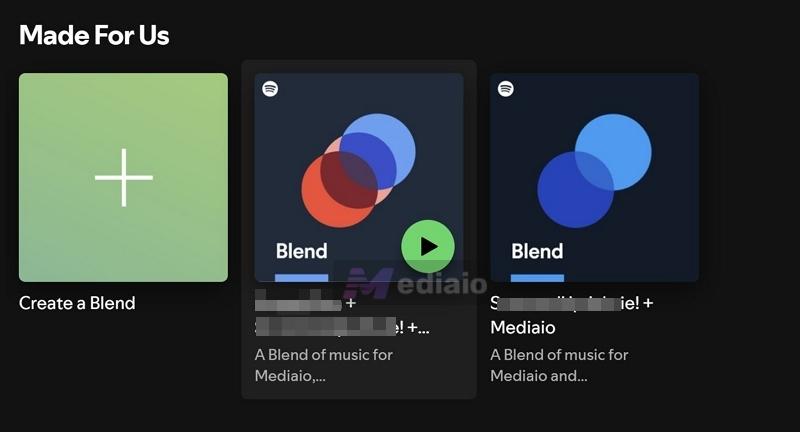
This is the fastest way. Another way is to type Blend in the search bar and open the feature from the results. Or go to the Made for You area and tap Create a Blend under the Made for Us row. All three paths lead to the same place — just use whichever feels convenient.
Step 4. After choosing Invite button. Your share options will open. Copy the invite link or send it to your friend or group through any app.
What Happens on Your Friend’s Side
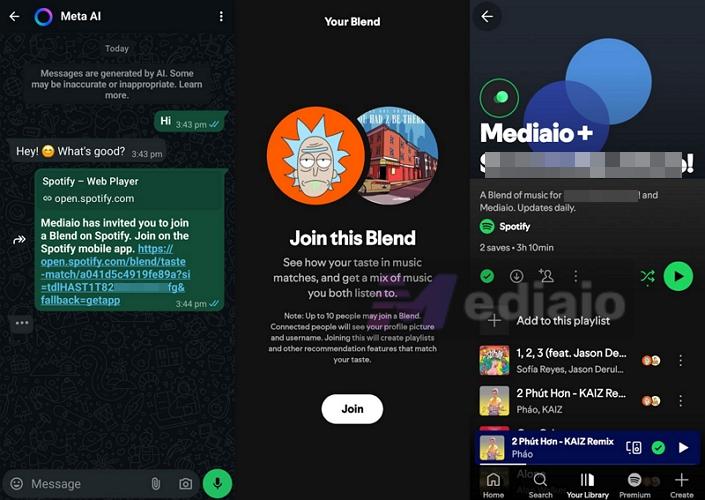
Once your friend (or group member) taps on the link, they will see a Join button inside their Spotify app. Once they tap on that, Spotify will immediately create the Blend. That’s it! The Blend will automatically appear in the Your Library section for everyone involved.
Steps on Desktop
The process stays pretty much the same as on mobile, whether you’re one web player or Spotify Windows or Mac app.
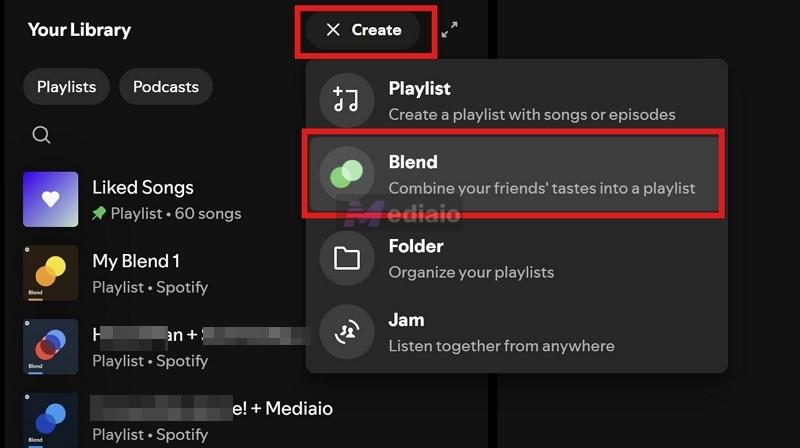
Step 1. Click Create (+ button) at the top-right of Your Library section. Choose Blend.
Or, you can take another route:
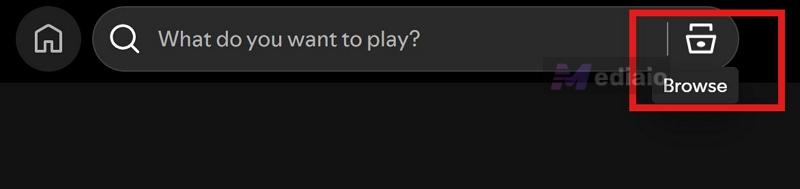
- Click on Browse next to the search bar.
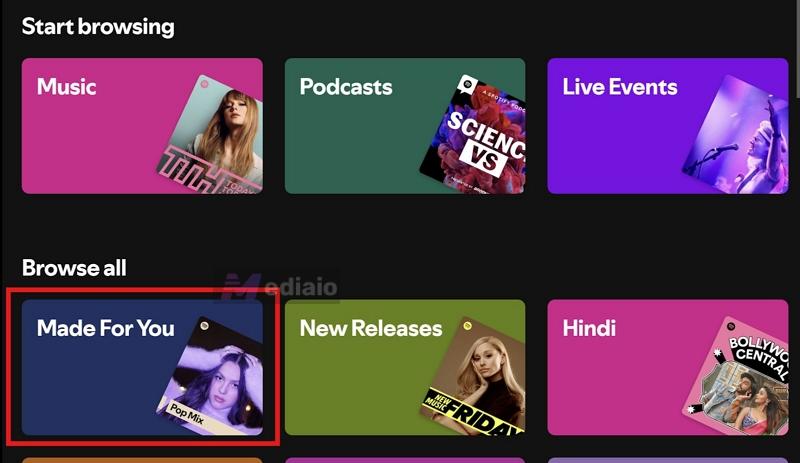
- Then under Browse all, open Made For You.
- Scroll down to the Made for Us area and click on Create a Blend.
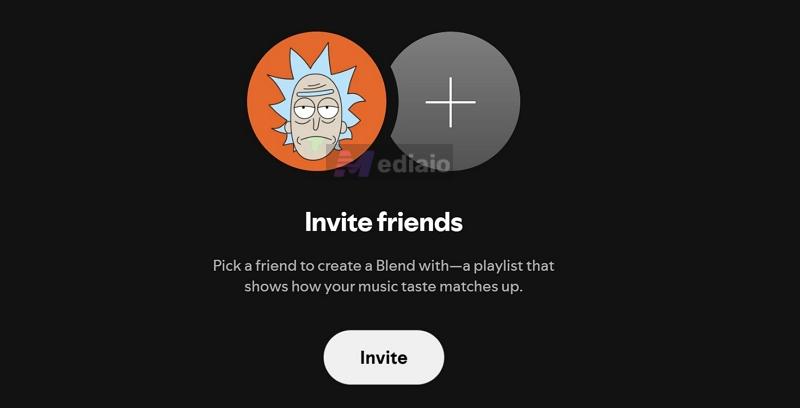
Step 2. Click on Invite. You’ll see a “link copied to clipboard” message.
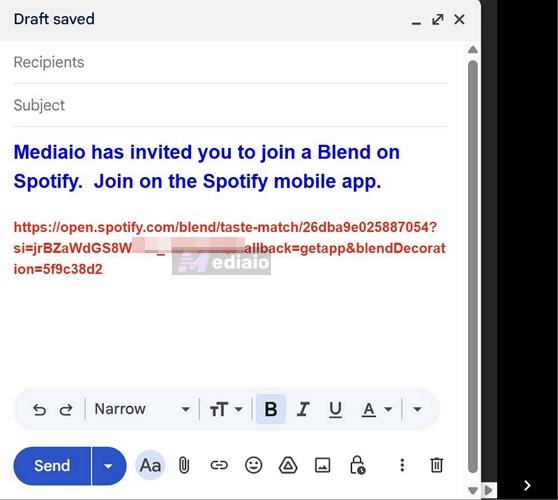
Step 3. Paste that link and send it to your friend through email or any app you prefer.
What Happens on Your Friend’s Side
Once your friend opens the link, either on mobile or desktop, they’ll land on the Join this Blend screen. They just need to click Join.
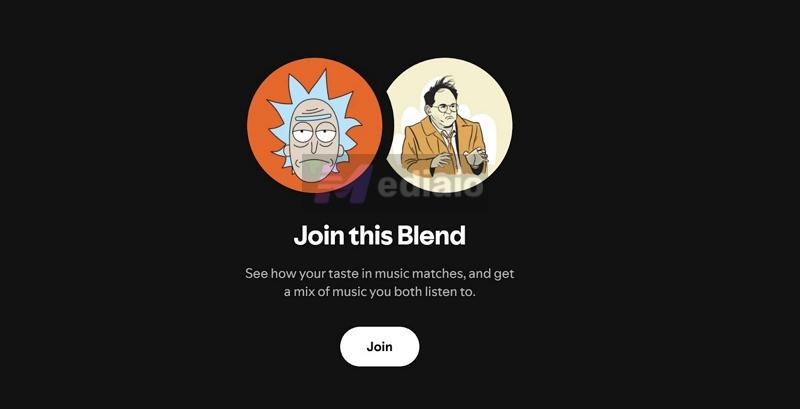
The Blend will be created instantly.
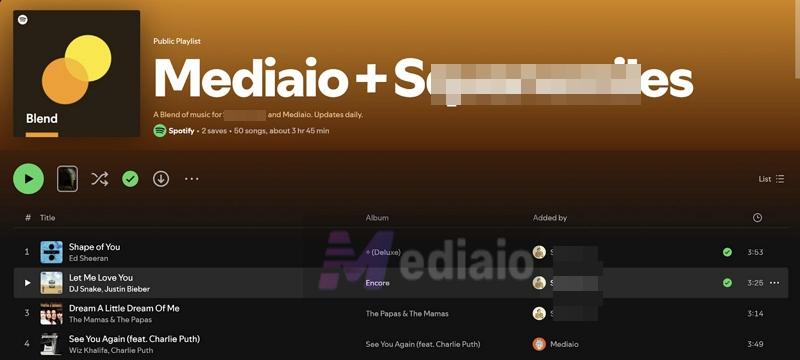
And it will be added to both of your Your Library sections.
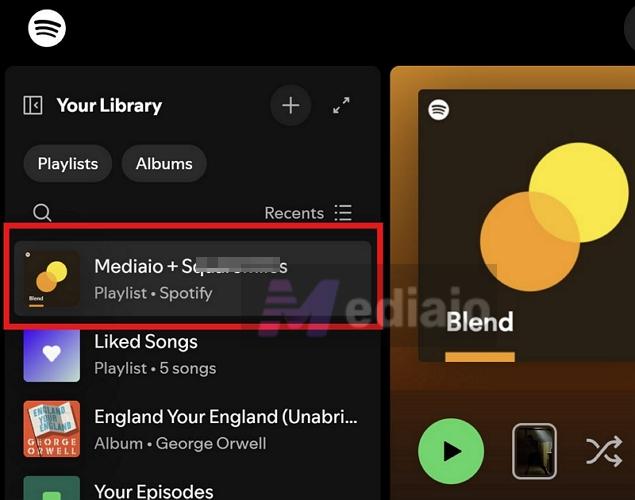
How to Blend with Artists
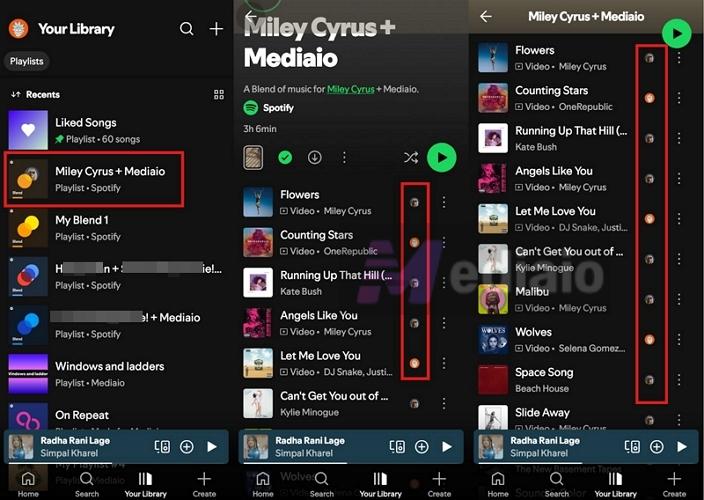
Spotify also lets you create Blends with certain artists. It works just like a normal Blend — only here, one side of the mix comes from the artist’s music profile instead of a friend. However, you can’t just search any artist and create a Blend with them directly. Instead, Spotify shares special invite links for selected artists.
You will find these links on the artist’s social media pages, like Instagram or X. And Spotify also maintains an official list of artists, creators, and athletes you can Blend with. You can check here: Artists, Creators, Athletes
Step 1. Once you open any of those links:
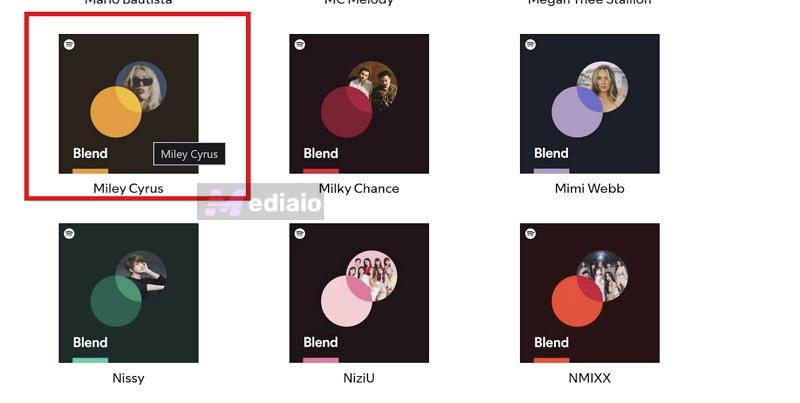
- You’ll be redirected to Spotify.
- The Blend gets created instantly with that artist.
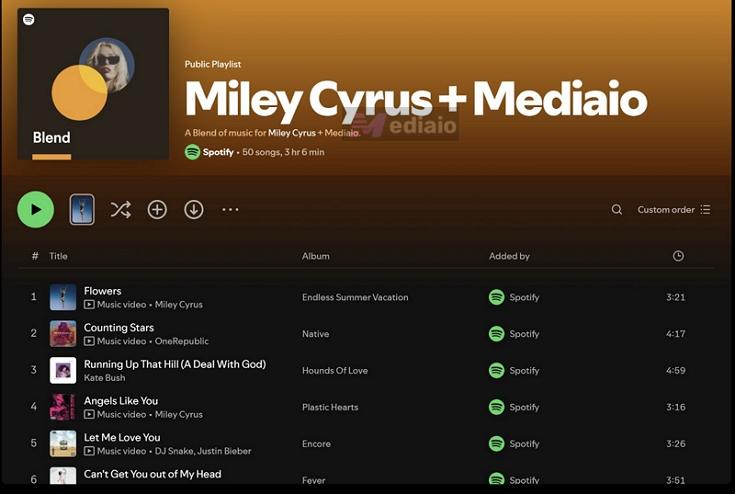
Step 2. This Blend is not added to your library automatically. Make sure to tap the + (Add) button.

What to Expect Inside an Artist Blend
The experience is mostly the same.
- You’ll see a shared playlist built from your taste and the artist’s style.
- Songs will still show profile indicators, so you know what came from your side.
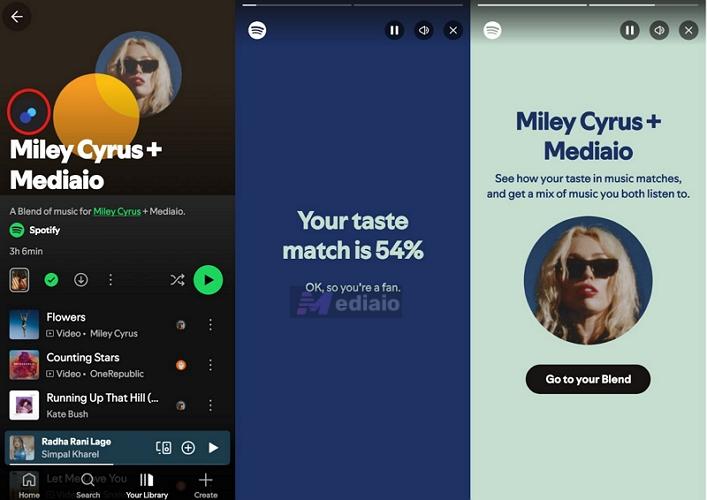
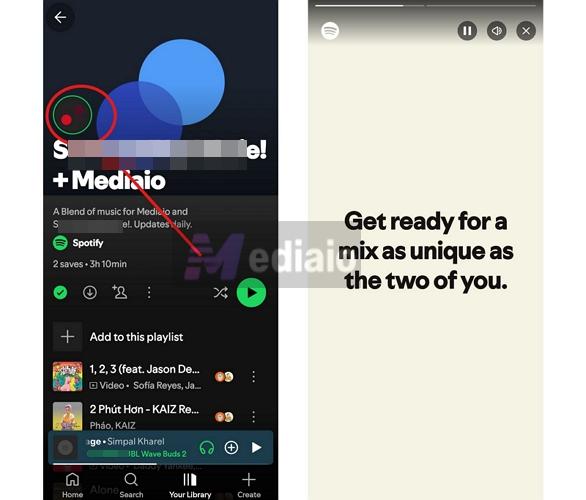
- On mobile, you can open the Blend Story by tapping the animated circles at the top.
How to Save Your Spotify Blend Playlist Offline
Blend is designed to update every single day. That means the entire feel of the playlist can shift tomorrow. So if you come across a version that feels just right, there’s no built-in way to lock it. Yes, even the built-in Download option is tied to the live playlist itself, so the downloaded version will update with it.
To actually freeze a specific version, you will need to take it outside Spotify. That’s where the Mediaio Audio Converter comes in. It lets you capture the current version of your Blend and save those songs to your computer in MP3, M4A FLAC or WAV.
And since Mediaio exports the songs as local files, you can keep them on your device until you delete them manually. You can play them using any music player and can listen to them without ads or internet.
Understand Your Spotify Blend Playlist
Spotify Blend comes with a few visual elements and metrics that you do not see on standard Spotify playlists. Here’s a breakdown of what everything on your Blend screen actually means.
Spotify Blend Color Meaning
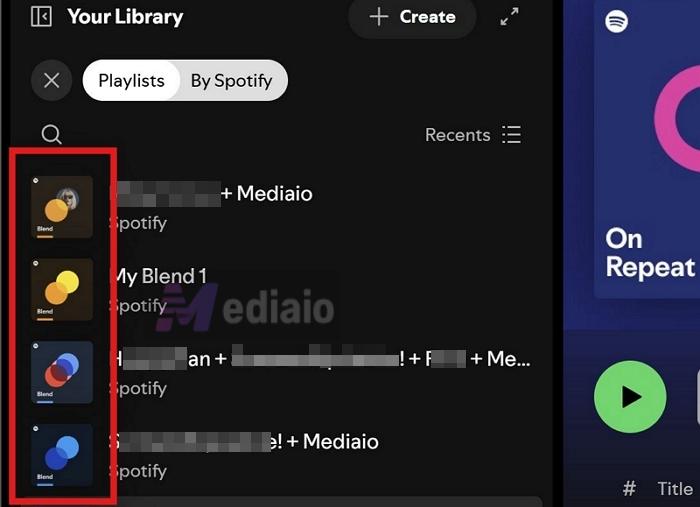
If you have created multiple Blends, you will notice that each one looks different. Every playlist comes with its own cover, usually a mix of bright gradient colors like yellow, blue, orange or red tones.
You will also see overlapping circles on the cover. Two circles mean it’s a Blend between two people while three circles indicate a group with more members.
Now, Spotify users throw many theories that these colors mean something, like the Blend color shows how similar your tastes are. That’s not true. Spotify Community Moderators confirm that these colors are auto-generated and random. They don’t represent anything about your music or taste compatibility. The real purpose is simple. When you have several Blends in your library, these different color combinations help you quickly tell them apart.
Spotify Blend Icon Meaning (Next to Songs)
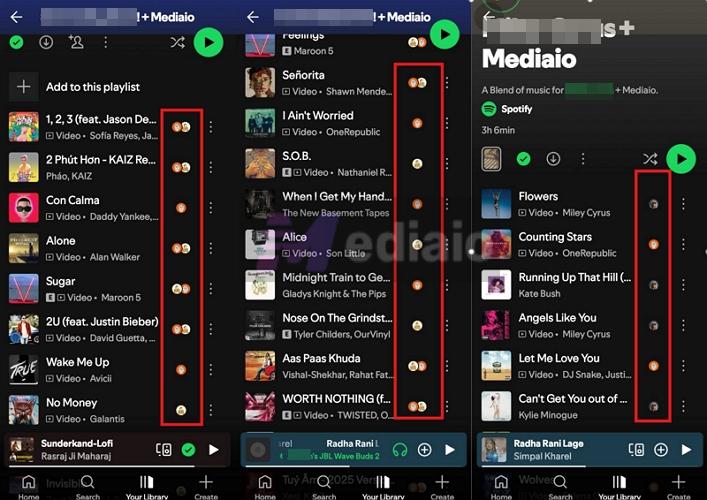
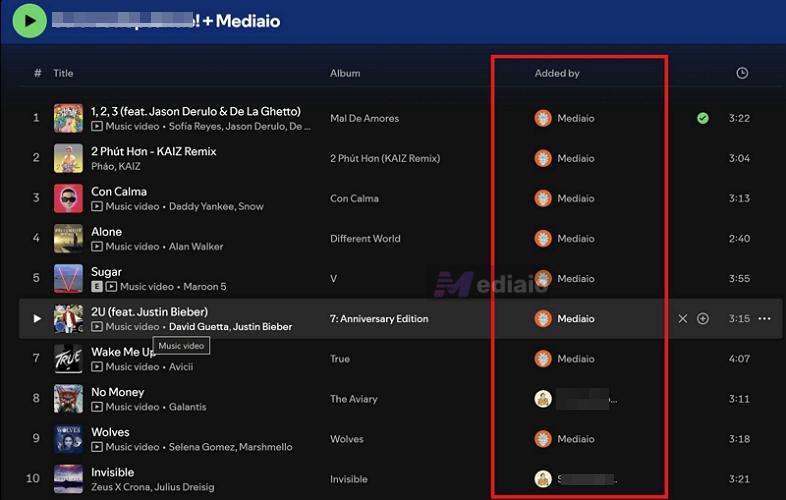
You’ll also notice small circular profile icons next to every song. These are not decorative — they show whose music taste pulled that track into the mix.
- If you see your profile avatar, the track was added because of your listening habits.
- If you see your friend’s profile, it came from their side.
- And if you see multiple profile overlapping icons, that song is shared — something both (or all) of you listen to independently.
It’s a subtle detail, but it makes the Blend feel more personal.
Blend Story
Blend Story is a full-screen slideshow — similar to Spotify Wrapped, but focused on your shared playlist. It is only available on mobile and you won’t see while interacting with the Blend on the desktop.
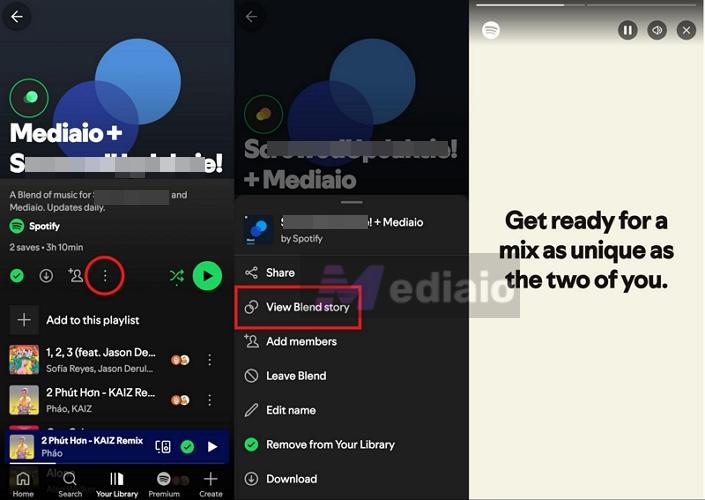
There are two ways to open Blend Story while visiting the Blend on the mobile:
- Tap the animated moving circle at the top of your Blend playlist.
- Or open the three-dot menu and choose View Blend Story.
Inside the story, you’ll see data like:
- Songs that bring you together
- Artists you both have on repeat
- Who contributed what to the mix
Taste Match Score
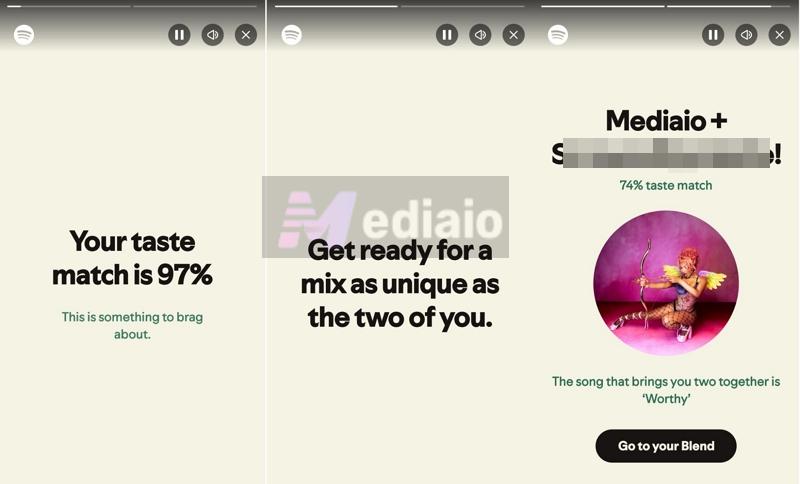
Inside the Blend Story, one of the first things you’ll see is your Taste Match score. This is a percentage (0% to 100%) that shows how close your music preferences are.
- With one friend, it’s a direct comparison.
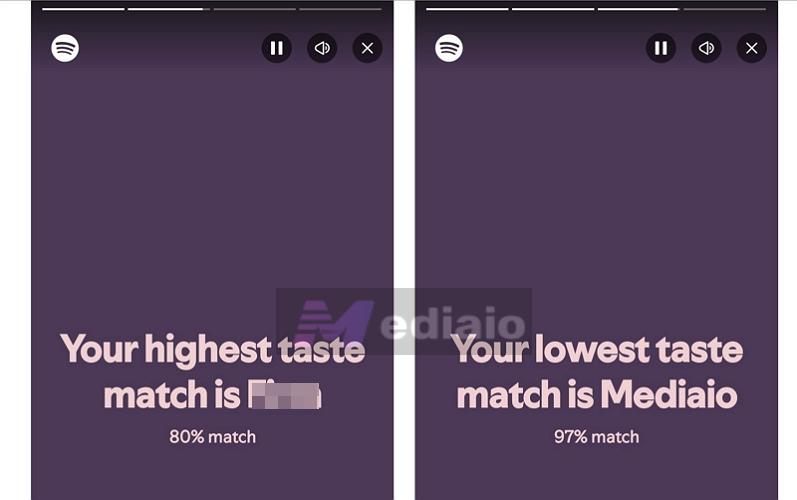
- A Blend with multiple people: you will find individual taste match scores with everyone in the group.
You’ll also see a lot of social media jokes around this, like “90% means you should get married.” Those are just for fun. Spotify simply assigns this score based on how much your music taste overlaps. And this Taste Match score can change over time.
How to Manage and Edit Your Blend Playlist
Blend started as a fully automatic feature. You couldn’t touch anything. Now it’s a bit more flexible. You can rename it, add or remove songs. You can also shape what tracks appear, so you don’t have to leave it and recreate a new one. Let’s go through what you can actually do.
Edit a Blend
These options only show up only on mobile.
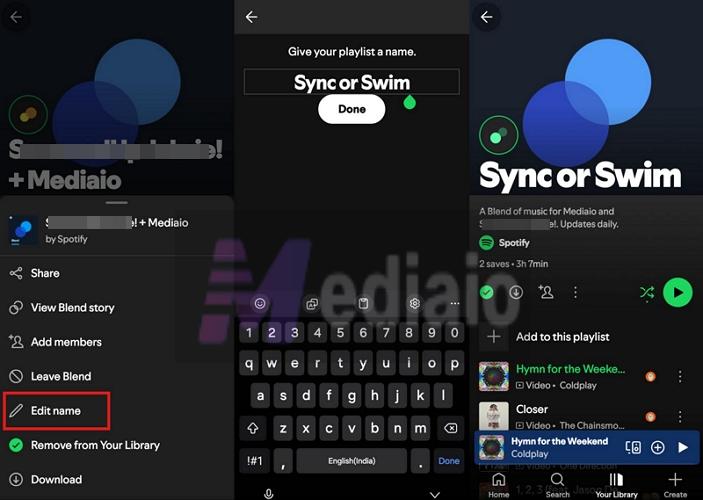
Change the Blend Name
Anyone in the group can rename the Blend. The change will reflect for everyone in the Blend. Do this:
Step 1. Head into your Blend and bring up the three-dot menu at the top.
Step 2. Choose Edit name, type what you want and hit Done.
Add or Remove Songs in a Blend
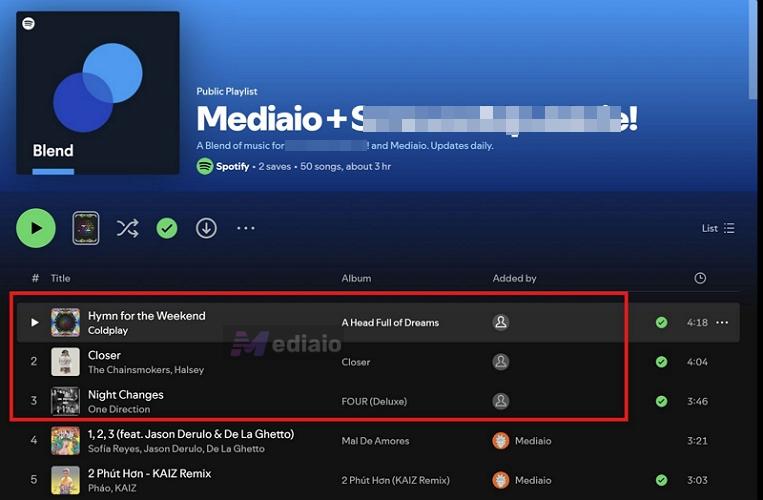
This is where Blend feels a bit more collaborative now. Anyone in the group can add or remove songs. And the updates will reflect for everyone.
Follow these steps to add tracks:
Step 1. Use the Add to this playlist option — you’ll see suggestions, or you can search for a track right there.
Step 2. Add the song using the + icon.
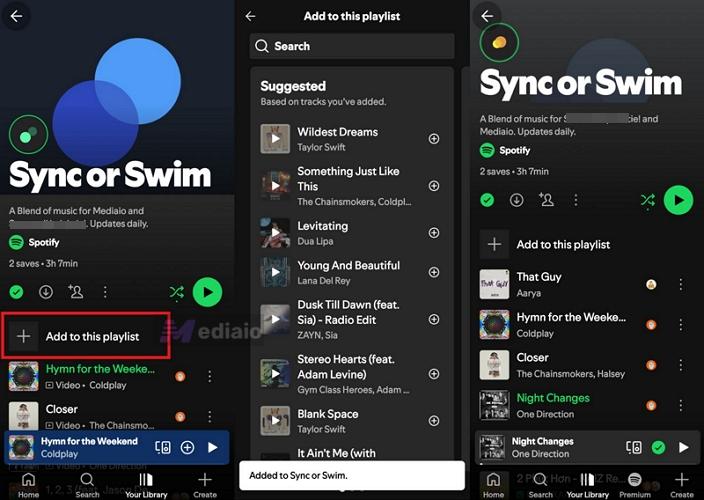
It will show up at the top of the playlist.
Note: You can only add songs from inside the Blend screen itself. If you try adding a song from the Now Playing screen or from elsewhere using “Add to playlist,” Blend won’t even show up there.
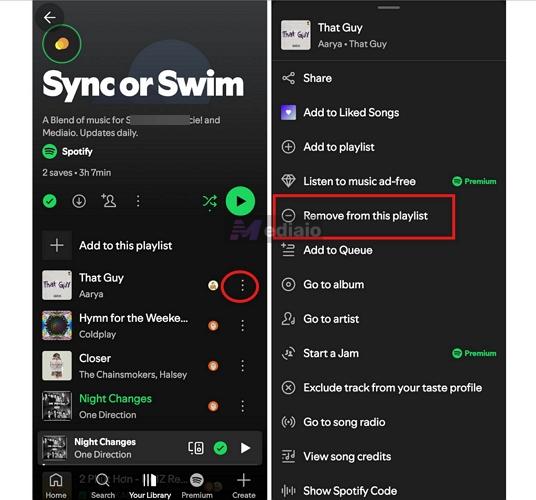
To remove songs:
Step 1. Bring up the options next to a track.
Step 2. Choose Remove from this playlist.
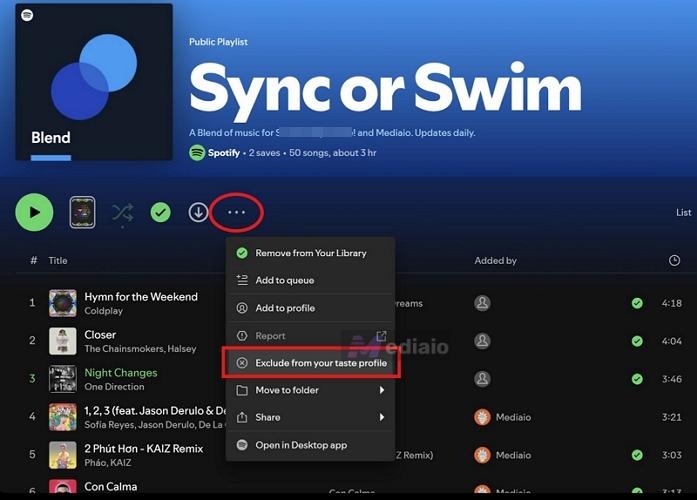
Exclude Blend from Your Taste Profile
If you don’t want this Blend to influence your recommendations, you can turn that off. This option appears on both mobile and desktop.
Step 1. Open the Blend and access the three-dot menu.
Step 2. Pick Exclude from your taste profile.
Leave a Spotify Blend
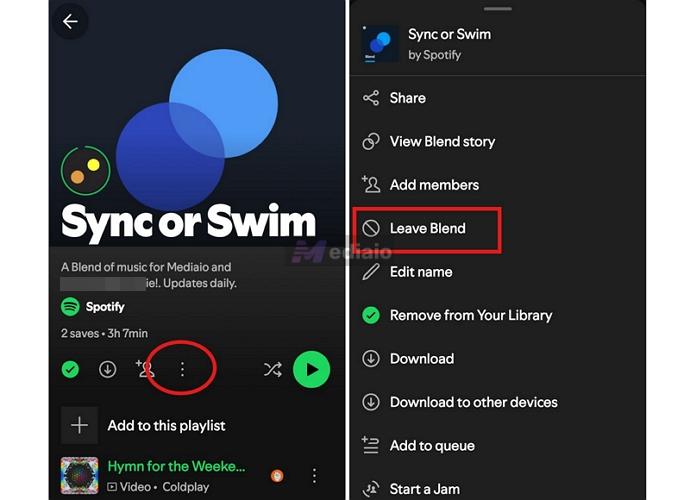
Leaving a Blend is simple. What happens next will depend on how many people are in it.
- If it’s just two people, the moment one person leaves, the Blend will disappear completely.
- If it’s a group Blend and only you leave, the playlist will continue for the others.

Here’s how to do it:
Step 1. Open your Blend and bring up the three-dot menu from the playlist controls.
Step 2. Choose Leave Blend.
You’ll be removed instantly and the playlist will no longer appear in your library.
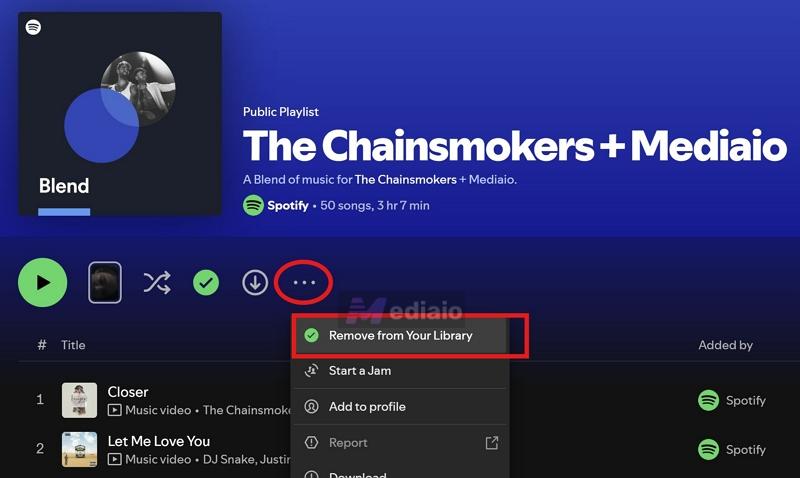
Note: If it’s a Blend with an artist, simply select Remove from your library and it will be gone.
Common Spotify Blend Issues and How to Fix Them
For the most part, Blends work seamlessly. But you can run into small issues, such as not being able to join a Blend, or noticing that your playlist isn’t updating. This section shows you how to fix those issues.
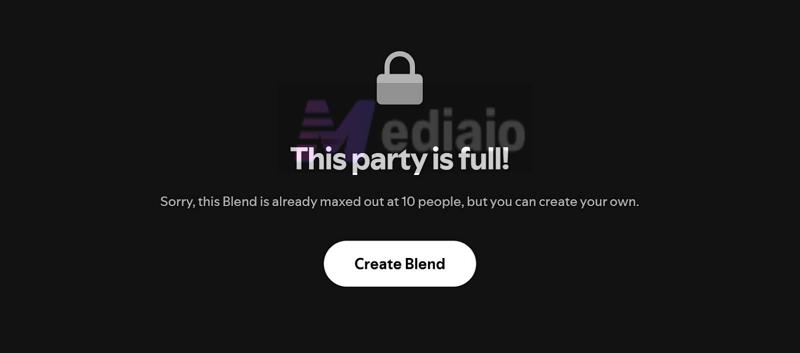
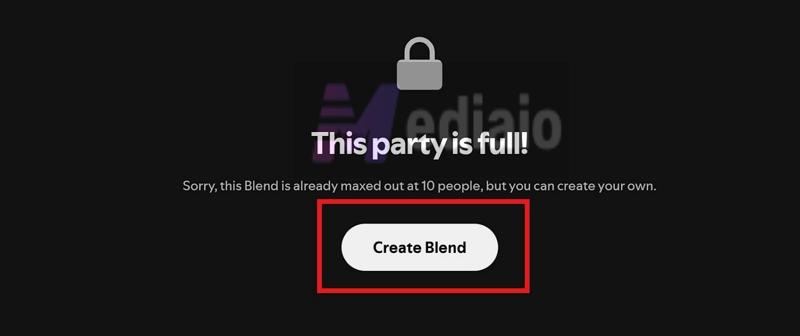
“This party is full” — how to fix it
If you click on an invite link and see the “This party is full” message, it simply means the Blend has reached its limit. As mentioned earlier, Spotify caps a Blend at 10 people.
What you can do:
- Ask someone in the group to leave.
- Or create a new Blend and send a fresh invite so a new group can join.
Fix Spotify Blend not updating
Blend’s description itself shows the “Updates daily” message.
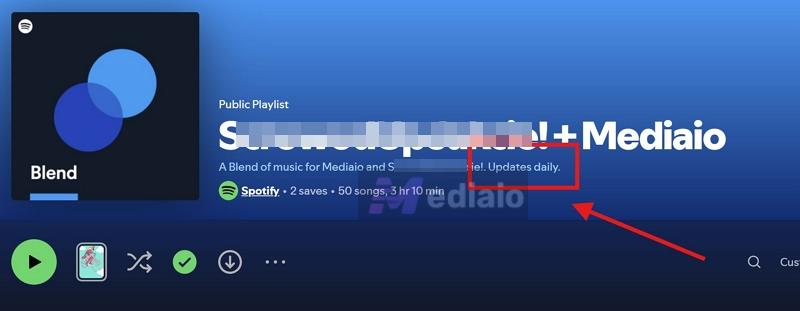
But many users notice that the same songs stay there for days. Well, Blend doesn’t refresh just because time passes. They update based on what you actually listen to.
Here’s what could be going wrong:
- Repeating the same songs won’t trigger changes.
- Listening to auto-generated playlists like Daily Mix or Made for You don’t add much new input.
What helps:
- Try new artists and different tracks.
- Play, like, and skip new tracks regularly.
- Both you and your friend need to be active.
If the Blend still remains stuck, simply leave the blend and create a new one. This will force Spotify to introduce new songs.
Random or unfamiliar songs in the Blend
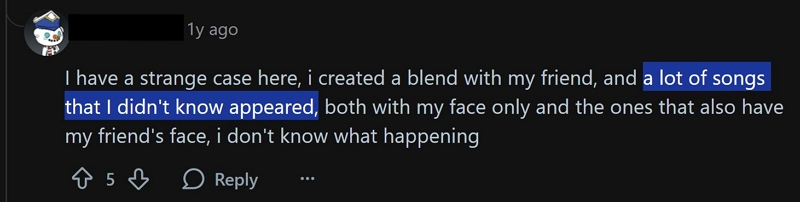
It’s common to see songs that neither you nor your friend remember playing. This is not a glitch. Blend is designed to include discovery. So it doesn’t just pull from what you have already played. It also adds tracks that match your group’s overall taste.
Why isn’t my Spotify Blend a 50–50 mix?
You will notice that most songs can come from one person — their profile icon shows up more often, while the other has fewer. Well, there is no 50–50 rule in Blend. The mix depends on activity. If one person listens more, explores more, or interacts with music more often, their influence will be stronger.
Conclusion
So that covers everything about Spotify Blend. You now know how it actually behaves according to Spotify but not the rumors shared on the internet. You understand how the algorithm pulls tracks, how to fix a stuck Blend, and what those cover colors, profile icons, and taste scores really mean.
Of course, the magic of Blend is that it changes every day. But if you ever get a version that feels just right, you can use Mediaio Audio Converter to save it offline on your computer before tomorrow’s refresh replaces it.