

You found someone on Spotify and hit Follow. Now you’re wondering: did they notice? Maybe it was someone you actually wanted to follow. Or maybe you accidentally followed the wrong person and unfollowed them a minute later.
That is what this guide is here to explain: does Spotify notify when you follow someone? We’ll look at what happens when you follow someone, what they can see, and where the notification appears. We’ll also cover what happens when you save someone’s playlist, view their profile, send them a message, or block them.
Does Spotify Notify When You Follow Someone in 2026?
Yes. When you follow someone on Spotify, they can see that you have started following them.
But Spotify will not send them a push alert on mobile or an email. Instead, a blue dot will appear on their profile picture in the Spotify app. And when they click it, they usually see a message in Your Updates that says, “[username] has started following you.” It will also show the timestamp of when you followed them.
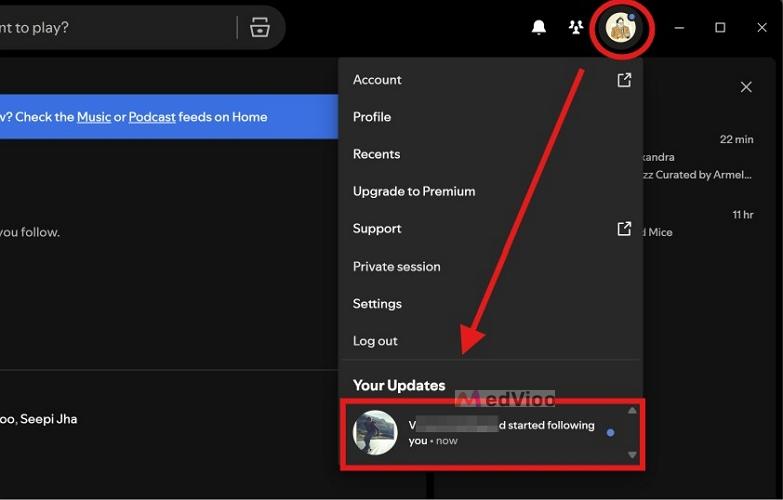
Earlier, this blue-dot indicator was only available on mobile. However, that has changed. With recent updates to the web interface and the desktop apps on Mac and Windows, the blue dot cue now appears everywhere. So the other person can check the follow notification whether they use Spotify on their phone, Mac, Windows PC, or the web.
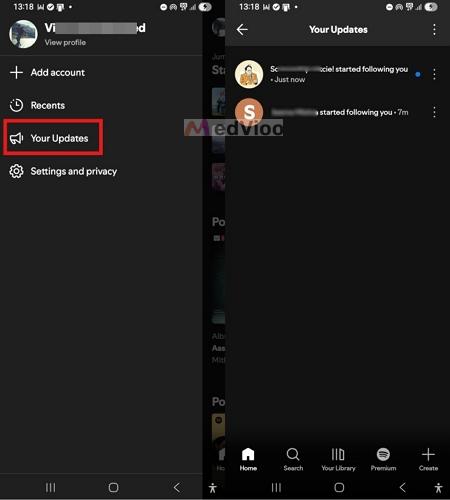
You can also check who has followed you in Your Updates. Here is how to open it.
On your phone or tablet:
- Open the Spotify app. Tap your profile picture in the top-left corner of the Home tab.
- A section will slide in from the side — tap Your Updates.
- Look through the feed to find the notification showing who has followed you.
Note: The same feed also includes your other activity — a like on your playlist, tickets for an artist you follow playing in your city, a comment on your podcast, and anything else Spotify wants to notify you about.
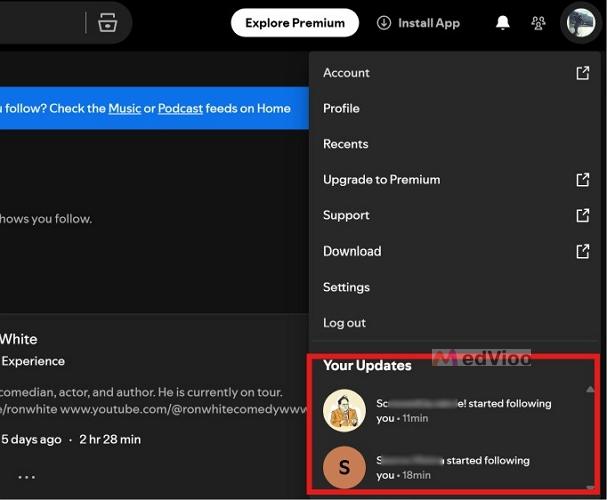
On the desktop app:
- On the Spotify app. Look for the blue dot on your profile picture — whether you’re on the Mac app, the Windows app, or even the web version.
- Click your profile picture. You’ll see the Your Updates section populated with any new activity.
Note: These updates will not remain in your feed forever. Spotify will automatically clear them after 90 days.
If I Follow and Unfollow Someone on Spotify, Will They Know?
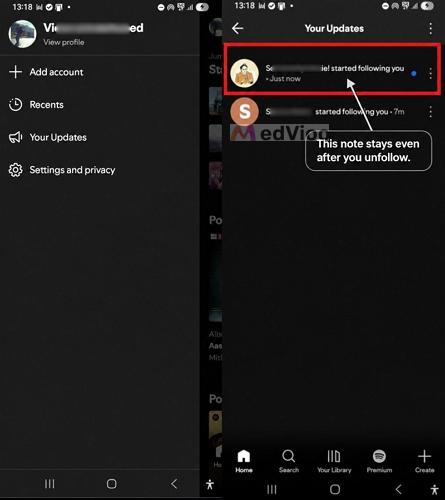
Yes. If you follow someone and then unfollow them, the original follow notification does not disappear when you unfollow.
As already covered, Spotify adds a “[username] has started following you” message to the other person's Your Updates feed as soon as you follow them. So unfollowing them will not pull that message back, even if you unfollow them only a second later. The notification will remain in their feed for up to 90 days.
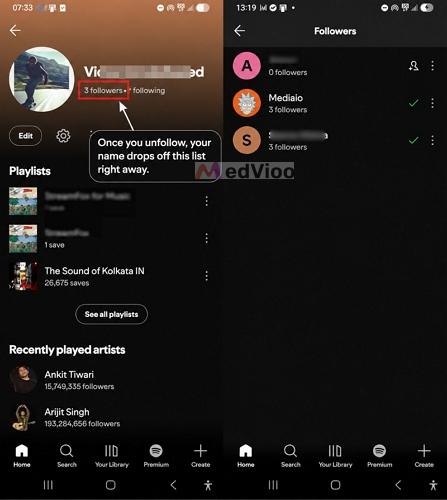
What does change is their Followers list. For instance, if they open their profile and check their Followers list, your name will be gone.
Handy Tip to Hide Your Identity From an Old Follow Notification
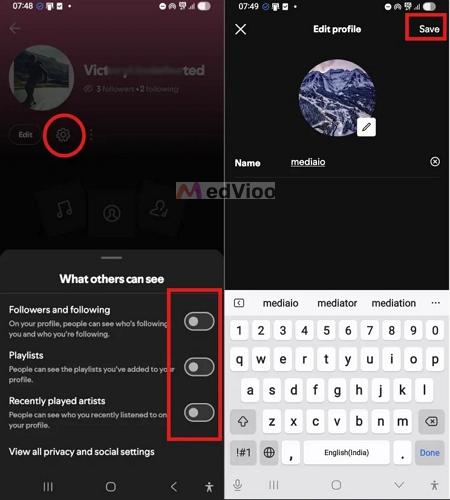
There is still one trick you can use to hide the fact that you accidentally followed them. That is, you can change your Spotify display name and profile picture after unfollowing them.
Here is why it works. Spotify keeps that notification in the feed as a live reference to your profile, not a snapshot of it. So, for example, suppose you followed someone as VictoryUndefeated with your usual profile picture. However, you immediately unfollow them and then change your profile to mediaio with a different picture.
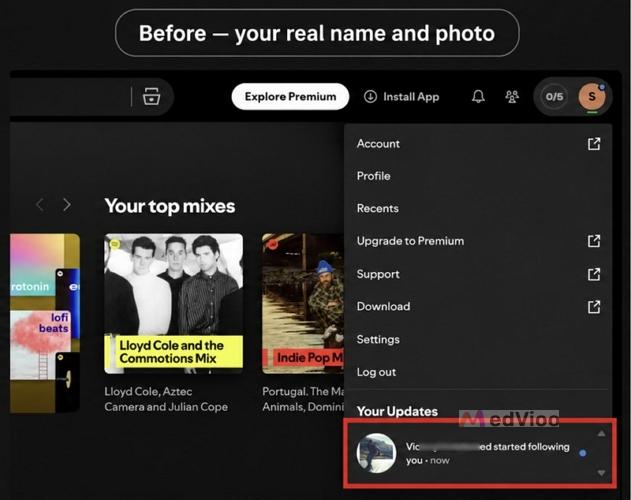
Then, if they open Your Updates later, the notification can appear as: mediaio has started following you, with your new profile picture.
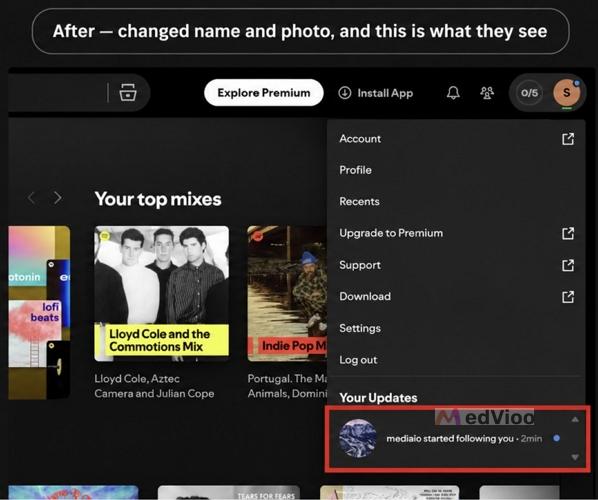
So yes, even in this case, the original notification still exists, but the profile information attached to it has changed. So the other person will not know that you followed them. But make sure to change the profile picture and username immediately.
Does Spotify Notify When You Unfollow Someone in 2026?
No. Unfollowing someone does not send them a new notification. Your name will be removed from their followers list right away while the trace of the earlier follow is left behind in their Your Updates feed.
If you’ve followed them more than 90 days ago, even the original message “[username] has started following you” message would have been cleared.
Other Spotify Notification Questions You May Have
Following someone is not the only activity that can be visible to other people on Spotify. Different types of activity have different rules. Whether the other person is notified and where that notification appears, depends on what you do.
Here are some of the other Spotify notification questions you may have.
Does Spotify Notify When You Follow or Save Someone's Playlist?
Yes, usually. When you save someone's playlist, Spotify notifies them — even if you are not following the playlist owner. They can see this in two ways:
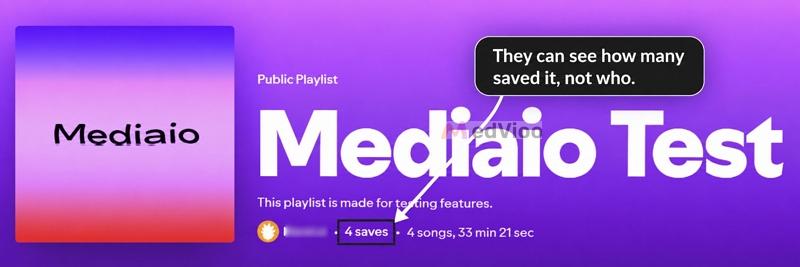
The first place is the playlist itself. They can open the playlist page and see the total save count. The number of saves will appear under the title (for example, "4 saves" means 4 people have saved the playlist to their library). However, they cannot click this number to see exactly who saved it. This doesn't hide anything from the playlist owner—they already know through their Your Updates— but it keeps savers' names private from anyone else who comes across the playlist.
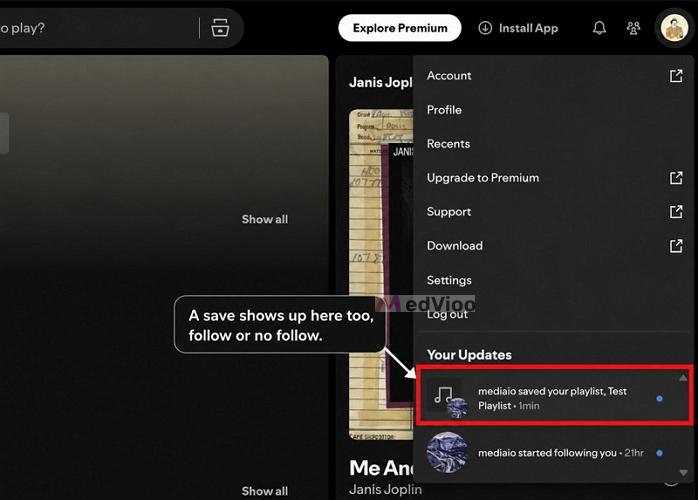
Second, the playlist owner's Your Updates feed. Spotify adds a message such as "X saved your playlist, [Playlist Name]" to their Your Updates section.
So if you want to save a Spotify playlist without notifying the owner, the + (Save) button won't work. Instead, you have to export it as MP3 and for that, you will need to use a music-export tool like MedVioo Audio Converter.
MedVioo allows you to convert songs, playlists, or albums from Spotify into MP3 and save it directly to your computer. You don't even have to copy the other person's playlist link. MedVioo has an embedded Spotify player, so you can just log in with your own free Spotify account, navigate to the playlist page, and export it as MP3 or another local format.
Saving the playlist locally comes with its own benefits. For instance, even if the owner makes it private, deletes it, or changes the tracklist later, your offline copy stays untouched. And since the files live on your computer, you can play them anytime without internet or ads.
Does Spotify Notify When Someone Views Your Profile?
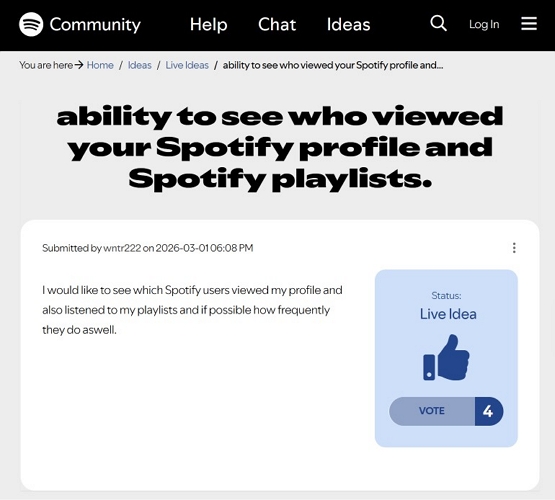
No. Spotify does not tell you when someone views your profile and you will not be notified when someone views yours. It only exists as a Live Idea in Spotify Community for now.
So when you open someone's profile, you can see whatever the person makes public. By default, Spotify lets anyone who visits your profile see your public playlists, username, and follower and following counts. You can even visit someone else’s profile and see all these metrics if they’ve allowed it.
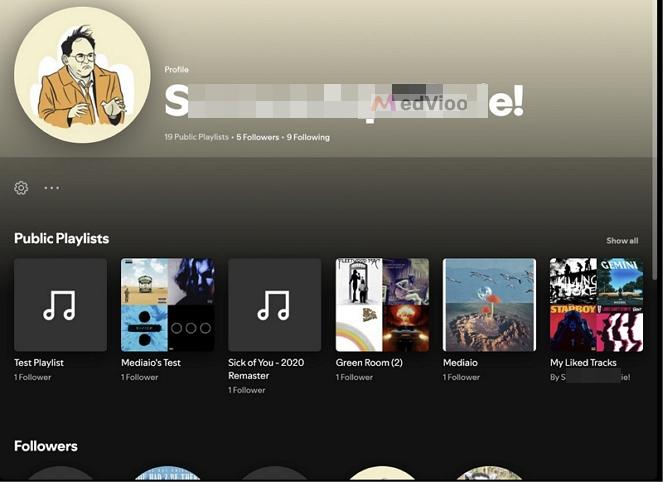
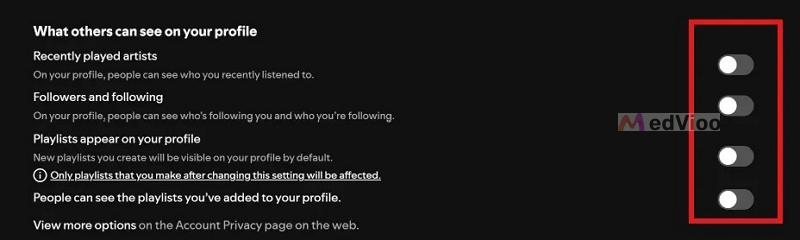
If you want to limit what other people can see on your profile, you can turn off your profile visibility options. You can hide your followers, your following, and your public playlists — or all at the same time.
Does Spotify Notify When Someone Messages You?
Yes. If Messages is available on both accounts, Spotify will notify you in the mobile app when someone messages you. But messages come with their own rules:
- Someone can message you only if you've already connected with them on Spotify. For instance, you may have joined a Spotify Jam, shared a Family Plan or Duo Plan. Or you both may be following each other.
- The first message from someone new arrives as a request. You can accept, block, or delete the request. If you accept it, Spotify will notify you whenever a new message appears.
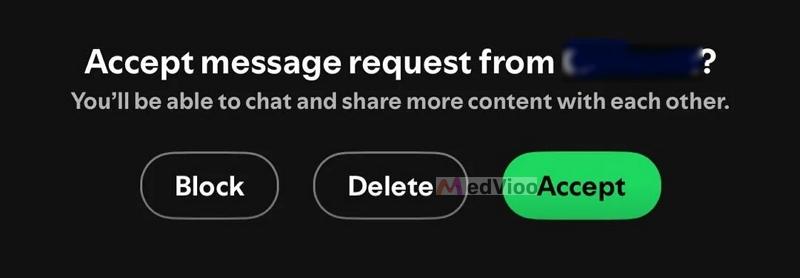
Here’s how to see if someone has sent you a message request or messaged you or not:
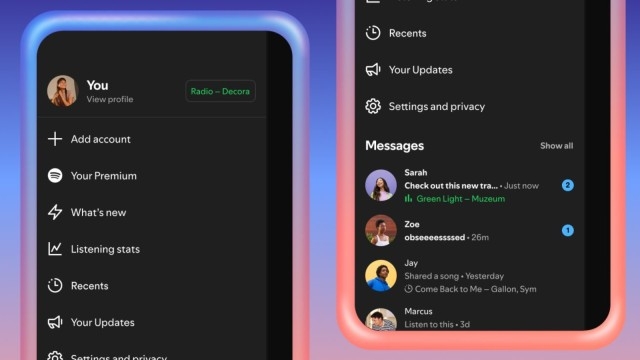
Step 1. Open the Spotify mobile app. Tap your profile picture in the left corner. Tap Messages. You can see your requests and recent chats.
Step 2. You’ll see any new message requests. You can accept them if needed. From then on, it will simply show up as a message.
Note: You will be notified of a new message only when message notifications are turned on. With them off, the message will still arrive, but you’ll need to open Messages yourself to see it.
Does Spotify Notify When You Block Someone?
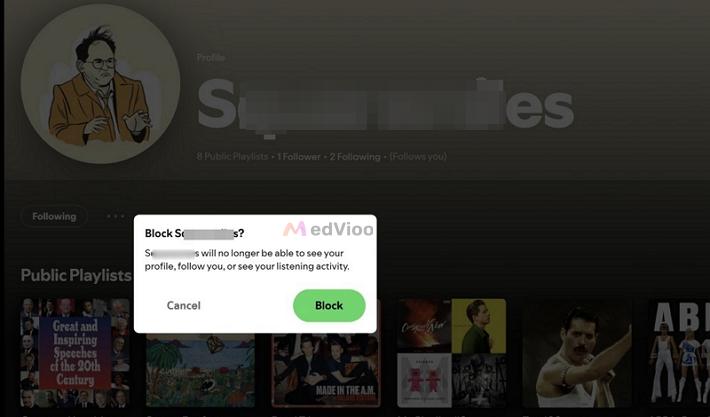
No. Spotify will not ping them to say you blocked them. It is very clear on that.
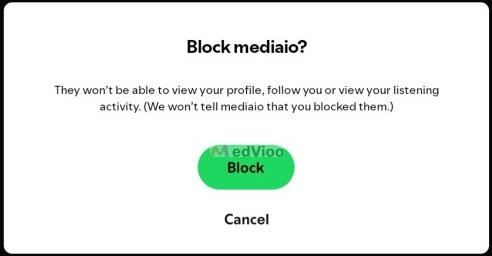
Blocking does two things at once:
- It cuts the follow in both directions, so if either of you followed the other, that link is gone.
- And it walls you off from them. They can no longer view your profile, follow you, or see your listening activity.
So you can be sure that they will not receive a notification telling them that you blocked them.
Does the Artist Know When You Follow Them?
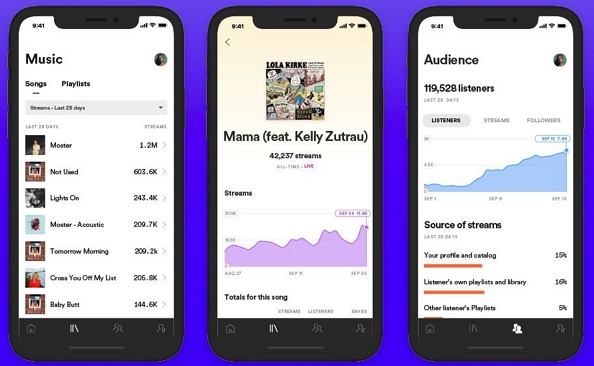
No. Artists do not use Spotify the way you and I do. They work from Spotify for Artists, which doesn't flag any details about individual listeners.
What they see is the shape of their audience. For instance, they can track their follower count, their monthly listeners, total streams, and broad demographics like location, age, and gender split. So when you tap follow, you are only added as a number.
Conclusion
As promised, this guide does more than answer whether Spotify sends a notification when you follow someone. It covers the whole Spotify notification system, from Your Updates and Messages to blocking. So now you can use Spotify like a pro: follow someone, save a playlist, message, and block without second-guessing yourself.
Plus, we’ve also covered how you can keep a playlist forever, whether it is someone else’s or your own. You can simply export it as high-quality MP3 with MedVioo Audio Converter.