

If your Spotify library is filled with names like “My Playlist #45” and you can’t come up with something unique, it’s time to use a Spotify playlist name generator. These tools generate names based on the mood, genre, or overall feel of your playlist and some are even advanced enough to analyze your first and suggest names that actually fit. In this guide, you’ll find seven such Spotify playlist name generators, all free to use.
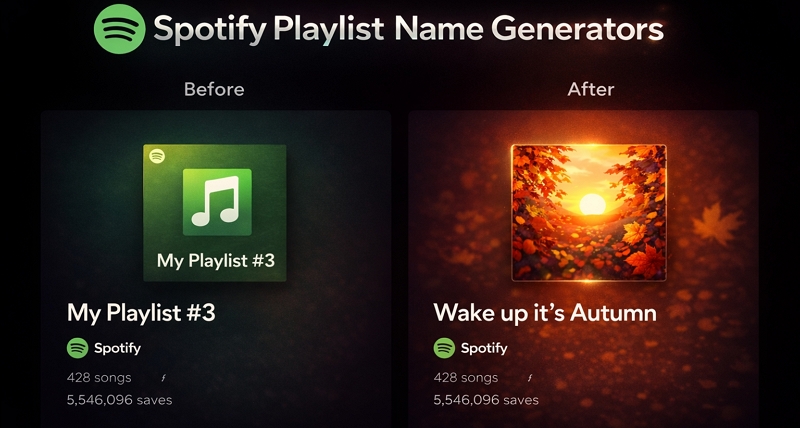
Best 7 Spotify Playlist Name Generators for All Styles: Overview
Before getting into each tool in detail, along with how to use them, here’s a quick overview. This gives you a quick sense of how these tools differ, so you can go straight to the one that fits your playlist naming style.
 Yes (ChatGPT-enhanced)
Mood-based: happy, funny, aesthetic
Yes (ChatGPT-enhanced)
Mood-based: happy, funny, aesthetic Activity: workout, travel, dinner Quick use (clean interface)
Compare with real playlists (avoid duplicates) Fully open access
Optional ~$5/month support to remove ads
 Yes
Style-driven: minimalist, witty, sophisticated
Yes
Style-driven: minimalist, witty, sophisticated Multi-language support Phone-friendly usage
Creating stylized, Gen Z-type names No cost
No sign-up needed
 Yes (playlist analysis)
Context-aware (based on your playlist)
Yes (playlist analysis)
Context-aware (based on your playlist) Extra modes (emoji, Gen Z, aesthetic) Effortless naming (paste link, get results)
High accuracy Open usage
Optional account for saving preferences
 Yes (AI-assisted)
Purpose-based: mood, intent, theme
Yes (AI-assisted)
Purpose-based: mood, intent, theme SEO-aligned naming Branding-focused users
Discoverability-oriented playlists Free access
 Yes (AI conversational)
Context-heavy: descriptive, structured naming
Yes (AI conversational)
Context-heavy: descriptive, structured naming Refinement via prompts DJs, curators and educators
Deep control over naming Account setup required before use
 Yes
Toggle-based: genre, mood, language
Yes
Toggle-based: genre, mood, languageImage-to-name generation Casual use
Visual + multilingual naming Accessible after sign-in
Part of broader AI suite
 Yes (Spotify integration)
Data-driven (reads your playlist)
Yes (Spotify integration)
Data-driven (reads your playlist) Auto-generated contextual names Users with large libraries
Zero manual input needed Works after Spotify account connection
7 Best Spotify Playlist Name Generators: Overview, Steps & Ratings
After trying more than 30 tools, these are the seven best Spotify playlist name generators we found — each suited for a different kind of need. Here’s a closer look at all seven tools, along with how to use them.
1. Chosic Playlist Name Generator
Chosic is one of the earliest and still widely used playlist name generators, from a time when AI wasn’t really part of these tools. As AI evolved, it adapted well and now uses ChatGPT-powered enhancement to improve its name suggestions.
Its interface keeps things simple. You can generate playlist names based on mood or genre, or push it further by adding your own word. Each run gives you around 20 names at once, so you will get plenty to choose from.
One small but really useful feature here is the Similar option. Every suggestion comes with it. Clicking it will show you real Spotify playlists with similar names, so you can compare, understand what names already exist, and avoid duplicates. This is something no other playlist name generator on this list offers.
Steps to Use Chosic Playlist Name Generator
Step 1. Head to the Chosic Playlist Names Generator page.
Step 2. Select a mood from the drop-down. You’ll find 15 options: happy, funny, workout, aesthetic, travel, dinner, and more.
Step 3. Choose from one of the 14 genre filters to narrow things down: K-pop, indie, classical, R&B, and others.
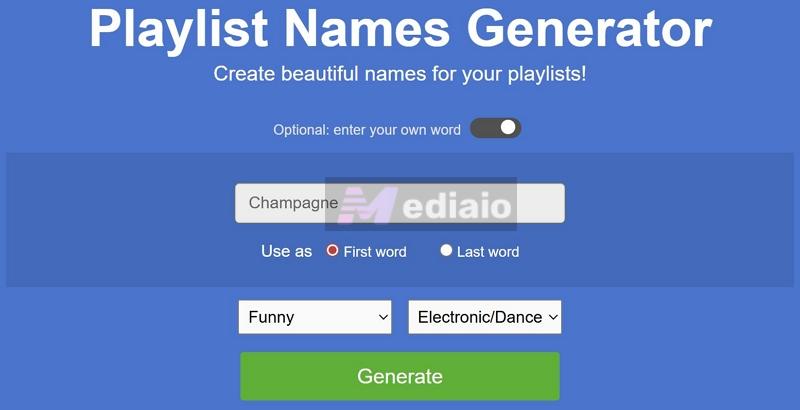
Step 4(Optional). Turn on the enter your own word toggle if you want more control. You can decide whether that word appears at the beginning or the end.
Step 5. Click the Generate button. You’ll instantly get a list of names.
Step 6. Use Copy to grab a name or tap Similar to see related playlist names on Spotify.
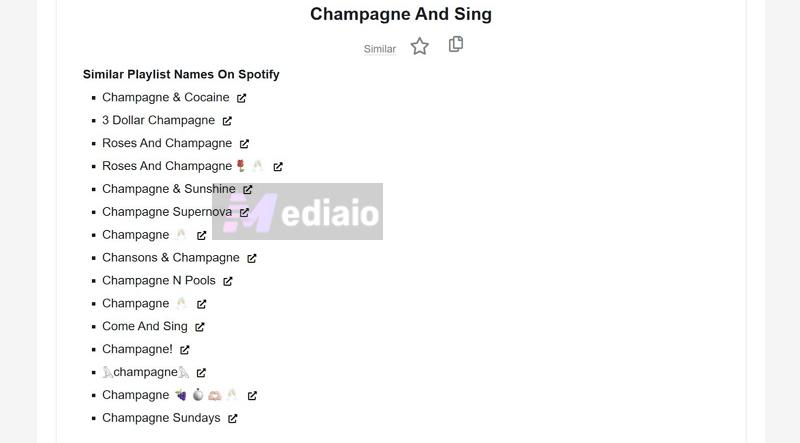
Step 7. Scroll down and click Load more for additional results. Or Restart to generate a fresh batch.

Overall Ratings: 4.6/5
Also includes tools like playlist analyzer and genre finder.
2. Sptfy.bio AI Playlist Name Generator
Sptfy.bio is best known for one thing — creating clean, aesthetic short links for Spotify profiles and playlists. You’ve probably seen those on Instagram or X (mainly in bios).
But once AI became mainstream, Sptfy.bio added its own playlist name generator that actually came out strong. It’s not minimal like Chosic. You’re expected to put in a bit more detail to get better results.
One standout thing here is language support. You can generate names in multiple languages, such as English, Spanish, French, Polish, and more, which is something most generators still don’t handle well. Another thing you will notice immediately is how well it works on mobile. Its layout is designed for phone screens.
Here to Generate Better Playlist Names Using Sptfy.bio
Step 1. Open the Sptfy.bio playlist name generator page.
Step 2. In Playlist theme or vibe, describe your playlist properly. You’re not limited to toggles here, so you can write freely depending on the kind of songs you have.
Step 3. In Main music genre, select one or more genres if your playlist is mixed.
Step 4. In Name style, choose how you want the output to feel — creative and unique, funny and witty, minimalistic, descriptive, or sophisticated. This is important, otherwise, you’ll not like the results.
Step 5. Set the language you want your playlist name to appear in.
Step 6. Use Additional details to guide it further — mention specific words, tone, or references you want included.
Step 7. Tap Generate playlist name.
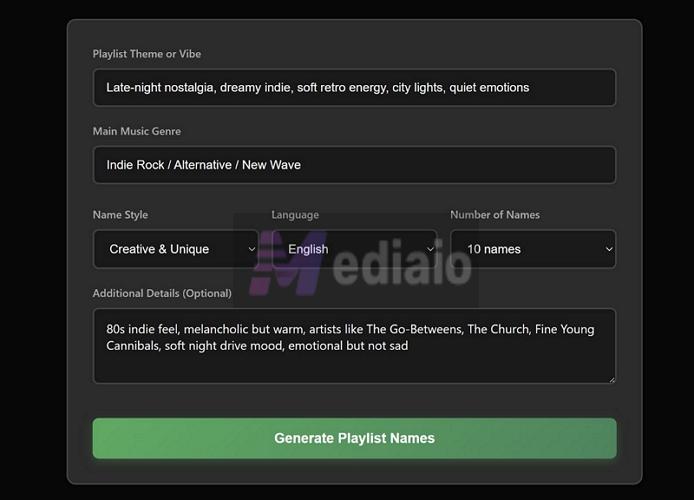
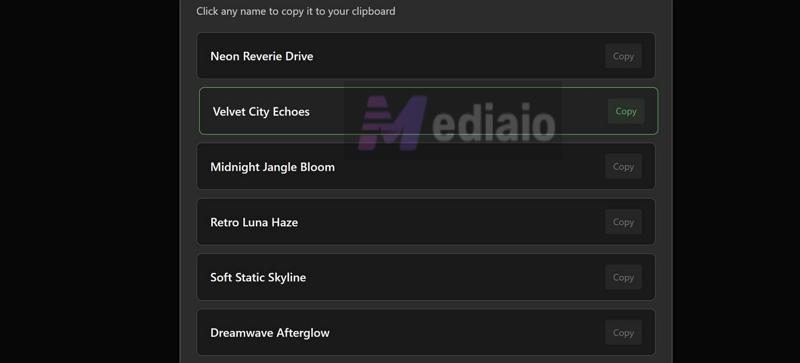
Use the copy icon next to the name you like to get it on your clipboard.
Overall Ratings: 4.6/5
Requires you to enter more details manually like moods, themes, and inputs.
Strong control over style, tone, and language across features.
3. PlaylistNameAI.com
Its name itself gives it away. This is one of the early AI tools built specifically for playlist names.
At its core, it still starts with what most tools in this space offer today. You get the usual pre-built toggles to pick a mood and a category. Alongside that, there’s an advanced settings section where you can shape the output: short names, long names, emoji-only styles, or more generic results.
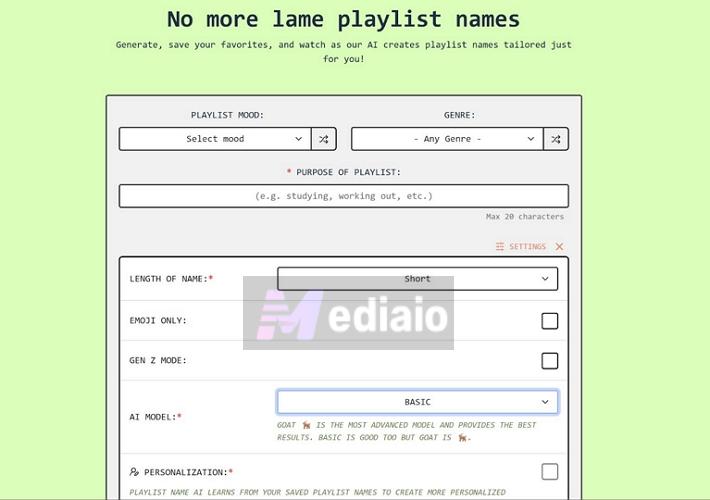
But the real shift comes with its newer feature. You don’t have to describe your playlist anymore — just paste your Spotify playlist URL, and the AI will analyze it and generate names based on the actual data.
How to Generate Playlist Name Using Spotify Playlist URL
Step 1. Open your playlist on Spotify. Tap the three-dot menu in the playlist controls section. Hover over Share and choose Copy link to playlist.
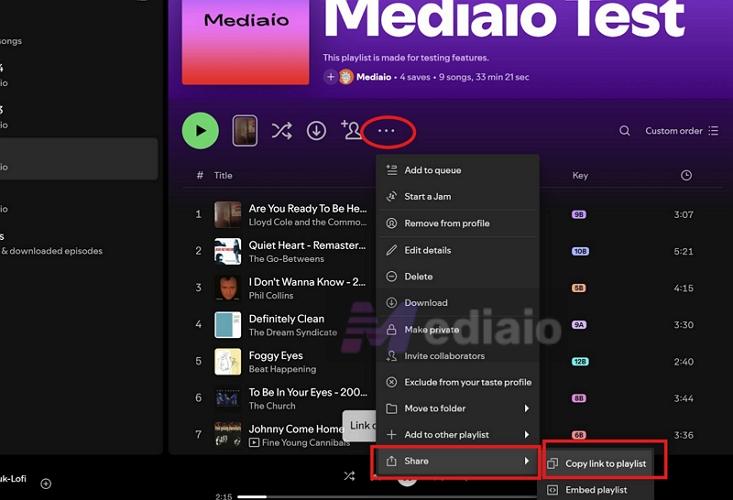
Step 2. Move to the Playlist Name AI generator page and paste the link into the Enter Spotify Playlist URL field.
Step 3. Hit Analyze. It will process your playlist in the background.
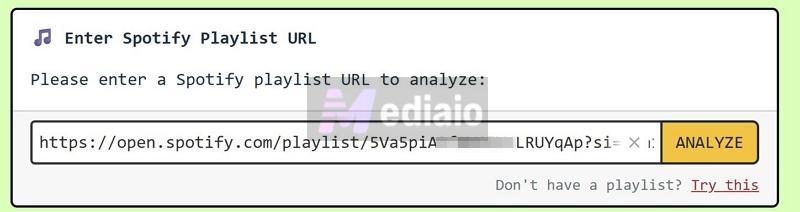
Step 4. Once ready, select Generate Playlist Names to get suggestions based on your actual tracks.
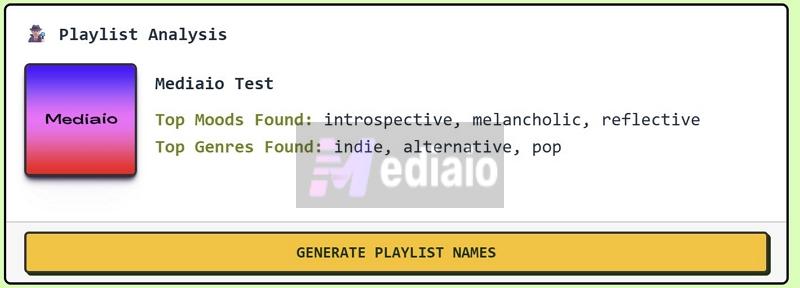
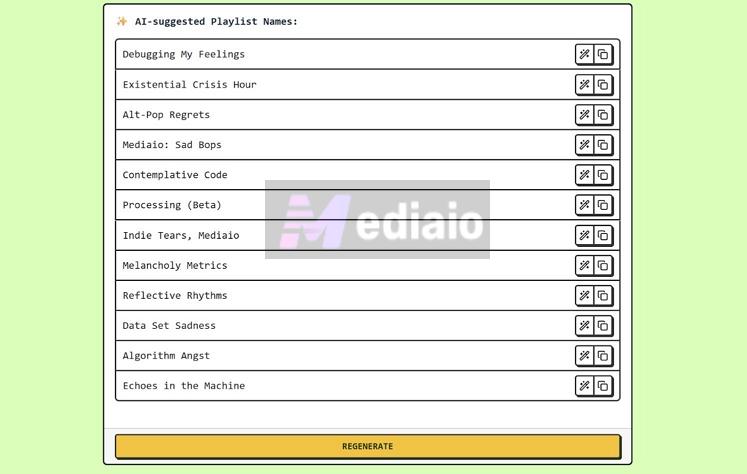
Step 5. Browse the generated list. Each name comes with two options: More and Copy.
Step 6. Use More on any name you like to generate similar variations that stay close to that style.
Step 7. Tap Copy on the one that fits, and use it directly in your Spotify playlist.
Overall Ratings: 5/5
Optional login lets it remember preferences and personalization.
4. Rybbit Playlist Name Generator
Rybbit is fundamentally a web analytics tool. One of its 180+ offerings is the Spotify playlist name generator.
This is not really the tool you use for personal or fun playlist names. It will generate names in line with Spotify’s guidelines — aimed at improving visibility and discoverability. So you won’t get overly creative or funny names here.
Also, you don’t get mood or tone toggles. Instead, you’ll have to describe the purpose of the playlist (up to 500 characters) and that input drives the entire output.
Steps to Use Rybbit Playlist Name Generator
Step 1. Go to Rybbit playlist name generator.
Step 2. In Playlist topic/purpose, type what your playlist is about — mood, situation, context.
Step 3(Optional). Add keywords if you want certain words included.
Step 4. Choose name length: short (1–2 words), medium (2–4 words) or long (4–6 words, more descriptive).
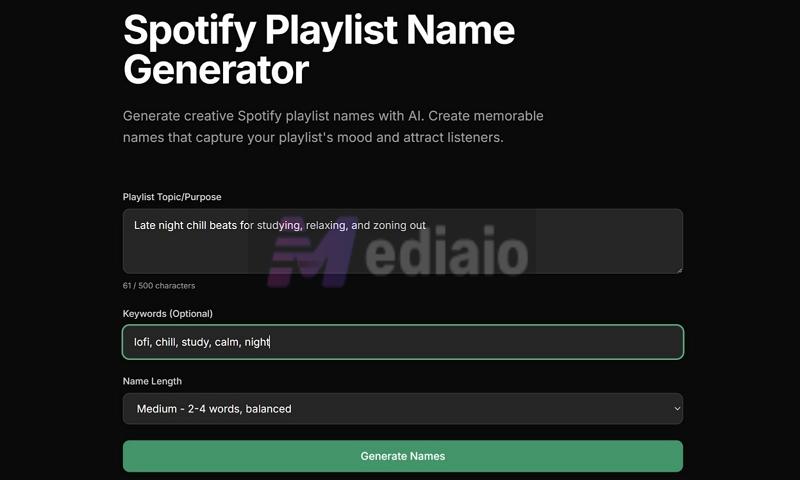
Step 5. Hit Generate Names. You’ll get up to 5 results. Use copy for the one you like.
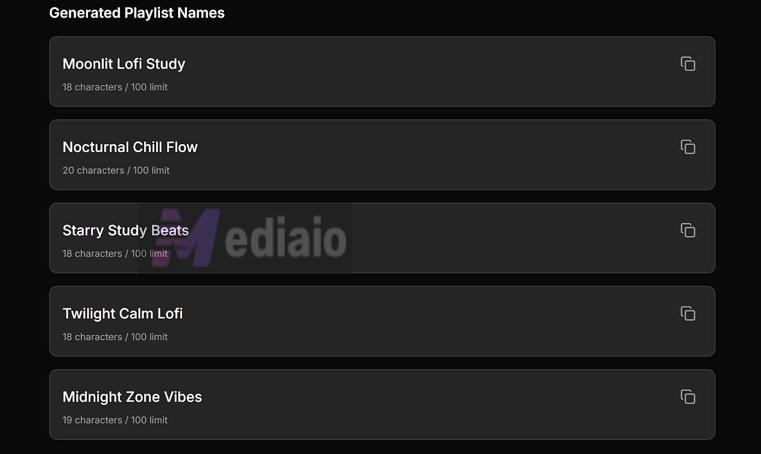
Overall Ratings: 4.0/5
5. YouWare Playlist Name Generator
YouWare sits on the opposite end of what most tools in this list are doing. It’s not built for quick, casual playlist names. It leans more toward serious use. Think in terms of:
- Serious music curators
- DJs
- Content creators
- Even music educators
The goal here is not to give you catchy or aesthetic names. It tries to generate names that actually reflect the listening context. Instead, you have to describe the mood and structure of your playlist and it will respond almost like a conversation. So you can refine the results with further inputs.
Here is how to use YouWare Playlist Name Generator
Step 1. Head to YouWare playlist name generator page.
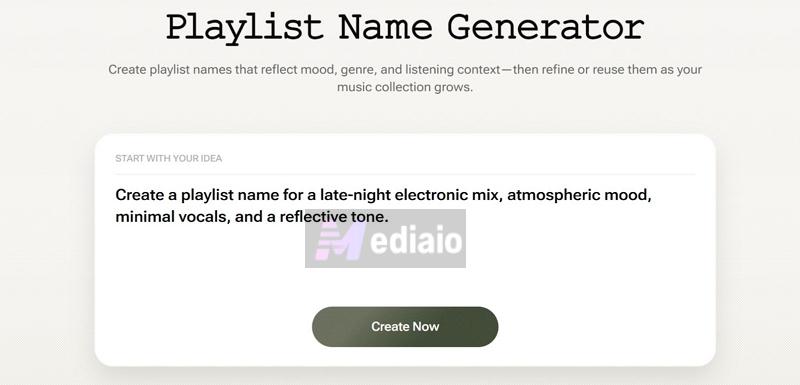
Step 2. In the prompt field, describe your listening context — what kind of playlist it is, mood, tone, structure.
Step 3. Click Create Now.
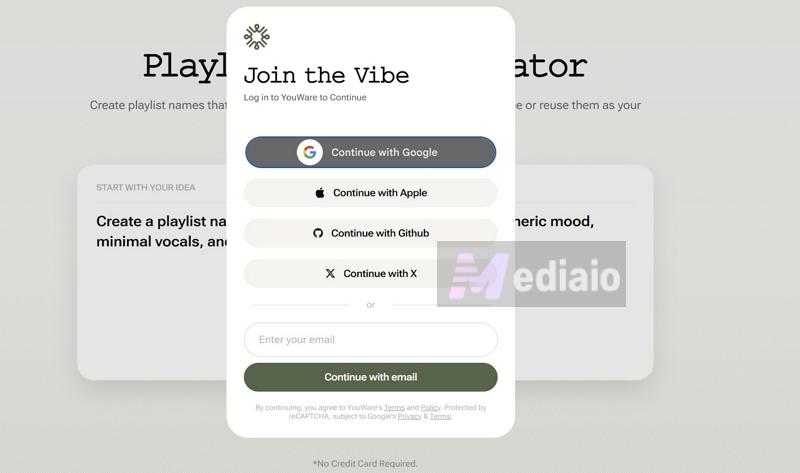
Step 4. You’ll be asked to sign in (Google or other options). Complete the login to continue.
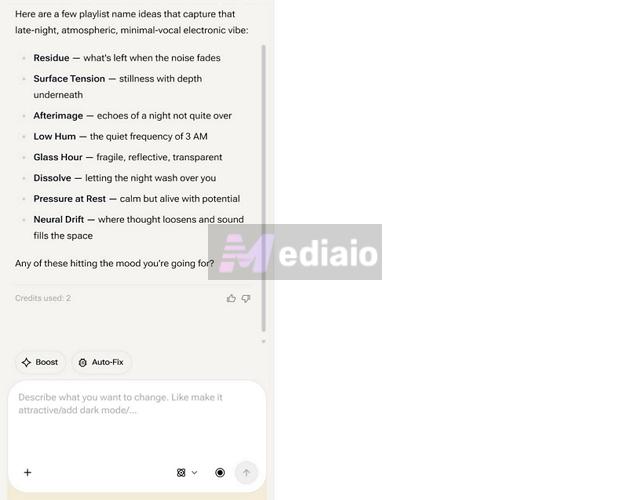
Step 5. The AI will generate names based on your input.
Step 6. Refine the results by guiding it further. You can interact with it and shape the output until it fits exactly what you want.
Overall Ratings: 4.0/5
6. Fineshare (Singify) Playlist Name Generator
Fineshare offers a paid AI music toolkit — built around features like AI cover generator, AI singing photos, watermark remover, and more. The playlist name generator, though, sits on the free side of things.
Like YouWare, you have to sign up before you can use it. But unlike YouWare, Fineshare is clearly made for casual use. You will get dedicated toggles (genre, mood, language) and a short description field to guide the output. And it will handle the rest.
One of its more interesting offerings is the image-to-playlist option. You can upload an image that captures the mood of your playlist — (staying true to the saying “an image is worth a thousand words”) and it will generate names based on that visual input.
Fineshare Playlist Name Generator Guide
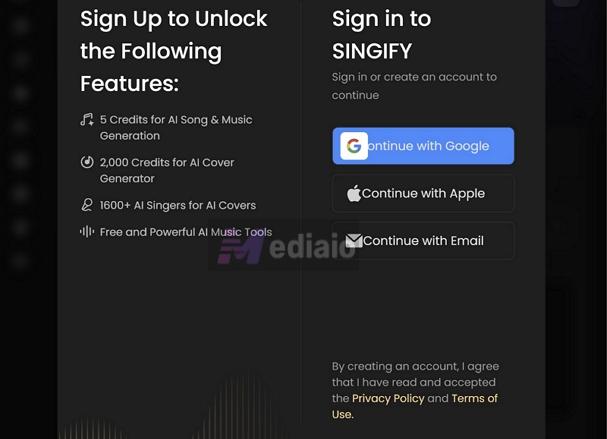
Step 1. Access the Fineshare (Singify) playlist name generator dashboard. Sign up.
Step 2. Set your parameters:
- Genre (e.g., rap, country)
- Mood/Energy
- Language (supports multiple global languages)
Step 3. In Describe your playlist, write your theme, keywords, or context.
Step 4. Click Generate to get playlist names.
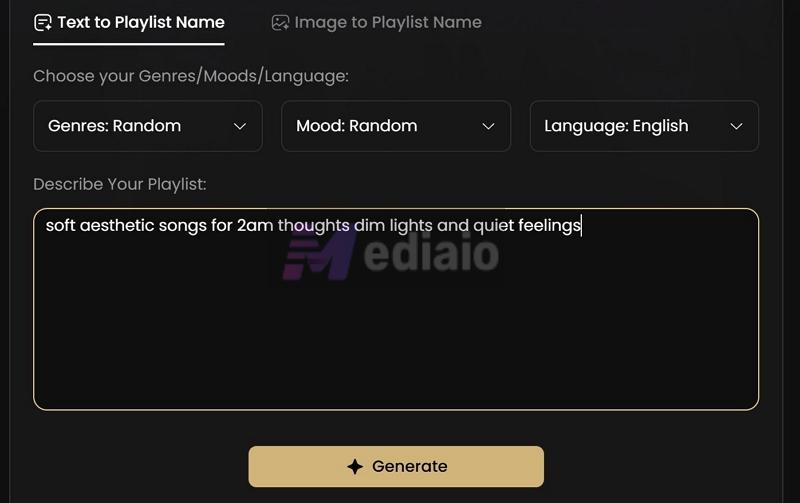
Optional: Switch to Image to Playlist Name tab.
- Upload your image and the tool will compose the names.
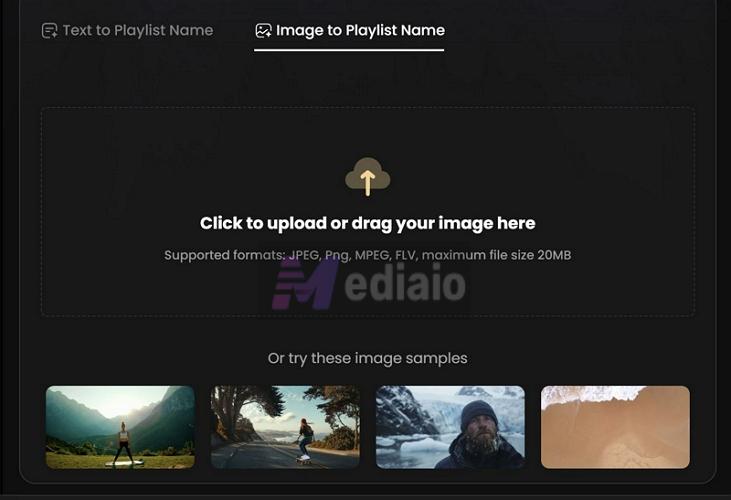
Overall Ratings: 4.8/5
7. Trackify Playlist Name Generator
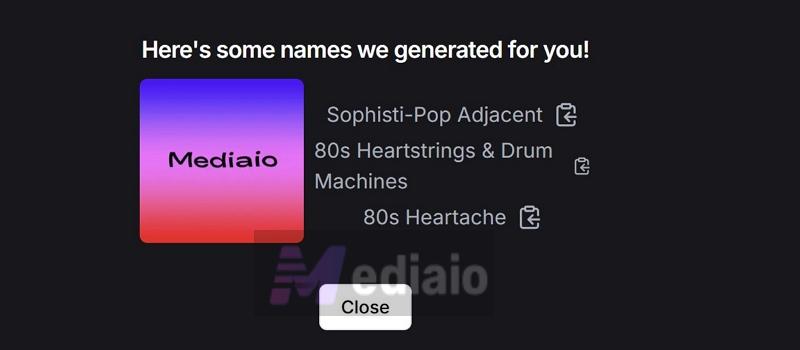
Trackify is best known for its year-round Spotify stats and listening insights. The playlist name generator is one of its lesser-known features, but it works very differently from most tools in this list. Instead of asking you to describe your playlist, Trackify works directly with your Spotify data — somewhat similar to Playlist Name AI, where the tool reads your playlist and builds names around it.
Here, though, it goes a step further. You can link your Spotify account directly. Once you do that, all your playlists are automatically pulled into the dashboard. So you don’t even have to copy the URL manually, perfect if you want to rename all the playlists in your library.
You simply pick a playlist and generate names based on what is already inside it. This makes it especially useful over time. As your playlist evolves, you can come back, click generate again, and get a fresh name that actually reflects what the playlist has become.
Create Names with Trackify Playlist Name Generator
Step 1. Go to the Trackify playlist name generator page.
Step 2. Hit Login with Spotify and link your account (enter your Spotify credentials).
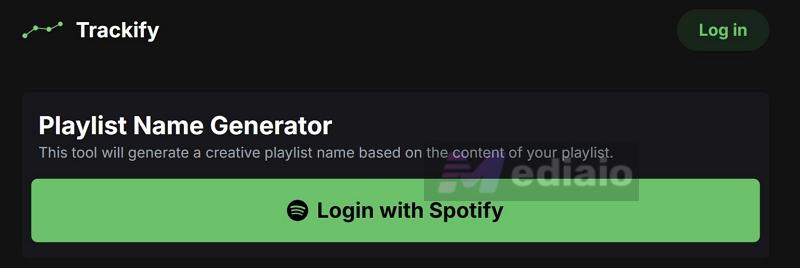
Step 3. Select the playlist you want to generate a name for.
Step 4. Click Generate and then names will be created based on your playlist content.
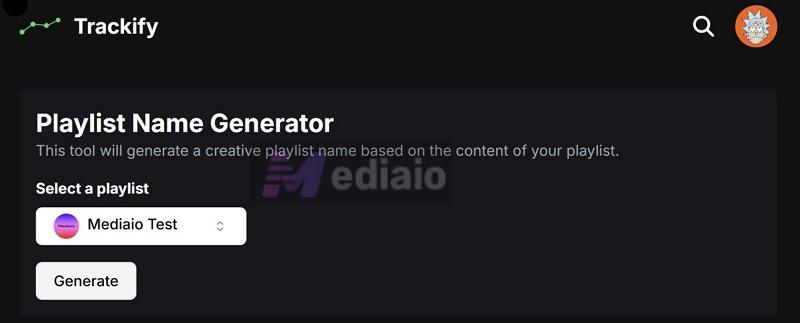
Step 5. Use the copy option to save the name (it does not rename your playlist automatically).
Overall Ratings: 5/5
Top AI Music Generator You Can't Miss: Mediaio
A catchy playlist name is helpful when you want discoverability on Spotify. The tools above take care of that. But what about discoverability outside Spotify, such as YouTube, Instagram, TikTok, or even your own video projects? Those videos start to feel empty when they only have raw dialogue or sit completely silent. And you cannot just drop Spotify songs there either, or you will run into copyright issues.
Enter Mediaio AI Music Generator. It fills that gap by letting you create your own music that actually matches your content, your mood, your style. The idea is simple. You simply have to describe what you want. Pick whether you need instrumental or something with vocals. And Mediaio’s AI will build a track for you.
It is trained across a wide range of music styles, so it adapts to what you ask. You can go with modern K-pop or pop beats and still get results that feel aligned. It shifts based on your input. And importantly, everything you generate using Mediaio AI is royalty-free. You can use it across platforms without worrying about takedowns, muted audio, or reduced reach.
Steps to Use Mediaio AI Music Generator
Step 1. Head over to the Mediaio AI Music Generator dashboard and you’ll land directly on the creation panel with two options at the top — Default and Custom.
Step 2. Decide how much control you want:
- Default — a quick route where you can just describe the music in a prompt. Mediaio AI will produce results quickly.
- Custom — gives you full control over how the track is shaped, including lyrics and style.
Step 3. If you go with Custom, start by filling in the Music name — this becomes the identity of your track. Just below that, choose the Music type:
- Instrumental if you only need background sound
- With Lyrics if you want vocals included
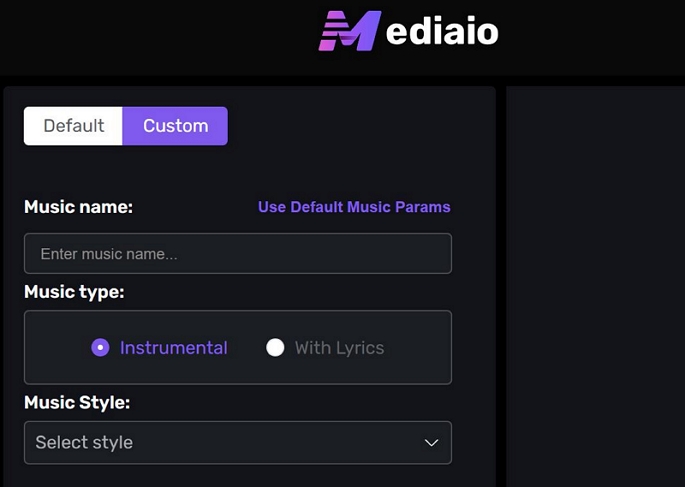
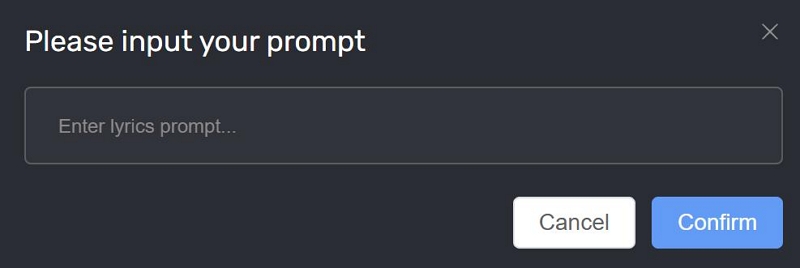
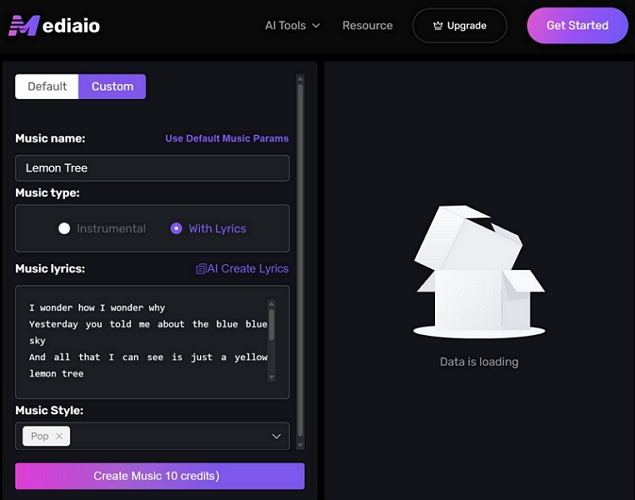
When choosing With Lyrics, a new section will show up. You can either type your own lyrics into Music lyrics, or use AI Create Lyrics — enter a short prompt, and it will build lyrics around that idea.
Step 4. Move down to Music Style and pick the tone or genre that fits your idea. This is where the output really starts to match your intent.
Step 5. When everything feels right, hit Create Music. The AI will process your input and generate a track you can preview immediately — ready to use wherever you need it.
Final Words
We’ve covered Spotify playlist name generators for every use, whether you want something funny, catchy, aesthetic, or something for a serious project.
Tools like Trackify and PlaylistNameAI earn their five-star ratings because they make things effortless, especially for casual users who just want names that reflect their playlist.
We also introduced Mediaio AI Music Generator. It is helpful when you want background music for your videos, something to fill that silence, or even just to experiment and see what kind of music you can create.