

You don’t need an expensive piano, a guitar, or years of training to create a great song. Today, the only thing standing between you and your first original track is your imagination.
Here, you’ll learn how to create music without instruments using practical approaches, from using your voice recording in a smart way and digital workstations to AI tools like Mediaio AI Music Generator.
How to Create Music Without Instruments or Musical Skills
Before we move on to the ways to create music without instruments, here’s a simple overview to help you choose the best method that fits you quickly.
Royalty-free songs Free to start, freemium or credits for advanced features YouTubers, podcasters, content creators or absolute beginners who need instant music
Way 1. Make Music via Voice
When we say “make music via voice”, we literally mean your voice.
The human vocal cord is the original instrument. You don’t need to know what a C minor chord is to hum a catchy melody. You can beatbox a simple rhythm or mumble a tune that feels right.
And if your first reaction is — “but I can’t sing”, don’t worry. You don’t need to be a powerhouse vocalist to create great music. You even don’t need expensive gear either.
What Gear You Can Use:
- Your smartphone works perfectly fine. You can even get a simple US$50 plug-and-play USB microphone if you want to upgrade.
- For recording space, step into your bedroom closet. The clothes around you naturally absorb echo and will act like free sound studio.
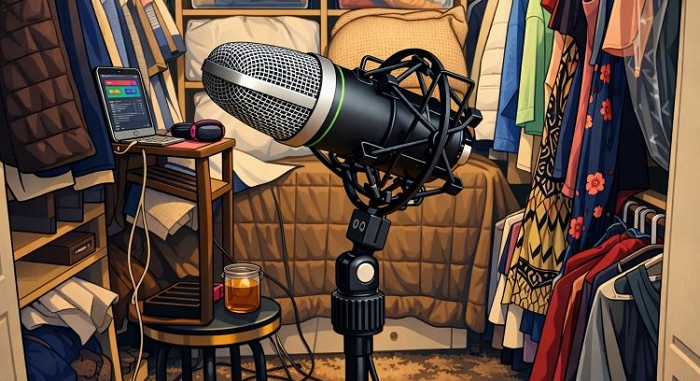
Now comes the important part — figuring out what kind of music suits your voice.
How to Find Your Natural Lane:
- If you have a soft or breathy voice, lean into indie pop or lo-fi chilled tracks.
- If you have a deep or textured voice, spoken word or rhythmic talking works beautifully.
- If you can only hum, simply record a melody and build from there.
Then comes the question everyone asks — can you use auto-tune?
Yes. Absolutely.
Auto-tune isn’t cheating anymore. Artists like Travis Scott and Daft Punk use pitch correction creatively. Even if you miss notes, the software can gently guide your voice into tune.
Simple tools you can try right away:
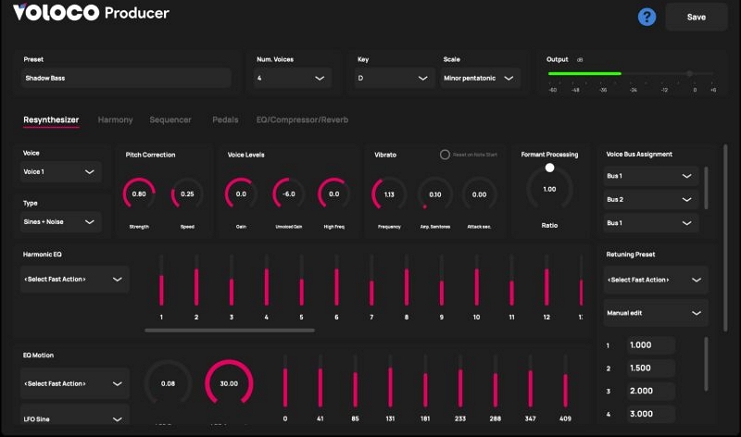
- Voloco — a beginner-friendly app available on mobile and desktop.
- BandLab AutoPitch — a free browser studio where you can record and adjust pitch with a simple slider.
With just a few layers — a hum, a beatbox loop, and a lightly tuned vocal line, you can build a full song using nothing but your voice.
Way 2. Create Music with Online AI
Another way to make music today is to use artificial intelligence. It can feel like a cheat code at first. But honestly, it’s just another tool and it makes sense to see what’s possible.
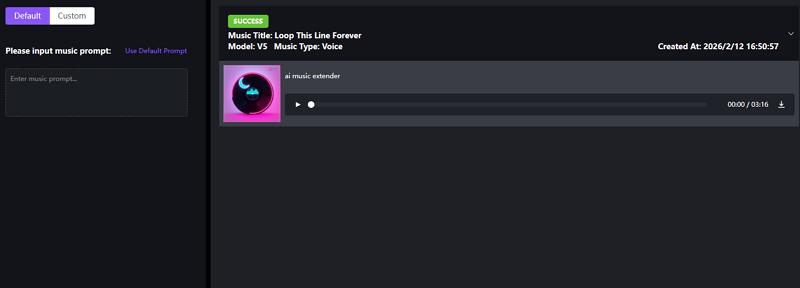
Advanced AI Music Generators, like Mediaio, enables you to generate music with your prompts. You can ask it to work on every little detail: the instruments you want, mood, energy, tempo, and even emotional direction. You can even ask it to add lyrics. The high-quality MP3 or WAV output will sound like music produced in a real studio.
What makes Mediaio stand out is how broadly it’s trained. It draws from a wide range of genres and musical patterns. So it can turn a simple text into almost anything — soft vocals with a gentle piano background, lo-fi beats, or something more energetic.
Another practical advantage — Mediaio runs entirely in the browser. Just open it and start creating. Plus, there are no limits. You can create endless AI songs with credits. This gives you the opportunity to refine prompts, adjust details, and experiment with direction.
Steps to Generate Music with Mediaio
Step 1. Open your web browser and sign in to the Mediaio AI Music Generator.
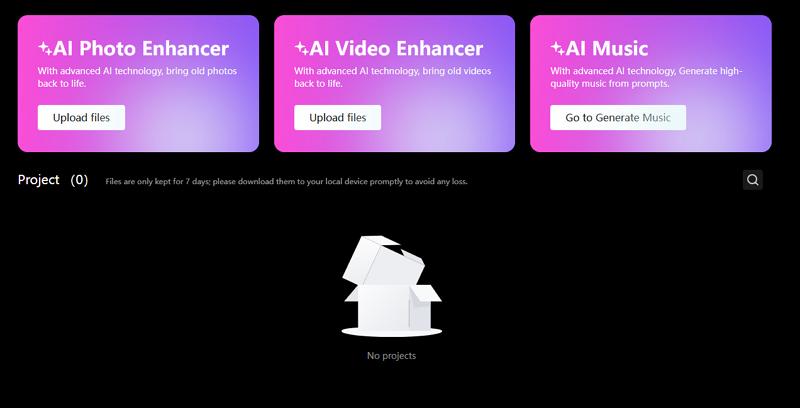
Step 2. Write a clear prompt. Be specific about genre, mood, and instruments.
For example:
“Soft, timeless piano and light strings with gentle vocals, calm and reflective mood, slow tempo.”
Step 3. Set your parameters. Choose mood tags, adjust duration, and refine any style options.
Step 4. Click Generate. Wait for a few sections. You can review your composition and download it as MP3 or WAV.
Way 3. Compose Music Using DAW
If you need absolute control, even with no experience, these two DAWs (digital audio workstations) will suit you.
You can think of a DAW as the digital equivalent of a massive professional recording studio. Instead of a physical guitar or drum kit, it comes loaded with digital instruments you can play using your computer keyboard. Here are two of the best DAW options to build tracks from scratch.
Option 1. BandLab
BandLab has honestly been a game-changer in modern music creation. It is mostly free to use, while there’s an optional membership that gives extra perks. It is a cloud-based DAW that runs directly in your web browser. You can also use it as a mobile app (Android and iOS).
It’s built specifically for beginners and independent artists, and whatever you create can be used freely — your projects remain royalty-free.
One of the biggest strengths of BandLab is flexibility. You can start from a completely blank canvas and build a song note by note. Or you can browse its massive library of tens of thousands of royalty-free loops to spark ideas.
It also includes over 385 virtual instruments, including grand pianos, metal guitars, 808 drum machines, and classic synths. Mixing is straightforward too. If you record vocals over a beat, you can apply effects, like AutoPitch (Auto-Tune), reverb, or voice processing. And its new AI AutoMix feature can balance levels automatically if needed.
And yes — real artists use it.
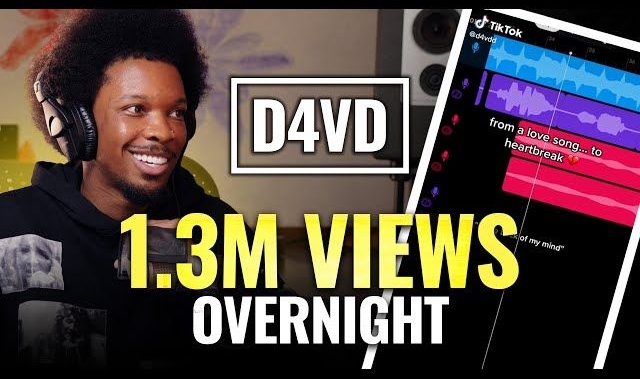
- D4vd recorded his hit “Romantic Homicide” largely on a phone using BandLab.
- Lou Tyler has also recorded breakout tracks directly inside the mobile app.
Steps to Create Music in BandLab
Step 1. Open the BandLab app or go to the website. Click the Create (+) button to open a new project.
You’ll see the New Track screen. Here, choose instruments, voice recording, samplers, etc., and choose BandLab Sounds if you want ready-made loops.
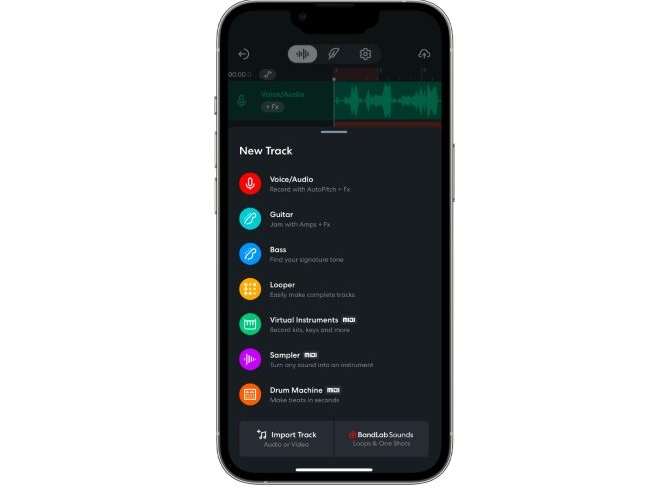
Step 2. Choose a virtual instrument. Or press record and capture a simple idea.
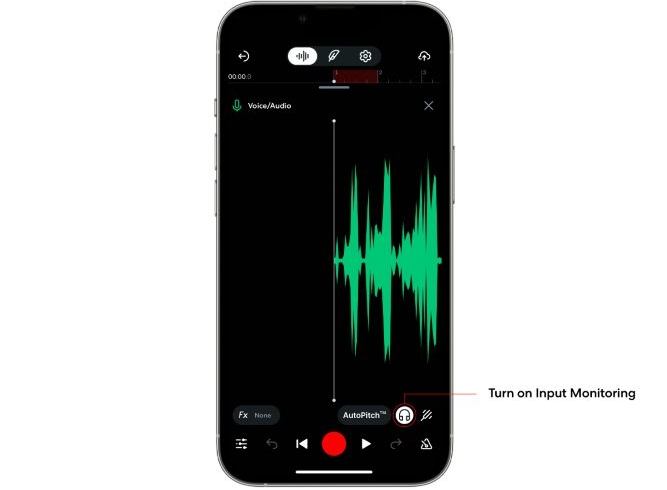
Step 3. You can add new layers — bass, drums, keys, synths.
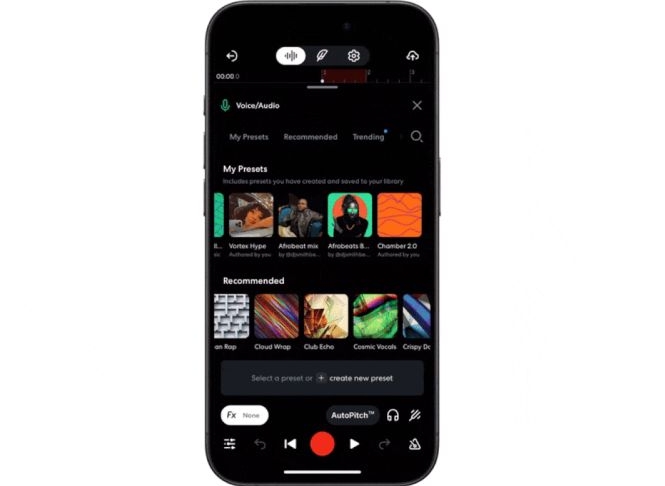
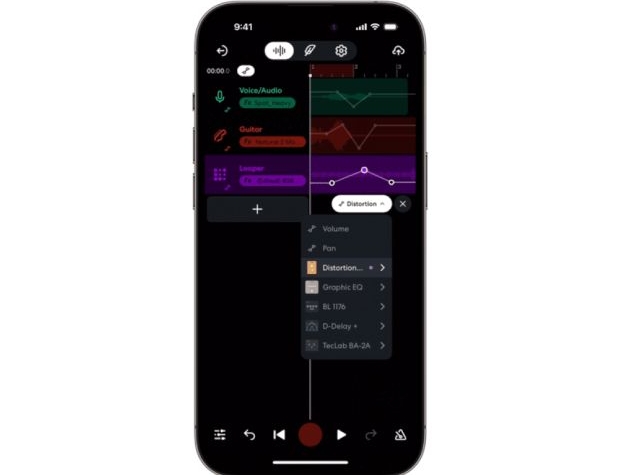
Step 4. Open the effects panel to add reverb, AutoPitch, or other processing. Use automation or AutoMix if needed.
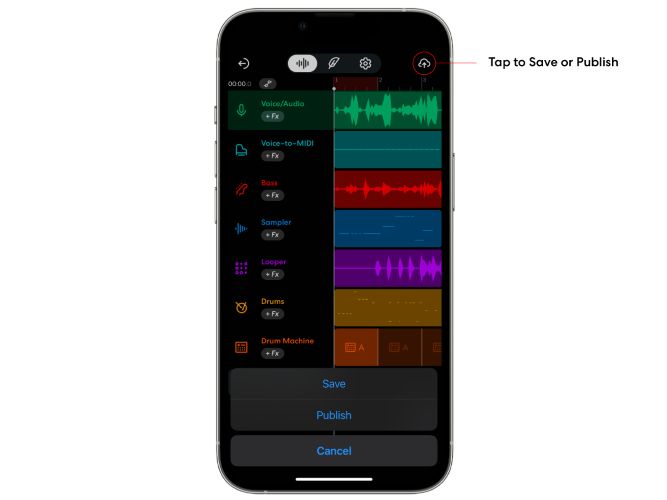
Step 5. Click the cloud icon to save or publish. Add a title and details. You’ll see a confirmation once saved. Projects will stay stored online. So you can open them from any device.
Option 2. GarageBand
GarageBand is completely free for Apple users (macOS, iOS and iPadOS), though it isn’t available for Windows or Android users.
While Garageband is easy enough for a child to use, the audio engine and features it offers are incredibly capable. Like BandLab, GarageBand is famous for its stunning, realistic software instruments. So you can play cinematic string sections or vintage rock organs without needing any external gear.
And its absolute standout feature is called Drummer. Here, you don’t have to program drum beats. You simply pick a virtual drummer, for example, Kyle for pop or Logan for retro. You can also shape the sound with EQ and other audio effects.
And yes, it has real history in mainstream music too:
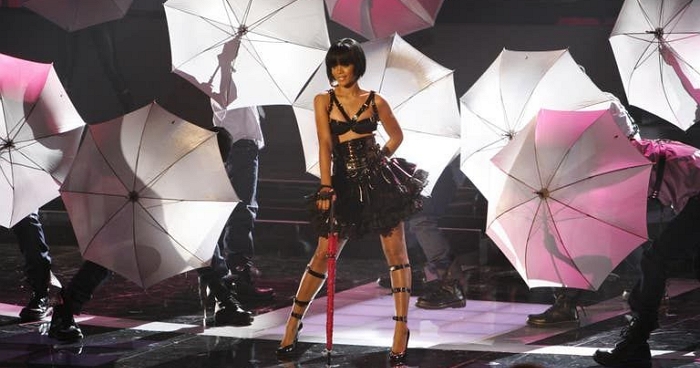
- Rihanna’s global hit Umbrella was built on the stock GarageBand loop Vintage Funk Kit 03.
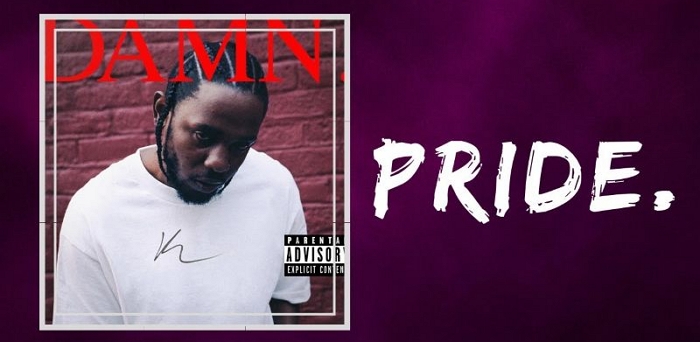
- Kendrick Lamar’s Grammy-nominated track PRIDE was produced by Steve Lacy on his phone using GarageBand.
- Usher’s Love in This Club heavily features stock Apple synth sounds.

Steps to Create Music in GarageBand
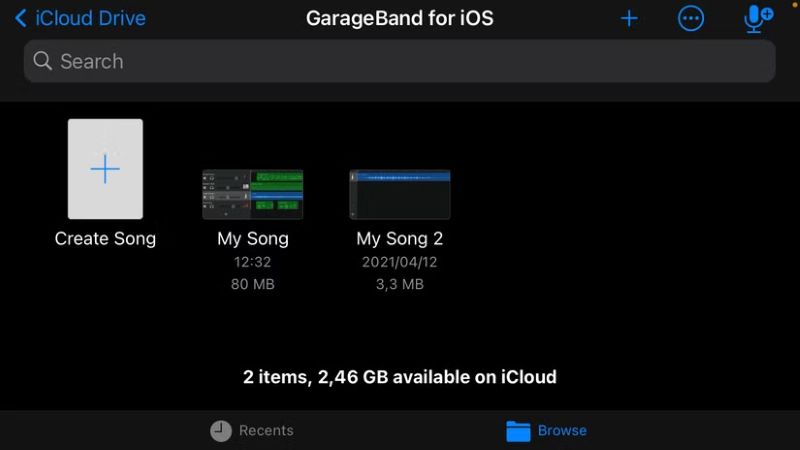
Step 1. Open GarageBand on your phone (the steps are quite similar on macOS). Tap Create Song to start.
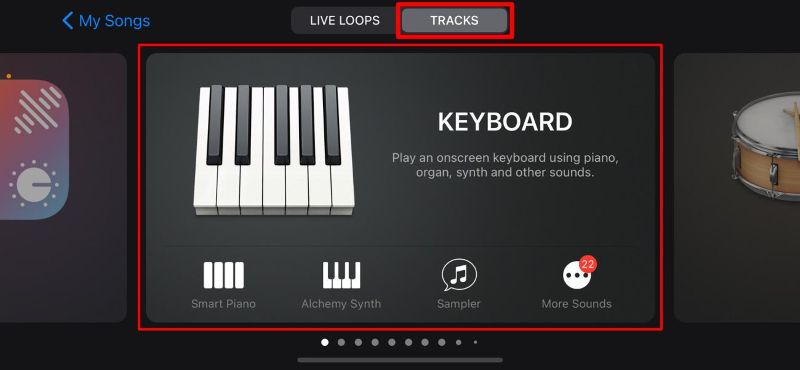
Step 2. Select an instrument.
Once inside, press the record button. Tap stop when finished. Then press the edit/workstation icon to open the timeline.
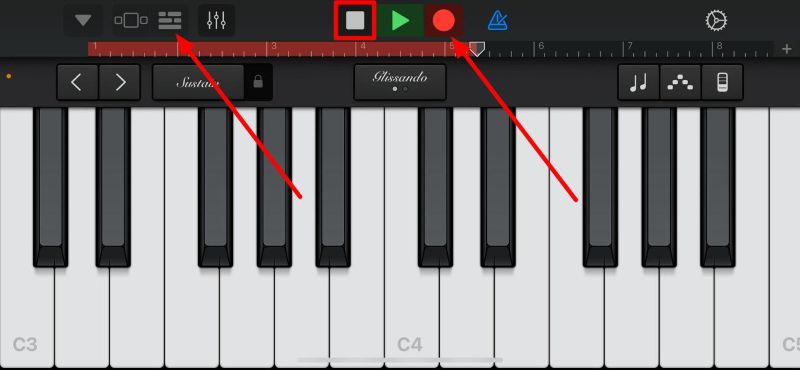
Step 3. In the workstation, add other instruments by tapping the plus button. Repeat the same process — start recording, stop, and return to the workstation to layer sounds.
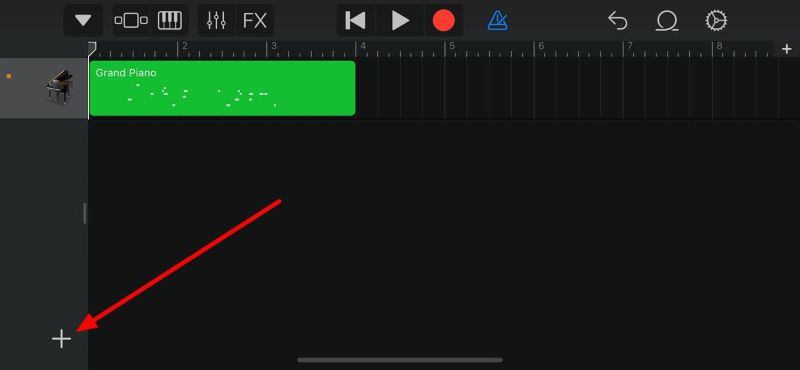
Step 4. Add vocals or loops if you want. Adjust tone and tweak settings to shape the sound.
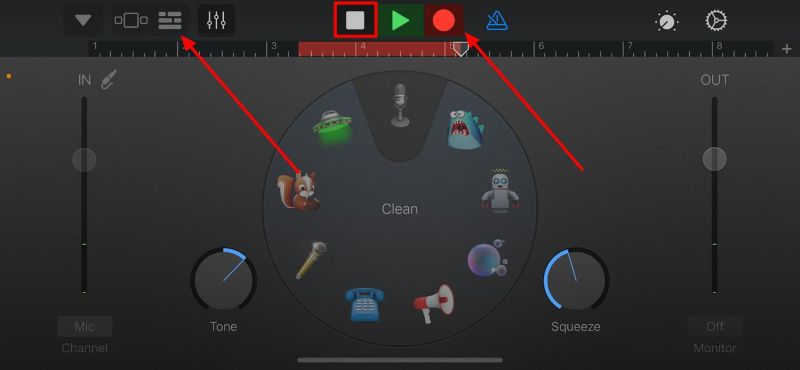
Step 5. Mix the tracks to avoid overlapping sounds. Select a track, tap the mixer icon, and adjust compressor, bass levels, plugins, and EQ. Use the FX button to add effects.
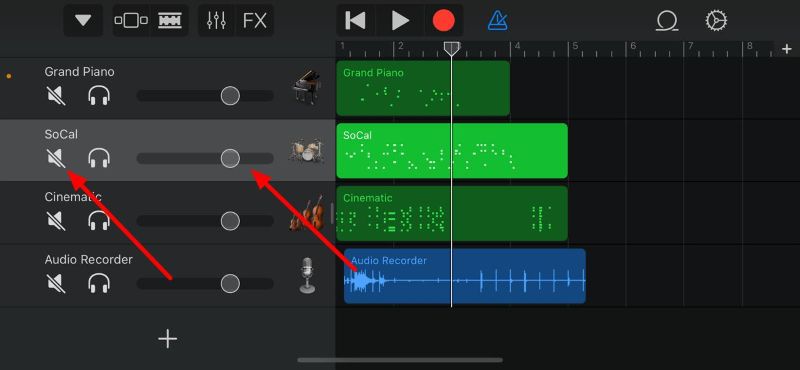
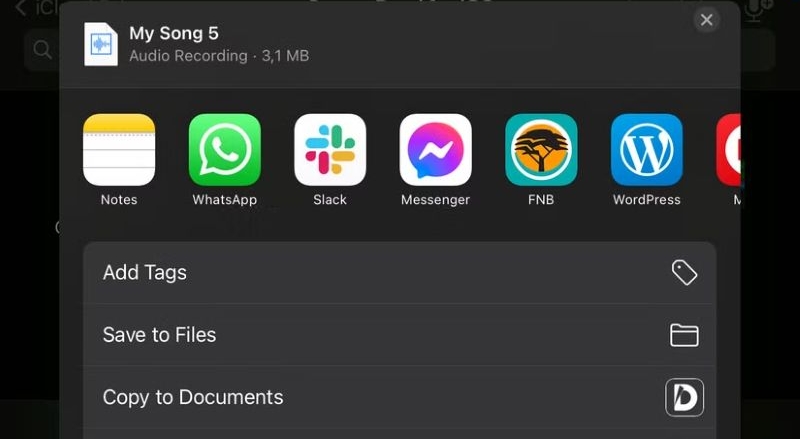
Step 6. After finishing your song, export it from the project window (workstation). Tap the downward arrow to save your track to the GarageBand library.
Rules of Songwriting
Having all these digital tools is great. But whether you’re humming, typing prompts into Mediaio AI Music Generator, or layering tracks in a DAW, a little understanding of how songs work makes a huge difference.
You don’t need a music degree. Just keep these four simple rules in mind.
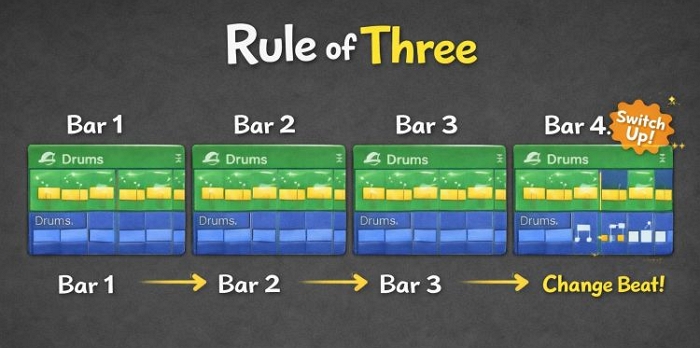
The Rule of Three
Best for: Arranging loops in DAWs like GarageBand or BandLab
The brain loves patterns, but it also wants surprise. For example, the rile of three says: establish a pattern, repeat it, then change it.
How to Apply It When Using BandLab or Garageband:
- Bar 1: Play the normal drum beat.
- Bar 2: Repeat the same beat.
- Bar 3: Repeat again.
- Bar 4: Add a change — a snare fill, a brief drop, or a crash cymbal.
These tiny variations will make the track feel alive.
The 80/20 Rule
Best for: mixing and layering sounds
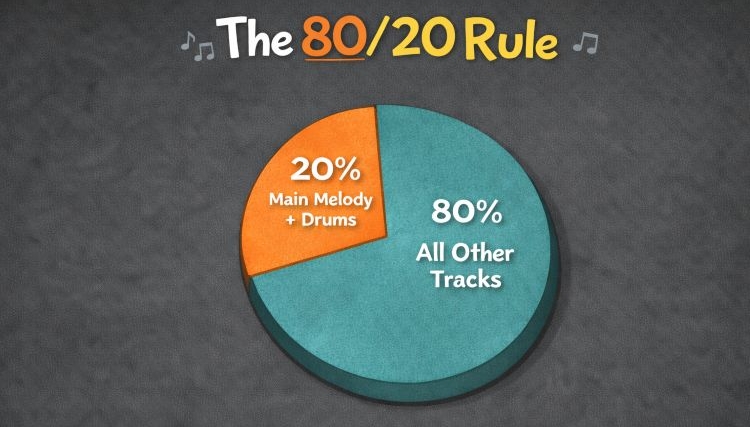
Most of a song’s impact (80%) comes from a few core elements (just 20%). Usually that 20% means the main melody (or vocal) and the rhythm foundation. Everything else is decoration.
How to Apply This Rule Going Forward:
When you open a DAW, it’s tempting to add everything — extra synths, pads and strings. The result will become muddy. So, if you catch yourself adding a 15th instrument. Stop it. Instead, put your effort into making the melody and drums sound clear. Often, less really is more.
The Contrast Rule
Best for: structuring a full song
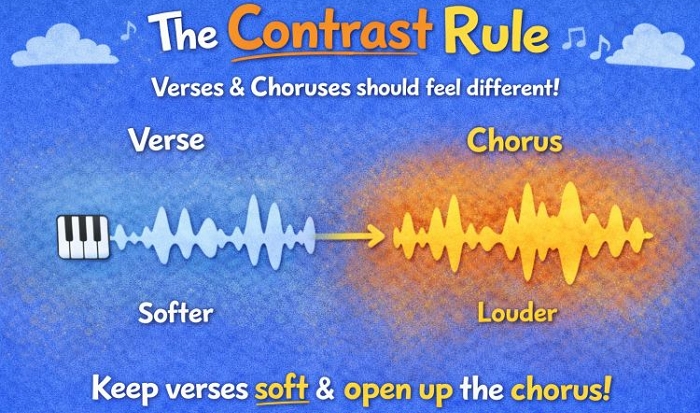
Great songs rise and fall. If everything stays loud and busy, nothing will feel special.
Try This Rule Next Time You’re Composing a Song:
- Keep verses lighter — soft piano and simple drums.
- Let the chorus open up — fuller instruments, stronger energy.
If you’re singing, try a softer delivery in the verse and more power in the chorus, like many pop singers do.
The Genre Keywords Rule
Best for: writing prompts in AI music generators
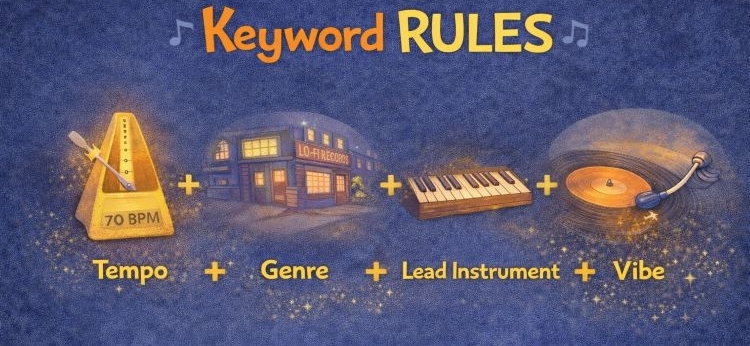
When you work with AI tools, like Mediaio, clarity matters. The system understands musical language better than vague feelings.
Instead of saying “make a song that feels like a rainy Tuesday,” use concrete details.
Think in this simple formula: Tempo + Genre + Lead instrument + Vibe or texture.
For example:
- Bad prompt: “A sad song.”
- Good prompt: “A [slow 70 BPM] [lo-fi hip hop] track featuring a [jazzy electric piano] and [vinyl crackle textures].”
Using clear keywords will give you far more control over the result.
FAQs
Many people have common doubts when they explore how to make music. Here are the answers.
Can We Tell the Difference Between Music Made with Instruments and Music Made Without Instruments?
If you asked this question twenty years ago, the answer would have been yes. Early digital sounds felt like plastic toys.
But that gap has narrowed dramatically. Today, tools like GarageBand and modern DAWs use highly detailed instrument models.
Even when you generate a jazz track with an AI tool, like Mediaio, what you hear is a carefully crafted digital replica of real instruments but not a crude imitation.
In fact, a huge percentage of modern chart-topping pop, hip-hop, and electronic music is produced entirely inside a laptop, sometimes even without a single physical instrument ever being recorded.
So in most cases, listeners can’t tell and often, it doesn’t matter.
What Age Is too Late to Start Music?
The truth is it’s never too late. In fact, many music teachers will tell you something interesting: adult beginners often move faster than children because they’re more focused and self-driven. History backs this up.
- Leonard Cohen released his first album at 33.
- Bill Withers recorded “Ain’t No Sunshine” at 32.
So whether you’re 25, 45, or even older, you can make music using the method you prefer— voice, AI tools, or a simple DAW.
Conclusion
That’s how you can create music without instruments — it’s not an exclusive club anymore limited to people who can afford expensive instruments. Today, the only real barrier is the decision to begin. We’ve shown you three simple paths.
- Use your voice if you want the most natural starting point — tools like AutoPitch and autotune can help.
- Turn to BandLab or GarageBand if you want hands-on control with digital instruments.
And if you want something quick or a starting draft you can refine, Mediaio AI Music Generator works beautifully. It lets you create royalty-free tracks in seconds with almost no learning curve.