

Streaming platforms such as Amazon Music, Spotify, and Apple Music offer convenient access to vast music libraries. However, most of these services use DRM (Digital Rights Management), which restricts how downloaded content can be stored, transferred, or edited outside their official apps.
For users who want to understand how DRM music converters work, or who need locally stored audio files for personal offline listening, it is helpful to evaluate commonly used tools in an objective way.
NoteBurner is one of the more established DRM music conversion applications. This article provides a factual overview of its features, audio quality, limitations, and how it compares with similar software. The content is for informational purposes only and does not encourage misuse or copyright infringement.
Part 1: What Is NoteBurner?
NoteBurner is desktop software designed to convert streaming audio into standard audio formats by recording or capturing playback from supported music services.
Depending on the version, NoteBurner offers separate products for:
- Amazon Music
- Spotify
- Apple Music
- Tidal
- An all-in-one bundle (Music One)
The software can export music into formats such as MP3, AAC, WAV, FLAC, AIFF, and ALAC, while retaining basic metadata like song title, artist name, album artwork, and track order.
Main Functions
- Supports multiple output formats
- Preserves ID3 tags and album artwork
- Offers different conversion modes depending on the service
- Allows batch processing of playlists or albums
- Provides a trial version with usage limits
Part 2: Legitimacy and Compliance
Software safety
NoteBurner is generally regarded as safe to install. It does not contain known malware when downloaded from the official website and is widely used.
Legal considerations
- Most streaming platforms allow downloads only within their official apps.
- Using third-party tools to convert streaming content may violate platform terms of service.
- Local copyright laws differ by country.
Users should ensure they comply with applicable laws and platform policies and limit usage to personal, non-commercial purposes.
User feedback overview
On review platforms such as Trustpilot, NoteBurner products typically receive mixed-to-positive feedback. Commonly mentioned points include:
Trustpilot Reviews
NoteBurner products usually maintain around 4.3–4.5★ on Trustpilot, with common feedback:
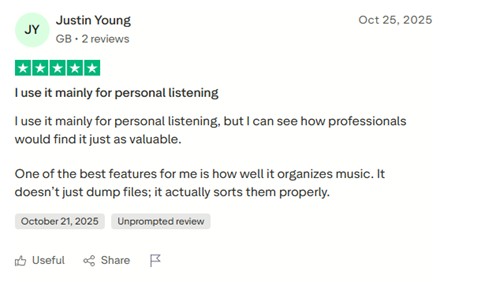
Positive feedback:
- Relatively simple interface
- Acceptable audio quality for everyday listening
- Responsive customer support
Common concerns:
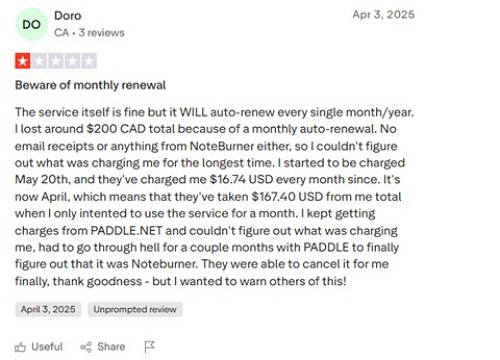
- Conversion reliability may vary after streaming app updates
- Performance depends on system hardware
- Subscription pricing may not suit infrequent users
Part 3: Test Summary (based on typical results)
Users who tested the files using Spek or Audacity generally report:
- No obvious high-frequency cutoff in FLAC files
- 320 kbps MP3 files sound close to the original stream
- High-resolution Amazon Music Ultra HD cannot be perfectly replicated, but the quality remains very good
Part 4: How to Use NoteBurner Amazon Music Converter
While interfaces differ slightly by service, the basic workflow is similar:
Step 1: Launch NoteBurner and choose a conversion mode
- App mode (higher quality)
- Web-player mode (faster speed)
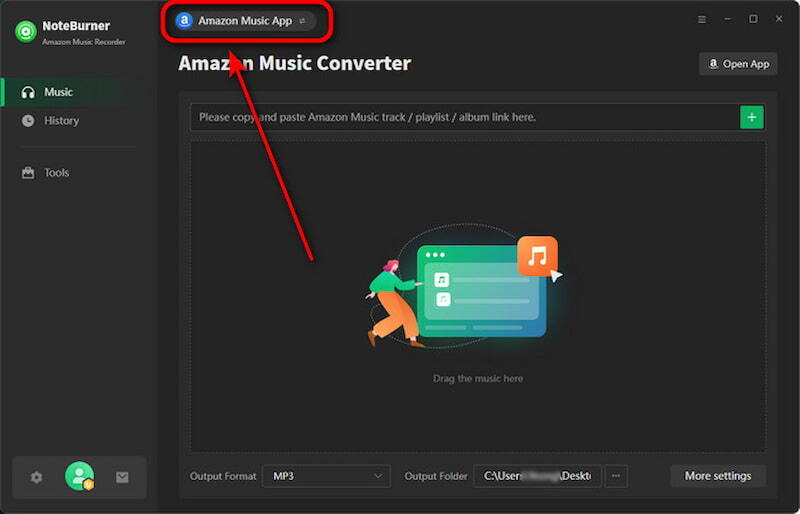
Step 2: Add your Amazon Music content. You can drag and drop tracks or copy/paste the playlist URL.
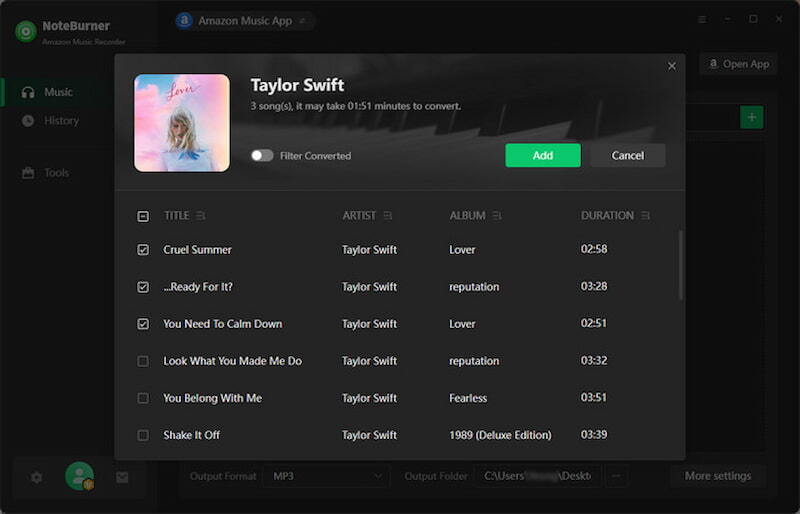
Step 3: Select format (MP3/FLAC/WAV/ALAC/AIFF), bitrate, sample rate, output path, file naming, etc.
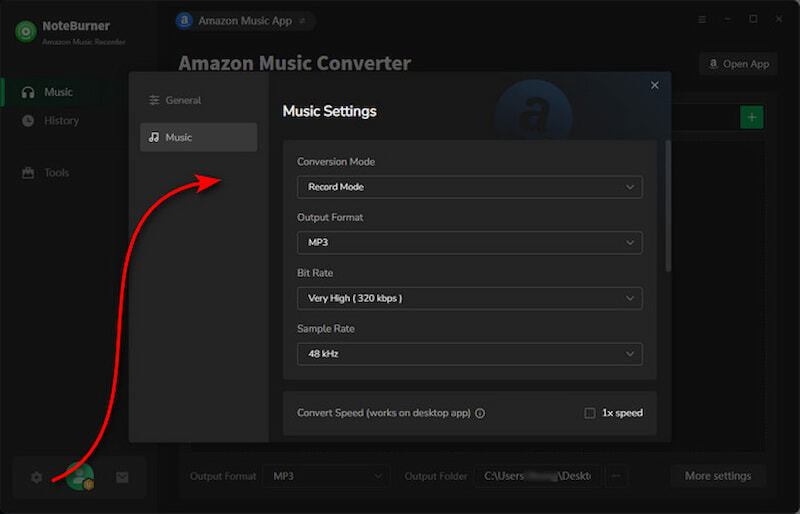
Step 4: Click Convert. Converted files appear in the History or Converted tab.
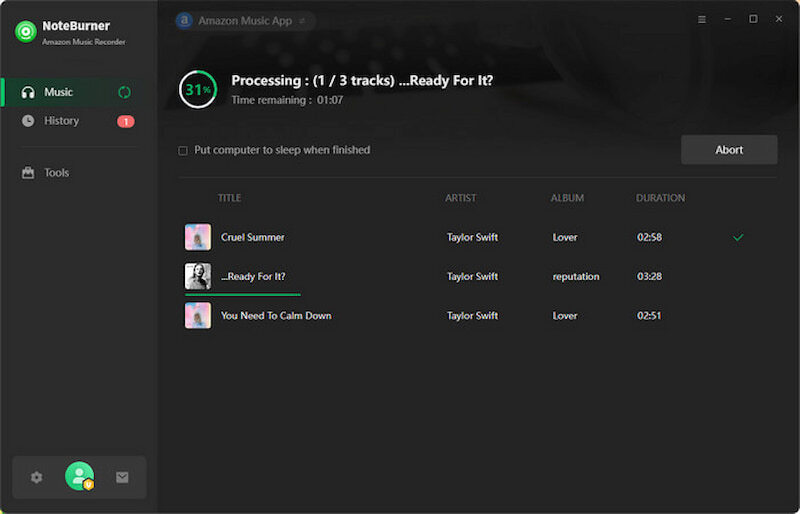
Converted files are then stored locally for offline playback.
Part 5. Limitations of NoteBurner
- Subscription-based pricing model
- Conversion speed varies by computer performance
- Temporary incompatibility may occur after service updates
- High-resolution audio may not be preserved exactly
- Account login is required for most services
Part 6: Other Music Converters
NoteBurner is not the only DRM music converter available. Similar tools, such as Mediaio Audio Converter , offer comparable functionality and support multiple streaming platforms.
Steps to convert Amazon music using Mediaio Audio Converter –
Install Mediaio Audio Converter and sign in with your license email.
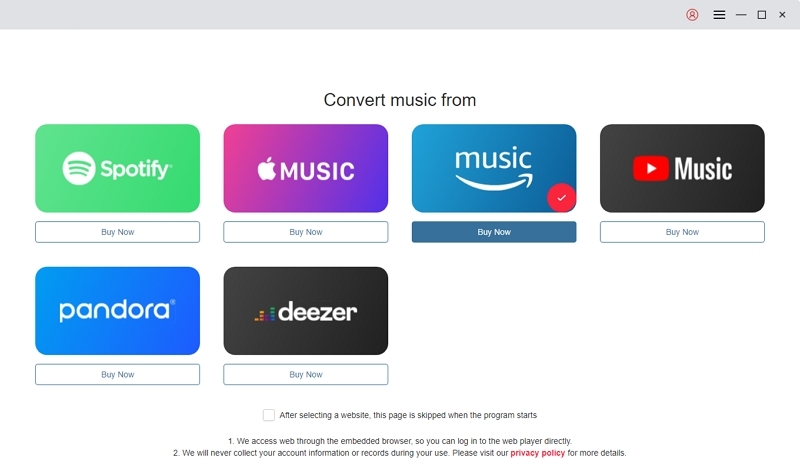
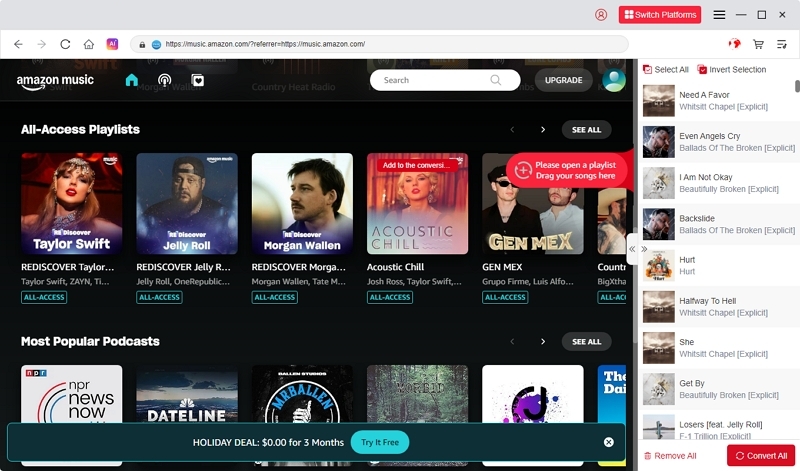
Choose Amazon Music inside the app and log in with your Amazon Music account.
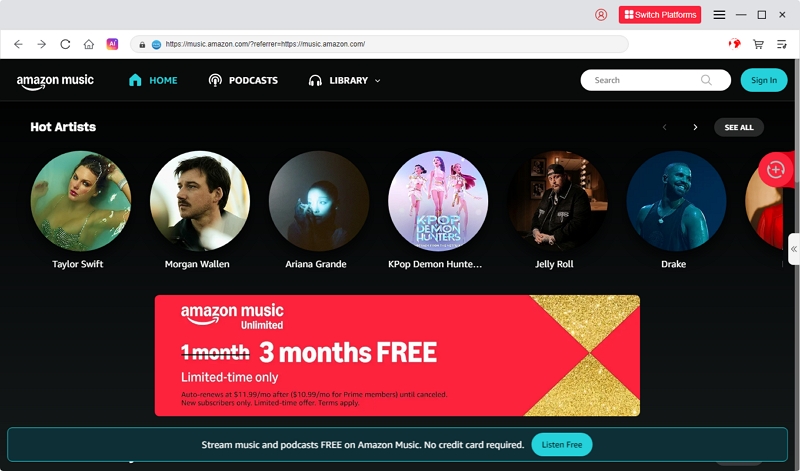
Explore Amazon Music through the integrated interface, then drag your selected albums, playlists, or tracks into the “+” area to include them in the conversion queue.
Before conversion, select your desired output format—MP3, M4A, FLAC, or WAV—and specify the directory for saving the converted files.
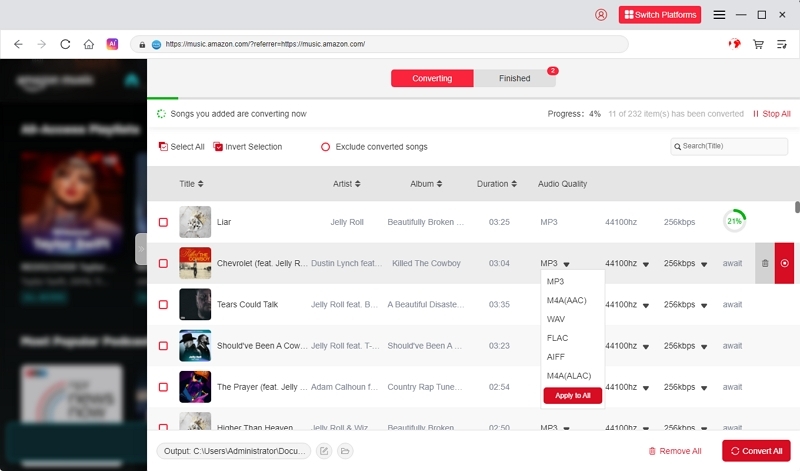
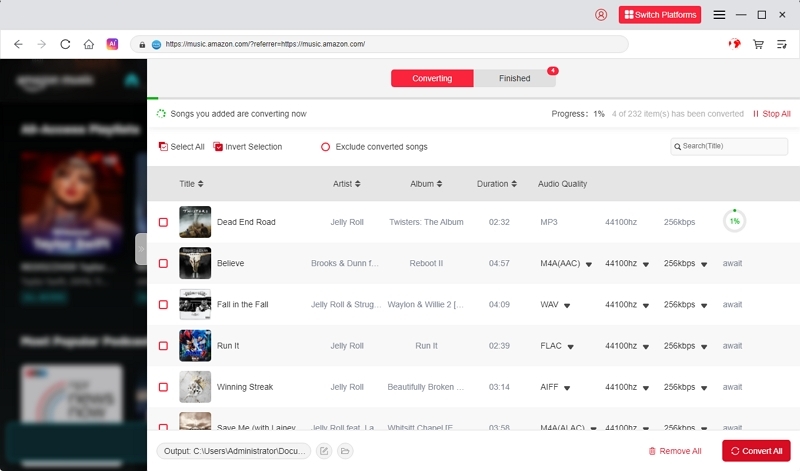
Once everything is set, click Convert All to start the conversion procedure. Mediaio will begin converting your selected Amazon Music tracks into audio files without DRM.
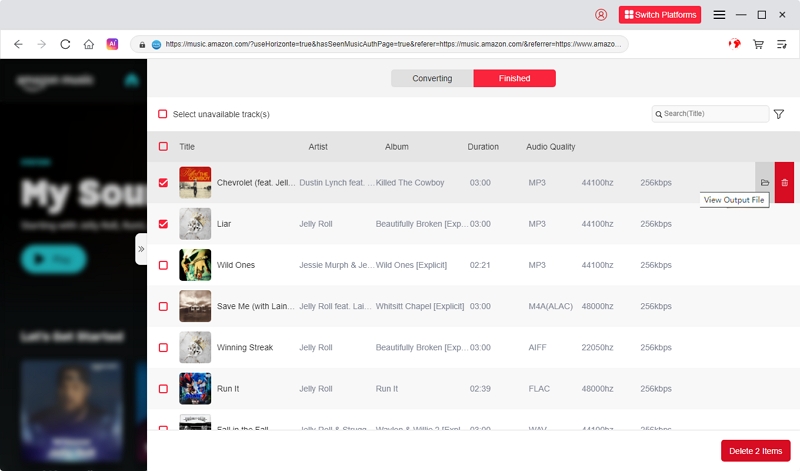
After the conversion is finished, go to the Finished tab to view and access all your newly generated files.
Part 7. NoteBurner vs Mediaio: Side-by-Side Comparison
Here’s a comparison table between Mediaio and NoteBurner –
FAQ:
Conclusion
NoteBurner is a long-standing DRM music conversion tool that offers basic functionality for users who want to understand or manage offline audio files. Like similar software, it has technical and legal limitations that should be carefully considered.
When choosing any music converter, users should focus on transparency, lawful usage, and personal needs rather than marketing claims.