

With more than 700,000 audiobook titles, Spotify audiobooks offer a huge selection of stories, knowledge, and entertainment across genres and languages. Whether you’re into fiction, biographies, self-help, or classic literature, there’s plenty to explore. However, access to these audiobooks varies depending on your Spotify plan and the title you want to hear. Free users can access some audiobook content, while many titles are available only with a Spotify Premium subscription. In this guide, we’ll show you how to browse and listen to Spotify audiobooks with a Free or Premium account, as well as how to purchase and download audiobooks for offline listening.
How to Browse Audiobooks on Spotify
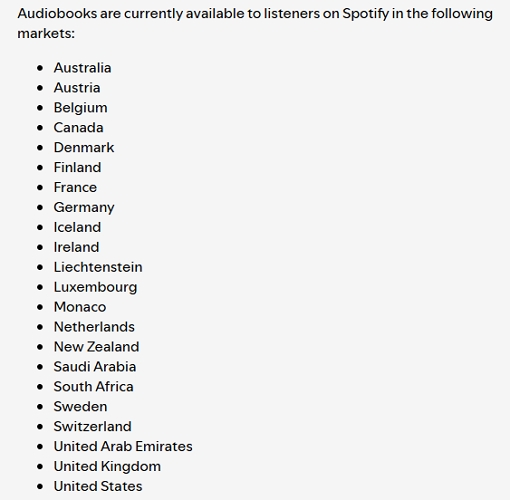
Before anything else, note that your access to Spotify’s audiobooks features depends on where you are. They’re currently only available in 22 key markets, such as the United States, Canada, the United Kingdom and Ireland. If audiobooks don’t show up in your app, it likely means Spotify hasn’t rolled out the feature in your country yet. However, if you’re in a supported region, you can dive in without any effort.
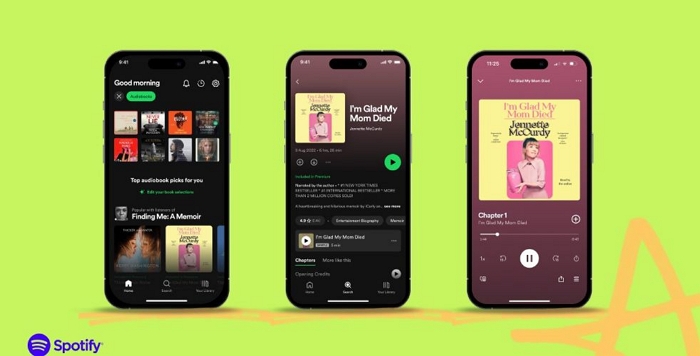
Whether you use Spotify Free or Premium, you can follow the steps below to find audiobooks. However, the titles and listening options available to you may vary depending on your plan and location.
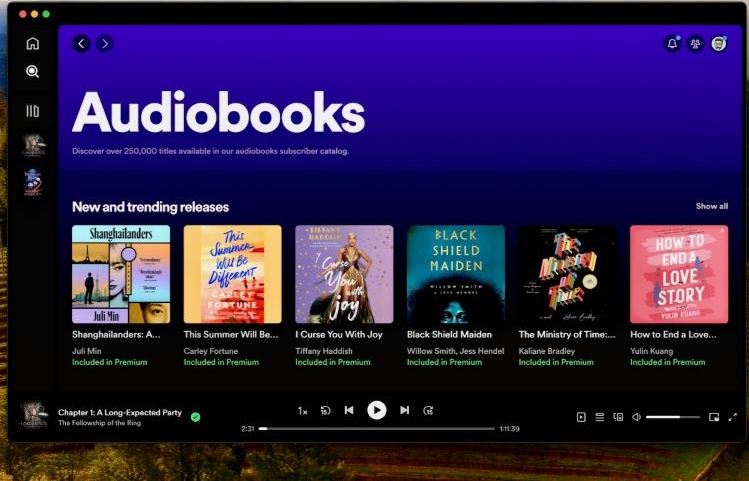
- Browse Audiobooks: Open Spotify and go to Search > Browse All > Audiobooks. From there, you can browse recommendations, popular titles, new releases, and different genres.
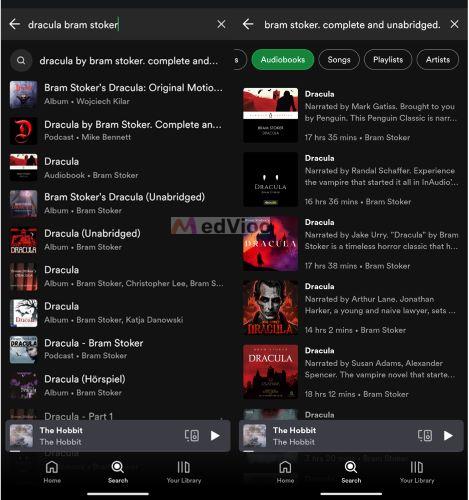
- Search for an Audiobook: If you already have a specific book in mind, use the Search bar and enter its title, author, or narrator. Then select the Audiobooks filter to narrow down the results.
How to Listen to Audiobooks on Spotify
What and how you can play the audiobooks depends on your plan. Spotify Free, Premium, and Audiobook Access each come with different options. Knowing what works for your account will help you get started without issues, so let’s break down each plan differences.
With Spotify Free
Yes, some audiobooks exist for free on Spotify. Many titles, especially those from the public domain, are added to expand the platform’s library. They don’t require any payment or special access, so you can listen without any time restrictions. That said, free users face the same limitations that they do with regular music, such as frequent ads, standard audio quality, and no option to download the audiobooks for offline listening. In short, while audiobooks are accessible, they come with all the usual drawbacks of the Spotify Free plan.
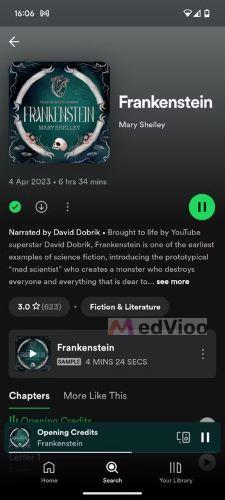
Once you find a book, check for the “Included in Premium” or lock icon on the play button. If there aren’t such tags, it means that the audiobook is free to play.
Some titles available for free are:
- Frankenstein by Mary Shelley (read by David Dobrik),
- Great Expectations by Charles Dickens (read by James Langton) ,
- Jane Eyre by Charlotte Bronte (read by Sarah Coombs).
You can also purchase individual audiobooks on Spotify and listen to them separately. Below are the steps to do so, and the process is the same for different Spotify account types.
How to Purchase an Audiobook on Spotify Desktop
- Open Spotify’s web player and sign in to your account.
- Search for the audiobook you want to purchase and open its details page.
- Click Buy to view the available purchase option.
- Follow the on-screen instructions to enter your payment details and complete the one-time purchase.
- Once the purchase is complete, open the audiobook in Spotify and start listening.
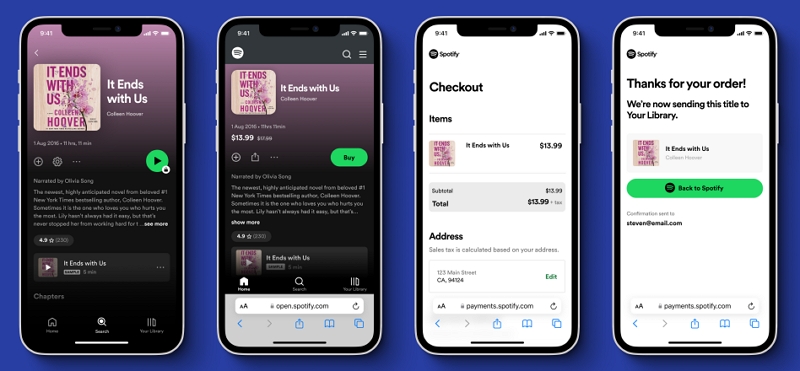
How to Purchase an Audiobook on Spotify Mobile
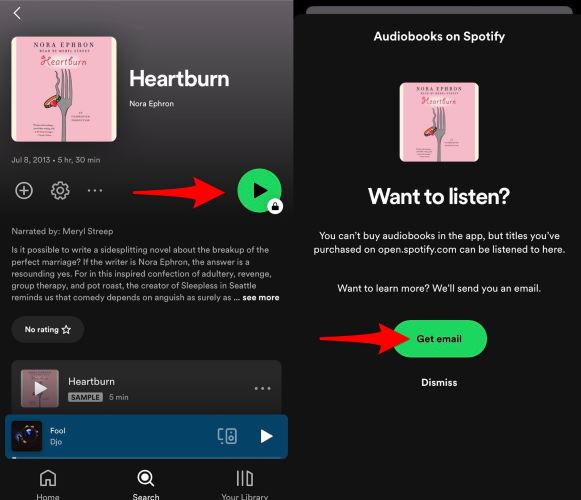
Step 1. Tap the locked play button on the audiobook page in Spotify. A prompt will appear, instructing you to select Get Email.
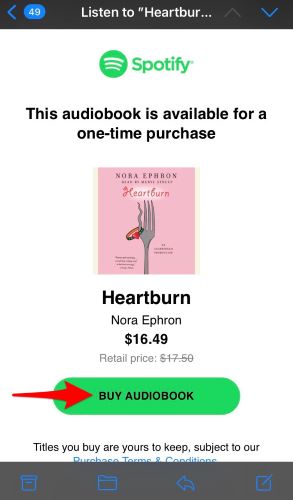
Step 2. Access your email and locate Spotify’s message. Inside, click the “Buy Audiobook” button. This will redirect you to a web page.
Step 3. Log in with your account credentials. Then, enter your payment details and complete the transaction on the Checkout page.
Step 4. Once the process concludes, click “Back to Spotify” to return to the app.
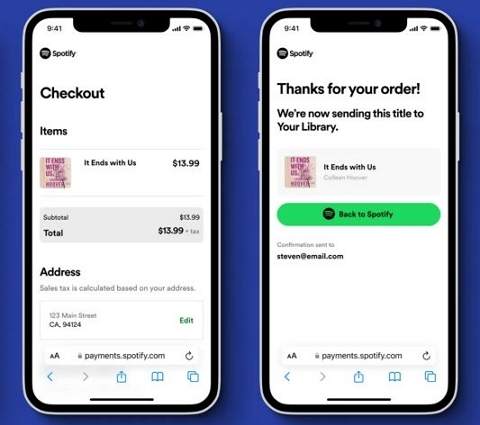
Step 5. The audiobook will now be unlocked and saved to your Spotify library automatically.
With Spotify Premium
Every Spotify Premium plan, whether it’s Individual, Duo, or Family, comes with 15 hours of audiobook time per month, free of charge. You can use these hours on the title that come with “Included in Premium” tags. Just know that once the month ends, any leftover time will vanish. And it won’t roll over into the next cycle.
It is also important to note that there is a key limitation with Duo and Family plans. Only the plan manager (the one paying the bill) gets access to the 15 hours. The other accounts linked to the plan? They need Audiobooks+ or need to buy audiobooks separately to play desired audiobooks.
Steps to Play Spotify Audiobooks as Premium
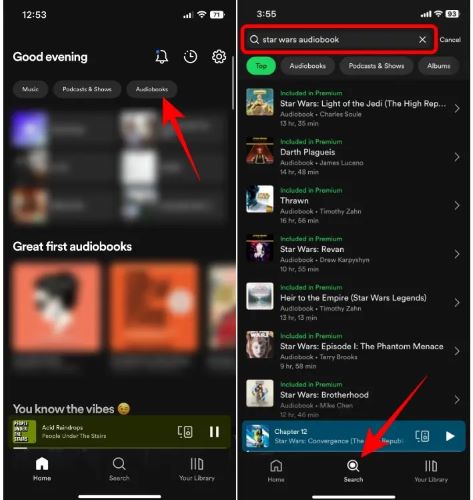
Step 1. Open Spotify. You’ll find the Audiobooks tag right on the home screen. You can also search for titles using the universal search function.
Step 2. Explore any audiobook you want. You’ll see the “Included in Premium” tag. If an audiobook is marked as included, you can listen without paying extra.
Step 3. Start listening. You can use up to 15 hours per month.
Note:
- Listening to the same part again will also count toward your 15-hour limit, so plan your time accordingly.
- Changing playback speed (whether 2x or 3x) won’t save time, as Spotify tracks the total length of the audiobook regardless of speed.
How to Get More Than 15 Hours of Audiobook Listening Time
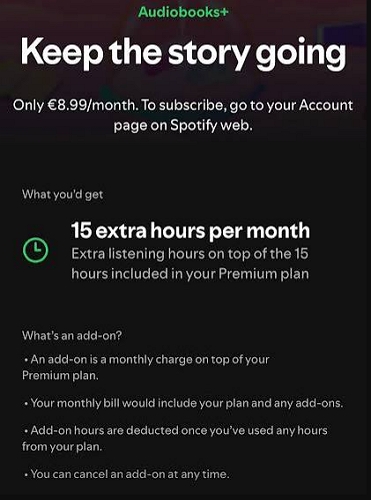
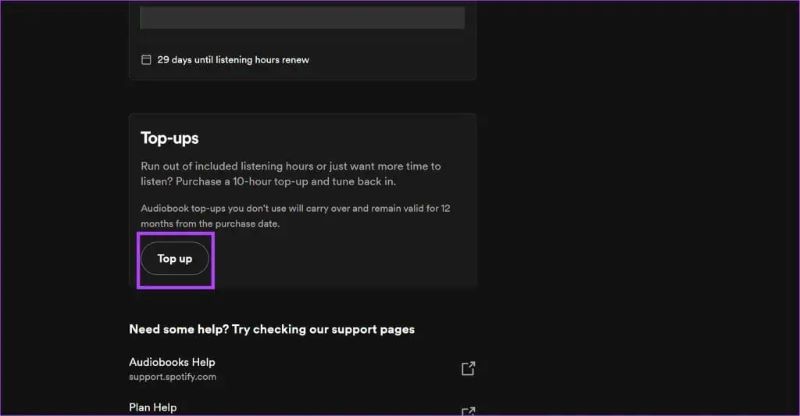
After your 15 hours of audiobook time runs out, you can extend your listening by purchasing Top ups. Each Top up adds 10 extra hours and stays valid for one year, allowing you to carry unused time across months. These bundles will activate only after your free monthly hours are used up. Alternatively, you can subscribe to Audiobooks+ to get an additional 15 hours of audiobook listening time each month. Keep in mind that Audiobooks+ automatically renews each month.
To Subscribe to Audiobooks+:
- Go to Available subscriptions and sign in to your Spotify account.
- Open the Add-ons tab to see the add-ons available to you.
- Select Add next to the add-on you want and follow the on-screen instructions to complete the purchase.
To Buy Top ups:
Step 1. Open Spotify in a web browser and log in.
Step 2. Click the profile icon at the top-right and select Account.
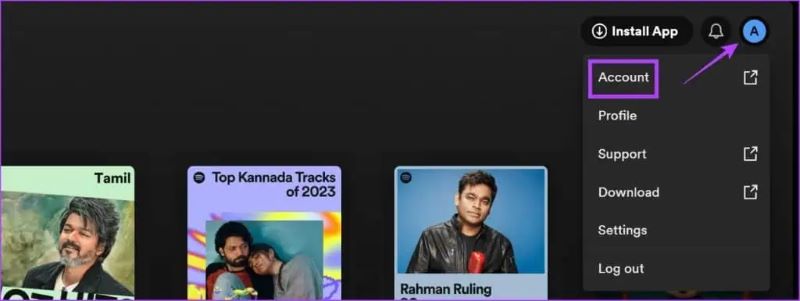
Step 3. Click on the current Plan details card.
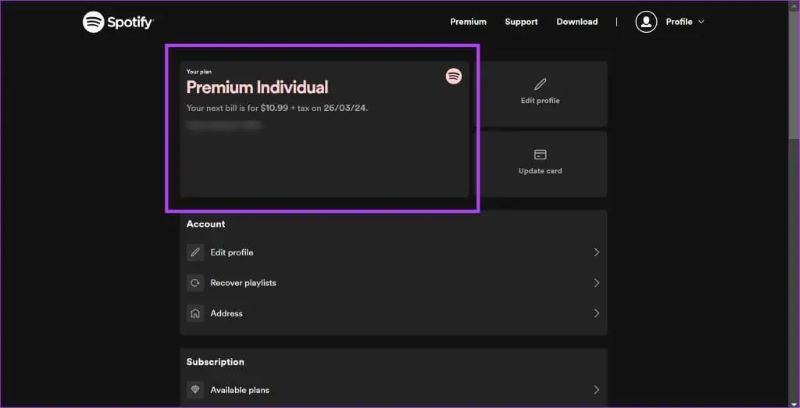
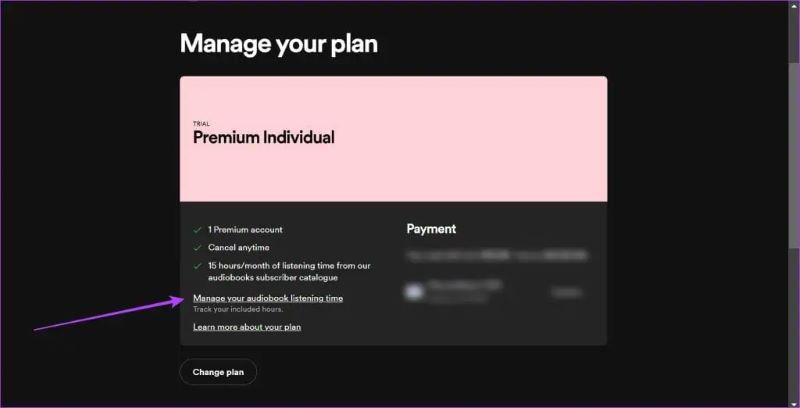
Step 4. Choose Manage your audiobook listening time to view your current balance and purchase additional listening hours.
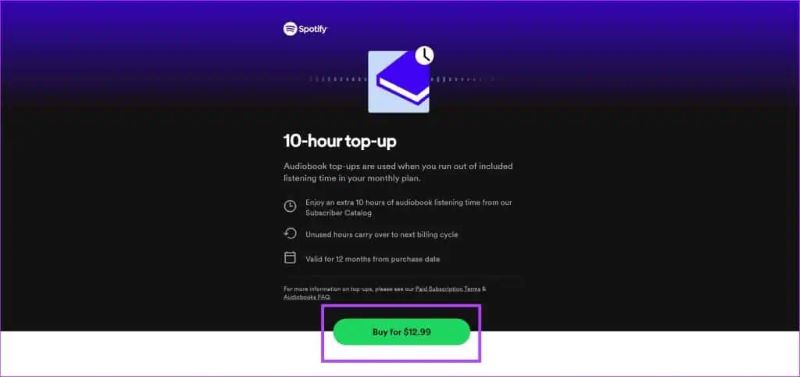
Step 5. Select Top up and follow the prompts to purchase a 10-hour bundle for US$12.99.
Once you complete the payment, your extra hours will be added instantly and you can continue enjoying your Spotify audiobooks now.
With Audiobooks Access
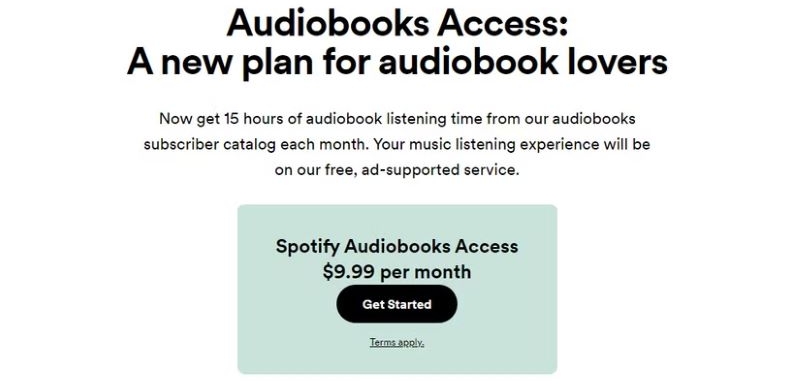
Spotify US offers a dedicated Audiobook Access plan, which provides the same 15 hours of audiobook time per month that Premium users get. The key difference between Premium and Audiobook Access plan lies in the pricing. The Audiobook Access plan costs US$9.99 per month, whereas the Premium Individual costs US$12.99. For $3 less, you get access only to audiobooks with Audiobook Access while Spotify’s music features will remain in their free, ad-supported format. With the audiobook-specialized plan, you can explore any eligible title and listen up to your 15-hour limit. There is also an option to purchase 10-hours top-up.
Once you have subscribed to the plan, select any audiobook marked as included in your plan and start playing it.
How to Download Free or Paid Audiobooks from Spotify
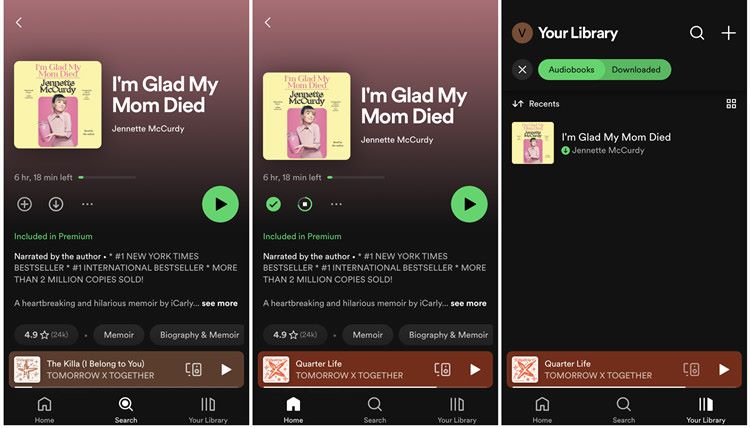
Audiobooks included with your Premium or Audiobook Access plan, as well as those you’ve purchased, can be saved for offline listening. Follow these steps to download available audiobooks on Spotify:
Step 1. Access an eligible audiobook. For the purchased audiobooks, you can find them in your library.
Step 2. Tap the download arrow on the audiobook’s page. This will save it for offline listening, just like any album or playlist.
How to Download Spotify Audiobooks as MP3
Spotify audiobooks will remain locked inside the app, even if you’ve bought them or use a paid plan. They can’t be transferred or played outside Spotify’s environment. To make them accessible via third-party players like Smart Audiobook Player, converting them into MP3 format is necessary. This part will introduce you to an effective way that allow you to convert audiobooks to MP3.
Note:
- The methods below work for both free audiobooks and audiobooks you’ve purchased.
- Please use the converted audiobooks for personal use only.
For serious audiobook listeners, having a dedicated desktop tool like MedVioo Audio Converter makes life easier. Working as a Spotify audiobook converter, MedVioo comes equipped with an integrated Spotify web player, so you can get direct access to your account within it. Simply log in, browse your library, and select accessible audiobooks including the ones you purchased to export as MP3 files.
The saved audiobooks will retain the original audio quality from Spotify. Another great aspect of MedVioo is that it excels in tagging. Each audiobook is saved with proper metadata: book name, chapter titles, cover art and part numbers. This ensures that your audiobooks will remain well-organized when played on external players.
Steps to Download Audiobooks Using MedVioo
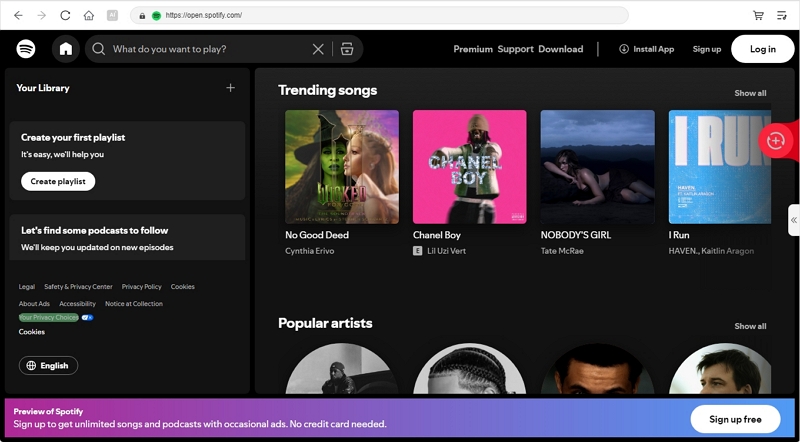
Step 1. Install MedVioo Audio Converter on your computer (Windows or Mac) using the provided installer. Complete the setup and open the app. Navigate to the Spotify tab.
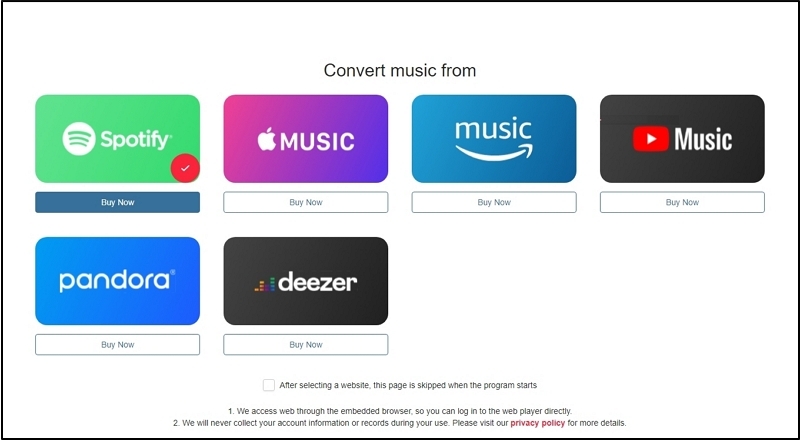
Step 2. In the inbuilt Spotify web player, enter your credentials to log in to your Spotify account. Whether you use a free or paid plan, both work equally well with MedVioo.
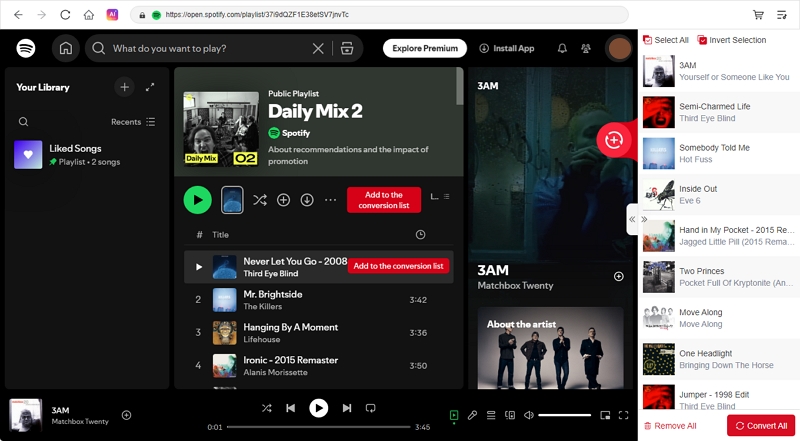
Step 3. Find the free or purchased audiobook you wish to save. Add it to the conversion queue by clicking Add to Convert.
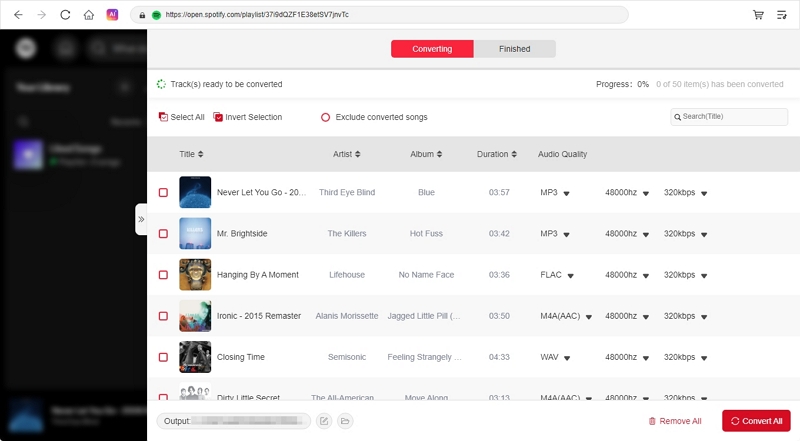
Step 4. In the full Conversion window, set the output format. Then, click Convert Now at the bottom-right. All the chapters will start saving one by one.
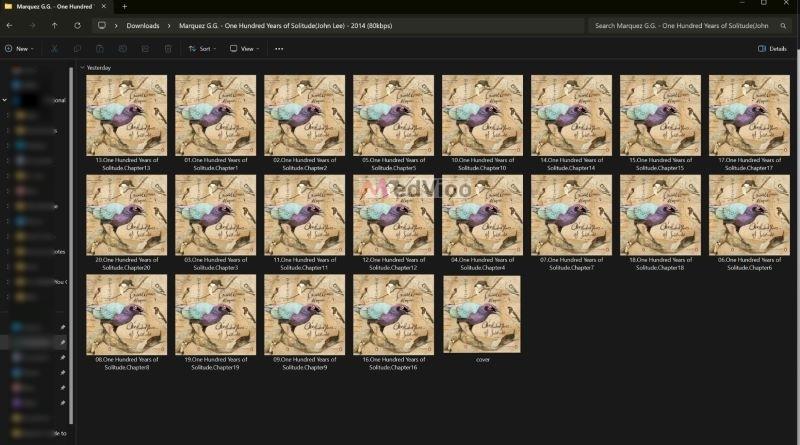
Step 5. Navigate to your Downloads directory. You’ll find the converted audiobook in chosen format in the MedVioo folder.
Conclusion
Whether playing Spotify audiobooks or downloading audiobooks from Spotify, this guide has shown you every way in detail.
For a hassle-free solution in saving Spotify audiobooks offline, MedVioo Audio Converter stands out. With MedVioo, you can save audiobooks as MP3s in one go. The best part is: you can convert the entire audiobook in MP3 at a time and get them in original audio quality, with clarity fully preserved.