

A lot of us remember the Nokia ringtone as the first phone sound we ever heard. If you want to use that same ringtone on your iPhone or Android today, you can do it. The hard part is finding it. Besides, with so many versions out there, it’s hard to tell which one is the original. Futhermore, even if you find it on Spotify or YouTube, you can’t directly set it as the ringtone.
This guide will show you the most popular versions of the Nokia Tune, so you can pick your favorite. You’ll learn how to download it as an MP3 and set it as your ringtone on your iPhone or Android.
What Is Nokia’s Famous Ringtone?
The most well-known Nokia ringtone is called “Nokia Tune”. You’ll recognize it right away. Click the embed below to listen.
The tune comes from Gran Vals, a guitar waltz written by Spanish composer Francisco Tárrega in 1902. Nokia chose this famous tune for its ringtone.
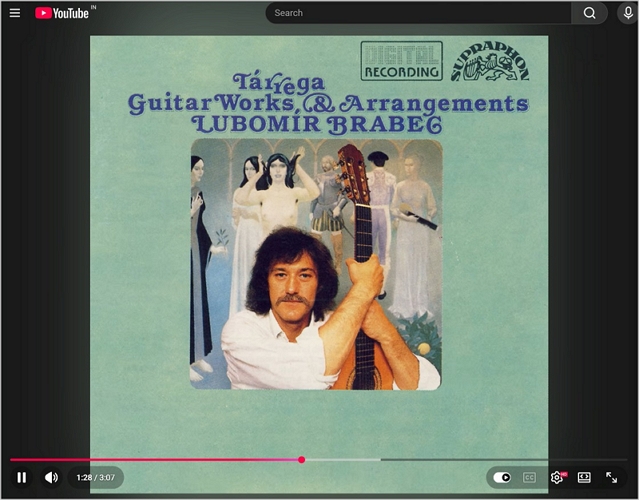
At first, Nokia didn’t use the tune as a ringtone. Nokia used the waltz in a 1992 TV ad for the Nokia 1011. When the Nokia 2110 came out, it became available as a ringtone. Back then, it didn’t have a real name and was listed only as a numbered tone, like “Type 5” or “Type 7.”
In 1997, it was named “Grande Valse.” The next year, as Nokia became the world’s biggest phone maker, it became widely known as “Nokia Tune.” Since then, Nokia has updated the ringtone many times for better speakers and new music styles, so each version sounds a bit different.
Here are the most popular versions and what they sound like.
• It sounds more like an alarm than music, and it’s the version most people remember.
• The composer Ian Livingstone made this version.
• A dubstep remix from a fan contest shipped next to it on many phones.
Where to Find Nokia Ringtone
There isn’t any official Nokia ringtone store. The closest option is the Nokia Design Team’s SoundCloud account, where you’ll find historical versions of the tune, many of which you can download. For fan edits and other versions, there are plenty of other sites and platforms. We’ve checked out many of them, and here are some of the best, including fan edits and recreations. Here’s how they stack up.
• Standard Nokia ringtones, alerts and regional tones sit next to it • The original file Nokia uploaded, when downloads are turned on
• Plenty of extras too, like the 3310 ring and old SMS tones • MP3
• Originals sit next to the 2013 tune, dubstep edits and remixes • MP3 on the website
• Fan edits, remixes and full recordings of Gran Vals • No MP3 download option
• Public playlists gather them, like “Nokia ringtones” with 16 songs • No MP3, as Premium downloads play only inside Spotify
How to Download Old Nokia Ringtone as MP3
There are several ways to download the Nokia ringtone. The best method depends on what you want: a quick, lower-quality MP3; a high-quality version; or fan edits from platforms like Spotify or YouTube Music. Here are your options.
Way 1. Download the 1994 Nokia Ringtone MP3 for Free on Myinstants
Sites like Myinstants usually offer low-quality MP3s because most sounds are short clips uploaded by users. Still, these sites are very easy to use. For example, Myinstants lets you get the 1994 tune in just a few taps. Here’s how to save it, either from your phone or computer:
Step 1. Go tomyinstants.com and search for “nokia 1994”.
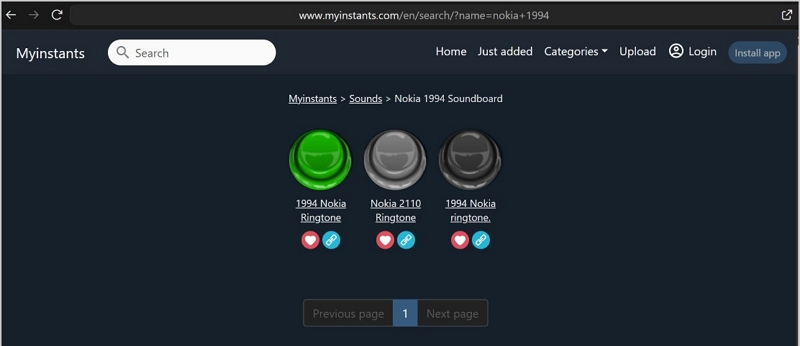
Step 2. You will see three Nokia sound buttons. Tap the round button to hear one first, then tap the name below it (e.g., 1994 Nokia Ringtone) to open its page.
Step 3. Hit Download MP3 under the title.
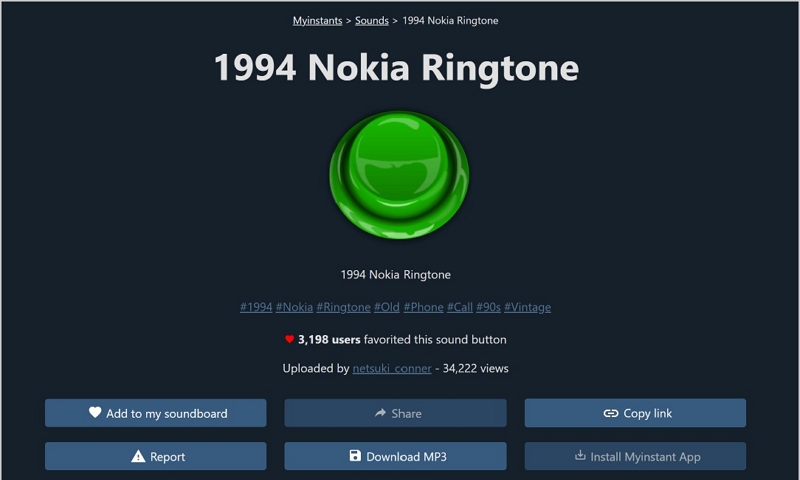
Step 4. On a computer, your browser will save the MP3 to the Downloads folder or ask where to save it.
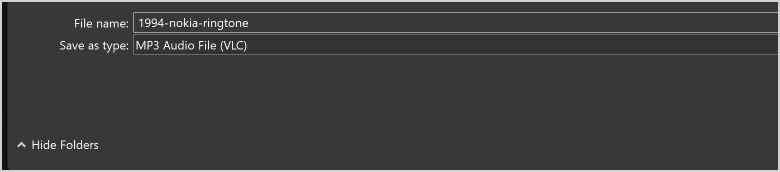
Note: On phone, the MP3 will open in a player instead of downloading. So press and hold Download MP3, then choose Download Linked File on iPhone or Download link on Android. The file will go to the Downloads folder in the Files app (iPhone) or the Download folder (Android).
Way 2. Download High-Quality Nokia Ringtones from Spotify or YouTube Music
Platforms like Spotify and YouTube Music have full-length Nokia Tune versions, high-quality recreations by professional musicians, and even the original Gran Vals. These are usually available in much better sound quality. However, you can’t save them as MP3s directly from these platforms. To do that, you’ll need a converter like MedVioo Audio Converter.
MedVioo supports Spotify, YouTube Music, and other music platforms, so you can easily get your Nokia ringtones as high-quality MP3s. Each file also keeps its title, artist, and cover art, so your ringtones stay organized on your computer or phone.
Steps to Download Nokia Ringtones with MedVioo
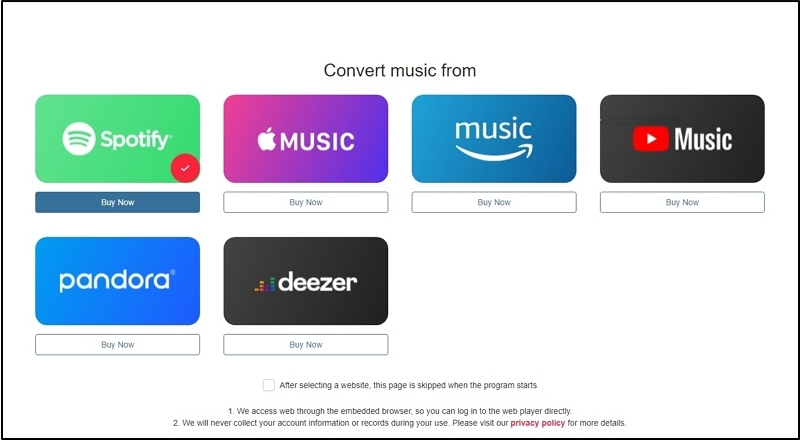
Step 1. Install and launch MedVioo Audio Converter on Windows or Mac. On the start screen, pick Spotify or YouTube Music.
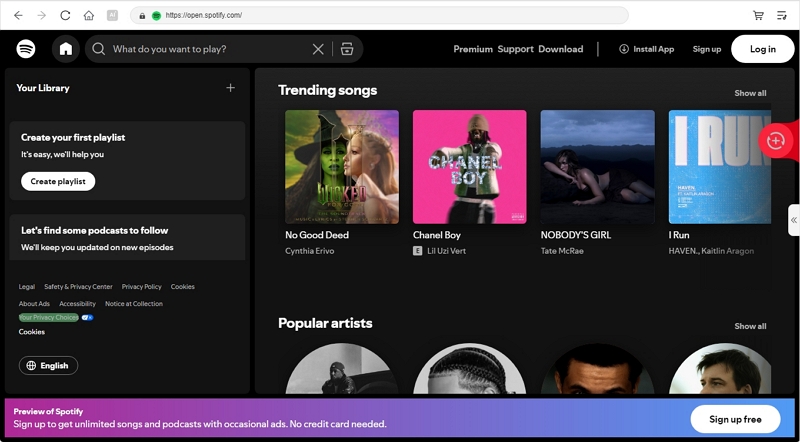
Step 2. Sign in on the corresponding music platform’s page inside the app. A free account works.
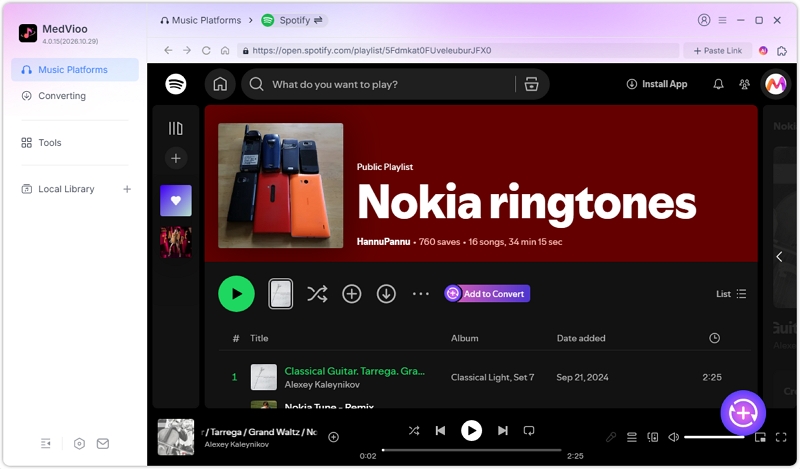
Step 3. Search for “Nokia ringtones” and open a playlist, such as the public “Nokia ringtones” playlist with 16 songs. Click Add to Convert.
Step 4. In the conversion list, set the format to MP3 and the bitrate to 320kbps, then click Apply to All.
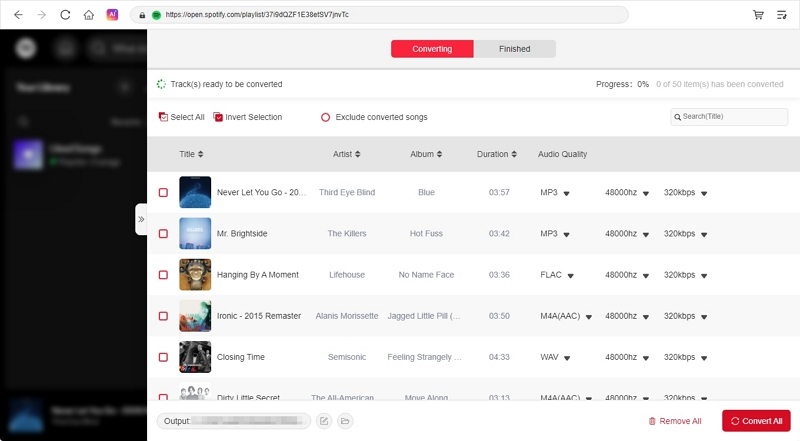
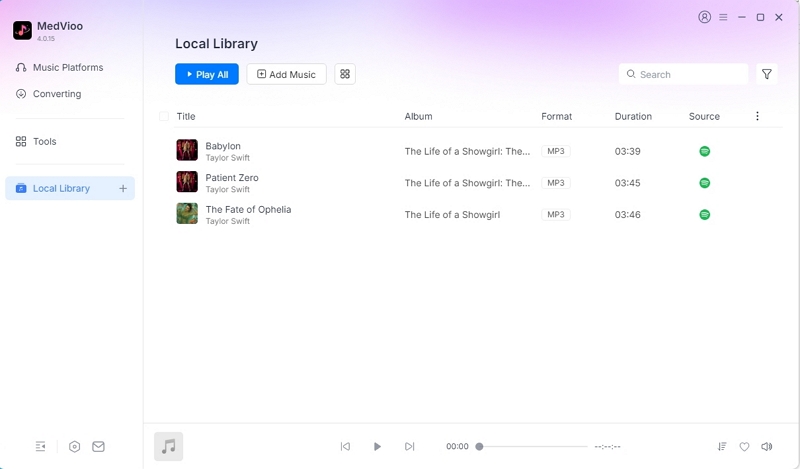
Step 5. Hit Convert Now. The converted songs will be moved to the Local Library tab. The folder icon next to each track will open your MP3s.
How to Set Nokia Ringtone on Your iPhone/Android
No matter how you got your MP3, here’s how to set it on your phone. If the MP3 is on your computer, transfer it to your phone first.
Step 1. Transfer Nokia Ringtone to Phone
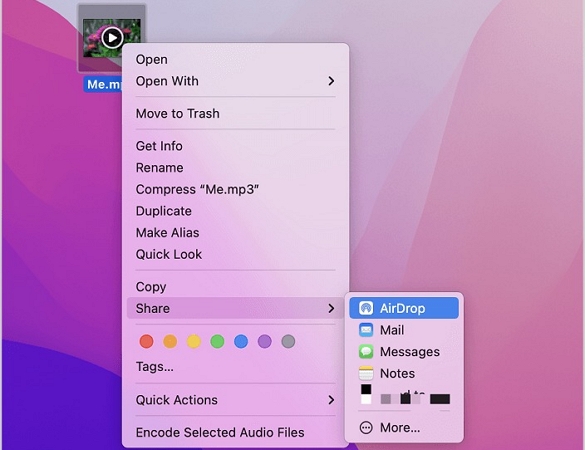
For an iPhone, you can AirDrop it from a Mac, or upload it to iCloud Drive so it appears in the Files app.
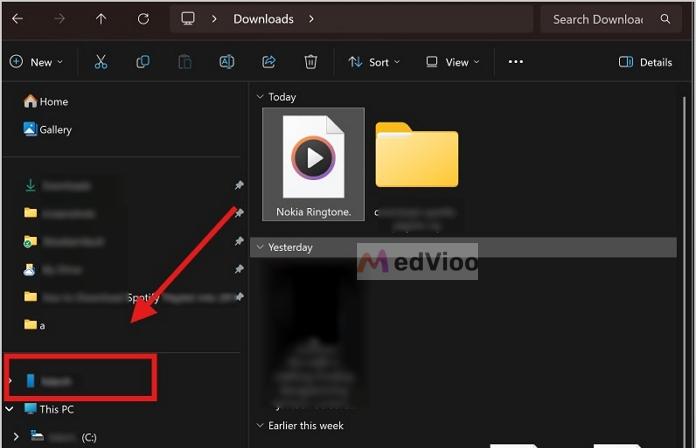
For an Android phone, connect it with a USB cable. It will show up in File Explorer, and you can drag the file into its Ringtones or Downloads folder.
Step 2. Set Nokia Ringtone on Phone
On iPhone
On iOS 26 and later, you can set an MP3 right from the Files app, with no computer needed. The file just has to be an MP3 or M4A of 30 seconds or less, and most Nokia Tune clips last only a few seconds. Here’s how:
Step 1. Open the Files app and head to the folder where your Nokia ringtone is saved. Files downloaded in Safari go to Downloads.
Step 2. Tap the MP3 to open it, then tap the Share icon at the bottom left.
Step 3. Scroll down the share menu and choose Use as Ringtone. If you can’t see it, tap More to find it.
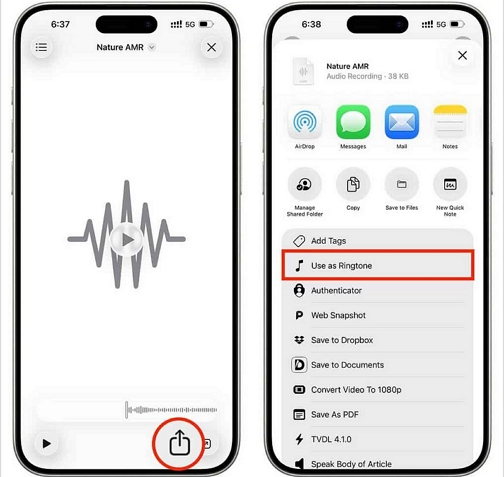
Step 4. Your iPhone will open Settings > Sounds & Haptics > Ringtone, where the Nokia tune now sits at the top with a checkmark. It plays from your next call.
If your iPhone runs iOS 18 or earlier, GarageBand does the same job:
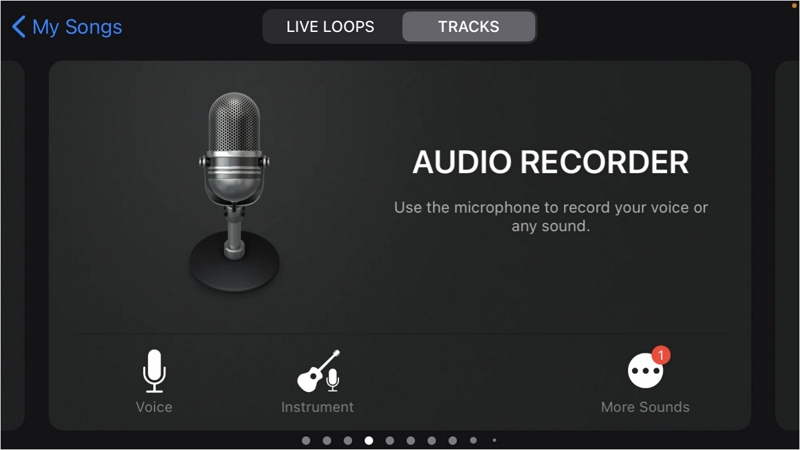
Step 1. Install GarageBand from the App Store and open it. Under TRACKS, swipe to AUDIO RECORDER and tap Voice.
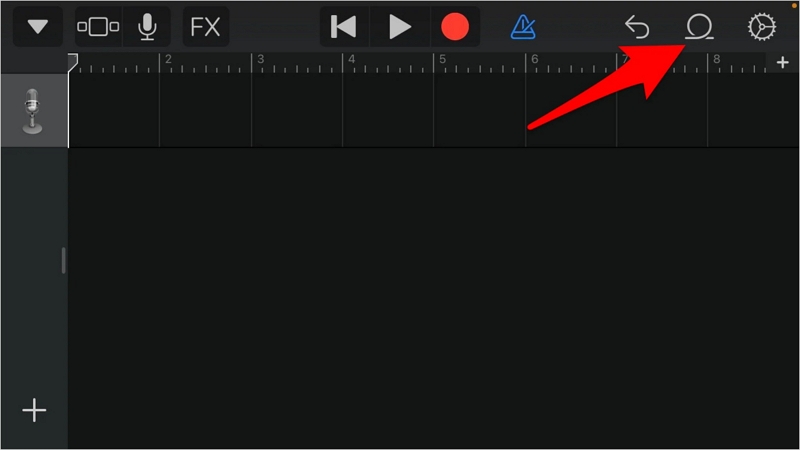
Step 2. Tap the view button at the top left to switch to the tracks view. Then tap the loop icon in the top-right corner.
Step 3. Under the Files tab, choose Browse items from the Files app and pick your Nokia MP3. Drag it onto the track.
Step 4. Tap the down arrow at the top left and choose My Songs. Press and hold the project, tap Share, and choose Ringtone.
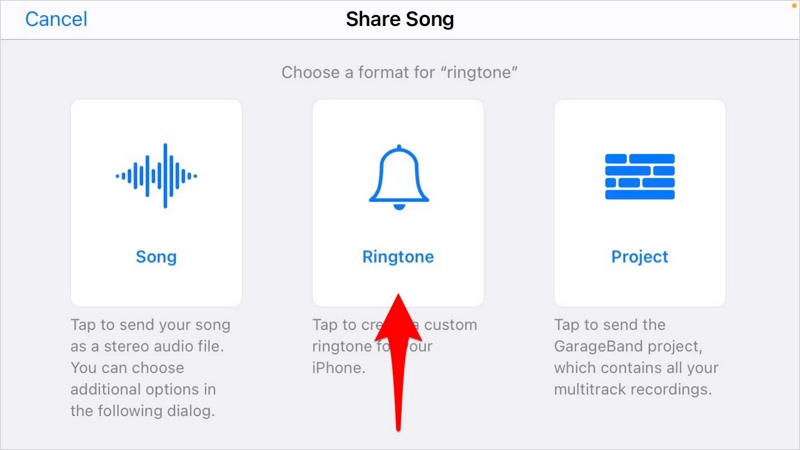
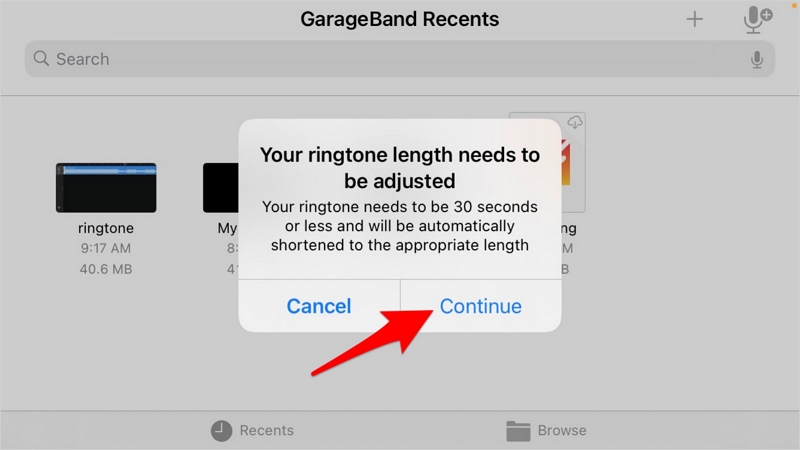
Step 5. If the clip is longer than 30 seconds, tap Continue, and GarageBand will shorten it for you. Give the ringtone a name and tap Export.
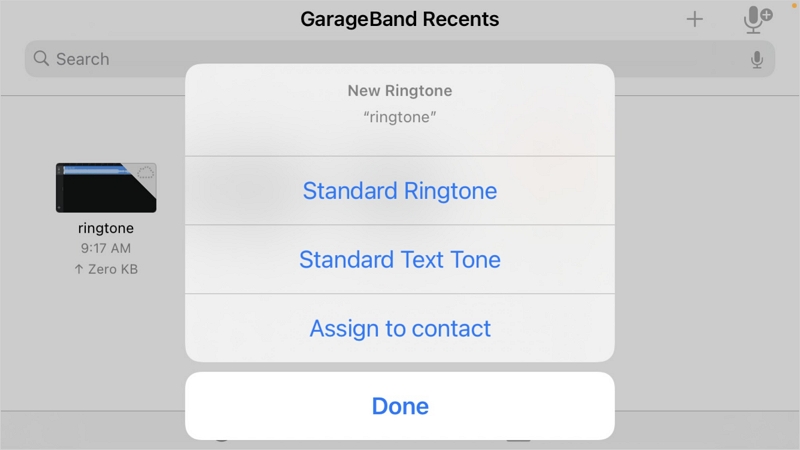
Step 6. When the export finishes, tap Use sound as and select Standard Ringtone.
On Android
Android lets you pick any MP3 as a ringtone from Settings. The menu names differ a little by brand, so here are the two most common layouts.
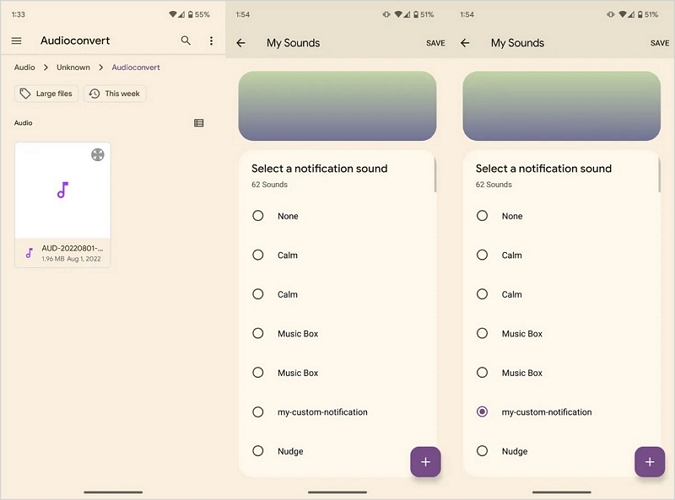
On Google Pixel and most other Android phones:
Step 1. Open Settings and go to Sound & vibration > Phone ringtone.
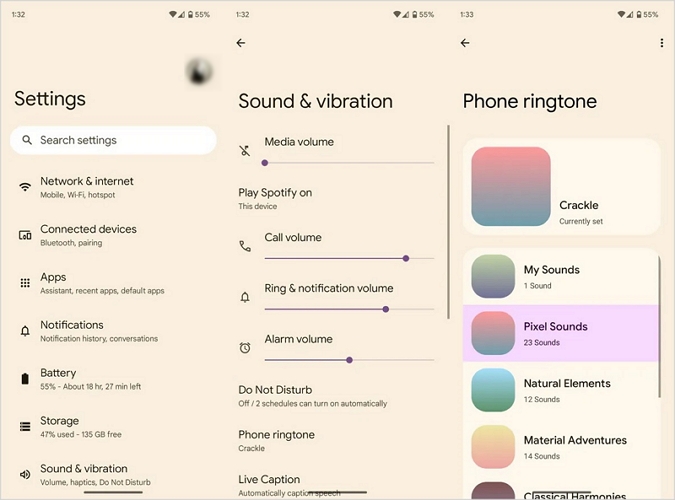
Step 2. Tap My Sounds, then hit the + button at the bottom right. Your files will open.
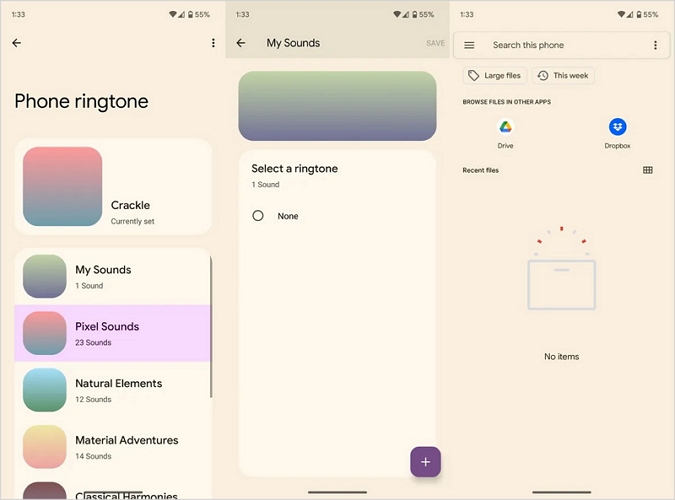
Step 3. Head to the folder that holds the Nokia MP3 and tap it. The tune joins the My Sounds list, already selected.
Step 4. Tap SAVE at the top right.
The same route under Default notification sound sets the Nokia tune as your notification sound.
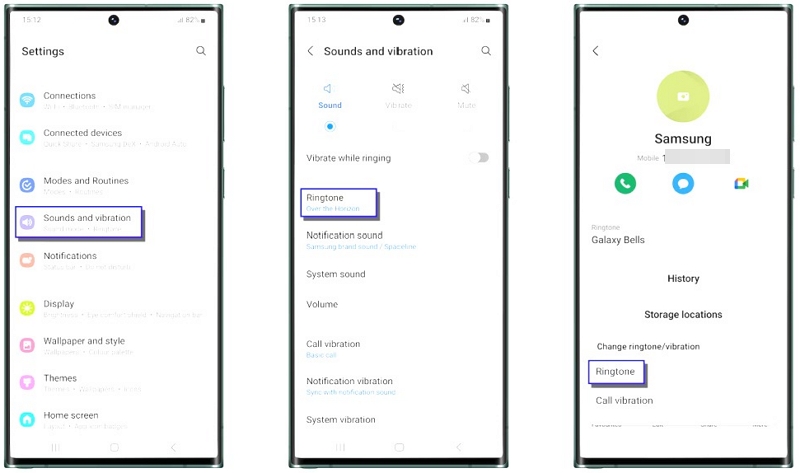
On Samsung Galaxy phones:
Step 1. Open Settings. Tap Sounds and vibration, then Ringtone. If your phone has two SIMs, choose the SIM first.
Step 2. Tap the + icon at the top right. Allow access to your files if the phone asks.
Step 3. Find the Nokia MP3 in your Downloads folder, select it, and tap Done.
Conclusion
So that’s how you can get the classic 1994 Nokia ringtone and set it up on your iPhone or Android. If you want a quick option, sites like Myinstants work well.
However, if the version you want is only on YouTube Music or Spotify, you can use MedVioo Audio Converter to save it as an MP3. Then, set it just like any other ringtone.