

Shanling M0 Pro comes very close to being awesome. It doesn’t try to do everything. Instead, it focuses on one thing that actually matters — delivering solid, high-quality sound. And then there’s the size — something you can literally wear like a watch.
But that brings up the real questions. Can it deliver enough power for high-end IEMs? Does the pricing actually make sense for what it offers? What kind of sound does it deliver? Does it come close to flagship-level DAPs? And what is it like to use day to day?
That’s exactly what we’ll break down in this detailed Shanling M0 Pro portable music player review — looking at where it delivers, where it falls short, and whether it makes sense for your setup.
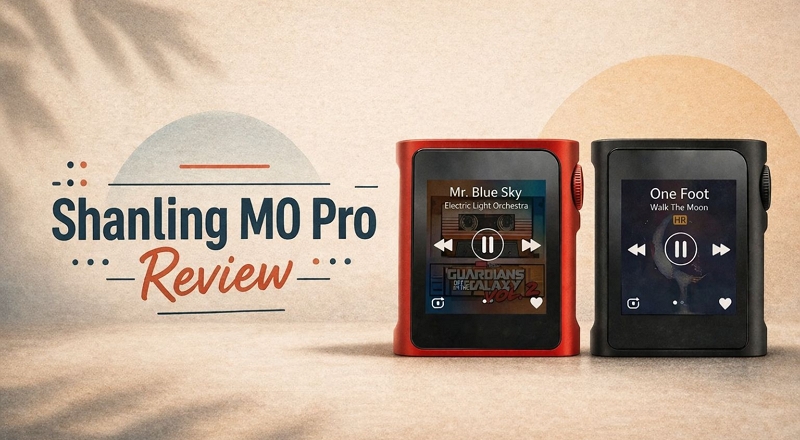
Shanling M0 Pro Portable Music Player: Design & Build Review
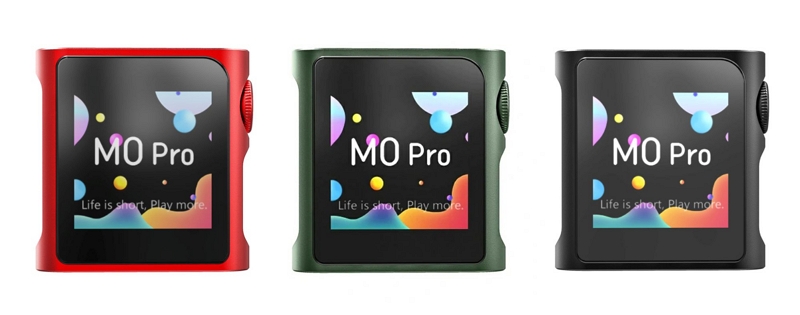
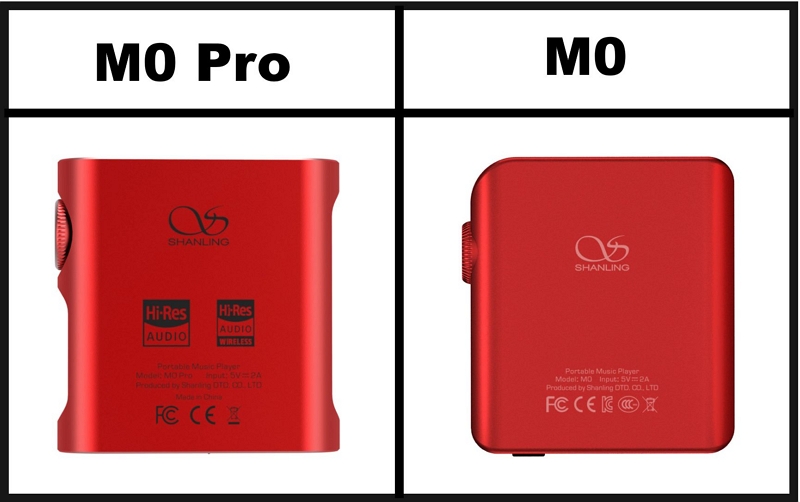
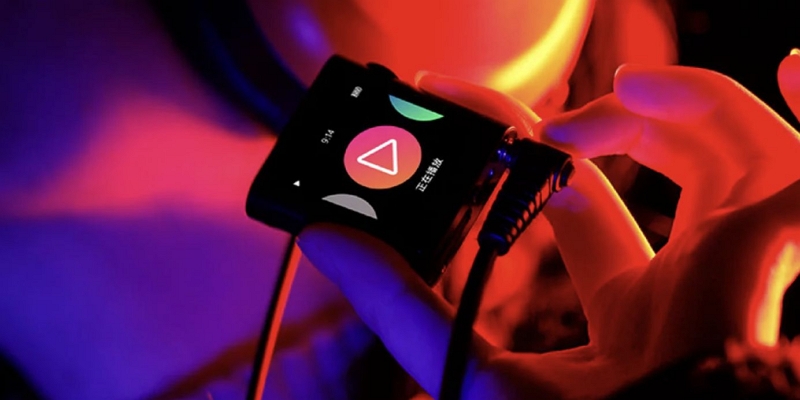
M0 Pro’s carry the same “ultra-portable slab” identity of the M0s — something you can literally hold between two fingers without needing to adjust your grip.
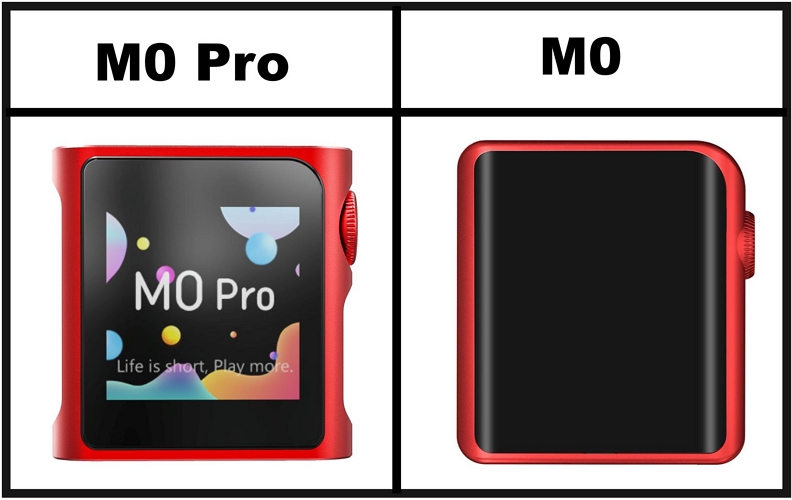
Now, yes, there are small refinements. Take the volume wheel. It’s now more shaped and textured, which makes it easier to use shortcuts or control volume while it’s still in your pocket.
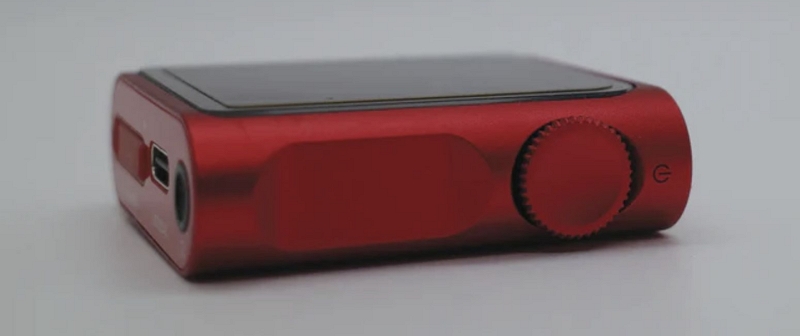
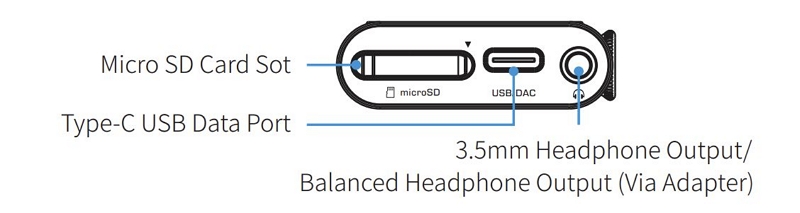
Then comes one of the bigger upgrades. The 3.5mm jack is still there, but it’s now redesigned as a 5-pin hybrid output on the M0 Pro. That means it will work perfectly with your regular earphones, just like the M0s.
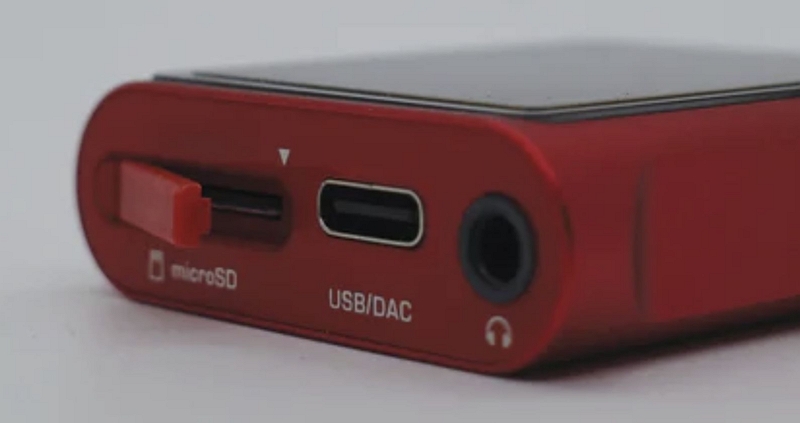
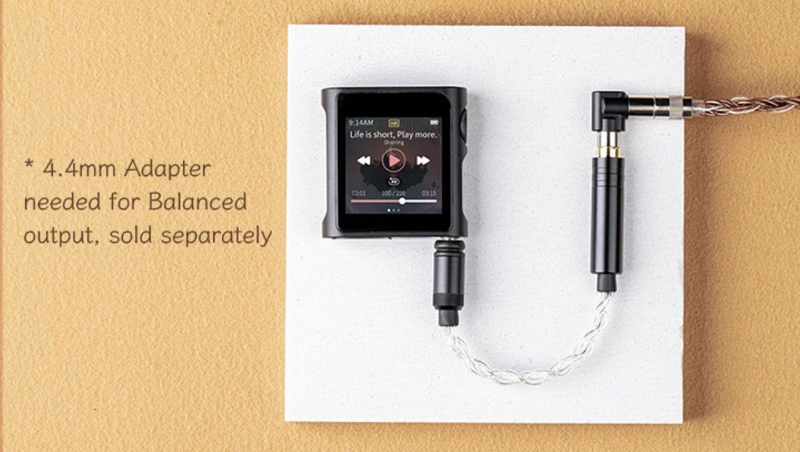
The M0 Pro can also push a balanced output through the same port. However, you’ll need a 4.4mm adapter to make it work and that’s sold separately.
Other than that, the build is mostly the same. The edges feel a bit more curved and refined, but the core structure remains the same. You still get a CNC aluminum frame with tempered glass on both sides.
Design & Build Overview

Is Shanling M0 Pro Portable Music Player Portable and Stylish?
Yes, M0 Pro is known for its design and for good reasons.
Right from the first touch, it sets a different tone. The CNC-milled aluminum chassis, that cool-to-touch metal, and the anodized colors, all of it clearly separates this from most ultra-compact DAPs that end up looking like plastic toys.
Even though it’s tiny, the metal build adds weight. So it really feels solid in hand and also stays in your awareness but not something you’d easily leave behind on a restaurant table.
The original M0s had the simple, uniformly rounded edges. That has been refined here. M0 Pro has more refined shaping with subtle contours, making it feel more ergonomic and comfortable to hold.
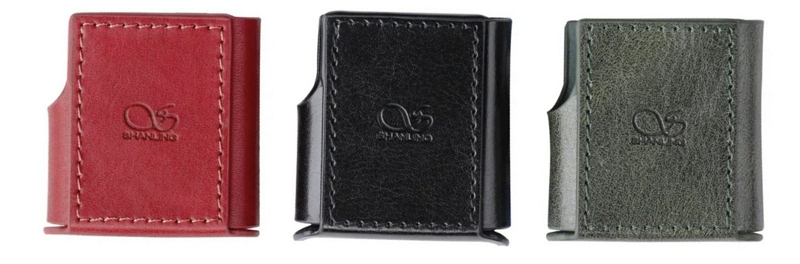
Everything on the outside feels premium, no doubt, but that also means it’s not built to take hits. So don’t ignore the leather case while buying. Without it, you’ll have to constantly worry about scratches or accidental drops. There’s also no water resistance here.
Visually, even the MTouch UI complements the hardware.
For instance, you can match the software accent color with the player itself. So if you’re using the green model, the interface can reflect that, making the whole experience feel more cohesive, almost like the UI is part of the device itself.
Shanling M0 Pro Portable Music Player: Sound Quality Overview
On paper, the M0 Pro is seriously capable. It uses dual ESS ES9219C DAC chips, which already puts it in a very capable DAC setup for its size. And the numbers back that up. Here’s a quick breakdown of what actually matters and what it means for you:
3.5mm-4.4mm balanced (adapter) Plug in any normal earphones and it will just work.
Balanced mode will even give more power and cleaner output for demanding gear like 64 Audio U4s.
Balanced: 2.75V @ 32Ω (236mW) So it can deliver significantly more power.
Enough to handle all IEMs and even some full-size headphones like Sennheiser HD650 without sounding weak or thin— but not at full potential.
Balanced: 0.8Ω Very low impedance, so no unwanted noise or sound changes.
Pairs well with sensitive IEMs like Campfire Andromeda without altering sound or adding hiss.
Balanced: 0.0004% Anything under 0.01% is invisible to the human ear.
So you won’t hear distortion.
Balanced: 109dB @ 32Ω Balanced mode gives better left-right separation.
So, there is clearer instrument placement (almost 3D-like soundstage — vocals, drums, and instruments each have their own position).
You don’t have to convert your library.
Is Shanling M0 Pro Portable Music Player Sound Good?
The specs already make one thing clear, Shanling didn’t cut corners with the sound:
- Distortion is near zero. So, you will hear exactly what’s in the track.
- Power is enough for both IEMs and high-end headphones.
- Balanced output gives a noticeable upgrade in clarity and separation.
- Dynamic range ensures detail doesn’t get lost, even in complex tracks.
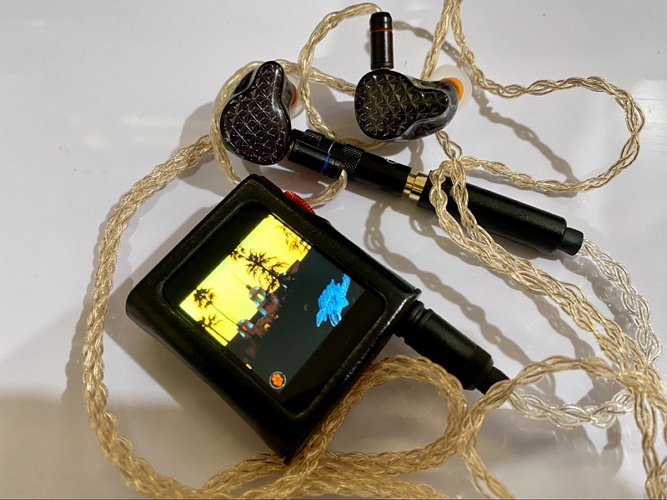
In simple terms, whether you plug in basic IEMs or something expensive, the M0 Pro will let them sound the way they’re supposed to.
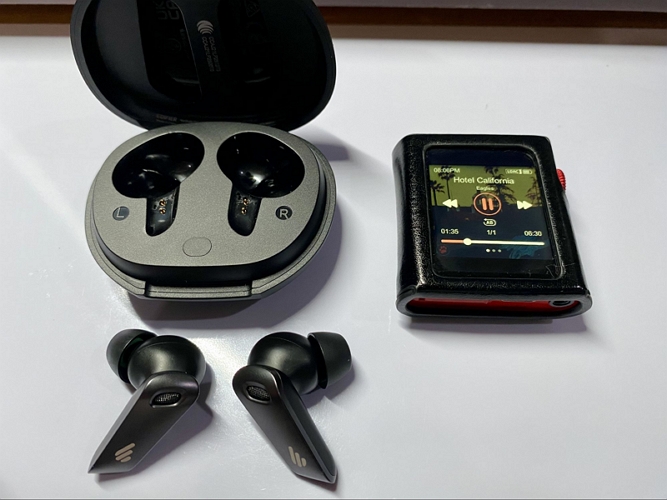
And whether you’ll be listening to MP3s (compressed files), streaming Spotify through it, or playing FLAC (CD-quality) files, the M0 Pro will deliver clean and detailed sound.
Overall, the sound signature is clean with a slight warmth. You can clearly hear vocals, instruments, and background sounds. Here’s how that translates in real listening:
Tracks like Angel or Why So Serious still carry their deep bass presence, but it will fade a bit quicker compared to higher-end setups.
Vocals come through naturally, not pushed forward and recessed.
It slightly rolls off the extreme highs, making it easy to listen to for long hours. Fatigue-free listening.
Vocals stay centered and instruments are placed around them clearly enough.
For such a small device, the sense of space is decent.
It does give a noticeable upgrade when listening to Spotify or Apple Music through it. But it's not a dramatic transformation.
Shanling M0 Pro Portable Music Player: Usage Review
Specs only tell half the story. It’s also worth understanding what the Shanling M0 Pro Portable Music Player actually feels like to use.
How easy is it to set up? How smooth is the interface once you start navigating it? And how quickly can you get your music onto it and start listening?
That’s what this part focuses on.
Initial Setup and First Boot Experience
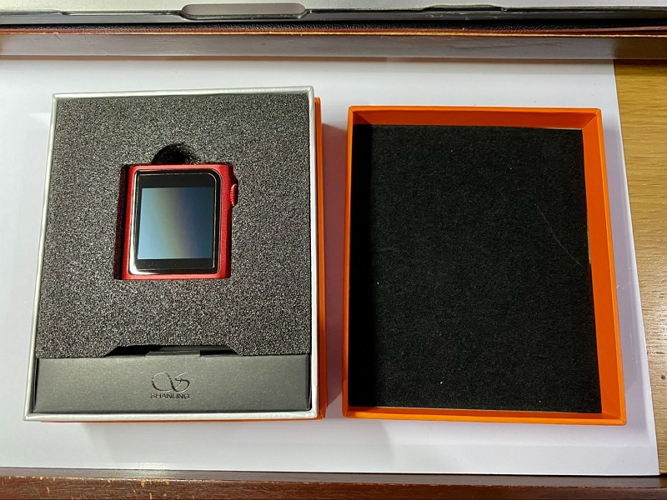
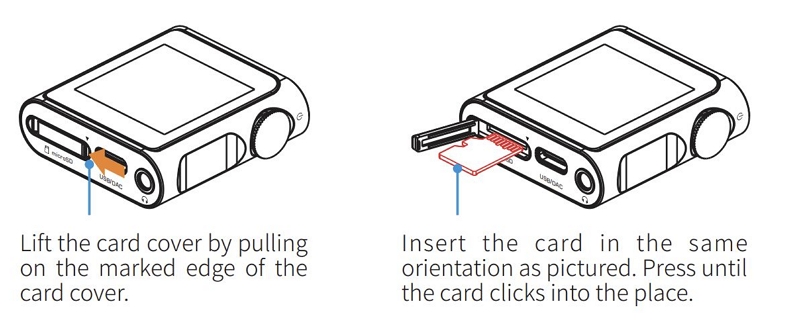
Before you even turn on the M0 Pro, get a microSD card ready. There’s zero internal storage here, so nothing works without microSD.
You can use cards up to 2TB. Just make sure the card is formatted properly before you copy anything: exFAT or NTFS is recommended (FAT32 also works, but not ideal for large files).
Once that’s done:
- Insert the microSD card into the slot.
- Press and hold the volume wheel for 3 seconds.
- M0 pro will boot and scan your storage automatically.
That’s it and you’re in.
Adding Music and Library Management
Being an offline-first player, the M0 Pro needs you to bring your own music. There are two simple ways to do that:
1. Use a MicroSD Card
- Take out the microSD card.
- Plug it into your computer using a card reader.
- Drag and drop your music folders directly.
- Reinsert the microSD card.
2. USB Transfer Method
- Keep the SD card inside and connect the M0 Pro using the cable.
- It will show an SD card icon with “USB connected” on screen.
- Select the device on your computer and transfer your folders.
- Once done, swipe right on the M0 Pro screen to disconnect.
Tip: How to Get More Music for Your M0 Pro
Since the M0 Pro is fully offline, you can’t stream or download music directly on it. So your listening experience will depend entirely on the collection you have. If you want to build a solid collection, use Mediaio Audio Converter.
Mediaio lets you pull tracks from platforms, like Spotify, Apple Music, YouTube Music, Deezer and Pandora easily. So you can convert your favorite songs, albums, and playlists as MP3/M4A (lossy) or FLAC/WAV (lossless) files.
Mediaio also will keep all the ID3 tags intact, so M0 Pro can properly read and sort your music into “Albums,” “Artists,” “Genres” on its own.
And the best part is there’s no limit on how many songs you convert using Mediaio. So you can load up your entire library (up to 2TB) and carry everything with you on your M0 Pro.
Accessing and Playing Music
Once you’ve added your songs, just exit USB mode (swipe right to return to the home screen). Now you have two ways to access your music:
1. My Music Interface
Tap on the My Music icon. It automatically reads your songs if they’re properly tagged and shows them in a structured view.
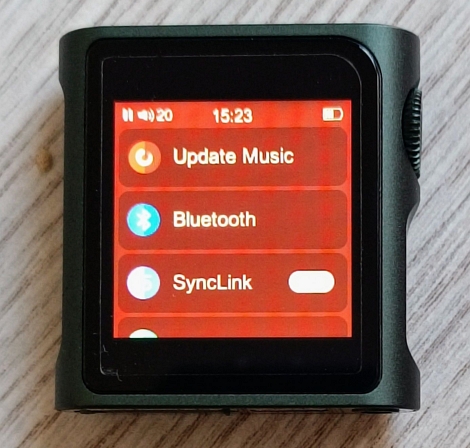
Note: Go to Settings and tap Update Music button, if your songs aren’t showing up.
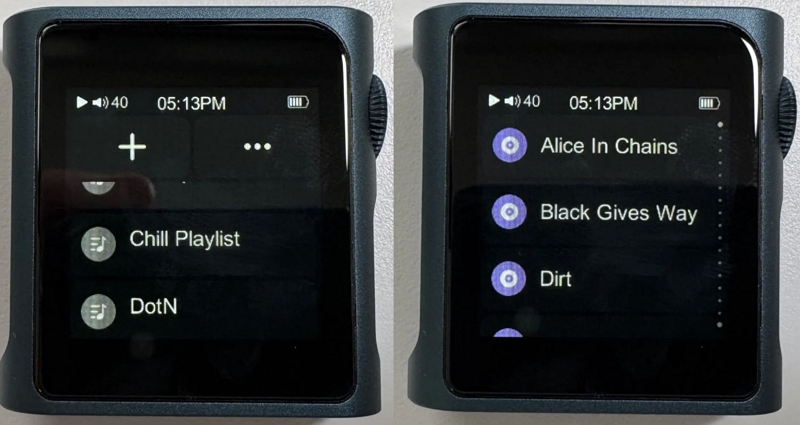
Your songs will be organized into categories: All Songs, Favorites, Albums, Artists/Composers, Genres, Playlists, and Recently Added.
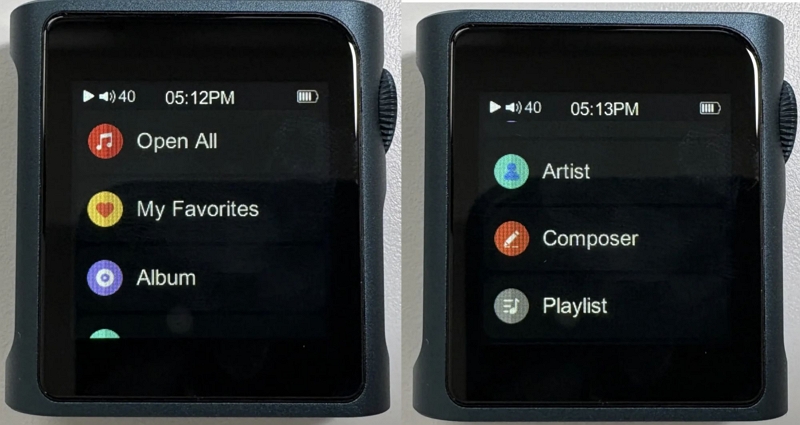
Just tap into any category and start playing the song. Here, navigation is simple:
- Small swipes = move one item at a time
- Longer swipes = scroll faster through lists
You’ll also notice a small selector on the side, which makes moving through long lists easier.
Tip: Create a Playlist on the M0 Pro
You will need to use .m3u files to have your playlists shown under the Playlists section in My Music. For this:
- You can either create them manually using a text editor.
- Or use MusicBee for a quicker approach. It can recognize folders like those exported from Mediaio, turn them into playlists, and export .m3u files with a click.
Once you copy both the music and the playlist files to your SD card, they will appear properly on the M0 Pro.
2. Folder-Based Browsing
Use this method if you prefer to play something specific.
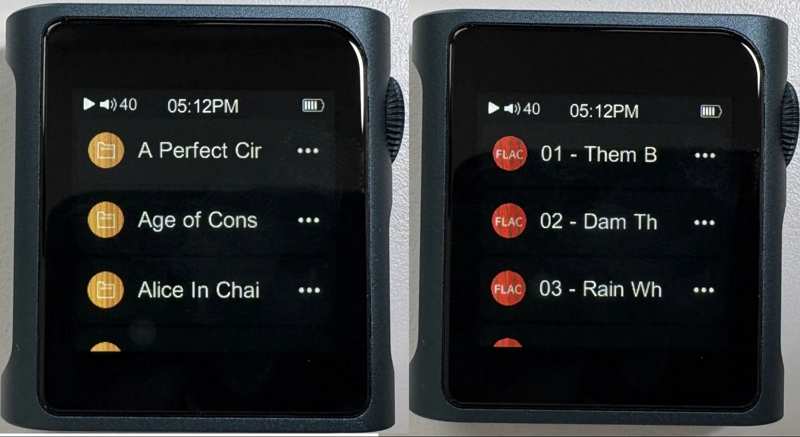
Tap on the Folders icon. From there:
- Navigate through folders
- Select and play any file directly
This works just like browsing files on a computer.
Interface and Navigation Experience
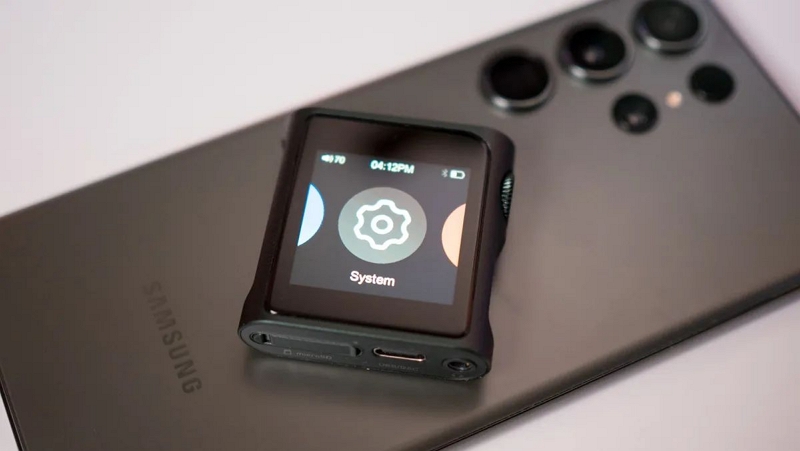
The main menu cycles through five sections — Now Playing, System, Folders, Playback, and My Music, shown one at a time. Here’s what each lets you do:
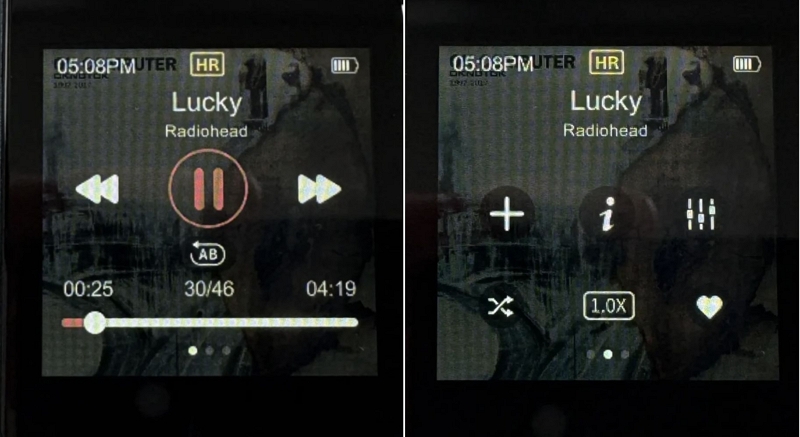
Now Playing Screen
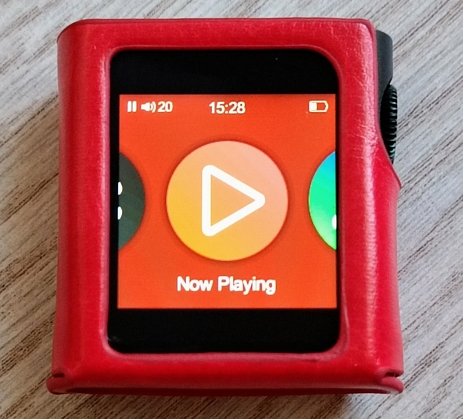
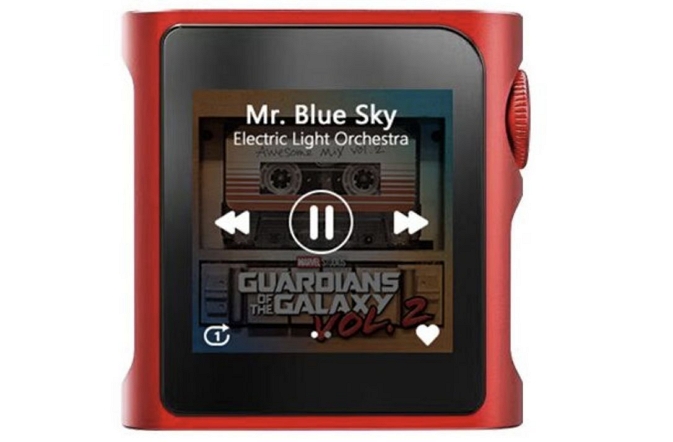
Even on this 1.54-inch display, it shows a lot of info:
- Track name and artist
- Playback controls (play/pause, next, previous).
- A–B repeat (looping)
And you can swipe right for more options:
- Playback speed (1x, 1.25x, 1.5x, 2x)
- Add to favorites button.
- Shuffle
- Track info
- Lyrics if LRC file is available.
If you stay on this screen for a few seconds, it will display the album art on the full-screen. You can tap it again to return to the Now Playing view.
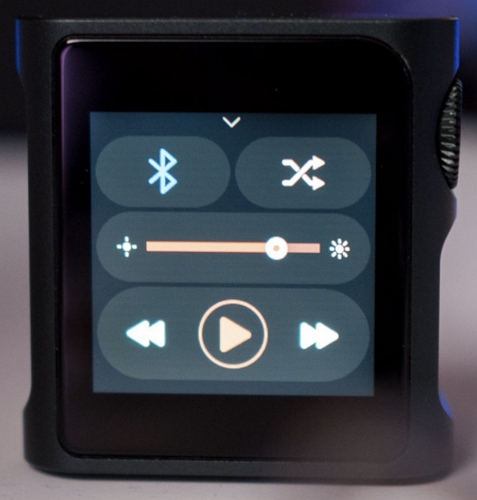
Note: Swipe up or down for quick controls — play, skip, brightness slider, and Bluetooth.
System Settings
From the home screen, head into System. Here you’ll find essential controls:
- System update
- Bluetooth and SyncLink (we’ll cover this later)
- Update music library
- Sleep timer
- USB mode (USB storage, USB DAC, USB audio)
- Theme
You’ll also find option controls for the wheel (crown) behavior:
Playback Controls and Options
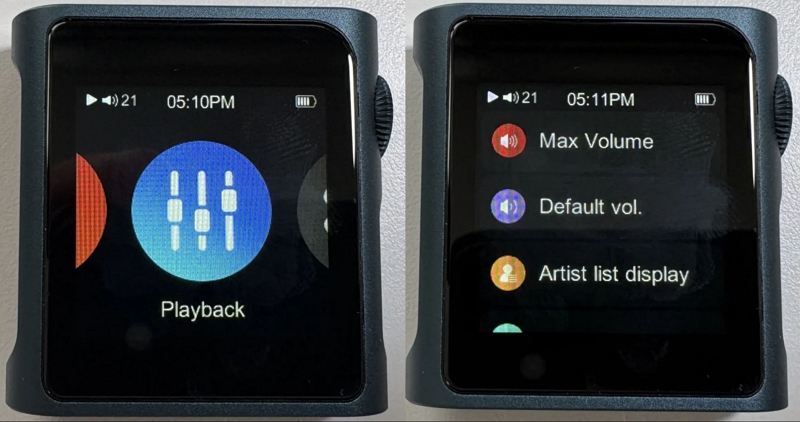
Tap on the Playback icon. This is where you control how your music behaves. You’ll find options to adjust and set:
- Volume limits and modes
- Resume mode (continue where you left off)
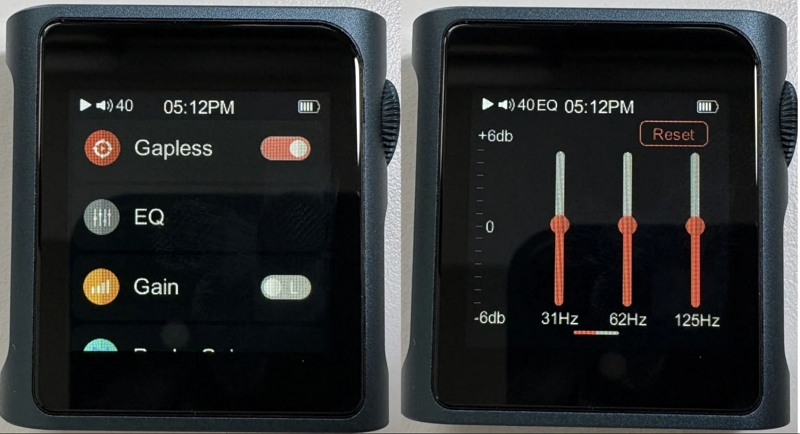
- Gain and replay gain
- Digital filters
- Channel balance
- Play modes (shuffle, repeat)
- Folder skip toggle
- Gapless playback (no pauses between tracks)
- Built-in EQ
Bluetooth and Wireless Functions
The Shanling M0 Pro’s comes with bidirectional bluetooth support.
- You can use it as a Bluetooth transmitter (send music to wireless headphones).
- Or as a Bluetooth receiver (use it like a wireless DAC for your wired earphones).
That alone makes it far more useful than most small, non-Android players.
Bluetooth as a Transmitter (Sending Audio)
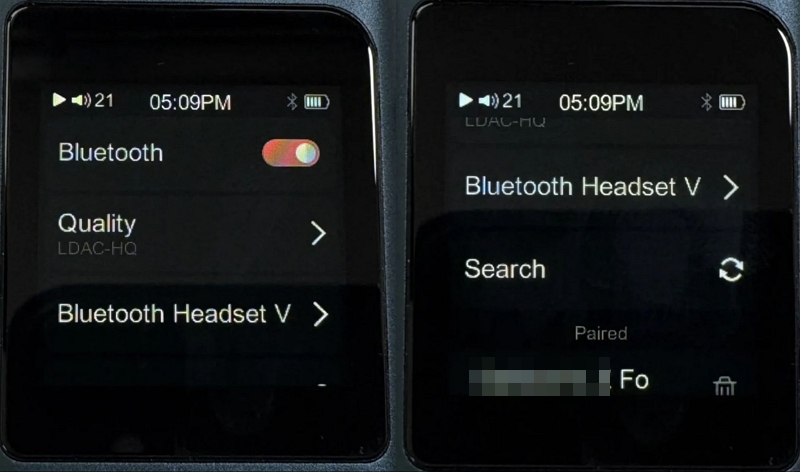
M0 Pro supports high-quality codecs and handles them reliably too. Even AAC works consistently — important if you want to use Apple AirPods.
Of course, it supports advanced codecs too: LDAC and aptX. You can even adjust how LDAC behaves:
To pair your TWS Earbuds or headphones:
- Head into Systems.
- Tap Bluetooth.
- Turn the toggle on.
- Tap Search. It will show the available devices.
That’s it. Once paired, it will be saved as a paired device and connect automatically next time.
Bluetooth as a Receiver (Wireless DAC Mode)
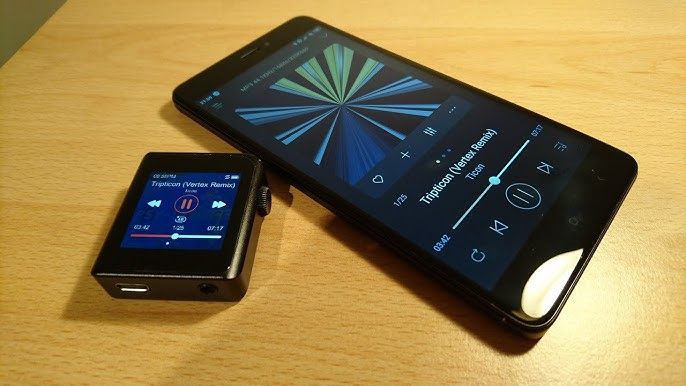
M0 pro can also work as a wireless DAC. In this mode: it can receive audio from your phone or computer and process it through its dual ESS DAC chips and then deliver richer, cleaner, and louder sound to your plugged-in IEM or headphone.
So you can listen to Spotify or Apple Music with better sound quality instead of relying on your smartphone’s common audio hardware. To use this:
1. Enable Bluetooth on the M0 Pro.
2. Turn on Bluetooth on your phone or computer. From the available devices list, connect with Shanling M0 Pro.
After that, play any audio on the other device and plug in your IEM into M0 pro.It will be more detailed.
Note: USB DAC Mode
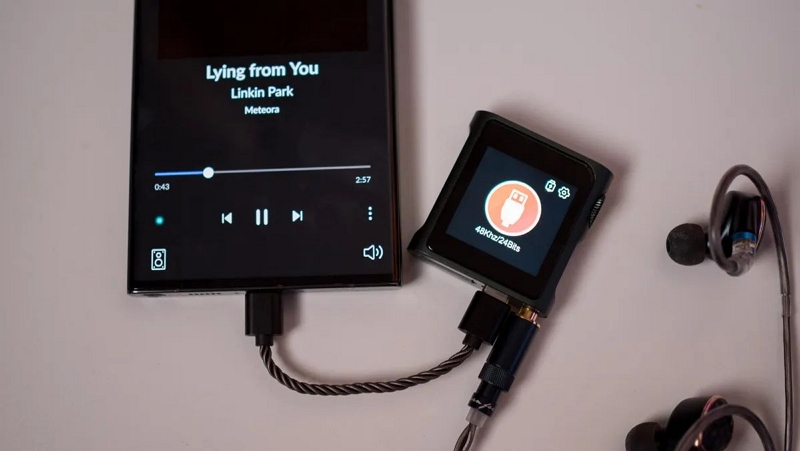
While we are on the subject of DAC, the M0 Pro also works as a plug-and-play support USB DAC (no additional drivers needed). That means instead of Bluetooth, you can plug it directly into your computer or phone, route the audio through it, and listen via your wired headphones. To use this:
1. Go to System.
2. Open USB Mode and select USB DAC.
3. Connect it to your computer or phone using a USB cable. That’s it.
App Integration with Eddict Player
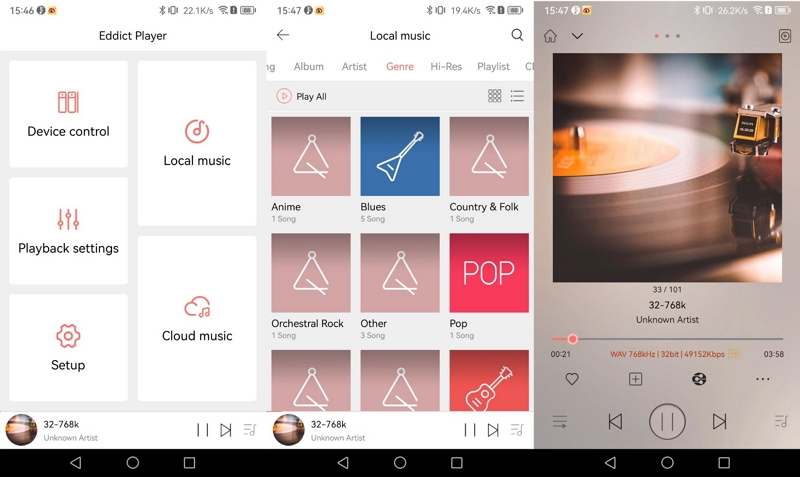
The Eddict player (available for Android/iOS) solves the 1.54-inch screen problem. After installing the app, you can:
- browse your entire music library from your phone
- control playback remotely
- adjust device settings without touching the player
All of this will work through Shanling’s SyncLink.
Firmware Updates and Long-Term Support
The Shanling M0 Pro Portable Music Player gets frequent firmware updates and they’re not small. They often add real features, like:
- support for larger microSD cards (up to 2TB)
- improved system stability
- updates to SyncLink and app control via the Eddict Player
So it’s worth keeping your device updated.
Note: Always download firmware meant for M0 Pro only. There are separate versions for M0 and M0 Pro. Installing the wrong one can brick the device. Here’s how the correct process looks:
1. Visit en.shanling.com. Click on the Downloads option in the menu. Choose M0 Pro from the devices list (not M0).
- Click on the Download option.
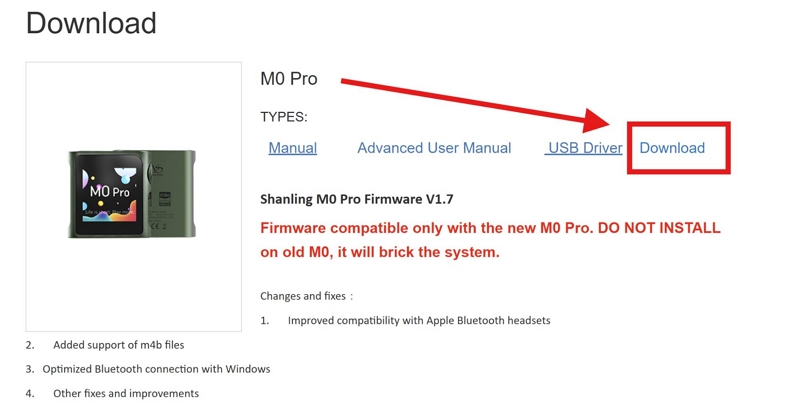
2. The .zip file will be downloaded on the computer. Inside, you’ll find the update.bin file.
Move that file to your microSD card. You can either:
- Insert the card into your computer using a reader
- Or connect the M0 Pro via USB (storage mode)
Then, drag update.bin directly to the root folder (not inside any folder).
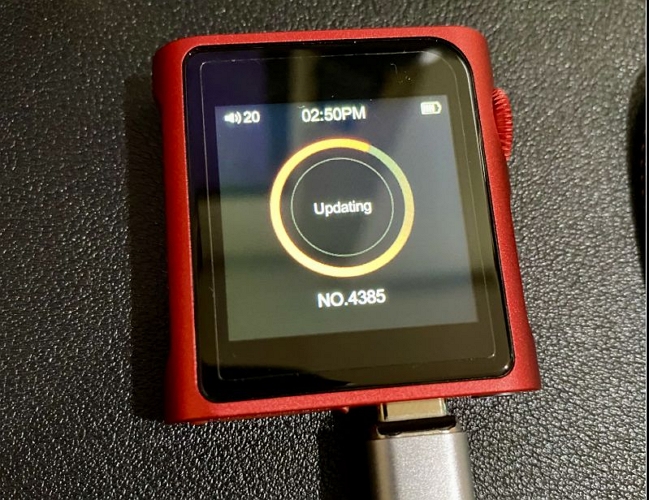
3. Insert the card back (or keep it device connected). Then go to System > System Update on the M0 Pro.
4. Tap Yes to confirm the update. Your M0 Pro will restart after the completion.
Is Shanling M0 Pro Portable Music Player Easy to Use?
For a screen that’s just 1.54 inches, the Shanling M0 Pro Portable Music Player handles usability surprisingly well.
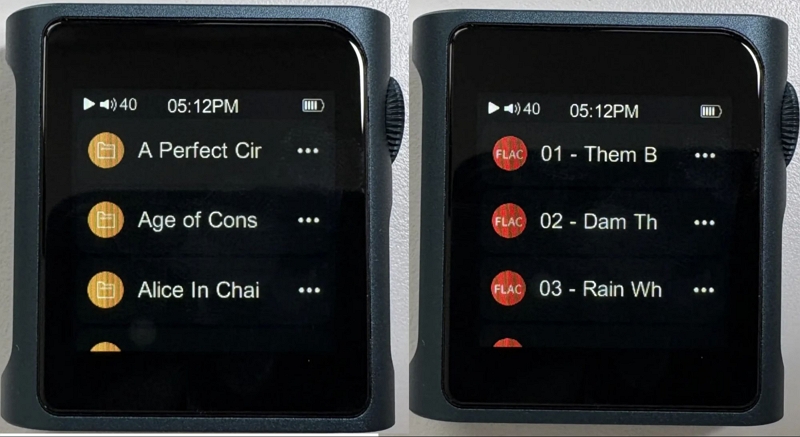
Shanling’s MTouch OS follows a simple idea — one large icon at a time. Even navigating your library or moving through submenus is simple because you only see 3 items per screen. Plus, the rows are thick and well spaced, so you can choose something without "fat-fingering" the second or third item.
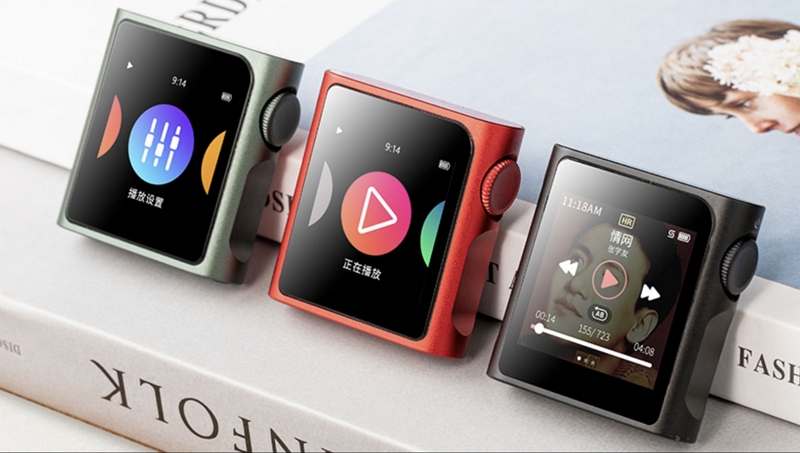
And then there’s the rotary crown. It lets you adjust volume instantly and even use other shortcuts (play, pause, and skip tracks), so you don’t have to reach for the screen.
Overall, it doesn’t demand any adjustment. It will feel quick and easy to use, even on a moving train. And yes, the companion Eddict Player app also comes in handy when you want to manage more settings.
Shanling M0 Pro Portable Music Player: Pricing Review
The official MSRP of M0 Pro is US$129, but it fluctuates across online vendors, somewhere between US$110–US$139.
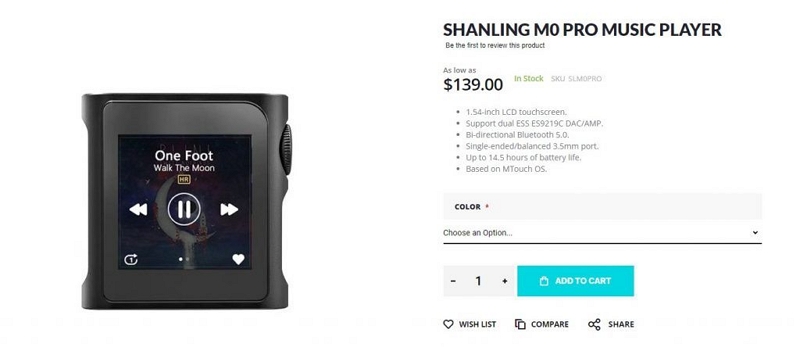
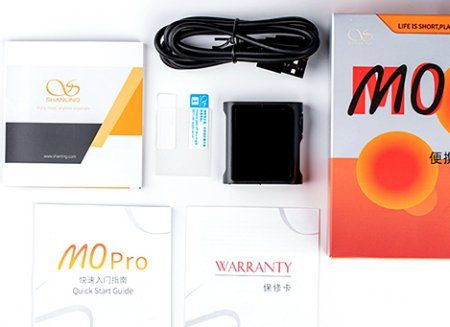
That sounds reasonable at first. But keep in mind, out of the box, you’re only getting the basics. Here’s what you’ll get in the box:
- M0 Pro player (aluminum chassis)
- USB-C to USB-A cable
- Screen protectors (one pre-applied, one spare)
- User manual
That’s it.
To use the M0 Pro at its full potential, you’ll need a few additional accessories:
Moondrop Aria – US$80
Sennheiser IE 200 – US$150
Letshuoer S12 (Planar) – US$150–170
7Hz Timeless – US$200
So the total cost of owning M0 Pro looks like this (not including headphones):
= MSRP + SD Card + Case + Adapter
= US$129 + US$50–US$100 + US$15+ US$20
≈US$214 to US$264
Is Shanling M0 Pro Portable Music Player Worth the Price?
So the Shanling M0 Pro really does land in that best bang for the buck space.
You are not spending flagship-level DAP money, yet you still get a proper DAC setup, balanced output support, and a refined listening experience. So you are not compromising on the things that actually matter when it comes to sound.
And this is not just about first impressions. Shanling devices tend to last. Even older M0 units from years ago are still running without issues and the company has been consistent with updates and support over time.
So you can keep using it, without feeling like your DAP is outdated anytime soon.
Shanling M0 Pro Portable Music Player: Capacity Review
M0 Prohas no internal storage. Everything runs through a microSD card. It supports up to 2TB which is a massive amount of headroom in the DAP world as well as for a player this small.
Of course, you’ll have to buy the card separately. And remember, it’s worth sticking with reliable, faster cards from SanDisk or Samsung, so scanning and indexing stay smooth.
Is Shanling M0 Pro Portable Music Player Capacity Enough?
Definitely.
No matter what your library looks like, MP3, FLAC, or high-res, you can realistically carry everything. To put that 2TB into perspective:
However, there is one limitation to keep in mind. The mTouch UI can only scan up to 20,000 songs. Beyond that, tracks won’t appear under artist, album, or category views. You can still store more music, but you have to access those extra files through Folders menu:
- Tap the Folder icon.
- Go to the specific folder.
- Tap on the track to play, just like on the computer.
Still, that’s a UI limit but not a storage limit.
Shanling M0 Pro Portable Music Player: Battery Review
M0 Pro comes with a 650mAh battery. Shanling’s marketing puts it at around 13 to 14 hours of playback. On paper, that checks out.
- For listening via the single-ended 3.5 mm at moderate volume, you can stay close to that range.
- But if you switch to the 4.4mm balanced output, expect it to drop to around8 to 10 hours.
And charging time is fairly good. It takes roughly40 to 50 min for a full charge.
Is Shanling M0 Pro Portable Music Player Battery Life Good?
It’s practical.
You don’t end up charging it again and again throughout the day. Even when you push it — balanced output or pair it with headphones, it will still get through long sessions.
Of course, there’s the Bluetooth tax. So, when using high-resolution codecs like LDAC and listening with power-hungry headphones, the battery life drops to 6 to 7 hours. Even then, it doesn’t feel limiting, as you’re not plugged in all the time. There are pauses, breaks, moments where the world takes over.
So, no matter what gear or codec you’re using, you can expect the battery to last a full day.
Conclusion
The Shanling M0 Pro knows exactly what it wants to be: an ultra-portable player that can deliver high-end audio.
So whether you are starting your audiophile journey or adding something portable to your collection, it makes sense. You are not just paying for sound — you are paying for that combination of size and performance that is hard to find in the DAP world.
And since it is an offline-first player, you can use Mediaio Audio Converter to pull songs from platforms like Spotify or Apple Music in high-quality formats like FLAC and WAV quickly and then transfer them to your M0 Pro.