

CnvMP3.com is often mentioned as one of the best free YouTube-to-MP3 converters available online. But the real question is simple: how good is CnvMP3 and what kind of audio quality can you expect from it? Is it actually safe to use? This guide covers everything about CnvMP3.com. Except for answering the questions above, we’ll also show how to land on the correct CnvMP3 site, so you don’t get redirected to look-alike pages that can cause problems. Alongside that, we will cover the download process, the supported formats, and what the tool can and cannot do, too.
Please use the converted songs for personal use only.
CnvMP3 Review: Safety
CnvMP3 has one thing going for it that most free YouTube-to-MP3 converters rarely manage: the site actually keeps itself ad-free and runs on donations.
When you open the homepage, you’ll see a small monthly progress bar, showing how much support the tool has received. There are no pop-ups and no tricks hidden inside the download buttons. Just a quiet “buy me a coffee” link for anyone who wants to help.
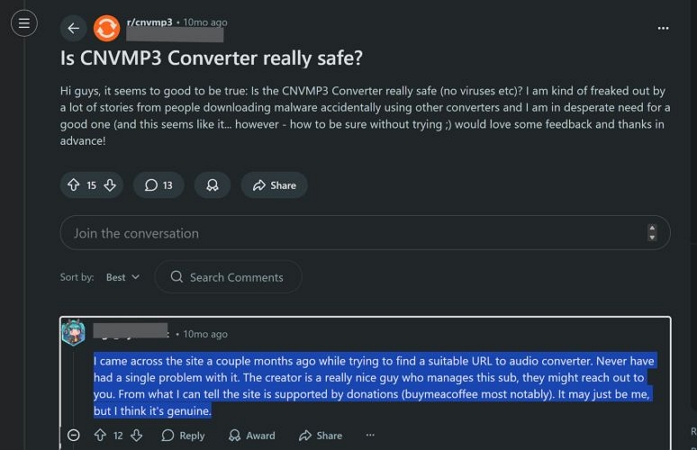
That said, ad-free does not automatically mean trouble-free. To check its safety properly, here’s a look at what Reddit users have reported and our own scans and tests.
Online Comments
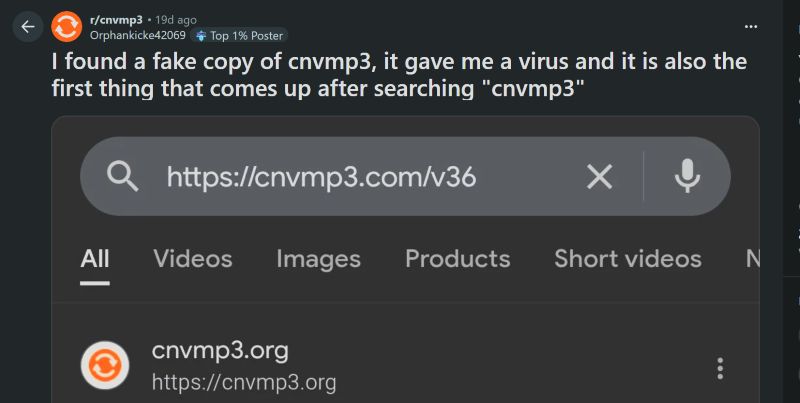
Several users have posted warnings about accidentally landing on cnvmp3.org instead of cnvmp3.com. One user even said a fake copy installed malware on their device and the scary part is that the fake domain often appears above the real one in search results.
This is currently the most urgent safety concern: many people are simply ending up on the wrong site.
Our Experience
We were careful about the domain before testing. We visited cnvmp3.com, not the misleading .org clone.
Before anything else, we checked how the site behaved with our own security tools: Bitdefender and Malwarebytes. Both usually react fast to suspicious pages, especially YouTube-to-MP3 converters. This time, nothing was flagged, which was a good first sign. Still, we pushed it further.
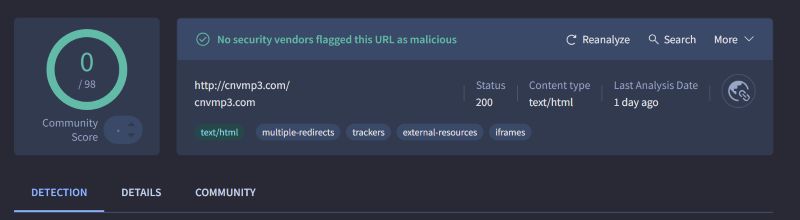
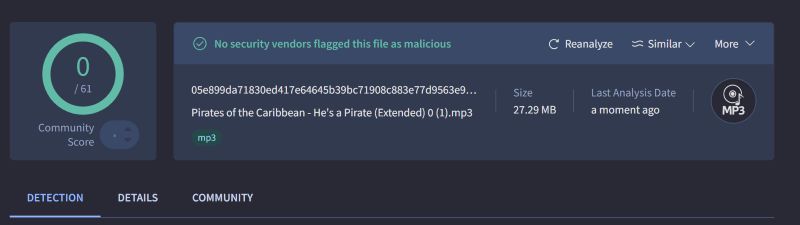
We uploaded the URL to VirusTotal to see how it ranked across dozens of security engines. The result was simple: zero flags.
We also scanned the MP3 file we downloaded. Again, no alerts.
So, from a safety point of view, it clears both levels—the site and the downloaded file. Yes, there were some issues during our download tests, and we will talk about those in the next section. But purely in terms of security, it performed extremely well.
CnvMP3 Review: User Experience
CnvMP3 keeps the interface as simple as possible. You input a YouTube link and start the conversion.
Steps to Download YouTube Video to MP3 via CnvMP3
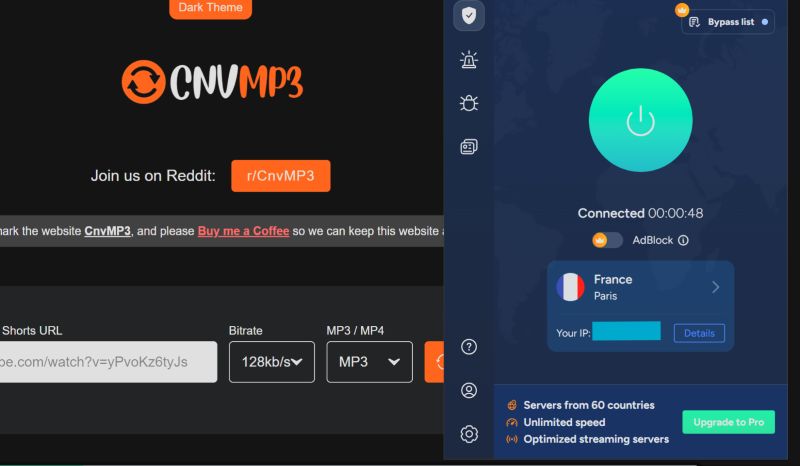
The real site works normally in the U.S. IP. You can also connect through VPN servers in Germany and France where the tool is loaded without issues as well.
Step 1. Grab the URL of the YouTube video or Short you want to convert.
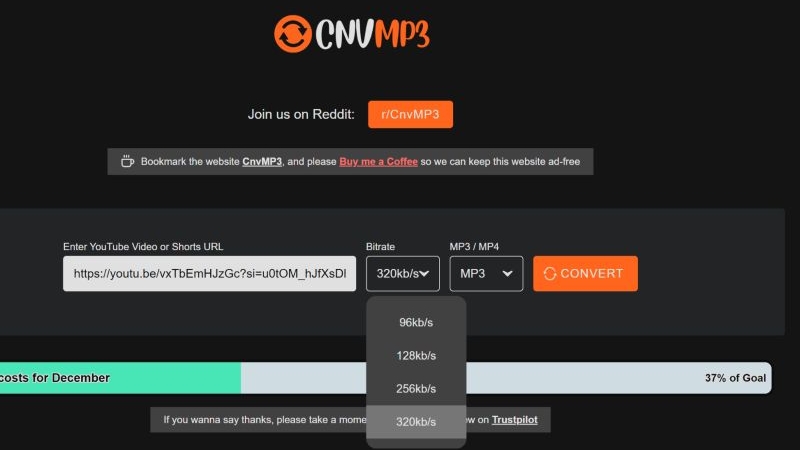
Step 2. Go to CnvMP3.com and paste the link into the “Enter YouTube Video or Shorts URL” field.
Step 3. Choose your bitrate. You can pick anything from 96kbps to 320kbps.
Step 4. Select MP3 and hit Convert. CnvMP3 begins processing the audio. It identifies the video and attaches basic metadata, such as title and file name, before offering the file for download.
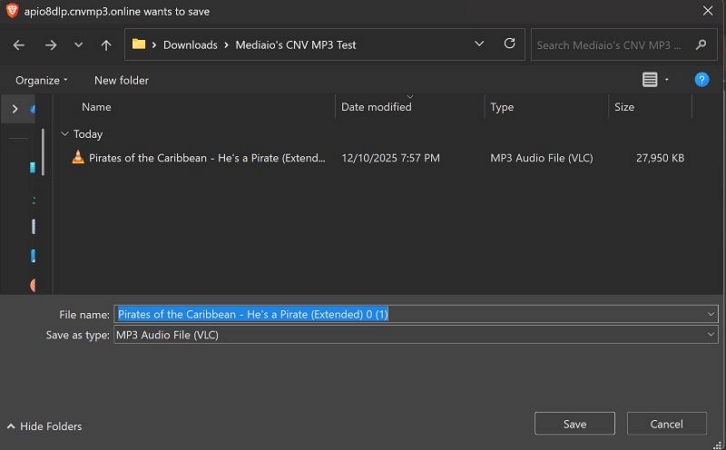
Step 5. Your browser will show a save dialog. Save the MP3 to a desired location.
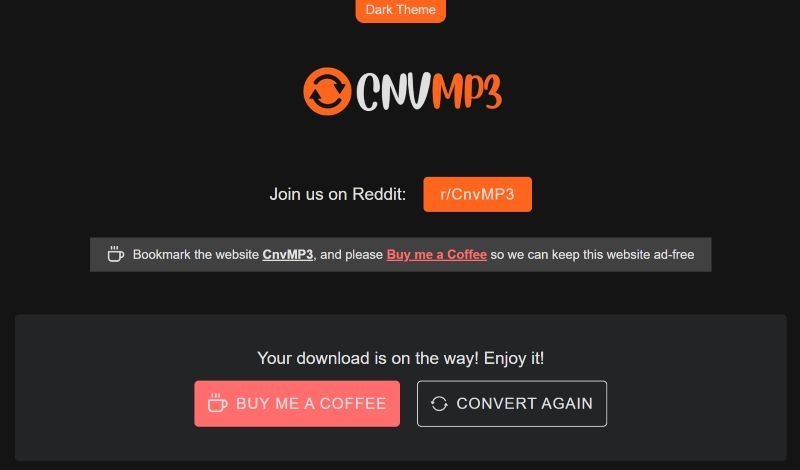
Step 6. Use the Convert Again button to convert more songs.
Online Comments
The actual experience of using CnvMP3 comes with recurring issues that appear in almost every discussion thread. Here’s some reported issues from users on Reddit:
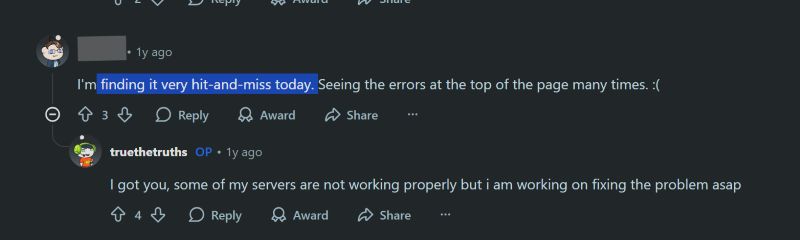
Hit-and-miss behavior is the biggest complaint:
Many users describe CnvMP3 as “very hit-and-miss today” or “working great until suddenly it doesn’t” .
The developer has replied to some of these posts and confirmed that servers fail often and he usually has to fix them manually. At least the communication is honest, but the instability remains.
Browser sensitivity creates its own problems:
One user noted that the converter refused to work in Safari, but the same link downloaded instantly on Chrome. This suggests that parts of CnvMP3’s backend behave differently depending on the browser and Safari users face more failures than others.

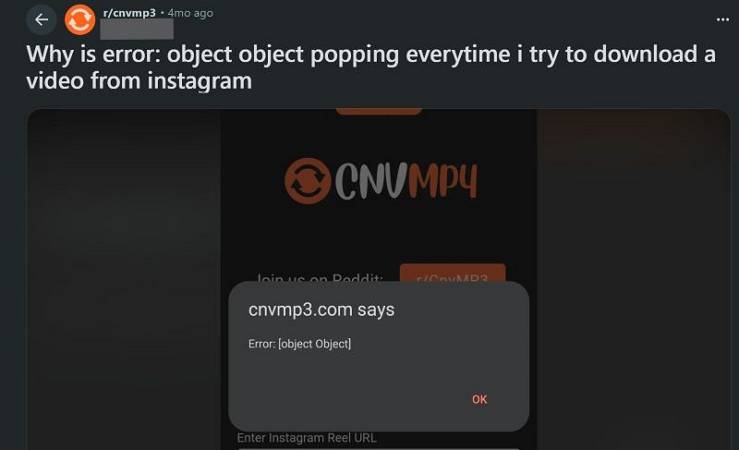
The “object object” error is extremely common:
Users trying to download Instagram videos regularly hit the Error: [object Object] pop-up.
At first, people assumed it was an Instagram-specific bug. But other commenters confirmed that the same error appears when downloading from YouTube, Twitch, and other platforms.
In short, this error is not tied to one site but it’s part of CnvMP3’s broader reliability problem.
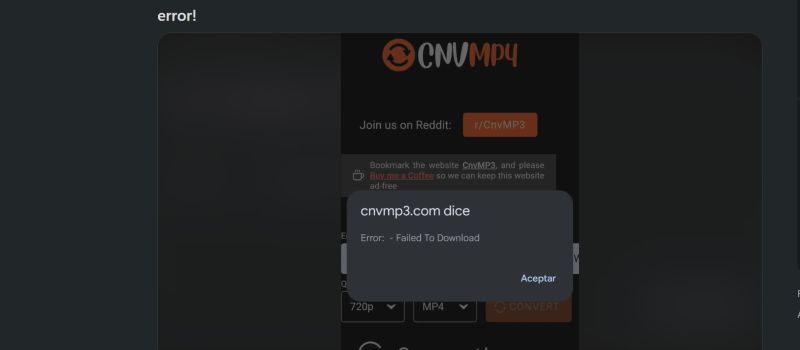
General failures like “Failed to Download” continue to appear:
New posts still show screenshots of the same failure message, often right after pressing Convert. These failures happen randomly—sometimes in the first attempt, sometimes after several successful downloads.
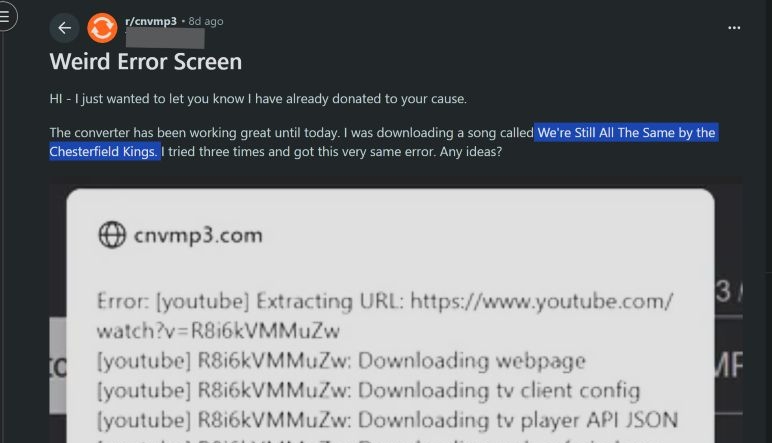
Some YouTube URLs trigger long, technical error dumps:
For example, users trying to download certain songs receive a full backend log that lists extraction failures, config loading errors, and JSON issues. Even retrying multiple times doesn’t fix it.
Wrong songs being downloaded:
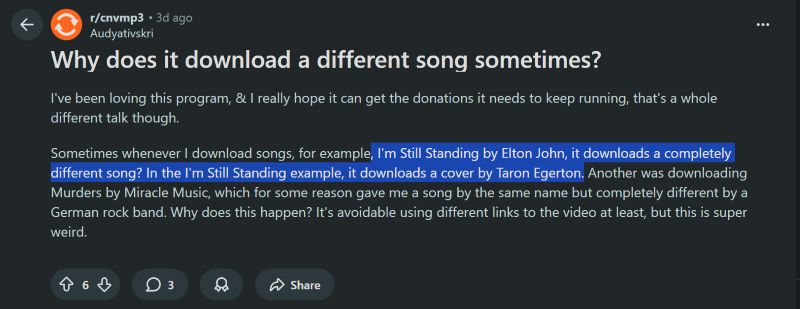
Another repeated complaint is that CnvMP3 occasionally pulls a completely different track than the one requested.
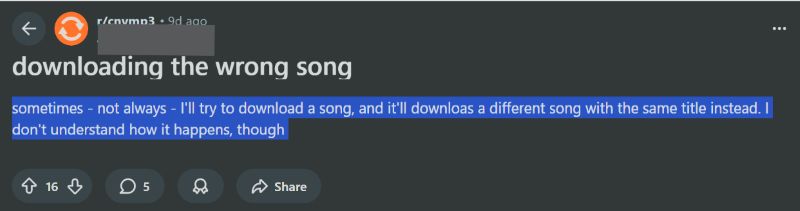
One user tried downloading I’m Still Standing by Elton John, but got a cover by Taron Egerton instead. Others also said the tool grabbed a track with the same title but from a different artist altogether. Most users suspect this happens when requesting 320kbps, forcing the tool to source audio from alternative copies.
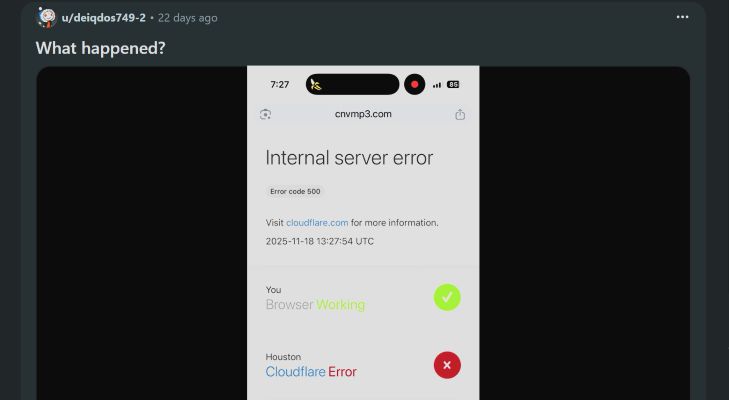
Site outages and Cloudflare errors:
Posts from the last few weeks show users getting:
- Internal Server Error (500)
- Cloudflare region blocks
- Complete site downtime
For users in the UK, CnvMP3 is now fully geo-blocked, so downloading only works through a VPN.
Server instability:
Many users report long stretches where the site throws generic “object object” errors or stops converting mid-way. These tend to disappear within a day or two once the developer fixes the backend, but they still count as a reliability drawback.
Overall, here’s the general outlook of community feedback: CnvMP3 can work, but reliability is unpredictable. Errors repeat themselves, certain browsers work well and the tool often requires multiple retries to get a single file.
Our Experience
In our tests, the tool behaved almost exactly the way users described online. Converting a few YouTube links to MP3 worked at first, but the moment we tried downloading several tracks back-to-back, the converter stalled.
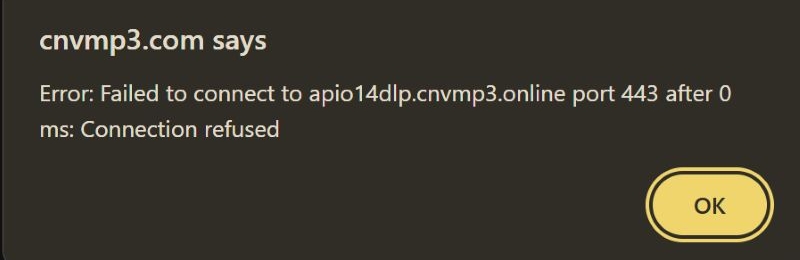
We saw errors such as “Failed to connect… Connection refused” and sometimes the download window wouldn’t appear at all.
To check whether this was a YouTube-only issue, we moved to the Reddit-video tab. The conversion froze again, this time showing the familiar “Error: [object Object]” pop-up. The same error appeared across multiple links.
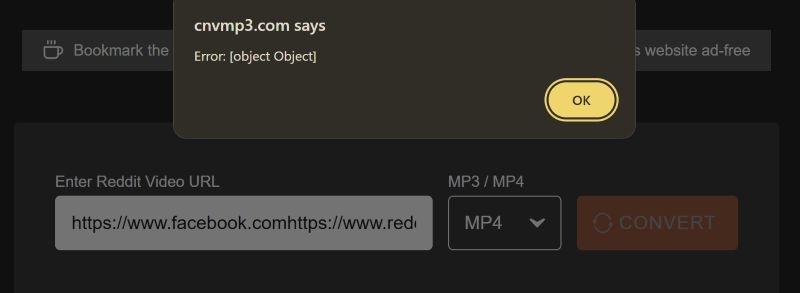
The only successful download came from the Facebook section, which saved a short 14-second clip without any warnings. However, this part of the tool does not offer bitrate or quality controls, so you cannot adjust anything the way you can on the YouTube tab.
Right now, YouTube video conversion is unstable, and even MP3 downloads only work intermittently, especially when you process multiple links in one session.
Fixes That Actually Helped
Through testing, a few small adjustments improved success rates, though none fully solved the inconsistency:
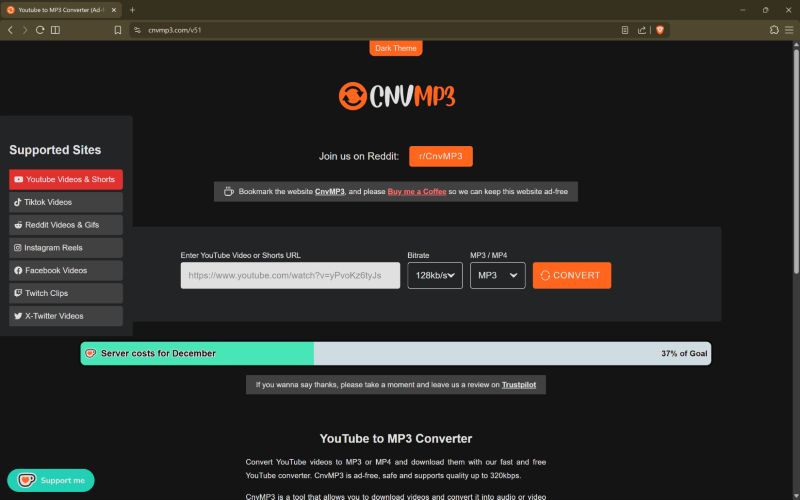
Use the right browser
Chrome and Brave worked noticeably better for us on both Windows and iPhone. Safari failed more often than it succeeded.
Use VPN
When the site refused to load, a VPN instantly made it accessible again. However, free VPNs slow down downloads while paid ones defeat the point of using a free converter. So, this isn’t ideal, but it confirms that geo-blocking is part of the issue.
CnvMP3 Review: Output Quality
Actually, most YouTube music videos carry Opus at around 160kbps VBR or AAC at 128kbps. So whenever a converter shows a 320kbps option, it is not pulling a true 320kbps source. Instead, it either re-encodes the original audio or fetches it from another available link. The quality remains tied to the Opus or M4A stream underneath.
CnvMP3 works in the same way. It gives four bitrate options—96, 128, 256, and 320kbps, but the site re-encodes the YouTube stream itself.
Online Comments
Most users appreciate the fact that CnvMP3 can output up to 320kbps, but the final bitrate may not match the number shown on the screen. That is common with YouTube-to-MP3 converters.
Also, the site confuses and pulls different versions of the songs when you choose 320kbps. For instance, when you try to download an original song from YouTube, it can mistakenly pull a cover song. A few users recommend choosing 128 or 256kbps to download the original songs.
Our Experience
We tested downloading several songs via CnvMP3 across different settings.
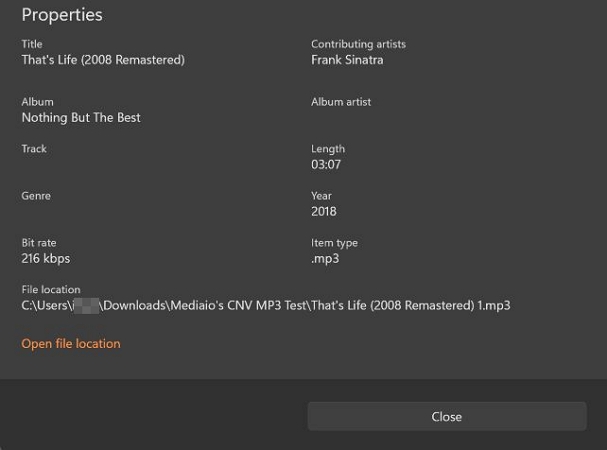
When we selected 320kbps for the first track, the song is downloaded at 256kbps.
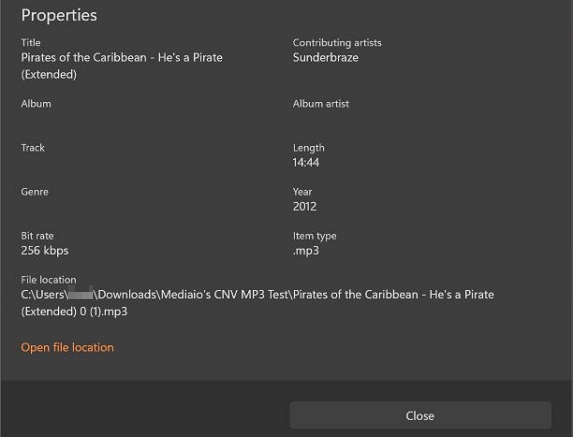
We then tested the 256kbps option. That file came out at around 216kbps.
These small shifts are normal for online converters. CnvMP3 behaves the same way. But the audio quality of CnvMP3 stays in line with YouTube’s original stream. So, for everyday listening, it performs well enough.
Other Safe YouTube to MP3 Converters: CnvMP3 Alternatives
Here is the table comparing a few safer alternatives to CnvMP3. Not all of them are online tools. Some run as desktop apps and come with their own limitations, but they remain the most reliable YouTube-to-MP3 converters available today.
require learning basic commands. Download real YouTube audio streams (Opus/AAC ~110–160 kbps) with zero quality loss.
Convert to MP3 but 320kbps is only a re-encode, not “better quality.” Extremely fast.
Can use multi-threading (aria2c).
The most reliable tool according to Reddit.
Work flawlessly for huge playlists and libraries. Full metadata control with embed metadata and embed thumbnail.
Best-in-class tagging when configured. 100% ad free. Open-source, transparent, widely trusted by developers + power users. Highest quality extraction.
Extremely stable.
Fully customizable.
Best metadata support.
Zero ads. Hardest tool to learn.
No graphical interface.
Must update manually.
paste link and convert. Output is standard MP3 derived from YouTube’s audio.
Re-encoded.
No guarantee of 320kbps authenticity. Do not convert copyrighted music and videos.
Generally consistent but not liked by Redditors. Expect basic filename only, limited or no metadata. Ad-free (no spammy banners). Safe as part of the TurboScribe brand ecosystem.
No malware/redirect behavior. Easiest tool here.
Clean UI, no spam.
No installation.
Stable, simple, friendly for beginners. Inconsistent bitrate.
No metadata tagging.
Don’t allow copyrighted music download, even for personal use.
Depend on server.
Not suitable for large playlists.
full GUI.
drag-and-drop links.
Great for everyday users. Can download the original M4A/AAC without conversion (best quality).
MP3 export supports “320 kbps”which is re-encoding. Good performance.
Run locally.
handle entire playlists.
very stable for batch downloads. Support ID3 tags with auto-fill title/artist/album.
Artwork sometimes missing or mismatched.
Better metadata than most web tools. Ad-free desktop software;
no bundled junkware. Long-standing reputable software;
widely recommended on Reddit. Very user-friendly.
Download original audio with no extra loss.
Good metadata support.
Great for playlists. Closed-source.
Break when YouTube updates.
Artwork tagging not perfect.
easier than CLI but still exposes technical options. Use yt-dlp backend, so quality identical to yt-dlp
perfect extraction of YouTube’s original audio (Opus/AAC)
Optional MP3 re-encode. Very reliable because yt-dlp is the engine.
GUI occasionally crashed during testing and Redditors confirm the same. Support embedding metadata and artwork (same as yt-dlp) when configured in settings. 100% ad-free (open-source GUI). Safe open-source project;
hosted on GitHub. Best balance of power + simplicity.
Open-source.
High-quality extraction.
Great metadata when configured. Occasional GUI bugs.
Playlist download is slow.
Still slightly technical.
Need manual updates.
Tip: How to Convert YouTube Music to 320kbps MP3
To get really 320kbps MP3 or the true YouTube Music stream at 256kbps M4A/AAC, you can use a dedicated YouTube Music to MP3 converter. The advantage is simple. The sound stays cleaner because you avoid the video-compression layers that flatten the audio and make it dull.
You can use dedicated tools, like Mediaio Audio Converter to actually download the track from YouTube Music, not from the regular YouTube video page. So the song keeps its original 256kbps M4A quality. And if you prefer MP3, you can even re-encode the same stream into 320kbps, which sounds like the real YouTube Music audio. The music conversion will be completed within the built-in YouTube Music player that lets you sign in to your own account and download your songs directly.
When You Should Download YouTube Music as MP3 Instead of the Video
There are several moments where saving only the audio makes far more sense than pulling the full video:
- A video file is often 20X to 80X larger than a song. MP3 stays small while still keeping the full YouTube Music fidelity.
- Pure audio downloads avoid YouTube’s video-codec compression which usually lowers clarity and adds unnecessary artifacts.
- Most listeners download music for the music itself, not for the visuals. MP3 keeps the focus on the audio, saves storage, and stays easier to manage.
- If you download many songs, audio files help you avoid storage pressure and they load faster in offline players.
- If your goal is clean sound and smooth playback across all devices, then downloading MP3 from YouTube Music is more practical.
Final Words
In the end, CnvMP3 still holds its place as a solid YouTube-to-MP3 converter. For single-track downloads, the site works smoothly and does exactly what it promises.
The one real drawback is the lack of playlist conversion. You’ll need to download songs one by one, which can feel slow if you have a long list to save. If that becomes a problem, a dedicated tool like Mediaio Audio Converter makes more sense. It handles playlists and albums in one go and delivers higher-quality audio when you need it.