

If you're wondering how to download Amazon Music on your iPhone in 2025, you've come to the right place. This 2025 guide covers everything you need to know, right from where your downloaded tracks are stored on your iPhone to the exact steps for saving music offline. Those who do not have the app can benefit from a unique solution that lets them download Amazon Music without using the official app at all.
Quick Answer (TL;DR) — How to Download Amazon Music to iPhone.
- Amazon Music Unlimited: Open app > Song/Album > Tap Download
- Amazon Prime: Only All-Access Playlists downloadable
- Purchased MP3: Library > Purchased > Download
- Permanent Backup: Use Mediaio/StreamFox > Convert > Transfer via iTunes/Finder
Can you download Amazon Music to an iPhone?
Yes! You have options:
- With Amazon Music App: Stream or download tracks for offline listening. Files stay within the app.
- Purchased MP3s: Download permanently and play via iPhone Music app or export via computer.

Prime vs Unlimited vs Purchased MP3s
What Can / Cannot Be Downloaded
✅ What you can download:
- Amazon Music Prime tracks for offline listening (within the Amazon app)
- Amazon Music Unlimited content if you have a subscription
- Purchased Amazon Music tracks as MP3 files
❌ What you cannot download / do:
- Streaming-only songs cannot be exported from the Amazon Music app
- DRM-protected files from Prime/Unlimited cannot be moved into the iPhone’s Music app
- Songs you haven’t purchased
- With Amazon Music Free (ad-supported), you cannot download anything
How to Download Amazon Music to iPhone — All Methods
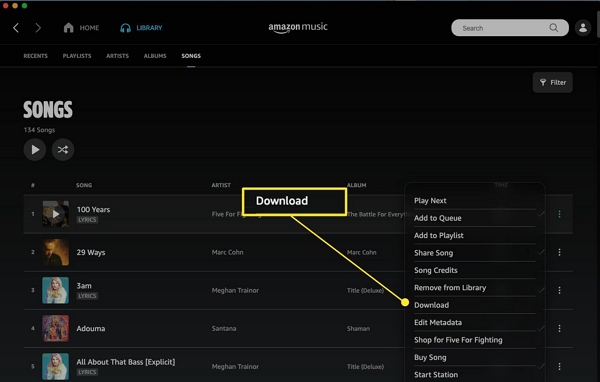
Method 1: Amazon Music App (Prime & Unlimited)
Step 1: Open the Amazon Music app on your iPhone.
Step 2: Browse and open any song, album, or playlist.
Step 3: Tap the Download button.
Step 4: Go to Settings > Offline Mode and switch it on to filter only downloaded songs.
Method 2: Download Amazon Music Prime (All-Access Playlists Only)
Prime users can only download All-Access Playlists—NOT individual songs or albums.
Step 1: Open Amazon Music and go to Home > All-Access.
Step 2: Choose any All-Access playlist.
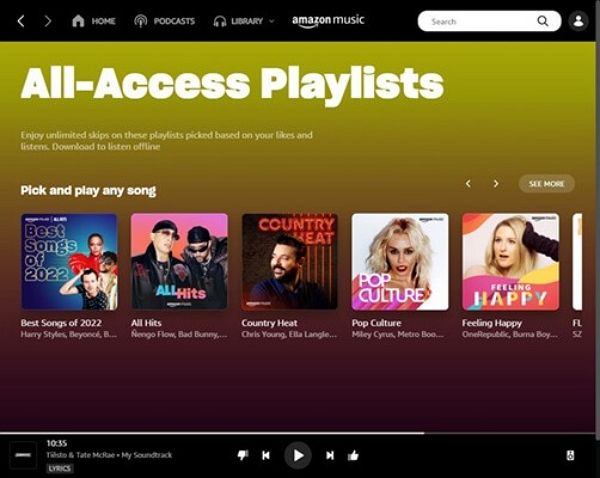
Step 3: Tap Download to save the whole playlist for offline listening.
Prime users cannot download individual songs. Only full All-Access Playlists are available for offline download.
Alternate (Without App):
- Open a browser → go to amazon.com/music → Library → All-Access → Download MP3
- Choose “Save to Files”
- Open Files app → share/open in other apps if needed
Method 3: Download Purchased Amazon MP3s Without the App
If you previously bought MP3 songs from Amazon, you can download them directly without the app.
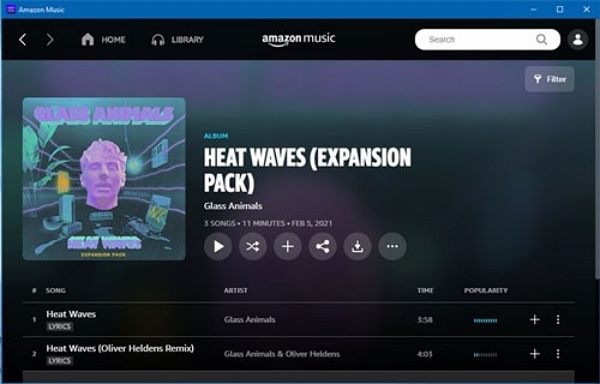
Step 1: Open Safari (or any browser) → go to amazon.com/music → Library → Purchased
Step 2: Tap Download next to any MP3 track.
Step 3: Choose Save to Files on your iPhone.
Step 4: Then open Files → Share → Save to “Music” app (or other compatible app) to import.
Method 4: Download Purchased Amazon MP3 to Computer > Transfer to iPhone.
If you want to permanently own MP3 files and have them in your iPhone’s Music app, this is the way.
Step 1: On your computer, visit Amazon Music → Library → Digital Orders (or “Purchased”).
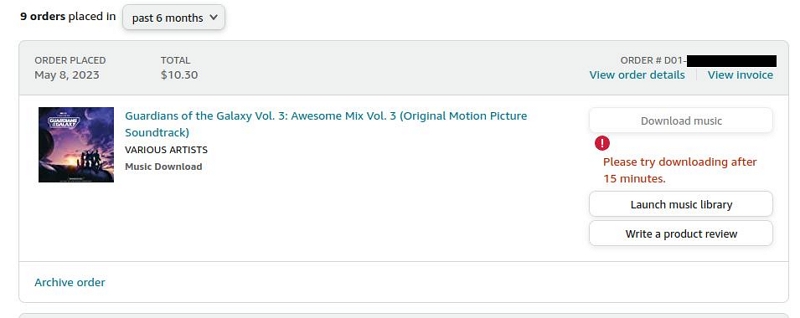
Step 2: Download the MP3 file onto your PC-Mac.
Step 3: Open iTunes (Windows/macOS Mojave or earlier) or Finder (macOS Catalina and later).
Step 4: Connect your iPhone → go to Music → enable Sync → transfer the downloaded MP3 to your iPhone.
Where Is Amazon Music Stored on iPhone?
Here’s a look at where different types of Amazon Music downloads reside on your iPhone, and whether you can access them:
Offline Mode Explained — How to Listen Without Internet
Amazon Music’s Offline Mode is your friend when you want to enjoy your music without an Internet connection.
Step 1: Enable Offline Mode. Open the Amazon Music app > Settings > Toggle Offline Mode
Step 2: Find your track in the app. Tap the “Three-dot menu” or “Download Arrow” next to it.
Step 3: Access your downloads via Library> Downloads.
Keep an eye on your iPhone’s available storage — large playlists or albums can quickly consume space.
Best Alternative — Download Amazon Music to iPhone as MP3 (Permanent)
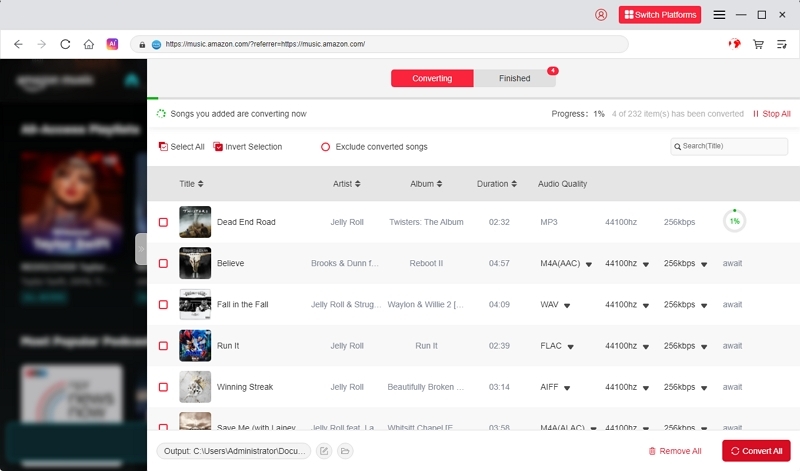
If you want real, permanent MP3 files — not just DRM-locked downloads — you need a third-party tool. One reliable option is Mediaio Audio Converter (or similar software). Mediaio Audio Converter is a safe and reliable tool that allows you to download Amazon Music tracks with high quality. You can save your songs as MP3 files and transfer them to external storage devices.
Step-by-step process:
Visit the official Mediaio website and download the installer for your computer. Follow the on-screen instructions to complete the installation.
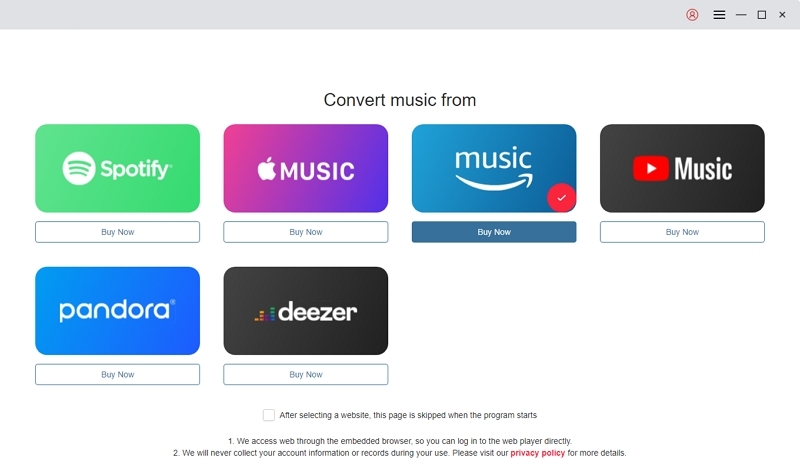
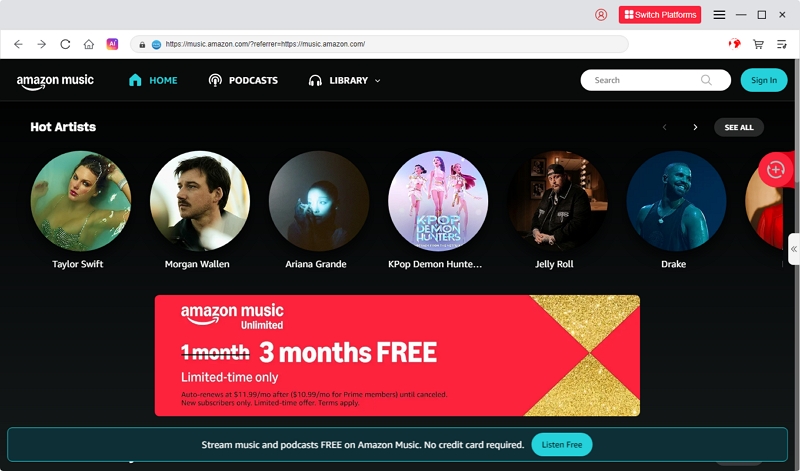
Launch Mediaio, choose Amazon Music from the supported platforms, and sign in to your Amazon account to access your playlists, albums, and library.
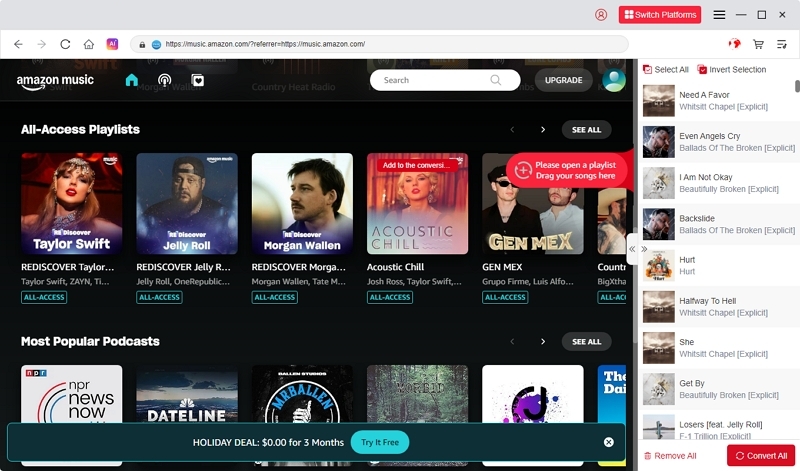
Browse your Amazon Music library, choose the songs you want to download, and drag them into the “+” icon to import them into Mediaio.
Select your preferred output format such as MP3 or M4A. This determines how your downloaded music will be stored.
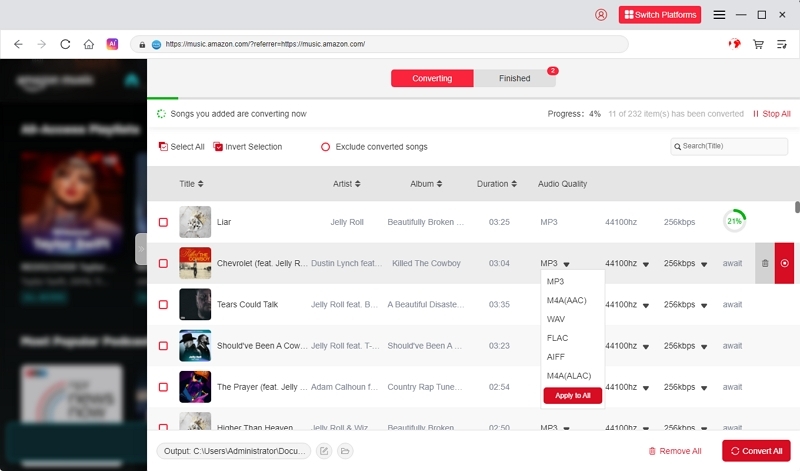
Click “Browse” to choose where you want to save your files. Then click “Convert All” to begin downloading your Amazon Music tracks.
FAQs
- Subscription downloads (Prime / Unlimited): Stored inside the Amazon Music app and cannot be backed up or exported.
- Purchased MP3s: Yes — you can back them up to iCloud, external drives, or any other storage, because they are real MP3 files that you own.
Conclusion
Downloading Amazon Music on your iPhone in 2025 gives you flexibility — but what you can do depends a lot on which version of Amazon Music you use.
- If you're a Prime or Unlimited subscriber, you can download songs for offline play, but the files stay locked inside the Amazon Music app.
- If you’ve purchased MP3s, you get full ownership. You can download those files, play them in the Music app, and back them up however you like.
- If you want permanent MP3s from your streaming library, using a converter like Mediaio is your best bet — it gives you real MP3s that you can move anywhere.