

Handing over your smartphone to your child for a bedtime story will get them hooked on the screen. That’s why it makes sense to invest in a dedicated music player for your preschooler. Something they can use on their own and use it for learning as well. At this age, it’s not just about playing songs. More importantly, what works for a three-year-old will be very different from what works for a five or six-year-old who is about to start school in a few months.
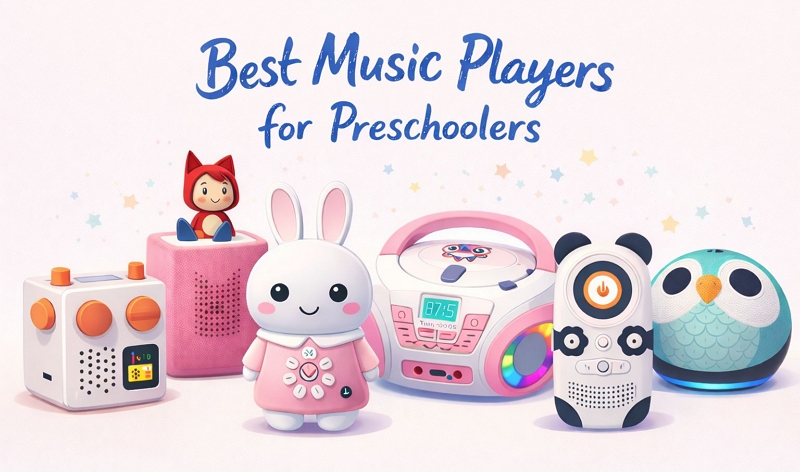
So keeping all of that in mind, we’ve picked seven of the best music players for preschoolers with each suited for a different kind of use and age. You can choose one that actually fits your child’s routine.
What to Consider When Choosing a Music Player for Preschoolers
At this age, the best player is not the one with the most features. It’s the one that fits into your child’s routine without creating extra work for you.
For instance:
- Some parents prefer voice-controlled options so their child doesn’t have to learn buttons (like if they’re too young).
- Some want something that helps their preschoolers learn — ABCs, takeaways, simple everyday things.
- And some prefer a device that can quietly build a routine, like bedtime stories, sleep sounds, or morning alarms.
So yes, it depends on your needs and your child’s age. And we will look at seven different options suitable for different needs. However, there are a few things that are non-negotiable:
- Sturdy and safe — soft, durable, and able to survive drops. Bigger ones can stay in place while portable ones help if your child moves around a lot.
- Controlled content — no random songs popping up. You should know what will play, even when they choose it themselves.
- Add your own audio — so they can listen to songs or even stories recorded by grandma in her own voice.
- Cost that makes sense — some are one-time and some keep adding costs. Pick what works long-term.
- Kid-friendly basics — safe volume, simple controls, good battery, and easy to hold.
7 Best Music Player for Preschoolers: Intro, Review and Usage
Each player in this list nails the basics — they’re simple enough for preschoolers and give you full control over what they listen to. However, each one also comes with its own strengths. This way, you can pick based on what will actually work best for your preschooler. We’ll also show how each one is used, helping you get a clear idea of what it actually feels like for your child to use it.
Yoto Player
Highlights: Screen-free • Card-based • Routine • Custom audio • Sleep-friendly
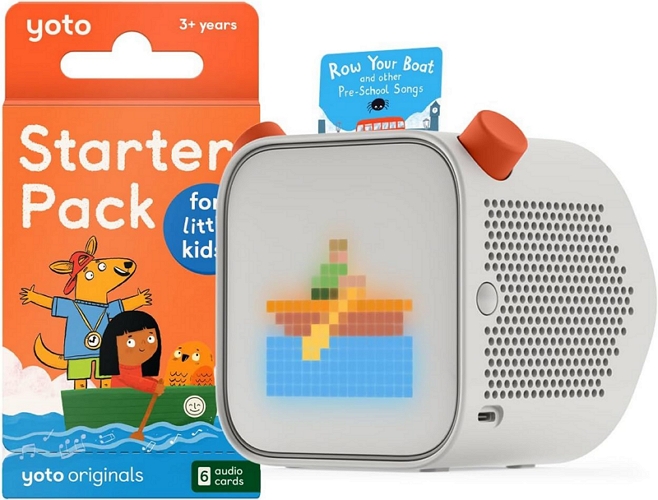
The Yoto Player avoids any kind of screen interaction for your kids and replaces it entirely with a simple card-based system. They can slide a card on top of it and it will start playing the song or story. A dinosaur card plays a dinosaur story. A music card plays songs. Plus, everything is controlled using two large knobs — easy enough for a 3-year-old to figure it out.
It comes in two main versions (big and portable). Both are built to run long and include useful extras like an ambient night light and an “OK-to-wake” clock.
Yes, you will have to buy story cards separately. But alongside that, there are make-your-own cards, so grandma or other family members can record stories and send them even if she lives in another city. On top of that, it already includes built-in content like daily shows, radio, and sleep sounds.
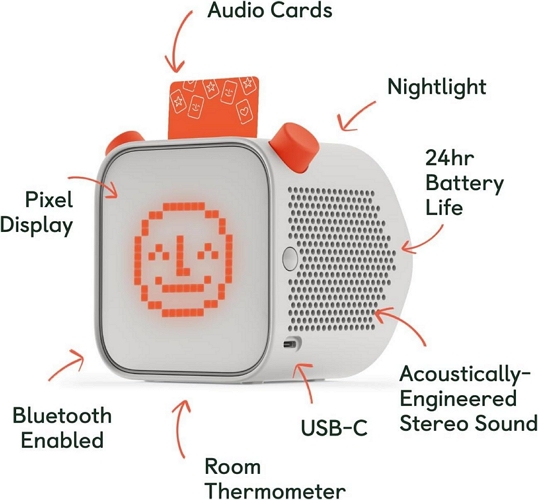
Yoto Player — All-in-One Breakdown
Weight: 2.05 pounds
24-hour battery
Room thermometer
Nightlight
Mini:
7 × 7 × 4 cm
Weight: Less than 1 pound
14-hour (Mini)
USB-C charging
Bluetooth (can act as speaker in later generations) • The large version handles drops well and feels sturdy.
• You can check the room temperature directly from the app.
• The magnetic dock makes charging simple for kids to do on their own (bought separately).
• Flipping the device will instantly turn on the night light.
• The Mini is portable, but small parts mean choking hazard.
16×16 pixel display
Two large knobs
Card-based playback (insert > play instantly) • There is no scrolling or menu system to figure out.
• Inserting a card will start playback instantly.
• The knobs are large enough for small hands to control easily.
• The simple design reduces the chances of wrong inputs.
Built-in: Yoto Daily, radio, sleep sounds
Fully licensed content (no ads, no external links) • All content is curated, so you do not have to worry about safety.
• Built-in audio is always available
“Make Your Own” cards (MP3/WAV via app) • Easy plug-and-play with cards
• Custom cards let you add personal recordings or songs.
• It is especially useful for sharing family voice messages or bedtime stories.
OK-to-wake clock (sun/moon icons)
App control support • The night light provides a soft and calming glow at night.
• The OK-to-wake clock helps children understand when to leave bed.
• App control allows you to manage settings without interrupting them.
Mini: US$69–$99
Cards: US$4–$14 each
Make-your-own cards: US$17.99+ (a few included in the box too). • Higher upfront cost
• Cards add over time
• Long-term use (not a short-term toy)
2. Toniebox Audio Player
Highlights: Soft • Figurine-based • Drop-proof • Tactile • Toddler-friendly
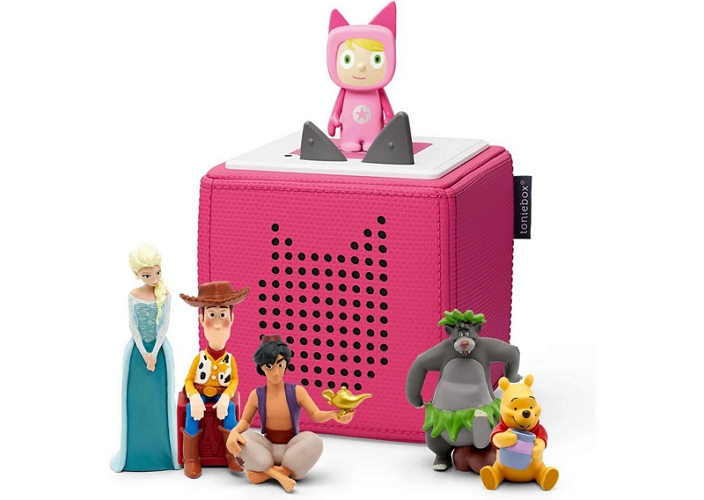
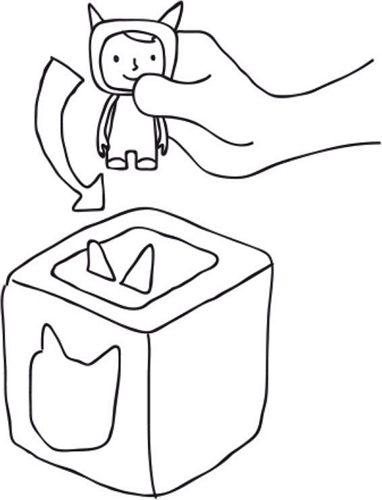
Toniebox takes a similar “no-screen” idea, but builds it in a completely different way. Instead of cards, it uses small figurines called Tonies. Your child can pick up a character, say a lion or a Disney figure, place it on top, and the audio will start playing. Lift it off and the music will stop.
The body itself is soft and fabric-covered, which is something the Yoto Player does not offer. So your toddler can drop, squeeze, or carry around easily without you having to worry about damage or them getting hurt.
Like Yoto, it runs on its own ecosystem. You either buy Tonies with preloaded content or use a Creative Tonie to upload your own audio. But the way you interact with it feels more playful. You press the ears to adjust volume. Tap the sides will let you skip tracks and tilting will forward or rewind.
Toniebox — All-in-One Breakdown
7-hour battery life
3.5mm headphone jack
32GB internal storage
Wi-Fi (only for setup)
Bluetooth support • You do not worry about it being thrown or falling on hard floors.
• You will need to carry the charging base for longer trips or sleepovers.
Press ears for volume
Tap sides to skip tracks
Tilt to fast-forward/rewind
Figurine-based playback • The controls feel playful and physical.
• 2 or 3-year-olds can learn gestures quickly.
• It feels more like playing with a toy than using a device.
Magnetic figurines with built-in audio
Creative Tonie for custom audio • Kids connect the character they hold with what they hear.
• The figurines double as toys during playtime.
• Small size, so they can get lost around the house easily.
Creative Tonie (upload MP3 via app) • Preloaded Tonies are simple and ready to use.
• Creative Tonie is useful for sharing family messages or bedtime stories.
Gentle wake-up features
App control (volume, battery, setup) • Kids can drift off without sudden stops.
• Wake-up routines with softer colors.
• Remote control without interrupting their playtime.
Tonies: US$14.99–$29.99 each
Creative Tonie: US$9.99
Optional subscription (not required) • Initial cost is high, and figurines will add up over time.
• Work well as a gift because of its playful design.
3. Amazon Echo Dot Kid
Highlights: Voice-controlled • Smart • Hands-free • Parental control • Streaming
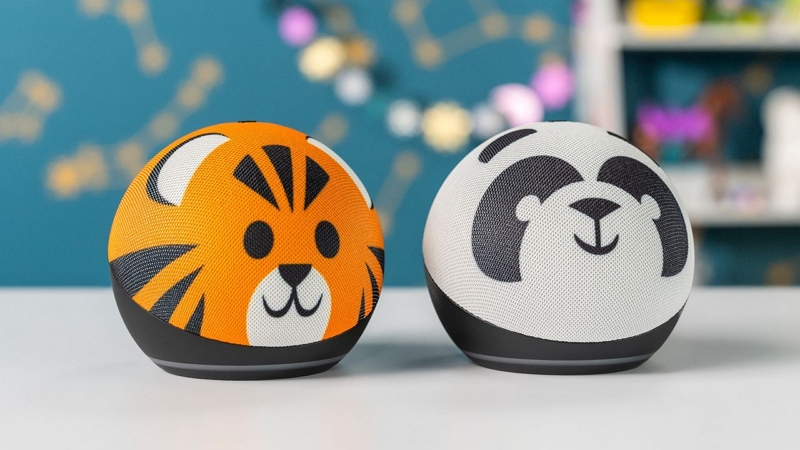
The Amazon Echo Dot Kids goes in the opposite direction from Yoto and Toniebox. It is fully online and relies on streaming.
The device itself is basically the same as a regular Echo Dot. The difference is that it comes in kid-friendly designs and includes parental controls. You can enable Kids mode to ensure your child only gets access to safe content.
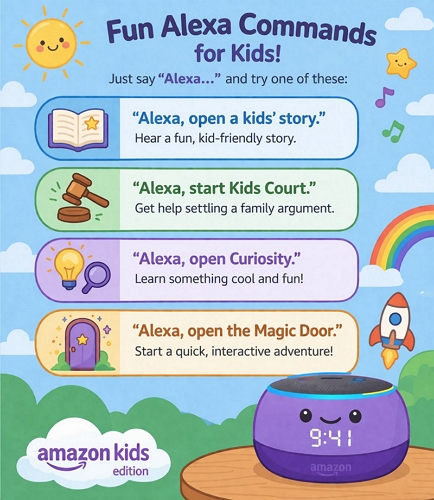
It pulls music and stories directly from services like Amazon Music or even Spotify if you connect it. So your child can simply say, “Alexa, play music” or “Alexa, tell me a bedtime story,” and it will start instantly.
It also comes with one year of Amazon Kids+. After that, you will need a subscription to access those features. And the good part is that it can also work like a normal Echo Dot. So later, if your child grows up or you want to use it differently, you can disable Kids mode and use it like a regular smart speaker.
Amazon Echo Dot Kids — All-in-One Breakdown
Kid-themed outer shells (owl, dragon, etc.)
Plug-in device (no battery)
Wi-Fi streaming
App-based control • It always stays plugged into a wall. So you don’t have to worry about charging.
• It is strictly a room device, it’s not coming into the car with you.
No screen and no physical controls needed.
“Alexa” voice assistant • Your child can just ask and it will play instantly.
• No need to learn buttons or gestures.
• It can answer endless questions like “why is the sky blue?” or tell jokes while you are folding laundry.
Works with Amazon Music and Spotify
Voice Q&A, jokes, learning
Kid mode filters and parental controls • Content is filtered, so explicit or unsafe content stays blocked.
• You can control what they access without constant supervision.
• After one year, subscription is required for full access.
Daily content, reminders, bedtime routines • You can set routines like bedtime music or wake-up alarms via the Amazon Kids Parental Dashboard.
• It becomes part of daily habits without extra effort.
• Voice-based reminders help structure the day naturally.
Amazon Kids+: 1 year included, then subscription • Lower upfront cost compared to others.
• Subscription becomes necessary later.
• Feels more like a smart speaker than a dedicated music toy.
4. VTech KidiBuzz G2
Highlights: Screen-based • Smart • Messaging • Learning • Controlled internet
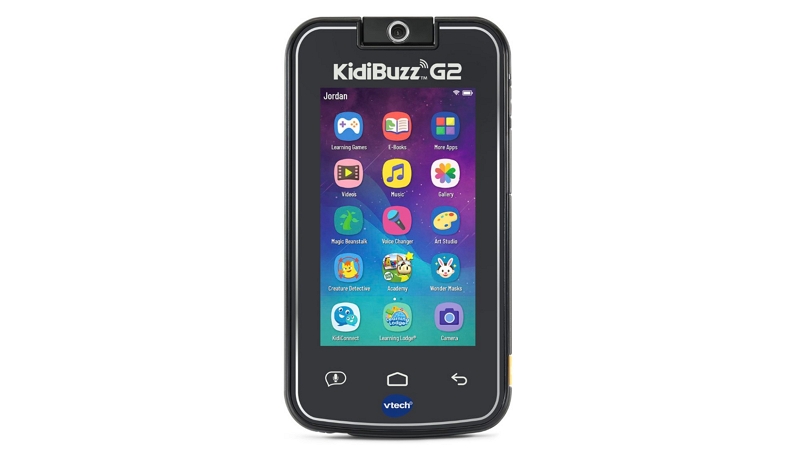
The VTech KidiBuzz G2 suits older preschoolers who want a screen. It comes with 40+ learning games, a rotating camera, Wi-Fi support, and even the KidiConnect app. That means your child can send voice notes, texts, and photos, but only to a parent-approved list of contacts (yes, grandma can text them back!).
It even includes a web browser and a small app store and both are heavily restricted and controlled from your side. You can even completely disable them if needed.
However, it does not come with a big yet ready-made music library. You can upload your own MP3s and let them play music through the built-in music app.
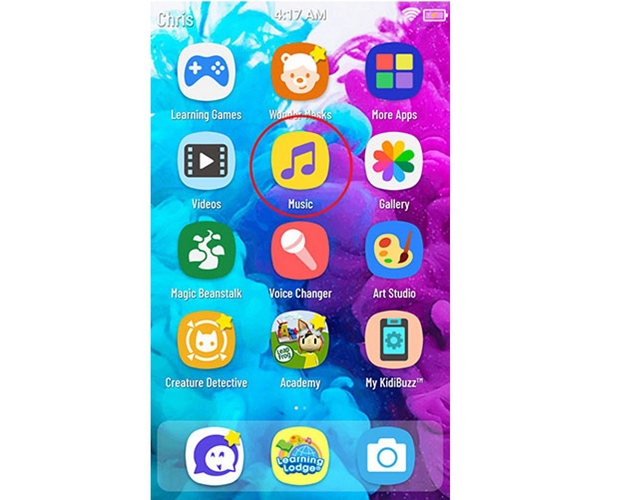
VTech KidiBuzz G2 — All-in-One Breakdown
Shatter-safe 5-inch touchscreen
180° rotating camera
Rechargeable battery • It gives kids the “my phone” feeling without handing over your actual phone.
• The chunky bumper design absorbs drops and edge hits easily.
• You do not panic if it falls, as it is built for that kind of use.
App-based interface
Music app for playback • The interface is chunky and highly visual — perfect for a pre-reader.
• Works well for kids who want that swipe and tap experience.
Heavily restricted web browser
Parent-controlled app store You can approve every app and website before they access it.
• There is zero risk of them wandering into the wild west of the internet.
Supports microSD (up to 32GB)
MP3 upload supported • You can load thousands of songs and use them fully offline.
• Good for long trips where Wi-Fi is not reliable.
• Music has to be added manually — nothing comes preloaded.
Parental dashboard controls
KidiConnect messaging • You can set strict usage limits and control when it is used.
• Messaging stays within a safe, approved circle.
• Helps build boundaries around screen time.
• You get peace of mind instead of handing over your own device.
• Feels like a practical alternative if your child keeps reaching for your phone.
5. RUIZU X31 MP3 Player
Highlights: Offline • Budget • Simple • Durable • No distractions
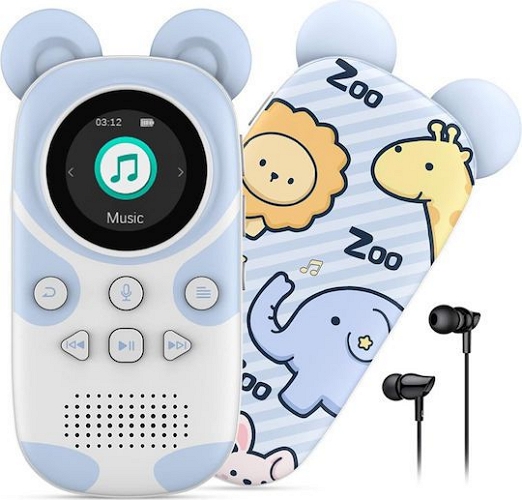
The RUIZU X31 MP3 Player is the simplest device here and also the cheapest. From the outside, it looks like a cute, squishy panda or bear. But under that soft silicone shell, it is a proper old-school MP3 player. There is no Wi-Fi. There are no apps. And absolutely no subscriptions.
You load songs and stories onto it, hand it over, and that’s it. Your child can press a button and play what’s already there. That said, it is not as instant as card-based players. There is some navigation involved — folders, buttons, small screen, so it works better for slightly older preschoolers who can figure things out.
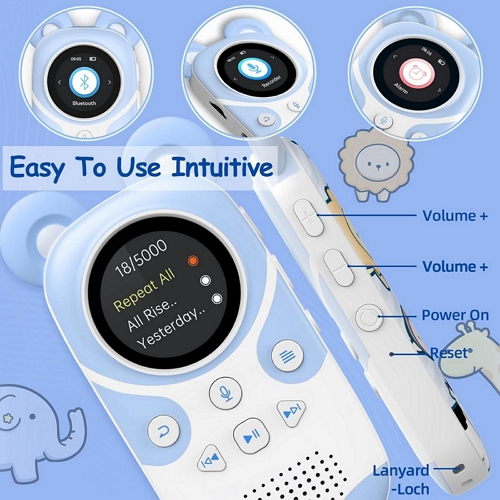
RUIZU X31 — All-in-One Breakdown
Lightweight and pocket-sized
Built-in speaker + headphone support • The silicone cover absorbs drops and rough handling easily.
• Light enough for a child to carry around the house or park.
• Feels like a toy outside.
Physical buttons (play/pause, navigation, microphone)
No touchscreen • Learning curve.
• Not ideal for very young kids.
• Once learned, it will become predictable and easy to use.
No Wi-Fi, no browser, no streaming • What you load is what they hear — full control stays with you.
Expandable up to 128GB via microSD
Supports MP3 and other formats • You can load thousands of songs and stories easily.
• Works great as a fully offline music library for trips or daily use.
• No internet needed.
Screen saver
Alarm clock
Voice recording • You can set music or stories to stop automatically at bedtime.
• Alarm and basic tools work without needing a phone.
• Voice recording is surprisingly useful — you can record your own stories and let them replay anytime.
• Great if you just want a no-nonsense music player.
6. Alilo Bunny Audio Player
Highlights: Luminous ears • Pre-loaded • Bluetooth • Voice recorder • Toddler-safe
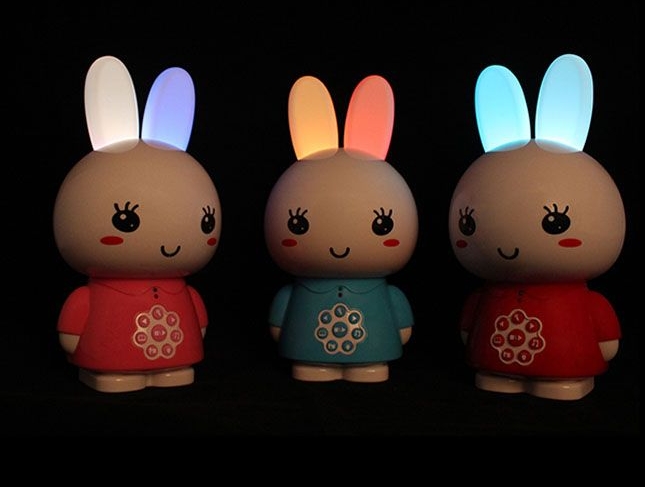
The Alilo Bunny Audio Player will suit preschoolers across ages. Right out of the box, it already comes with content — classic stories, lullabies, and soothing sounds. And it also includes an 8GB TF card (updateable — you can transfer content via USB), so you can upload your own MP3s. Or just stream via Bluetooth when needed. There is also a built-in microphone, but that is mostly for simple real-time recording, like playful moments.
The standout part is how simple it is. Your child can twist the tail to adjust volume. The ears glow in soft colors (gentle night light), and they are made of chew-safe, food-grade silicone. The only thing to keep in mind — it does feel a bit plasticky in hand.
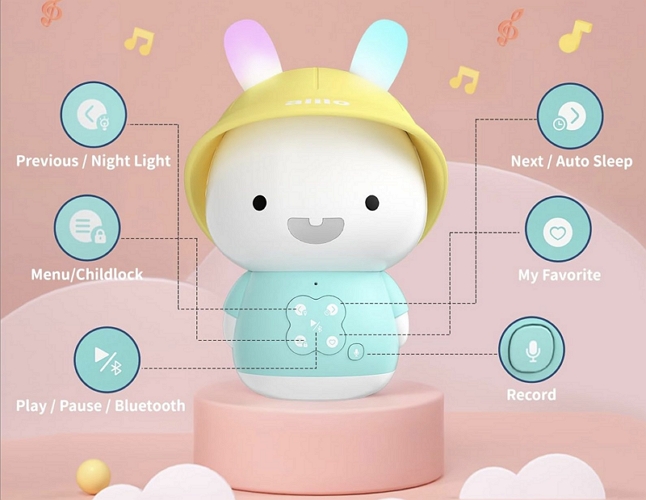
Alilo Bunny — All-in-One Breakdown
Soft silicone ears (7-color light)
Hunny Bunny.
Chew-safe materials • The ears glow softly and work as a calming night light.
• Safe enough for toddlers to hold, chew, or sleep next to.
• Handle drops on tiles without you worrying.
Tail rotation for volume
Some models include child lock • Very easy to understand — even for younger kids.
• Tail control feels natural and fun to use.
• Child lock helps avoid sudden loud volume at night.
100% offline ready • You can start using it immediately without adding content.
• No ads, no internet. Just safe content.
Bluetooth streaming
USB transfer
Built-in mic recording • You can add your own songs as your child grows.
• Bluetooth helps when you want quick playback from your phone.
• Voice recording lets you add personal stories in your own voice.
• You don’t have to walk back in to switch it off later.
• Works as both a toy and a music player.
• Good long-term value for younger kids.
7. TinyGeeks Tunes Kids Boombox CD Player
Highlights: Nostalgic • Disco lights • AUX-ready • Family time
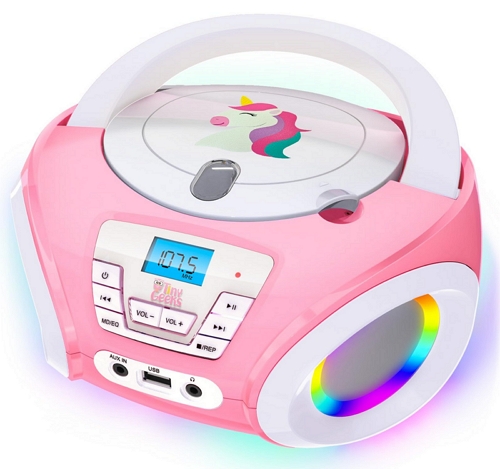
A CD player in today’s digital world sounds unusual, but that is exactly the point. It keeps things simple: no Wi-Fi, no Bluetooth, or distractions.
You just insert a CD and press play. It could be something from your own childhood, or even better — a weekly library trip where your child picks out audiobooks or music. That small ritual will become part of the experience.
And if you still want flexibility, there is AUX support. Plug in your phone and play MP3s when needed.
It is not just a plain box either. The RGB disco lights, along with multiple EQ modes (flat, classic, jazz, rock, pop), can instantly turn a quiet room into a small dance space.
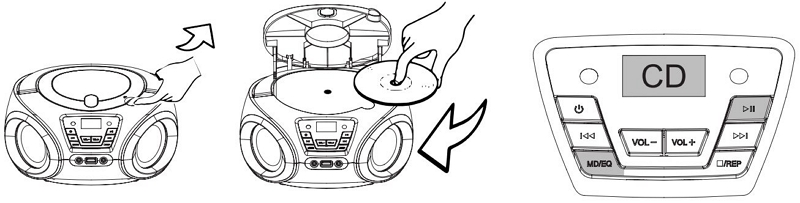
TinyGeeks Tunes — All-in-One Breakdown
AC powered + battery backup
5-year warranty Feels like a shared family device, not a personal toy.
Built for rooms, not pockets.
Physical buttons
RGB disco lights (hold power 3 sec)
Multiple EQ modes • No menus or confusion — insert a CD and press play.
• Lights make it instantly fun without extra effort.
• Kids can control it without needing help.
FM radio
100% offline • No internet means no distractions or unsafe content.
• Works exactly as expected every time.
• Great for focused listening or family time.
AUX input
USB port support • You can rotate CDs or plug in a USB drive with songs.
• AUX makes it flexible when needed.
• No complicated setup involved.
• No extra costs like subscriptions or accessories.
• Long-term value with minimal effort.
How to Find More Music for Your Preschooler’s Music Player
Most of the players in this list, like the VTech KidiBuzz, the RUIZU X31, or even custom options like Yoto-style players, rely on local MP3 files. That’s actually a good thing, because it lets you curate exactly what your preschooler listens to, such as lullabies, audiobooks, movie soundtracks. But here’s the catch. Most of that content is usually locked inside apps like Spotify or YouTube Music. So you can’t just move those files directly onto these preschooler music players and play them offline. Luckily, getting around that isn’t difficult either.
You can simply use Mediaio Audio Converter. It lets you pull songs from platforms like Amazon Music, Spotify, Apple Music, or YouTube Music and export them into clean MP3 files that you can actually transfer to your child’s music player. You can export anything, like a full playlist, kids’ stories, audiobooks, or even podcasts, just within a few clicks.
Once the songs are on the music player, your child can play everything offline and without any kind of interruptions.
Final Words
So that covers pretty much every type of music player you can get for preschoolers, whether it’s for stories, songs, lullabies, or even something that helps with routines.
- Toniebox and Yoto are good, but they’re also expensive and come with ongoing costs.
- If you want a fully voice-controlled device, Amazon Echo Dot Kids is the best one out there.
- And the others are better when you want full control over your own MP3 content. That’s where Mediaio Audio Converter comes in, letting you pull songs or stories from platforms like Spotify and YouTube Music and play them freely on any player.