

Internet radio feels like it should be obsolete. Spotify has 100 million tracks on demand. Apple Music offers lossless audio. YouTube Music surfaces obscure live recordings. Against that backdrop, a service built around curated radio channels—where you don't choose specific songs—sounds like a step backward.
AccuRadio has survived anyway, and it's worth understanding why. This review covers what the app actually does, where it genuinely excels, what it can't do, and how it compares to the platforms most people use daily.
Part 1: What Is AccuRadio?
AccuRadio is a free internet radio platform built around human-curated channels rather than algorithms or on-demand playback. Instead of searching for songs or building playlists, you browse thousands of themed stations—by genre, decade, mood, subgenre, or artist style—and let them play continuously.
The experience is deliberately passive. You pick a channel and listen. You can skip songs you don't want to hear, ban artists you dislike from a channel, and save favorite stations. But you can't queue specific tracks, and you can't control what plays next.
That's not a limitation AccuRadio is apologizing for—it's the design. The platform is built for listeners who want to discover music within a genre rather than manage a library.
Supported platforms: iOS, Android, desktop (web browser), Amazon Alexa, Sonos
AccuRadio Pricing
AccuRadio operates on a single-tier model that's genuinely unusual in streaming: it's completely free, with no paid subscription option.
The trade-off for free access is ads. Audio ads appear periodically between songs, and display ads appear in the interface. The ad frequency is moderate—less intrusive than Spotify's free tier, but present enough to notice.
One clarification worth making: AccuRadio allows more skips than traditional radio and many competing free services, but skip counts are still subject to music licensing rules that limit how many songs per hour you can skip on any given channel. It's generous compared to Pandora's free tier, but not truly unlimited.
Part 2: AccuRadio's Key Features
Human-curated channels. AccuRadio's 1,000+ stations are built and maintained by music editors, not generated by algorithms. This matters most in niche genres—if you want a station dedicated specifically to 1970s Brazilian bossa nova, or solo piano jazz, or Celtic folk, AccuRadio is more likely to have it and curate it well than any algorithm-based service.
Channel blending. One of AccuRadio's more distinctive features lets you combine two channels into a single stream. If you want smooth jazz blended with light classical, you can create that combination and save it. This gives more flexibility than standard radio-style services.
Artist and song blocking. On any channel, you can permanently block specific artists or songs from appearing. This sticks across sessions—block an artist once and they won't play again on that channel.
Genre depth. The channel directory goes significantly deeper than mainstream streaming services. Rather than "jazz," you'll find separate channels for bebop, cool jazz, jazz fusion, acid jazz, vocal jazz standards, contemporary jazz piano, and so on. For genre enthusiasts, this specificity is the main draw.
Five-Star Radio. As you rate songs on AccuRadio, the platform builds a personalized channel based on your highest-rated tracks. This is the closest AccuRadio gets to algorithm-based personalization, and it works best after you've rated a meaningful number of songs.
Part 3: How to Use the AccuRadio App/Website – Step-by-Step Guide
On Mobile (iOS/Android)
Step 1: Download "AccuRadio" from the App Store or Google Play
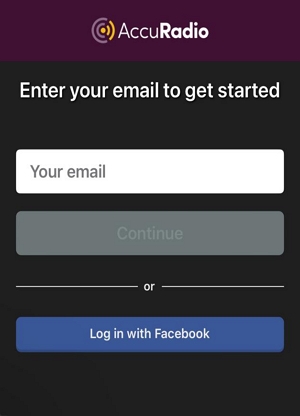
Step 2: Register for an account using your email and password.
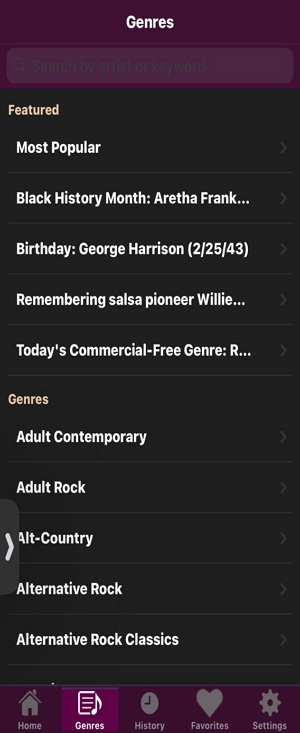
Step 3: Tap Genres to browse the channel directory
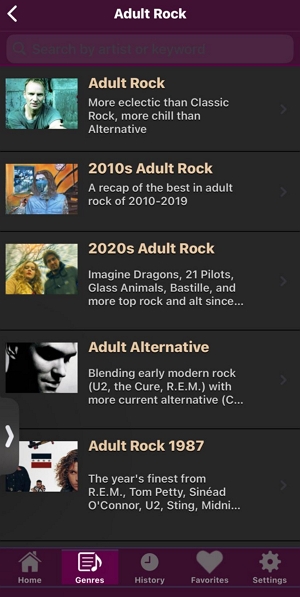
Step 4: Select a genre, then choose a specific channel to start listening
Step 5: To save a channel, tap the gear icon and select Add Channel as Favorite
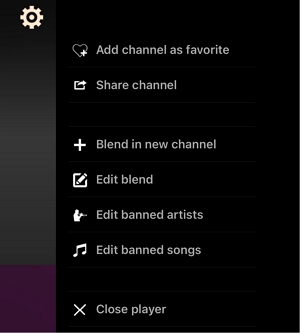
To block an artist or song, tap the gear icon while that track is playing
On Desktop (Web Browser)
Step 1: Go to accuradio.com and click Sign Up in the top right corner
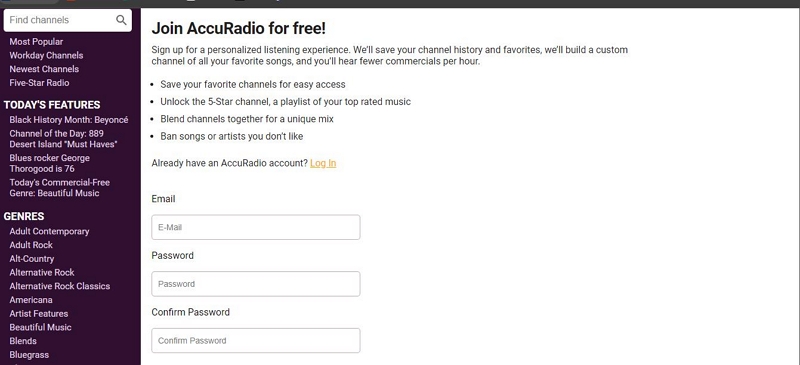
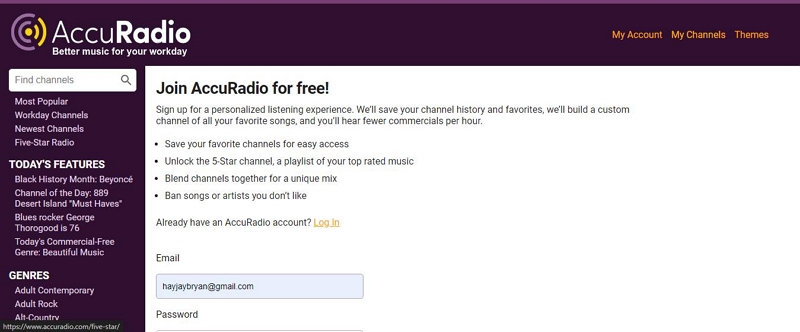
Step 2: After registering, use the left-side menu to browse by genre
Step 3: Click on a “Hit channel” to start listening to it.
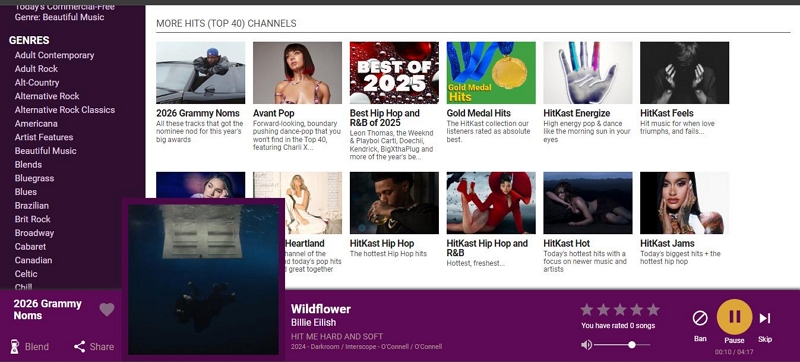
You can use the controls at the bottom right corner to pause, play, and skip the songs. And you can add a channel to your “Favorites” by clicking te click on the “love” icon at the bottom left.
Step 4: To access your favorite channel, click on “Channel” at the top-right corner. Then, select “Favorites.”
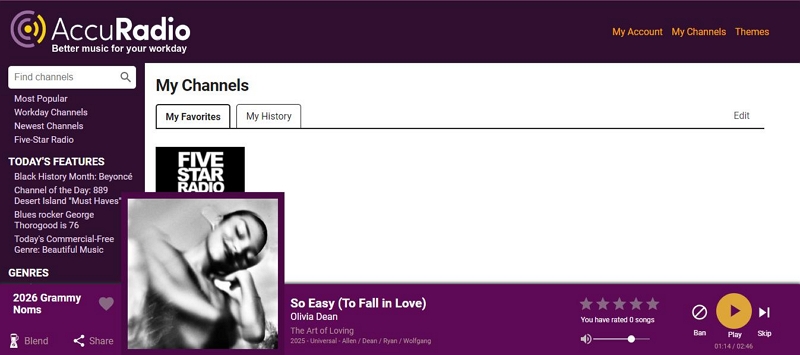
You can also view your listening history by clicking the “History” button.
Part 4: AccuRadio Pros and Cons
What AccuRadio does well:
- Full access to all features without any subscription. This is genuinely rare—most free tiers on competing services are hobbled versions with significant restrictions.
- Human curation at scale. 1,000+ channels maintained by actual music editors produces a different result than algorithmic generation, particularly for niche and genre-specific listening.
- Channel blending. The ability to combine two channels is a feature no major competitor offers.
- Granular artist blocking. Banning an artist from a specific channel (rather than your whole account) is more nuanced than most services allow.
- Passive listening design. No playlist management, no queue decisions, no choice fatigue. Pick a genre and let it run.
What AccuRadio doesn't do well:
- No on-demand playback. You cannot choose to play a specific song. If that's how you primarily listen to music, AccuRadio is the wrong tool.
- No offline mode. AccuRadio requires an active internet connection at all times. There is no download or offline playback feature.
- Ad interruptions. Audio ads appear between songs on the free tier. This is the direct cost of the free model.
- Skip limits. Despite being more generous than some competitors, hourly skip limits exist due to music licensing requirements. Heavy skippers will hit the ceiling.
- Limited discovery features. AccuRadio doesn't generate "because you listened to X" recommendations or weekly discovery playlists. Discovery happens through browsing, not personalization.
Part 5: Who Is AccuRadio For?
AccuRadio fits a specific listening style well. It works best for:
- People who want background music while working, studying, or cooking without managing playlists
- Genre enthusiasts who want to go deep into a specific style (jazz subgenres, classical periods, regional music)
- Listeners who are tired of algorithm-driven recommendations and want human curation
- Anyone who wants a completely free music service without a degraded free tier
It's not a good fit for:
- Listeners who want to play specific songs on demand
- Anyone who needs offline listening capability
- Users who want highly personalized, learning-based recommendations
Part 6: How AccuRadio Compares to Competitors
AccuRadio vs. Pandora
Pandora built its reputation on the Music Genome Project—an algorithm that analyzes 450+ musical attributes to find songs matching your taste. It's genuinely good at learning your preferences over time and surfacing music you wouldn't have found otherwise.
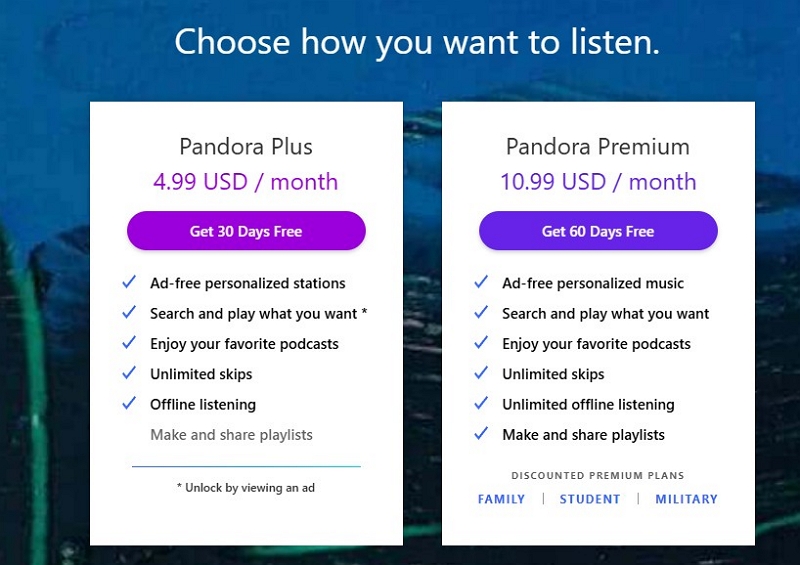
The key practical difference for free users: Pandora's free tier severely limits skips (typically 6 per hour across all stations). AccuRadio is more generous. Both are ad-supported; both offer some personalization through thumbs up/down ratings.
For paid users, Pandora Premium ($10.99/month) adds on-demand playback and offline listening—features AccuRadio doesn't offer at any price.
Best for: AccuRadio for free passive listening; Pandora Premium for personalized discovery with full control.
AccuRadio vs. Spotify
Spotify is a fundamentally different product. It's an on-demand streaming library—you find and play specific songs, build playlists, follow artists, and download for offline listening. The "radio" features (Discover Weekly, Daily Mixes) are secondary to the core library experience.
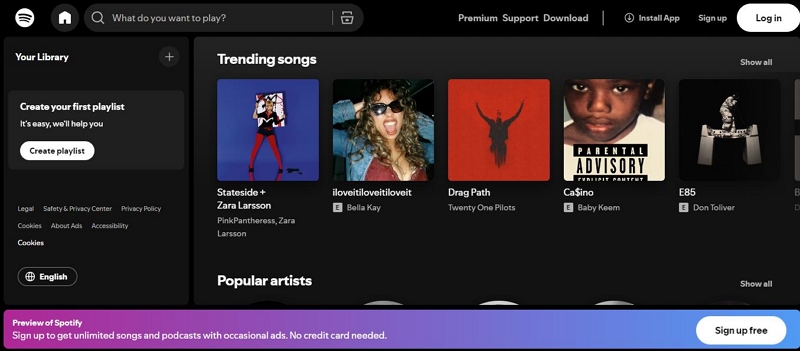
Comparing AccuRadio to Spotify is a bit like comparing a curated bookshop to a library database. One is browsing; the other is searching. The question is what you want to do.
Spotify Free is more restrictive than AccuRadio Free in meaningful ways: shuffle-only playback on mobile, more frequent ads, limited skips. Spotify Premium ($12.99/month) removes all restrictions and adds offline listening.
Best for: AccuRadio for lean-back genre discovery; Spotify Premium for full library access and offline listening.
AccuRadio vs. iHeartRadio
iHeartRadio is built around live AM/FM radio streaming—it lets you listen to your local morning show, get traffic and news updates, and access local sports broadcasts. AccuRadio has none of this. It's pure music, no DJs, no news, no chatter.

iHeartRadio also has an extensive podcast library and custom artist stations. Its free tier is more restrictive than AccuRadio's for skip counts.
Best for: AccuRadio for uninterrupted music without talk radio; iHeartRadio for local radio and live content.
Other Alternatives Worth Knowing
- TuneIn Radio is the best option for international listeners—100,000+ global stations, live sports (NFL, MLB, NBA), and news broadcasts. Very different use case from AccuRadio but worth knowing if you want live content.
- Jango Radio is structurally similar to AccuRadio (free, custom stations) but with a smaller library and a focus on independent artist promotion. Useful if you want to discover less mainstream music.
- SiriusXM is satellite radio with exclusive content (Howard Stern, exclusive sports channels, curated music stations). Subscription-required and significantly more expensive, but the exclusives are genuinely exclusive.
Full Comparison Summary
Part 7: Troubleshooting Common Issues
1. App not loading or crashing
Force-stop the app rather than just closing it: on Android, go to Settings → Apps → AccuRadio → Force Stop. On iOS, swipe up to close, then reopen. If that doesn't resolve it, clear the cache (Android: Settings → Apps → AccuRadio → Storage → Clear Cache) or reinstall (iOS). Check for app updates before reinstalling.
2. Buffering and playback interruptions
Toggle Airplane Mode on and off to refresh your network connection. Close background apps that may be consuming bandwidth. If on Wi-Fi, try switching to cellular or vice versa. Persistent buffering on multiple channels usually indicates a network issue rather than an AccuRadio problem.
3. Login issues
Use the Forgot Password link on the login screen—reset links expire within 24 hours, so act promptly. After multiple failed login attempts, accounts temporarily lock; wait 30 minutes before trying again. Check your spam folder for the verification email, and ensure there are no extra spaces in your email address when entering it.
4. Playback and skip problems
If a specific channel won't load, try a different channel to determine whether it's a stream-specific issue or a general app problem. If you're hitting skip limits, this is a music licensing constraint rather than an app bug—wait until the next hour or switch to a different channel. Audio quality issues (tinny or distorted sound) sometimes result from Battery Saver mode throttling data speeds; disable it to check.
Part 8: Is AccuRadio Worth Using in 2026?
For its specific use case, yes. If you want a free, no-subscription music service with genuine depth in genre-specific channels and human curation, there's no direct equivalent that's better. The free tier is unusually complete—you're not getting a hobbled version of a paid product, you're getting the whole product with ads.
The limitations are real: no on-demand playback, no offline mode, and the ad interruptions are a consistent friction point. If you primarily listen to specific songs rather than genres, AccuRadio isn't the right tool.
Where it earns its place is as a complement to whatever primary streaming service you use. AccuRadio for background listening and genre discovery; Spotify or Apple Music for cueing specific tracks. Many users find that combination more satisfying than either service alone.
AccuRadio doesn't offer offline listening, and neither do most free streaming services. If offline access is important to you, Spotify Premium and Apple Music are the most straightforward paid options. For users who want to manage their own audio files locally, tools like Mediaio Audio Converter can help convert and organize audio content you already own across formats—useful if you're working with your own recordings, purchased downloads, or DRM-free content.
FAQ
Yes, with no paid tier available. All channels and features are accessible without a subscription. Revenue comes from ads. Creating an account (free) unlocks artist blocking, channel blending, and the Five-Star Radio personalized channel.
AccuRadio is more generous than most free streaming services, but skip counts are subject to music licensing limits that cap how many songs you can skip per hour per channel. The exact limit varies. If you hit the limit, switching to a different channel or waiting resets it.
No. AccuRadio requires an active internet connection to stream. There is no download or offline playback feature.
Yes. The AccuRadio app supports Apple CarPlay and Android Auto, so you can control playback from your car's dashboard. Note that support may vary by vehicle infotainment system.
Audio streaming at standard quality uses roughly 30–60MB per hour, similar to other streaming radio services. This is notably less than video streaming but will add up over extended listening sessions on a mobile data connection.
Yes, AccuRadio is accessible globally. Some channel availability and ad content may vary by region due to local licensing agreements.
No. AccuRadio is radio-style streaming—you choose a channel and the music plays continuously, but you can't request or queue specific tracks. If on-demand song selection is important to you, Spotify, Apple Music, or YouTube Music are better suited.