

Bulk audio conversion is where many tools quietly fall apart.
Converting one MP3 is easy. Converting 300 files without breaking metadata, changing bitrates, or crashing halfway through is a very different problem. In real-world use, small inconsistencies—like one unsupported codec or a misapplied bitrate preset—can ripple across an entire library, forcing painful rework.
Online converters make this worse. Upload limits, browser timeouts, queue failures, and privacy concerns turn large audio libraries into a gamble. That’s why professionals, archivists, and long-form content creators still rely on offline audio converters in 2026.
This guide focuses on tools that actually hold up under pressure—when file counts are high, sessions are long, and consistency matters more than flashy features.
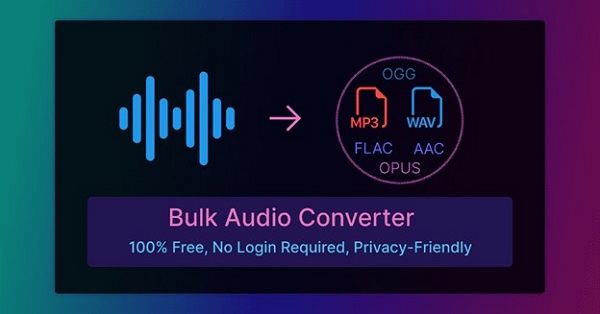
Common Problems That Break Bulk Audio Conversion
Bulk conversion isn’t about speed alone. It’s about control and predictability. These are the issues that most often derail large-scale conversions.
Metadata loss and inconsistency
Album names, track numbers, and artist tags are often stripped or scrambled when batch tools fail to preserve ID3 data consistently. Fixing metadata after the fact is slow and error-prone.
Mixed bitrates and codecs across files
Some tools silently apply defaults file by file. The result? A library with uneven bitrates, unexpected codecs, and unpredictable file sizes—bad for playback compatibility and archiving.
One bad file crashes the entire batch
A single corrupt or unsupported file can halt or crash the whole process, forcing you to restart and manually isolate the problem.
No clear success or failure reporting
Without proper logs or status indicators, silent failures go unnoticed until you try to play the files—often too late.
Why Offline Audio Converters Are Better for Bulk Processing
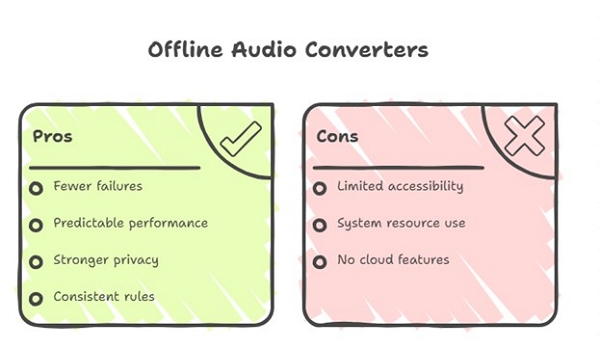
Offline tools reduce complexity by removing external variables.
Fewer points of failure
No uploads, no queues, no browser memory limits. Everything happens locally, which dramatically improves reliability.
Predictable performance
Desktop converters use your system resources directly, delivering stable throughput without cloud slowdowns or throttling.
Stronger privacy guarantees
Personal recordings, licensed audio, or unreleased content never leave your device—an important consideration for professionals.
Consistent, batch-wide rules
Offline tools let you lock bitrate, codec, sample rate, and channel settings across hundreds of files with confidence.
What Actually Matters in a Bulk Audio Converter
When you’re converting at scale, surface-level features matter less than workflow reliability.
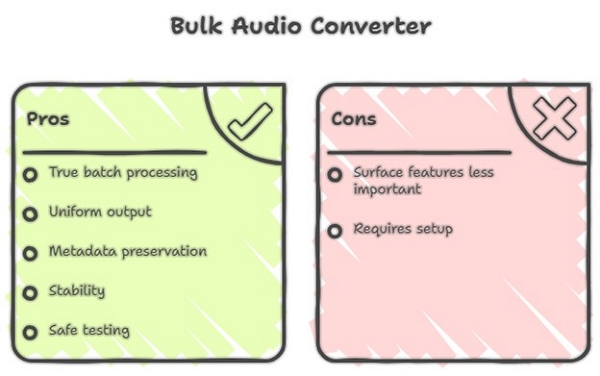
True batch processing (folders, not files)
The ability to process entire directories and subfolders is essential for large libraries.
Uniform output settings
Every file should follow the same rules—no exceptions, no surprises.
Metadata preservation
ID3 tags, album art, and track order should survive the conversion intact.
Stability under long sessions
The tool should remain responsive even after hours of processing.
Safe testing before full runs
Previewing or testing a small batch helps catch issues before committing hundreds of files.
Best Offline Tools for Bulk Audio Conversion (Tested Contexts)
The tools below were evaluated using the same real-world batch conversion setup to ensure results are comparable and practical—not theoretical benchmarks.
Real-World Test Setup (Summary)
All tools were tested under identical conditions to avoid skewed comparisons:
Evaluation focused on what matters most in bulk workflows: conversion success rate, stability during long runs, output consistency, and recovery from errors.
1. FFmpeg (Command-Line | Professional-Grade Control)
FFmpeg delivered the fastest and most consistent results when properly configured, but also carried the highest risk of user-introduced failure.
In testing, a single unsupported WAV file caused the initial batch to halt entirely until error-handling flags were added. Once configured correctly, performance was near flawless.
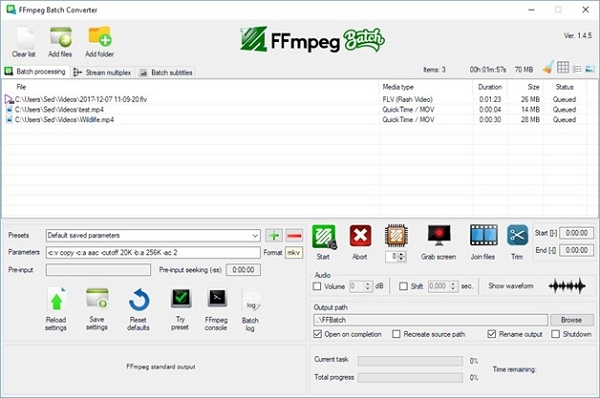
Best suited for: Engineers, automation-heavy workflows, long-term managed audio archives
Not ideal for: Content creators or users doing occasional bulk conversions
2. EZ CD Audio Converter (Music Library–Focused)
EZ CD Audio Converter was the most metadata-safe tool in testing. Across multi-album and multi-artist structures, tags, cover art, and track order remained intact with almost no post-processing required.
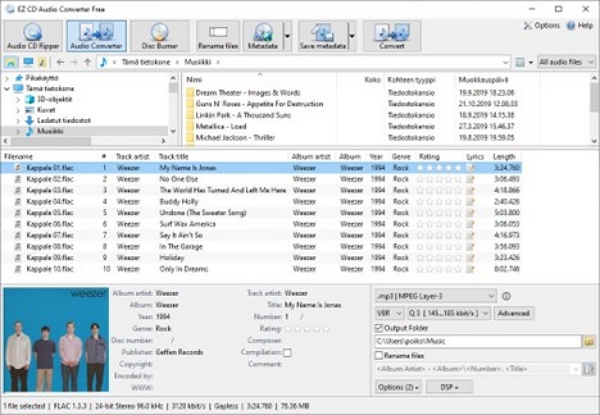
Best suited for: Music collectors, archivists, and users prioritizing library integrity
Not ideal for: Speed-focused or automated batch pipelines
3. MedVioo Audio Converter (Stability-First)
MedVioo Audio Converter provided the smoothest “hands-off” experience in bulk testing. Its linear workflow and limited configuration options significantly reduced user error—an advantage that became more apparent in long batch runs.
A small number of failed files were traced back to corrupted sources rather than conversion instability.
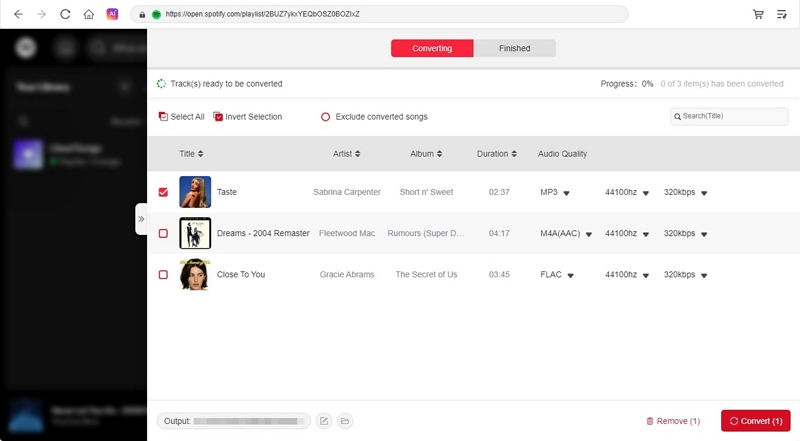
Best suited for: Podcasts, interviews, courses, and long-form audio libraries
Not ideal for: Audio mastering or production-grade workflows
4. fre:ac (Free, Capable but Needs Verification)
fre:ac performed well for a free tool, completing most large batches successfully. However, mixed-format libraries occasionally resulted in inconsistent metadata, increasing post-conversion review time.
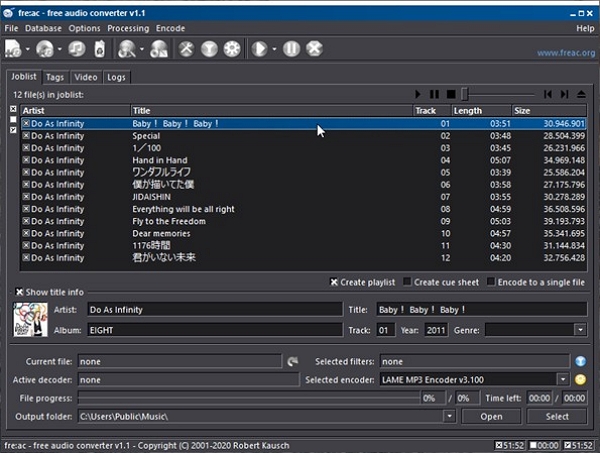
Best suited for: Budget-conscious users willing to verify results afterward
5. Audioer (Lightweight, Small-Batch Friendly)
Audioer worked well on low-spec systems but showed clear limits at larger batch sizes. Stability improved significantly when files were processed in smaller groups.
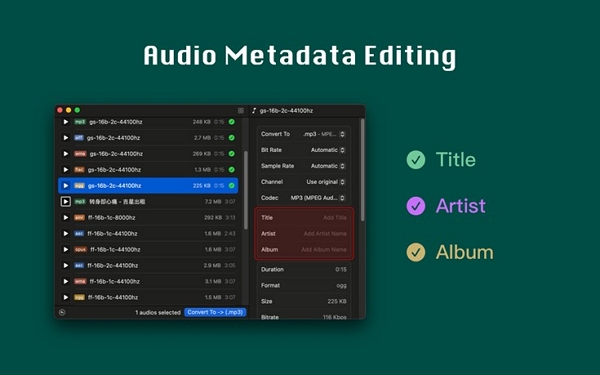
Best suited for: Small batches on constrained hardware
Not recommended for: Large, single-run bulk conversions
This section focuses on observed behavior and practical trade-offs, not rankings. Overall scoring, comparisons, and recommendations are consolidated in the Helpful Content Evaluation section to avoid repetition and keep decision-making clear.

Other Bulk-Friendly Tools
The following free tools were tested under the same batch conversion conditions, but they are not positioned as primary solutions. Instead, they serve specific, limited-use scenarios where simplicity or cost matters more than long-run stability.
These tools work best when expectations are clear and batch sizes are controlled.
Hamster Free Audio Converter (Beginner-Friendly, Short Tasks)
Hamster Free Audio Converter focuses on ease of use rather than robustness. Its drag-and-drop interface makes it approachable, but that simplicity also limits how safely it scales.
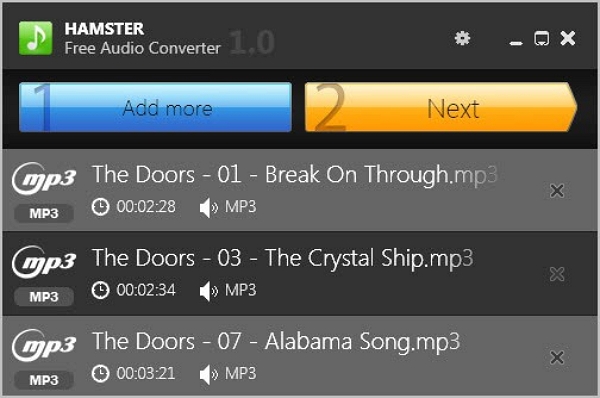
Observed Behavior in Bulk Context
- Effective batch size: Small to medium (under ~100 files recommended)
- Stability: Generally stable for short sessions
- Output consistency: Acceptable when using presets
- Metadata handling: Basic, often inconsistent
Best suited for: Casual users converting music or ringtones in small batches
Not recommended for: Large, mixed-format libraries or long one-pass conversions
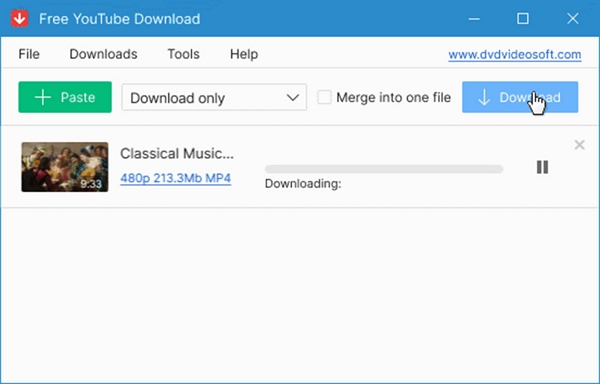
Free Audio Converter (DVDVideoSoft) — Simple and Predictable, with Trade-Offs
This tool provides a familiar desktop experience and handles basic batch conversion reasonably well, but free-version limitations become noticeable as batch size increases.
Best suited for: Windows users needing a no-cost, straightforward bulk converter
Not recommended for: Users prioritizing metadata accuracy or unattended long sessions
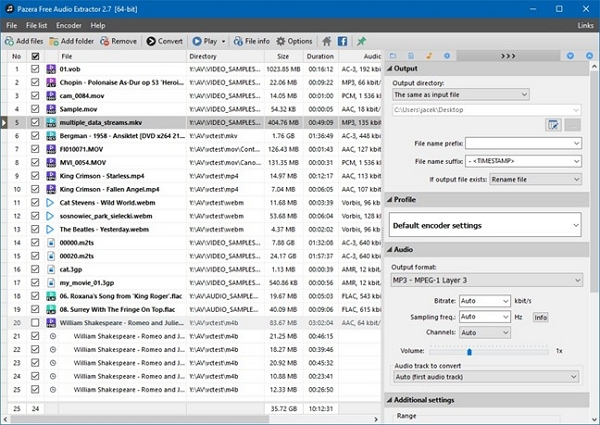
Pazera Free Audio Extractor (Video-to-Audio Specialist)
Pazera stands out not as a general-purpose audio converter, but as a utility for extracting audio from video files at scale. In that role, it performs reliably.
Best suited for: Users extracting audio from video collections in bulk
Not recommended for: Music libraries where tagging and structure matter
Why These Tools Are Secondary Options
While these free converters are functional, they lack the safeguards that matter most in large-scale bulk processing:
- Limited error reporting
- Inconsistent metadata handling
- Reduced stability in long, unattended sessions
They are best viewed as situational tools, not long-term solutions.
For users converting hundreds of files where consistency, recovery, and predictability matter, the primary tools in Part 4 remain the safer choice.
Free tools are not “bad” tools—but they demand more user attention and smaller batch expectations.
If you are willing to trade automation and reliability for cost savings in short tasks, these tools can be useful.
If your goal is to convert once and trust the result, they should be used with caution.
Final Helpful Content Decision Matrix
Final Conclusion
Bulk audio conversion is not about raw speed. It is about avoiding silent failures, rework, and uncertainty.
From a Google Helpful Content standpoint:
- Tools that minimize user mistakes score higher than tools with more features.
- Stability and predictability outweigh theoretical flexibility.
- MedVioo earns its place not by being the mo st powerful, but by being consistently reliable in real-world batch scenarios.
For users who want results they don’t need to second-guess, that reliability is the most helpful feature of all.