

When I first saw a mysterious “Amazon Music $5.99 charge” on my credit card statement, I was puzzled.
I’m a Prime member — so I thought music access was already included. Later, I discovered the truth: that $5.99 fee was from a Single Device Plan automatically activated on my Echo speaker.
I wasn’t alone. Many users on Reddit and Amazon’s own support forums report the same issue — recurring Amazon Music charges that seem to appear out of nowhere.
In this 2025 guide, we’ll explain why you’re being charged for Amazon Music, how to stop it, request refunds, and prevent future unwanted payments.
Part 1. What Is an Amazon Music Charge and Why Does It Appear on Your Card?
An Amazon Music charge refers to any billing related to the Amazon Music streaming services — including free trial renewals, device-based plans, or upgrades triggered via Alexa.
Here’s a breakdown of the main Amazon Music plans and their typical monthly fees:
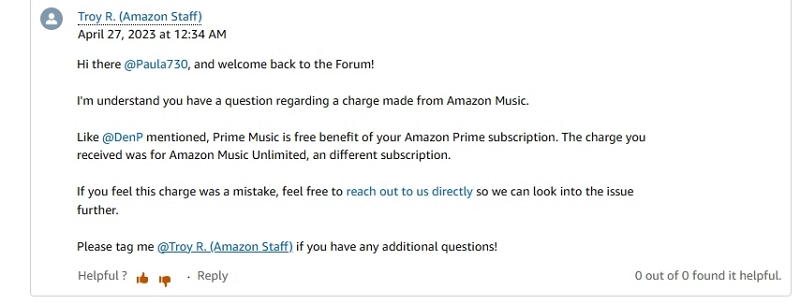
An official Amazon staff member, Troy R., clarified in the community forum that “Prime includes Amazon Music Prime, not Music Unlimited — these are separate services.”
Yet hundreds of users still post confusion and complaints every month.
My take: Amazon’s subscription process feels too seamless. It’s convenient for quick upgrades but easy to miss what you’ve actually subscribed to — especially when Alexa activates it with a simple “Yes.”
Part 2. Common Reasons Why You’re Being Charged for Amazon Music
This is the most-searched question:“Why am I being charged for Amazon Music?”
Below are the 5 real-world causes behind most Amazon Music charges, including the common $5.99 charge users frequently see.
1. A Free Trial Turned Into a Paid Plan
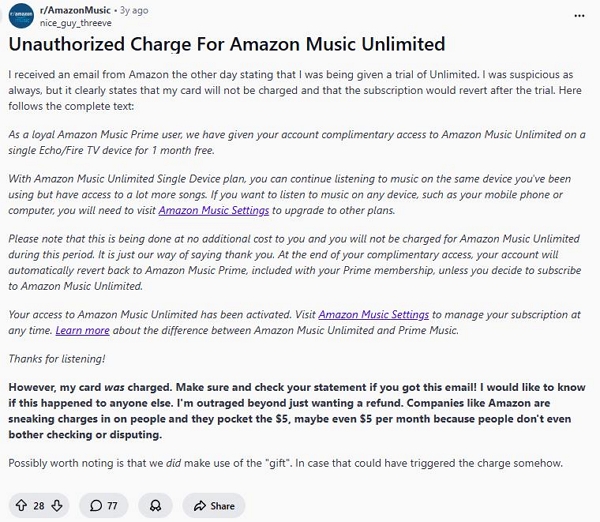
Many users accepted a “30-day free trial” pop-up, assuming it wouldn’t auto-renew.
But unless you cancel before the renewal date, the plan converts automatically.
“It clearly said my card wouldn’t be charged... yet I was billed after the trial ended.”
2. Alexa Voice Command Triggered a Subscription
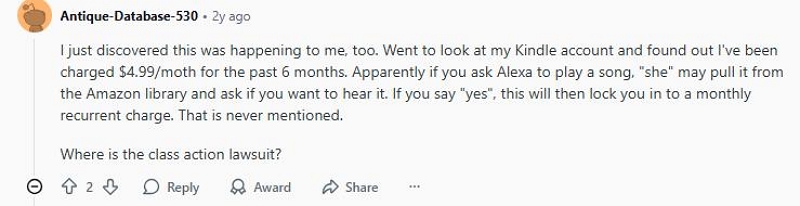
You might have unknowingly started a $5.99 Single-Device Plan by simply saying:“Alexa, play Taylor Swift.”
“I just asked Alexa to play The Beatles — the next day I got an email saying my Music Unlimited plan started.”
—— Reddit user
3. A Family Member or Shared Account Upgraded
If you share your Prime account under Amazon Household, a family member could have upgraded your plan from Prime Music to Unlimited without realizing it.
Forum comment: “My husband clicked a playlist on Echo, and it upgraded us to a Family Plan.”
4. Region or Device Duplication
“I canceled Amazon Music on my .com account, but the .co.uk one kept charging me.”
Using Amazon on both mobile and Echo devices or across different country domains (.com, .co.uk) may lead to multiple active subscriptions.
5. Unauthorized or Forgotten Subscription
In some rare cases, past accounts or compromised credentials can trigger repeat charges. Always check your Digital Orders and Subscription History.
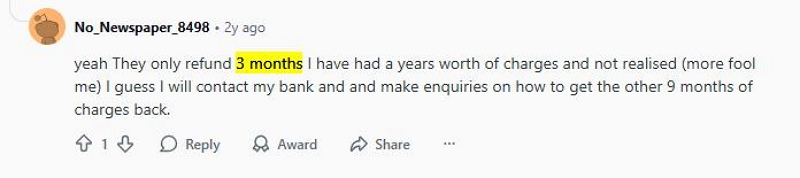
“Chat support refunded 3 months, but calling got me a full-year refund.”
—— One Redditor shared
Part 3. How to Identify and Stop Amazon Music Charges on Your Card
Once you understand why you’re being charged, it’s time to find and stop the source.
Follow this quick, scenario-based action plan:
Scenario 1: Free Trial Auto-Renewal
- Log into Amazon.
- Go to Your Memberships & Subscriptions.
- Look for “Amazon Music Unlimited” or “Amazon Music Single Device Plan.”
- Click Cancel Subscription → select “End Now”
- If the renewal just occurred, request a refund via Amazon Contact Us
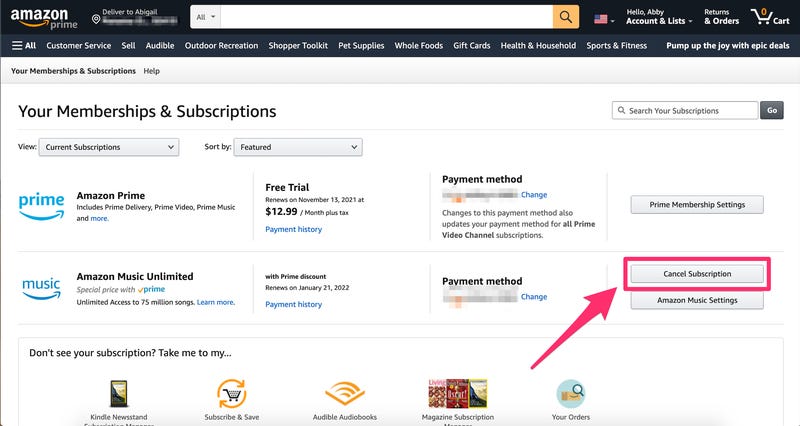
If your account shows no streaming activity after renewal, refund approval rates are above 90%.
Scenario 2: Alexa Voice Activation ($5.99 Charge)
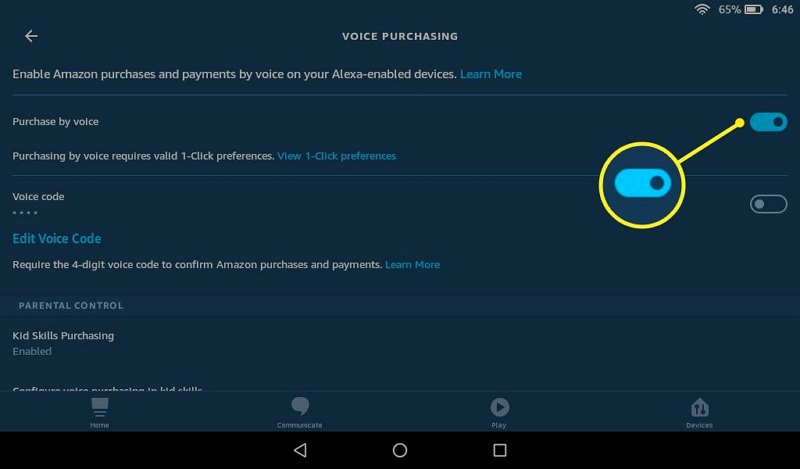
Step 1. Open the Alexa App → Settings → Account Settings → Voice Purchasing → Toggle OFF, or add a PIN.
Step 2. Check if any Echo or Fire TV device lists a Single-Device Plan → Cancel it
Scenario 3: Family Member or Shared Account
Step 1. Visit Amazon Household Settings
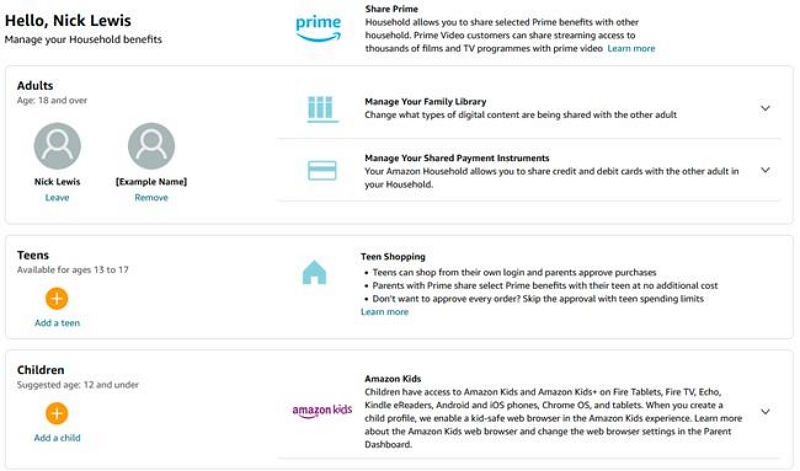
Step 2. Identify who has purchase permissions
Step 3. Remove shared cards or set up separate profiles to prevent future Amazon Music Unlimited charges
Scenario 4: Multiple Accounts or Regions
Step 1. Sign out and check all your Amazon regions (.com, .co.uk, .de, etc.)
Step 2. Revisit Memberships & Subscriptions on each
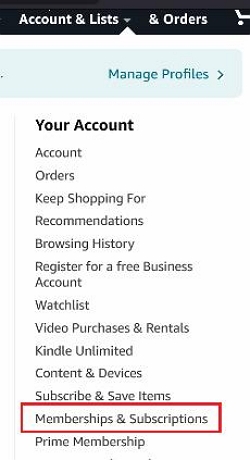
Step 3. Cancel duplicates or unwanted regional plans
Scenario 5: Unauthorized or Duplicate Billing
Step 1. Go to Your Payments → delete outdated or unknown cards
Step 2. Review Digital Orders for suspicious “Music Unlimited” purchases
Step 3. Contact Amazon Chat or Phone Support → Select “Unexpected Amazon Music charge”
Real case: One Reddit user reported a full-year refund after duplicate charges were found on two linked accounts.
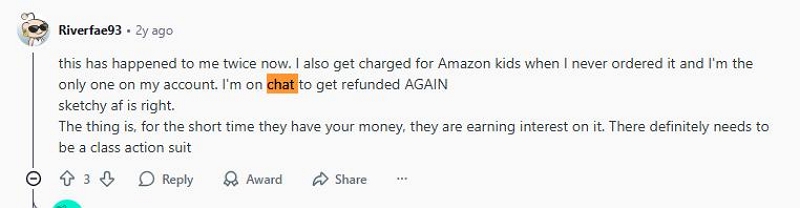
After canceling, take a screenshot of your “No active subscriptions” page. Set a monthly reminder to review it — that’s the best way to permanently stop Amazon Music charges from reappearing.
Part 4. How to Request a Refund for Amazon Music Charges
If you’ve been wrongly billed or charged after cancellation, here’s how to get your money back:
Step 1. Visit Amazon Contact Us
Step 2. Choose: Prime or Other Subscription → Amazon Music → Unexpected Charge
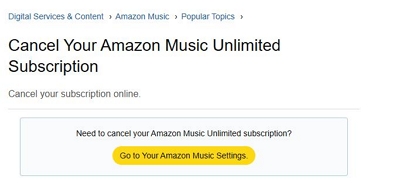
Step 3. Describe the situation briefly (“charged after canceling” or “didn’t authorize Alexa Music”)
Step 4. Wait for confirmation — refunds usually appear within 3–5 business days
Expert note: If there’s no recent usage detected, refund success rate is extremely high.
Part 5. How to Prevent Future Amazon Music Charges
To avoid seeing that mysterious Amazon Music $5.99 charge again, take these preventive steps:
✅ Set calendar reminders for subscription renewals.
✅ Enable email/SMS alerts for billing notifications.
✅ Use a dedicated payment card for entertainment services.
✅ Disable 1-click purchases on Alexa and Fire devices.
✅ Regularly audit Amazon Household sharing permissions.
“Every month on the 1st, I check all entertainment subscriptions — Amazon, Spotify, YouTube Premium — to avoid duplicate or hidden renewals.”

Part 6. How to Lower or Cancel Amazon Music Costs
Even if you like Amazon Music, there are ways to cut costs or simplify your plan.
- Downgrade to Amazon Music Prime: already included with your Prime membership.
- Switch to the $5.99 Single Device Plan if you only use Echo.
- Use student or seasonal discounts when available.
- Share the Family Plan with up to six users to split costs.
- Request a refund by explaining unused service or mistaken activation.
Forum insight:“Amazon usually issues full refunds if you haven’t streamed anything under that plan,” confirmed multiple community moderators.
Part 7. Alternatives: Enjoy Music Without Paying Monthly
You can still enjoy music without ongoing charges:
- Use Amazon Music Free (ad-supported).
- Try Spotify Free or YouTube Music Free.
- Keep a local MP3 library or transfer old downloads.
- Explore radio and podcast apps for free content.
Bonus Option: Download and Listen Offline with Mediaio Audio Converter
If you’d rather listen offline without an active Amazon Music subscription,Mediaio Audio Converter offers a clean and simple solution.
It’s a smart desktop tool designed for users who want to keep their Amazon Music playlists without being locked into recurring Amazon Music $5.99 charges or Unlimited renewals.
Many users use Mediaio Audio Converter to build a personal offline collection while avoiding surprise Amazon Music charges or renewals.
How to Use Mediaio Audio Converter (Step-by-Step)
Download and install Mediaio Audio Converter on your PC or Mac.
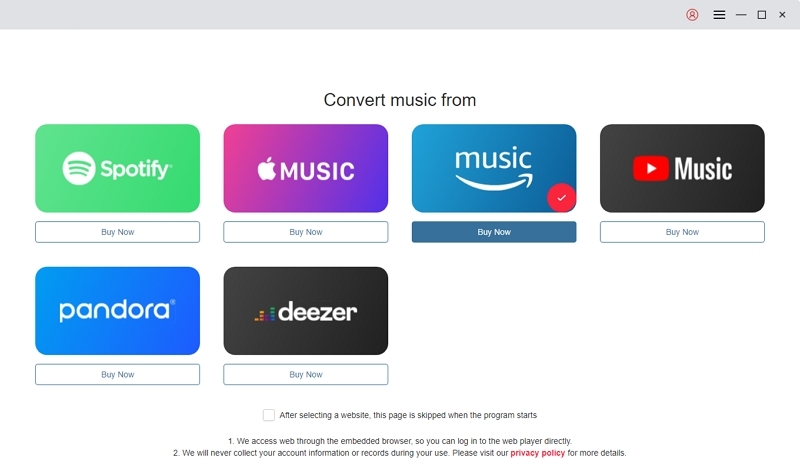
Open Mediaio and log in to your Amazon Music account (Prime or Unlimited).
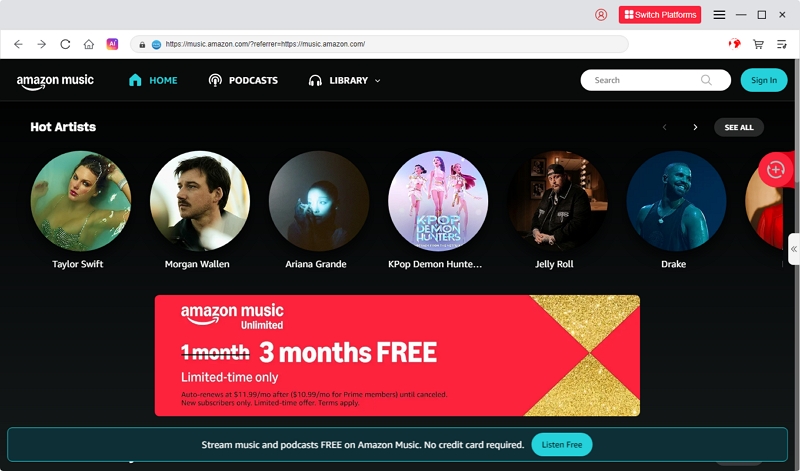
Copy the playlist or album link from Amazon Music and paste it into the Search bar.
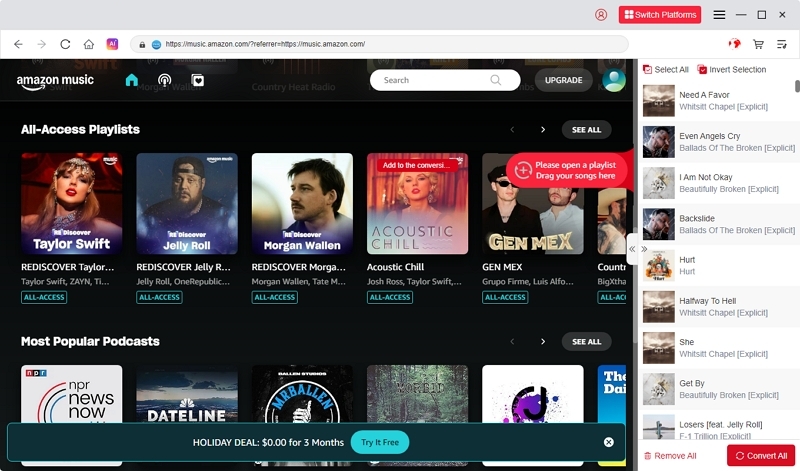
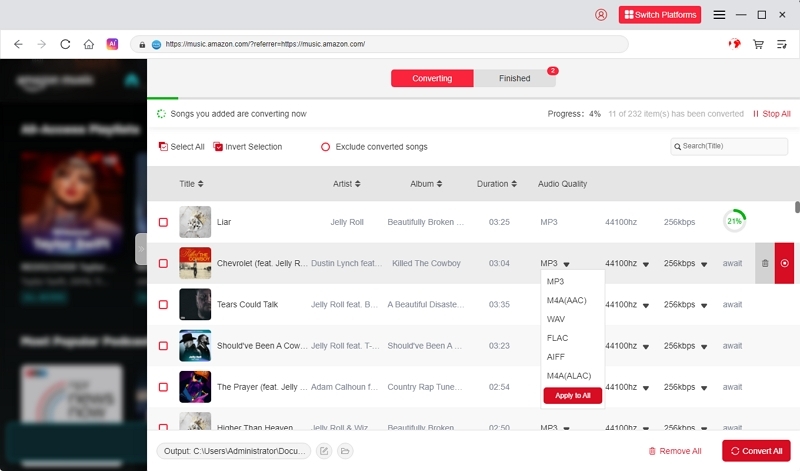
Choose your preferred output format (MP3, AAC, FLAC, WAV, etc.).
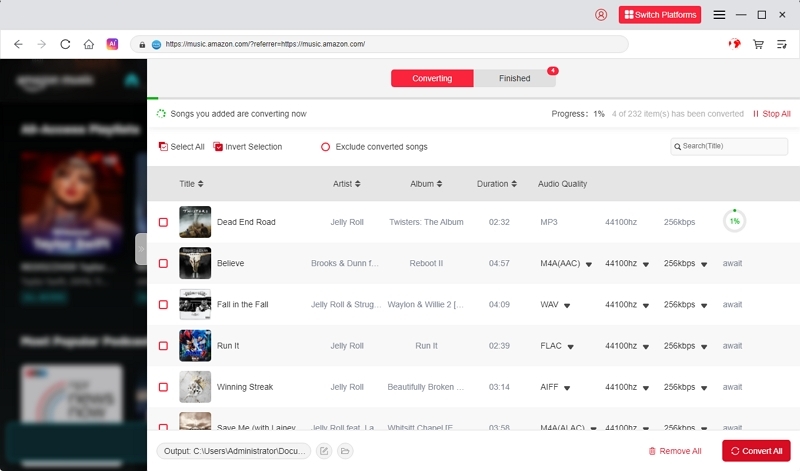
Click Convert — Mediaio will download the songs with full ID3 tags.
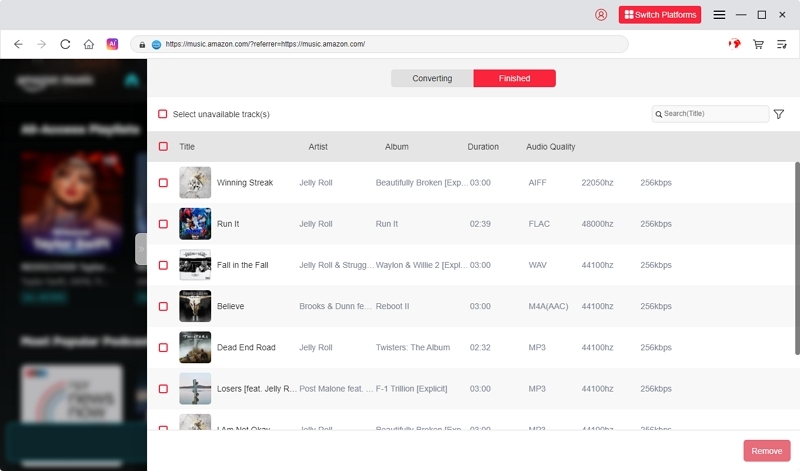
Once finished, play your downloaded songs offline in any music player (VLC, iTunes, etc.) — no subscription needed.
Conclusion: Be Smart About What You’re Paying For
If you’ve discovered an unexplained Amazon Music charge, don’t panic — it’s usually tied to an active or auto-renewed subscription.
By checking your Amazon Music settings, linked accounts, and Alexa devices, you can quickly identify the cause and stop Amazon Music charges permanently.
Whether it’s a $5.99 Alexa plan or a full Unlimited subscription, Amazon’s customer support is known for refunding unused services — as long as you act fast.